
BC4-1810 – Homework, Yukino Hatake
Forum Archive › BC4-1810 – Homework, Yukino Hatake
- This topic has 179 replies, 17 voices, and was last updated 7 years, 9 months ago by
yukino hatake.
-
AuthorPosts
-
October 17, 2018 at 9:16 am #42770
@theluthier thank you so much. I am very happy to hear the lightning match is among the favorites :D. I had quit the rough time with my computer. Hope this week he will do better
October 17, 2018 at 6:21 pm #42771just watched the livestream . And damn it was really fun to watch it 😀 i guess i would even be so obsessed with focusing on what you where learning us that i even would forgot i had the question xD .
Thanks @theluthier for showing how to concentrate certain things at edged or how to concentrate on the thicker parts .
i do also have a Question :I noticed you skip with a button between render layers that you rendered.
how do you do that ?
you where also correct , i am a woman 😀
Also thank you too @thecabbagedetective for sending a reminder during stream 🙂October 19, 2018 at 5:52 pm #42772working this week onto the pumpkins for the contest (gonna start retopology tomorrow) then gonna continue shading and lightning them .
i do have QUESTIONS :1:how do i switch between render layers ? (render slots) i saw @theluthier switching between them without clicking it . so i wonder how to do that.
2:is it possible to render each pumpkin seperated and afterwards use the compositor to merge them ? if so could anyone help me a bit out with how to do that ? like how to add them on top of each other ?
3: i have been trying to add 2 collors in the small pumpkin (pink and blue ) but somehow its not so visible. how do i make it so that they are more vissible
for now these are the questions . its kinda late so i guess i should go sleep.
i do know there still are a lot of mistakes in the pumpkin but they should dissapear in the retopology so i didnt bother cleaning it more up xD
or i do hope it will end up good without cleaning it upthis is what i have so far for today
(lightning collors etc might still change(the one with green light might keep the light but not look orange on the outside)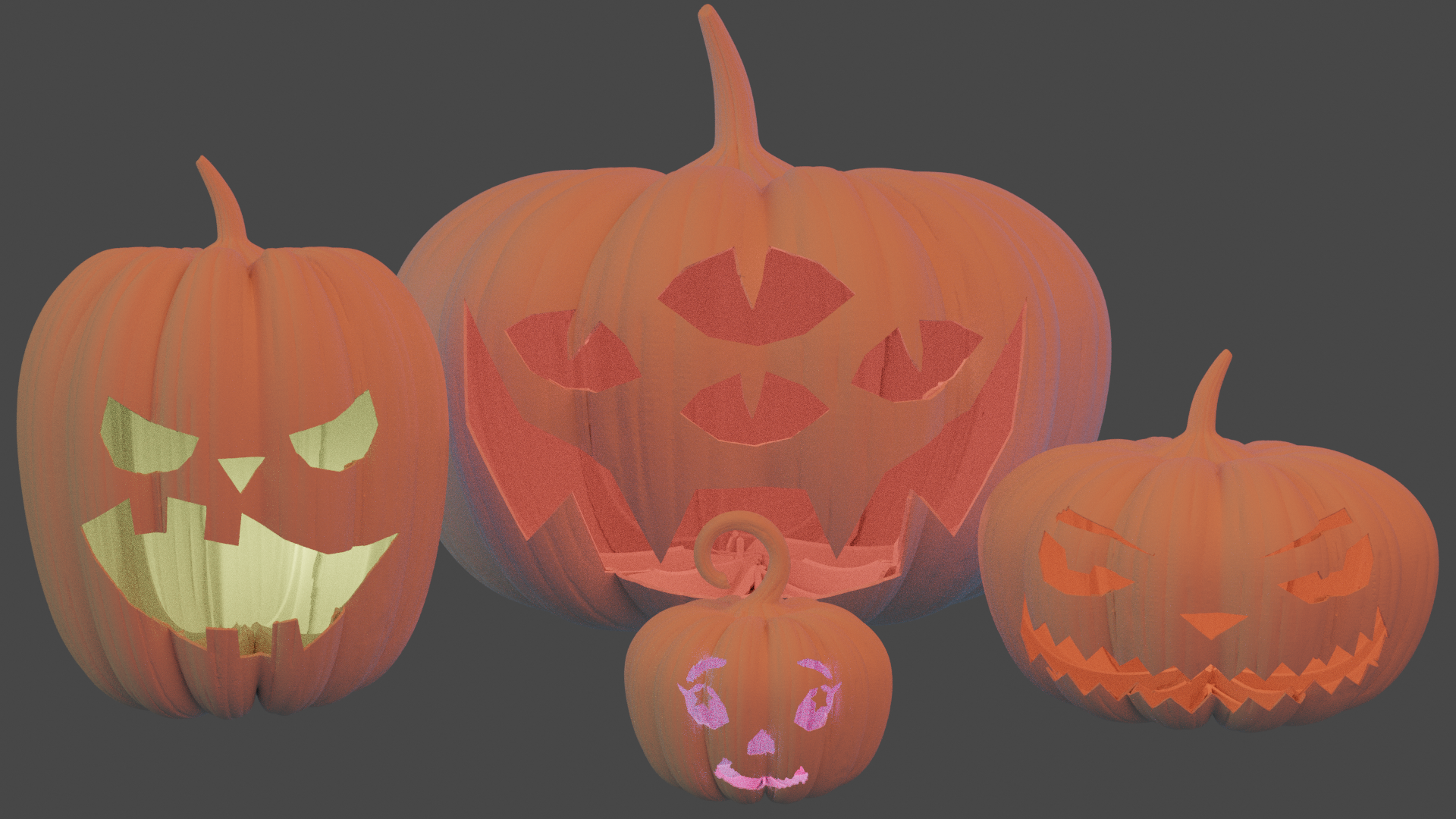 October 20, 2018 at 7:38 am #42773
@thecabbagedetective @silentheart00 or @smurfmier1985 do you guys perhaps know any of the questions?
October 20, 2018 at 7:59 am #42774@yukinoh1989 Great expression on the faces! 😀
1. I think @theluthier uses a hot key, I don’t know which one. What I do is hover the mouse over where it says ‘Slot 1’ , hold CTRL and scroll with the middle mouse wheel to scroll through the different slots.
2. Yes you can! You have to use render layers. I recommend watching the compositing fundamentals course, they explain it pretty good there.
3. Do you mean 2 lamps with different colors? You might have to make the less dominant one stronger. Or maybe use a different type (for example area) and point them in different directions. Just some thoughts, don’t know if it will work..
October 20, 2018 at 8:30 am #42775@smurfmier1985
Thank you glad you like the expressions .
now i do seems to have some problems that are pretty troublesome . at youtube or other sides i can watch movies but if i want to watch lessons here i cant :s this is how it looks. I even restarted the computer 2 times(after the restart when i click youre recommented course i get the screen to start learning (somehow i get logged out the moment i click it ). And afterwards i get this . Even closing internet isnt helping 🙁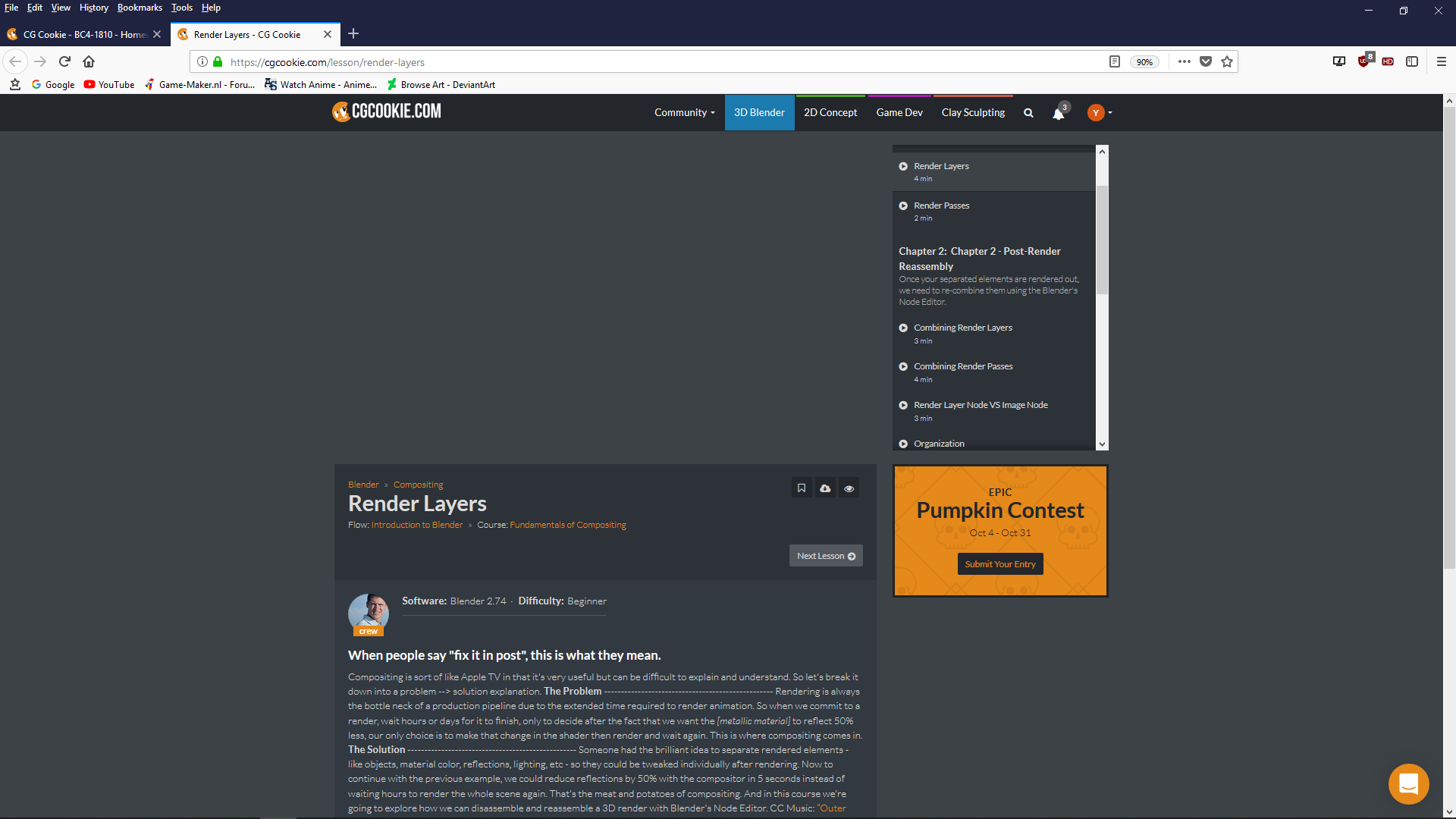
even if i take at start before i log in to just watch the free course demo i get this message
Delivery network failed to load videoas for the lightning i first used 2 point lamps but each time if i increase the strenght of one lamp it takes over of the other (and i want one side of the eye shine blue and other side pinkish purple .
Then i tryed just as you tought too area lamps but even with that and pointing them the oposite way it keeps looking like one collor .
Already thanks for the helpOctober 20, 2018 at 9:37 am #42776@yukinoh1989 WHO DARES AWAKEN ME FROM MY SLUMBER?!
Well it appears @smurfmier1985 has the sleeping schedule of a normal human being and therefore managed to answer your questions primarily first, however you seem to be having issues with watching videos for some reason. It might take a while but maybe I could download the compositing fundamentals course and send it to you until it’s fixed?
Also in relation to your lighting issue are you using Cycles or Eevee? Mind sending me the .blend file, so I can have a tinker around?
October 20, 2018 at 9:51 am #42777@thecabbagedetective first of all sorry for disturbing youre sleep xD . well depends on where you live too :p
it indeed might be nice if you could send me the compositiong fundamentals course (if its possible of course)
for my file this is the one : pumpkin file.
the 2 lights are point and point 4 (but i changed them to area lamps in the meantime . i used cycles for now since i heard eevee sometimes have problems . hope you can find out the problem or how to fix thatOctober 20, 2018 at 10:27 am #42778@yukinoh1989 Nah it’s no worries I was only messing lol.
Well here’s the course for now, gonna take a look at your file now. Decided to upload to entire course because despite you only needing a small amount of it for now it’s all very relevant and useful to bring your renders to the next level, so definitely check it out. Also be sure to let me know when you’ve downloaded the course so I can delete it. Thanks!
October 20, 2018 at 10:29 am #42779@yukinoh1989 Actually I should ask what exactly it is you’re trying to accomplish with the lamps? ‘Cause right now they’re working as intended, being such similar colours they’re basically being blended into one. So did you want one colour coming out of each eye socket or something along those lines?
October 20, 2018 at 10:43 am #42780@thecabbagedetective ya kinda so now they blend in what is not bad but I want that both colors are better visible so that at the left eye you can see blue and the right you can see that would be pink. But I am not able to achieve a better result . i am downloading the file now . thanks a lot for it . it should be finished in 3 minutes so then it can be deleted 🙂
October 20, 2018 at 10:46 am #42781@thecabbagedetective Woooww sleepy head!! You’re only one hour behind us in your time zone so you slept like until the end of the afternoon! 😱 I was up and about at 8 am 😛
October 20, 2018 at 10:49 am #42782@thecabbagedetective just tested the file and it completele works . got the whole course 😀 thank you so much aaron
October 20, 2018 at 11:19 am #42783@yukinoh1989 Okay, I’m by no means skilled when it comes to lighting, and I imagine there’s a much more intelligent, robust way to do this.
HOWEVER
Doing things intelligently isn’t my style, so this is what I got tinkering around, and it’s rather simple.
All you need to do is get a cube and essentially squeeze it between the two lights so it separates them but don’t make it too big so it doesn’t clip through the pumpkin.
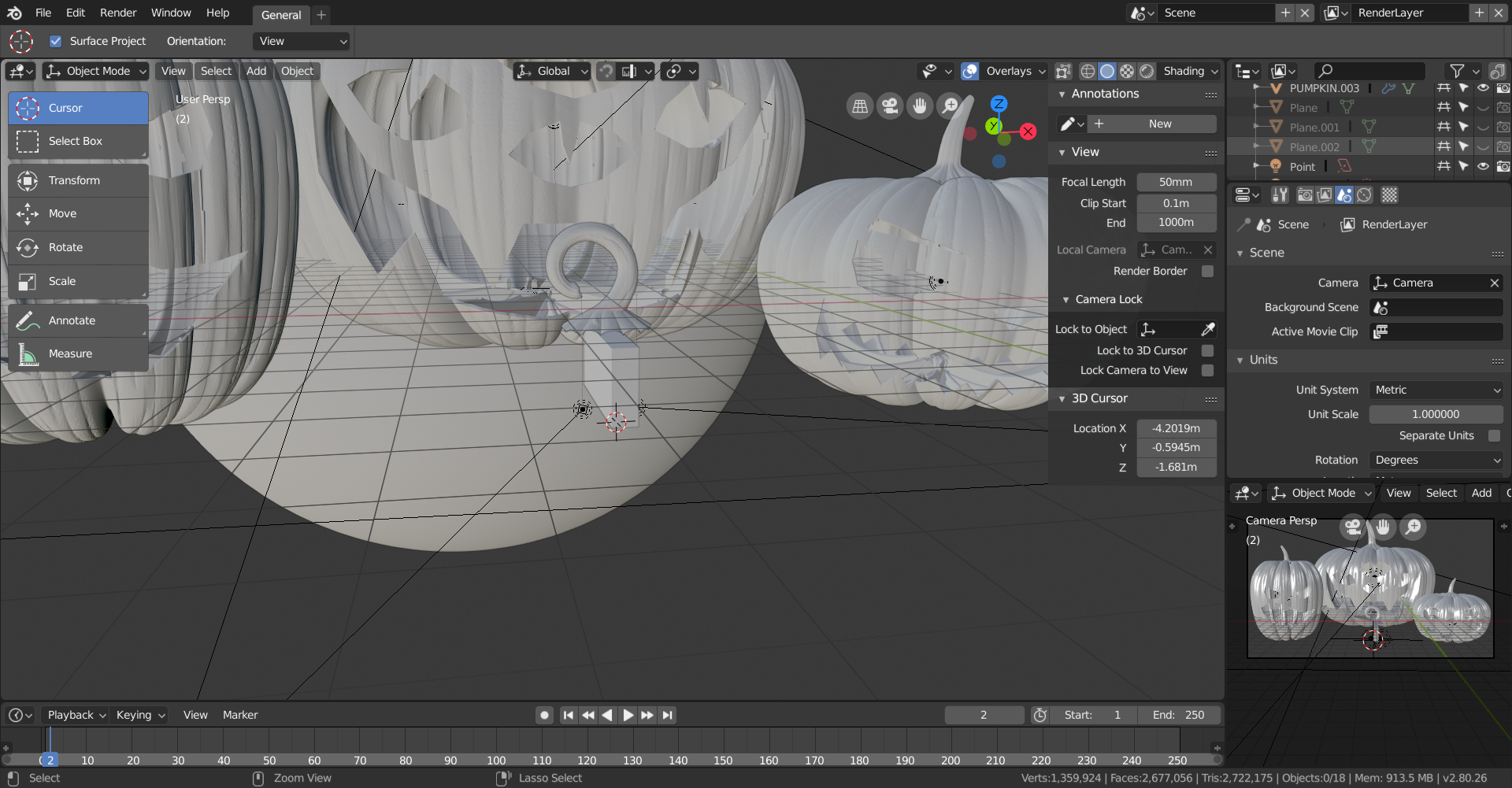
You should then end up with something like this:
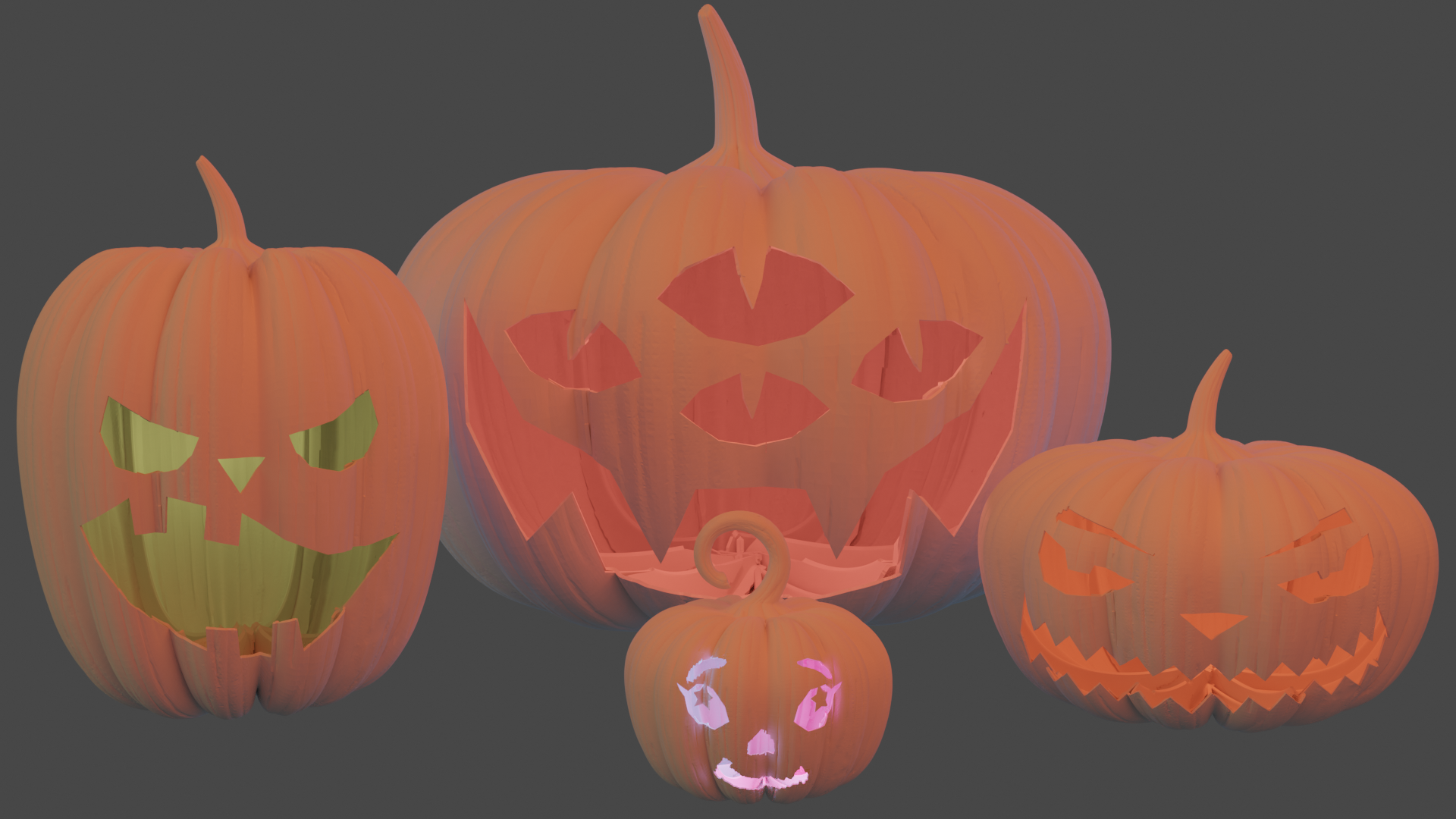
It’s not perfect by any means but I’m sure you can tweak around with it to get what you want. Hope this pushes you in the right direction!
October 20, 2018 at 11:21 am #42784@smurfmier1985 Yeah I stayed up until 7AM doing Blender stuff, guess I’ve been catching up with sleep lol.
-
AuthorPosts


- The topic ‘BC4-1810 – Homework, Yukino Hatake’ is closed to new replies.