
BC4-1810 – Homework, Yukino Hatake
Forum Archive › BC4-1810 – Homework, Yukino Hatake
- This topic has 179 replies, 17 voices, and was last updated 7 years, 10 months ago by
yukino hatake.
-
AuthorPosts
-
October 9, 2018 at 12:12 pm #42725
@silentheart00
Thanks i sure will (trough ill gonna wait till tomorrow since today my head is feeling like its gonna blow up )
i sure look forward to the class session so you will see me there 🙂
i am glad you like the updated versionOctober 10, 2018 at 1:29 pm #42726@yukinoh1989 Something about the lighting looks really nice and improved. The colors on the wood floor are great. The scratches look nice too. Are those all procedural?
1. Those look like sharp specular highlights (reflections). If you’re using Cycles they may be fireflies. If that’s the case look in the render settings under “Sampling” for Clamp Direct and Clamp Indirect. Set the to 5-ish and see if that solves it.
2. I think on the floor the dust feels like particles. As in we can see individual dust bits but overall it looks like a realistic covering. On the truck I can’t really see individual dust particles. Perhaps scaling up your particulate texture (noise I’m guessing) slightly could help.
3. What happens when you enable the node wrangler addon in 2.8? It’s one of the only addons that currently still works with 2.8 and it should be included by default, however disabled.
4. You’ll only be able to mask off certain areas with a pointiness or ambient occlusion node. That would make it possible to concentrate scratches on the edges and away from crevices. This assumes you’re using Cycles – neither node works with Eevee currently.
5. Not sure what you mean by the dirt. I can’t tell dirt on the sides..
6-7. It’s a lot to answer in text. Basically you can use scratch textures that you generate as white to black factor for a color mix node where you can set explicit colors for your white scratch texture. If you want multiple colors you can duplicate your scratch texture nodes and alter the scale values / transform values and change the color mix node to another color. You can do that as many times as you need till you get all the colors you want.
I can tell you’re getting deep into shading nodes! I’m excited to see what you do this month 👍
October 10, 2018 at 1:39 pm #42727@theluthier
thanks kent 😀 sorry for the bunch of questionsall the scratches are done procedural . i only used a texture for the dust.
3: actually nothing i just cannot enable it . maybe its wise to update it trough since i heard they got the subsurf working now . maybe the verry first version had that as a bug ? of course i am not sure gonna test that tomorrow
5: for the dirt the yellow area(between the blue cabinet and the yellow tank) you can see a small place has dirt on but that is the only place sadly . i have no idea why the rest is blankas for 6 and 7 is it perhaps possible to show how that could be done in a further livestream or maybe at the end ? i of course dont know how long someting like this would take but i really could not figure it out
i sure am again learning a lot. those nodes sure are intresting (difficult at first but fun ) i guess with time i will get more used to it without having to check how to use them agian .
i am happy to hear that . i also look forward to show you the best i got 😀October 10, 2018 at 1:42 pm #42728@yukinoh1989 Remind me in the next live stream (Oct 16th) and I’ll show you what I mean about using pointiness to isolate edges and AO for crevices.
October 10, 2018 at 1:46 pm #42729@theluthier thank you so much I sure will. You’re the best teacher I ever had and most fun classes too 😀
October 11, 2018 at 2:37 pm #42730
trying to figure out eevee . added some collors but still have to figure out how to bring the HDRI in the workspace (so it also show in the render) and how to increase the lightning from it. tomorrow ill recheck kent’s livestream to see what i could do to render better .
there will be more colloring in the car but this will be it for today 🙂
let me know what you think so farOctober 11, 2018 at 2:48 pm #42731@yukinoh1989 Hi Yukino, using HDRI in EEVEE works the same as in Cycles. I think Aaron explained it in the previous class how it works. Else you can watch the fundamentals of lighting course, there Kent explained it too.
Best place to get them for free: HDRI Haven
Can’t really see the shaders… I think you’re only using the standard grayish world lighting. Adding a sun lamp will help 🙂
October 11, 2018 at 3:10 pm #42732@smurfmier1985
o found it tought the thing about would create the HDRI (somehow it only provide some light effects )
but indeed its the same as in cycles (should checked it .
the collors are better visible trough i wonder what happend with the car wheel (i added red but somehow it gave a strange effect)
for today this was the result i get (i think ill darken the silver a bit tomorrow ) looks a bit too bright i guess xD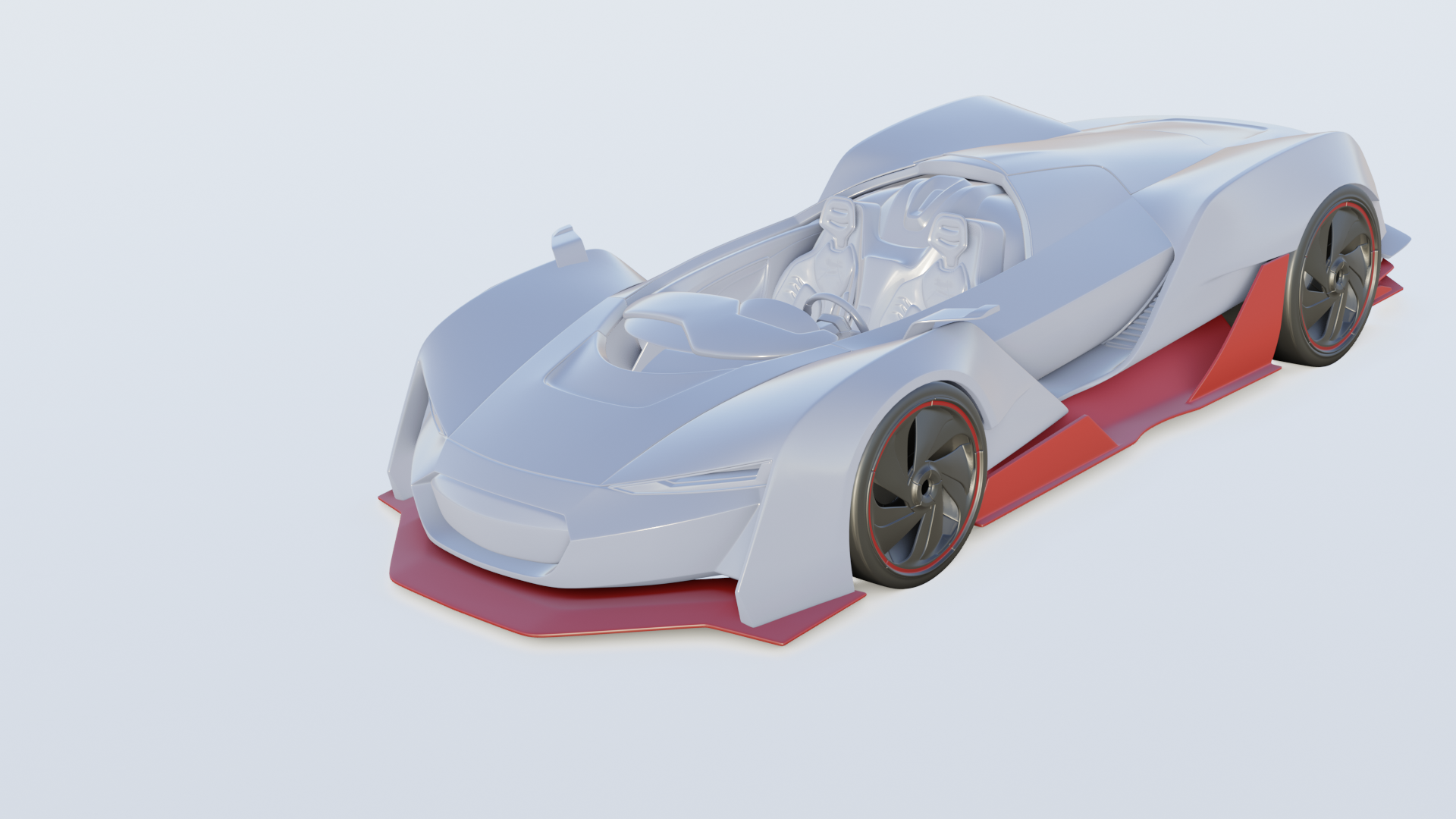 October 12, 2018 at 3:47 pm #42733
some little update.

i know the HDRI is positioned badly compared to the car xD how it looks so far ? still need a lot to do .October 12, 2018 at 4:39 pm #42734@yukinoh1989 Hi Yukino, good start! Though I think you should add a plane as the ground so the car can cast shadows, that will help with the realism. Also the paint doesn’t yet look like paint, I recommend watching the livestream again and following what Kent does there 🙂
October 12, 2018 at 6:21 pm #42735@smurfmier1985 thanks Miranda. Indeed I guess I will need a plain again. The car paint indeed is not yet finished but just got this far. Hope things will go better and faster tomorrow. I first struggled more then 30 minutes to open the blend file. Then working was really slow. Even slower then Kent’s livestream. Sometimes I had to wait 2+ minute to change a setting from the nodes or to rotate the model or world. He even crashed several times when I accidently clicked a bit too fast or clicked while he tryed to apply a new value
October 13, 2018 at 9:31 am #42736Does anyone have problems with blender been really slow. I can barely work on the file and if I have the file open and I want to watch the recorded stream my computer crash each time over and over 🙁 3 days ago everything was perfect but now it’s almost impossible to work. Even adding an Hdri (instal one) takes 3 to 5 minutes time before blender reacts again
@theluthier do you perhaps know what the problem can be or cause?
October 13, 2018 at 10:04 am #42737@yukinoh1989 Yes! When I render, Blender freezes for a few minutes until I get the render result and I can’t see the progress at all while rendering like in Cycles. Also it crashes every time when I try to render with Samples above 2k. Another thing I noticed is that when I use Ctrl+Z it sometimes takes up to 5-10 seconds to undo the last step. :/ I hope they will make some changes to improve the performance. Btw nice WIP, I really like the wheels! 👍
October 13, 2018 at 10:34 am #42738@bsdwerbeagentur well for me it’s not during render (I even cant get to a render anymore) but like when I open blender.2.8 or when I change Hdri or change settings in the node editor. He even start lagging when I sometimes orbit around my object. My computer even crashed 2 times today 🙁
October 13, 2018 at 1:17 pm #42739while struggeling 11 hours to somehow get someting i managed to get part of the car paint (only the gray car paint)
i gonna try to continue tomorrow and i hope then blender will run faster again. its really strange how blender takes forever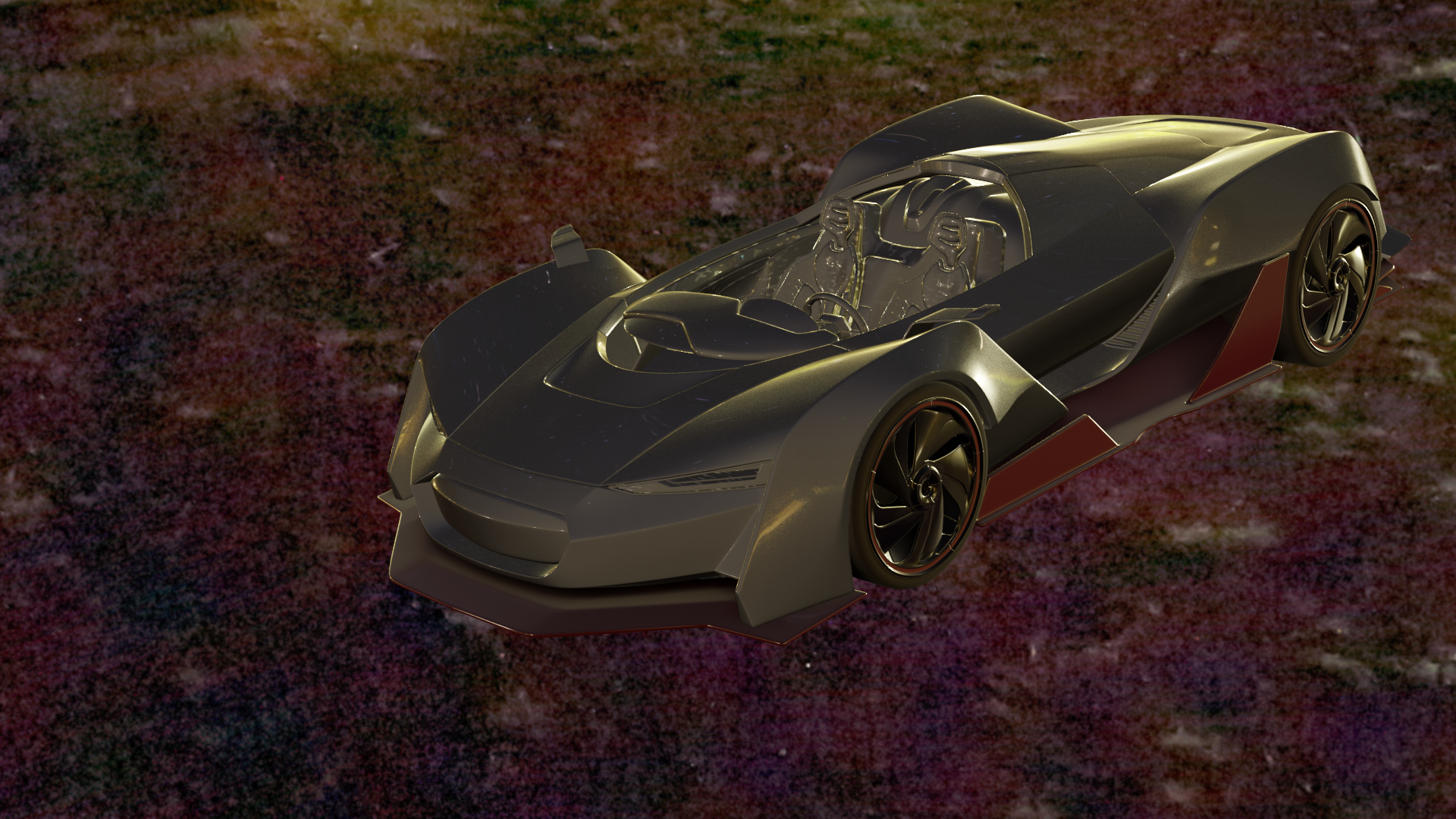
let me know what you find of the car paint so far -
AuthorPosts


- The topic ‘BC4-1810 – Homework, Yukino Hatake’ is closed to new replies.