BC1-1808 Homework, Yukino Hatake

Forum Archive BC1-1808 Homework, Yukino Hatake

Viewing 15 posts - 121 through 135 (of 348 total)
  • Author
    Posts
  • #39280
    Aaron Rudderham
    Participant

      @yukinoh1989 I tried opening your .blend file and it’s not allowing me. Did you send me the file that has the Blender logo on it? That’s the one I need. Sorry for taking so long to respond by the way, I’ve been really busy today.

      #39281
      yukino hatake
      Participant

        @thecabbagedetective 

        yep that is the file but i also cannot open it directly.  You first have to open blender 2.8 and then load the blend file. 

        #39282
        Aaron Rudderham
        Participant

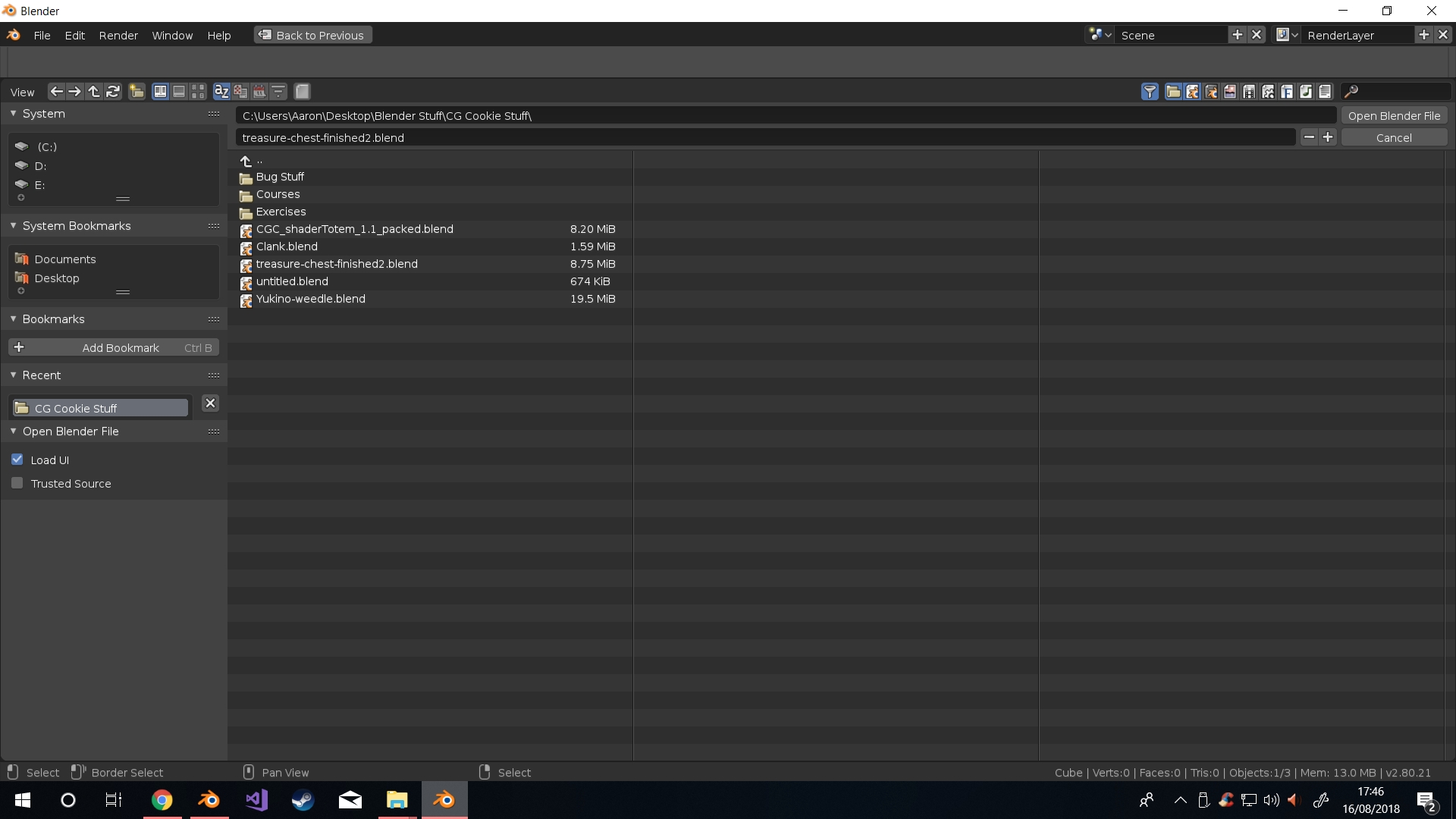
          @yukinoh1989 This doesn’t seem to be possible due to it being a Blend1 file as opposed to a .blend file, unless there’s something about 2.8 I’m missing?

          #39283
          smurfmier1985
          Participant

            @thecabbagedetective I couldn’t open it either, it is indeed the wrong file type..

            #39284
            Kent Trammell
            Participant

              @thecabbagedetective @smurfmier1985 You can open .blend1 and .blend2 files with Blender. Just enable this icon in the file browser: 

              #39285
              Aaron Rudderham
              Participant

                @theluthier Aha, cheers!

                #39286
                smurfmier1985
                Participant

                  @theluthier Nice, thanks!

                  #39287
                  yukino hatake
                  Participant

                    Sorry gonna reupload it
                    .blend file

                    since i could not figure it out i deleted that part and actual just remodeled the block( since it didnt had too much details)
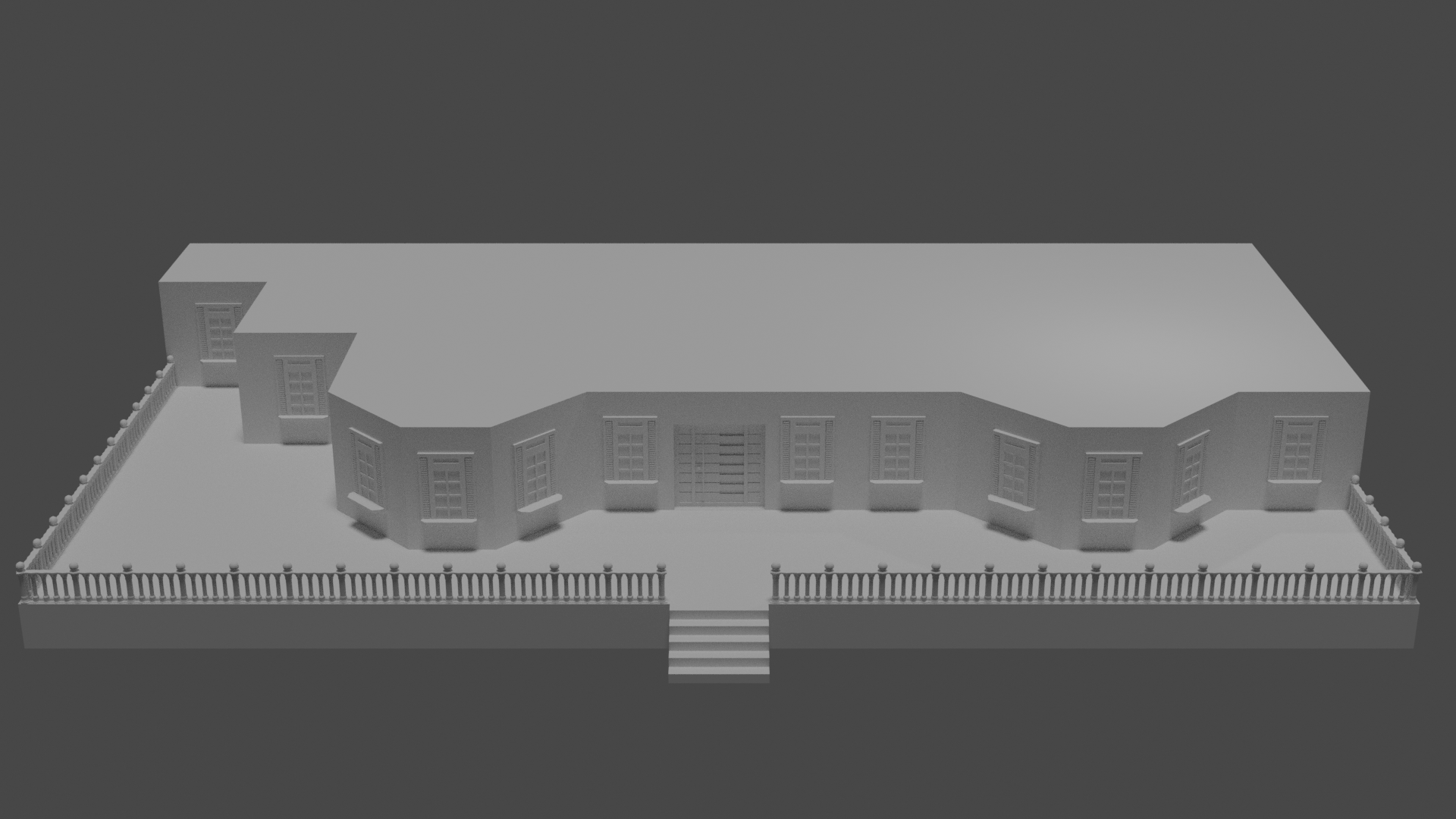
                    this is what i have so far . trough it goes slow i am happy so far
                    edit mode make me remind of Knex and Geomag  xD but harder then .
                    So far i learned to get more comfortable with moving the verticies edges and (forgot the other word xD) the squares .
                    i learned to work with the modifiers mirror and array and how to duplicate objects .
                    I also learned how to use the knife tool and loop cut (trough somehow sometimes this doesnt seems to work)
                    Also learned how to dissolve certain places and how to incest(do i spell and say it right ? )
                    This is the result 

                    Trough i made a mistake the door isnt a seperated object so now i wonder if i gonna add a material later if i have time i guess the door will get the same right ? is there a way to undo this ? i know its just one door but it took some time to model for me so if i can fix it without redoing i would love to hear this 😀

                    #39288
                    yukino hatake
                    Participant

                      @theluthier
                      another thing i learned 😀 . is it possible that it is automaticly enabled with me ? somehow i still could open it without touching it(the icon) ?

                      #39289
                      Aaron Rudderham
                      Participant

                        @yukinoh1989 Just rendering something right now but once that’s done I’ll be sure to have a proper gander. I believe the missing word you’re looking for is faces by the way, and the other word is spelt “inset”, so you were pretty close.

                        With the door problem there are a few ways to go about this. One is the assign two materials to the mesh, then go into edit mode, select all the faces that you want changed, then go over to the material you want assigned to it and hit “Assign”. The other way is the select all the verts that you want to be separate (in this case the entire door) and hit P to separate, then hit “Selection”. You now have two separate meshes.

                        #39290
                        yukino hatake
                        Participant

                          @thecabbagedetective
                          Thanx . Indeed faces was the word i looked for 🙂 .
                          Gonna have to try that out to add 2 materials to the object. Can you assign even more to one object or is there a certain limit to it ?

                          #39291
                          Aaron Rudderham
                          Participant

                            @yukinoh1989 As far as I know you could theoretically assign as many materials to an object as you’d like.

                            #39292
                            yukino hatake
                            Participant

                              @thecabbagedetective Awesome to know . Blender is such a awesome program .

                              #39293
                              Kent Trammell
                              Participant

                                @yukinoh1989 I don’t know if you can set that as the default. .blend1 and .blend2 files are meant to be automatic backup files. So they’re not really designed to be accessed all the time – only when needed; often an emergency.

                                #39294
                                yukino hatake
                                Participant

                                  @theluthier
                                  Now i see. That is why i always ends up with 2 files. founded it strange but handy since last time when i modeled the door blender crashed but when i took recover auto save i had a big part of that door back . i was happy this was not all lost 🙂 .

                                Viewing 15 posts - 121 through 135 (of 348 total)
                                • The topic ‘BC1-1808 Homework, Yukino Hatake’ is closed to new replies.