
BC1-1808 Homework, Yukino Hatake
Forum Archive › BC1-1808 Homework, Yukino Hatake
- This topic has 347 replies, 19 voices, and was last updated 8 years ago by
galledark.
-
AuthorPosts
-
August 10, 2018 at 5:46 pm #39190
sometimes i try someting but redo it several times because i am not satisfied with the result
@yukinoh1989 Art in a nutshell. It’s something we all go through at least once so you’re not alone. I made this thread a while back so if start to feel downtrodden because of that lack of satisfaction there’s quite a bit of reassurance and advice here.
August 10, 2018 at 5:53 pm #39191@thecabbagedetective
wow seems it has quit a lot of comments gonna read them. might know what to do when i get in that situation.
I know from myself i can be quit stuborn and would sometimes end up with sleeping too less.
So this topic sure gonna be worth reading now.August 12, 2018 at 9:30 am #39192finished the image is posted in the first page too
 anyone know why there is shadow under the weedle 1 stone pokebal and part of magnemite but not with rest ?if anyone see someting strange be sure to let me know.
i saw some posted a before primitive challenge and this one so i guess ill do it too.
https://www.cgcookie.com/u/yukinoh1989/projects/snowman-model
https://www.cgcookie.com/u/yukinoh1989/projects/first-3d-model
i modeled these 2 after i followed Grant Wilk tutorial about blender basic’sAugust 12, 2018 at 9:44 am #39193@yukinoh1989 I love the composition! so many pokemon, they are very well made! You should turn up the lights a bit though so we can see them better 😊 About the shadows, I think it has to do with the position of the light(s) and how high the pokemon are floating above the ground. You can be be very proud Yukino, you’ve done marvelously well for your first complete scene. Awesome job 👊
August 12, 2018 at 9:47 am #39194@smurfmier1985
Thank you so much Miranda how do i turn lights up ? i indeed finded that somehow the color’s arent like they where supose to be.
I really learned a lot here already so i wonder how much more i will learn in the next week 😀August 12, 2018 at 9:51 am #39195@yukinoh1989 You set the energy higher:
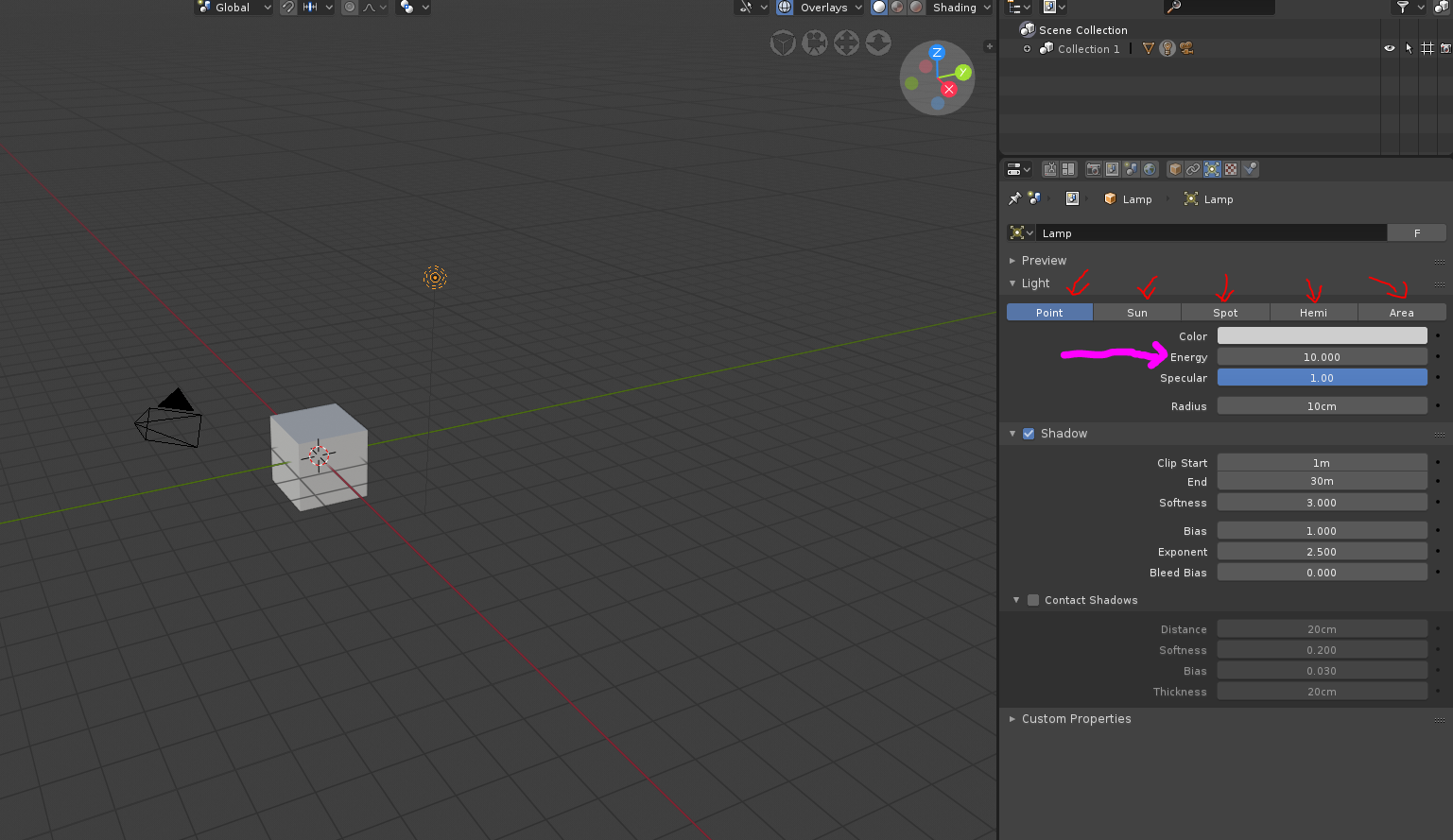
You can also change the type of light, each one has different features. Also, did you know you can add more lights? Just like you add a new mesh, hit SHIFT + A but then go to the lights section.
Also you can turn up your world lighting a bit by picking a lighter color:
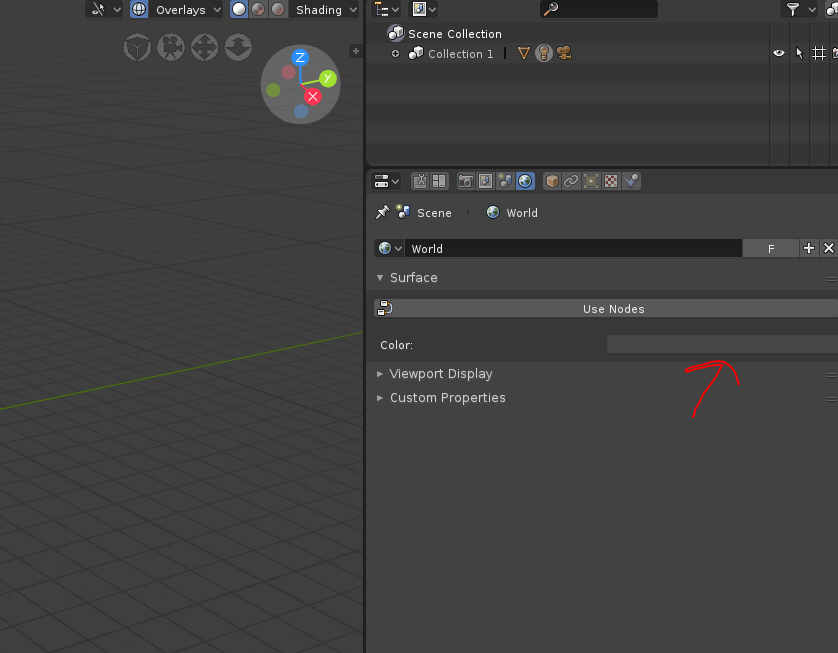
Using a HDRI is usualy the best way to light a scene, like @thecabbagedetective explained before, but this will give you some great options to try out for now. Hope this helps 😊
August 12, 2018 at 9:54 am #39196@yukinoh1989 Good stuff! About the shadows, after taking a look at your .blend file it would appear that you light source is both very dim and pointing straight down (the black line that sticks out of the light source indicates the direction of that light). You’re gonna want to have something like this (I had it at a strength of 25,000):
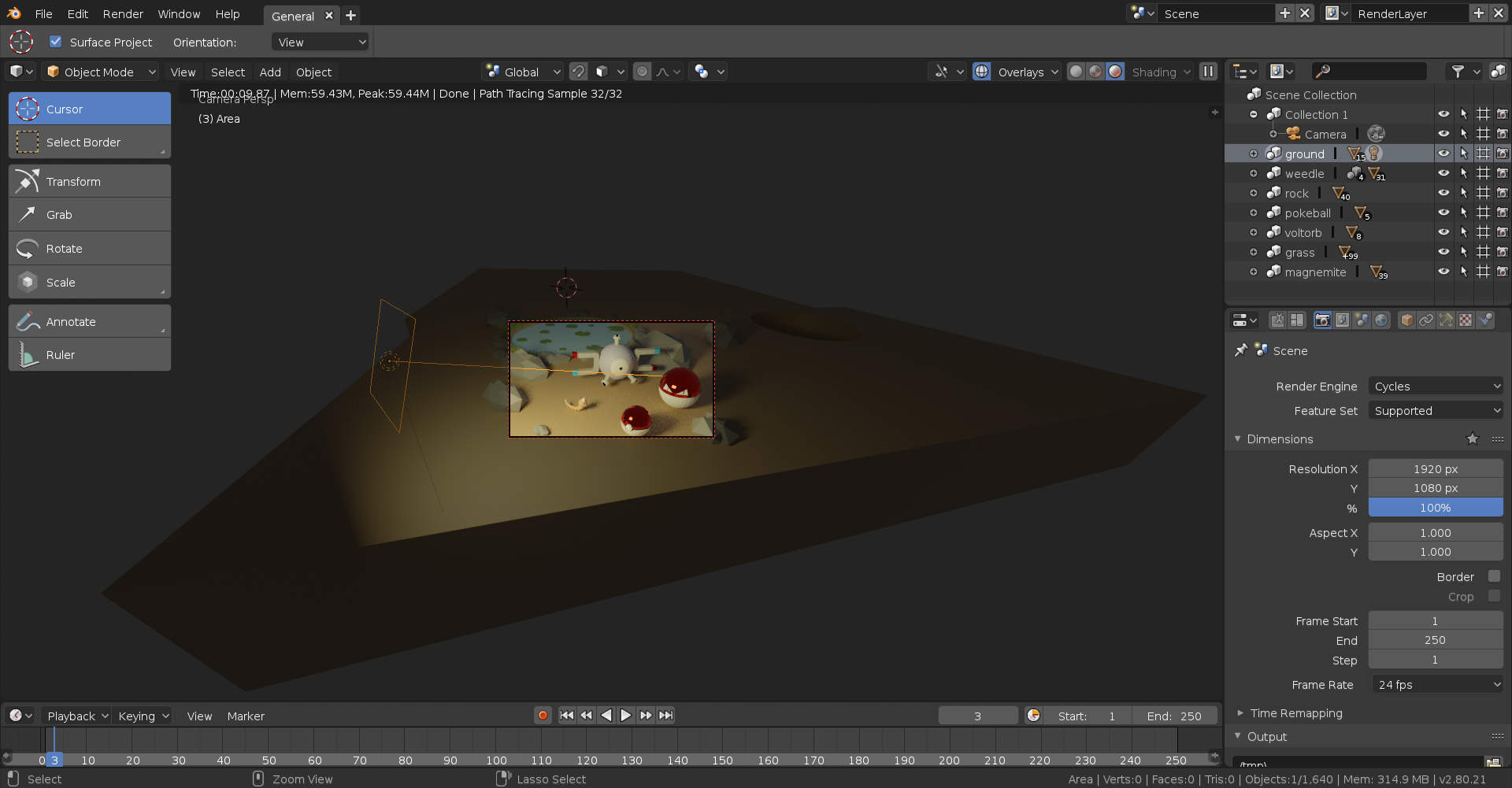
Here it is rendered:

One thing I will note is that I rendered this in Cycles whereas you presumably rendered in Eevee. I say this because Eevee’s lighting doesn’t seem nearly as detailed as Cycles, plus it seems that they added an entirely new functionality for Eevee’s lighting like… today (or at least I didn’t notice it yesterday) so now I gotta learn how that works. If I come across something useful I’ll let you know. Hope this give you some insight though!
August 12, 2018 at 10:07 am #39197@thecabbagedetective and @smurfmier1985
both thank you for this i gonna try to get it better .
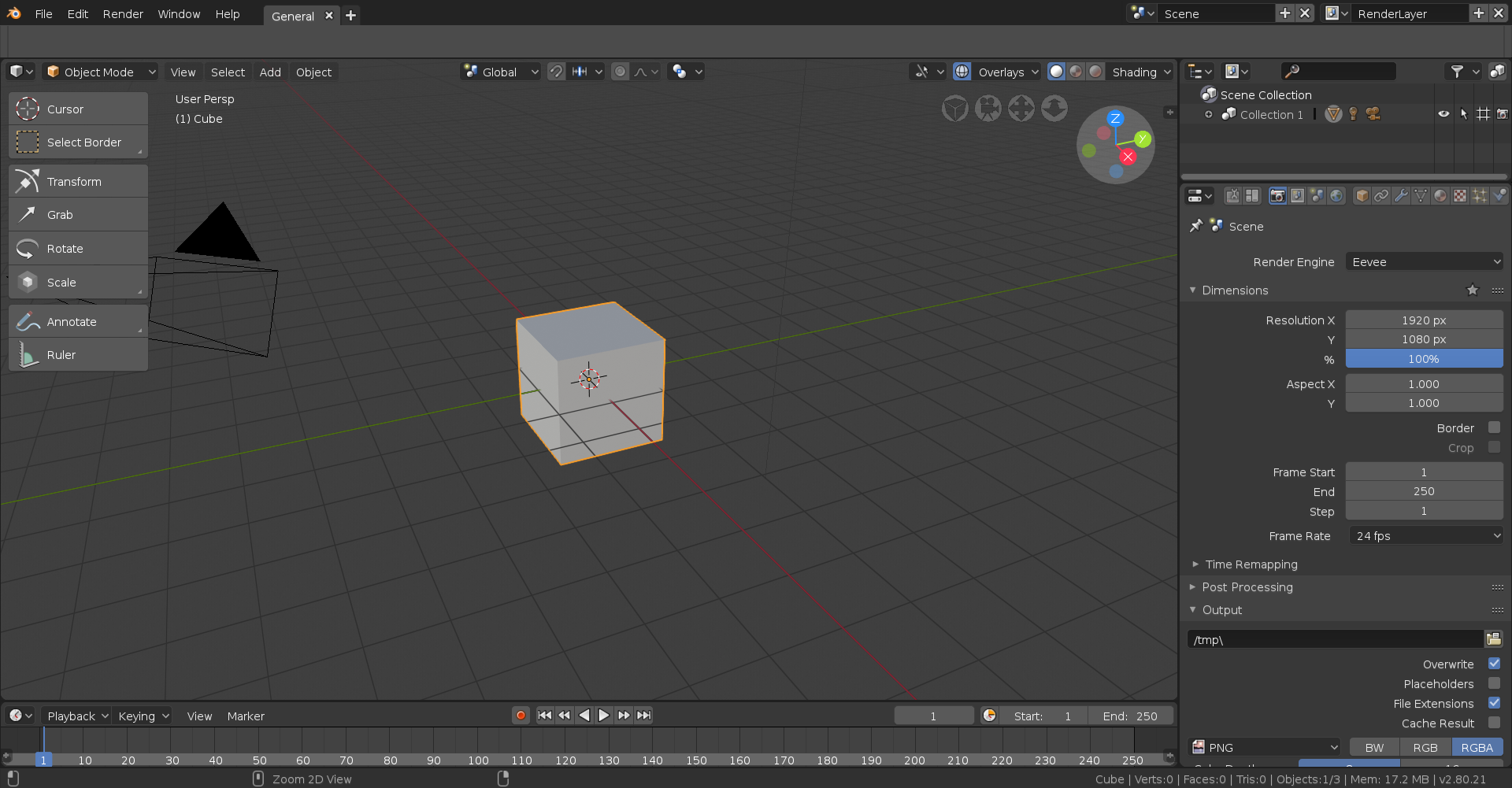
how do i also know if i render in cycles or eevee ? i just see render xD
i do this by going at top and take render image . hope that is the way to do it ?August 12, 2018 at 10:11 am #39198@yukinoh1989 In the Render settings on the right (the camera) there’s a button that says “Render Engine”. This allows you to swap between Eevee, Cycles and OpenGL. OpenGL is basically just a snapshot of the viewport but due to Eevee I’m a tad confused by its existence, for animations maybe?
 August 12, 2018 at 10:17 am #39199
@thecabbagedetective
thanks indeed now i know how to change the type . one more question is there a way to smooth the pokeball voltorb and head of magnemite ? since i noticed they are a bit too blocky . i remember there was someting to smooth but i cant find itAugust 12, 2018 at 10:40 am #39200@yukinoh1989 Indeed there is! With the object you want to smooth out, you’ll want to click on the “object” button at the top of the viewport (or bottom, if you swapped the header around):

After that you’ll want to select “Shade Smooth” and boom, you’re done. The only problem is that smooth shading requires more dense geometry so for most primitives it’ll look rather funky but it shouldn’t be too bad with the spheres.
August 12, 2018 at 10:48 am #39201@thecabbagedetective
Thank you this was indeed what i was looking for 😀 looks much better now (almost done to reupload it )
trough my lightning still isnt like yours xD
i really wonder how you did that lightning. Just swaped trough all lights but i dont see a light with a square :s
and took me a while too to find out where the strenght was (i had to push node right? )
this is the reuploaded version August 12, 2018 at 11:16 am #39202
@yukinoh1989 Looks much better Yukino! 😄
August 12, 2018 at 11:19 am #39203@smurfmier1985
Thank you i am happy you guys told me how to get it better. compared to the first this one is much better 😀
You both helped me so much this week and seeing others submisions like youre and the rest just made me to add someting more into it like the grass and some more rocks etc 😀August 12, 2018 at 11:24 am #39204@yukinoh1989 I used the Area lamp, then you can scale it with S to make it bigger, giving it that square, and yes you’re correct about the strength, it’s usually there by default oddly enough.
-
AuthorPosts


- The topic ‘BC1-1808 Homework, Yukino Hatake’ is closed to new replies.