
BC1-1808 Homework, Yukino Hatake
Forum Archive › BC1-1808 Homework, Yukino Hatake
- This topic has 347 replies, 19 voices, and was last updated 8 years ago by
galledark.
-
AuthorPosts
-
August 15, 2018 at 8:32 am #39250
@golden-kitty
Thanx alt D was indeed what i was looking for (tryed shift and ctrl)
Trough mirror modifier isnt working ? is that possible ? this is what it is now August 15, 2018 at 8:32 am #39251
@yukinoh1989 you could just shift D or alt D and snap them together when you are done. Really just depends what you want to do: D
August 15, 2018 at 8:37 am #39252@yukinoh1989 You might need to change the axes to see it, try the Y axes. Also if your object is in the middle then you probably wont’t see it, try moving your object to the right.
So.. no Pokémon this time?
August 15, 2018 at 8:45 am #39253@smurfmier1985
still not working tryed Y axis and changed the direction of the object by moving it in several directions but nothing happens :s
Well actually there will be pokemon too but i first try to model a house (big house) . and then add a onix and maybe some more pokemon if i have time leftAugust 15, 2018 at 8:45 am #39254@yukinoh1989 it appears it is broken in 2.8 works fine in 2.79
August 15, 2018 at 8:46 am #39255Ow is it possible to switch the objects i already have done to 2.79 ?
August 15, 2018 at 8:49 am #39256@yukinoh1989 yes
try opening the blender file in 2.79 if it is too crazy..then export your objects as objects and import them into blender 2.79..Under file -import- wavefront (obj)…
Make sure you have the addon installed for- import export wavefront (obj) –
Install addon
–File
– User Preferences (clt~alt~u)
-addon tab
-then in search bar type in wavefront
-check the box for it
– at bottom of window push save user settings.
August 15, 2018 at 8:56 am #39257@yukinoh1989 Mirror was working fine for me in 2.8.. maybe try downloading the latest version? Or go back to an older build?
You did organize your collections pretty good by the way, love how you use some Belgium words to describe them 😉
Maybe provide you blend file if you can’t figure it out and if it also doesn’t work in 2.79? Then we can take a look
August 15, 2018 at 8:59 am #39258@yukinoh1989 Oh I see you got an empty selected in the mirror, have you tried moving that? Why an empty if I may ask? You just want to mirror what you model right if I understood you correctly, so usually an empty isn’t necessary for that..
August 15, 2018 at 9:10 am #39259@golden-kitty and @smurfmier1985
both thanx already for the reply . about the empty i think i somehow got that in there xD
It seems it somehow works but then again not completly . when i take Z it does work in that axis .
maybe its best to upload the file maybe so that you could take a look ?
The 2 empty’s are image’s . its to help modeling me a bit faster.
And that is true youre also from belgium right 😀 Sometimes i dont know the english word and i am like o damn forget about it, here comes NL 😀Here is the link to the file
week 2 challenge fileAugust 15, 2018 at 9:19 am #39260@yukinoh1989 Well dang a lot has happened in this thread since I last popped in. As a side note another way of joining 2 or more objects together (albeit a more destructive method) is by selecting them both/all in object mode and hitting Ctrl+J. Though there’s not many times you’d want to use this over the other methods, admittedly.
But just to make sure there’s no confusion I want to try this method to see if it works. First get your object (I’m assuming a pillar) and apply the mirror modifier. After that – and with the object selected – hit Alt+A and select “Rotation”.
Then you’ll want to choose which axis it mirrors on. By default it mirrors on the X axis but I’m going to choose the Y just to change it up. You can change the axis on the modifier panel:
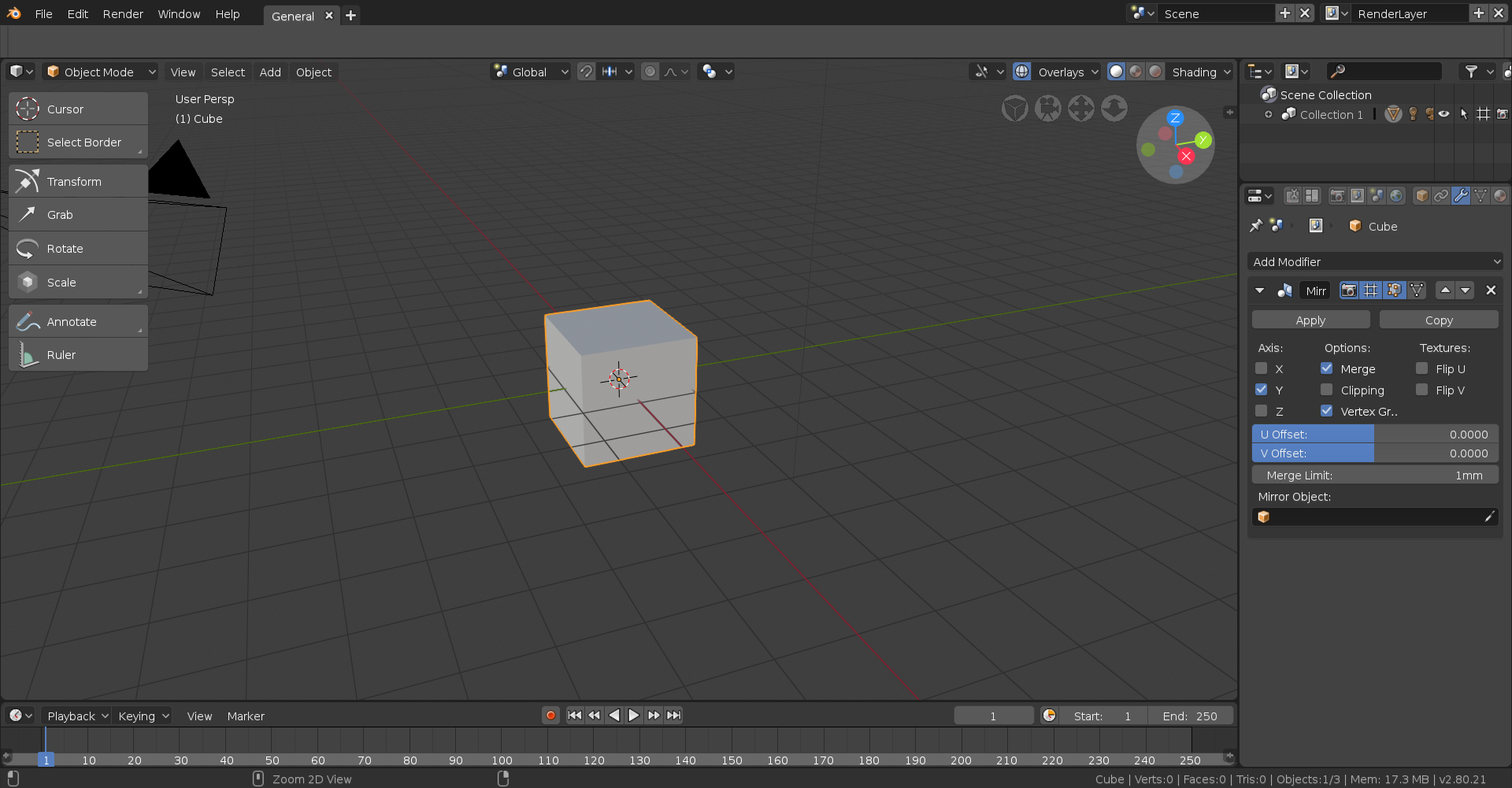
With that done, go into edit mode with the affected object and move it in the direction of the mirror modifier. In this case I’ll want to move it on the Y axis so I’ll first hit G to move and then Y to lock that movement to the Y axis, though if you were to move it along the X or Z you’d use X or Z respectively.
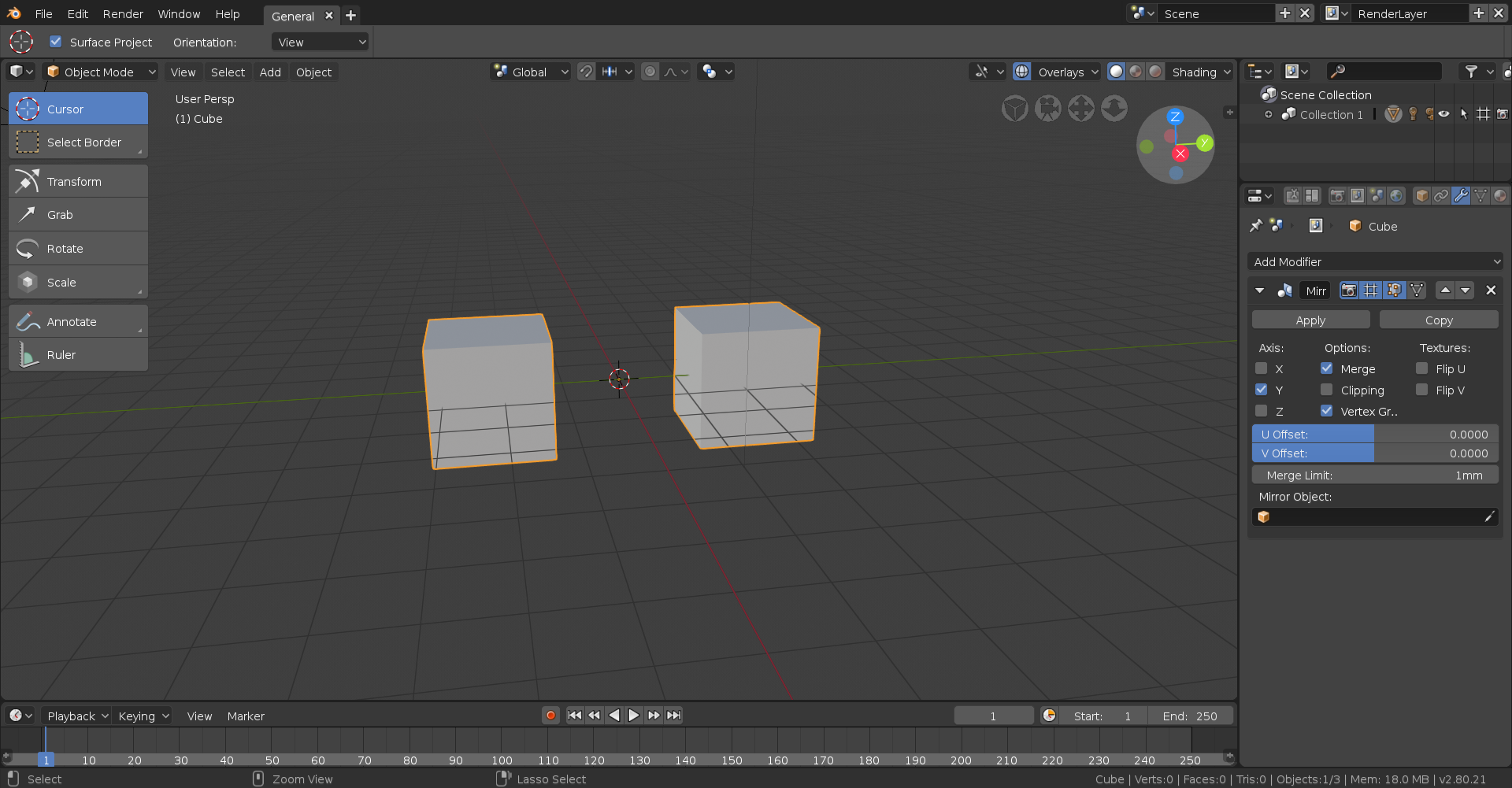
One thing I will say is that modifiers are currently broken in 2,8 and don’t display in edit mode, so even if you do everything right it won’t appear until you go back into object mode so be sure to do that to make sure you did it right!
August 15, 2018 at 9:19 am #39261@yukinoh1989 I’m Dutch, but we do speak the same language of course 😉 I will start up my laptop and take a look (I’m on my phone now)
EDIT: you uploaded a sort of backup file, that I can’t open.. so you have the upload the original. BUT, first try what Aaron suggested see if it works 😊
August 15, 2018 at 9:21 am #39262@yukinoh1989 Mirror is now indeed working in 2.8 but it wasn’t when I first opened it.. maybe just needs time to think lolz

It is working ok but stutters a bit ..make sure you move your column in edit mode off the center line or line of axis you are trying to model on I guess… I am not a very good teacher sry 🙁
August 15, 2018 at 9:25 am #39263@thecabbagedetective Thanx indeed i found it now. But damn its not easy xD having to toggle all the time between the object and edit mode . but i guess i can try this out . I tryed to open it in 2.79but that makes it crash so ill see if i change the objects maybe over to 2.79 or stick with 2.8
August 15, 2018 at 9:28 am #39264@yukinoh1989 Yeah that’s one of the reasons I decided to stick with 2.79, ’cause pretty much 10 times outta 10 whatever your making is gonna have modifiers attached to it which makes swapping between the two different modes a pain in the backside.
-
AuthorPosts


- The topic ‘BC1-1808 Homework, Yukino Hatake’ is closed to new replies.