
2.8 Hurdles and Roadblocks
Forum Archive › 2.8 Hurdles and Roadblocks
- This topic has 254 replies, 19 voices, and was last updated 6 years, 6 months ago by
Matthew Fricker.
-
AuthorPosts
-
July 7, 2019 at 9:02 pm #47614
I’ve had a tonne of crashes – and yes, for the first time ever it has crashed my OS.
I’m on Mac OSX (glad to see it’s not just me having these issues)
July 8, 2019 at 3:59 pm #47615So I’m trying out the new collection instancing and I want to add an instance of the nut I have selected here, to the place where the 3d cursor is set. As shown in the “cool things about collections” video by Ethan , you simply create a new collection , add whatever object you wish to instance into the collection and then use add – collection instance in object mode and choose the collection. You will then have an instance of the object(s) in that collection in the 3dvp.
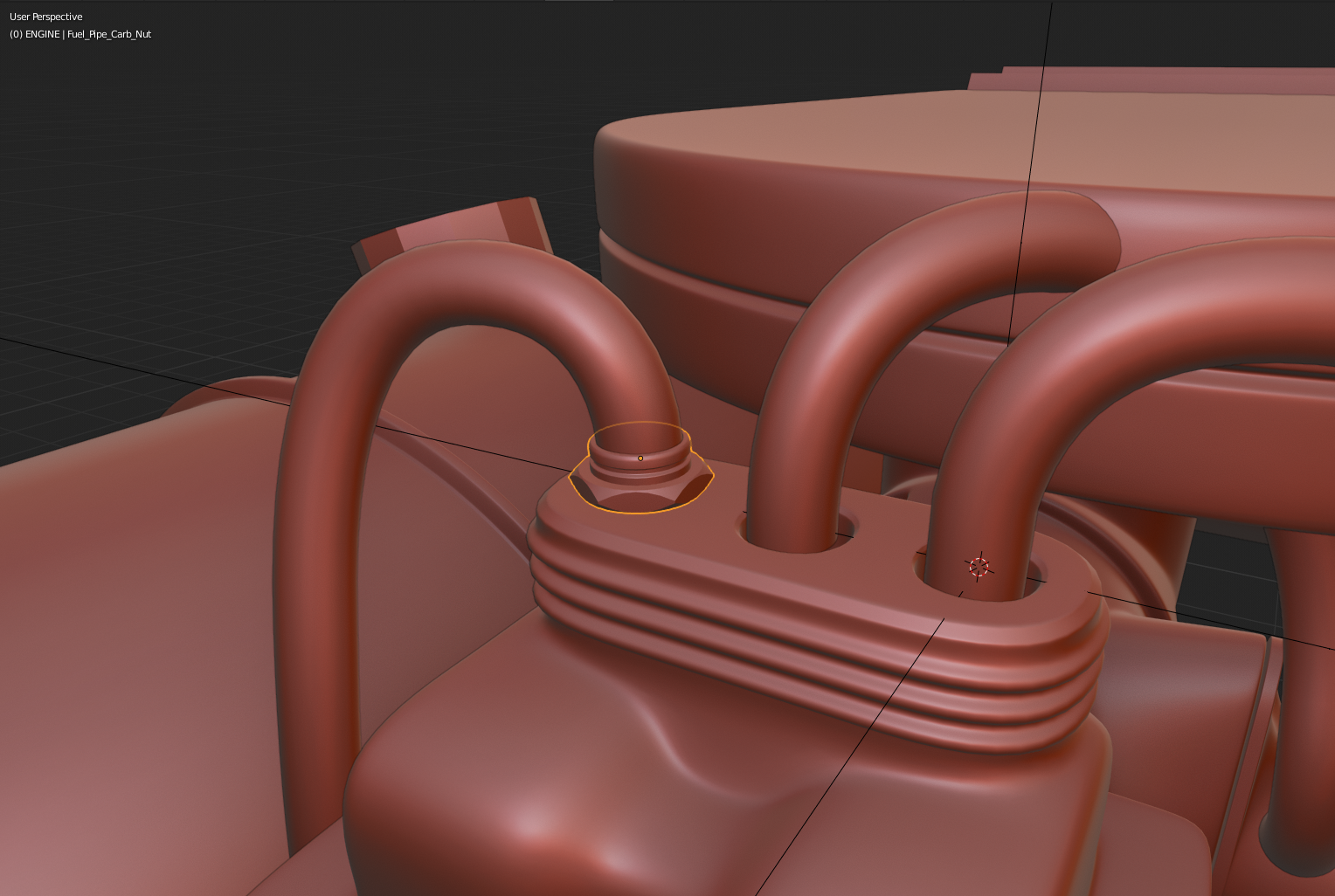
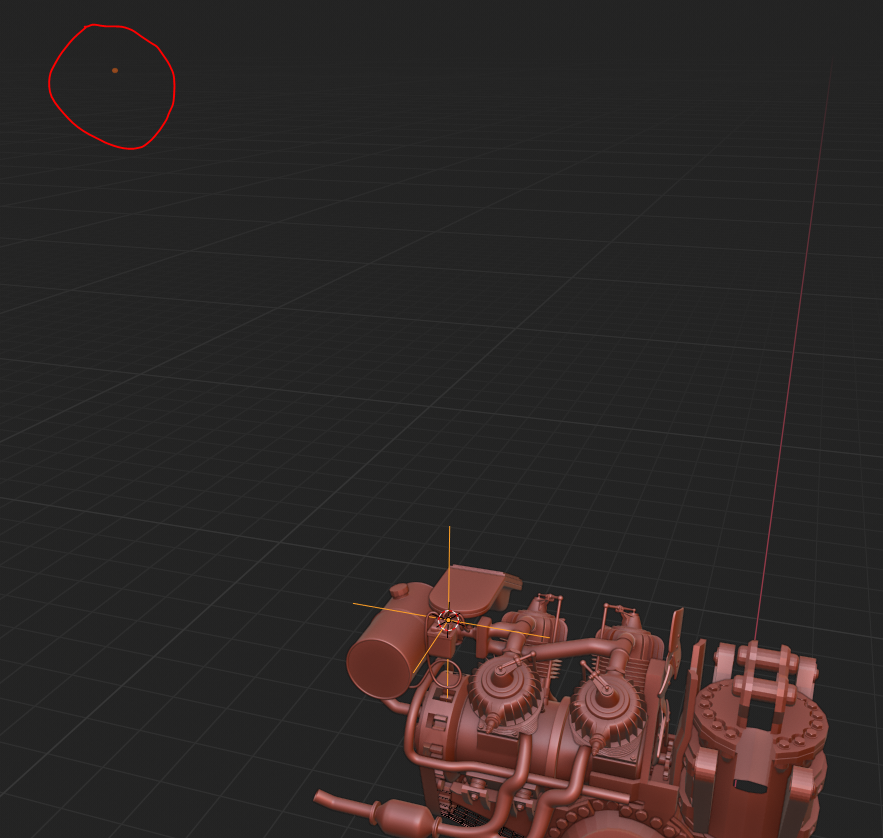
This works to an extent, but you can see below , that the empty for the instance is placed on the 3d cursor as I want it to , but the actual nut object is miles away , floating in space. I have tried the usuals : applying all transforms , and you can see that the nuts origin is centered in the geometry , I have even tried setting the origin to 0,0,0 but neither work. Any ideas anyone?
 July 8, 2019 at 6:29 pm #47616
@frikkr That engine is looking fine Matt.
That is one of the things I don’t like about instancing, that the object has to be exactly at the world origin, it has to be in 0,0,0
Say you have this object, it sits at 0,0,0
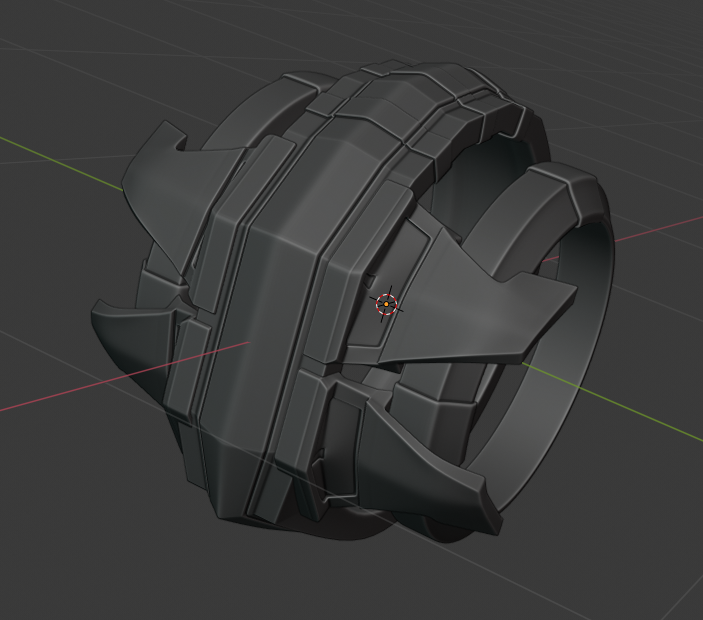
So when you instance it, the empty comes out at the center of the instanced object.
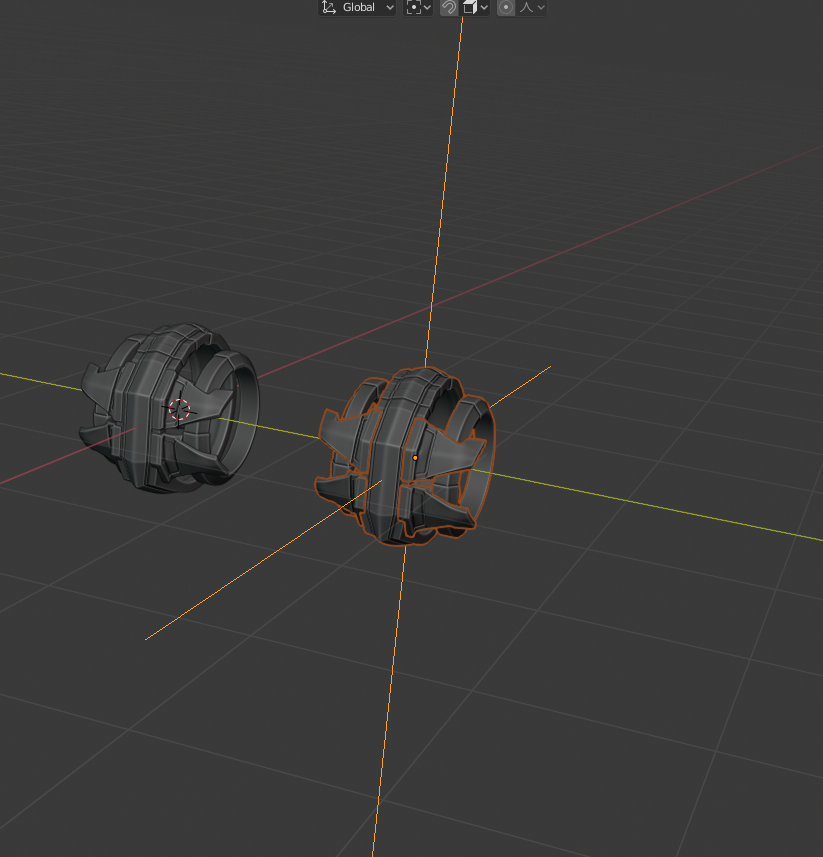
If you offset the original object from the center 0,0,0,
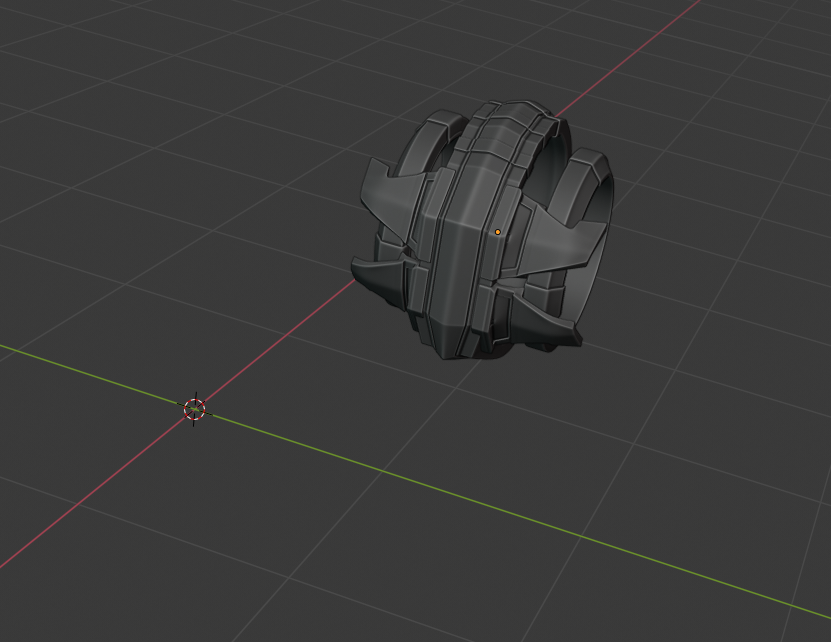
The instanced object comes out with that same offset. The empty will always come out at the center and the object will always receive the offset from the center.
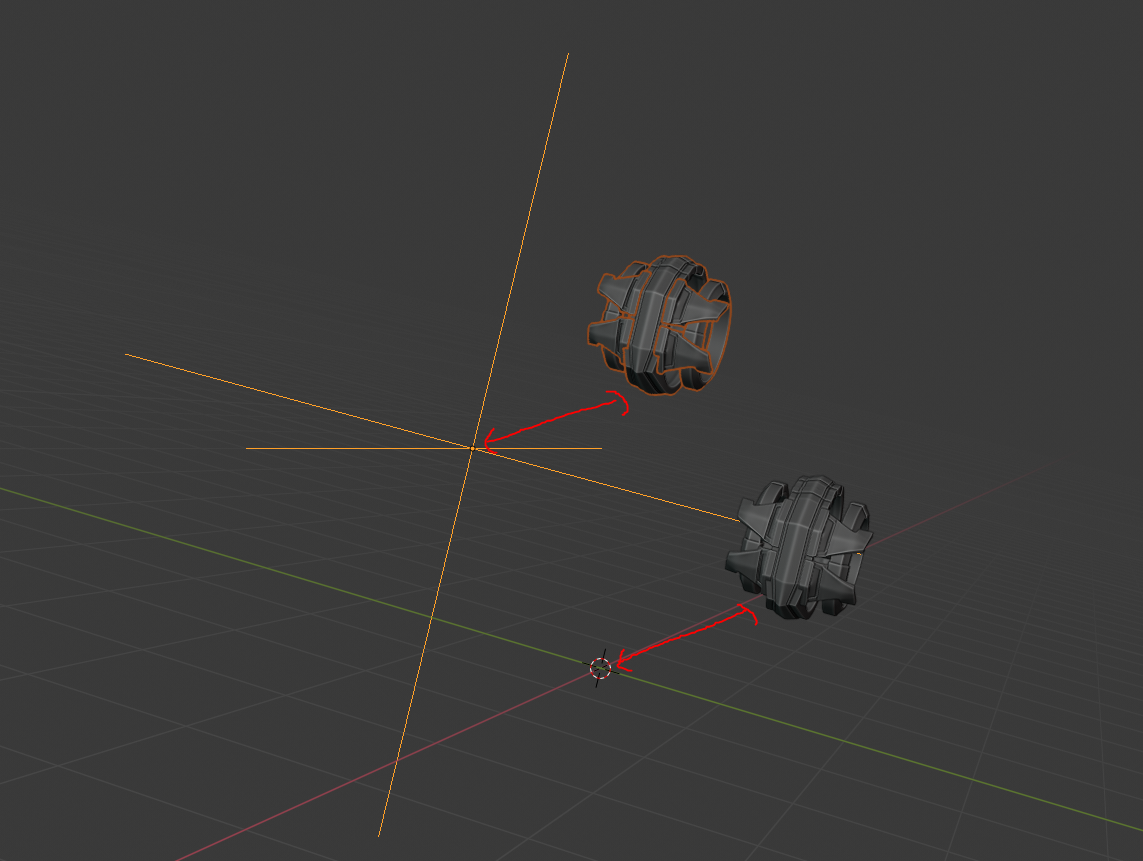
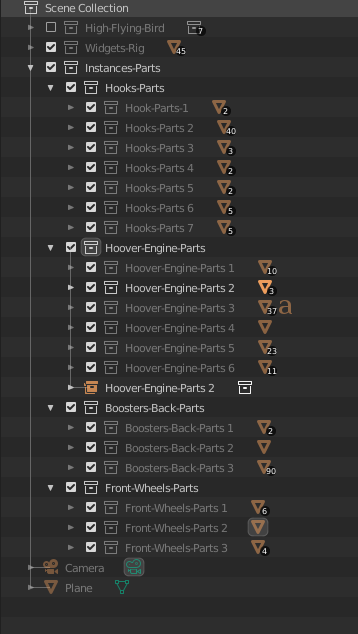
So I need to have loads of Collections each with a part at the center, since it would be a mess to have lots of geometry all bundled up in the center.
 July 9, 2019 at 2:56 pm #47617
@dostovel Ahh ok thanks Omar . I had tried putting the origin at 0,0,0 but not the actual mesh . That is a bit annoying yes. At least I can get back to my Mech now 🙂 Thanks!
One other quick thing, do you know what happened to “remove doubles” I cant find it anywhere and hitting the spacebar to search doesn’t find it either ….. I can only assume they have called it something else in 2.8 which is why I cant find it
July 9, 2019 at 3:03 pm #47618@frikkr They are now in the merge vertices menu
Alt+M -> by distance
July 9, 2019 at 3:09 pm #47619@smurfmier1985 Man, saying “W remove doubles” was like James Bond saying “Shaken not stirred”. What a waste.
July 9, 2019 at 4:25 pm #47620@smurfmier1985 Thanks Miranda 🙂
July 9, 2019 at 4:31 pm #47621@dostovel Haha yes Omar, changing that W menu is the worst thing they changed . I used that menu all the time when modelling and now I hit W all the time by mistake and end up with circle select…..
July 9, 2019 at 5:05 pm #47622@dostovel Lol 😂 2 months after I started learning Blender @theluthier did the beginner class with 2.8 alpha, and I’ve been using 2.8 (and the nun) almost exclusively since then. So I’m quite used to hotkey changes and not so hung up about ‘the old way’. But I guess for you veterans it’s a pretty steep hurdle to get rid of your muscle memory and such…
July 9, 2019 at 6:13 pm #47623@frikkr I didn’t know that. It’s a left-click select thing. With right-click select W still works. I just tried left-click and not only did W gave a circle select, but I couldn’t even get rid of it any more. When they changed the default from right to left, they had to make sacrifices. For right-clickers less has changed. Not wanting to say that right is better than left, but ‘historically’ Blender was made as a right-click select software.
July 10, 2019 at 12:22 am #47624@spikeyxxx I think hitting the Escape button works to get rid of circle select. Btw, Left click rules! 🤘🏻😎
July 10, 2019 at 10:53 am #47625Change back to Right Click select. That is what you’re used to and it is logically better. It also has the added benefit of making the W menu work the same way as you are used to. (as already mentioned)
Side note: If anyone tells you that left click is better, they are a noob. (even if that person is Kent Trammell haha)
July 10, 2019 at 11:37 am #47626@waylow or that person is much younger than you and started learning Blender when left click select became default 😛😂
July 10, 2019 at 3:40 pm #47627@dostovel Hey Omar , can I ask what shading you are using in those last screenshots you showed for the instancing…. is it a matcap ? It just looks really nice with the heavy shadows and gradients , I much prefer it to that red that I’m using but I cant figure out what you are using.
July 10, 2019 at 3:42 pm #47628@spikeyxxx Ive always been a lefty… I think changing that would be more troublesome than me losing my beloved W menu so ill just have to get used to it 😛
-
AuthorPosts


- The topic ‘2.8 Hurdles and Roadblocks’ is closed to new replies.