
2.8 Hurdles and Roadblocks
Forum Archive › 2.8 Hurdles and Roadblocks
- This topic has 254 replies, 19 voices, and was last updated 6 years, 6 months ago by
Matthew Fricker.
-
AuthorPosts
-
June 27, 2019 at 8:59 pm #47554
@dostovel It’s okay, if your mother is anything like mine, she’s always complaining that you’re not eating enough anyway (no matter how much you eat).
June 27, 2019 at 9:31 pm #47555@waylow @theluthier I may have found a bug.
I’m trying to understand Instancing and I’ve notice you can’t use a mesh to instance, so unlucky me, since that is exactly what I’m trying to achieve, to have a mesh instance a collection.
The thing is, this Cube is in Collection 2 and when I select it, in the Instancing Menu Collection is not there.
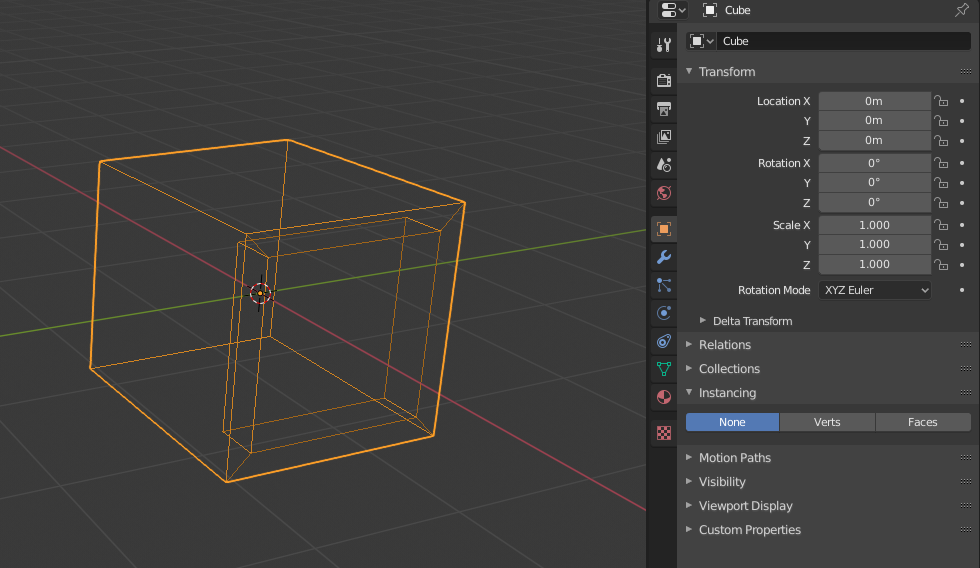
How ever if I select an empty, Collection appears in the Instancing Menu…
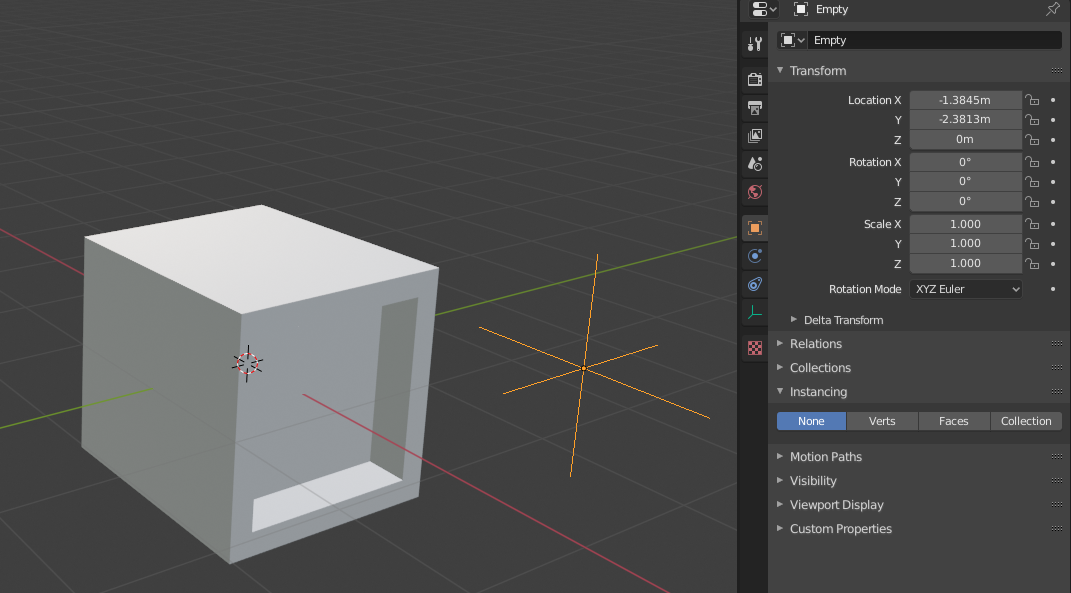
Which freaking sucks because in the Heli file I had meshes as instances, not empties. No I can’t convert the meshes that are in places into their respective instances.
So anyways, since the Cube is in Collection 2, I select the Empty, select Collection and find Collection 2, and now the empty is instancing the cube.
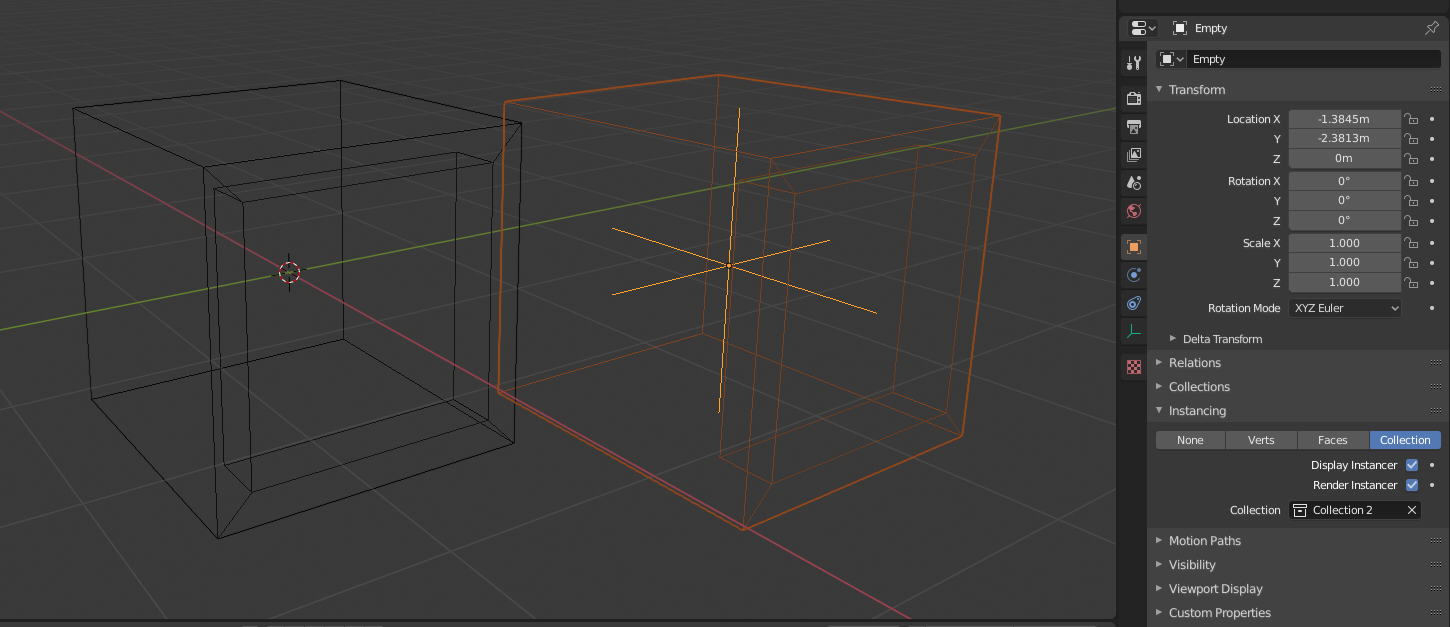
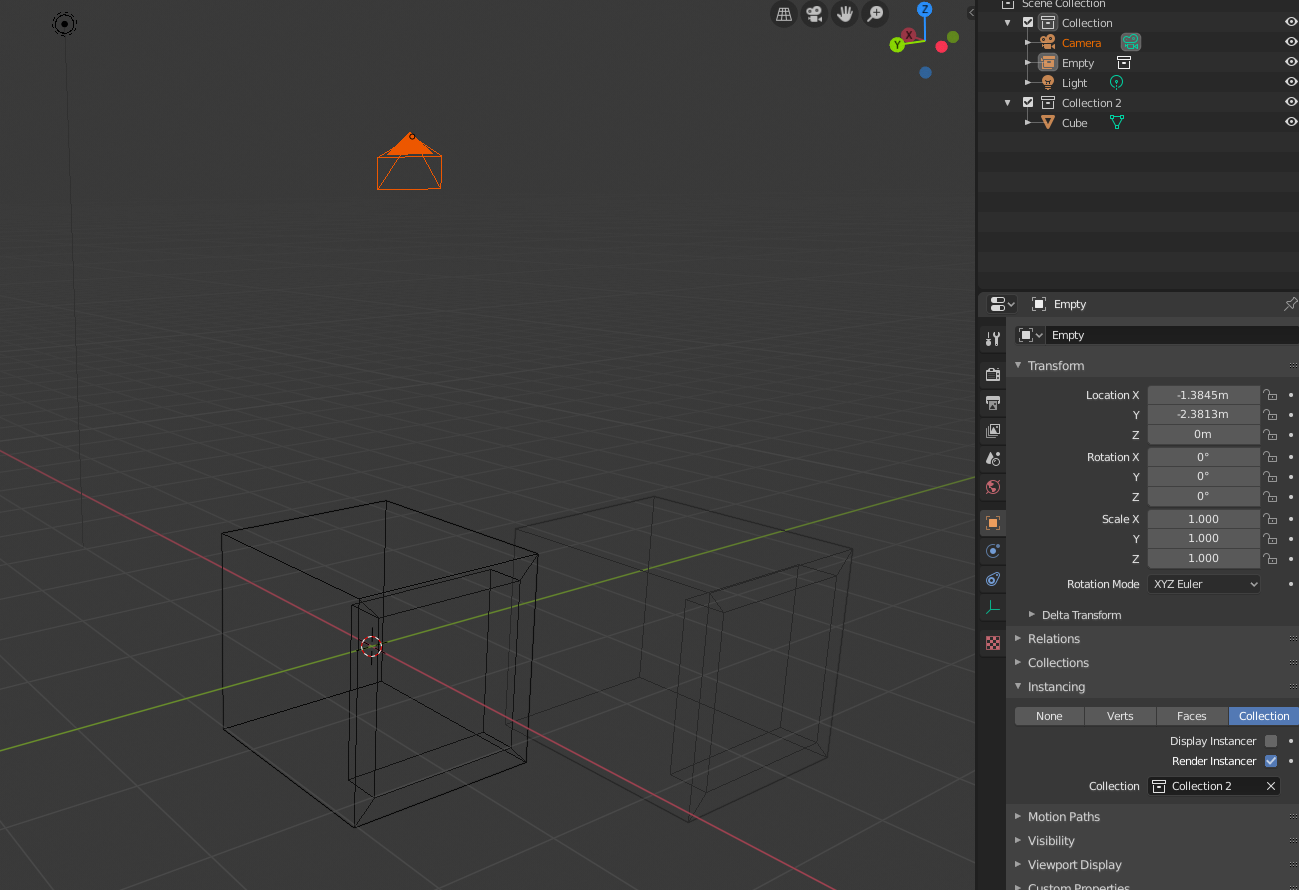
If I tick off “Display Instancer” (which only is supposed to hide the empty) and try to select the instanced cube, blender goes crazy and for some reason starts selecting the camera and the instance cube gets lots in the ether.
 June 27, 2019 at 9:41 pm #47556
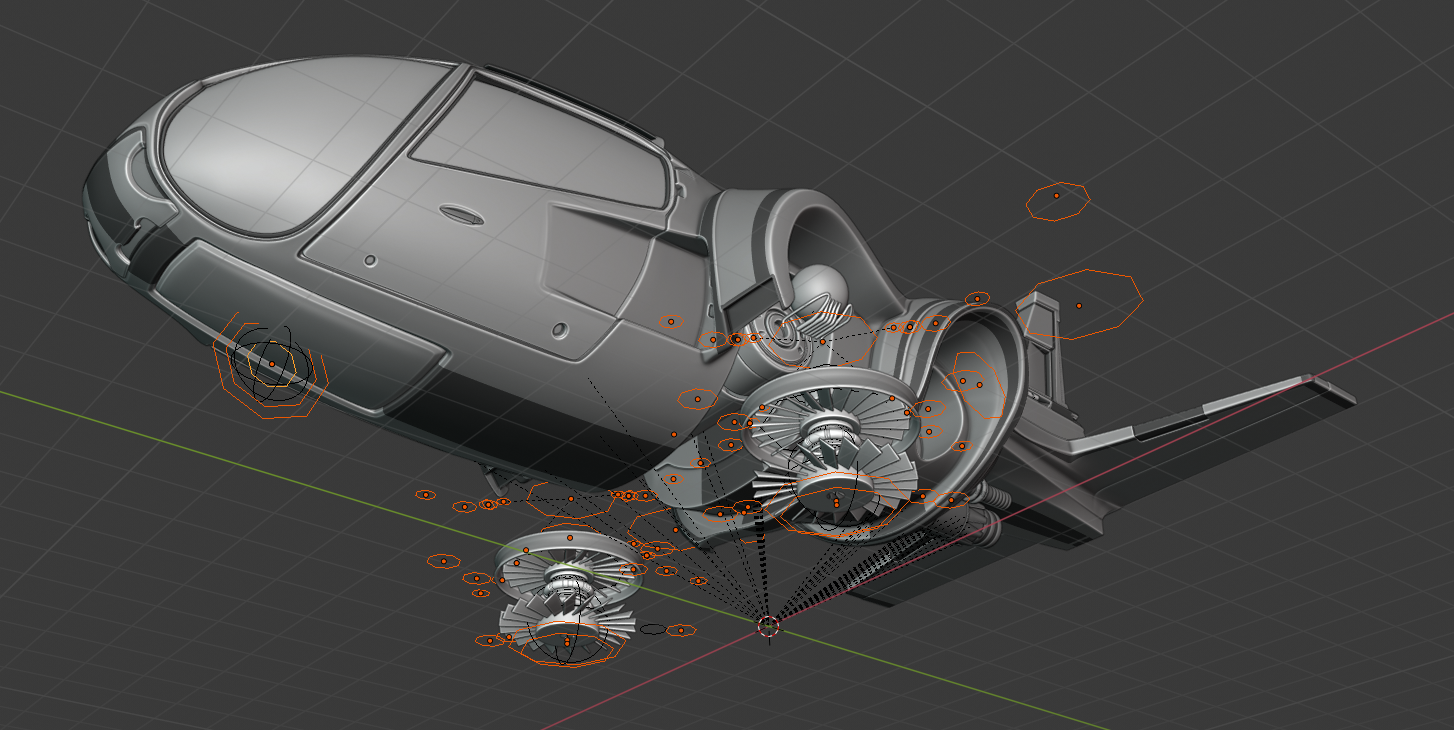
I have all this circle meshes that in 2.79 were instancing groups, they are parented to the bones in the rig and all.
All I have to do is to get those meshes to instance their respective collections, but meshes wont accept instances, only empties. Any ideas?
 June 29, 2019 at 12:00 am #47557
Captains Log #4
Saw a pigeon today, flying freely in the sky. Sometimes I wonder why I went into this line of work,with all its comings and goings… I could’ve had a Bakery, making delicious bread in a nice town.
And the thoughts continue….
– There is something I don’t know if it’s a glitch or this is how it goes. Instanced objects selection feels wonky. Say you crate an Empty and Instance a Collection into it, when you select it, it behaves normally, the stroke of your selection is visible…
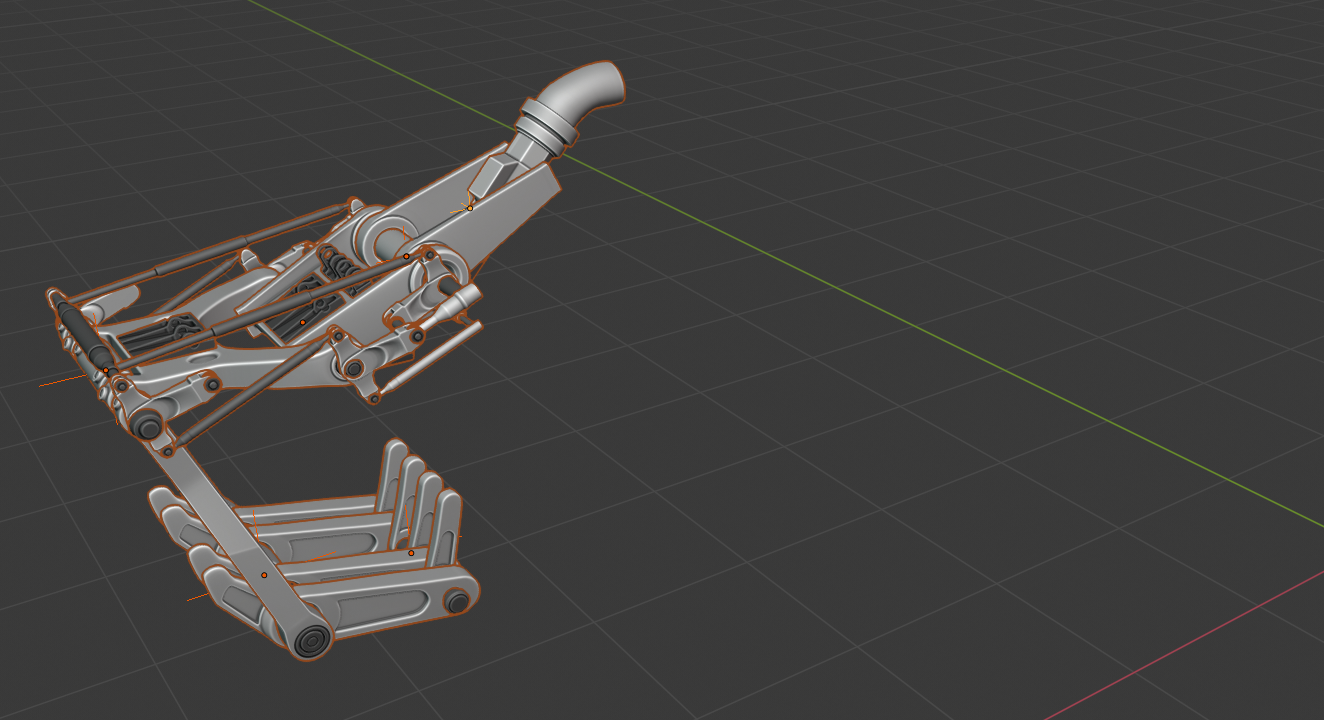
-But if you create more instances of the same thing, the selection highlight doesn’t appear.
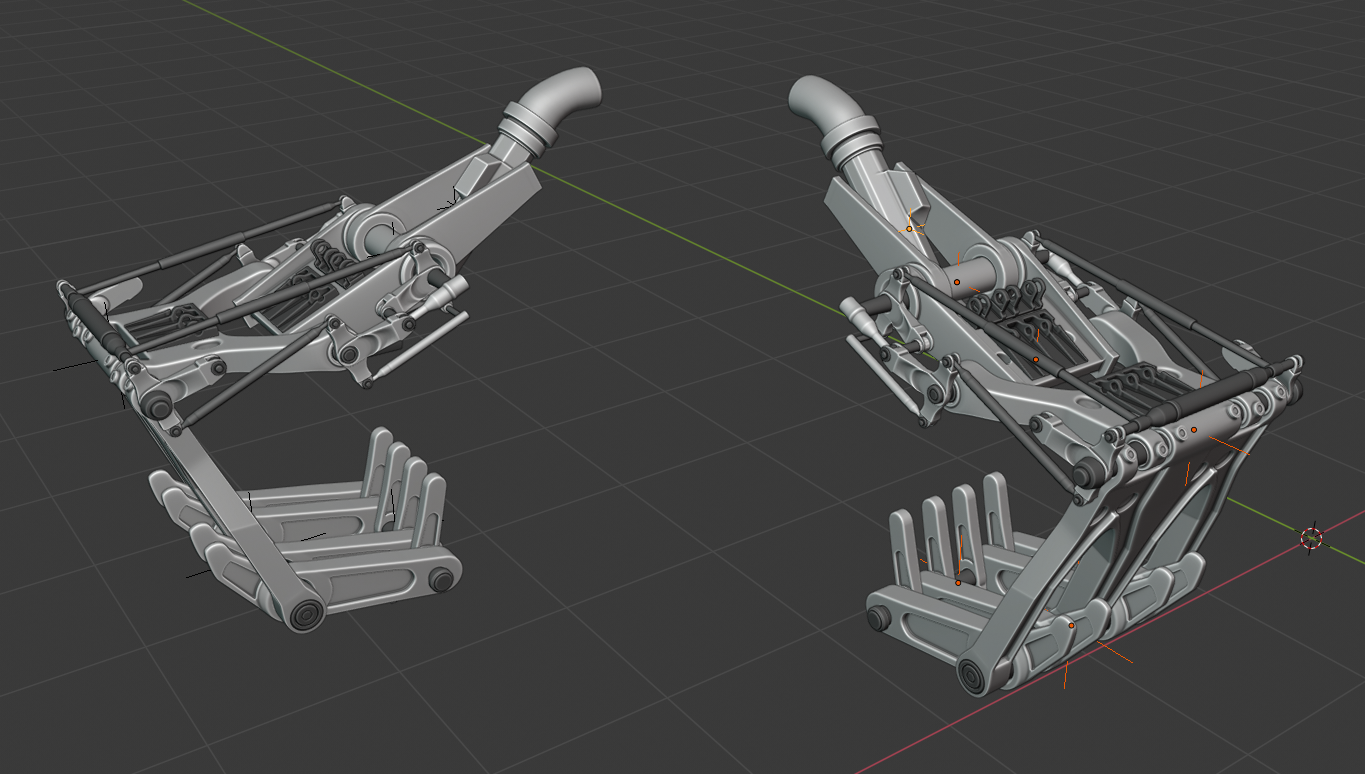
– The stroke highlight doesn’t appear. It is hard to tell if you have anything selected this way. Why doesn’t it just behave normally and highlight my selection?
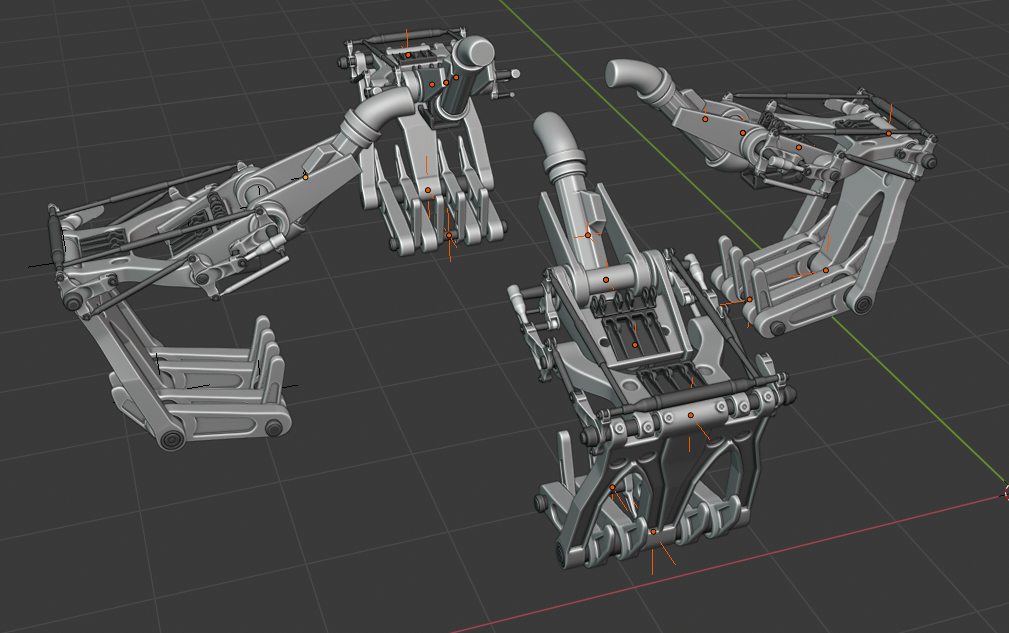
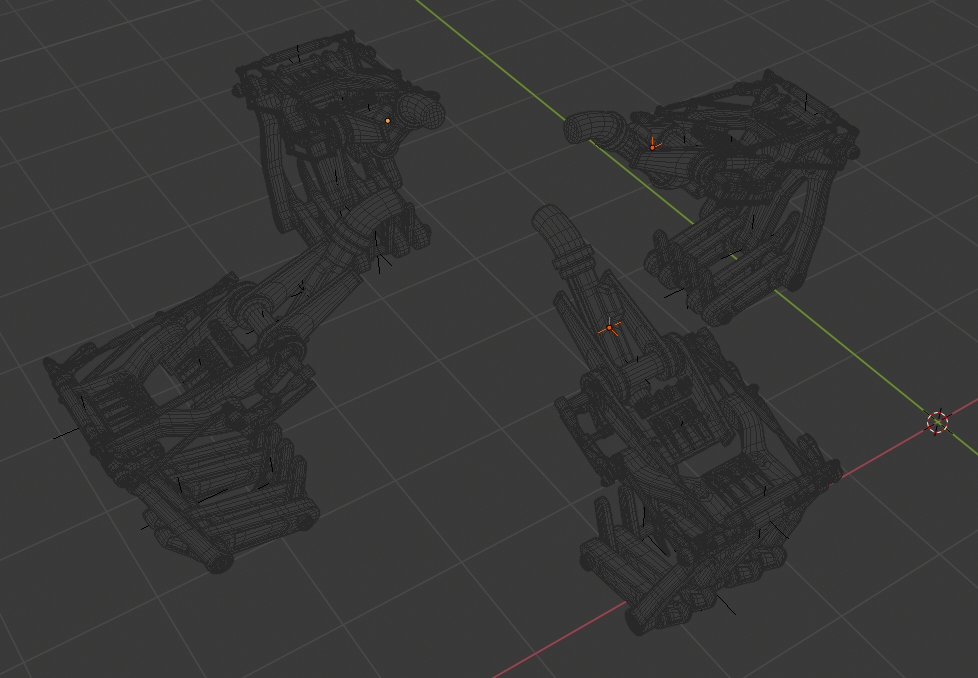
Funny thing, if I’m in wireframe mode and select the original one, they all appear selected, even though only the original one is selected.
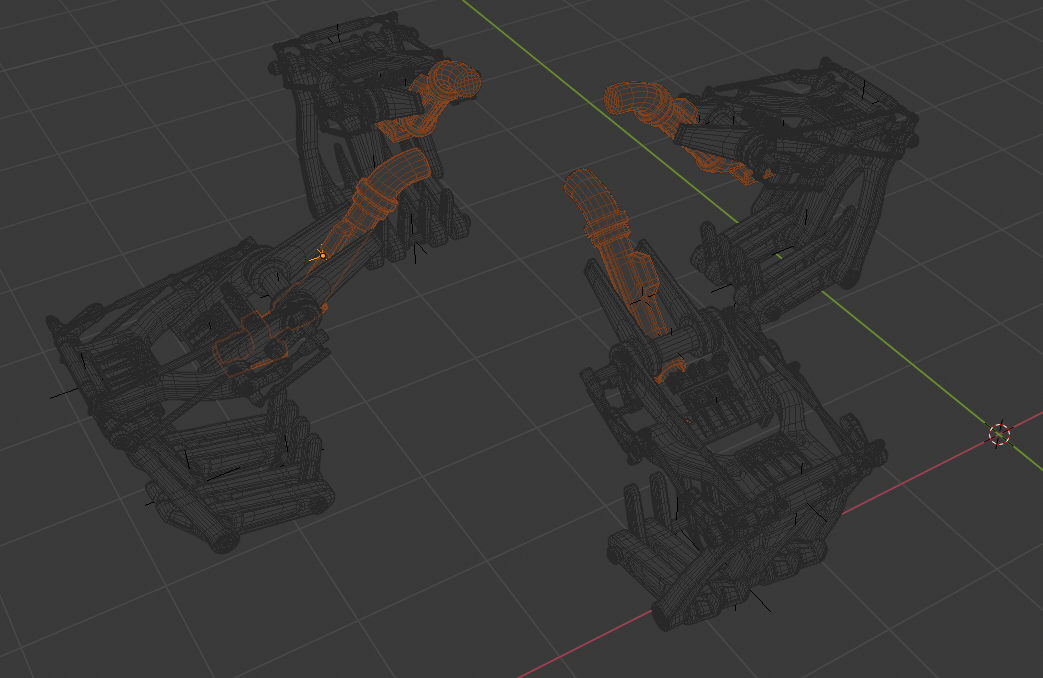
If I select the 3 copies and leave the original un-selected, I get nothing, no highlight of selection. That is very uncomfortable when you’re selection objects and you’re not even sure what you have selected.
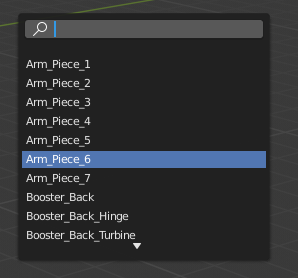
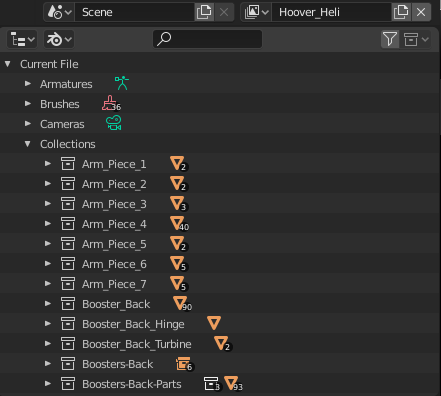
– Where are the Collections that are not in use? As long as is even possible. The Heli file in 2.79 had several groups that when I opened it in 2.8, those Groups got interpreted as Collections. When I SHIFT + A and at the bottom in Collection Instance, when the list pops up, I can see the names of all the groups that were in 2.79 that are now Collections
Yet they don’t appear in the Scene Collection Menu.
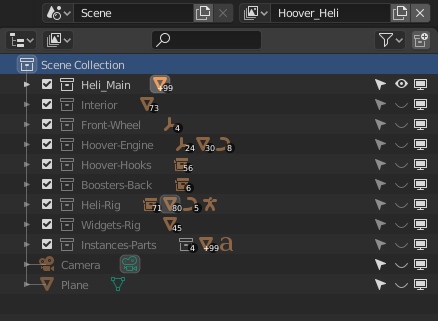
And when I go into the Blender File, it lists the Collections there with Geometry in them, yet they are nowhere to be seen, not even in the viewport.
– Is there transparency in the viewport for geometry? In 2.79 you could enable “Transparency” for an object and in the material lower the alpha to have transparency. I can’t find how to get transparency in 2.8
– Ok ready to render, ready to render, aaaaaaand…. no big render button? or render animation button? Perhaps I’m in the wrong engine? How can this be? F12 just turns up the volume in the computer. Do I really have to go to Render –> Render Image, every time? I refuse to believe there is no Render Button. What am I doing wrong?
– Overlays and all kind of stuffs are visible during Viewport Cycles rendering now? In 2.79 when you kicked off the viewport render, non render-able went away and only the clean render was left. How come this is not the case now, feels very weird. Do I have to turn on and off the overlays every time? Is there a setting somewhere to get the old behavior back so Blender does it automatically for viewport renders?
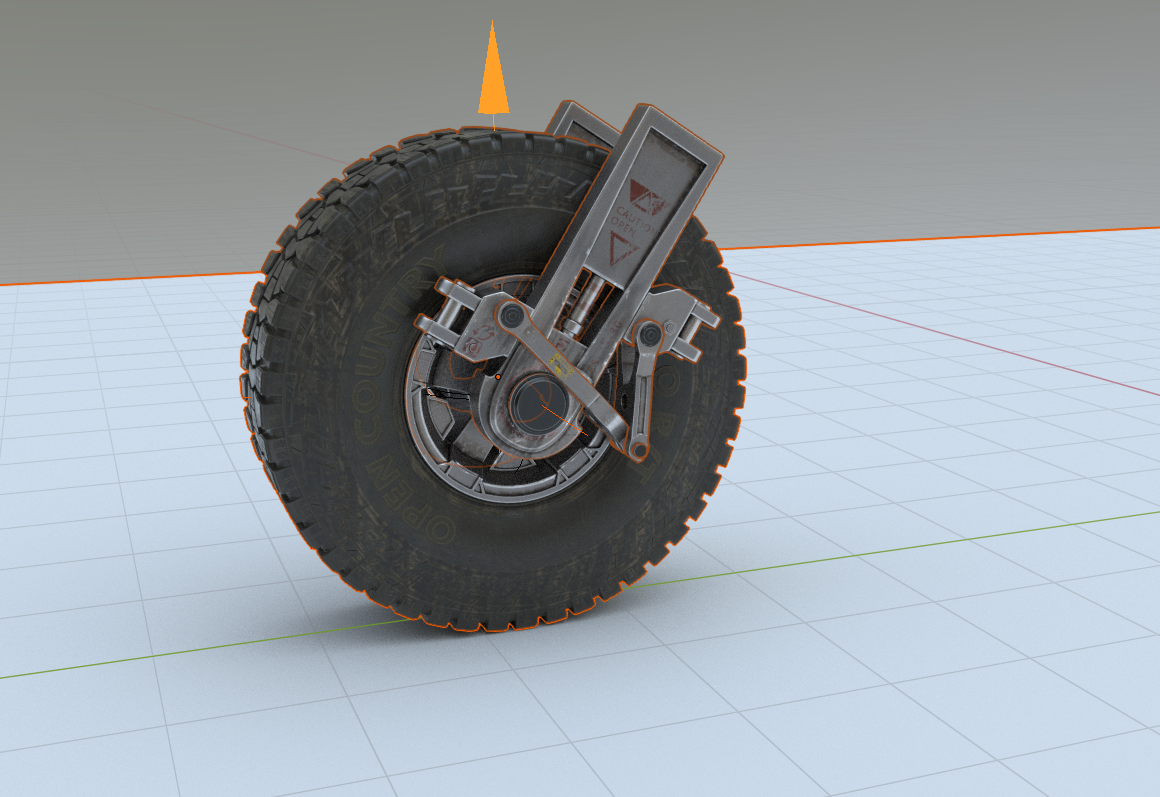
– Why when I select and object and Numpad / to view it on local mode, if I kick off a viewport render all the other elements suddenly pop back up again, as if it got out of local view, but then if I cancel the viewport render, everything goes away again and it’s back to that sole object in local view. Must obviously be a glitch?
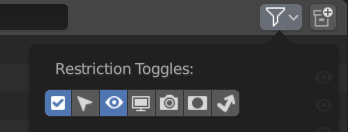
– This “Indirect Only” filter in Collection was making me loose my mind.
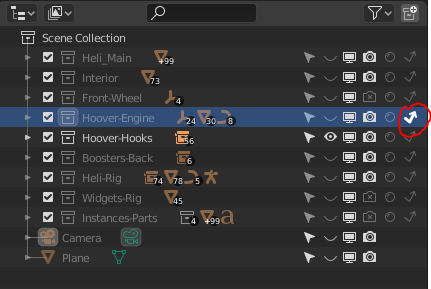
Not all the icons in the Collections menu are visible at the same time unless you turn them On in the filters. Icons being hidden by default can be a big problem.
The squiggly arrow being “On” for the objects inside that collection “Hoover-Engine” was making things non-render-able. When I rendered, objects inside the Collection were’t showing in the render and the little squiggly arrow icon in the filters was off, so I didn’t see the icon was enabled for that collection making me waste a lot of time trying to figure out what was going on.
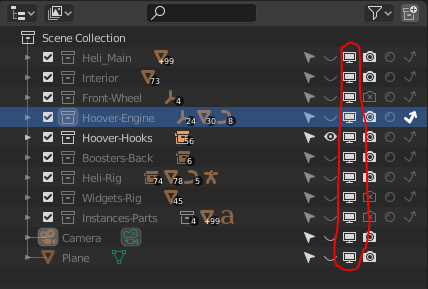
– Still a bit confused on what the TV icon does. Globally disable in viewports? Does this mean in the workspaces areas?
– Don’t know if there is a way to re-order the workspaces tab, it seems as I can click and drag them to the order them as I want, but it doesn’t let me. Is the only option right click and “re-order to front”? That doesn’t help that much.
– I have no idea how I can now link the Heli with its rig in another file in 2.8 if Groups are no longer available. In 2.79 you selected which layers were visible when the linking happened, can we do that with collections? How about linking assets in another file and then CTRL + ALT + P to Make Proxy, will that still be the case now?
June 29, 2019 at 1:44 am #47558– Overlays can be overlayed on anything (even on top of Eevee and Cycles), that’s it’s power, so yeah if you don’t want to see it in your viewport render then you have to turn it off manually.
Not all the icons in the Collections menu are visible at the same time unless you turn them On in the filters. Icons being hidden by default can be a big problem.
– Only for existing projects (from before these were hidden), I don’t foresee any problems in a fresh scene as you will adjust it to fit your needs while going along.
– the tv icon permanently hides it. If you use the eyeball and use alt+H to unhide something, the eyeball stuff comes back too. But if you use the tv icon it will stay hidden.
– for linking you will now select a ‘collection’ instead of a ‘group’. Creating a proxy still works the same. But I think @waylow can probably explain this a whole lot better than I 😊
June 29, 2019 at 9:49 am #47559@smurfmier1985 Good point, if you start a new scene in 2.8 yourself things should flow better when it comes to icons in the Collections. Problem are bigger when you open stuff from 2.79 in 2.8
I guess I’ll just have to get used to the fact that overlays are in the viewport render now.
Ah now I get that TV Icon thing. That sounds pretty useful. Thanks Miranda.
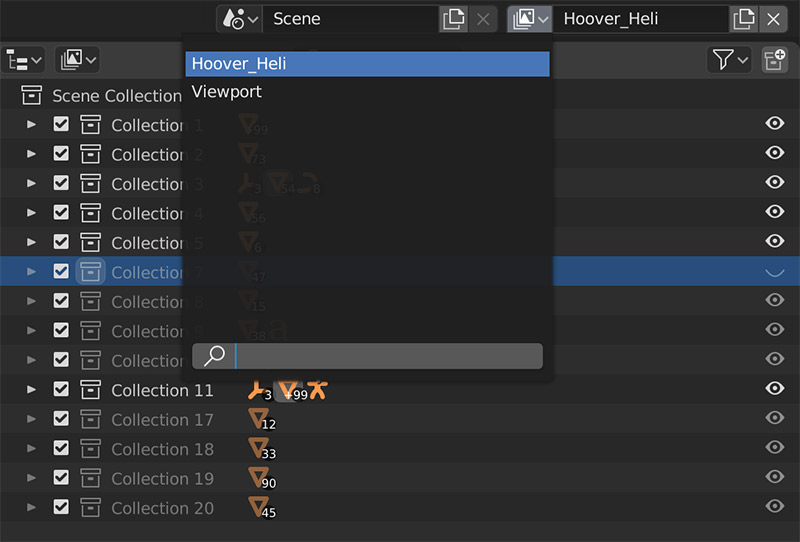
Do you know what View Layers are for? that still eludes me. When I opened the Heli file in 2.8 it came with two View Layers but I don’t see the difference or its use.
June 29, 2019 at 9:53 am #47560@dostovel I didn’t yet, so I asked professor Google:
View Layers
Render layers have been renamed to view layers, to indicate their expanded scope. Besides splitting up a render into multiple layers for compositing, they can now also be used as multiple views and variations of a scene for editing. Different windows can show different view layers, by selecting the scene and view layer in the top bar.
Collections can be excluded from specific view layers with the checkmark left of the name. They can also set to contribute only indirect light and shadows, or act as a holdout mask. These settings are edited in the outliner now.
https://wiki.blender.org/wiki/Reference/Release_Notes/2.80/Layers
June 29, 2019 at 10:11 am #47561@smurfmier1985 Well that’s a mouthful. For now lets just say they are the new render layers in someway. Never had I in Blender used the Scene option, that was always kind of confusing, setting them with linked objects or not and this an that. Now add View Layers into the mix and it all feels quite daunting.
In the scene I opened from 2.79 it says I have 2 View Layers. I wonder were 2.8 got that from. And it certainly feels like View Layers and Scenes go by the hand, they are set one next to the other.
 June 29, 2019 at 1:48 pm #47562
I have hit a rather unusual roadblock ……
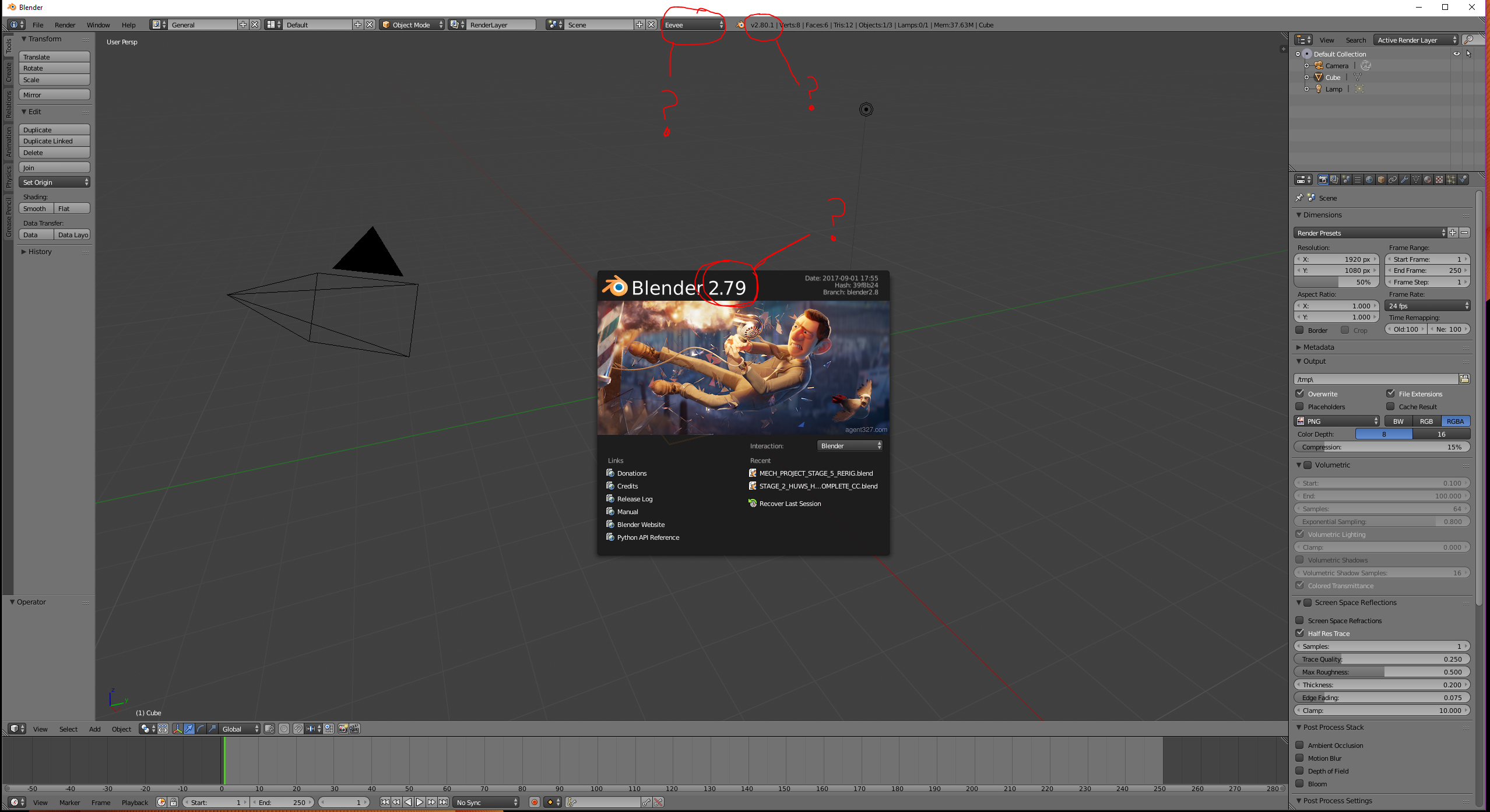
I went to Blender.org and downloaded the 2.80 Beta , unzipped it and installed it, but when I open it, it says 2.79 on the splash screen but has eevee as an option and has 2.80.1 on the top toolbar (see screenshot)
It also looks nothing like the 2.8 I have seen so far and was expecting to see. I can only assume I have made an error in downloading /installing or that my computer has somehow crossed wires with the 2.79 I already have installed. Can somebody please point me in the direction of the right download and explain the best way to install it , or tell me where I have gone wrong.
I am only now returning to blender after a 2 year hiatus and am very rusty…..
Thanks
June 29, 2019 at 2:41 pm #47563@frikkr Matt’s alive everyone, worry not, he’s ok.

@silentheart00 Silent can probably tell you, I think that’s the issue he ran into when doing Project Portfolio C out of Google Drive.
June 29, 2019 at 3:51 pm #47564Captains Log #5
@waylow “Tips for Fixing Animation Data” tutorial saved me a lot of time, a lot of time. If Wayne had kept that knowledge for himself, I would’ve wasted a lot of time, a lot of time. Sharing accomplishes much more than competing. Innovation is faster when you stand on the shoulders of giants. I should open that bakery.
– What is up with the new Timeline? You can’t see at all where the first frame begins and the last frame ends. You can’t see markers well either. Hard to work this way.

– After hours of working this way, turned out you just had to pull up the timeline. Very funny Blender. Very funny.

– In Blender 2.9 the names of the Markers in the Timeline were “Scene_1, Scene_2” and so on. In 2.8 the names changed for some reason. I want to change the names of the Markers, but Blender wont let me. I I go to Marker –> Rename Marker but apparently it glitches out because the name doesn’t change. Or maybe since the markers are Bind To Camera, it takes the name of the Camera? Also that’s why it has the camera icon? I want to change the name either way. Blender mister dictator now.
– Got a bit frustrated for a while there because I was used to moving the scrubber in the timeline no matter where the mouse cursor was at, now you have to specifically grab the blue head of the scrubber to move it. Right now when Blender acts out, you think everything is a glitch.
– Yellow Keyframes bar no longer appear in the timeline. Glitch?
– In 2.79 in the timeline I could hit S and it cut to start in that frame and hit E and the timeline got cut to end on that frame. Can’t seem to do that now and the menu doesn’t show any hotkeys.
– This Ribbon sometimes is at the bottom, sometimes is at the top, sometimes it’s not there, its hidden, sometimes is there, visible. Don’t have any idea on how to achieve that, to move it to the top if I want it at the top, down if I want it down, hide it or make it visible.

– The little stripes at the corners of every window that let you split windows in half are no longer there. I thought we couldn’t split windows anymore because of the Workspaces tabs, but it turns out you can still split the windows, it’s just that the stripes are no longer there. Very misleading. Why not just put the stripes back to signify that?
– I have noticed that when you select a collection in the collections list, right click then delete, the contents that it has inside doesn’t get deleted as well, the whole batch of its content gets move out to the global scene instead of being deleted and if you had that collection hidden then suddenly all it contents will show up in the viewport, creating a horrible mess. Would like that deleting the collection deleted the contents inside as well.
– Spent a lot of time trying to figure out how to make the rig a proxy in a linked scene, because it was duplicating it. Two rigs were showing up. Turned out you have to mask it with the Holdout icon so it doesn’t show in the linked scene. I hope this is the right way to do that because in 2.79 you just selected which layer you wanted to remain visible.
June 29, 2019 at 5:25 pm #47565@dostovel Haha , yes Omar , worry not , for I am ok 🙂 Just had to take a long break from Blender , but I am back.
As for 2.8 , I think I will take @smurfmier1985 ‘s advice and just wait it out until the official , bug free release ( which hopefully has an installer) I have very limited time at the moment for Blender , as we have two screaming babies that come first now , so I dont want to be wasting what time I do have , pulling my hair out with bugs and issues……
June 29, 2019 at 8:38 pm #47566Yep – the timeline is now like the dope sheet. Try to middle mouse around (up/down) until you see all the keyframes. They are keyframes like the dopesheet not the old yellow lines. It is likely just showing you an area underneath where the keyframes are.
(This annoys me in the dopesheet too – It only has occurred to me to report it just now haha)
-And those markers are Camera bound so I’m not sure if the rename will work. You might need to unbind it first but sounds like that is a bug anyway.
-Setting the start and end frame in the Time line is now (Ctrl Home and Ctrl End)
E and S will Extend and Scale the selected keframes.
-When deleting collections, try ‘Delete heirachy’. That will delete everything.
-With the ‘Header’ (you called ‘ribbon’). In 2.8, it is at the top by default. In 2.79 is was at the bottom on most windows. If you open an old file it is likely to be at the bottom. You can right click in the area where it should be and then a menu will pop up.
(hidden, I know!)
-Linked collections are a nightmare. I’m trying to figure out a way of doing exactly what you are talking about. I will try the Holdout option. (It wasn’t working the last time I tested it)
Keep this stuff coming Omar, because if you struggle with something, it means someone else has also struggled with it.
We’ll collect all this stuff and try to make it into short videos that will help save a lot of people a lot of headaches.
PS. It looks like you are using the “Add Camera Rigs” add-on I wrote. Just so you know, there’s a new version coming out really soon. (I’ve fixed all the 2.8 bugs and now I need to submitt it to the Blender devs to get it included in the release again. The version that ships with blender 2.8 has bugs)
June 29, 2019 at 10:27 pm #47567@waylow Oh that’s right! I had forgotten to ask, I saw your name when I enable the add-on and I was like, hum, could this be Wayne, Wayne? That’s awesome, I feel like this gives me street cred, like dude don’t mess with me, I know people.
I’ve been using that add-on a lot lately, very handy. I’m amazed to see now that the timeline has up and down, not only left and right. You are correct, the keyframes were lost up there somewhere. Who would’ve thought. Only one axis way from full 3D timeline.
It seems that when you bound the camera to a marker, the marker inherits the name of the camera and it wont let you rename it. You have to change the name of the camera instead. Kinda pushy but ok.
Thanks for the other tips, little by little 2.8 is making more and more sense and feels more and more buggy.
June 30, 2019 at 1:09 pm #47568Ok so I couldn’t help myself and I decided to try 2.8 and now I’m hooked! Sorry @smurfmier1985 , I ignored your advice to wait 🙁
I have decided to use my campaign to get to grips with 2.8 to ressurect an old project that I had given up on long ago – that way if anything goes worng then I haven’t really lost anything too important or wasted any time.
However , I already have questions and they are just going to keep coming :
First up : collections…. I watched that video that you recommended to Omar @smurfmier1985 , and it did help, but are collections a jazzed up version of layers? My old file was nicely organised into layers but after opening the file in 2.8 , all of the objects seem to be randomly put into various collections that don’t eem to correspond with the layers as far as I can see. Should I re-organise them into collections as if I was placing them into layers? From what I can see, the new collections system seems to work more along the lines of Photoshops layer/grouping system – am I right?
Secondly : how do I go about saving my startup file? I have two monitors and I always had a Blender workspace set on each and saved as a startup file so it was always there when I opened Blender. However, the option to save startup file seems to have gone AWOL….
Thats about it for now , but there will be more to come as I delve deeper into the depths of 2.8 whilst also tring to remember how to use Blender as I haventused it for nearly 2 years 😛
Oh and lastly, Hi @waylow , not sure if you remember me (FrikkR) but i’m back!
Aaah , how do you turn off type overwrite in this thing?!! Everytime I go to edit what I’ve written , it types over what iv’e already wrote – Hence all the errors that I can’t change……
-
AuthorPosts


- The topic ‘2.8 Hurdles and Roadblocks’ is closed to new replies.