
2.8 Hurdles and Roadblocks
Forum Archive › 2.8 Hurdles and Roadblocks
- This topic has 254 replies, 19 voices, and was last updated 6 years, 6 months ago by
Matthew Fricker.
-
AuthorPosts
-
August 30, 2019 at 11:17 am #47734
Curiouser and curiouser I’d say, forgetting about my grammar;)
August 31, 2019 at 6:58 pm #47735So I am trying out eevee to render some effects that will be added to an image in Photoshop.
Below you can see the viewport render that has a black plane behind it , this is what I am looking for but with transparency rather than black.

If I delete the black plane and enable “transparent” in the film settings of the render properties. I get exactly what I want in the viewport render :
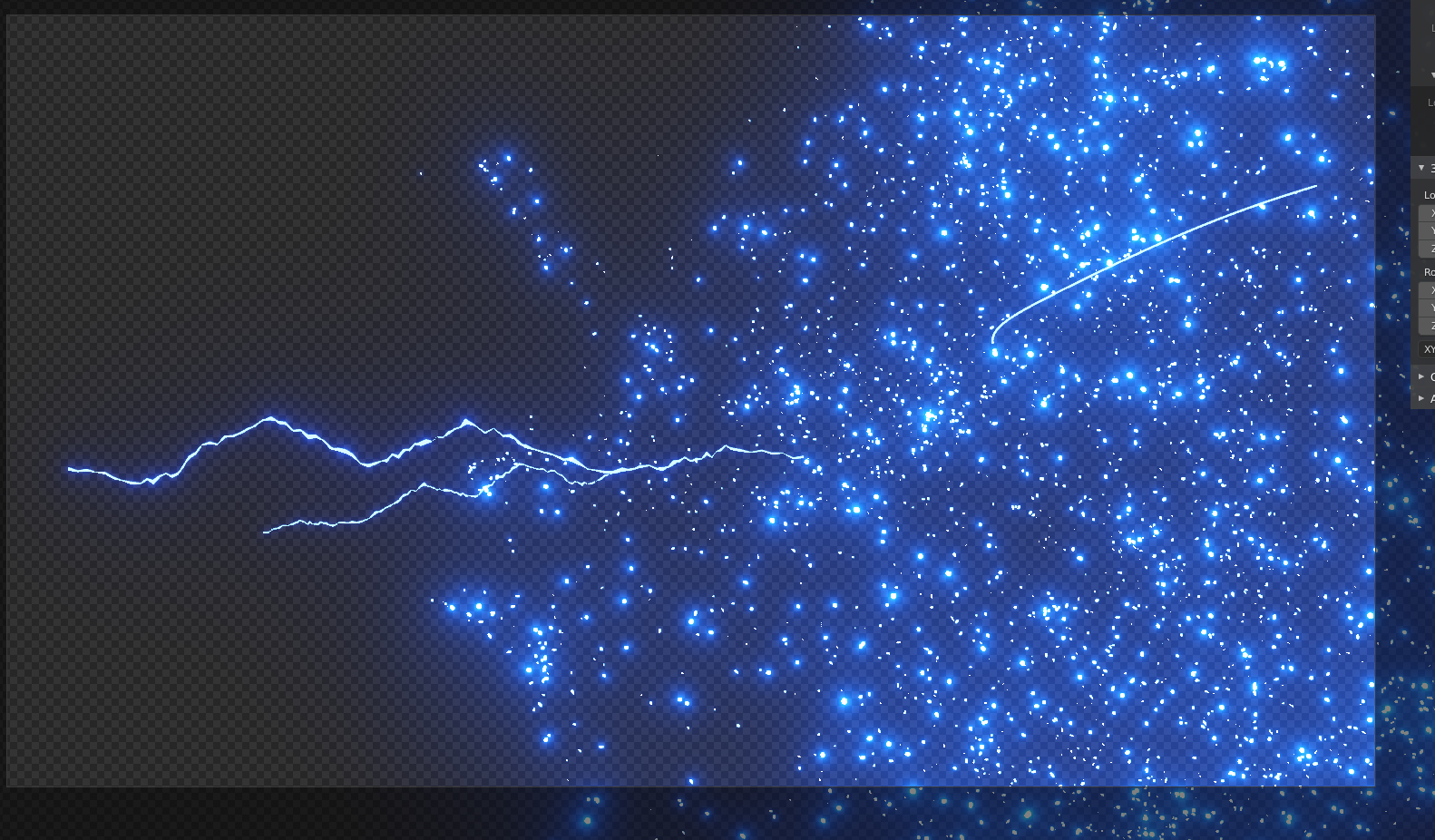
However , when I render out the actual image , I get this :
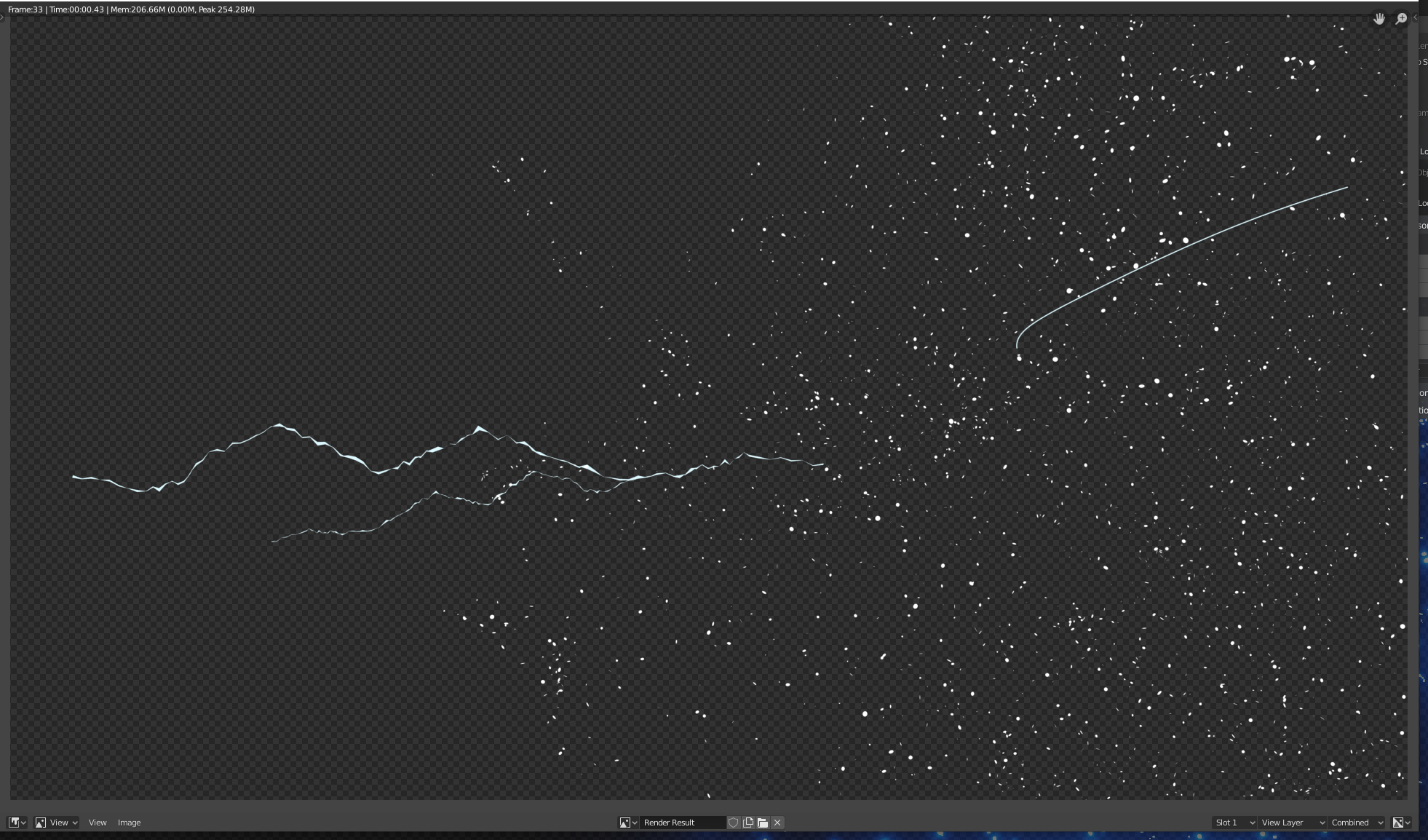
I can only assume this is down to there not being any black in the scene to show the lighting or glare , or perhaps I have something wrong in the render settings?
Can anybody help out please?
Thanks in advance
August 31, 2019 at 11:08 pm #47736Do you have a link to your file, @frikkr ?
That could be a render setting, could be a limitation, could be a bug or it could even be a ‘feature’.
September 1, 2019 at 2:10 am #47737Hi @waylow , thanks
Here is the link to the dropbox folder with the link in it
https://www.dropbox.com/s/do2zyyfhot2c5ac/Magic_Caster_02.blend?dl=0
September 1, 2019 at 4:29 am #47738Hi @frikkr !
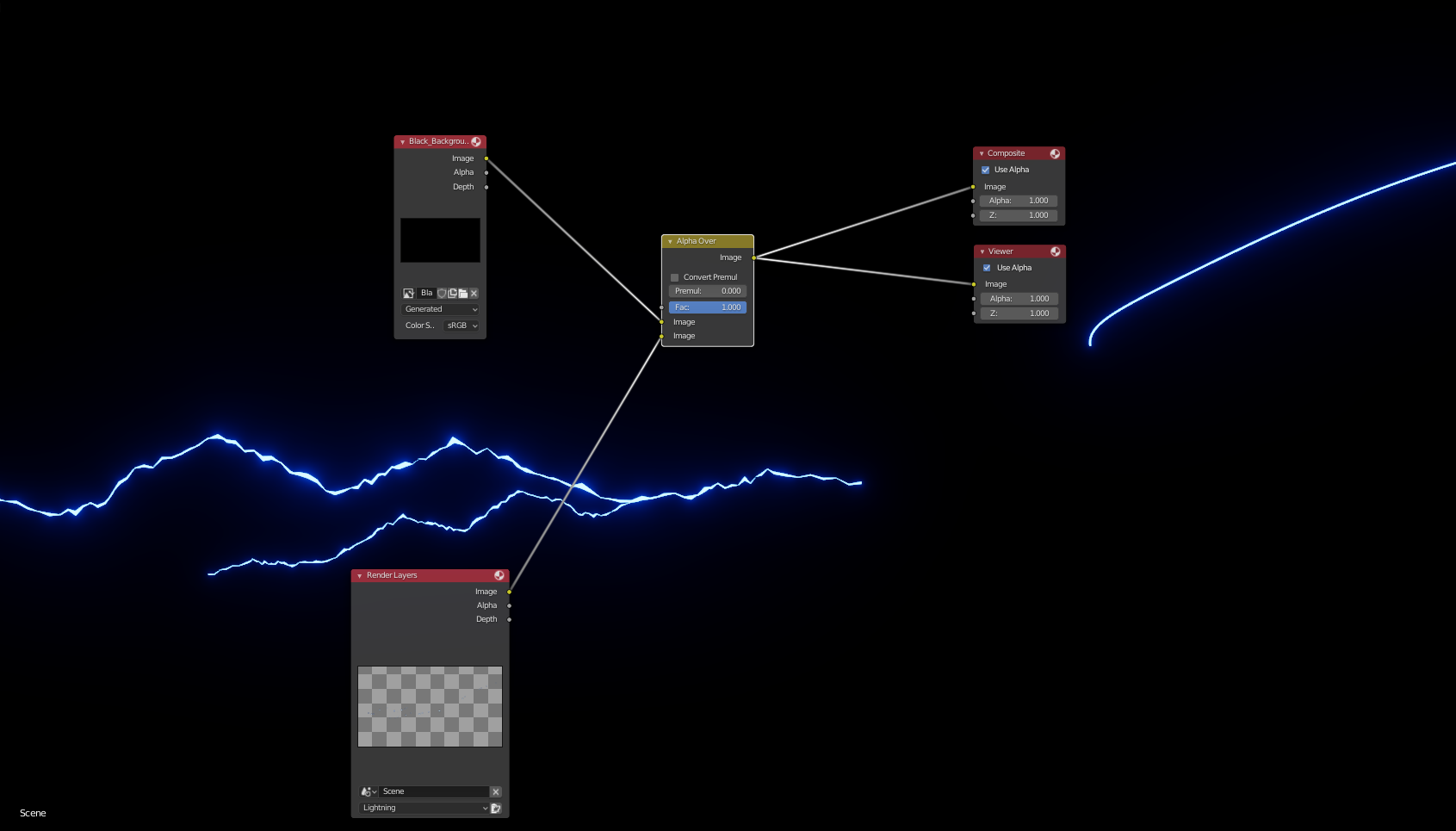
This is indeed because there is no background to show the glare. If you composite the render over a black background you’ll see that the glow is still there;)
September 1, 2019 at 5:04 am #47739Thanks @spikeyxxx , it works in the compositor as you say , I tested it below :
However , I still need it with an alpha background rather than the black so I can use it in Photoshop. But if I remove the black background and save the image , and then drop it into Photoshop , I get this :
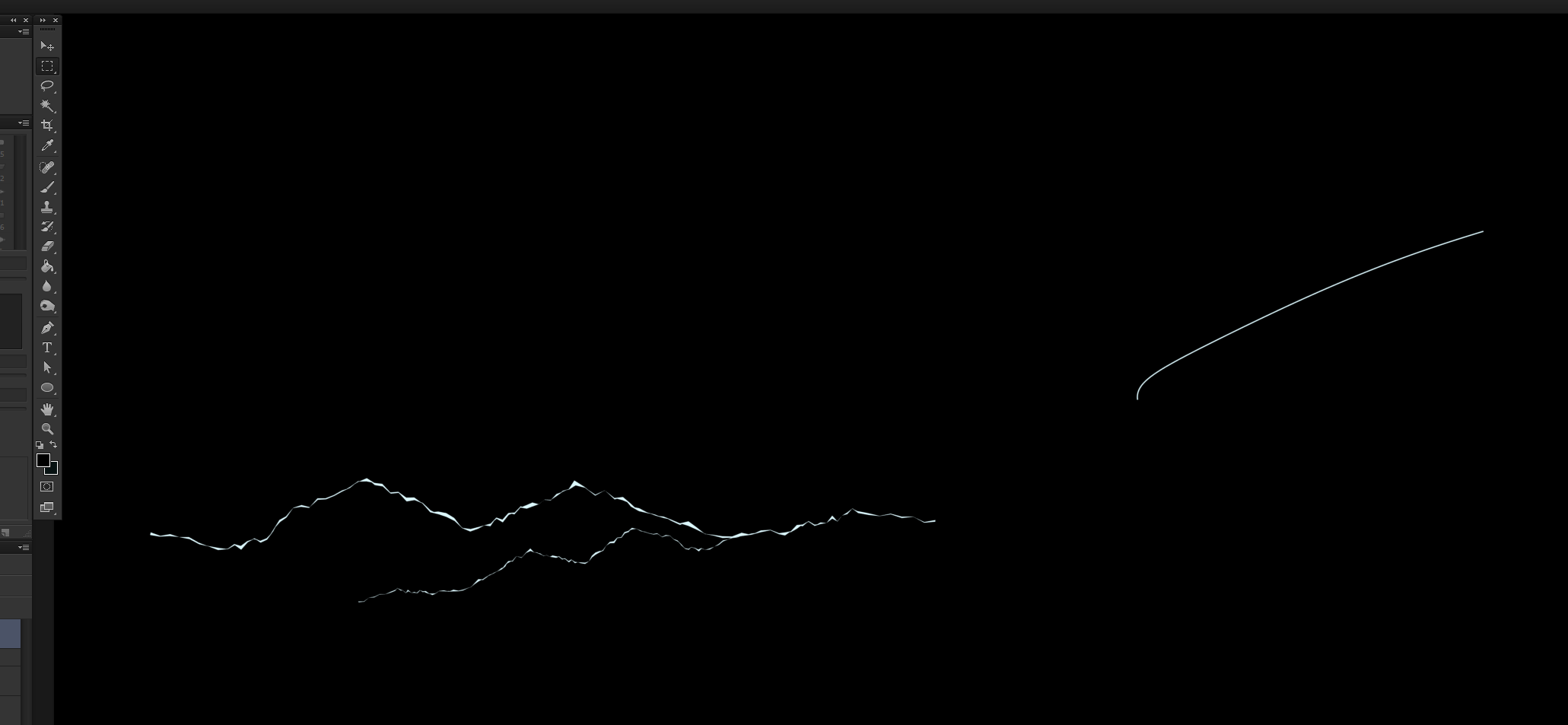
Is the blue bloom being calculated and added in the compositor after the render is complete? How do I save this out with an alpha background with the blue bloom showing?
Cheers!
September 1, 2019 at 7:43 am #47740Apparently, you’ll have to render it without the bloom and then add it in the Compositor like so:
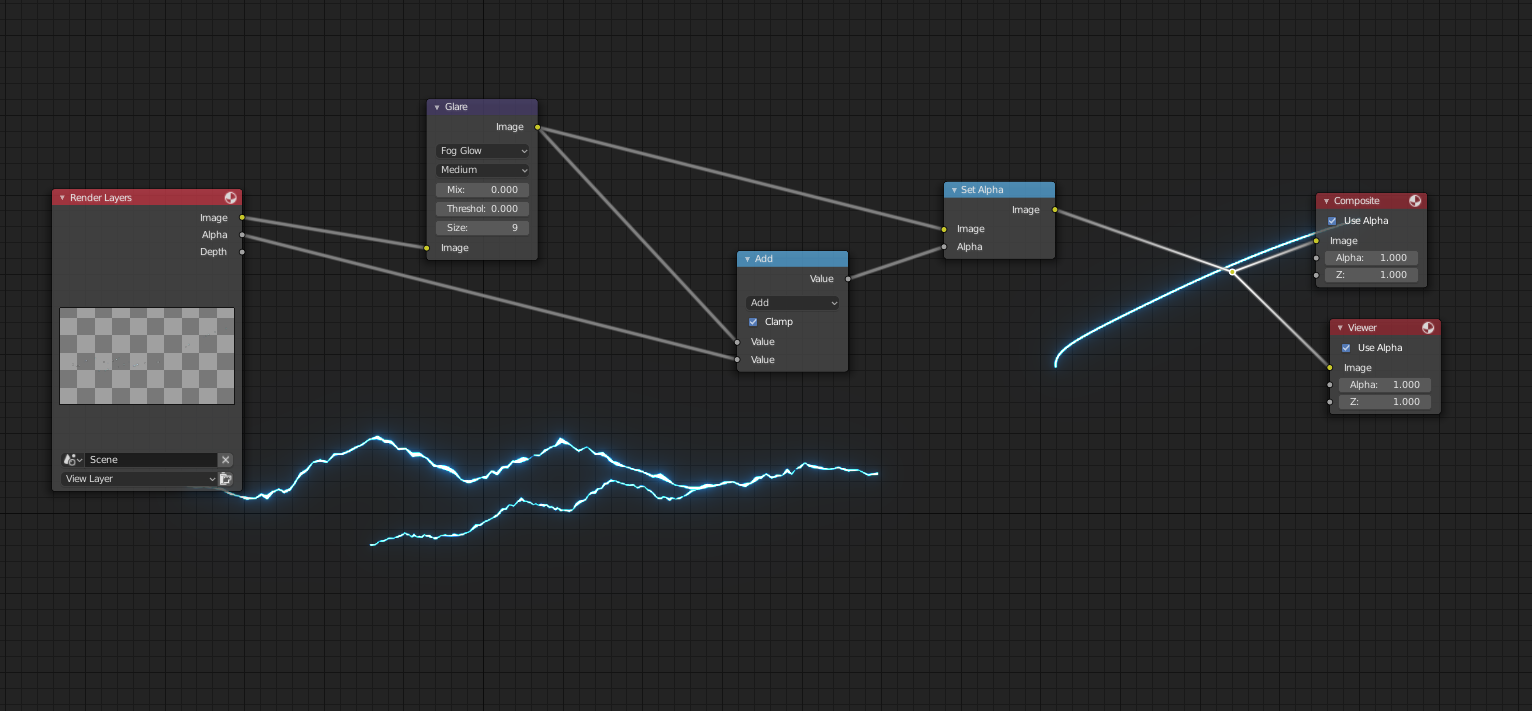
This is explained here: https://www.youtube.com/watch?time_continue=190&v=G6GspGFtCbE
September 1, 2019 at 8:52 am #47741ahh great @spikeyxxx , thats exactly what I need . I didn’t think of that , I was assuming that there was a simple explanation since what is the point in having a bloom setting in the render if it doesn’t actually render it out – perhaps just as a visual aid but still a bit strange.
Anyways , I can get on with my project now,much appreciated:)September 1, 2019 at 9:21 pm #47742@spikeyxxx , you’re a champion!
Keep it up.
September 12, 2019 at 9:36 am #47743I’m not sure if this is a 2.8 specific issue , but I’ve never come across it before in a previous version of Blender so for now i’ll post it here
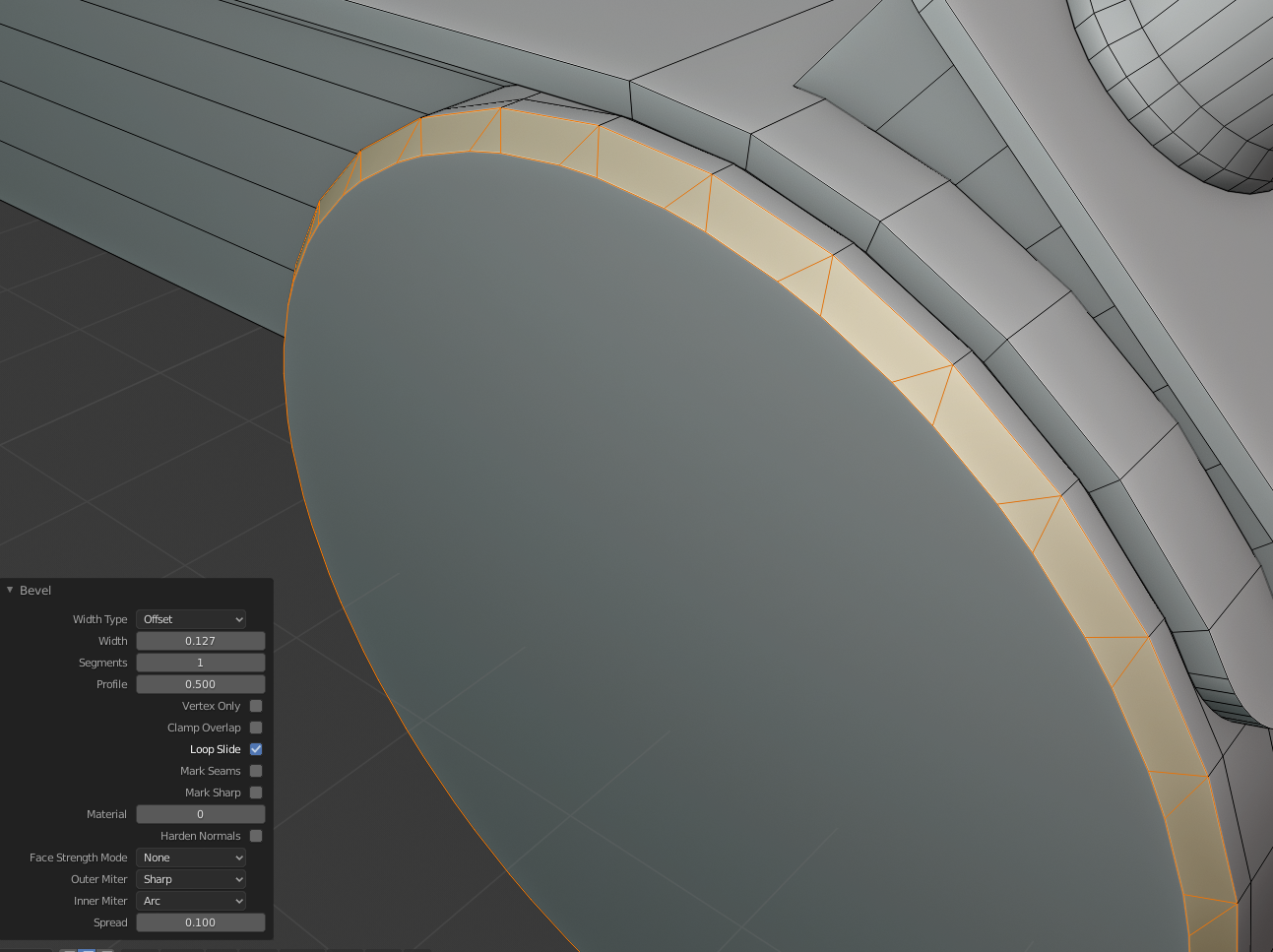
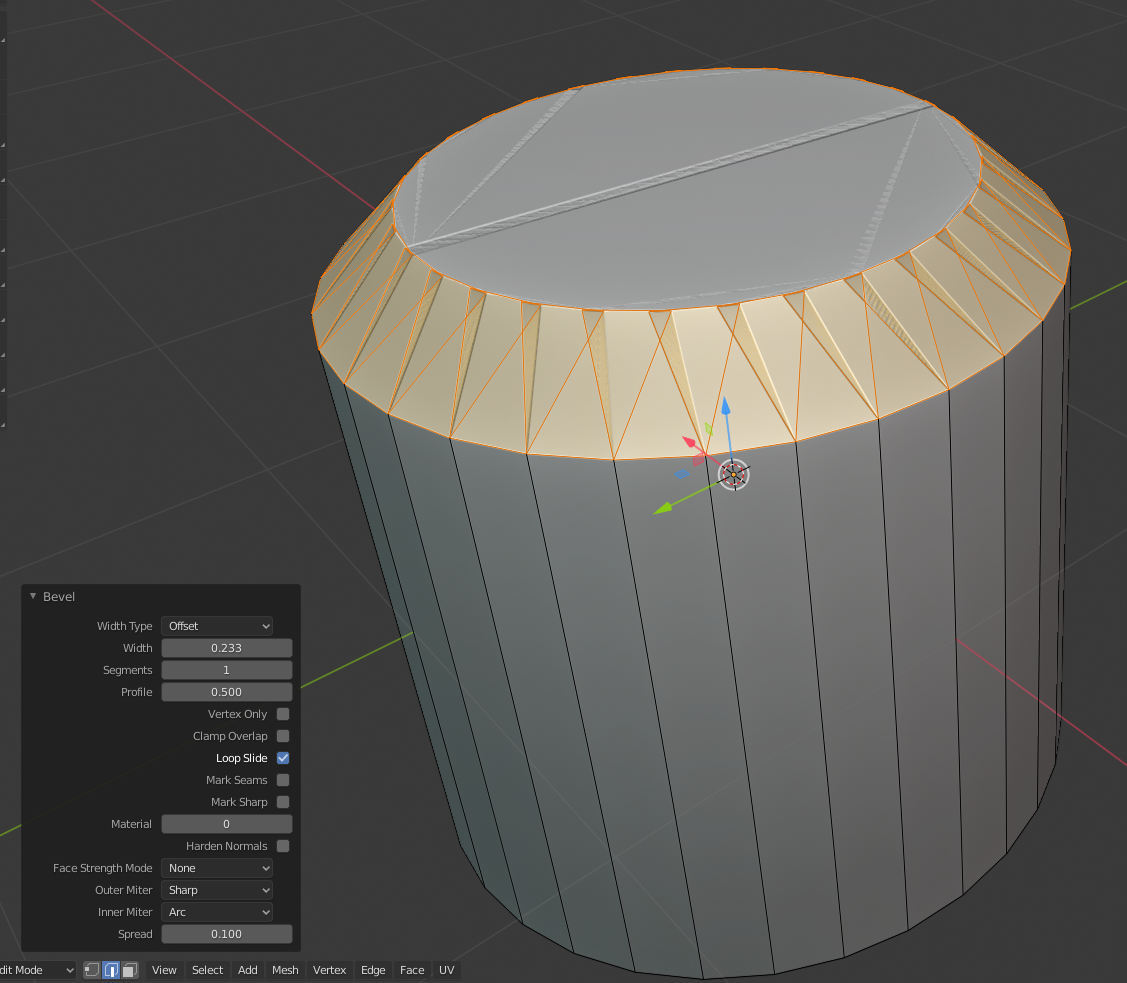
My bevel tool is doing all sorts of strange things today. You can see what I mean from the screenshots below , along with the macro window with all the bevel settings (which I have played about with , but with no success)
At first I thought it was the object I was beveling , perhaps some incorrect normals , or un-applied transforms. But even on a default cylinder , added straight to the world centre , and immediately beveled yields the same issue. (Shown in second image below)
As usual , it will no doubt be something obvious, but I can’t for the life of me figure it out and it is holding me back as I use the bevel tool a lot in my modelling….
Any help would be hugely appreciated 🙂
 September 12, 2019 at 7:29 pm #47744
hmm – I’ll see if I can dig into that one this afternoon.
Thanks for posting the settings on your screen shot 🙂September 13, 2019 at 12:21 am #47745Looks like it’s working for me Frikkr.
I did check in the list of recent bugs and I couldn’t see anything related to your issue.
You can try downloading one of the daily builds to see if the issue is still there for you.
(I build my own Blender every day because I’m a nerd like that)
If it’s just an issue for your set up try recording a quick video of the issue and reporting a bug.
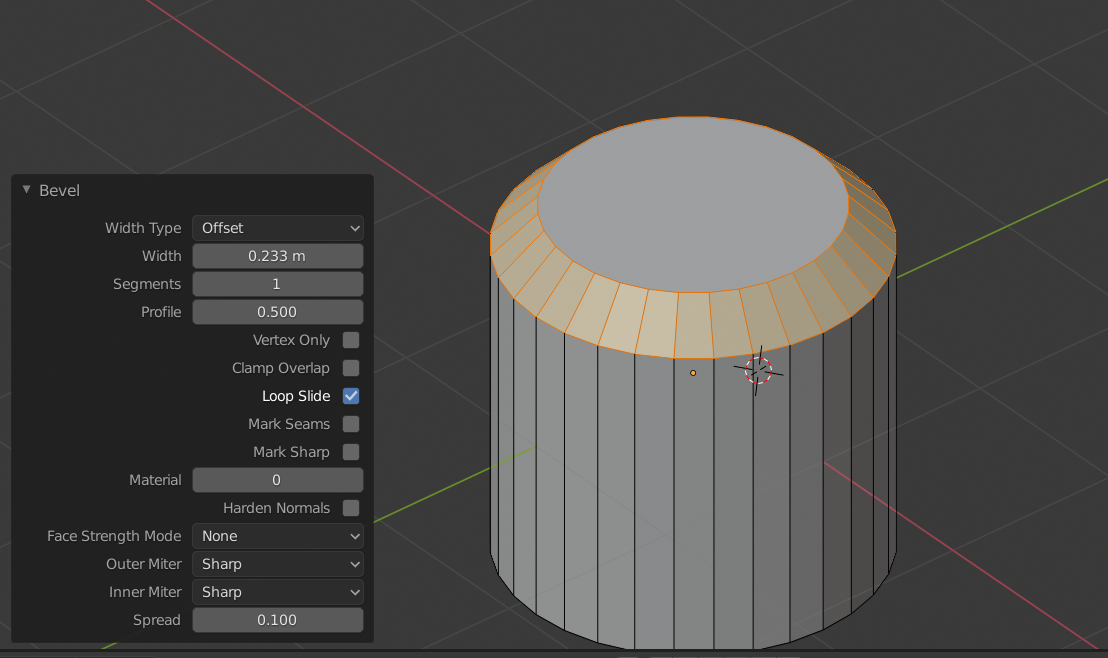 September 13, 2019 at 5:07 am #47746September 13, 2019 at 8:11 am #47747
@spikeyxxx again for the win 🙂
Good work sir.
September 15, 2019 at 3:50 pm #47748Thanks again for saving the day @spikeyxxx , I was sure I played around with all the settings in that box but I musn’t have. I use the bevel tool so much when I model that I was sure it was a bug as I assumed I would have come across something as simple as that in the past . But big thanks 🙂
Also , thanks @waylow for trying to help out also 🙂 , much appreciated.
-
AuthorPosts


- The topic ‘2.8 Hurdles and Roadblocks’ is closed to new replies.