
2.8 Hurdles and Roadblocks
Forum Archive › 2.8 Hurdles and Roadblocks
- This topic has 254 replies, 19 voices, and was last updated 6 years, 6 months ago by
Matthew Fricker.
-
AuthorPosts
-
June 27, 2019 at 8:23 am #47539
@dostovel You can of course leave everything at it’s default, but remember that the developers also left open a lot of customizability of Blender; they never said that the defaults are the best…
As long as you’re not making tutorials, I think you should feel free to make Blender the way it works best for you.
That being said, I do think, that it’s good to try the defaults for some time and then, when you can’t get used to some things, you can always change them. That is what I did with the ‘old’ Blender as well..,.
June 27, 2019 at 10:24 am #47540Captains Log #2:
Met Eevee today. Definitely was like meeting a girl online, flying to meet her in person and turning out to be a nun in a church. I don’t know what to expect from her. Her sisters Workbench and Look Dev don’t know what to make of them either.
– Really confused on how wireframe works. By far the most perplexing thing until now.
– Why if I’m in wireframe view can’t I see the vertices in the back? Did dev money ran out?
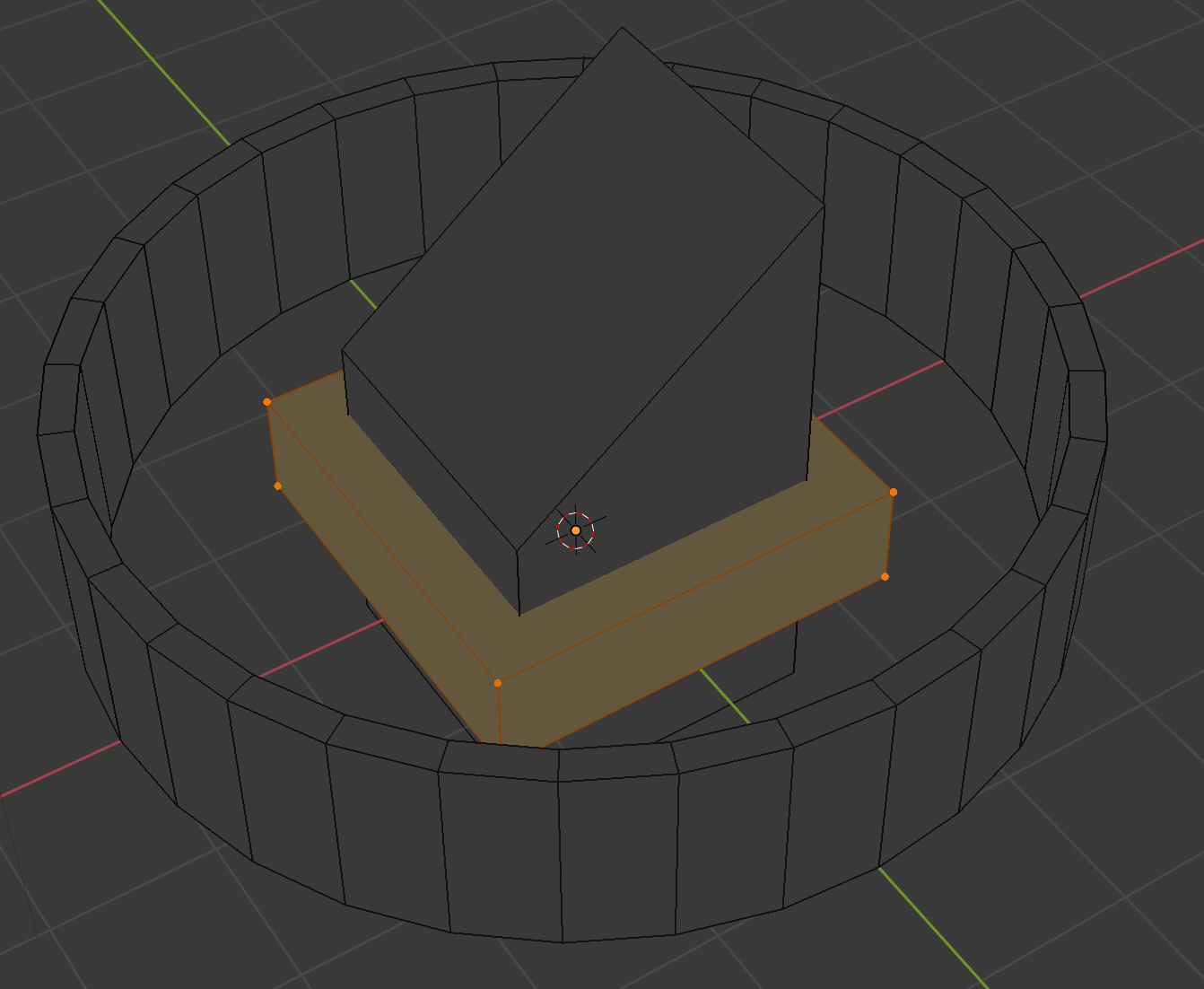
– Why when I’m in “Solid View” I can see behind objects as if in wireframe?
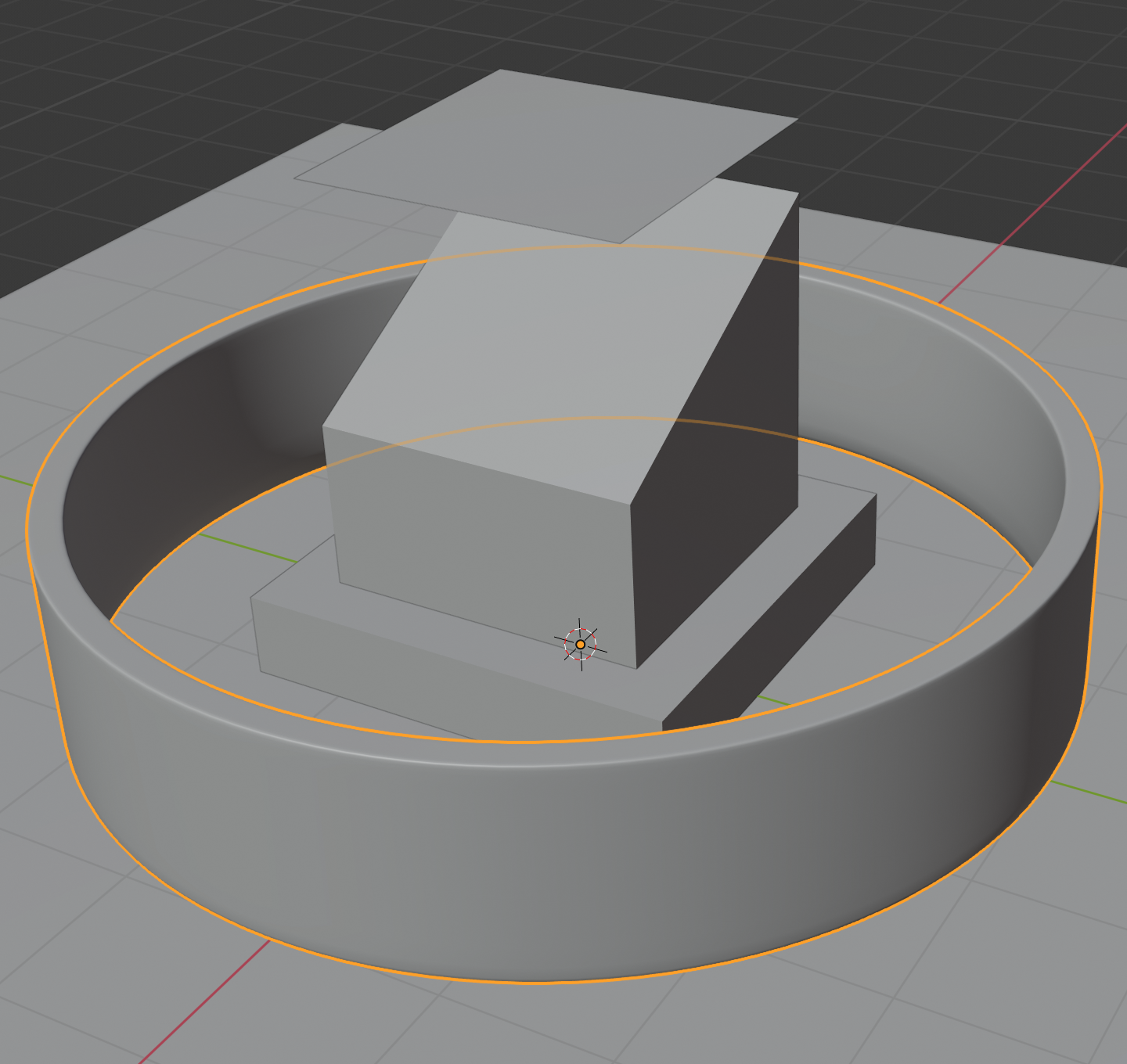
– Why are Objects in Solid View always displayed as having “Wire” and “Draw All Faces” always on? feels like a never ending weird wireframe. I don’t want to see all the edges all the time. Give me back my slick sold view.
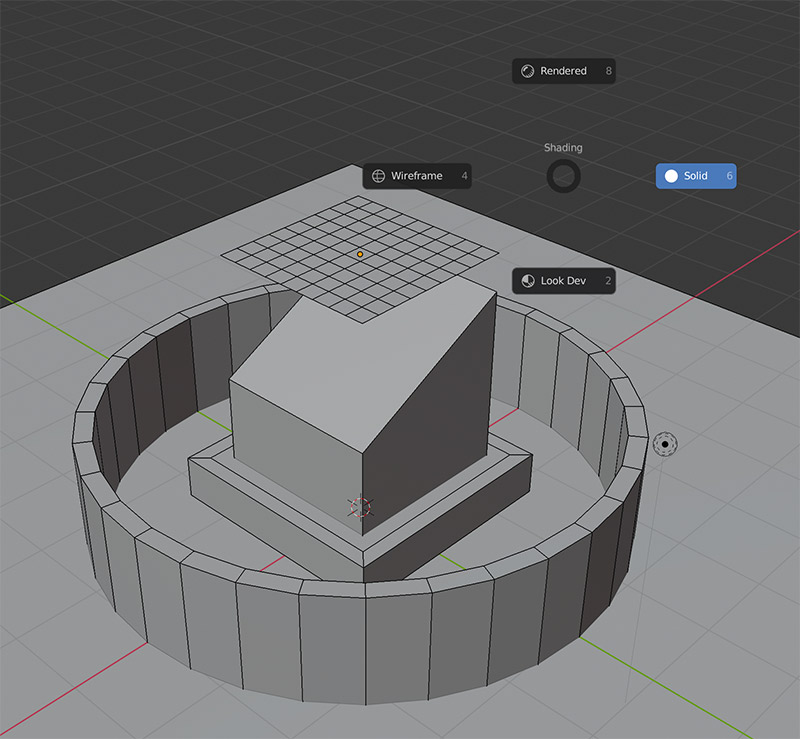
– Ok, I see there are now 3 render engines. Eevee, Cycles and Workbench. I have zero idea of what Workbench is.
– What in the world!? Why when is Cycles and press “Z” and select Rendered, all the wireframes and geometry are there while the viewport is in render activity? now this is some major WTF, does not feel like a Cycles Viewport render anymore.
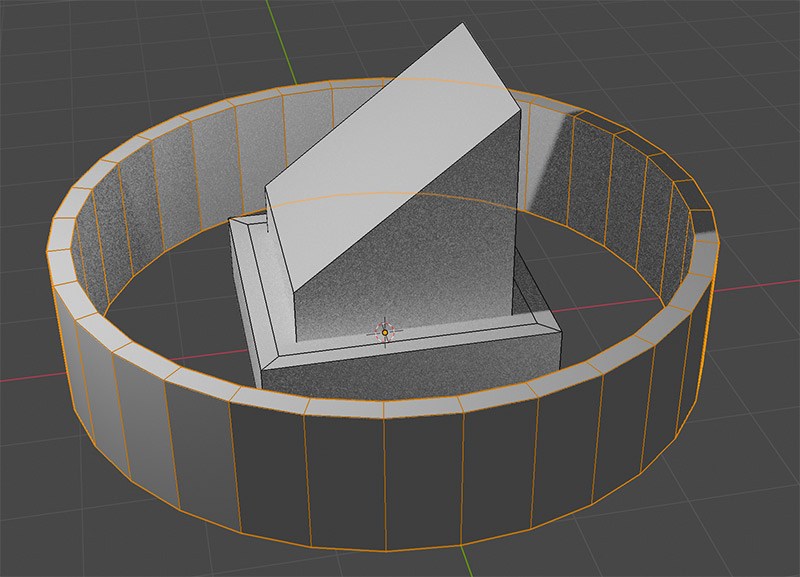
– Really confused on what Look Dev is. Can’t seem to find its use. Also if I change to the Workbench Engine then Look Dev goes away. Why?
– Changing to Workbench, pressing “Z” selecting “Rendered” doesn’t do anything. Is this a rendering program anymore?
– Could this be a Government run program to see how fast people can go crazy?
– I keep pressing SHIFT + Z to render only to get wireframe view. Looks like that’s wireframe hotkey now. Only if wireframe weren’t so useless.
– I was very used to SHIFT + Z twice to get out of render viewport, doesn’t work that way now.
– I do not like the fact that Workspaces are left exactly how you left them. Very uncomfortable.
– Oh great, the wireframe mystery deepens. There’s a wireframe slider in the Overlays drop down menu that only seems to partially dissolves the wires in solid view.
– Feels like wireframe is not a thing anymore. Maybe working without wireframe is just an interesting new challenge.
– Added a Subsurface modifier only to have a mess of wires on top of subsurf modifier on edit mode. Why can’t it be the slick solid look like before?
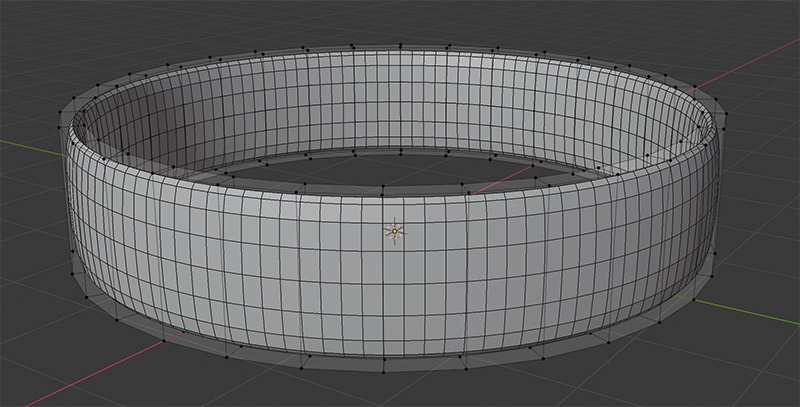
– Seems I can select vertices in wireframe even though they are occluded, I can’t see behind things yet they are select-able though the mesh .
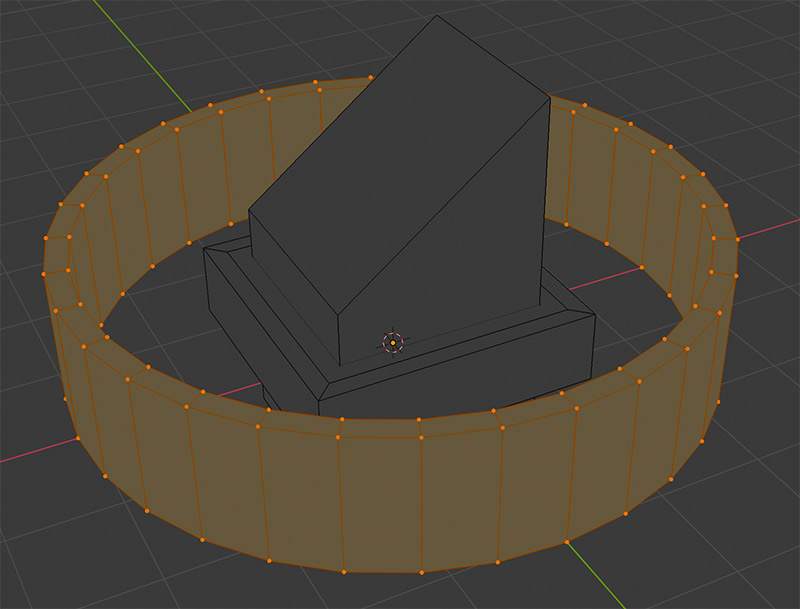
– Crazy government theory gaining credibility.
– Face Orientation option very handy and very blue.
– Looks like things change a lot depending if you’re on one of the three render engines. The View Port Drop down has lots of different options and changes according to the engine. But why so many engines? with so many viewport options.
Biggest takeaways: Wireframe sucks now. 3 major engines that changes a lot how the viewport behaves. Don’t see the need for Look Dev. Most of the things have stayed the same on the whole right panel.
June 27, 2019 at 1:23 pm #47541@dostovel Lookdev is for real-time material creation and texture painting, gives you a good look at your material/textures, without all your lighting setup that you have for your render, so you can always see your stuff clearly. I believe it’s a pretty common thing in other software…
June 27, 2019 at 2:46 pm #47542I’m not sure why your wireframe mode is looking so strange, Omar. Mine works just as it should:
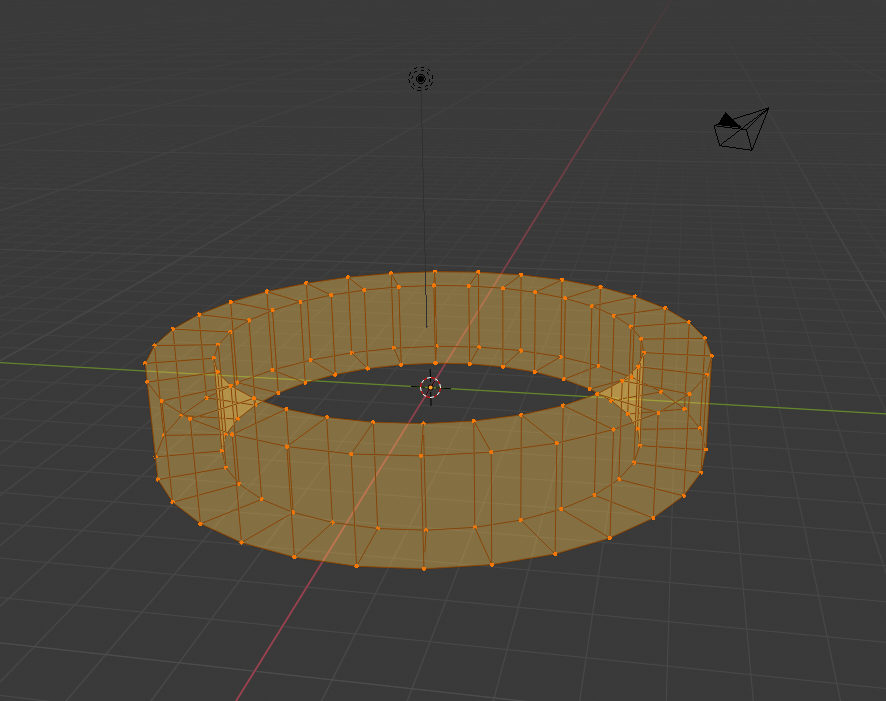
I suggest to you, perhaps download the very newest build of 2.8 from the Blender website, and in the Preferences click Load Factory Settings (it’s in the 3-bar menu at the bottom left corner) and try to completely reset 2.8. Then maybe it should work right.
Set Origin is in your right-click menu, when in Object Mode!
The LookDev mode is useful for making your materials – while in LookDev, Blender uses an internal HDRi map to light the object, without you having to establish one by yourself. This HDRi will not appear in your renders, it is internal to Blender only. There are a few different HDRi’s you can use; in the top right corner of the viewport, click the drop-down arrow next to the viewport select buttons and click the globe to change between the different environments. You use this same method to change matcaps when in solid shading mode.
ETA: If resetting Blender to factory doesn’t do the trick, then while in Wireframe mode, click the Show X-Ray button, which is here:
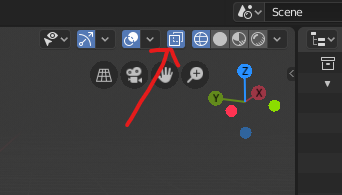
Blender should remember to turn this on every single time you switch into Wireframe mode again thereafter.
June 27, 2019 at 3:04 pm #47543The Workbench engine in 2.8, is Blender’s solid/wireframe viewport shading mode. That is to say, even when you’ve chosen the Eevee or Cycles engines in your Render properties tab, whenever you’re using solid shading mode in the viewport, you’re using the Workbench engine. I suppose the devs made it accessible in the engine menu for completion’s sake, but there is no reason to ever select it there – and as you found out Omar, if you do select it there, the other shading modes become unavailable.
ETA: Oh wait! I -can- think of a reason to select the Workbench in the Render properties menu! You would want it there if you want to render the solid-view viewport, either as an image or an animation. This would be the equivalent of using “OpenGL Render Image” or “OpenGL Render Animation” in 2.7x, except that it will still use your camera.
June 27, 2019 at 4:07 pm #47544@smurfmier1985 Alright, Look Dev will get its chance once I’m into shading and texturing then.
@jakeblended X-Ray should be enabled by default, I mean who wants a wireframe that doesn’t wireframe.
June 27, 2019 at 4:51 pm #47545Captains Log #3
Got myself into big doo doo today. Using Groups doesn’t seem to be a thing anymore in 2.8. Shouldn’t have made the Heli almost entirely out of groups in 2.79 then.
– I used to do Group Instancing.
First take a mesh that had lots of parts that weren’t going anywhere and secondly group them. Then get any low res mesh and group duplicate it so I can save on memory and performance.
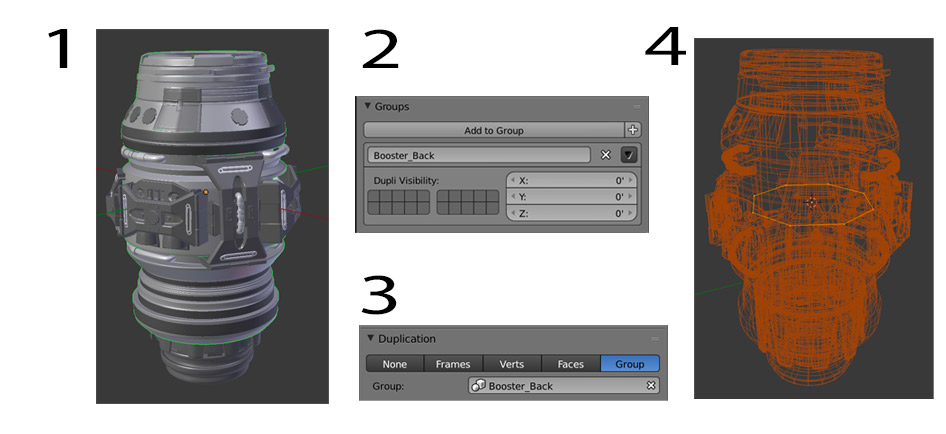
– Can’t find groups in 2.8 to do this. Is the Group system out of the picture now? Then how do we link assets into other files?
– The closest thing I found was this in in the “Context” tab:
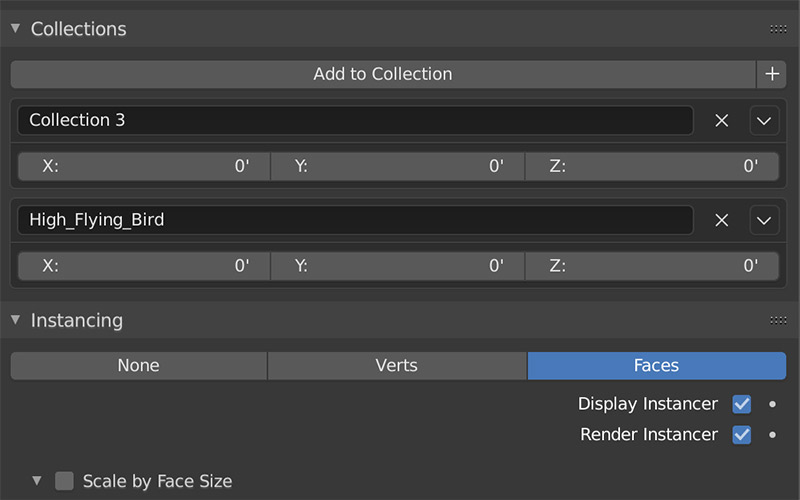
– I thought that in the “Instancing” menu I was going to be able to do the “Group Duplication” but no, that doesn’t seem to be it.
– It Says “High Flying Bird” up there but as you can see in the image below, there is no Collection named like that. So what is that menu all about? Is the Collection in the “Context” Tab separate form the actual Collections menu?
– I thought Collections menu was here:
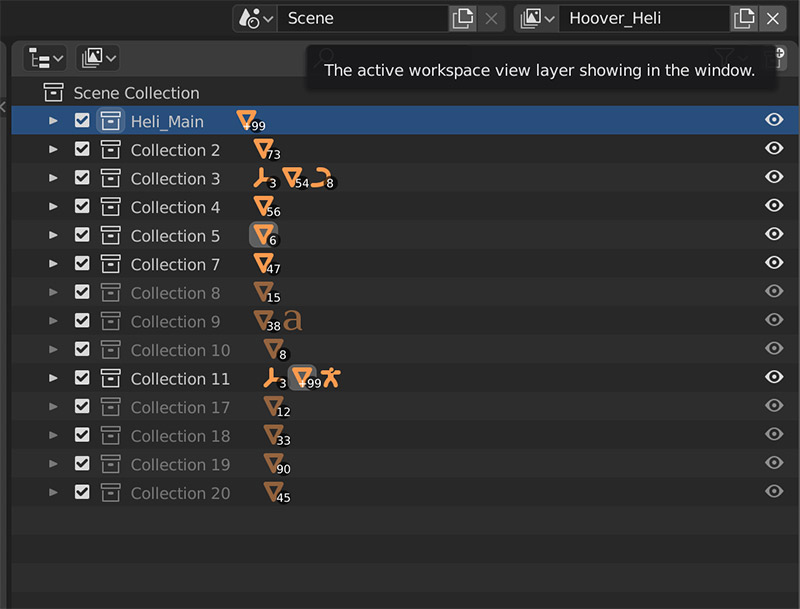
– Some Collections are grayed out, the meshes are not visible in the viewport but the “Eye Icon” is set to On. Shouldn’t they be visible if the Eye is not turned off?
– If I right click on a Collection Layer, a really big menu pops up with lots of options, I don’tknow what does do yet. Time to test and see.
– The View Layer has got me confused. I haven’t got the slightest idea what that is. It shows that I have 2 but I don’t know why.

– The Heli came better than I expected into 2.8, except for the Group Duplication, those parts are all missing. Only their simple meshes upon which the Duplication was on are visible.
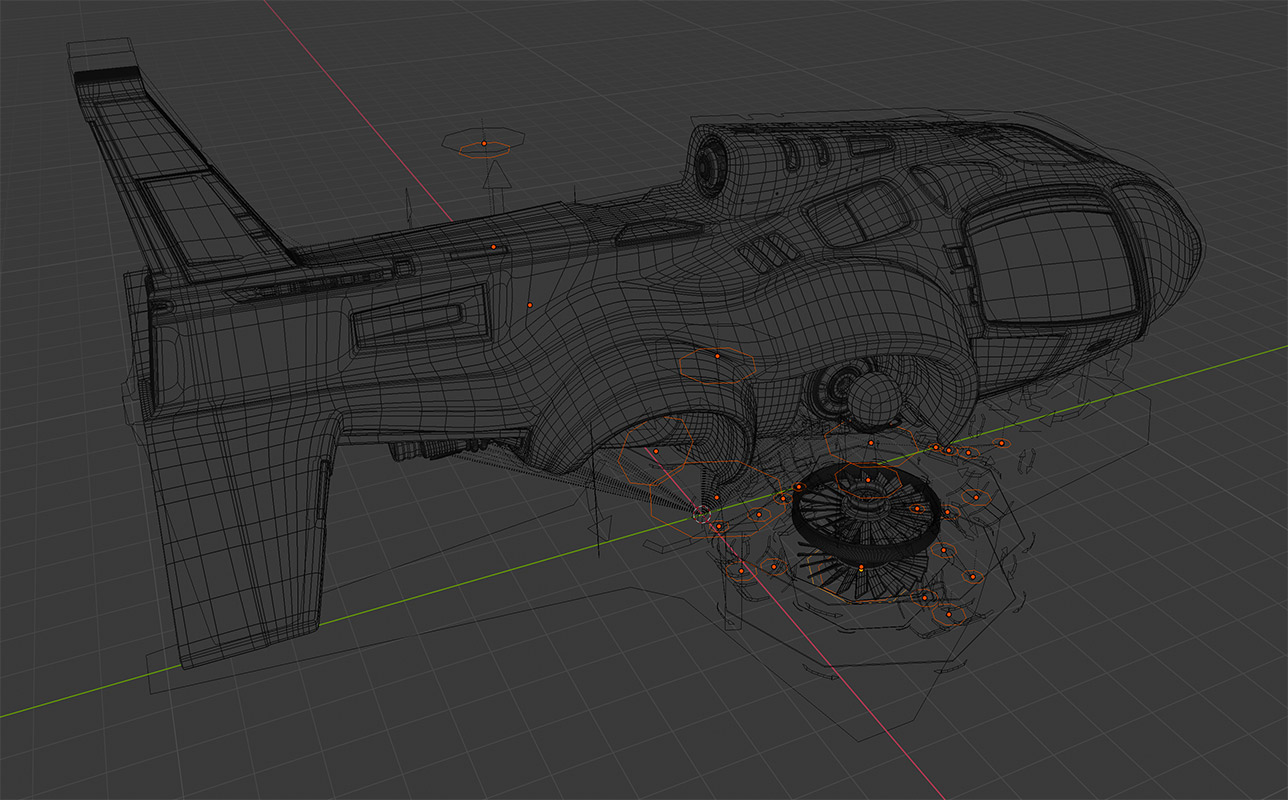
I am very confused when it comes to this part because it seems it has to do with a totally new system with this Collections and stuff.
I’m stuck here, this part has to be learned, not re-learned since it wasn’t in Blender before.
June 27, 2019 at 5:25 pm #47546@dostovel in this video Ethan goes over the new collection system and instancing, might be useful 😊
Watch the whole course while you’re at it, lots of neat stuff about Eevee which might come in handy for learning 2.8!
June 27, 2019 at 5:33 pm #47547@dostovel As for “stuff not being visible but the eye icon is on”, maybe this issue @waylow pointing out in the thread description is the problem:
We’re talking more like “My collection is hidden and greyed out but the eyeball icon says it visible – what’s going on!?”
Turns out that you have the collection “disabled” in the viewport, but that toggle isn’t visible in the outliner because that filter is not enabled.
June 27, 2019 at 5:58 pm #47548@smurfmier1985 No, no, no , nooooooooo! I have become one of those people. I should’ve read before I freaked out.
EDIT: Thanks Miranda, that video completely cleared up my Grouping doubt. It’s all done now through Collections, there is no such thing as group now. Question is, how do you link assets into another file now? Lets do some experimenting and see.
June 27, 2019 at 7:17 pm #47549@dostovel You link a collection the same way you would a ‘Group’
‘Groups’ are planning a comeback, but they will be different to the old groups.
Collections, have a few issues when they are linked. eg – you can’t drive the visibility once it is an instanced collection, and when you make a proxy, the name of the proxy is the name of the Collection, not the name of the object in that collection that you proxified…..is that even a word? Is now!
Also there is no way to hide objects in an instanced group (linked or local) like you could in 2.79.
I’m hoping all these quirks will be fixed.
June 27, 2019 at 7:24 pm #47550@waylow Lol proxified.
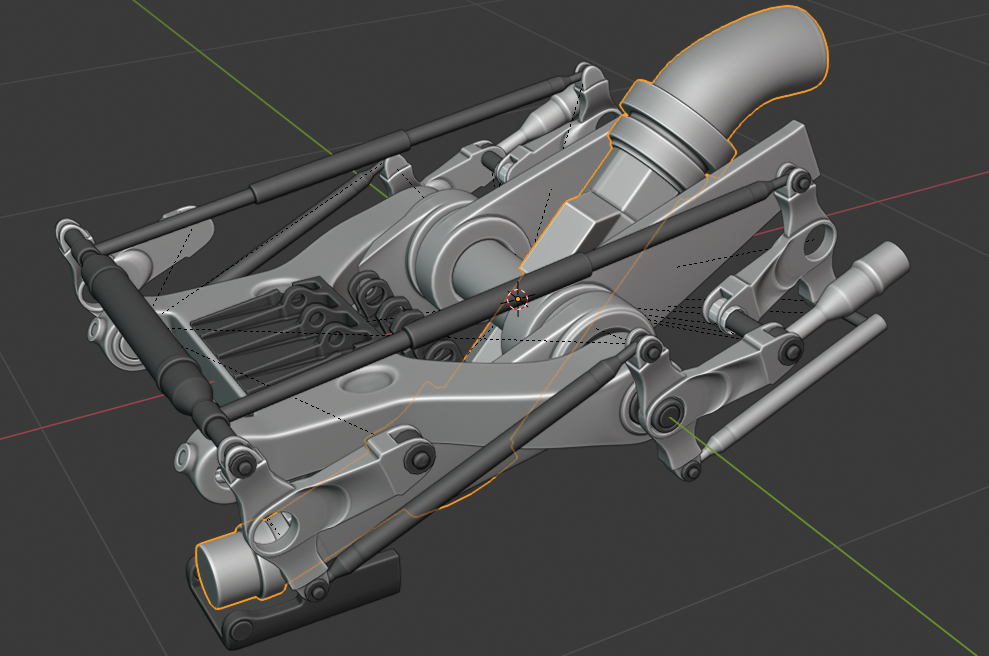
Something is driving me crazy and it’s that orange glow of selection that goes through objects. I can’t find were to turn that off. I know I can toggle off “Outline Selected” but that is not it. I would like the selection not to phase through objects. Also the super thick orange stroke is making me hungry for some reason. Please tell me there’s a way to change this.
 June 27, 2019 at 7:27 pm #47551
@dostovel I believe X-ray IS enabled by default. That’s why I suggest restoring your settings to “factory”; if you’ve ever downloaded a 2.8 build any time in the past, the new build could inherit some of the old UI settings from that early build unless you reset. In the very early days, wireframe was broken and strange, but more recently it’s been fixed up to work more like it did in 2.7x.
June 27, 2019 at 7:51 pm #47552@dostovel You can change the thickness of the line in Preferences > Themes > 3D View > Outline Width, but 1px, which I think is the default, is as small as that line can get I’m afraid. I don’t know if it’s possible to turn the x-rayed selection outline off.
June 27, 2019 at 8:13 pm #47553@jakeblended Nah this is the first time I’ve downloaded 2.8, I don’t have any previous settings. I forget this is still on Beta, funky things must be going on. And I guess I’ll just have to get used to selections feeling like cheese. If I find I’m eating more than usual, it’s probably because of 2.8
-
AuthorPosts


- The topic ‘2.8 Hurdles and Roadblocks’ is closed to new replies.