
2.8 Hurdles and Roadblocks
Forum Archive › 2.8 Hurdles and Roadblocks
- This topic has 254 replies, 19 voices, and was last updated 6 years, 6 months ago by
Matthew Fricker.
-
AuthorPosts
-
July 1, 2019 at 7:00 pm #47584
I am keeping BOTH 2.79b and 2.8 beta on my PC, because I oftentimes download blend files from websites and I’d like to open them in either version. When 2.8 stable gets launched, I will still keep 2.79b on my computer.
As to learning 2.8, it is really one step at a time. If I find 2.8 too daunting to learn, I just view tutorials and simplify everything by using digital notebooks via Google Slides. I take screenshots of tutorials and attach brief notes to them.
July 1, 2019 at 7:29 pm #47585Captains Log #6
It seems I’m going to get out of this alive, I can see the shore now, the light at the end of the tunnel. The road was hard and full of terrors.
– I’ve been trying to do a playblast of a little animation but I can’t find the OpenGL buttons to do viewport renders. Were those taken away? Has it been move to the Workbench engine or something? or perhaps OpenGL renders were so yesterday and nobody was using them to begin with.
– What is this menu on the right side for? The lighting / color / options. I change the settings but the viewport doesn’t do anything.
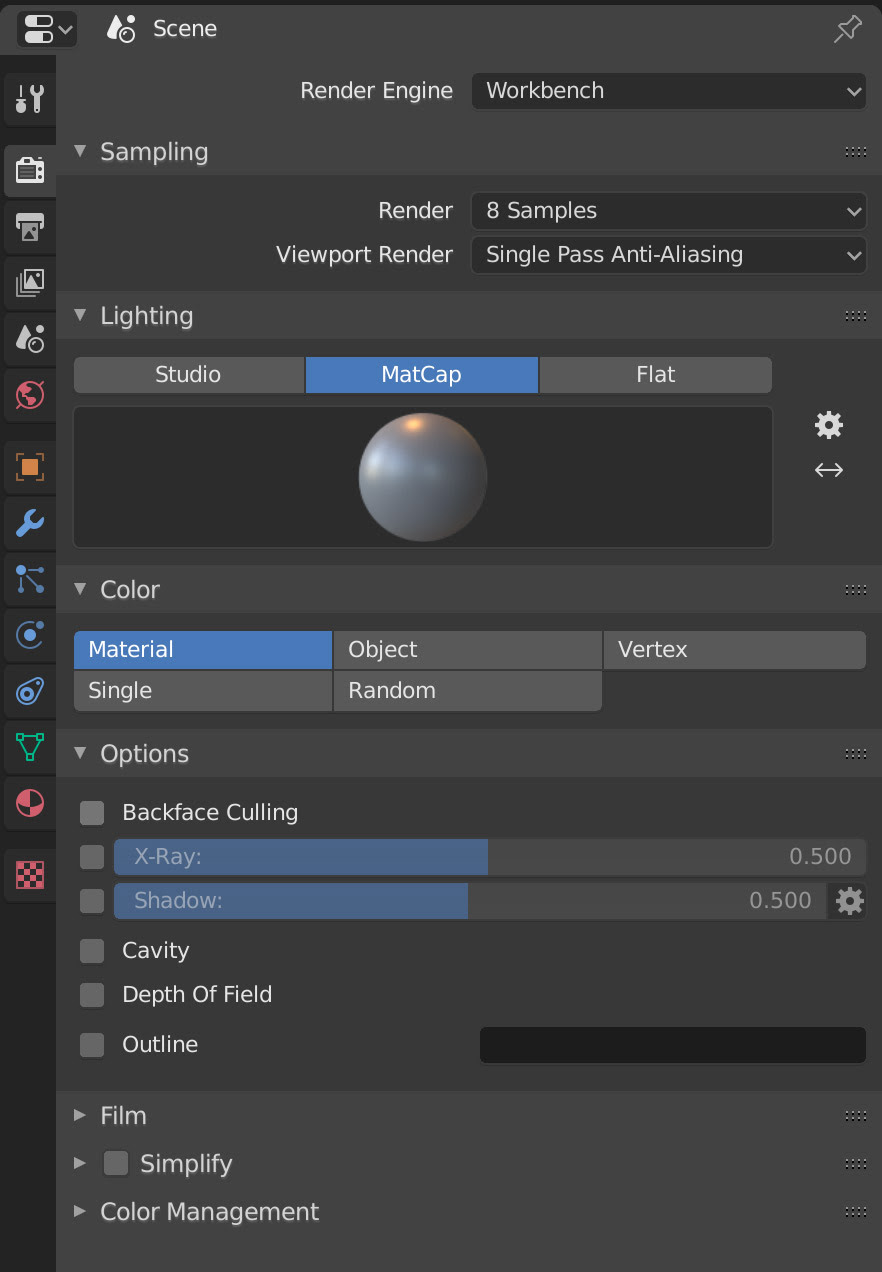
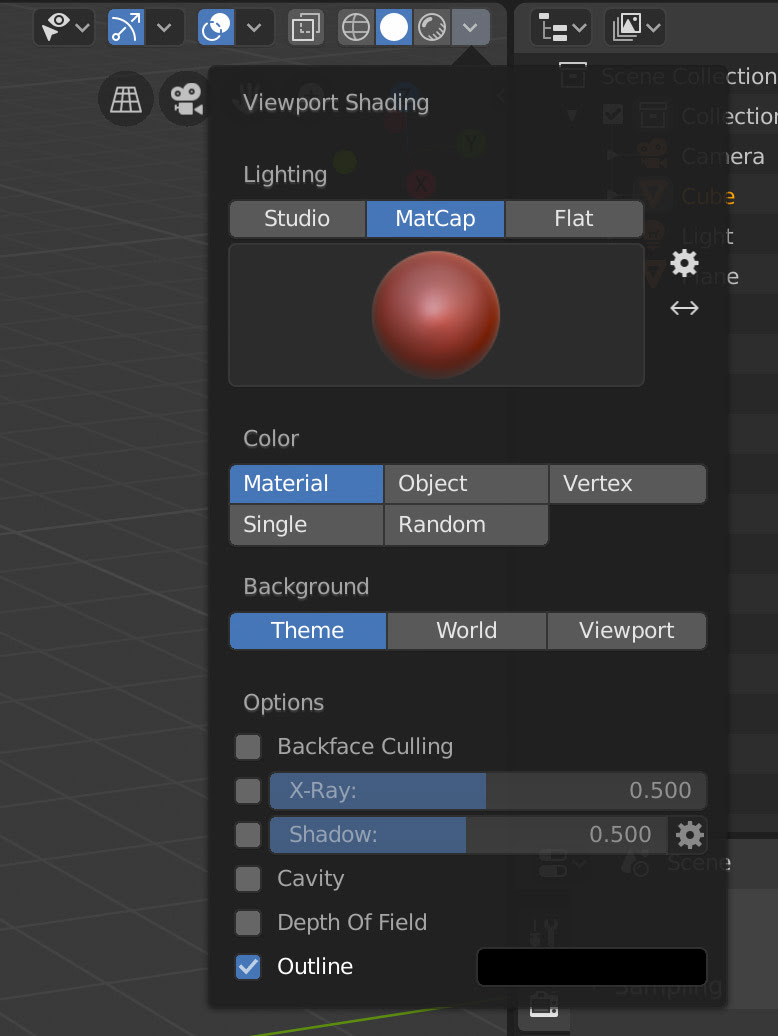
I have to change settings in this menu that is on the drop down on the viewport, only then do I see changes on my scene. But then why do I need the menu on the right side for if it doesn’t change anything?
– When different rigs are all at once in the scene, if they are all in Pose Mode, if you select with A, all bones get selected no matter if they are from different objects rigs. In 2.79 rigs were independent, if I entered Pose Mode in one rig, you could not select posed bones in other rigs if you hit A, yet in 2.8 you can, all bones seem to be active as if all posed rigs lay open.
– Where are the three little icons that used to copy paste keyframes and or pasted them flipped when doing naimation? I can only see those icons in the modifiers tab of the graph editor, so they exist, the question is, why remove them from all other places? They were very handy.
– Simplify doesn’t seem to be working at the moment, it’s all buggy. Sometimes some objects receive the simplify, sometimes others don’t and sometimes it straight up doesn’t work, sometimes you have to restart Blender and you might get lucky and it works. I guess it’s just a matter of waiting for the all powerful devs to tackle it.
– Another thing that isn’t there anymore, I used to press shift and drag in the node editor and the strings would unite by one of the yellow dots. Has that been taken out?
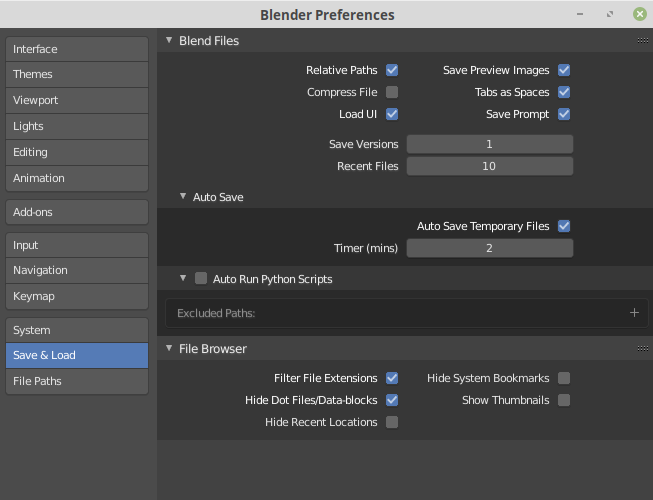
– Blender no longer asks if I want to “Reload Trusted” and in the preferences there is no longer an entry for “Auto Run Python Scripts”. Is that no longer necessary or is there something else that we have to do?
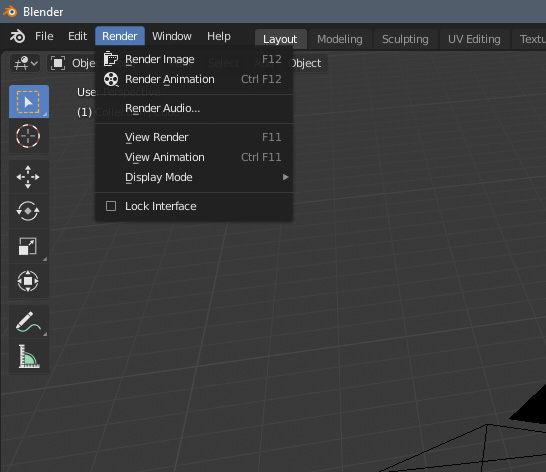
– So in the end this is the only way to render? There is no main big Render button like before? That I can’t believe.
 July 1, 2019 at 8:40 pm #47586
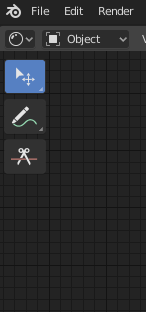
Switch your keymap profile to something else (like Industry Compatible) and notice that the Preferences menu at the top disappears
For some settings like spacebar action, it makes sense that this is default Blender keymap-specific as this can be customised individually on other keymaps, but there are other settings like Extra Shading Pie Menu Items which simply adds extra selections in the Z shading pie menu
Though I did just figure out that the extra shading pie menu can still be achieved in other keymaps by changing the Shading command name to VIEW3D_MT_shading_ex_pie
July 1, 2019 at 8:57 pm #47587That’s what it does already, but my plan is to have everything animatable inside the one object, so only animate 1 thing there is 1 action created. Right now you have to animate 3 things.
July 2, 2019 at 12:04 am #47588– In the viewport under the ‘view’ menu button, you can choose ‘viewport animation’.
– I think the menu on the right is the render output if you use the workbench renderer (maybe it’s visible in lookdev?I dunno haven’t tested/used it).
July 2, 2019 at 2:04 am #47589@arvz I sort of understand now what you mean, but there doesn’t appear to be a Shading shortcut in the Industry Compatible Keymap.
At least it’s not ‘Z’ and I could not find it in Preferences > Keymap > 3D View, so I don’t think this is ‘strange behaviour’ or something.
July 2, 2019 at 8:16 am #47590@smurfmier1985 Ah thanks Miranda. I’m guessing that with a pretty viewport now, viewport rendering will be much more useful.
July 2, 2019 at 2:45 pm #47591Are MatCaps a thing in 2.8? Iv’e tried looking them up in the manual and there isn’t anything on them, but a quick google search suggests there is.
It does make sense to exclude them as you could easily add a glossy material in eevee or that lookdev thing that I haven’t got my head around yet, but it was always so handy to stick a matcap on when you wanted to see how straight a car panel was for example , without having to mess about with materials.
If they are there , then how do I access them now that the N panel is much more streamlined.
A few other things I cant see in the N panel when modelling , that I used to use frequently were background images , and edge/face measurements. If anybody could point me to those that would be great too 🙂
July 2, 2019 at 3:21 pm #47592@frikkr steeling Omar’s Screenshot here 😆 the mat caps are found here:

Also turn on the Cavity tick box, it makes everything look pretty!
July 2, 2019 at 3:25 pm #47593July 2, 2019 at 3:54 pm #47594@smurfmier1985 Thanks! Believe it or not , I’m not being lazy, I did actually google them but I just did not have time to scrub through a video tonight to find the answer so it seemed logical to try to find a quick answer here.
Apologies for not seeing that Omar had brought this up before in this thread… I thought I had read through most of it the other day but this thread is getting so full of information now that it’s easy to miss – apologies in advance If I ask anymore repeat questions 😛
July 2, 2019 at 4:17 pm #47595@smurfmier1985 Cavity does make everything look pretty. It hurts me to turn that off thinking it eats up too much resources, but screw it, it looks so good it can trash my video card.
July 2, 2019 at 5:05 pm #47596@frikkr I believe you 😉 and no need to apologize! it’s a lot to take in when first diving into 2.8, so ask as many questions as you have to 😊👍🏻
July 2, 2019 at 5:07 pm #47597@dostovel totally worth it! living on the edge 🤘🏻😎
July 3, 2019 at 2:46 am #47598 -
AuthorPosts


- The topic ‘2.8 Hurdles and Roadblocks’ is closed to new replies.