
2.8 Hurdles and Roadblocks
Forum Archive › 2.8 Hurdles and Roadblocks
- This topic has 254 replies, 19 voices, and was last updated 6 years, 6 months ago by
Matthew Fricker.
-
AuthorPosts
-
June 30, 2019 at 1:27 pm #47569
@frikkr lol it was just a suggestion because the new courses are coming pretty soon, but 2.8 ROCKS so I don’t blame you 😉
Collections are indeed a new and improved layer system with a lot more features. The Blender Manual on collections can explain it better than me 😊 but they are definitely more like a normal folder structure and they are the best!!
Since you are just starting out again, I would actually suggest to start a fresh project, because old files usually don’t transfer well to 2.8… it probably would save you quite a headache to not try to get your old stuff to work. How about joining us in the vehicle community challenge I’m hosting this month? Just create a simple scene you’re comfortable with and have fun exploring 2.8 😄
File -> Defaults -> Save Startup File (according to the manual)
Hope this helps!
June 30, 2019 at 1:30 pm #47570@frikkr Hi Matthew, one thing I know, Save Startup File is now under: File > Defaults > Save Startup File
June 30, 2019 at 1:53 pm #47571@smurfmier1985 Thanks!
I would love to join you in the challenge , I actually won a couple myself back before I had to take my break and I loved taking part in them. However, at the moment my time is very limited and I doubt I would be able to complete something in time. Plus I have two huge projects on the backburner that I really want to get back into asap ( an animation series about a toy bear , and a point and click adventure game – both of which I invested several years in between 2014 and 2018) so you can understand why I want to get them going again.
Luckily, I have tried the files from both these projects in 2.8 and other than the layers issue, they seem to have transferred fairly well (which is a huge relief because I need them to complete those projects and some of the files are literally hundreds of hours of work that I can’t afford to have to start again)
I will follow the challenge closely , even though I wont be participating.
Also , please check out my old Polybook here : https://cgcookie.com/t/19-polybook-frikkr if you want to see what I was up to back then – although I noticed almost all of the comments and a few posts have gone missing, so I will have to update it.
Thanks for all the help, it is great to be back in this community again and to see that it is still as friendly and helpful as it used to be 🙂
June 30, 2019 at 1:53 pm #47572@spikeyxxx Thanks for the advice 🙂 much appreciated and its great to meet you. Good luck in the challenge also btw .
June 30, 2019 at 4:00 pm #47573@frikkr Fair enough 😊 good luck with your projects, and be sure to share your progress in your polybook because I want to see!
(There will be a Halloween Challenge in October and an Animation Challenge in January, btw 😉)
June 30, 2019 at 5:19 pm #47574@smurfmier1985 @frikkr I say you go crazy and make them hardcore challenges daily yeeeaahh
 June 30, 2019 at 6:07 pm #47575
@dostovel Laughing out loud!
June 30, 2019 at 7:43 pm #47576Hmm I don’t want to get too off topic but maybe I can add that as a feature to the add-on (naming the camera I mean)
At the moment it will try to name the camera and rig ‘Dolly_camera’ and ‘Dolly_rig’ respectively but if that is taken it will add a .001
What are you trying to do with camera name? Using it to mark the name of the shot?
@frikkr , I know exactly who you are. We are brothers in arms fighting the same fight daily. You know what I’m talking about 😉
Re: Collections. Yep, they are pretty much jazzed up versions of Photoshop layers/groups.
I use them to keep everything tidy and logical. But make sure you check out the filters (the little funnel), somethings are hidden by default and it can get really confusing. (we’ll do a video about this)
Also remember when you open an old file, it is going to look different to the new default layout. So you can try unchecking ‘load UI’ if you don’t want it to look different to what the NEW normal is. (The transistion is a mind bend if things are in different spots on each file)
June 30, 2019 at 8:39 pm #47577@waylow Yes, naming the shots at the markers as reference points. But I’m guessing hijacking the name of the marker when you bind the camera is Blender’s own doing? At first it was uncomfortable because I didn’t know what was going on, I was trying to name the marker but it was changing the name back, now I’ve been getting used to it. If I want to change the name I just go to the camera and change its name. Although those being independent wouldn’t be so bad either.
But if I may, I was looking for a way to use the target of the camera rig as a depth of field Focus Object, but then I wanted to aim somewhere else and have the depth of field focused elsewhere so like always I ended up using an empty to be the driver of the focus object. Would be really cool if the camera rig had a mechanism that allowed for a focus object and control everything from within the rig. Is something like that possible? 🙈
June 30, 2019 at 8:45 pm #47578Would be really cool if the camera rig had a mechanism that allowed for a focus object and control everything from within the rig.
That’s on my to-do list. I want everything to be controlled from the 1 object (the armature).
I also hate having the Dof_object separate from the rig but Blender doesn’t allow it to be a bone, so I’ve been trying to figure out a way to drive the distance with some type of auto calculation.
To be continued when I get a spare second or 3.
June 30, 2019 at 8:57 pm #47579@waylow So if Blender allowed it to be a bone it would probably be much easier, right? Could it be possible to communicate with the blender devs and see if they do their thing and conjure a magic trick and Blender could accept bones in the DoF field? Maybe now could be the best time since they are doing lots of changes for 2.8? Who do we have to bribe? I got two dollars here.
July 1, 2019 at 5:51 am #47580@waylow Couldn’t you just Parent an Empty to the Bone (I know you can..)? Or am I completely missing the point?
July 1, 2019 at 8:04 am #47581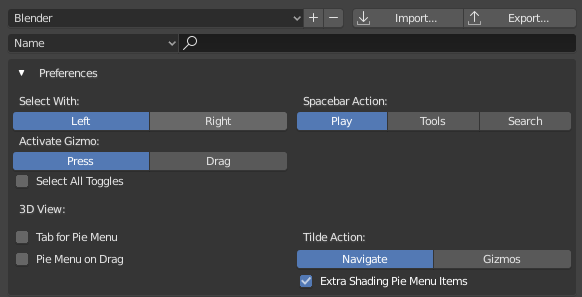
This ‘Preferences’ menu, which can be found in the Keymap tab seems to be only available with the default Blender keymap?
If you switch to a different Keymap profile, this menu disappears. and the settings you set here are ignored.
I believe in older versions of 2.8 this menu used to be in the Input tab.
Interestingly any profiles that were made/derived from the default Blender keymap will respect the settings you set, but the menu just isn’t visible
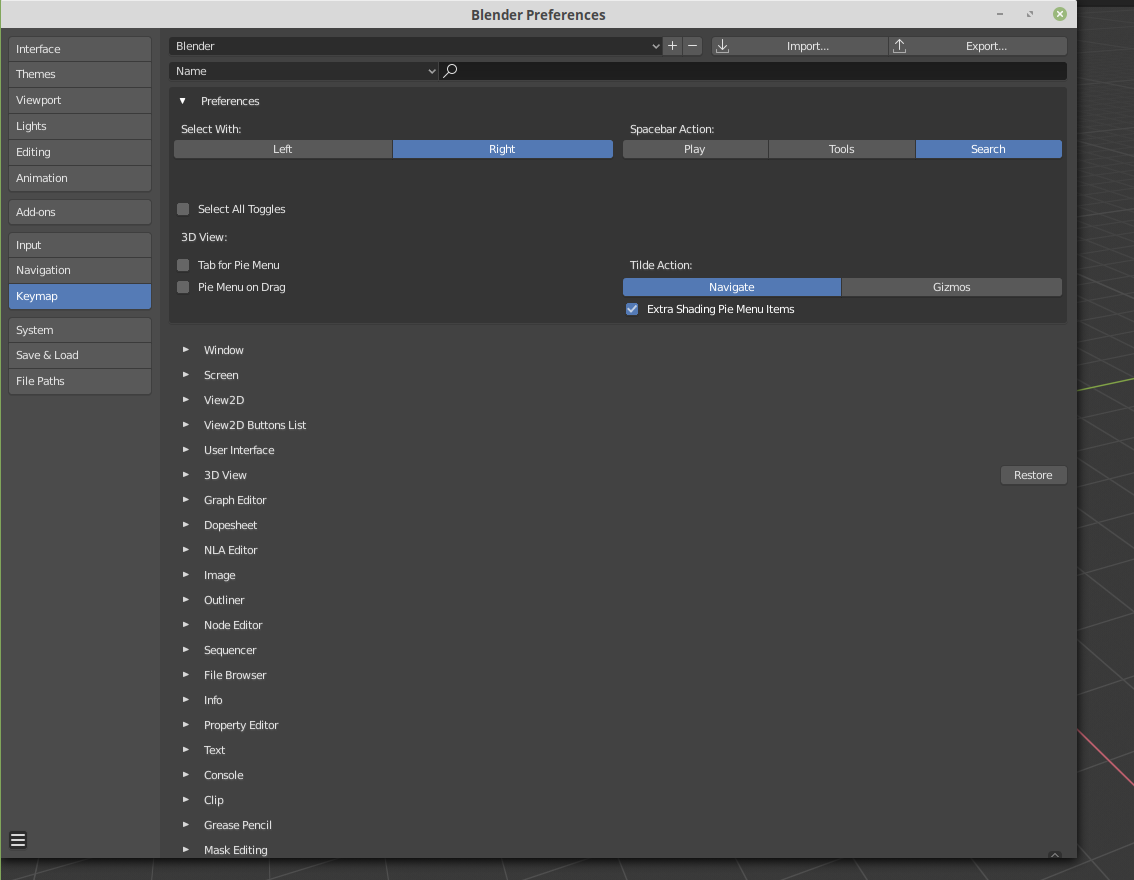
July 1, 2019 at 12:07 pm #47582@arvz I am not sure I understand what you mean, but you can always go to Edit > Preferences and there you can adjust all your settings:
 July 1, 2019 at 2:31 pm #47583
@waylow Thanks Wayne 🙂 I hope all is well down under. I am super excited to get back into your animation course. I had just got the hang of walk cycles and then we suddenly found out we were expecting twins and everything got put on hold. I dread to think how much I’ve forgotten but ill soon find out when I get back to animating in the coming weeks once I fathom out 2.8 😛
-
AuthorPosts


- The topic ‘2.8 Hurdles and Roadblocks’ is closed to new replies.