
Sascha Feider

Forum Replies Created
-
AuthorPosts
-
Couldn’t agree more with all that’s been said here. It’s what make CG Cookie worth the price of admission in my books. Good tutorials that explain the how and more so the why are hard to find on YT, though there are some out there. Guess it’s up to the audience there to push the right ones. Haven’t had that problem on Cookie yet and don’t expect to ever run into it.
Nothing wrong with rehearsing the videos, I find it helps the flow of the video, but that shouldn’t take away from the explanations. I assume many shy away from the length of a video that goes along with detailed explanations.
Still the worst format to me is “Learn XYZ in 10 minutes”, they hold zero value in 99% of the cases. I don’t understand why they are so popular.
Thanks, Martin, I appreciate it.
And here’s my lighting challenge for the fundamentals course:
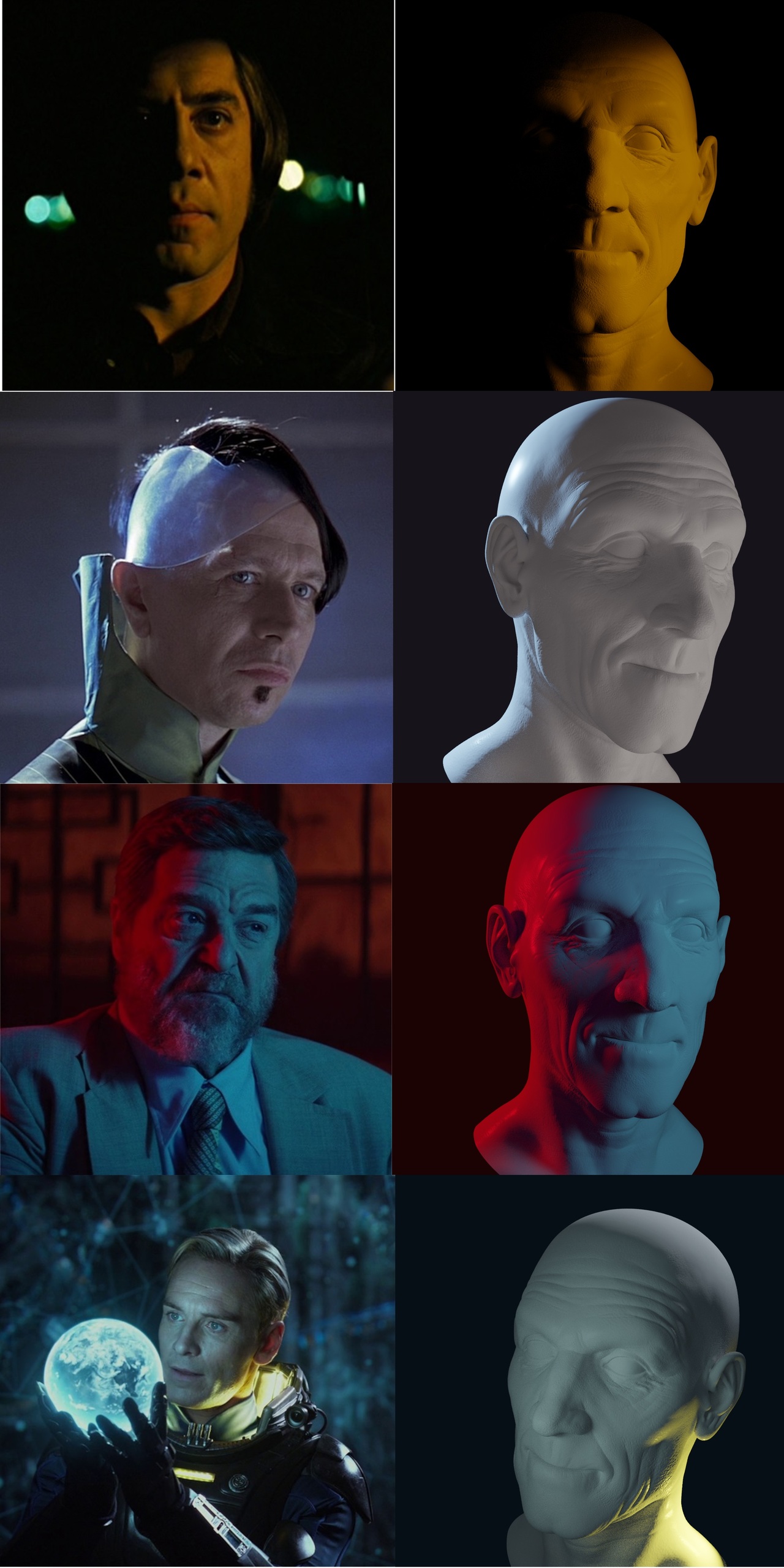
Glad it’s being uploaded, looking forward to watching. I was hoping to go, maybe ride down the coast to get there, but I had word I might get a surgery date for early spring so I couldn’t. Guess what didn’t happen yet, narf.
Wish you all a great time and hope it’s only the first of many to come.
Interesting. I was under the impression that noise is just a normalized musgrave and by simply unchecking the normalize mark you get musgrave. Will have to dive into that.
One more: Under Output properties check “Render Region”. It limits what’s calculated outside the camera view. Helped me on my old clunker.
Yes, you can still follow someone. If you see someone in the forum you can click on their name and get to the profile. Haven’t found direct messaging on the site though. But of course that works like a charm in Discord. You might find people there just by being active and involved alone. It’s a great channel.
Looks like your vertices are a bit offset. I had to adjust the clip start to actually see it they’re so close together. If you clean those up it should work as intended.
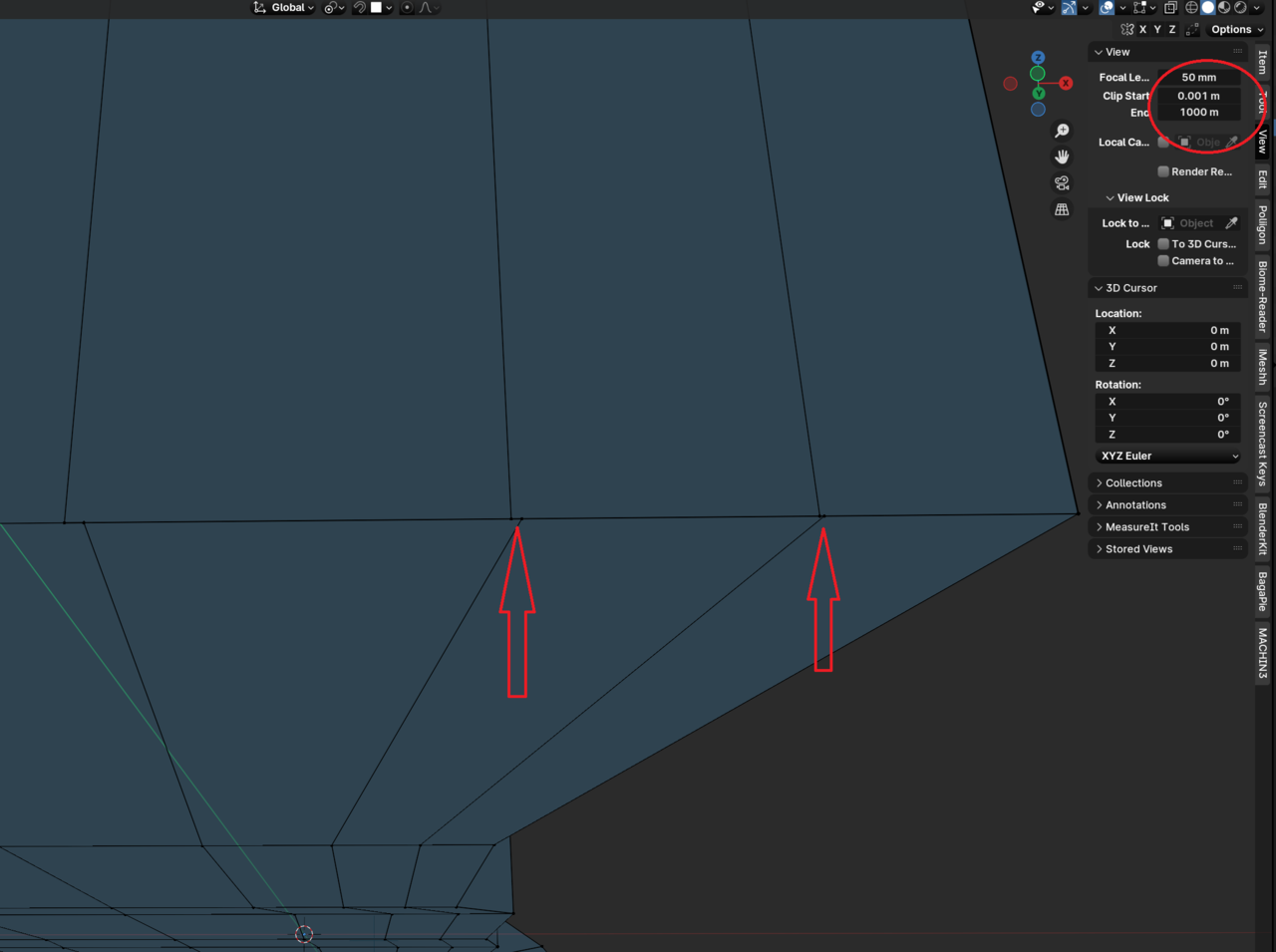
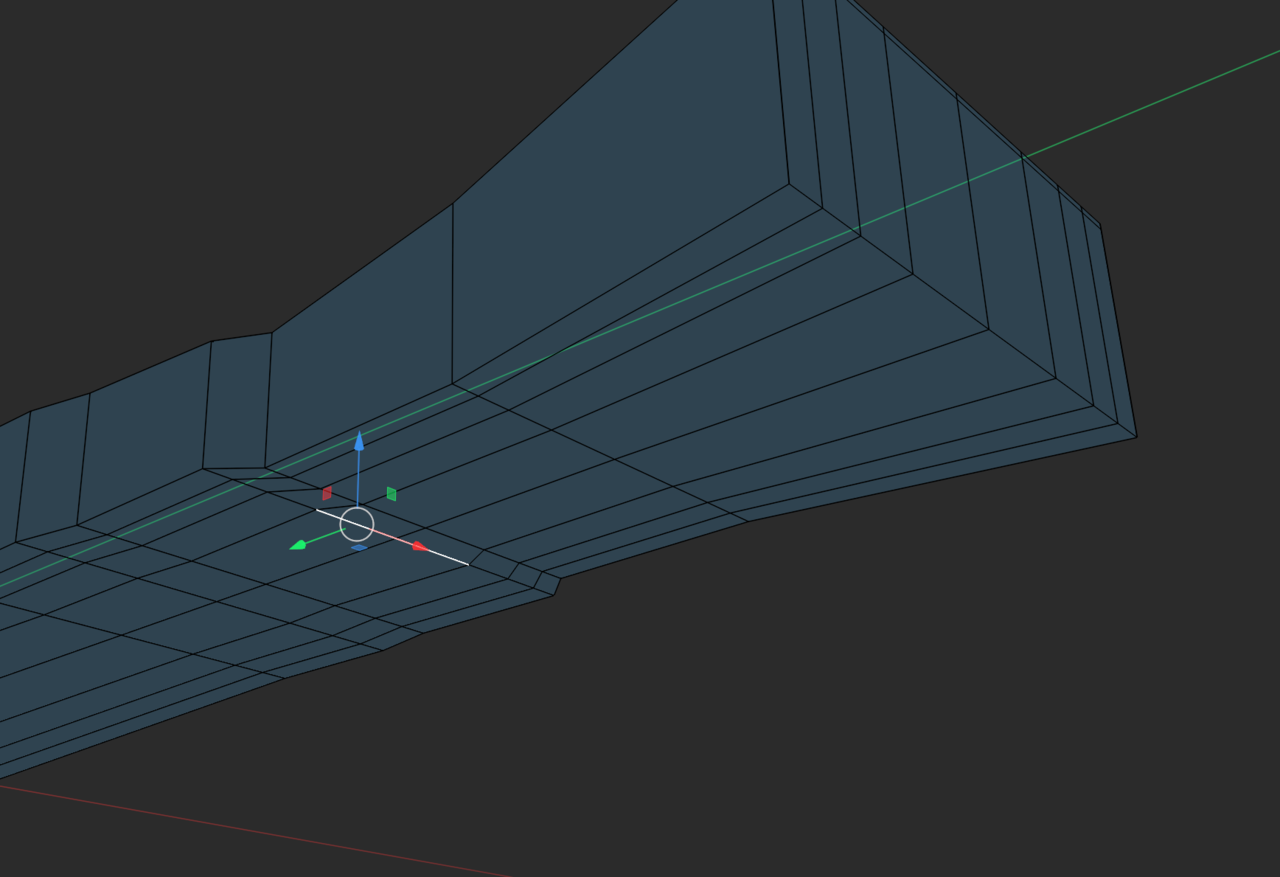
You also have an extra edge further down that seems to cause issues. I’m not sure if all vertices on the underside are supposed to be on the same plane, but there seems to be a bit of a wobble near the end.
Thanks, guys.
Omar, I had a good laugh at that one, I didn’t even think about Zelda. Wonder what corner of my subconscious that one snuck out of. lol At least we know if they ever lose it, Indy will find it.
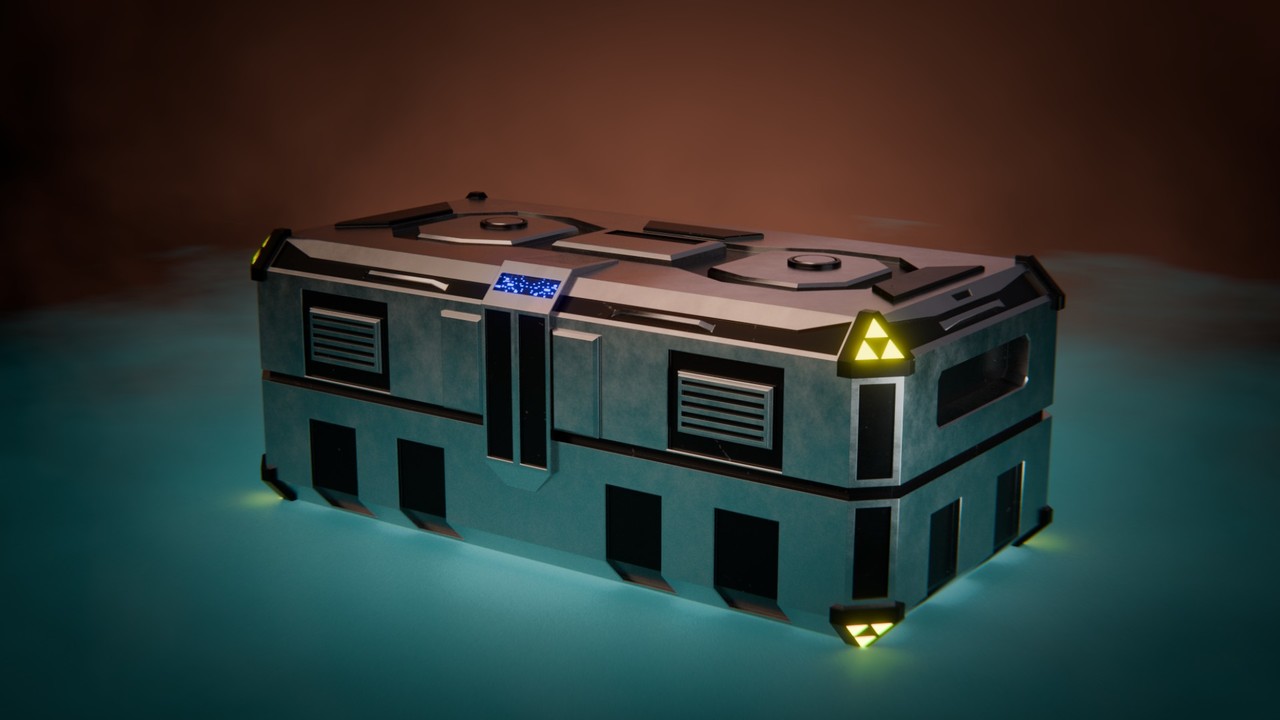
I’m just gonna keep all the stuff for the course in this thread. Here’s my Sci-fi crate. On to the last chapter.
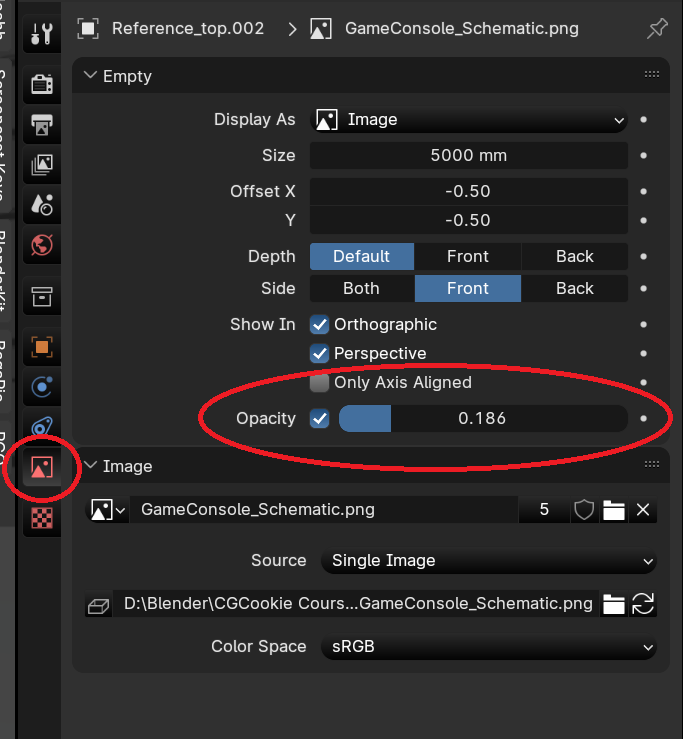
You could also try dialing down the opacity of the reference image, that might make it more visible too.
Thanks, guys. It was fun to see what can be done without ever touching edit mode 😀 Only the Circle is a deserter.
March 14, 2024 at 10:46 am in reply to: Fundamentals of Blender Materials and Shading Sumbission #84814Very nice result. Love the little details with the crunched up post-its and all.
One little nitpick: If you want more photo-realism the grain direction on the front edge of the table should be parallel to the face grain on the table top, not perpendicular.
Hm, sorry, then I’m out of answers for now. Looking for it too though.
I’ve seen this before too and can’t quite remember what it was. Did you check apply scale and unwrap with the right coordinates plugged in? Also check under material settings -> displacement if it’s set to displacement and bump since you have a bump map plugged in too. Hope that does it for you or someone more knowledgeable comes by.
On a personal note (cabinetmaker here): If it’s supposed to be varnished wood I would scrap the displacement altogether and only use subtle bump or set the scale to something like 0.001. If done right the wood would be sanded and prepped so there’s not much displacement going on after varnishing (with very few exceptions). That’s beside the problem however, sorry.
-
AuthorPosts
