William Miller’s New and Improved Polybook

Forum Archive William Miller’s New and Improved Polybook

Viewing 15 posts - 91 through 105 (of 131 total)
  • Author
    Posts
  • #51757
    William Miller
    Participant

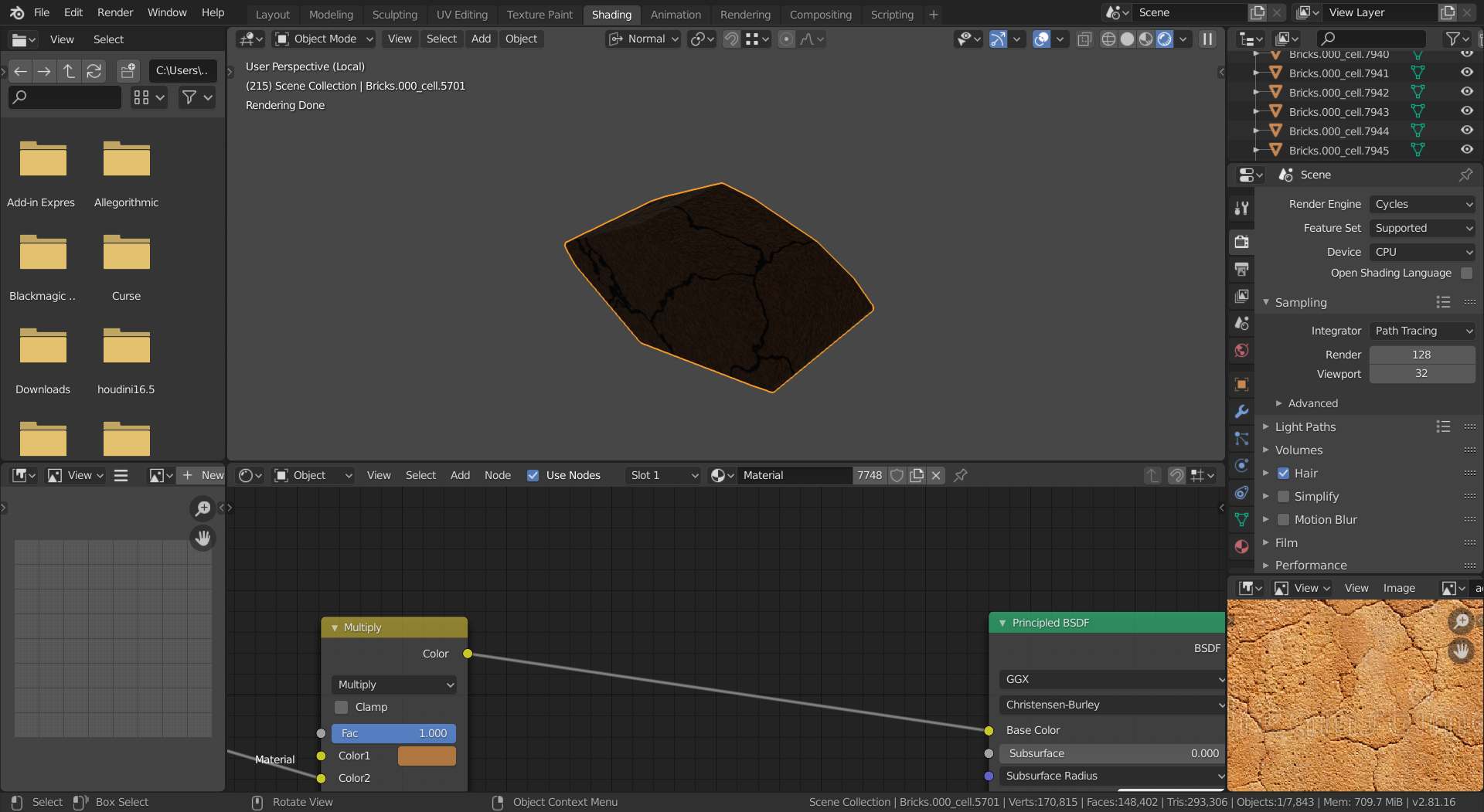
      How, then, can I keep it from looking like this?  (Other than rendering it dozens of times to check whether I got the values right.)

      #51758
      spikeyxxx
      Participant

        HI William, make sure your lighting is right first. I’d use an outside HDRI from HDRI Haven for instance.

        The material doesn’t look too bad from what I can see, but light is missing. (Maybe you only have a grey World, even with a Point Light added won’t give an accurate picture.)

        #51759
        William Miller
        Participant

          I’m talking about the lack of respect for edges the material has.

          #51760
          William Miller
          Participant

            As much as I hate to say it, I give up.  I’ve been working on this for way too long with no results.  I’ll try one project per week and see how that goes.

            #51761
            William Miller
            Participant

              Which course should I take next?  I know what almost everything does, but I’m bad at actually making things look good.

              #51762
              William Miller
              Participant

                I just realized I’ve been working on the jellyfish for more than a week…

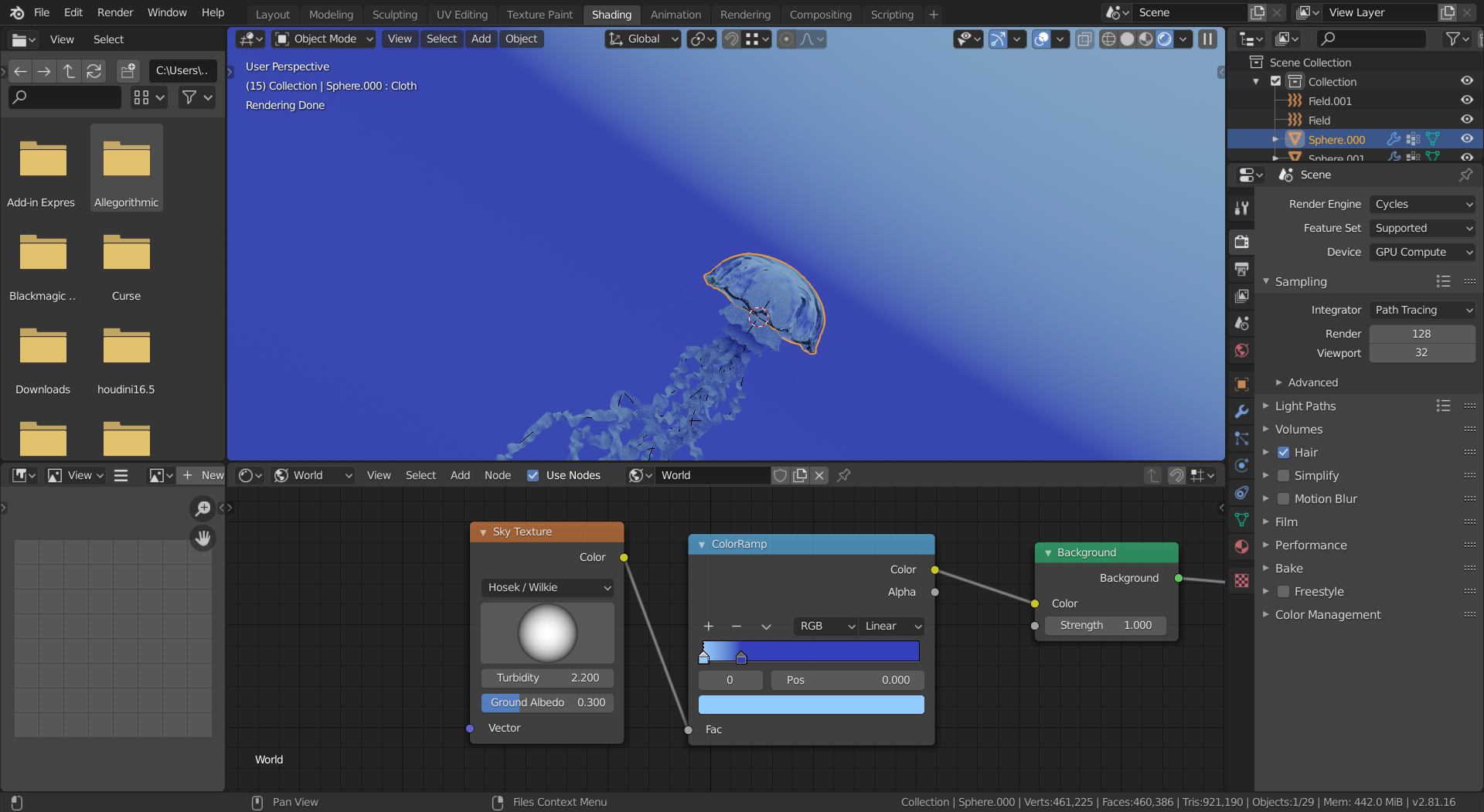
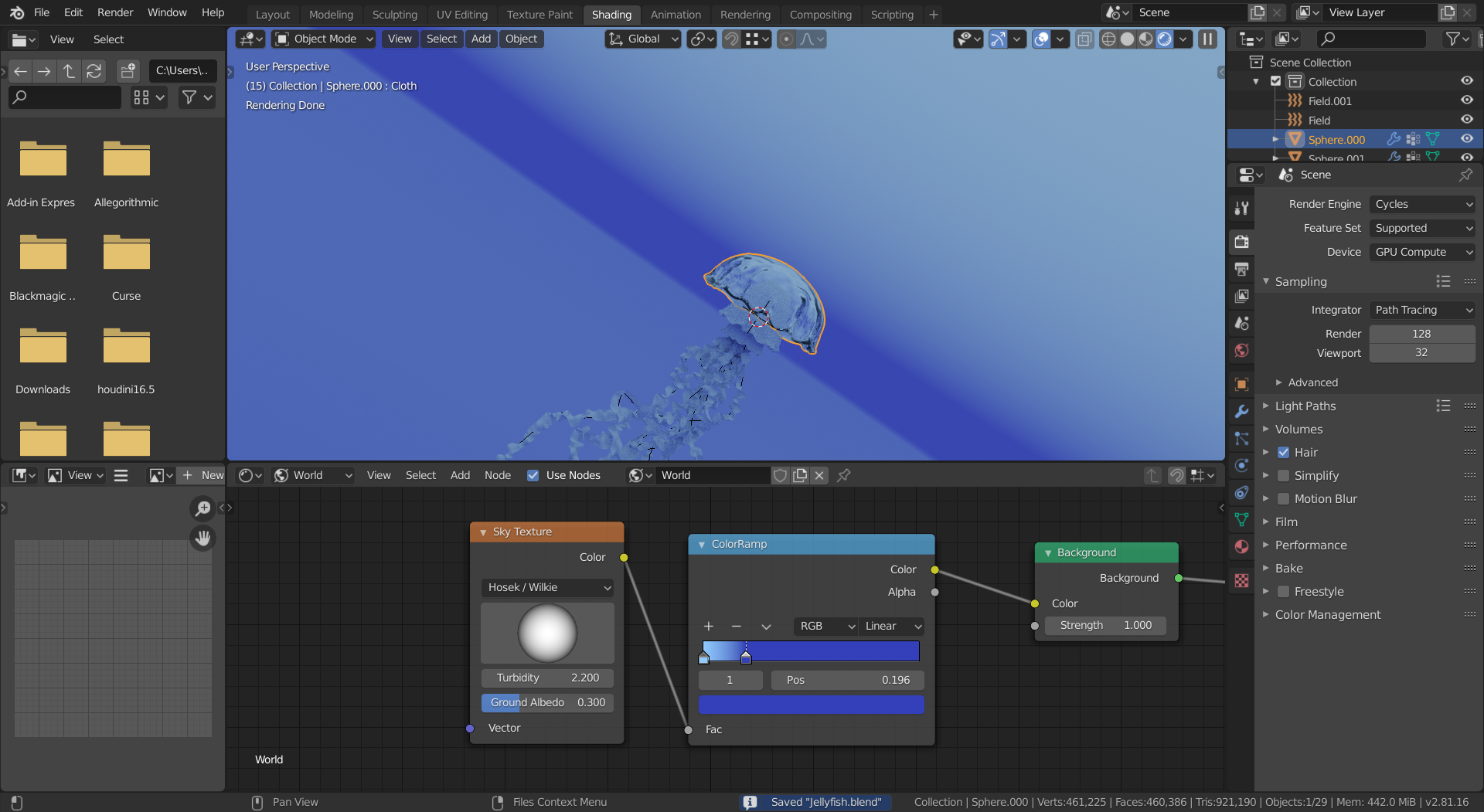
                I can’t get the sky texture to look right.  It always either looks like this:

                Or like this:

                #51763
                William Miller
                Participant

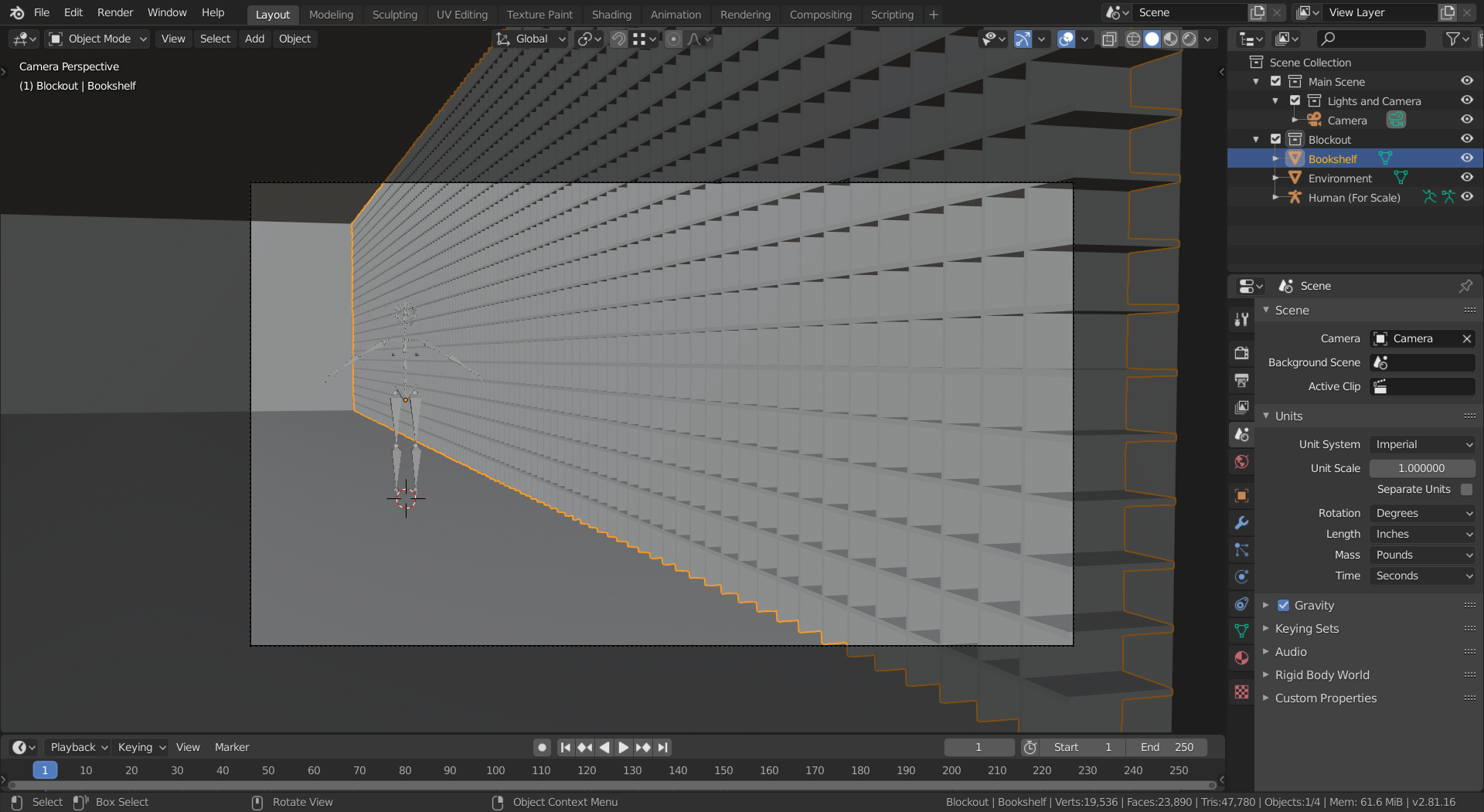
                  I’ve decided to enter the CG Boost competition.  The theme is “library”.  I gathered a bunch of reference images and set up the general layout of the scene.

                  Next I will add detail to the bookshelves.  However, I don’t know exactly how to do it or where to start.  It looks way to even right now, but I don’t want it to look chaotic.  I want it to look ancient.

                  #51764
                  William Miller
                  Participant

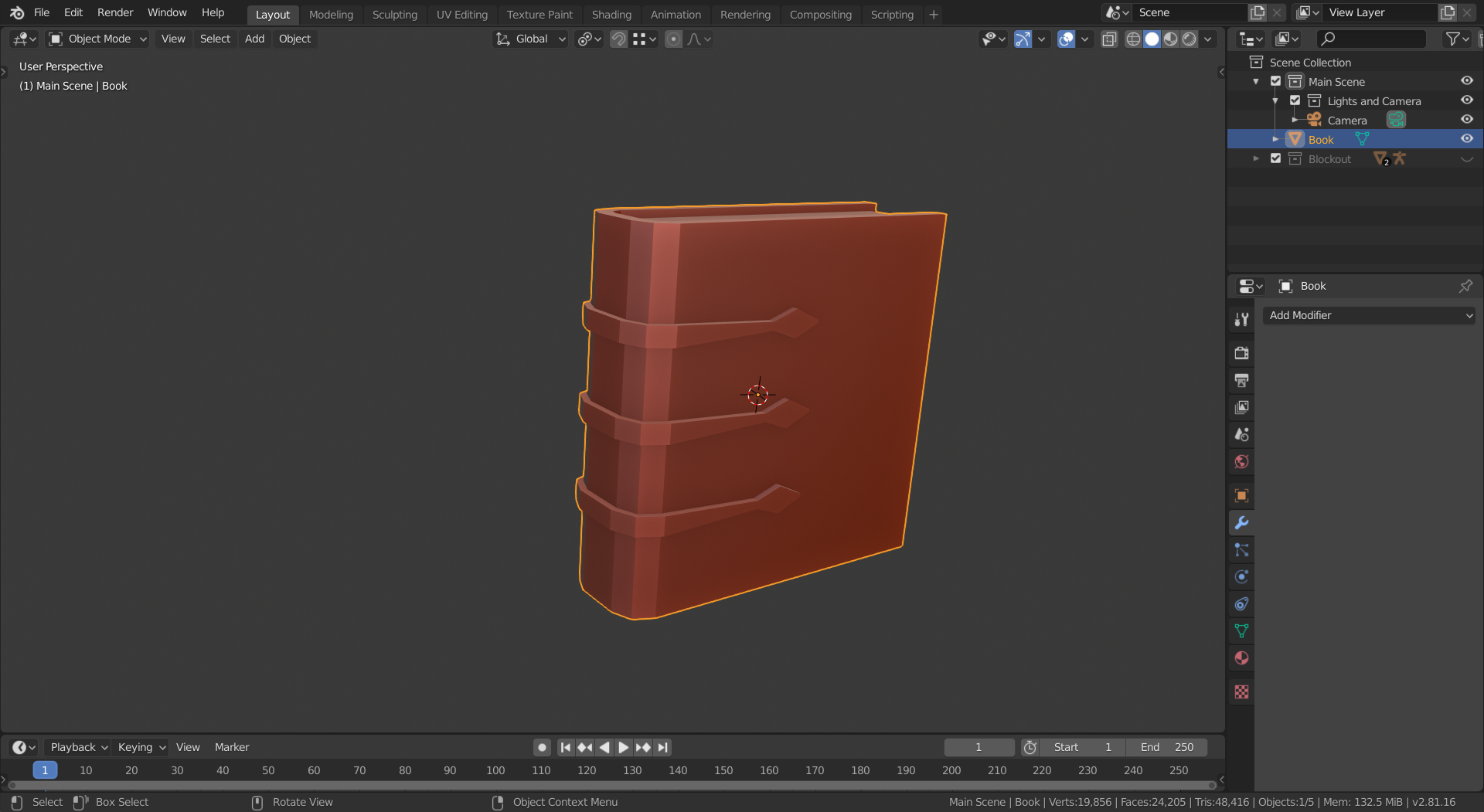
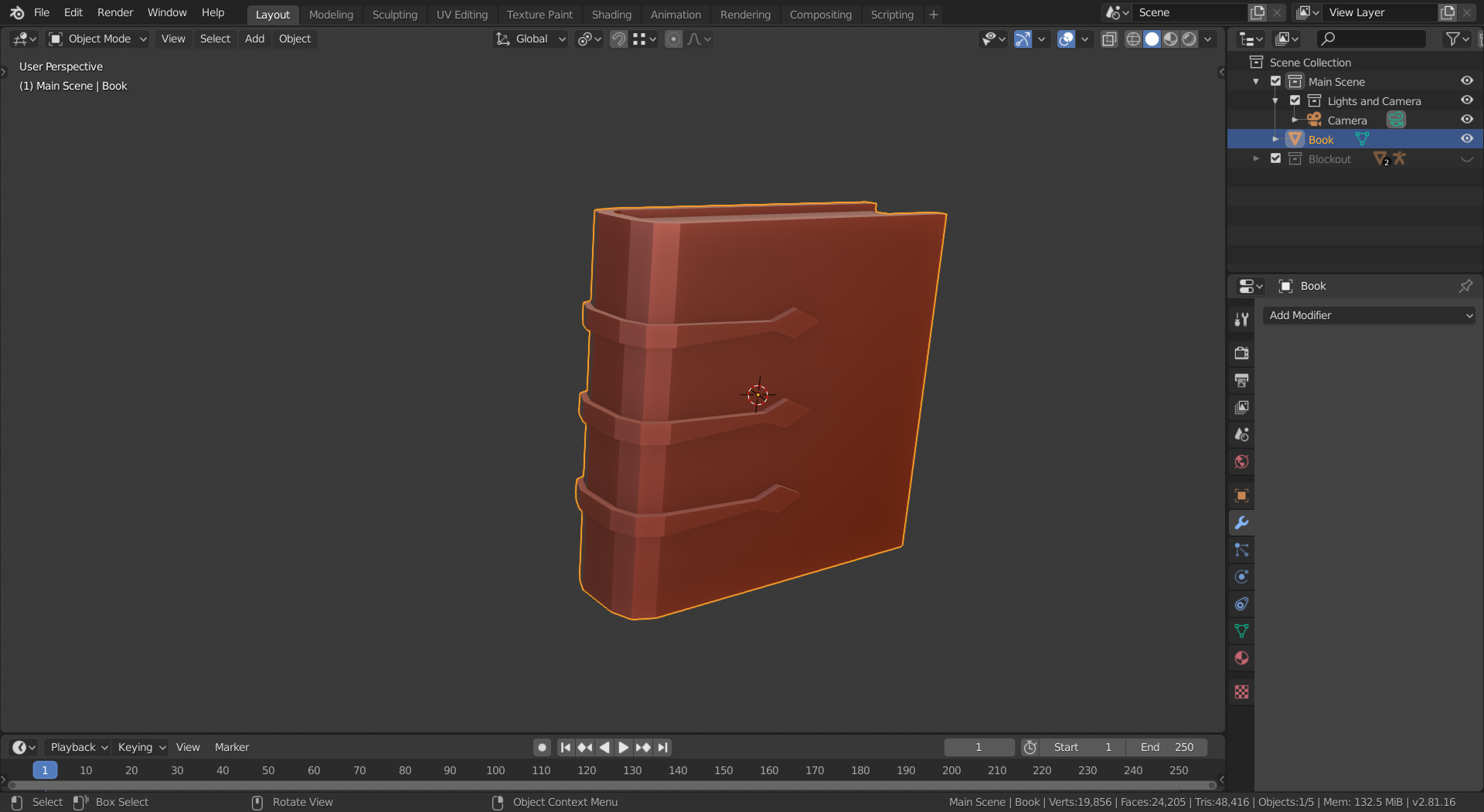
                    Since I couldn’t figure out how to make the bookshelves, I made a book.

                    #51765
                    William Miller
                    Participant

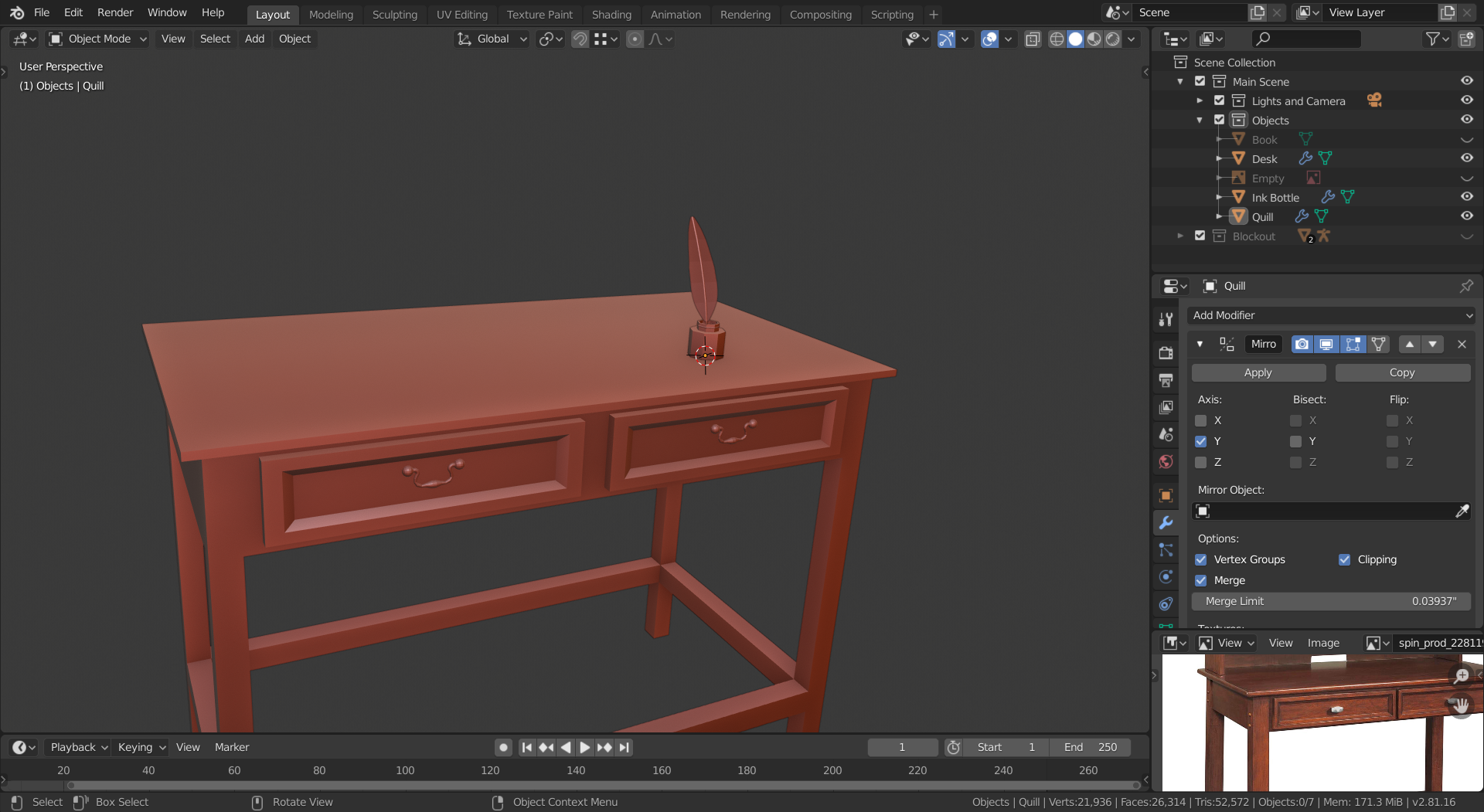
                      This desk will be the main focus of the scene.

                      #51766
                      William Miller
                      Participant

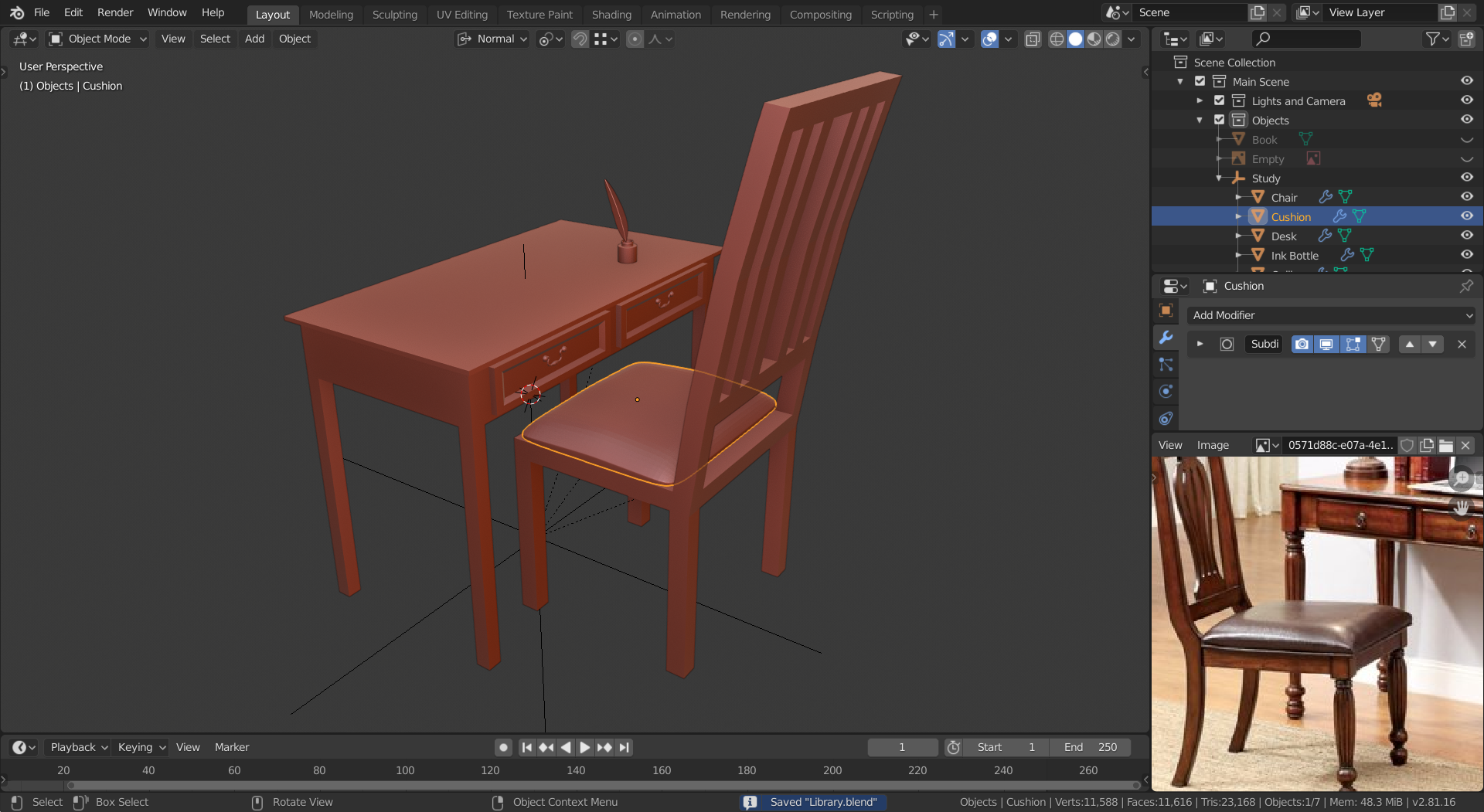
                        I would like critique, please.

                        #51767
                        spikeyxxx
                        Participant

                          Hi William, the desk seems rather small compared to the chair; the seat of a chair would normally be around 40 by 40 cm and that would make me estimate the top surface of the desk about 40 by 60 or 70 cm and that is not a lot for a writing desk…

                          (A propos writing desk???    In a library???   Well, it’s your artwork, so make what you like, of course!!!)

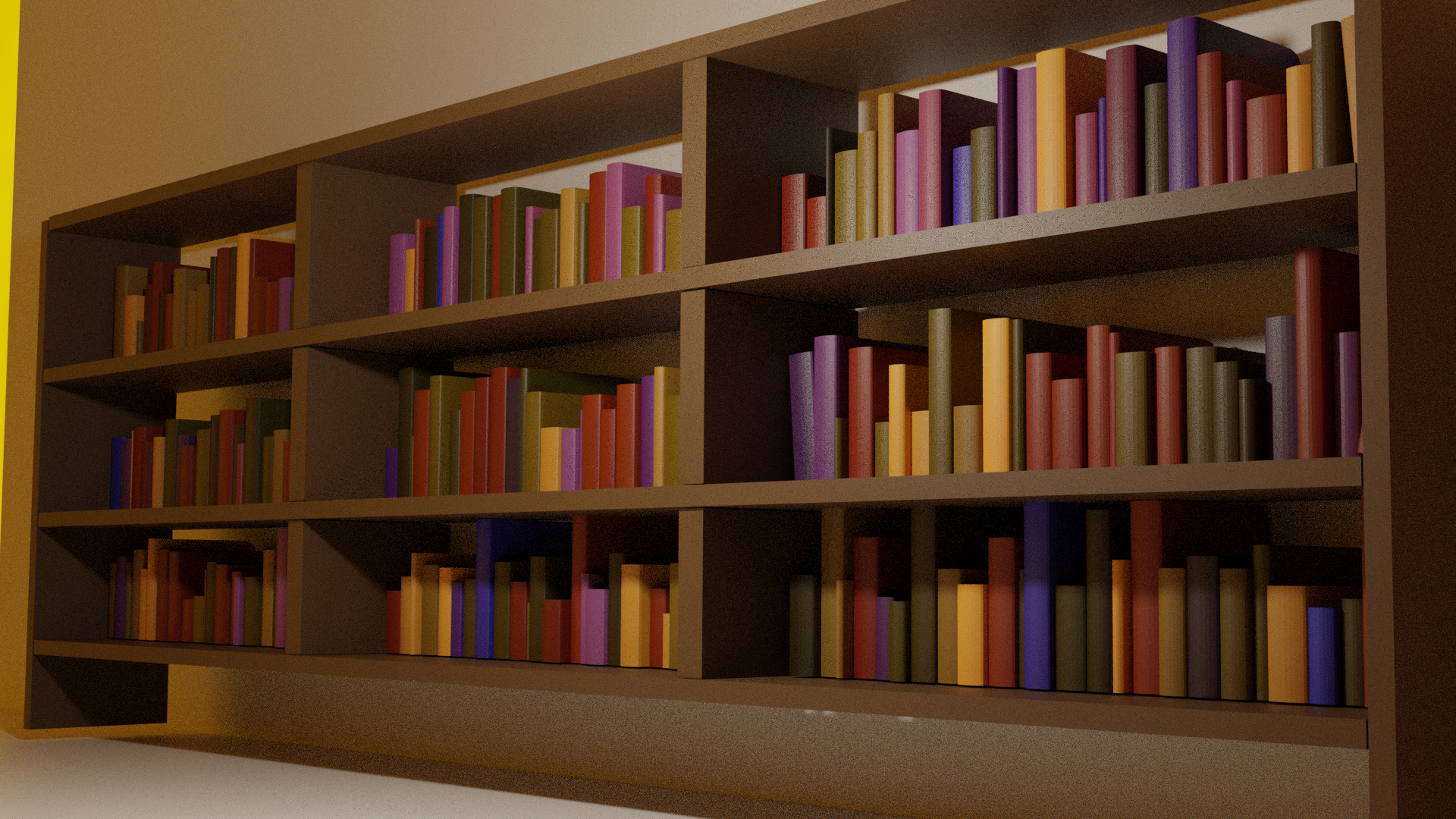
                          Also you’ll probably need more than one book in a library, a lot more than this even:

                          (Sorry, I was just trying out how I would make many books in a relatively easy way…)

                          #51768
                          William Miller
                          Participant

                            How did you randomize the books?  Proportional editing with random falloff doesn’t work.  The books in my scene are too repetitive:

                            #51769
                            spikeyxxx
                            Participant

                              The whole process in a nutshell:

                              Open Blender. Go into Edit Mode on the default Cube and press ALT+M Merge at Centre. Extrtude on (for instance ) the X-axis. (About as long as one shelf ‘compartiment’…).Select All, Subdivide a bunch of times (to get a bunch + 1 books. I used 23, because I like 23.) and set the Fractal to 0.5 (or something you like, this will randomize how thick the books will be)
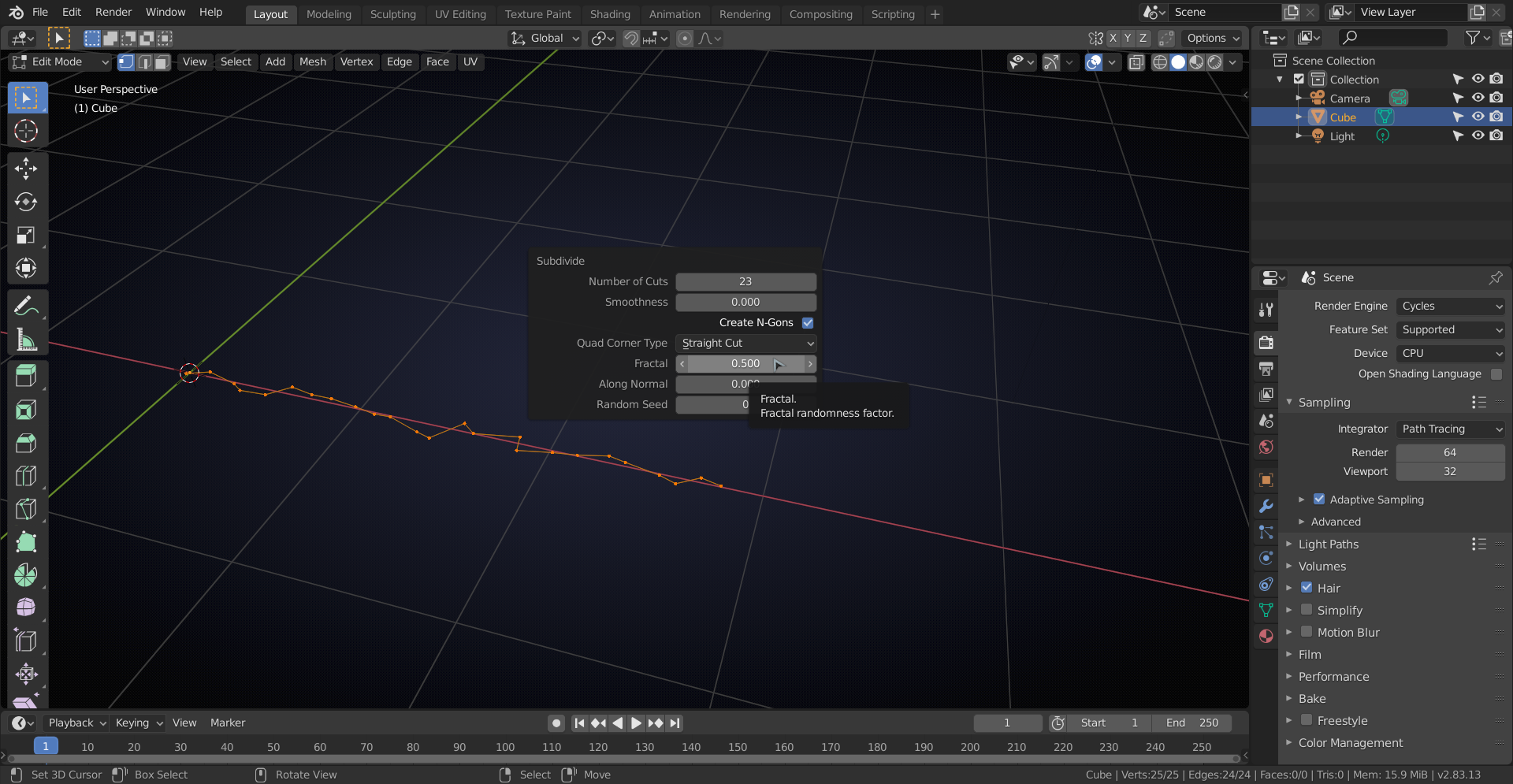
                              . S, SHIFT+X,  0, to straighten out the line. E, Z for height.

                              2 (Edge Select Mode), select all vertical edges. CTRL+E > Edge Bevel Weight all the way to 1. V, Enter.

                              In Wreframe Mode, select all vertical Edges. E, Y. Add Bevel modifier set to Width and Weight. Now you should have something like this (in Object Mode):
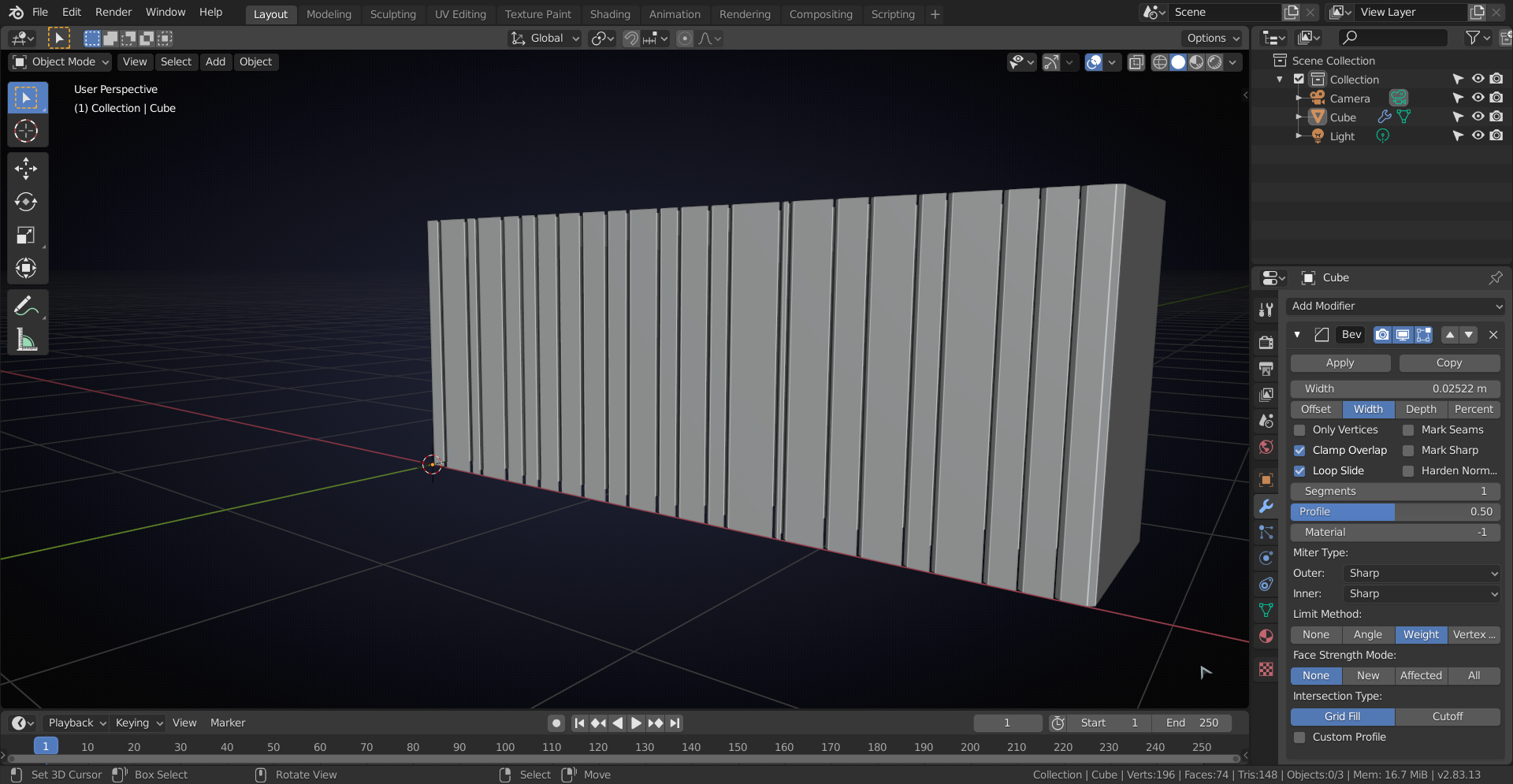
                              Re-name the Cube to Book and put it in a new Collection, called Books (for ease of selection later). 

                              Select the Book and in Edit mode: A, P > Separate by Loose Parts. Back to Object Mode and select all the books. 

                              This would be a good time to duplicate the and put them on the shelves (do not rotate the books! Rotate the shelves if necessary).

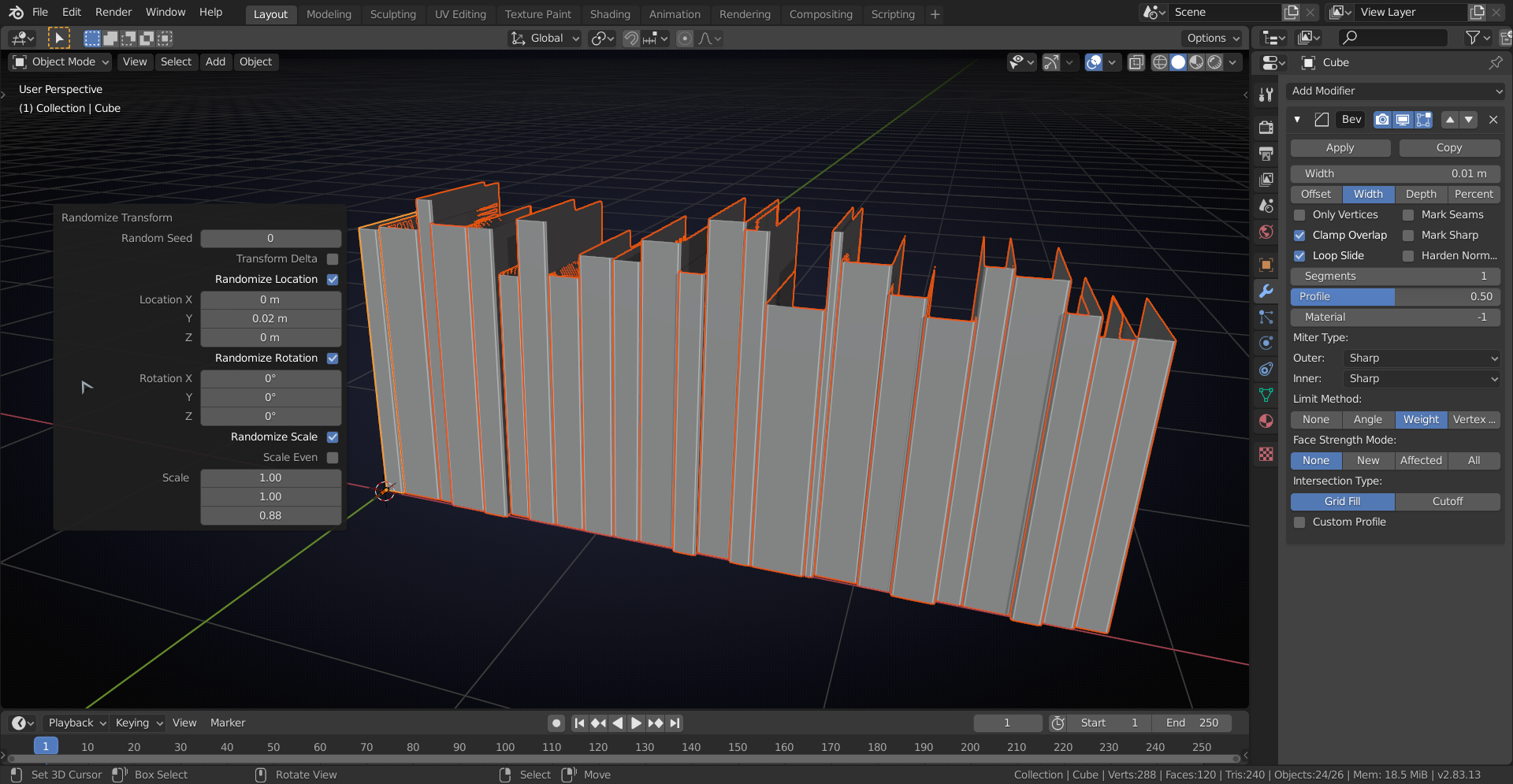
                              Then (this is the fun part) go to Object > Transform > Randomize Transform. Adjust the Z-Scale and Y-Location to your liking:

                              #51770
                              William Miller
                              Participant

                                If I am not able to submit this challenge entry on time, should I just rush it so that I can submit something, or should I take my time and finish it up?

                                #51771
                                William Miller
                                Participant

                                  The problem is, I’ve already modeled a fancy book, and I don’t want to replace it with a bland cube.

                                Viewing 15 posts - 91 through 105 (of 131 total)
                                • The topic ‘William Miller’s New and Improved Polybook’ is closed to new replies.