
Omar Domenech’s Demo Reel
Forum Archive › Omar Domenech’s Demo Reel
- This topic has 413 replies, 25 voices, and was last updated 6 years, 7 months ago by
Omar Domenech.
-
AuthorPosts
-
July 11, 2019 at 4:11 pm #46979
@yukinoh1989 Hi Yukino.
Thanks helping out. For now the old method of Google Drive is on hold, so we’re not currently using it. In other words, do not follow the instructions above.
Kent tried another method, that of a collective render farm called Sheep It and for now it seems to be going good.
I’ll copy paste what Kent wrote as to the new Sheep It method. It can be a thing as to the whole CG Cookie Community, not only for rendering my demo reel. I think Kent will try to make a separate bigger post about it. Several of us are already part of the group and are rendering projects.
—————————————————————————————————–
Join the CGC SheepIt Render Team!
I really want to see how viable SheepIt can be for rendering our projects, like we’ve been doing with Omar’s reel. So if you’re willing, go sign up for a SheepIt account (free), grab the applet from the “Get Started” page, then ask to join the CG Cookie Render Monsters team and I will add you.
Once we have a handful of people on the team, I will submit (or ask to submit) a scene file for rendering. If you go to your SheepIt profile page under Options, you can enable “Render my team’s projects first” to prioritize them. Then all you have to do is launch the applet on your computer, sign in with your credentials, choose your preferred settings, and SheepIt will do the rest.
I didn’t have any problem finding answers to my questions from the site’s FAQ page, but don’t hesitate to ask me questions here!
July 11, 2019 at 5:44 pm #46980I definitely see the benefit of the SheepIt rendering farm. I can envision building up points now and cashing in the accumulated good will of points in the future when I could use some extra rendering power. But, SheepIt is not without privacy and security concerns.
I’d recommend anyone considering using SheepIt review their brief “Terms of Use” and “Privacy Policy” (https://www.sheepit-renderfarm.com/legal.php#terms). SheepIt does collect information on your computer’s configuration. The rendering client uses this information to optimize rendering assignments based upon your RAM, CPU and GPU.
If you are having your project rendered, be aware that your Blend file is downloaded to each computer that is rendering it. They are in temporary folders called farm_*. For Windows, these folders can typically be found in C:\Users\YOURNAME\AppData\Local\Temp. For Unix-likes, they are stored in /tmp or /var/tmp. If you are working on a commercial or confidential project, you may want to reconsider getting it rendered under SheepIt.
While these issues may not be a deal breaker for some, anyone signing up to SheepIt should at least be aware of the possible privacy and security risks.
I look forward to contributing to help render Omar’s demo reel!
July 11, 2019 at 6:17 pm #46981@splat21 Well thanks Splat. I think you summarized it all nicely; since it’ just a demo reel or some other personal thing people render, it is not that big of a deal but if it’s a project that requires security concerns then Sheep It might not be the way to go. In my case I don’t mind that much, everyone had access to the files on Google Drive anyway. It was even worst since any person that stumbled upon the link could go into the folder and copy everything.
July 12, 2019 at 3:02 am #46982@theluthier One thing that might be worth mentioning: even on a slow machine, you can gather points easily, because they give thousands of extra points (Rewards) for total rendered time and time rendered continuously, which are machine strength independent.
I am already at 22K after about ten hours of rendering on my old Desktop. (Although they didn’t show yet on the team’s page??? Maybe it doesn’t update immediately?)
July 12, 2019 at 6:49 am #46983@spikeyxxx I think you have to enable “Render my Team Project first” in the options. Although maybe what you mean is that points seem to be independent when it comes to your team and your personal points. I don’t really get how that goes, if I spend points to render something, will they be slashed off my own or the team? If I win points how do they get distributed between my personal points and my team?
July 12, 2019 at 8:52 am #46984@dostovel I have that enabled.
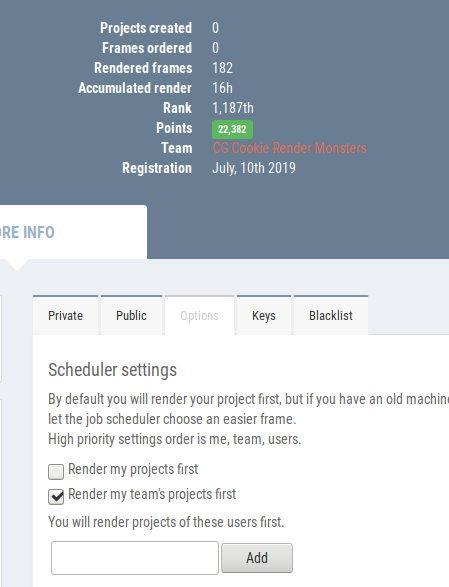
So either they don’t give all my points to the team, or there is just a lag, before they ‘arrive’. I don’t know.
July 12, 2019 at 10:41 am #46985@splat21 Thanks for digging into the details of sheepit! I’ve been looking in /tmp and /var/tmp while rendering and have yet to see any project files appear. I see a “sheepit-binary-cache” folder and a “blender_XXXXXX” folder but nothing in them. When setting up the sheepit applet I designated a “Working Directory” underneath the login credentials. That folder is regularly updated with blender versions and password-protected .zips (which I believe to be project files)..
July 12, 2019 at 11:41 am #46986@dostovel registered and sended request to join team. how manny you need to join?
also how do i start the rendering ?
July 12, 2019 at 12:02 pm #46987@yukinoh1989 Hi yuki, If I remember correctly, you are on a Windows machine, which means you’ll have to launch the .exe and then enter your credentials. Then it should start rendering automatically.
July 12, 2019 at 5:36 pm #46988@spikeyxxx where do i find the credentials? And where do i give it in
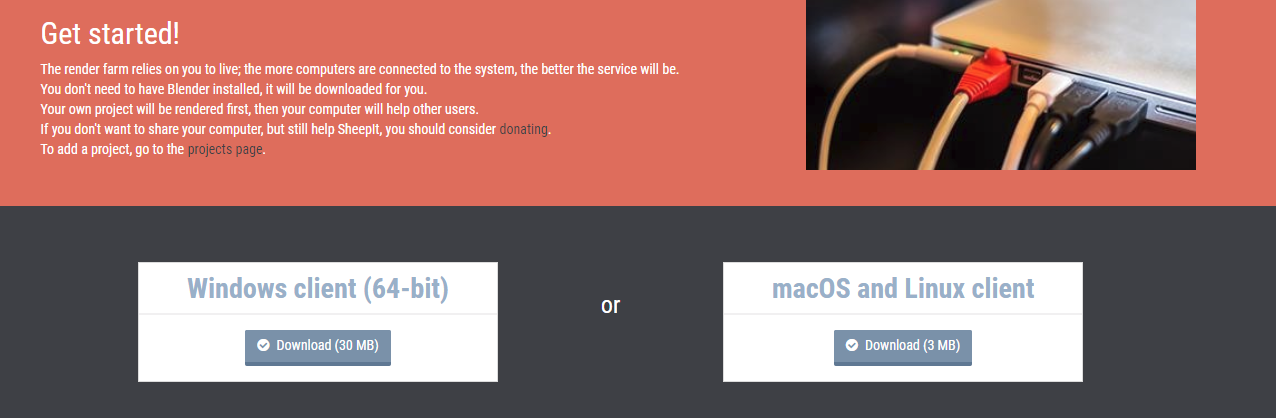
July 12, 2019 at 6:35 pm #46989@yukinoh1989 You have to download the .exe that Sheep It provides. You download it depending which System you are running in your computer.
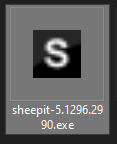
Then in your downloads you will have this icon, at least in Windows.
When you double click it you should have this screen,
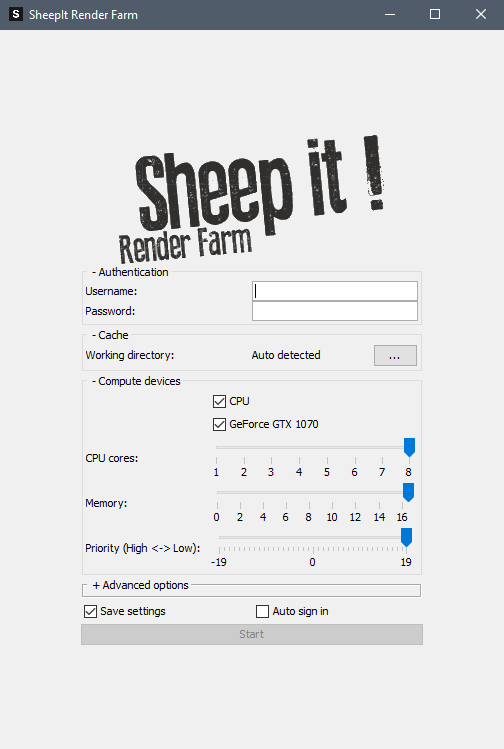
Where you set your setting and then hit “Start” and it’ll do its thing.
July 12, 2019 at 8:25 pm #46990@dostovel And how i know its rendering and working for youre render?.
July 12, 2019 at 8:41 pm #46991@yukinoh1989 We still haven’t submitted one of my scenes to Sheep it for rendering. Firstly, I still have to finish preparing the scenes and I guess secondly because we would need points to render them. For now what we are doing is accumulating points to have as a CG Cookie Team in general, so that any of us who would need it could render something in the future.
Remember to enable here “Render my Teams Project First” just like Spikey has it and everyone else on the CG Cookie Team.
 July 13, 2019 at 1:53 am #46992
Yyukinoh1989 – There are a couple of ways to see if Omar (or anyone on the SheepIt team) are currently rendering. From the SheepIt web site, go to “Your Account” home page, click on the “CG Cookie Render Monsters” team link.

Find Omar in the team list and click the link to see his account page. (Note, it is possible that the team list page may show a team member’s project that is currently being rendered. As I have not yet seen a team member render a project, I don’t know if the page will report this or not).

As Omar does not currently have a project being rendered, I took a screen shot of someone that is. On the bottom right it shows in orange “Rendering (21%).” The project being rendered is named “hari 2 – nahan pintu part…”
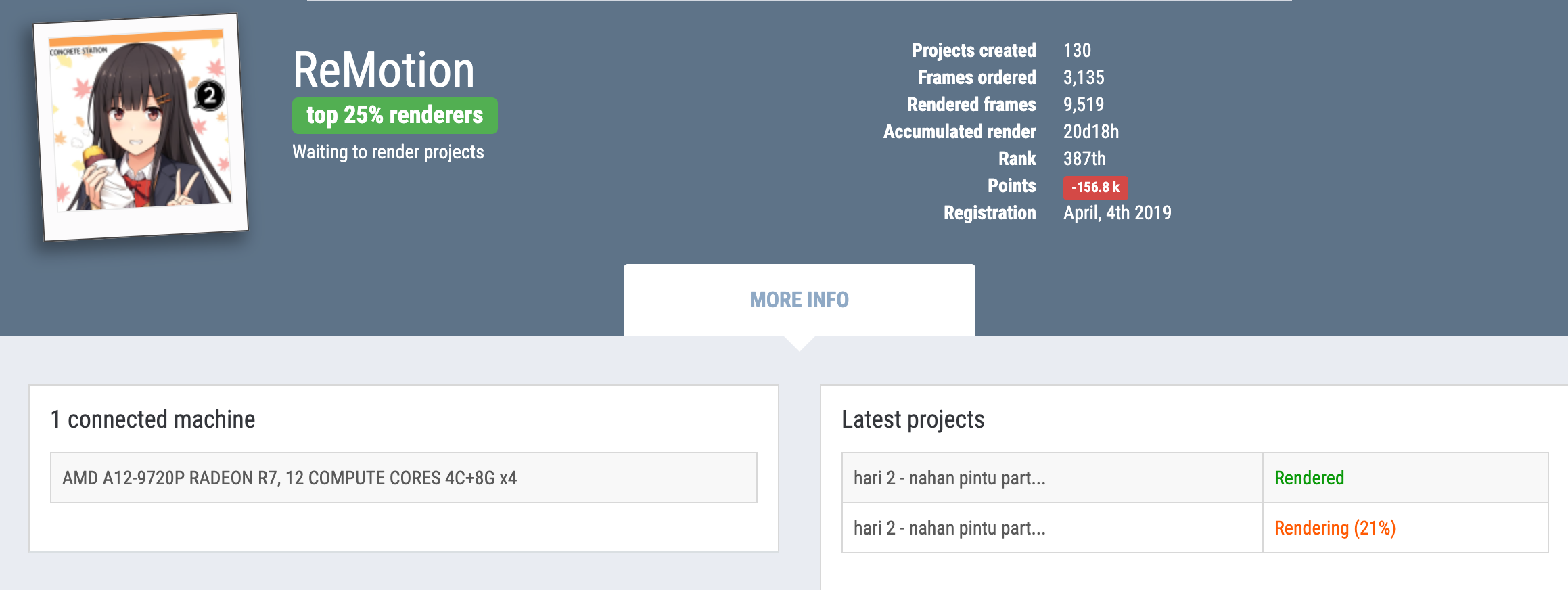
In your SheepIt client, look in the “name” field. This will show you the project that you are rendering. SheepIt will give priority to render projects from people on your team. However, it is still going to ensure that your system’s RAM/CPU/GPU can meet the rendering requirements of the team member’s rendering project.
July 13, 2019 at 2:50 am #46993I have been following along with “Creating Simple Eevee Environment” with a bit of a delay (great stream), and I learned of the Sheepit render team that has been setup.
I installed Sheepit today and made a request to join the CG Cookie team. When I have been accepted, I will see to it that I can collect some points for the team.
-
AuthorPosts


- The topic ‘Omar Domenech’s Demo Reel’ is closed to new replies.