
Omar Domenech’s Demo Reel
Forum Archive › Omar Domenech’s Demo Reel
- This topic has 413 replies, 25 voices, and was last updated 6 years, 7 months ago by
Omar Domenech.
-
AuthorPosts
-
July 13, 2019 at 5:08 am #46994
@splat21 the name is “Sc9” is that the project’s name then? and for who is that render still not sure how to figure it out xD
July 13, 2019 at 9:30 am #46995@yukinoh1989 I am sorry, but I don’t know where you got the reference of “Sc9.”
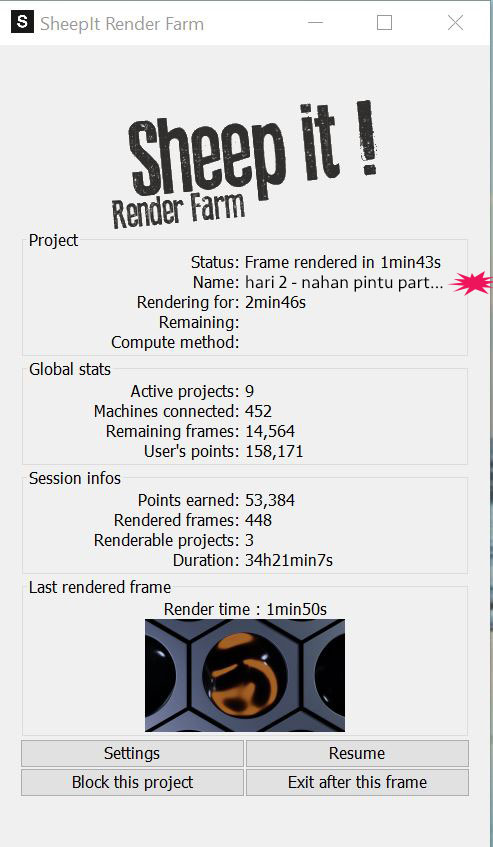
To follow through with my example, below is a photoshopped SheepIt Client example. I have added the “hari 2 – nahan pintu part…” in the name field and put a red burst shape to show you where you would find it. This is only to show where the name of the project can be found in the SheepIt client.
 July 13, 2019 at 9:34 am #46996
@splat21 ok . so basicly if no one of our group has an available render sheep it will render projects of others ?
also for example if i want to render a project how do i add one ? just curious :pJuly 13, 2019 at 11:18 am #46997@yukinoh1989 – Yes, if no one of our team has an available render, SheepIt will render other projects.
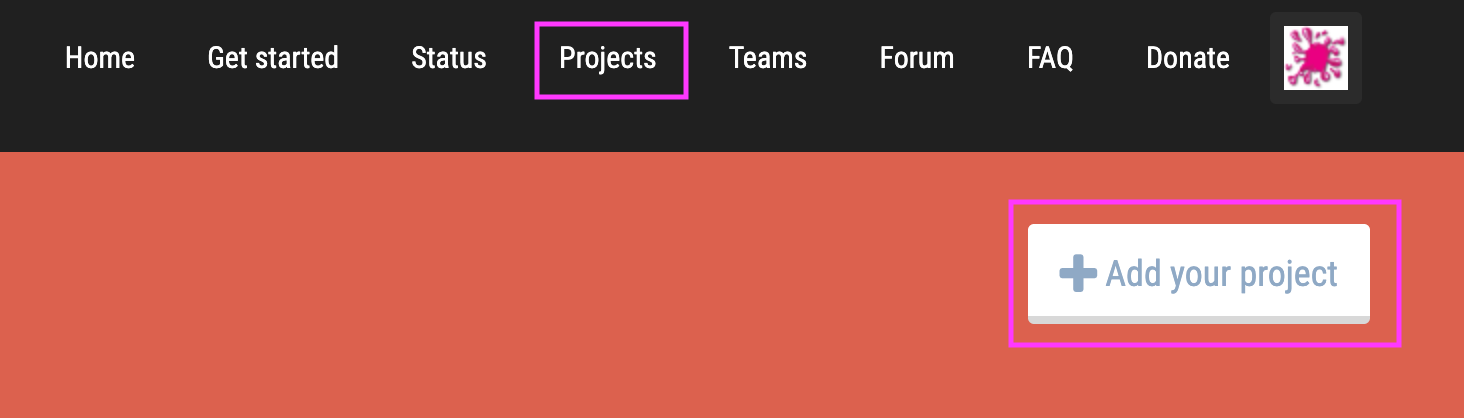
The short answer to how to Add a Project is: From the SheepIt website, go to the Projects Page and press the “+ Add your project” button. From there, just follow the instructions.
The long answer is to view a Youtube video: https://www.youtube.com/watch?v=D7ku2EcloGI. While the video may be a couple of years old, and the screens are different, the basics are there.
July 13, 2019 at 12:45 pm #46998@splat21 Thanks
one more question i tryed to render of a specific person (trying to render for remotion since she has 2 projects ongoing .
in settings i put in her name to test it but i still cannot render her project . is there a reason for it?
July 13, 2019 at 1:40 pm #46999@yukinoh1989 – Let’s make sure we are on the same page. As I understand it, you added ReMotion in your Options settings for users to be rendered first. For example:
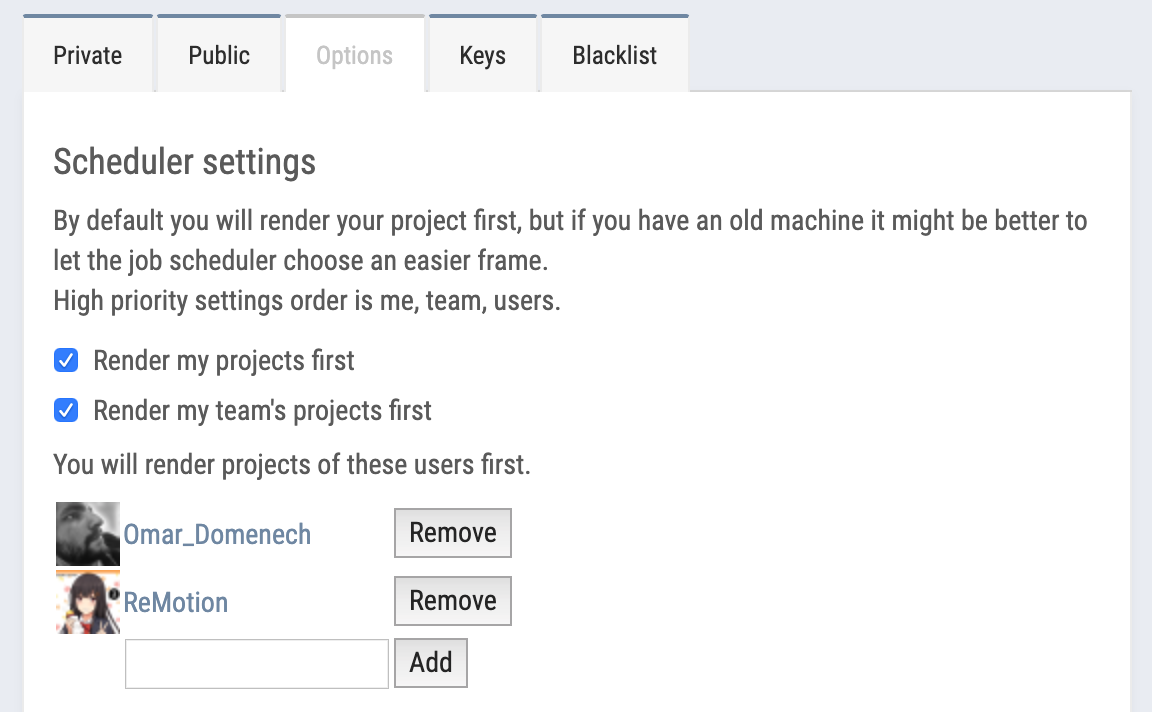
Note, my including Omar in my list is probably redundant since I have the “Render my team’s projects first” checked.
I do not have a definitive answer as to why you are not rendering ReMotion’s projects. My guess is that SheepIt is making your rendering assignment based upon your RAM/CPU/GPU configuration and it may be possible that ReMotion’s project requirements are more than your system’s capabilities.
If you want to see the “strength” of your graphics card as SheepIt views it, check out the link below and do a Find on your graphics card.
July 13, 2019 at 2:23 pm #47000@splat21 Oh I didn’t know you could see so much tech info on Sheep It. You have two monster video cards, Splat. It is impossible to reach you Top 3 guys, my hat’s off to you.
July 13, 2019 at 6:46 pm #47001@splat21 damn got not the best computer for rendering . handy to know this 😀
July 14, 2019 at 10:48 pm #47002Made a small test of what the final result should approximate. Mainly to test if I could work compositing from TIF 16bit files. I think I can work with Sheep It and output 16bit TIF’s. I hope that can be possible since we know EXR are out of the picture.
I’m really tired of looking at it over and over again so naturally I lost perspective of how it’s turning out. And it’s clunky when it comes to sound, I don’t know if I should include sound fx since I have no idea how to work sound.
July 15, 2019 at 3:46 am #47003@dostovel looking good. one thing that jumped out for me was the fast cuts when the transformation animation got going. i found it really disorienting and too fast. i want to see the whole thing and not jump around on different angles.
July 16, 2019 at 4:20 pm #47004@dostovel i like the old car the most. Even so much that when I see similar cars on the street my eyes get drawn to them and thinking about your model Omar
July 17, 2019 at 8:59 am #47005@dostovel I’m loving the reel edit so far! The music track is a good choice imo. Really cements the whole thing together for me. I hope you’re proud of this! 👏
Do you have an ETA for rendering your next scene?
July 18, 2019 at 8:12 am #47006Thanks for the feedback and nice words. Though you know how it goes, my eyes can only see where things could be better 🙈
@theluthier Life has gotten in the way lately, haven’t been able to focus on work too much, hopefully I can get back into things now. The responsibility that people are waiting for me is ever present in my mind, I feel the pressure. I would like though for the scenes to turn out the best they can be, and the only way is to fiddle around and around with things until hopefully they start to take shape and look good, but the price to pay is that it takes more time. I want to test out volumetrics, I hardly work with that, I want to see if I can get nice looking clouds for the flying and space scenes. I have realized that making environments for your hero model to live in is a whole other science.
Sometimes I hate the creative process, it is so taxing on the mind. I swear that working with your head is more tiring that going to the gym.
July 18, 2019 at 12:24 pm #47007@dostovel Not to worry, there’s no rush. Take your time and polish your scenes to the max.
I have realized that making environments for your hero model to live in is a whole other science
Very true. There’s not much middle ground with only 2 good options imo.. Either chose the easy route and make the BG / environment super simple and non-distracting. Or you take the difficult (time consuming) route and make a BG / environment worthy of the same detail and quality as your main model. If you’re somewhere in between it’s going to show and detract from the main model.
Sometimes you can go in the middle I guess. Like your tron landscape which is hidden in motion blur most of the time – that totally works.
July 27, 2019 at 5:13 am #47008 -
AuthorPosts


- The topic ‘Omar Domenech’s Demo Reel’ is closed to new replies.