
Omar Domenech’s Demo Reel
Forum Archive › Omar Domenech’s Demo Reel
- This topic has 413 replies, 25 voices, and was last updated 6 years, 7 months ago by
Omar Domenech.
-
AuthorPosts
-
June 12, 2019 at 12:57 pm #46754
@theluthier Alright. In my laptop a frame takes 25 minutes with a GTX 1070, I would love to have the scene in 2.8 ready as soon as posible so you can render with your GPU. Render time for you should be like 10 minutes per frame with your monster machine and video card.
When it’s all done, better to delete the 12 frames that are already in there that were for testing and start from scratch, right?
June 12, 2019 at 1:04 pm #46755@dostovel whoops, forgot to answer your questions.
One question, people need 15GB of their own Google Drive to do this? I thought the only 15GB that it was going to take up was the one that I created for this.
Everyone will need to have enough space in their G Drive to fit your folder. If they’ve filled the entire 15 GB allotment, they won’t be able to sync your folder. With that in mind, we’ll need to be mindful of the folder so it doesn’t grow too big.
Yikes..after doing the math, this means the first scene’s exr directory will total about 12 GB by itself. So yeah, we’ll only be able to do one scene at a time, you transfer those frames to your local machine, delete the frames from G Drive, and then do the same for the next scene.
Should I turn Motion Blur on in the render tab? I normally do it on the compositor but I have gotten weird artifacts from time to time and I don’t know if its worth the risk? I know turning it on on the render tab will have to be payed with render time though.
Honestly I’ve never rendered a cycles scene with true motion blur. Just for fear of renders taking forever I guess. Also it means we can’t tweak the MB in compositing if we wanted. So no I recommend doing it in compositing with the vector pass. There are usually some artifacts but no one has ever pointed them out in my projects – not terribly noticeable.
Does that mean I will have to generate the link for that scenes and it will be a different Google Drive link to have permissions for that new folder?
No you won’t have to generate a new G Drive link as long as you leave put all new scenes INSIDE the “Blender Packed Files” directory just like you did with these first scenes. Anything inside that folder will sync to anyone sharing the folder.
June 12, 2019 at 1:12 pm #46756@theluthier So for example, if frames from 1 to 167 have been rendered and are all ok, I should copy paste the EXR to my computer, delete them from drive and go into the .blend and set the time line to start in frame 168 so Blender wont render the rendered frames again?
Ok, so motion blur better left to compositing.
And then there’s the relative path thing, how did you set that up? because when I set the path, I just navigated to my google drive folder in my computer but the file path was long and had all the names from my computer folders. How do you set it up so that the path doesn’t break with the /// thingies (I saw in the .blend in Drive it starts with 3 /// of this)
June 12, 2019 at 1:33 pm #46757@dostovel You could do that. But that might mess up people who have the file open and rendering when you save the new version. I’d try and wait till one entire sequence is finished, then transfer and delete from G Drive.
Check out the output panel options in the Blender docs. They mention using relative paths with a brief explanation.
And here’s the results of a denoised render test:
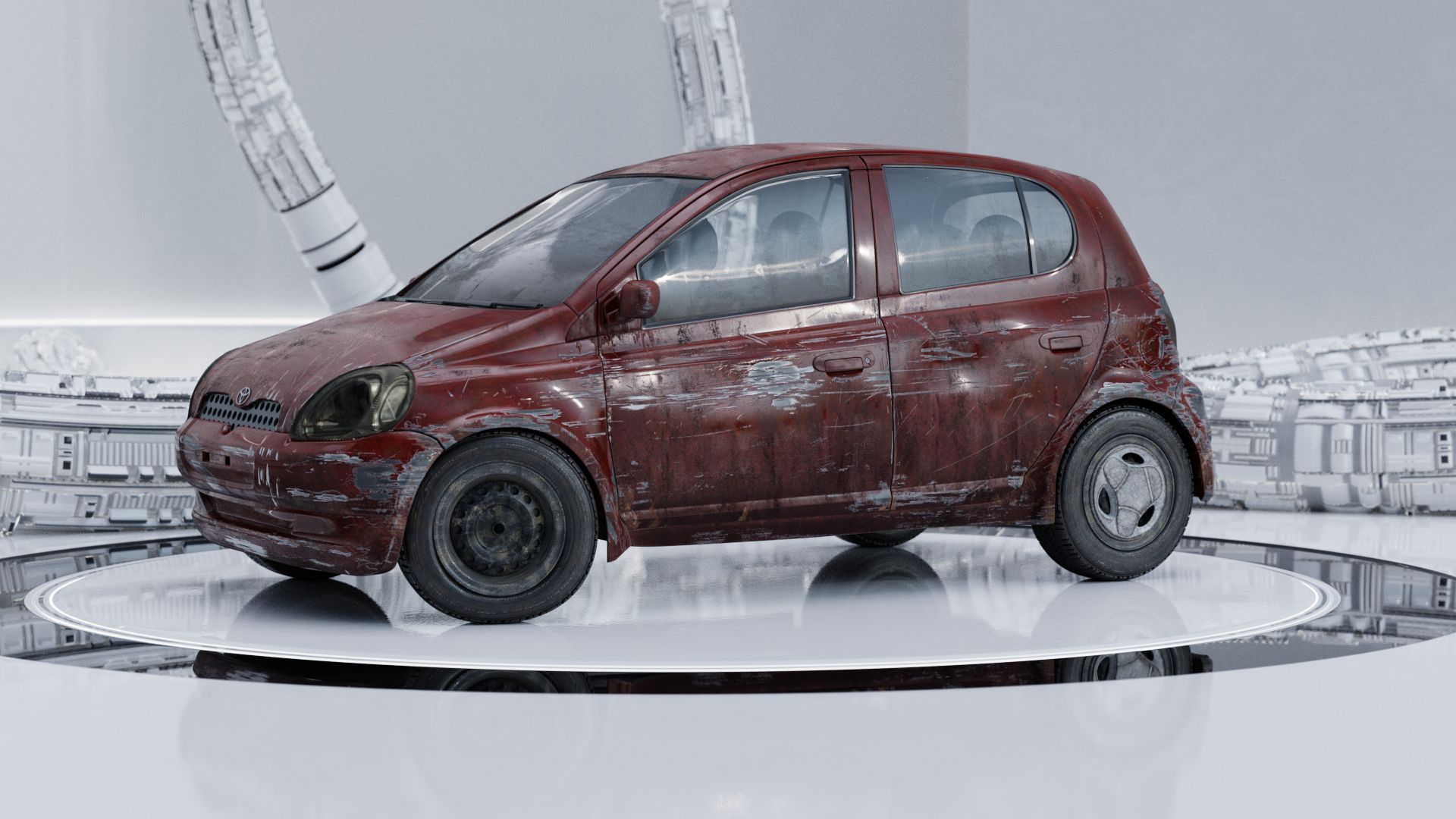

There’s barely different and definitely not muddled in my opinion; cleaner and arguably sharper. Denoised was rendered in 1/3rd the time. I think we should go with that. At least test 24 frames or so and see how it plays in animation. In fact I’ll bet you can’t even tell the denoised from the non-denoised in the sequence. So I’ll leave the frames that are already done.
⚠ I’m going to update the .blends with the denoise settings ⚠
June 12, 2019 at 1:43 pm #46758@dostovel [Knock on wood] I simply opened scene 1 in 2.8 and it’s rendering fine. About 6 minutes on my GPU (!). So I guess it can be rendered in either 2.79 or 2.8 but definitely only saved in 2.79.
June 12, 2019 at 2:02 pm #46759@theluthier 6 minutes 😱 Did you wrote your machine specs somewhere? When I assemble my rig I want a Linux Luke.
That is awesome it opened in 2.8, I’m dreading having to learn 2.8 ultra fast in order to pull this of. I hope it continues to render fine 🤞🏼
There is a very small difference between the renders, but it’s too minimum. In the front, the hood? where the engine goes, it looses a bit of detail. Also on the floor, beneath the car, it looses a bit of bump as well, it looks softer. But it’s way too minimum, it’s definitely worth the render time cut.
Ok so it’s better to wait for a full scene to be over to move the files and delete. Should I delete scene 2 so there’s no mistake that Scene1 is the first to go? When that one is done then upload scene 2?
June 12, 2019 at 2:30 pm #46760@dostovel Hi Omar, no one is going to notice these super small differences in an animation, it will go too fast and the movement in the animation draws way more attention . They will look for the small details in your still renders when they Study your portfolio after seeing your demo reel, and those are still the denoise free awesomeness they’ve always been 😊👍🏻
June 12, 2019 at 2:30 pm #46761@theluthier 6 minutes?! Linux Luke is a black magician!
June 12, 2019 at 2:45 pm #46762@dostovel I hope I set this up properly and am ready to help you render when I’m sleeping!
EDIT: There might be some potential for me to break everything because that seems to be the thing I do with new technology on the first try, so here’s hoping it’s not going to be like that, heheh.
June 12, 2019 at 2:52 pm #46763@silentheart00 It’s alright, as long as you don’t “SAVE” in the file, you shouldn’t break anything. It’s just rendering away.
June 12, 2019 at 2:53 pm #46764@dostovel Sounds good! Thanks for the heads up.
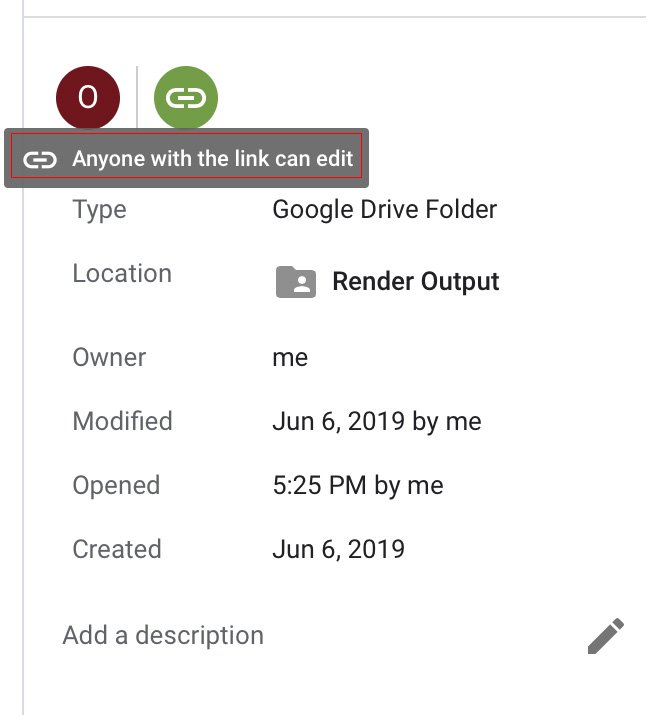
June 12, 2019 at 3:36 pm #46765I notice the Render Output\Scene_1_Renders\ folder is set to view only and won’t let me sync placerholders/finished exr files.
June 12, 2019 at 4:29 pm #46766@phoenix4690 Ok I think it is now changed. I hope it works now.
 June 12, 2019 at 4:33 pm #46767
@theluthier Denoising is not On on neither of the Scene 1 or 2, do the changes you make in your end reflect here on my end? or do you turn Denoising On at your side and I have to hit refresh or something here? Or perhaps you didn’t save the file?
June 12, 2019 at 4:34 pm #46768@dostovel looks to be working now. Let the fun begin ;). Are we all considered to be a fellowship now? The Fellowship of the Reel maybe?
-
AuthorPosts


- The topic ‘Omar Domenech’s Demo Reel’ is closed to new replies.