
Omar Domenech’s Demo Reel
Forum Archive › Omar Domenech’s Demo Reel
- This topic has 413 replies, 25 voices, and was last updated 6 years, 7 months ago by
Omar Domenech.
-
AuthorPosts
-
May 30, 2019 at 7:38 pm #10391
Update 7/29/2019: Omar’s new scene is ready to render and already underway on SheepIt. If you’re part of the CG Cookie Render Monsters team, we’d appreciate you launching the SheepIt app on your computer to contribute. NOTE: Make sure on your SheepIt account “Options” you enable Render my team’s projects first. Thanks!
Update 7/18/2019: Omar is polishing new scenes.
Update 7/3/2019: Omar has 2 new files ready for rendering. Let’s do dis.
Update 7/1/2019: We have finished rendering two of Omar’s reel projects. Way to go community. Omar still has several to prep for rendering. I’m going to unpin this thread and re-pin once it’s ready to render again.
Update 6/17/2019: Omar has updated his shared project folder with new scenes to render. It was accidentally uploaded as a new folder so if you’ve already synced the previous folder, you can delete that one (if it’s still there) and you’ll have to sync this new one. From now on we know how to avoid this so no more re-syncing.
The time to render is now!
Update 6/16/2019: We’ve finished Omar’s first 2 scenes! Way to go People 👏👏 Thanks to everyone for contributing. Now we’re waiting for Omar to setup and upload his next scene.
@theluthier Kent after comparing the original Cycles renders and Element 3D real time ones, I think you are right, rendering it out of Cycles is totally worth going the extra mile for. Although you and Lampel said it was great, that it’s 95% there, for a second I saw a twinkle in your eyes saying “C’mon dude, you know it, I know it… there is no spoon.” And then the twinkle continued “No one eats an Oreo and doesn’t go all the way to the stuffing in the middle, the cookie part is just enough”. I see what you mean twinkle.
I didn’t want to bother people though, but I guess if I’m going to try this there’s no way around that. I don’t know how to use Drop Box, I’ve never used it before. Should I get an account? I hope it’s enough space. I remember you kinda set things up in a similar way in the Rendering & Finishing A Blender Animation course. I should re-watch that. I have never done things through the internet so this should be a learning experience.
I, Kent Trammell, am commandeering Omar’s original post! [evil laugh] I’m the one that encouraged Omar to reach out to the community for helping him render his demo reel. My computer just sits collecting dust most nights and I’m happy to lend some rendering power to this project while I’m asleep. I suspect that there are a number of CGC community members willing to do the same 🙏
If you want to help out, please follow the instructions below!
INSTRUCTIONS [SheepIt] (coming soon)
The status of the project will be stated and updated at the end of the thread title in brackets. When it says “READY TO RENDER” that means a project has been submitted to SheepIt for rendering. If it says anything else, the project isn’t ready for rendering yet.
INSTRUCTIONS [Google Drive]The status of the project will be stated and updated at the end of the thread title in brackets. When it says “READY TO RENDER” that means it’s ready to sync the project folder and start rendering. If it says anything else, the project isn’t ready for rendering yet.STEP 1 — Sync Omar’s project folder to your Google Drive.If you have a gmail account, you have 15 GB of free Google Drive space. Just click the link and when you’re redirected to the Google Drive website, right click on the “Demo Reel Files” folder and choose Add to My Drive.If you’re on Mac or Windows, use the official Google Drive app (personal version) to sync your Google Drive to your computer’s file system.
Render_Scenes_1_Packed.blend
If you’re on Linux like me, there is no official app. I’ve had some success with Open Drive but it seems to have stopped syncing on my system. I’m currently using Insync and it’s working beautifully. It’s $30 after the 15 day trial period, which I will likely pay.STEP 2 — Open one of the render-ready .blends with Blender 2.8After the project folder has finished syncing *entirely* to your computer, launch Blender 2.8 and open Demo Reel Files > Blend Packed Files > Render_2.8-Scene_1_Packed.blend. Then follow Omar’s instructions in the file for CPU or GPU rendering, whichever your machine is best equipped.
Enable viewport rendering to double check the scenes look fine (no pink from missing textures). I’ve tested these files myself and they should be ready to render without problems.
STEP 3 — Render the AnimationThe files should all be setup properly so anyone that opens them doesn’t have to do anything but click the Render button.That should be all you need to do to contribute rendering to Omar’s project! Note that these scenes are heavy and can take an hour or more per frame, even on a high end machine, which is why Omar needs our help.When the rendering is all done (or you need to stop and regain your own GoogleDrive space), simply navigate to the Google Drive website, right click on the folder and choose “Remove”.May 30, 2019 at 10:30 pm #46725Even Neo asked for help. Get it set up; you know you’ve got my rig. 😉
May 31, 2019 at 10:04 am #46726@phoenix4690 Oh no, now Phil knows how to convince me of stuff. Thanks for the rig support.
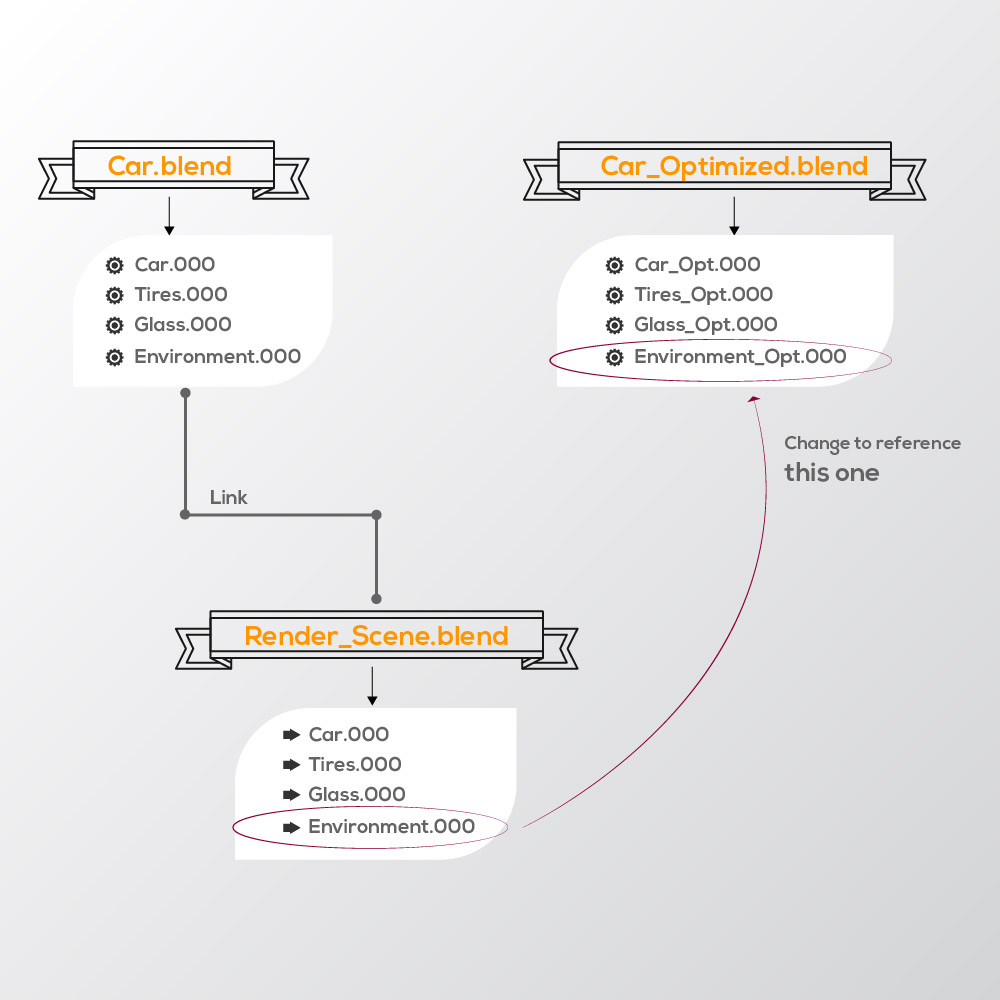
I started to run into stuff. For example, I have a file where I link everything into and render in it, so it uses a lot less memory. Now I want to swap assets and I can’t seem to do it. It’s not an Edit Linked Library issue, I want the asset in the Render Scene to now reference the asset in another file so it retains the transforms and the composition.
 June 1, 2019 at 5:53 pm #46727
@theluthier I thought that perhaps I could take advantage of the fact that since render times in Cycles are longer and I’d have to make shorter scenes, I could change the style of the video to a faster paced edit, like in the old David Fincher, Judith music video from A Perfect Circle.
June 2, 2019 at 1:42 am #46728June 4, 2019 at 8:47 am #46729@dostovel This is awesome! You definitely have my rig while I sleep. The dropbox workflow is quite simple actually IF everyone involved has enough space available in their account. The basic (free) plan only offers 2 GB which is most definitely not going to be enough for all the image sequences you’ll be rendering.
Alternatively, Google Drive comes with 15 GB free for anyone with a Google account. That should be doable for rendering your scenes with the community.
If we don’t want to bother with cloud storage like those, we could do it manually. Meaning everyone that wants to contribute downloads a packed .blend of your scene and we all divide the frames evenly, then compress the files and pass them back to you via dropbox or google drive. This process would require more organization and management but wouldn’t be hindered by cloud storage issues.
I suggest we start with a test scene to see if A) the cycles render is really really worth it and B) we can work out the technical kinks of “crowd-rendering” like we’re discussing. I will happily volunteer for this initial test scene! Once we get that working it would just be a matter of others syncing to the dropbox or google drive directory OR downloading the packed scene and manually rendering frames.
I have to switch gears to critiques today for the stream but afterward (or tomorrow) I can help get the system set up. For now look into Google Drive and see if that’s something you already have or want to sign up for.
EDIT: And I like the faster cut idea 👌
June 4, 2019 at 9:09 am #46730@dostovel Oh man, I wish I could help you out but I don’t want to blow up my laptop… I’ll be emotional support then for now, cheering everyone on! 🙌🏻
Great to see you reaching out to the community btw, your work and sparkling personality is worth it 😊👍🏻
June 4, 2019 at 11:40 am #46731@dostovel I’ll help out with the rendering, too, dude. My PC’s decent enough to give it a shot.
June 5, 2019 at 1:33 pm #46732@dostovel What’s the status of this project? Have you decided to go with Dropbox / Google drive or a manual (non-sync) approach?
June 5, 2019 at 6:27 pm #46733@theluthier I have two scenes ready to go. I will upload them to Google Drive since it has the most space available. If I have to open a paid account because it turns out 15GB is not enough, I will do so.
Here’s a small breakdown of the scenes, let me know if you think there’s a render that doesn’t belong there, like the goblin or Vincent character, I didn’t model those, I only worked on the lighting, so I’m only planning on giving them two or three seconds of screen time.
Questions:
– Motion blur “On” in general for the scene or it’s better in compositing? I know in the compositor it is less accurate, but much faster to render… but should I go the extra mile for this one off project?
@smurfmier1985 @silentheart00 Thanks for the support.
Also here’s a rough playblast.. the scenes are not in the final order they’re supposed to go at. Also the music may not be the one that I’ll go with. Also the number of cuts may not be all that go in the final render, they are a lot and I’m trying to keep the reel under 1 minute. From what I’ve heard people that look at demo reels don’t spend too much time on them, they have so many to watch that they probably wont watch it to the end so it’s better to keep it short probably.
How do I share the Dropbox link with you? Do I need your email to give permissions? There are two scenes in there for testing.
 June 6, 2019 at 8:07 am #46734
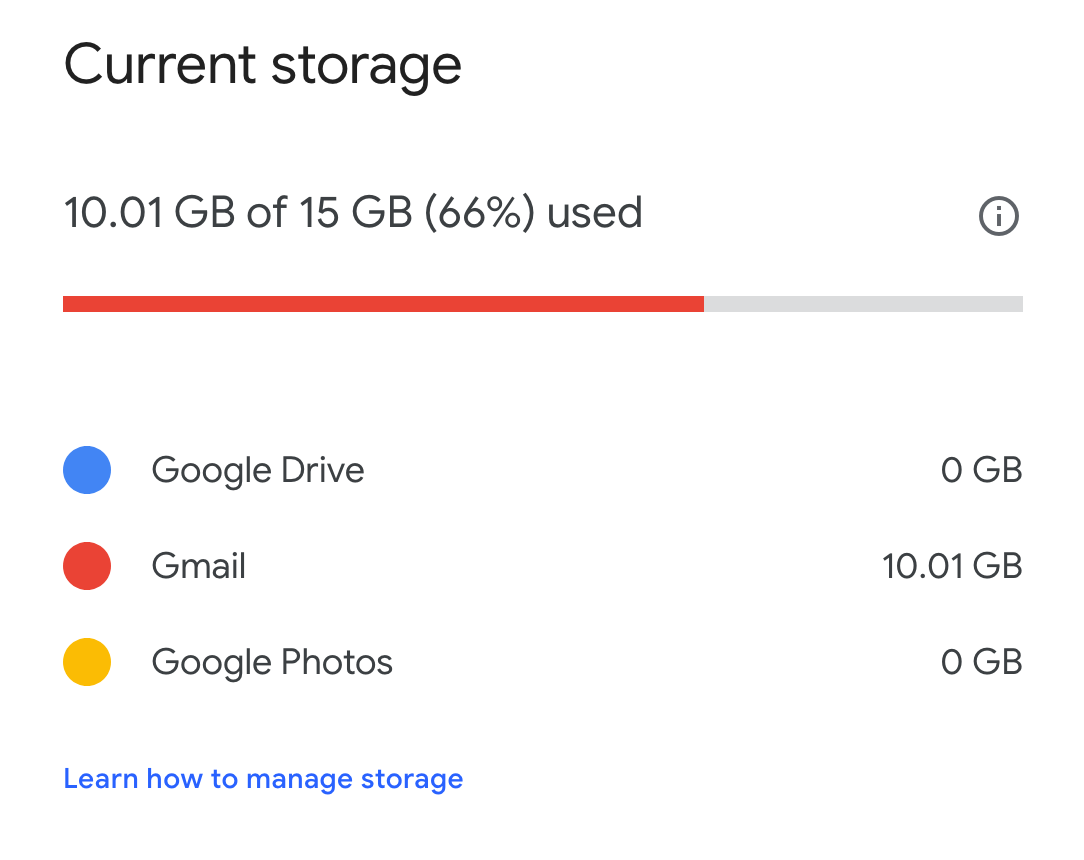
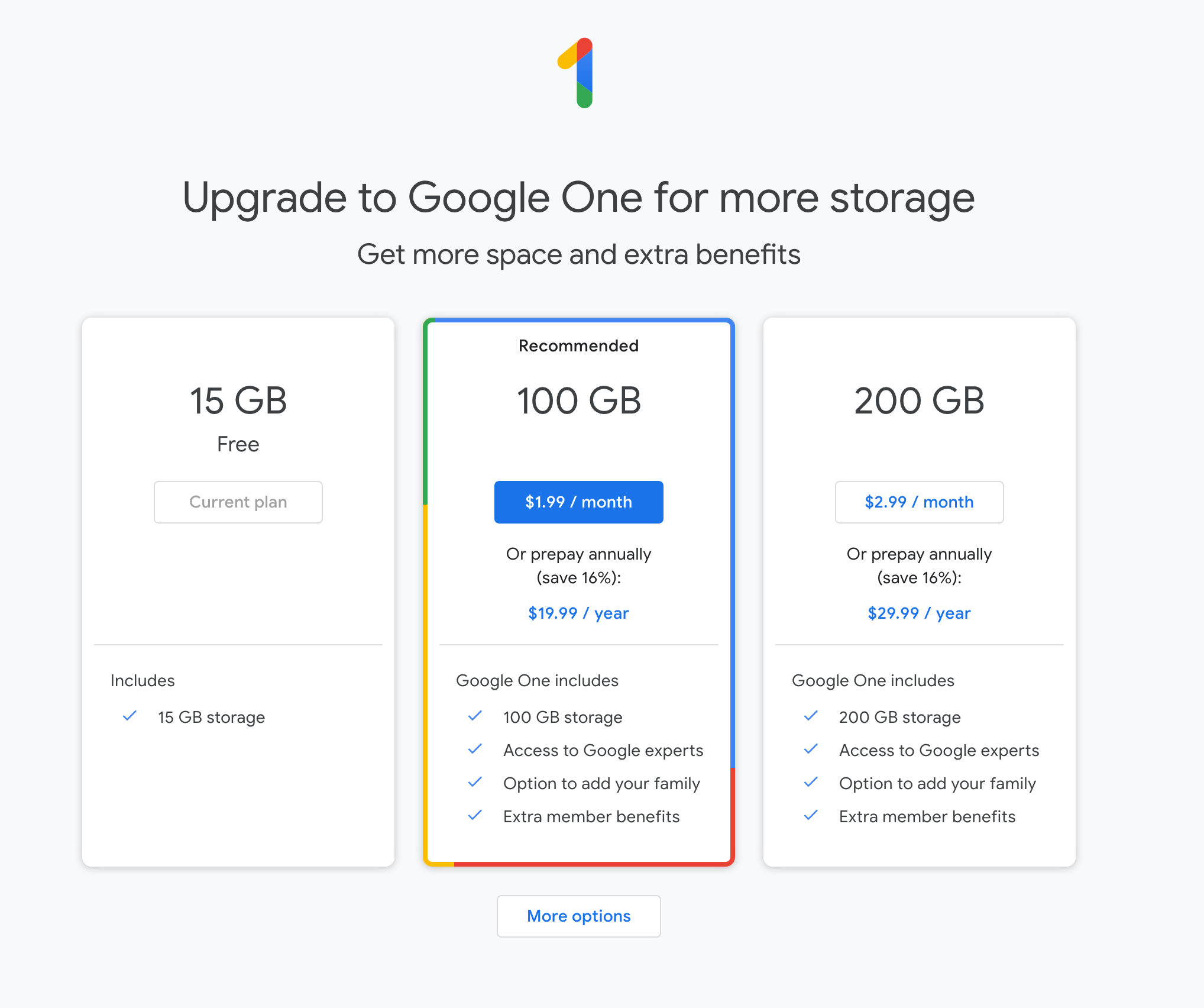
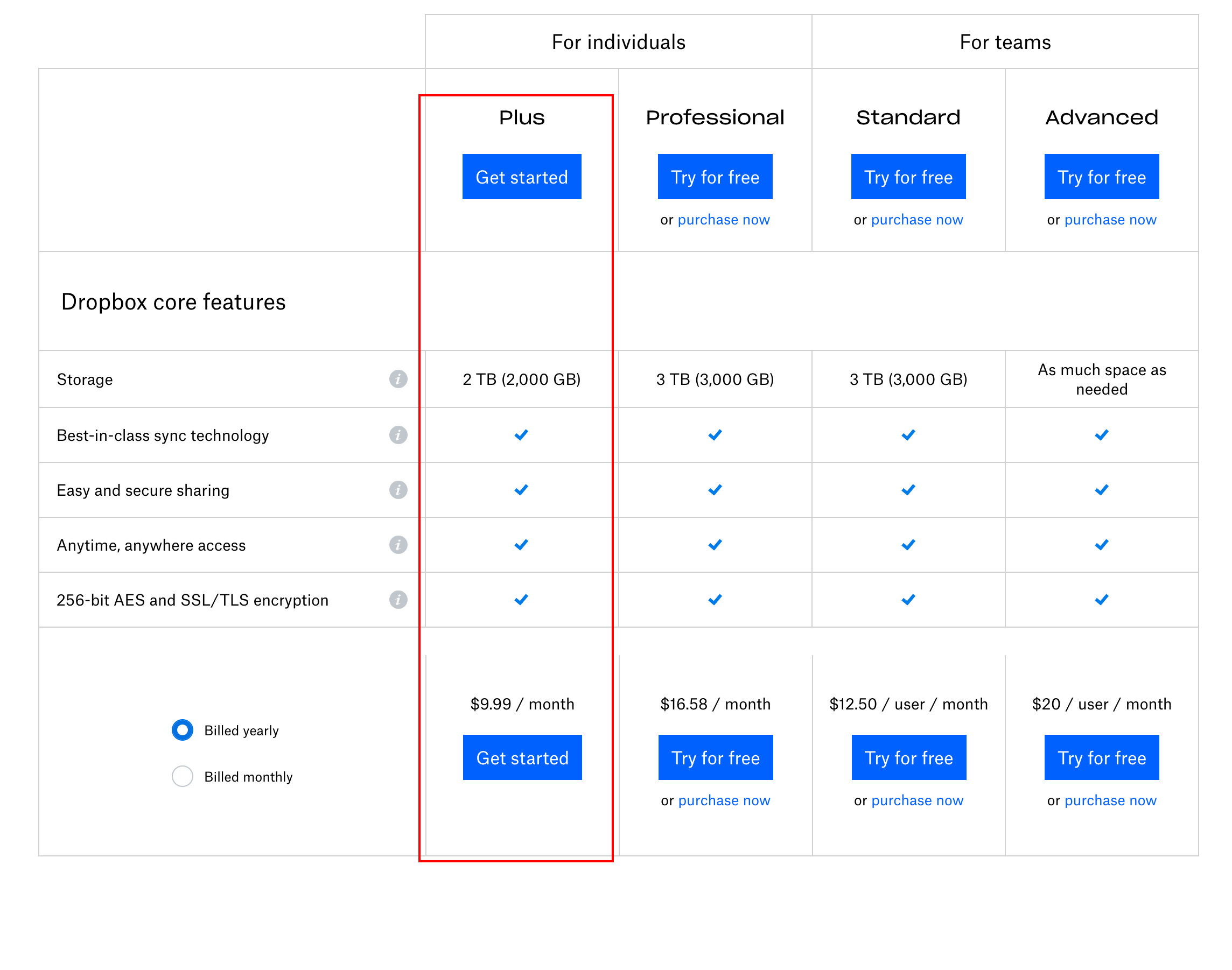
@theluthier Bad news for Google Drive, Gmail also uses its space, so I don’t have the 15GB available. So paid account is the way to go. Prices are very affordable. Should I go with Dropbox? Will 100GB be enough with the Google Drive plan? Or better be safe than sorry and go with 2TB with Dropbox?
With that much space I will be able to render EXR and do compositing, but doesn’t that mean people will have to upload GB of files with their internet then? As soon as a render finishes, the internet kicks in as it automatically starts to upload to the cloud?
 June 6, 2019 at 12:08 pm #46735
@dostovel Trying it for free is a convenient option… And yes, annoying that Gmail also counts toward your Drive usage. You could get another account and have one specifically for cloud rendering. Up to you.
June 6, 2019 at 4:49 pm #46736@dostovel You should totally sign up for a second gmail account, just to get a clean 15 GB of cloud storage. Here’s the process I recommend to get me involved:
- Sync your google drive account to your computer. Google offers their own sync apps for windows and mac (no linux but I don’t think you’re using linux)
- Move you render-ready project directory to your google drive folder. Name is something like “Omar-Demoreel” or somethign. Keep it as optimal as possible, removing unnecessary files like .blend1 and .blend2 files, any WIP texture files, etc. Only the essential files needed for rendering.
- Make sure your .blend files are render-ready after the move to the google drive folder (could break texture references).
- Also make sure your render output is set correctly, targeting a folder within the project (and thus within google drive).
- It’s key to ENABLE PLACEHOLDERS and DISABLE OVERWRITE in your output settings. This is what enables others to open the same synced file, press render, and only render frames not yet rendered.
- Once you know the .blends are render-ready, go to the google drive website, navigate to your project directory, right click on it and choose “Get Shareable link”. That URL you can paste here and I (and anyone who clicks the link) will have access to that directory only.
- Once I have access, I can test rendering and you should get notified of incoming files.
If we get that all accomplished, we should be in good shape for others to sync the directory and contribute to rendering!
June 6, 2019 at 9:49 pm #46737Alright, I made a new Gmail account, I felt kinda dirty, as if I knew the place where my friend keeps the Pringles is always unlocked and I just went in there and took a bunch.
Here’s the link to the Google Drive.
https://drive.google.com/drive/folders/1FH1ffaaSRqkQYxl10-65X0MnZbXhW67U?usp=sharing
For now it’s just for this scene
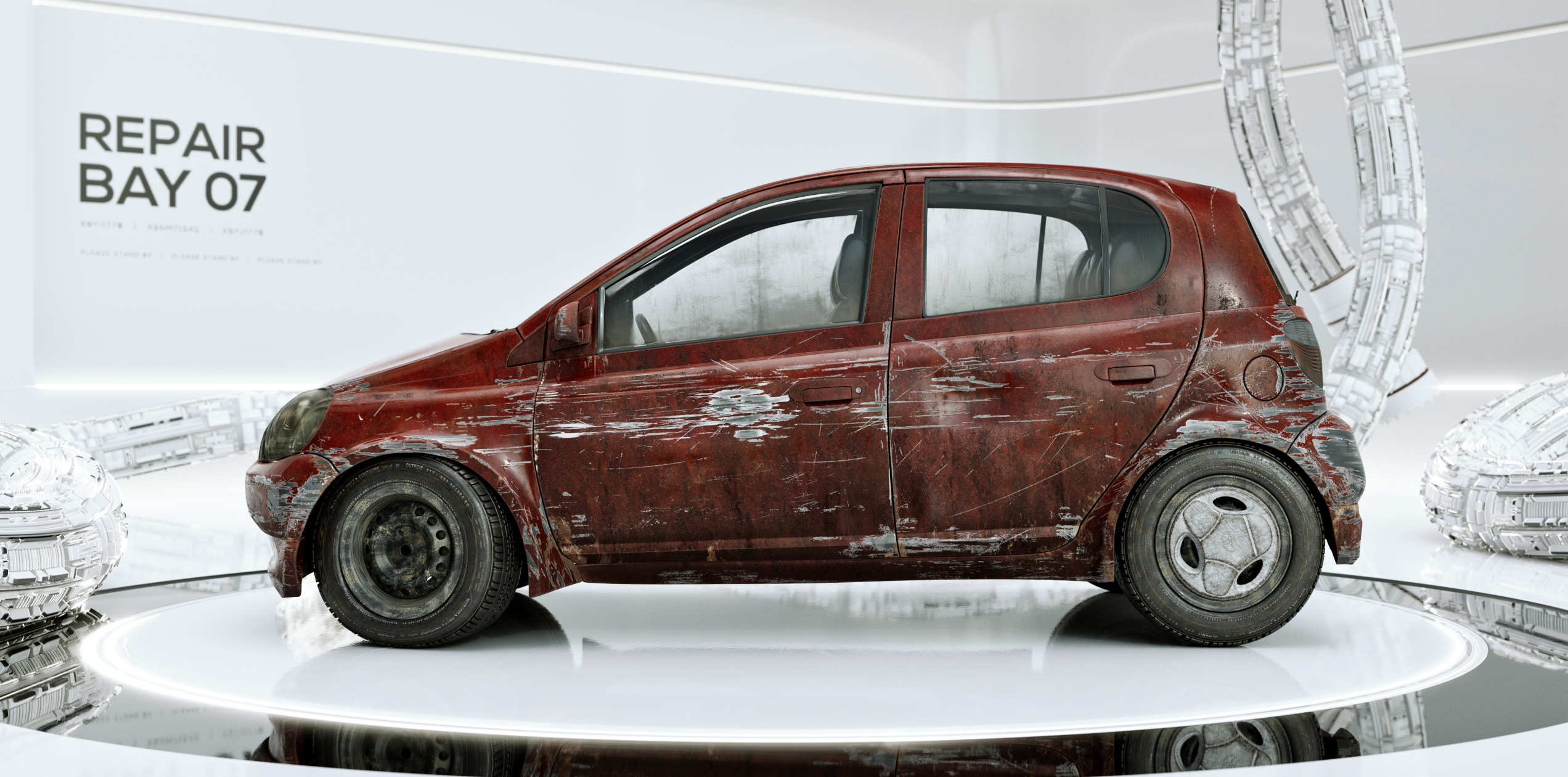
The idea is to render this one all out, then when it’s over, I can download all the files to my local hard drive, wipe all the files from Google Drive to reset the 15GB then start with another scene, that way the 15GB have less chance of running out.
There are two .blend, Render_Scenes_1 with 554 frames and Renders_Scenes_2 with 165 frames.
Use Blender 2.79 to open the files, not 2.80, since I think files between them are not interchangeable.
I have it sent to Open EXR Multilayer, with only a couple of render passes, just enough to do a bit of compositing for Motion Blur. Alternatively I could enable Motion Blur in the scene and turn off the render passes and save up in file size, but pay for it in render time.
It’s set to 1,500 samples, and it still has noticeable noise. Seed clock is on. 1920×1080 res, no denoising, I hate how the images looses their crispiness and looks mushy, no matter how low the settings.
I’ll let the laptop doing some renders throughout the night as a test.
June 7, 2019 at 12:19 am #46738Hey guys,
it would be great if you could make a post about what settings, which blender version, etc. I need to do to help out on this, as soon as you figured out how to do it. I have like no idea how this rendering process works and I don’t want to goof it when I try to render something from that Demoreel.
-
AuthorPosts


- The topic ‘Omar Domenech’s Demo Reel’ is closed to new replies.