
Omar Domenech’s Demo Reel
Forum Archive › Omar Domenech’s Demo Reel
- This topic has 413 replies, 25 voices, and was last updated 6 years, 7 months ago by
Omar Domenech.
-
AuthorPosts
-
June 18, 2019 at 4:23 pm #46874
@dostovel Google Drive is synched.
I restarted my PC and it’s still not there, If the most powerful computer magic trick didn’t work, then it has to be something serious.
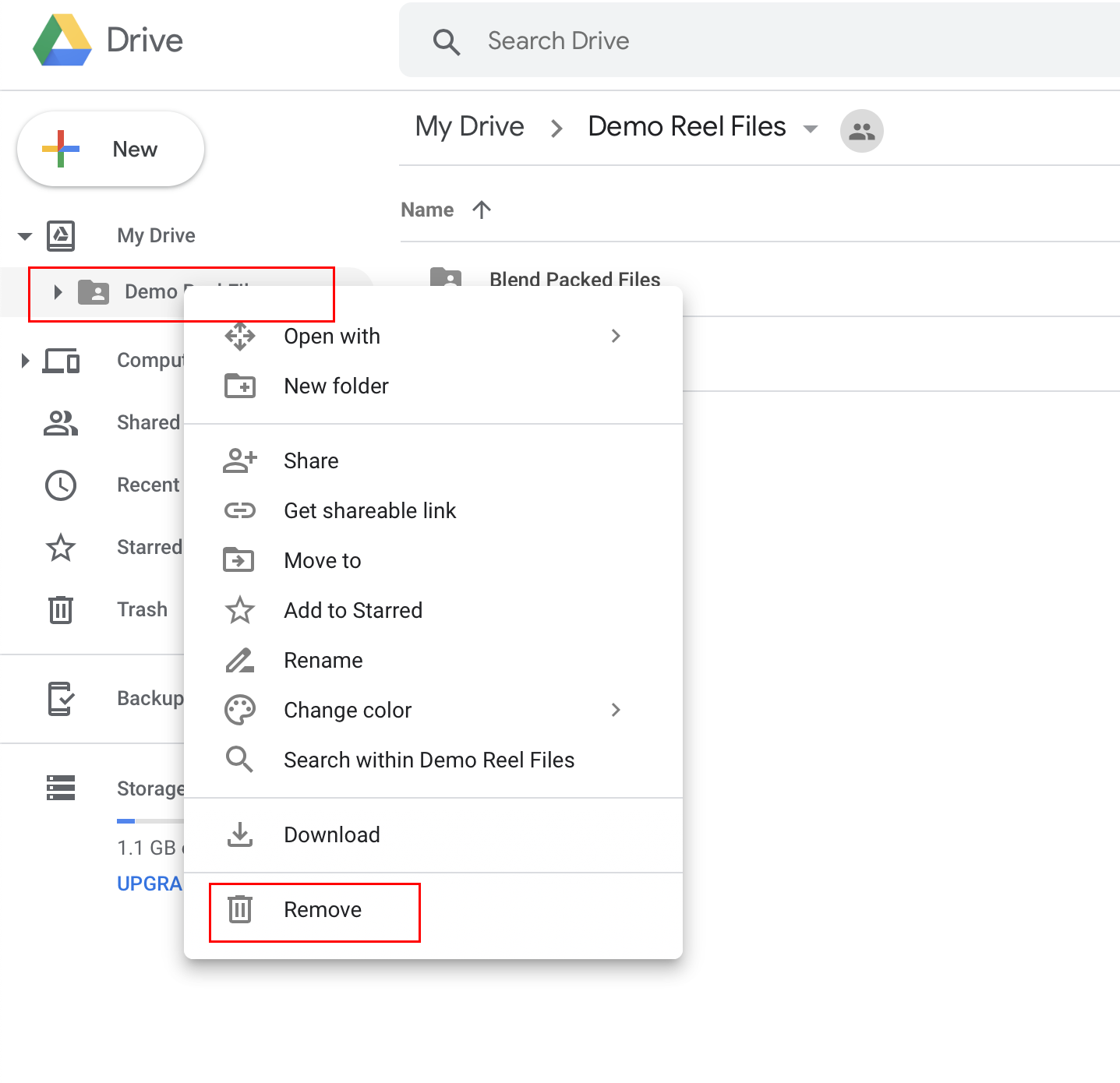
June 18, 2019 at 4:40 pm #46875Ok lets figure this out. Other people have already begun rendering, so the issue must be on your end. The Google Drive folder is currently mostly empty, syncing should be a breeze, so try this. Go to your Drive by hitting the Abstergo icon, and in “My Drive” where you see the folder you are linked with, hit “Remove” so it goes away fully for you. Then try adding it back and see if it now refreshes with everything how its supposed to be.
Fingers crossed 🤞🏼
Thanks for going through all the trouble, Piotr.

 June 18, 2019 at 6:34 pm #46876
@dostovel Alright, it worked! I should’ve thought of that, thanks.
June 18, 2019 at 6:38 pm #46877@brzostek Really I should thank you, I’m glad it worked.
That’s another quirk we found about Google Drive.
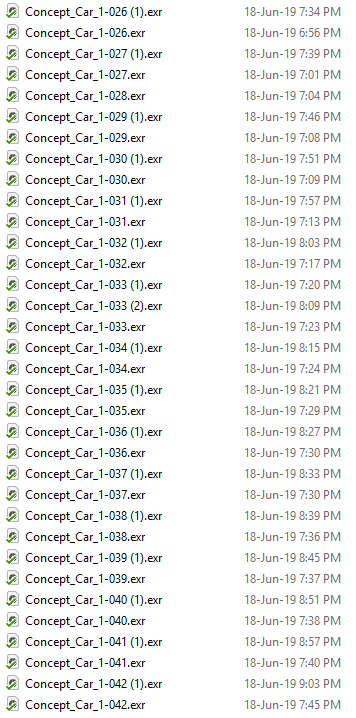
June 18, 2019 at 9:18 pm #46878Files are getting duplicated more than ever, I I took a look at the activity and I think it’s coming from Piotr. I’ll deleted the duplicates later for if you want to see the activity.
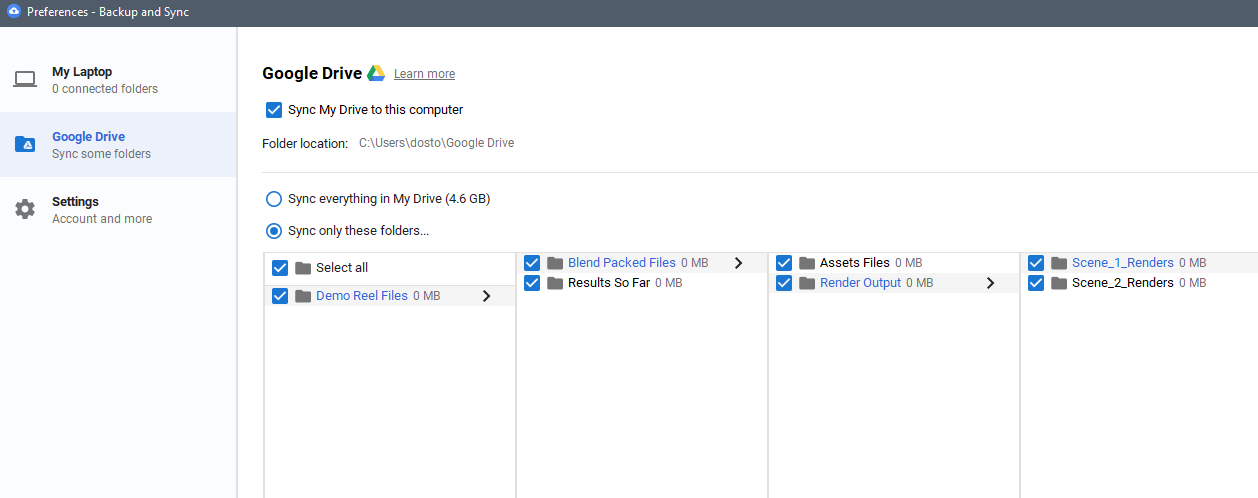
@brzostek I think in your settings , after you did the reset, probably the sync for your folder must have been left off, then rendered files are not ending up in your Drive, so your Blender is not seeing them and renders them as if they don’t already exist.
Sorry for harassing so much 🙈 At least we are learning a bunch of new stuff.
 June 18, 2019 at 9:26 pm #46879
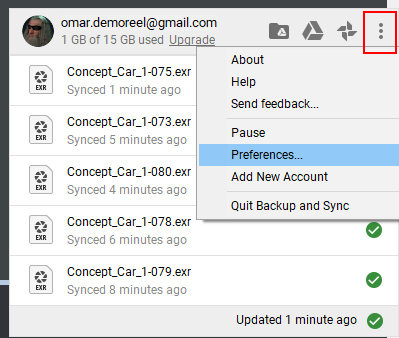
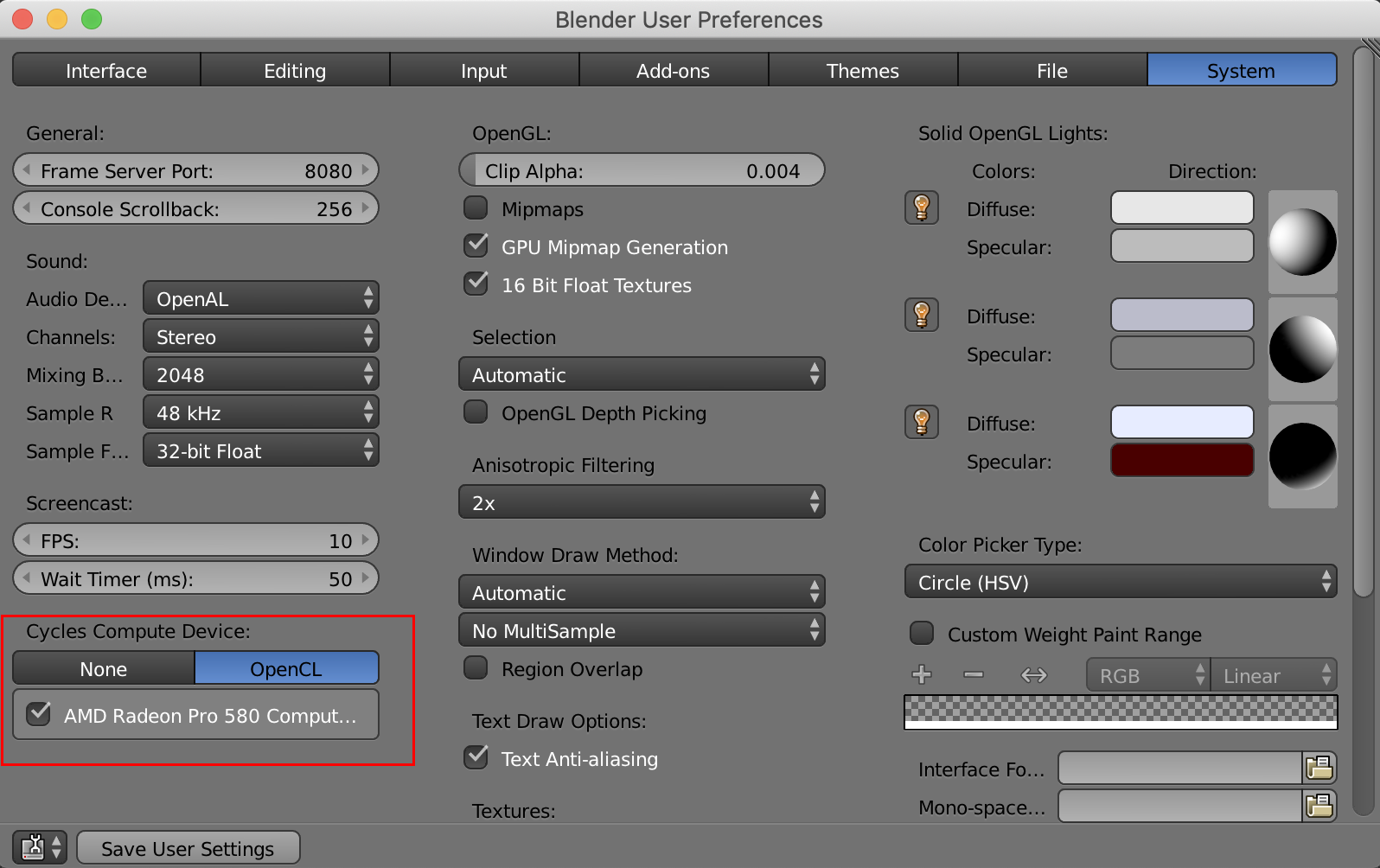
This is how my settings are…
 June 18, 2019 at 9:47 pm #46880
@dostovel after I removed the file and added it again in Google drive all the files where there, but my PC completely locked during the rendering. Didn’t you change to cycles?
June 19, 2019 at 3:25 am #46881@dostovel No, I definitely turned the syncing on manually for your folder , if I didn’t do that it wouldn’t appear on my PC.
I’ll render couple more frames and we’ll see if it happens again.
EDIT: Okay, I think everything should be fine now, hopefully.
June 19, 2019 at 6:53 am #46882@brzostek Alright, thanks Piotr.
@sheila5 Strange. It has been Cycles all along, the only thing I did was to get rid of the piece of geometry that was giving problems, everything else is exactly the same. In the words of Piotr, did you try the most powerful computer magic trick, restart?
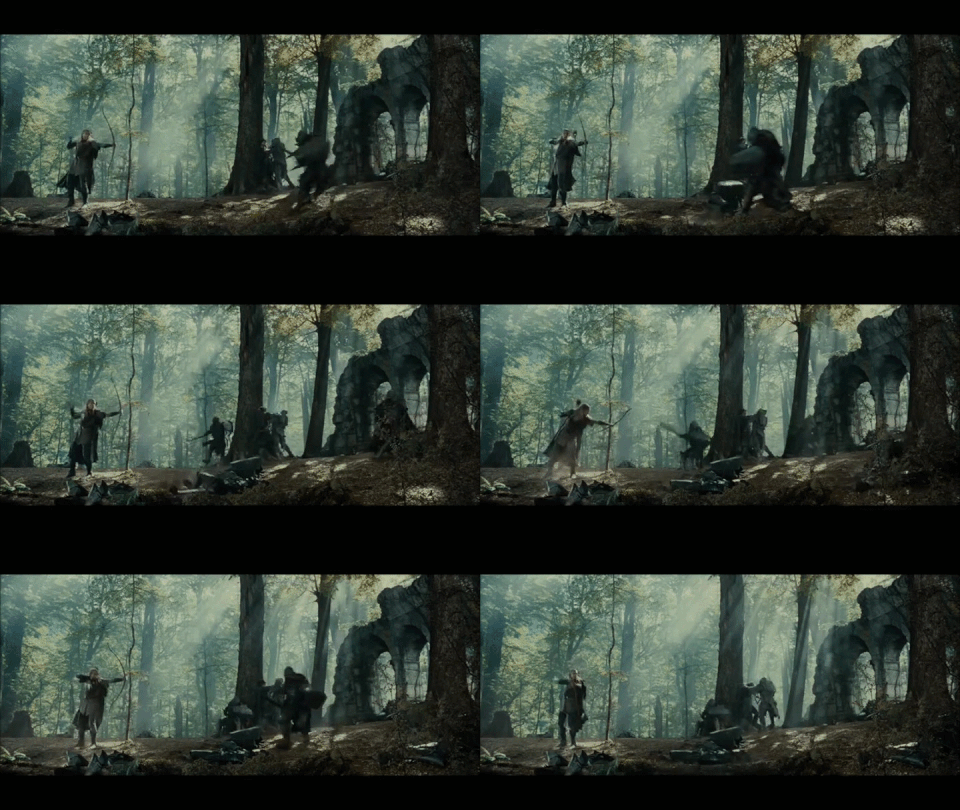
Frames are going down.
 June 19, 2019 at 7:50 am #46883
what kind of video card do you guys have? I can only render on cpu, gpu is greyed out. on cpu it takes 100% of my processor. Perhaps I want to buy a new video card (not for this but in general) and wondering what you superusers have.
June 19, 2019 at 7:58 am #46884@dostovel yes I did restart my pc and also redid the entire folder thing. It is now rendering, but 1 frame took 1 and a half hour. That is quite a difference with the other frames that took about 15-20 minutes
ok slightly exaggerating

 June 19, 2019 at 8:12 am #46885
@sheila5 I appreciate you going through the trouble of troubleshooting this and not just giving up, Sheila. Thank you.
I have a GTX 1070 in my Laptop. 6GB of Ram on the GPU I think, perhaps it’s 8GB I don’t remember well.
What rig do you have? Do you mind posting your stats?
That is weird, that jump in render time. It has stayed the same in all 4 computers I’m rendering.
The only thing I know is going to System Preferences and enable the GPU you have. Your GPU shouldn’t be greyed out, even if you don’t have enough RAM for the scene, it doesn’t go grey. Maybe your video card needs a drivers update?
EDIT: Well now that I think about it, the jump in render time probably is because you were rendering on the GPU first and now on your CPU?
 June 19, 2019 at 8:16 am #46886
@dostovel one other thing you changed was experimental to supported
something else i now notice is that under tiles it does not say “hilbert spiral” anymore, but “center” is selected
June 19, 2019 at 8:35 am #46887@dostovel dammit I was typing a long reply with screenshots and then the page reloadedd (or I pressed the backbutton or something). Mine says cuda not opencl.
 It appears that I can use the cpu even though it is greyed out! but it’s even slower and still uses cpu weird enough
scene 1 takes less time then scene 2
I’m waiting on your reply if the ‘center’ thing is not an issue
June 19, 2019 at 8:40 am #46888@sheila5 I’m on a Mac right now, that is why it says OpenCL, in my home laptop it says CUDA as well. I think that has to do with the Video Card maker, in CUDA case is NVidia. is it the CPU or GPU that is greyed out for you?
The “Experimental” setting were for the Toyota scenes, this scene is a different one. That settings have been the same ever since I uploaded it. The render time is probably because you were rendering with your GPU and now you are doing so with your CPU. The problem is why can’t you now not render with your video card?
Try updating your card drivers. That’s the only thing I can think of right now.
-
AuthorPosts


- The topic ‘Omar Domenech’s Demo Reel’ is closed to new replies.