
[ENDED] BC1-1801 – January Class Homepage – Getting Started with 3D Modeling & Blender
Forum Archive › [ENDED] BC1-1801 – January Class Homepage – Getting Started with 3D Modeling & Blender
- This topic has 662 replies, 53 voices, and was last updated 8 years, 7 months ago by
LJ Simpson.
-
AuthorPosts
-
January 13, 2018 at 2:24 am #32520
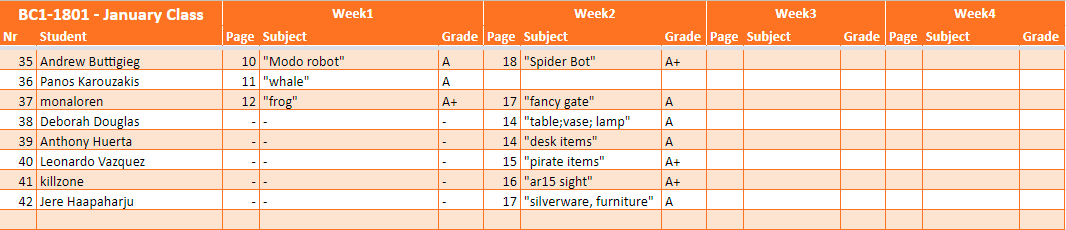
Let me share some statistics about the homeworks in the class Saturday morning 08:00 CET (the weekend comes so more freetime 🙂 ):
– 37! members posted homeworks on Week1 (plus one even found in separate thread posted homework accidentally there, so maybe 38 🙂 )
– 5 new members joined to Week2, welcome in the thread 🙂
– 10 members posted already their homeworks to Week2, who already participated in Week1 (2 members to be added to the table yet)
– 27 members hopefully are working on their homework on Week2 (including me 😀 ), who posted homework to Week1 but did not to Week2 yet
So at the moment we are 42 in the 2018 January class!


 January 13, 2018 at 5:49 am #32521
@theluthier I should have watched the class first, after that and listening of the retopology class I know get the importance of edge and face loops, I had thought the issue was quads. I have learned a lot from listening to your class and it has helped to have the active group and seeing other peoples stuff. Thanks.
January 13, 2018 at 9:57 am #32522Haha the Porg mug! Is that a mesh modeling job or sculpt + retopo?
The wheel is great. Awesome detail in the rim and tread. Don’t forget to submit this to the exercise if you haven’t. Get some CGC XP 🙂
And the bananas + holder are 👌
Grade A work. I’d say you have this modeling thing down 👏
January 13, 2018 at 10:00 am #32523Thanks for sharing these stats @csehz! The weekend commeth. I look forward to seeing more week 2 homeworks 🤘
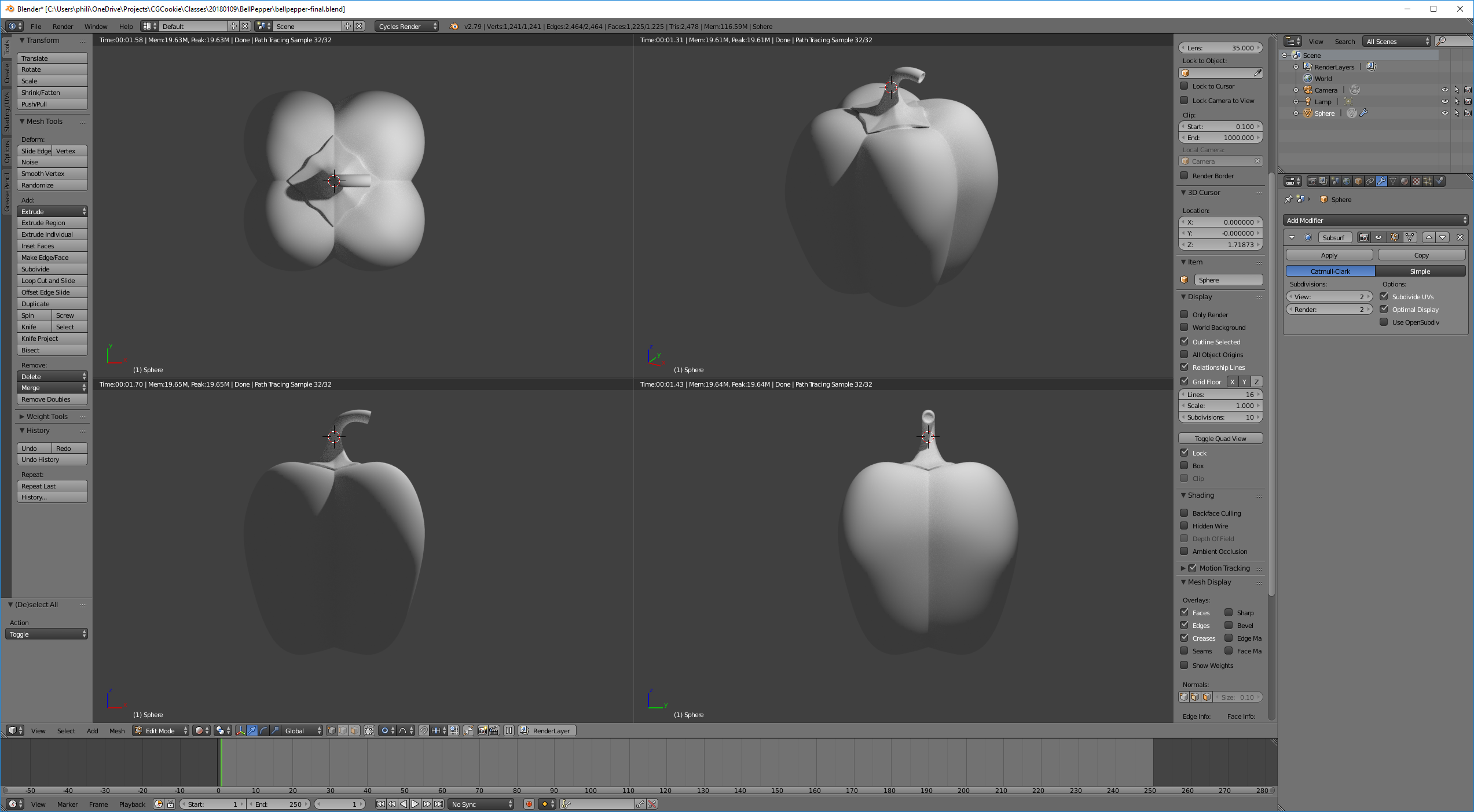
January 13, 2018 at 11:12 am #32524BC1-1801 Week 2 Submission
The bell pepper seemed like a good challenge in the time allotted (and also reminded me of an intro graphite/charcoal drawing class). Had I to do it over again, I would have started the UV sphere with fewer segments, and I would have tried to have been more clever about modeling the cap. I learned a lot though.
The ring was just having fun. Threw that one together pretty quickly. For want of time, I gave up trying to resolve the seam where the ends of the curve modifier merge. Probably normals, or maybe the ends aren’t actually merging as I want them to.
These organized classes work better for me, and thanks for providing this. A combination of community, accountability, and deadlines. Definitely focuses the mind.


 January 13, 2018 at 11:45 am #32525
“These organized classes work better for me, and thanks for providing this. A combination of community, accountability, and deadlines. Definitely focuses the mind.”
I completely agree. My self-motivation sometimes needs a kick in the pants.
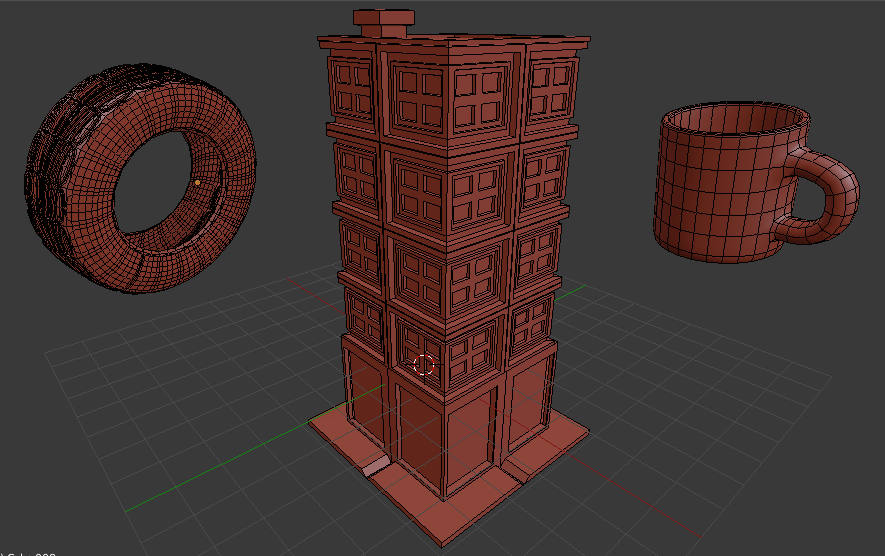
January 13, 2018 at 12:27 pm #32526BC1-1801 Week 2 Homework Submission
The tyre has some issues I know.. 😀 Two mandatory (for me) items and one the house just as a free idea
 January 13, 2018 at 12:28 pm #32527
BC1-1801 Week 2 Submission
After 4 hours I got the wheel…
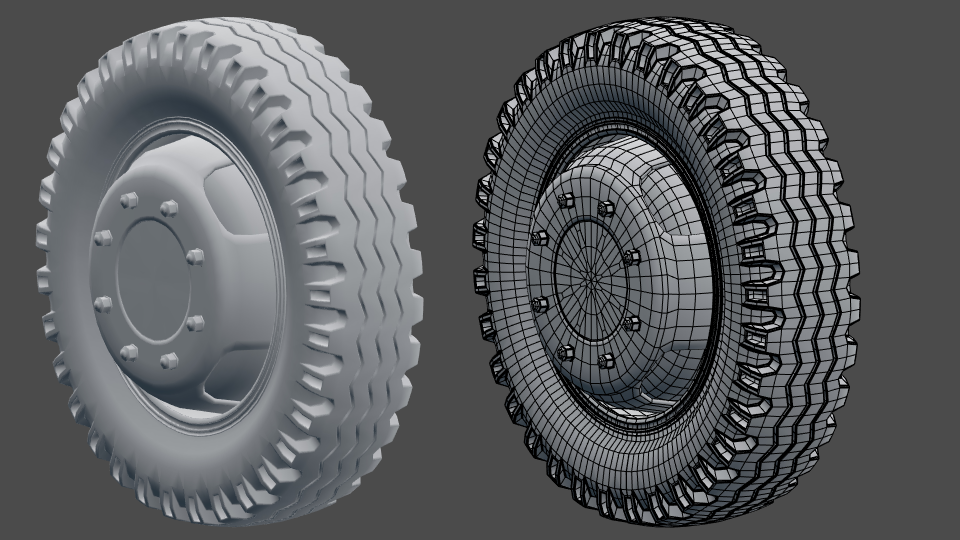
And that is how it looks without all the modifiers.

Thanks for the class! The deadline makes me find time to model…:D
January 13, 2018 at 4:03 pm #32528Yes exactly. Still not being some modelling master of course but one thing is sure, that I am better in that than two weeks ago! 🙂
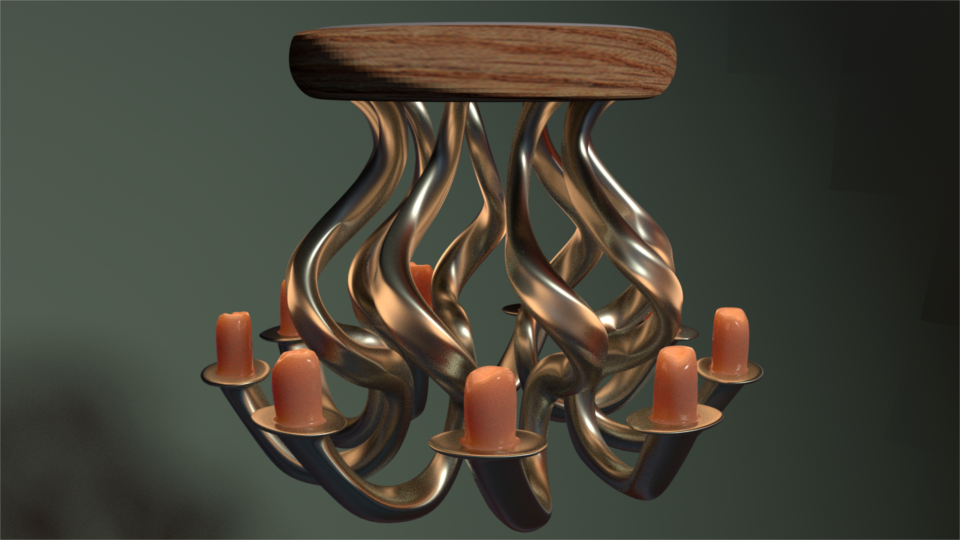
January 13, 2018 at 5:29 pm #32529“I do see where killzone is coming from. It’s a good crit.” Meaning the plant is too high poly for what it needs? I can see that. I just left the default settings for the primitive cylinder and sphere. The bullet was made from a cube,thus the lower resolution, but I can see how keeping things simpler would be important when the model gets more complex. Thanks for the feedback everyone. I did another today for funsies, that made more use of modifiers. It was supposed to be a chandelier, but it kind of just turned out to look like a jellyfish …and it may also be more high poly than needed…
 January 13, 2018 at 8:49 pm #32530
The bell pepper is a great choice. I’m so enjoying the variety everyone’s coming up with in here. The shape is very recognizable and the wireframe is clean and even as can be. Also good work with the braided ring. It’s an excellent application of modifier-based modeling. Awesome job: An easy A overall.
I’m thrilled to hear that you’re enjoying the class format. Getting this kind of feedback motivates me to get more scheduled 🙂
January 13, 2018 at 8:56 pm #32531The tire is hard. Took me a couple attempts in preparation for Week 2’s stream. So you should feel accomplished about what you have. Your other models are great too! Love the skyscraper; another excellent modifier-based modeling choice. And your coffee cup has super-even topology. I honestly don’t think you could get the polygons more uniform. Aside from the inside of the cup. But now I’m nitpicking.
January 13, 2018 at 9:05 pm #32532WOW. Is this your first time modeling something like this? As in based so heavily on modifiers? If so, wow.
This is a fantastic wheel. It immediately makes me think of WWII-era Jeep wheels. The details are spot on and I appreciate you showing the base mesh of each piece (without modifiers)! You killed the assignment: A grade.
No doubt it was a laborious 4 hours, but I’d bet you learned a lot about the workflow and could do it again in half the time.
January 14, 2018 at 6:07 am #32533I have a general modeling question. I am trying to model an old milk can.
The handle is attachted to the surface of an additional piece of metall.
I don´t know the correct term.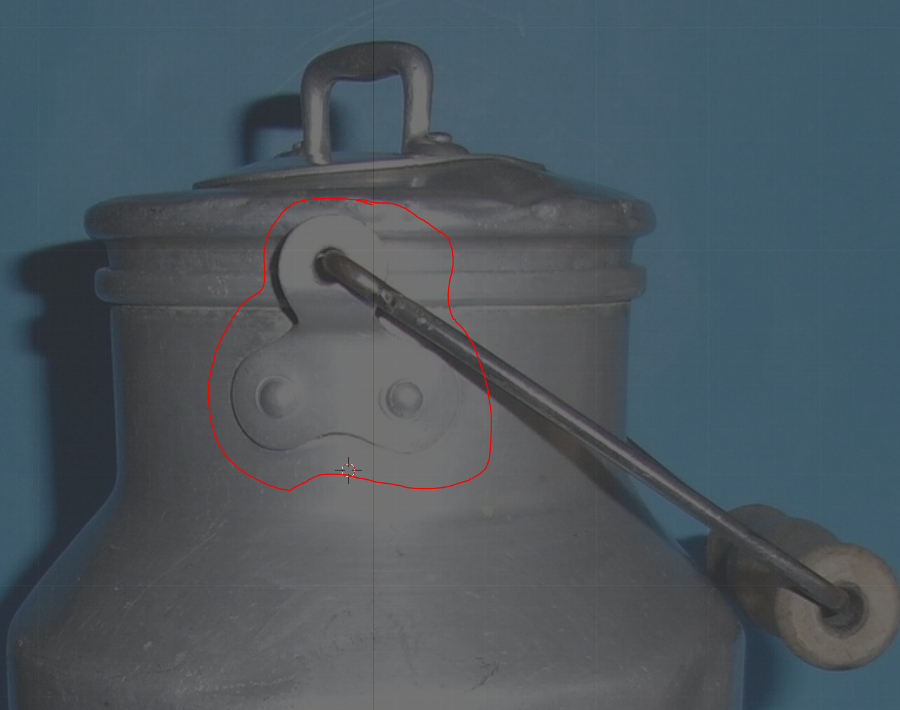
For this I need additional geometry.How can I do that?
If I use Loop cut I will have vertices on areas I don`t neet them.
With subdivide I will produce n-gone around this area.
With shortcut “V” I can split – but this doesn`t really help me.
I saw already tutorials and there was explained how to get rid of the extra vertices (n-gones) by usin edge-slide.
But so far I dont have a correct idea how to managed it.

By the way:In Blender you can found e.g. n-gones:
Edit Mode >Face selection mode
Go to Select >Select All by Traits>Select Faces by Sides
On the Tool shelf, select :”Greater than 4″
there are some more helpful options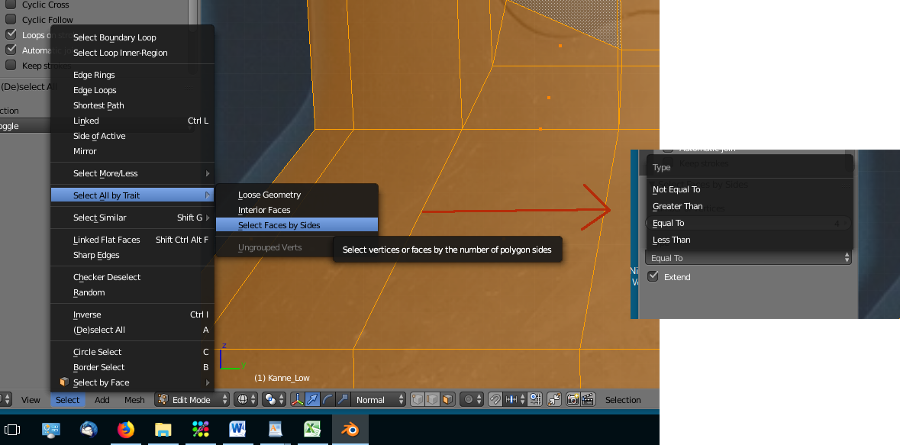 January 14, 2018 at 6:35 am #32534
generally you can think mesh modeling the way the real world object is made of. meaning if its constructed two separate pieces, make two separate pieces. since those pieces are riveted together in real world, there is ever so slight gap between those despite the rivets keeping them together. In this instance there is no need to have them connected.
-
AuthorPosts


- The topic ‘[ENDED] BC1-1801 – January Class Homepage – Getting Started with 3D Modeling & Blender’ is closed to new replies.