
[ENDED] BC1-1801 – January Class Homepage – Getting Started with 3D Modeling & Blender
Forum Archive › [ENDED] BC1-1801 – January Class Homepage – Getting Started with 3D Modeling & Blender
- This topic has 662 replies, 53 voices, and was last updated 8 years, 7 months ago by
LJ Simpson.
-
AuthorPosts
-
December 22, 2017 at 10:52 pm #32235
Homework submission will be expected at anytime during the week of its assignment (as outlined in the description above). So before or after the livestream, either is fine.
December 22, 2017 at 10:53 pm #32236All skill levels are welcome! But we will certainly cover more advanced topics in other 2018 classes. I should probably plan out a full 2018 class schedule…
December 26, 2017 at 7:44 am #32237I love the idea and i’ll do my best to be here !
Just a question about the homework:
Do we have something to do with materials and lights ?
Or do we have to do a 100% grey scene?
Or maybe we can just color a little bit our homework like in the 1st exemple?Thanks 🙂
December 26, 2017 at 1:58 pm #32238@galledark I’m glad you’re participating! You can do either grey or colored scene. Adding colors is slightly more challenging than leaving everything grey. If you’re up for that challenge, go for a colored scene.
December 28, 2017 at 8:14 am #32239Och yes the tire challenge 😀 That was hard, did finally but only by an outside tutorial
January 2, 2018 at 5:13 pm #32240
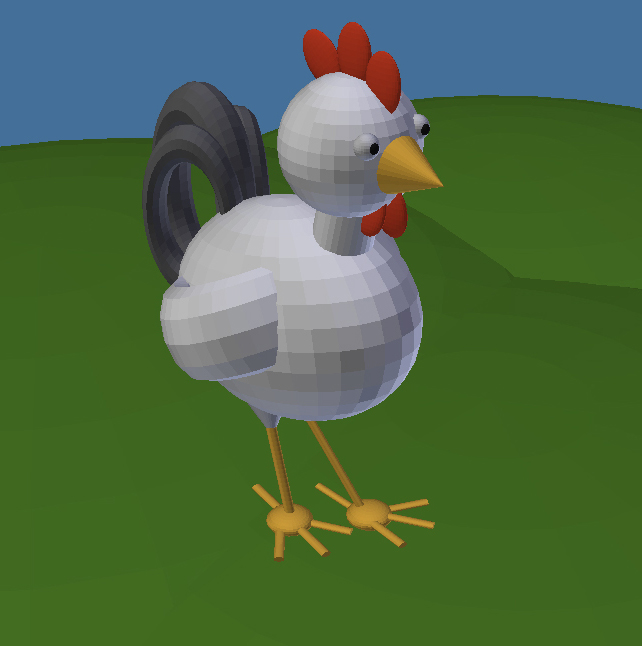
BC1-1801 Week 1 Homework Submission
I had lots of fun creating this chicken. It took around 1 hours and I think I’m an expert now at navigating the platform, rotating, and scaling primitive objects.
 January 2, 2018 at 5:32 pm #32241
Heads up Class: I just updated the topic description with a “Class Announcement #1” section at the top reminding what to do this week.
January 2, 2018 at 5:35 pm #32242@bluegold56 Look at that *colored* primitive chicken! Excellent job with the homework: A+
“I think I’m an expert now at navigating the platform, rotating, and scaling primitive objects.”
That’s what I like to hear! Were you a beginner going into this?
January 2, 2018 at 5:56 pm #32243I got an A+! I’m very excited!! I hope I can keep that up.
I would say I am a beginner. I started taking 3D modeling seriously only in the past 2 months, so I have completed the blender basics course. Before then, I only had curious admiration to 3D modeling without putting any serious work towards learning it.
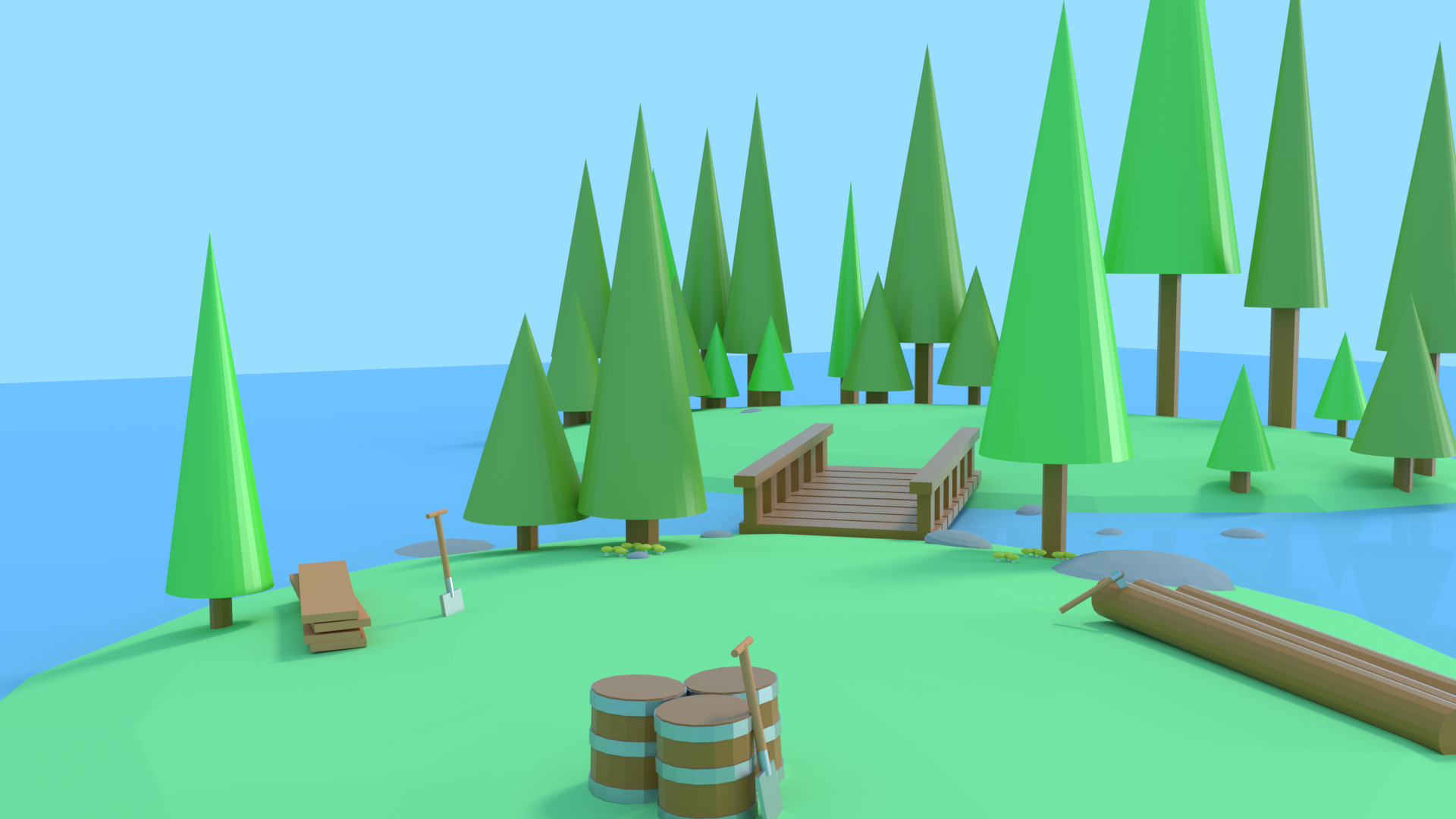
January 3, 2018 at 5:29 am #32244Had fun doing this may of over done it a little (couple of hundred of primitive shapes). Been using blender for a few months but never really got it till I subscribed to CGcookie last month. This course is the best, instead of having no direction of what to do, I have now got a vague description of what to do and better still a time frame in which to do it in.
Looking forward to the next course, just wish that the time difference wasn’t so much in England so I could watch/ participate in the live stream.
 January 3, 2018 at 7:19 am #32245
Very Picturesque. Nice.
January 3, 2018 at 10:03 am #32246No such thing as “over-doing” here, especially when you follow the guidelines. Your primitive scene looks awesome! I love the tall pointy cones for the trees. Like evergreens. A+ 👍
I’m sorry about the time inconvenience for the Live Events. It’s a problem I really want to solve but it seems there’s no ideal answer. If we start to notice a lot of UK/European participation (or any specific region outside the US) we may do a month class catering to that time zone. Still that excludes everyone else..like I said, no ideal answer 😞
January 3, 2018 at 10:28 am #32247BC1-1801 Week 1 Homework Submission
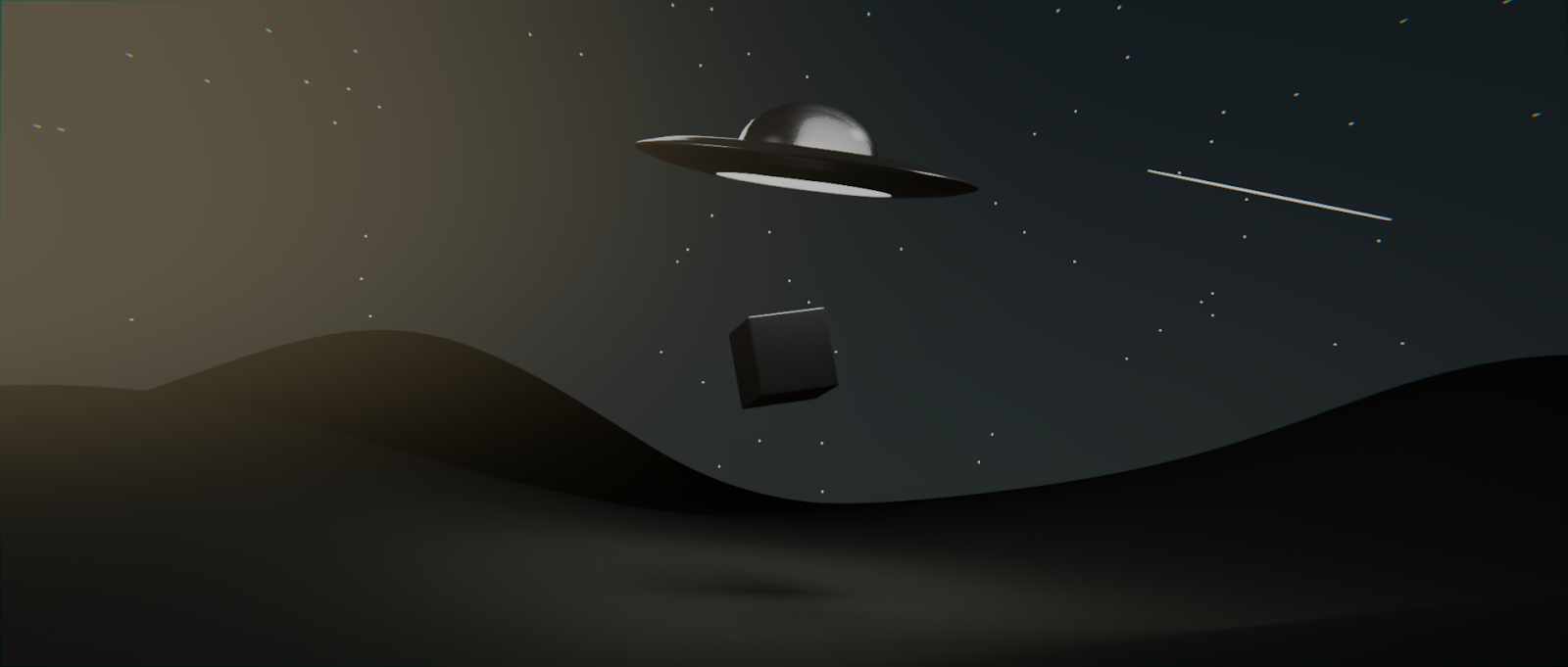
About a month into using blender and I have completed a couple of CG courses and did a little bit of blender guru before my CG subscription. I feel like I’ve latched on to certain things better than others and thought it would be smart to start somewhat from the beginning with this class and understanding the fundamentals better. Repetition will be a good thing!
 January 3, 2018 at 11:11 am #32248
DUUUDE check out that primitive scene! Well, maybe not that smooth, hilly groundplane 😜
I’m kidding. Materials, lighting, maybe even some compositing – It’s awesome! A++. I’m really glad that you’re getting back to basics with this class. I’m keen to hear if you learn anything new along the way.
January 3, 2018 at 3:19 pm #32249In my opinion in Blender it is not an evidence thing how to position objects on each other. Meaning that precisely, so without focusing closely and manually adjusting the objects.
This example tries to show two scenarios – 1) how to put objects on each other and 2) how to put a cube to the corner to another cube.
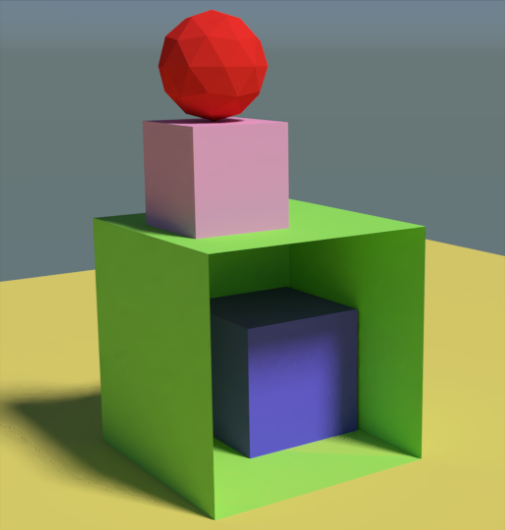
The best method I have seen actually from Kent (as I recall in that robot tutorial), changing the Origin point of the objects and snapping to the another object.
Concretely for the 2) cube corner to cube corner scenario :
- selecting the blue cube and going into Edit mode in Vertex select, then select the vertex which should be snapped to the vertex of the green cube
- pressing Shift – S and select Cursor to Selected
- going to Object mode and pressing Ctrl – Shift – Alt – C and select Origin to 3D Cursor for the blue cube
- pressing Shift – Tab to enable the Snapping, in the beside menu select Vertex as Snap Element and in the beside menu the Closest option
- after that if you move the blue cube, its corner will be snapped to the green one
Please let me know if someone knows some easier method, because typically such shortcuts and order of steps used to frighten the absolute beginners in Blender 🙂 -
AuthorPosts


- The topic ‘[ENDED] BC1-1801 – January Class Homepage – Getting Started with 3D Modeling & Blender’ is closed to new replies.