
BC1-1808 Homework, Yukino Hatake
Forum Archive › BC1-1808 Homework, Yukino Hatake
- This topic has 347 replies, 19 voices, and was last updated 8 years ago by
galledark.
-
AuthorPosts
-
August 18, 2018 at 3:03 am #39310
@yukinoh1989 just see how far you get, nothing stopping you to finish it after class 😉 modeling is slow going when just starting out (and requires lots of mistaking and redoing things believe me I know), but you will become faster and better after some time. Just keep at it and before you know it you can bang out such a house in a day or two 😬
August 18, 2018 at 4:49 am #39311@smurfmier1985
That sure is true . i really look forward to the day i can model this in a day or 2 😀 . That would be awesome.August 18, 2018 at 6:49 am #39312and another update 😀 it really start to get the shapes i want
 does anyone knows if it is normal that i have noise in the renders ? its not much but where there is more shading i have that . wonder if it goes away if i apply materials
For the colums the one that is on the most left side (the one that stands there alone) should i remove that one or keep it ? somehow it looks kinda strange in the middle and if i move it then its just right next to the fence so not sure what to do with that one .August 18, 2018 at 9:02 am #39313@yukinoh1989 looking good!!
It’s pretty common to have noise in spaces with not much light. Adding materials won’t fix that.. Which render engine do you use? Do you make a real render (with F12 and saving the image), or do you make a screenshot? In the last case it’s always noisier because your screen doesn’t use many samples so blender runs smoothly. If it’s a real render, the solutions I can think of are adding light in that area (maybe a porch light?), increase the amount of samples (you can find this in the render tab of the properties panel, more samples gives a cleaner image but watch out it also increases your render time!) and making sure the denoise function is turned on (also in properties panel though I don’t know where in 2.8 I’m not behind my laptop right now).
Try moving the column halfway to the left, so it’s not in the middle and not touching the fence. Maybe that looks better?
August 18, 2018 at 9:33 am #39314Thank you gonna check it this night. have to go to a bbq nog. i also gonna try to move the column and see how that looks . i render with cycles and then take render image and then there save images.
August 18, 2018 at 9:42 am #39315@yukinoh1989 In that case the suggestions I made will improve the noise greatly, works very nice for cycles. Have fun at the BBQ! 😎
August 18, 2018 at 9:51 am #39316@smurfmier1985 I sure will . could use some break . have quit a lot headpain since yesterday .
of you have suggestions on change let me know. also if you make a scene and know you wont see the back of the house, i supose we dont have to spend time to model that then right?
August 18, 2018 at 9:54 am #39317@yukinoh1989 To save time you could let that be if it’s not in the render 👍🏻 And I’ll take a closer look later today to see if I see anything that could be improved.
August 18, 2018 at 10:35 am #39318@yukinoh1989 after looking at this, and this is my opinion you have no obligation to follow this ofcouse, I would take the remaining time to finish the house nicely, give it some details. Maybe a fence around the balcony, a door to the balcony, some chairs and a parasol on it, plants. Maybe some shingles on the roof (dakpannen) so it doesn’t look so bare. Also on the garage or what that is on the left the lower roof with the pillar. Maybe even wooden planks on the balcony or some tiles. Some Weedles up there. Just some ideas to make it look nice and finished 😊 Start with the bigger details (like a balcony fence and something on the roof) so if you don’t have enough time to make all the details you want it still looks like a nice big house.
August 18, 2018 at 11:41 am #39319@yukinoh1989 This house project is really a good topic selection for modifiers, due to the repeating elements, anyway congratulations for your Week 1 homework as it got to the most memorable submissions in Kent’s live stream
August 18, 2018 at 11:47 am #39320those are some Nice idea’ s indeed a fence on the ballons will come. but i indeed forget the door for the balcon. after this course i gonna try to remodel this without triangles. and with the inside too afterwards . this is really fun to do. but there are so many things i want to do not that its hard to know what to try first. but ill focus on the important parts to finish this scene. i maybe can get to combine several things for the last class and add more things . or maybe ill build a new house might do that too
August 18, 2018 at 11:55 am #39321@csehz thank you so much. i am happy to hear this from you. i did put in everything i could. as well am i doing it again now. mostly each day i Works like 6 hours. today 8 hours since i had more time.
can someone tell me the triangles is it possible that i got them by sing the bevel tool? and if so should i avoid this with modeling and use loop cuts instead or isnt that a problem
August 18, 2018 at 12:00 pm #39322@yukinoh1989 Okay, there are a *lot* of ways to help reduce noise, so lets go over a few ways.
A: Increase render samples.
Probably the easiest to understand and most common method of getting rid of noise, otherwise known as “fireflies” is but simple increasing the samples. Depending on the complexity of your scene to what other options you have turned on or off you will want this anywhere between 200 and 2,500. To adjust this setting, it can be found under the Performance dropdown in the Render panel.
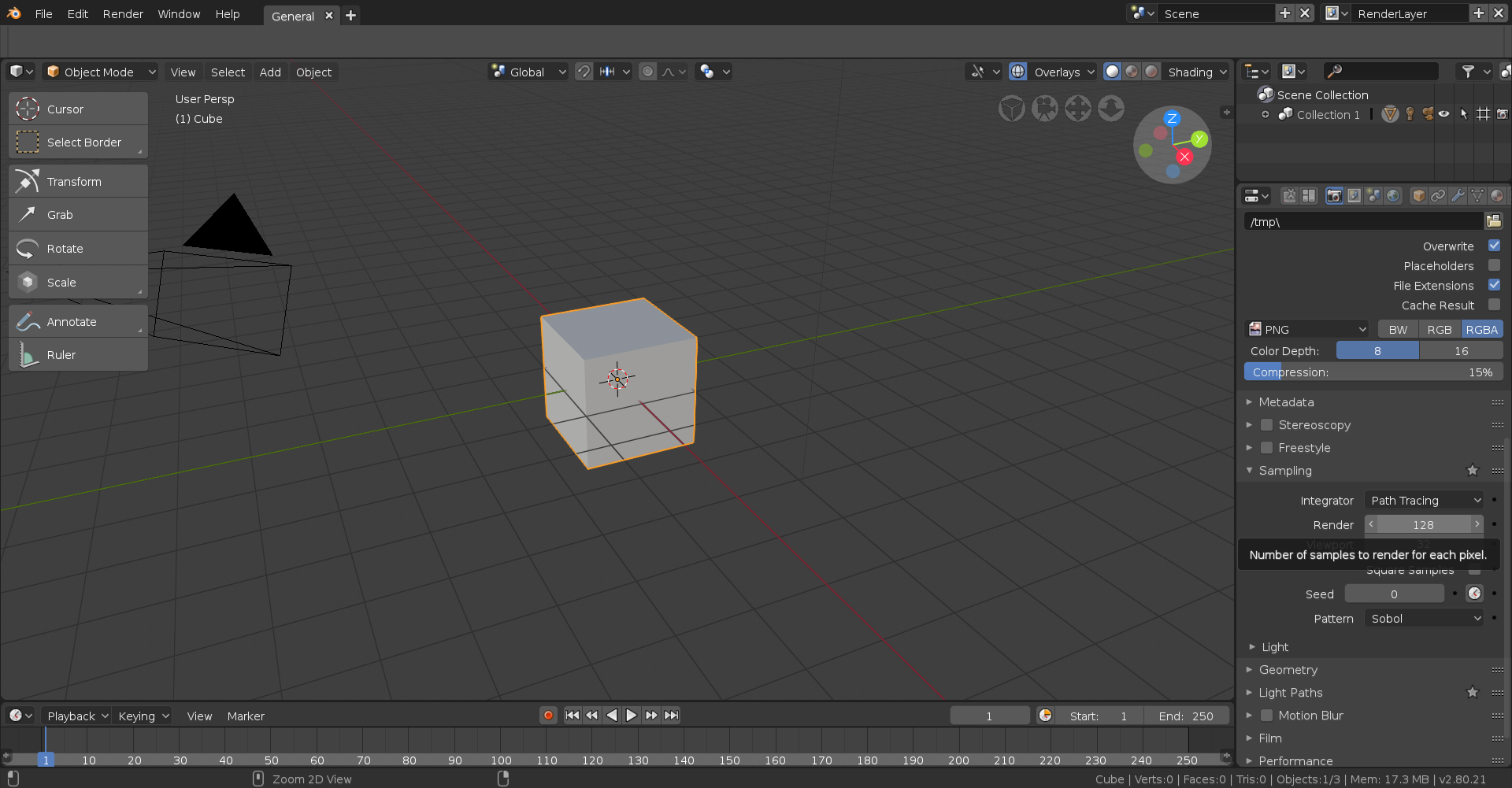
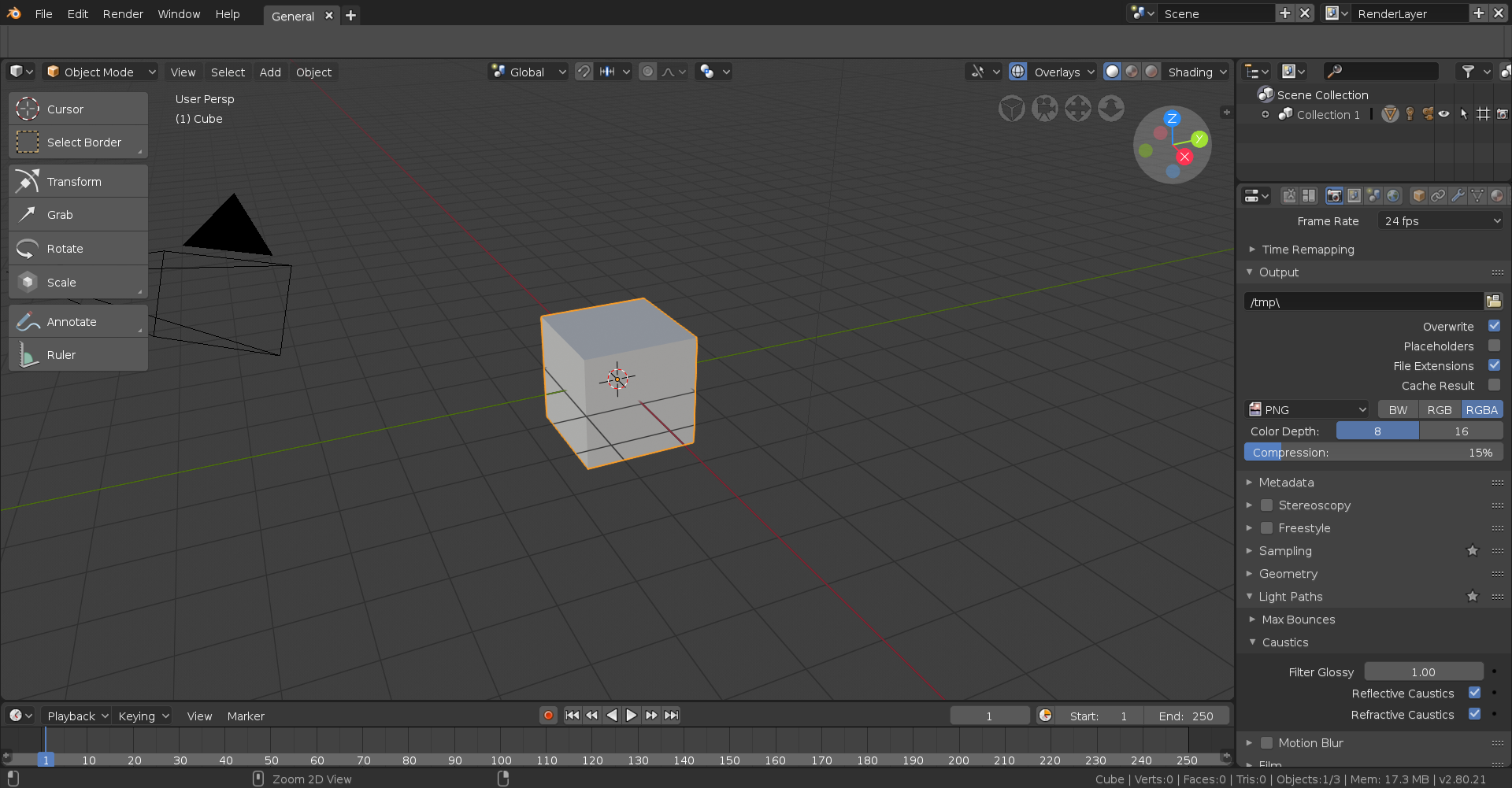
B: Disable Reflective & Refractive Caustics
Caustics are related to light paths, more specifically through translucent surfaces. Unless you’re going for photorealism you can safely turn these off and not only will it decrease noise but it will also decrease render time too. They can be found under the Caustics dropdown which is under the Light Paths dropdown in the Render panel.
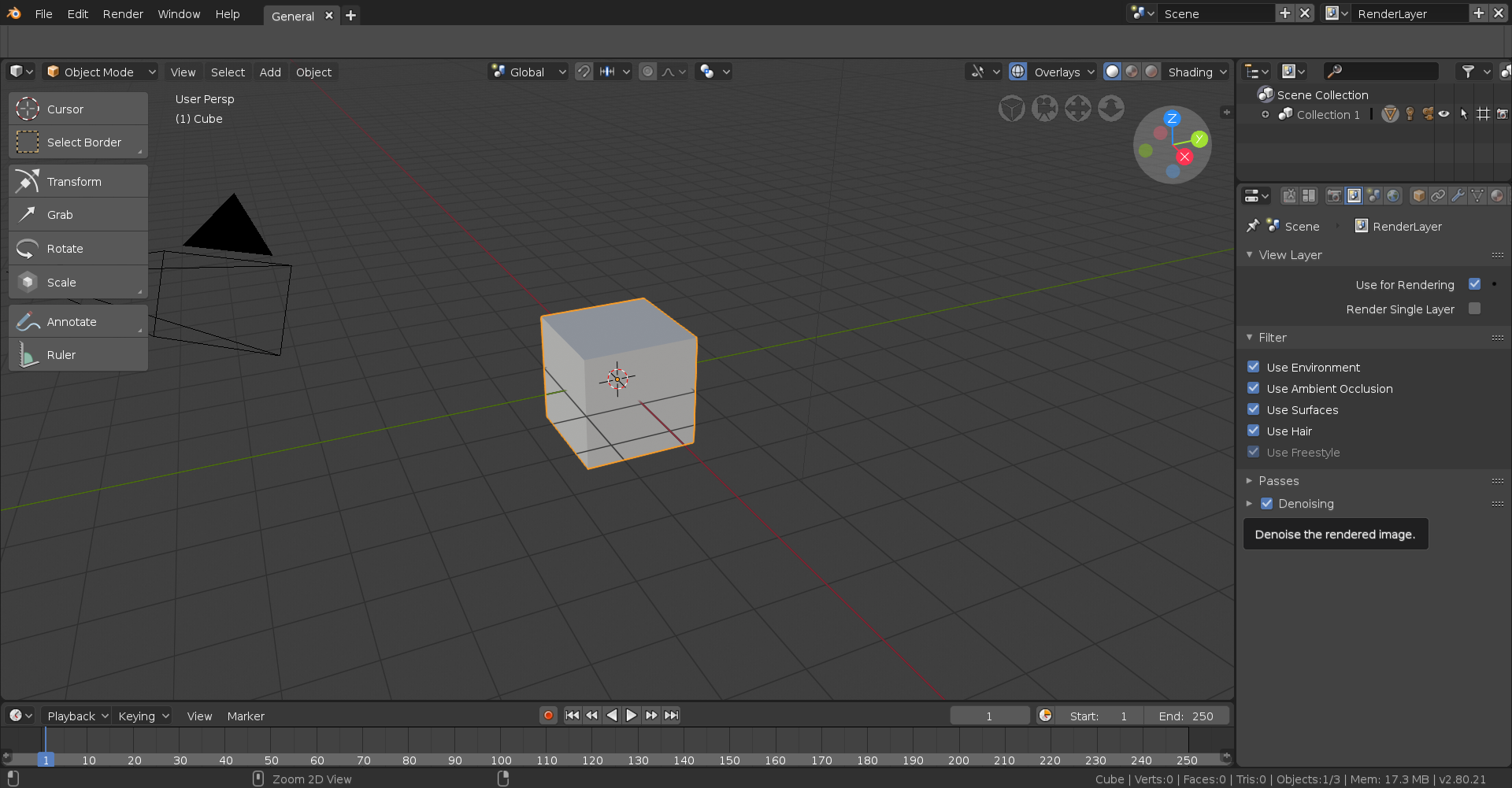
C: Enable Denoising
I’m not sure what kind of satanic black magic the people over at Blender had to invoke to get this kind of thing to work but enabling this just insanely improves noise reduction and by proxy render time, though it can admittedly look somewhat funky at times. This can be found under the View Layer panel. There are a few options to tweak but I’ve honestly never touched them.
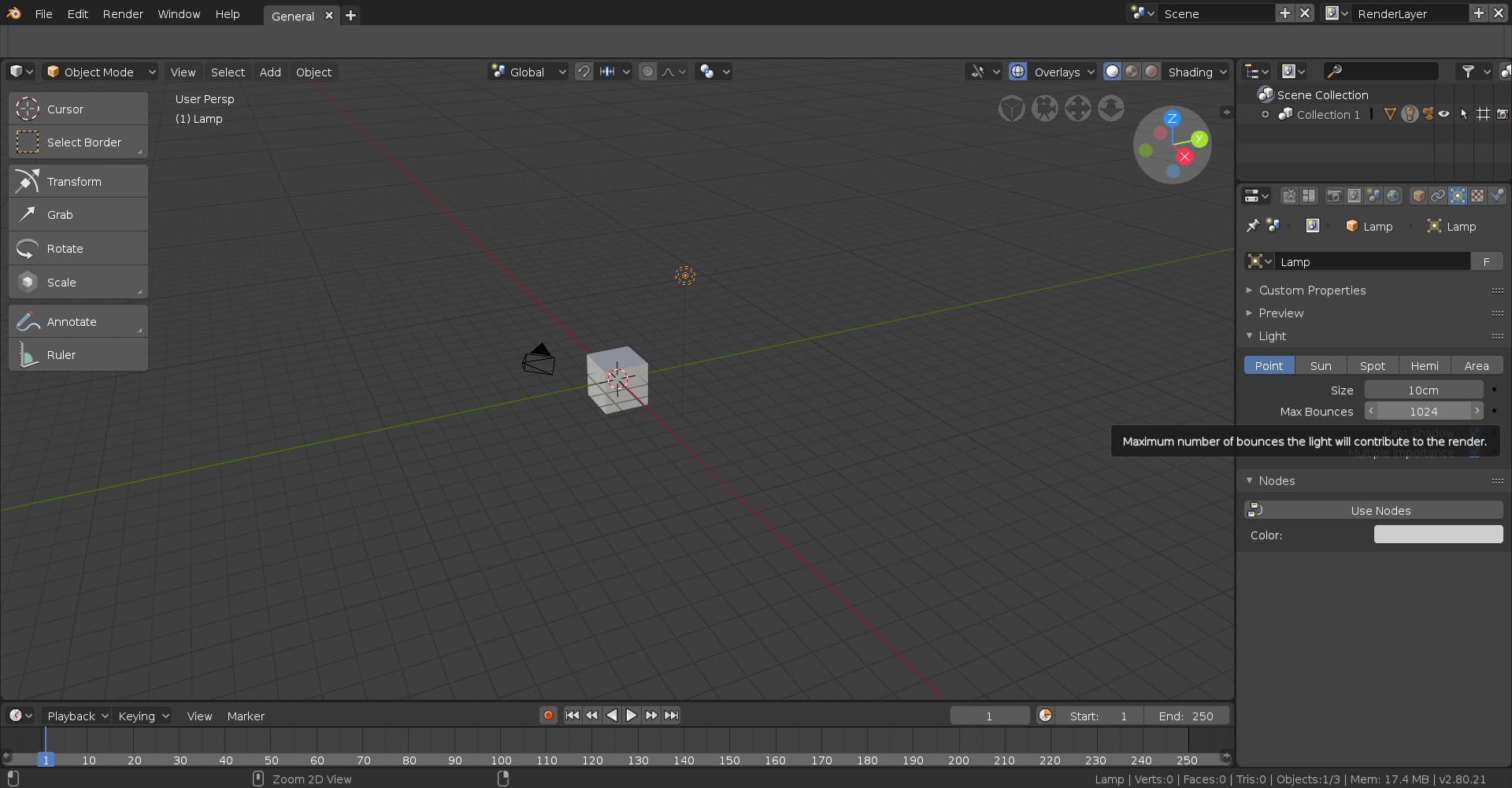
D: Increase Max Bounces
This essentially determines how many times a ray of light is allowed to bounce around in a surface, most noticeable in translucent surfaces and surfaces affected by Subsurface Scattering. I’ve honestly never really tweaked with this a lot but do be warned it can drastically increase render time depending on the amount altered and the scene itself. It can be tweaked per light source when that light source is selected under the Data panel.
There are quite a few other ways but here’s just a few ways to reduce noise in you scene, hope this helps!
August 18, 2018 at 12:08 pm #39323@thecabbagedetective Thank you so much i gonna try this out this night . seems there are a lot of ways to get rid of the noise .
August 19, 2018 at 10:17 am #39324It worked to get the noise out of there 😀 thanx a lot
now for my homework (still gonna try to update the house( had to go to the hospital today with my mom since she fell and had pain. got 2 broken ribs, but i am happy she didnt hurt her hands or back since she had several operations there and has screws and plates in there .)
now the pictures (also gonna update them this evening onto my first message)
the pan
Phone cord
the house
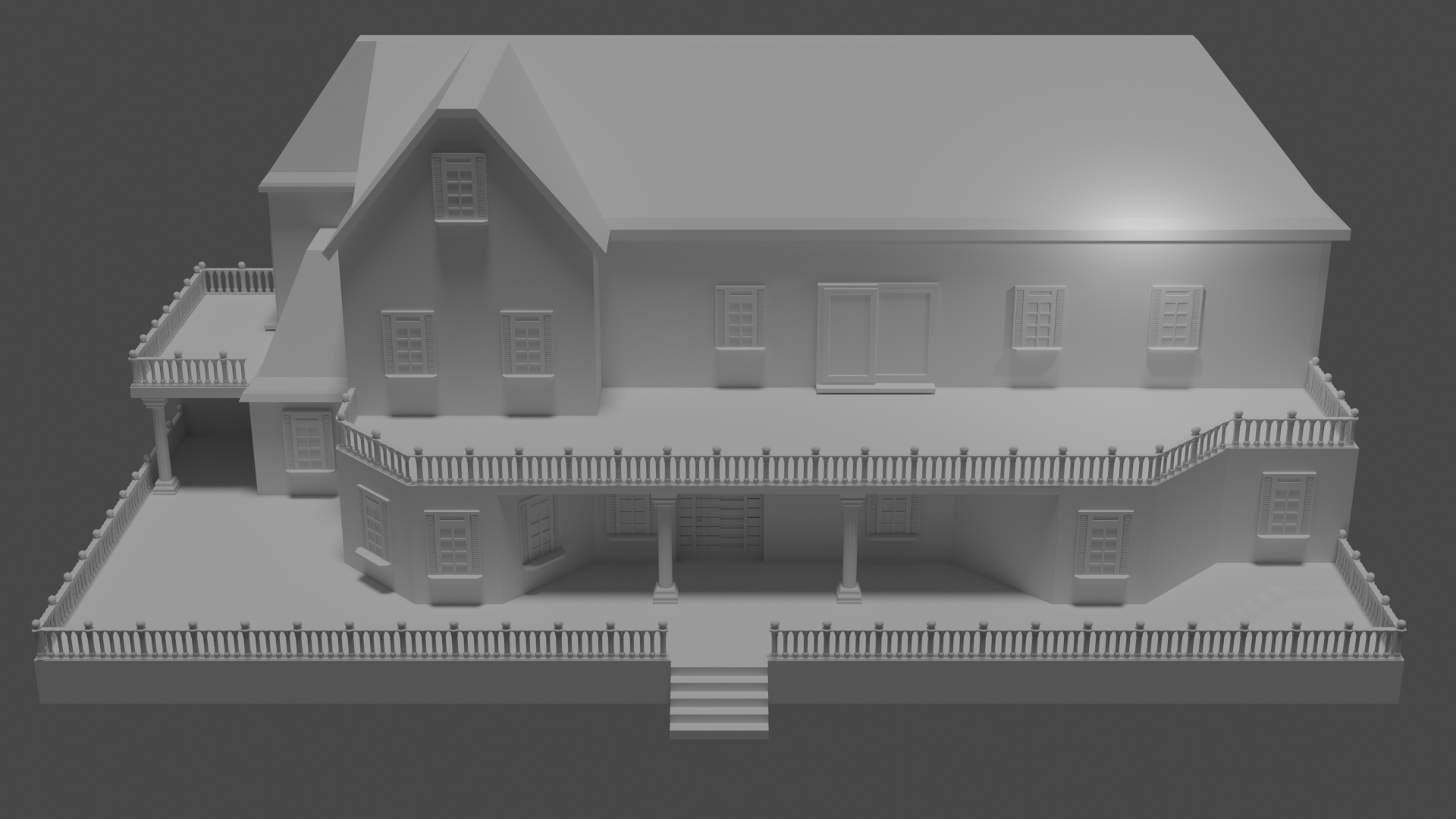
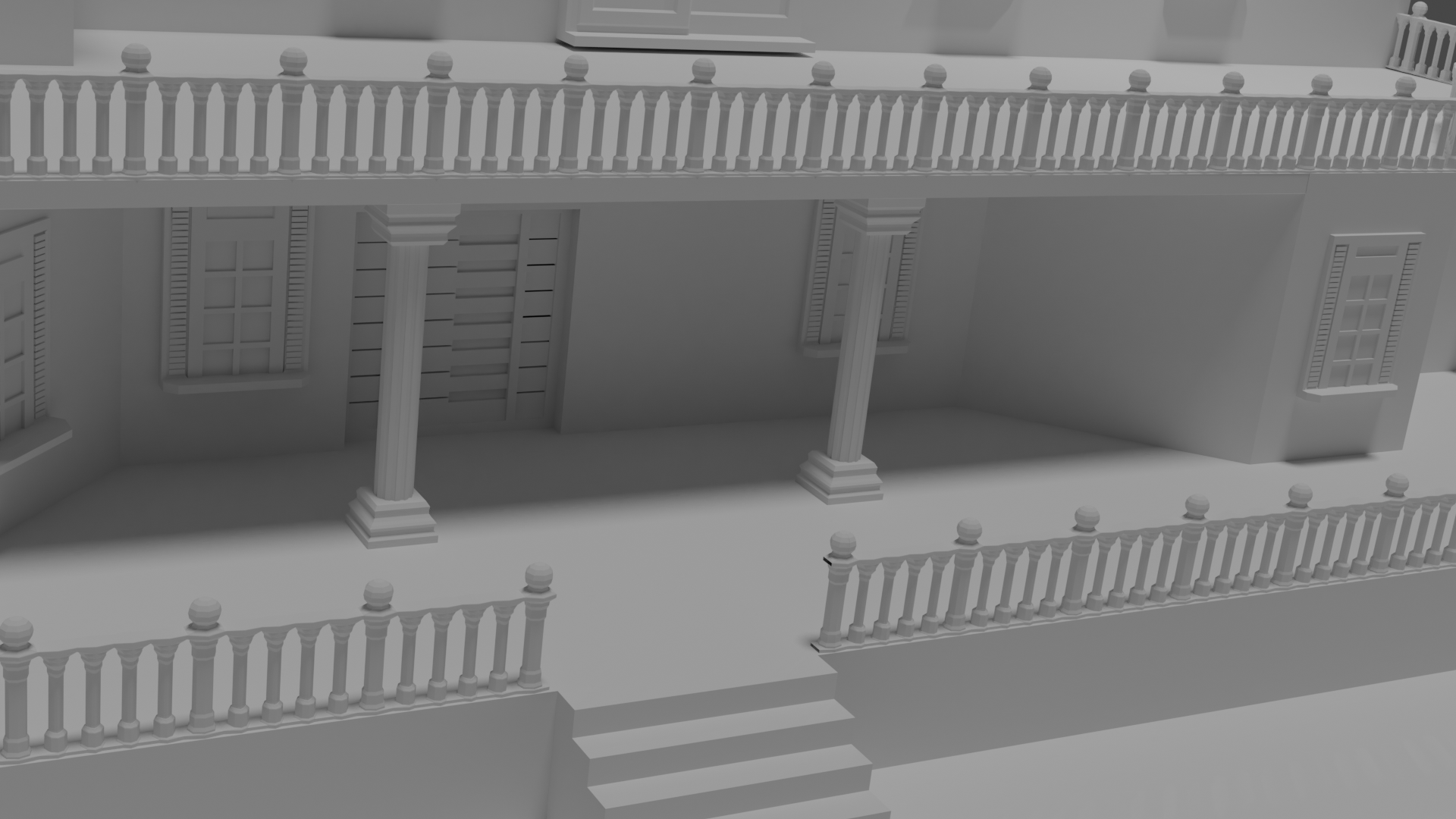
so ill see how things go with my mom and how much time i have left to maybe add someting (also just noticed i need to lower the upper door (slidedoor) since its not touching the floor xD
-
AuthorPosts


- The topic ‘BC1-1808 Homework, Yukino Hatake’ is closed to new replies.