
Omar Domenech’s Demo Reel
Forum Archive › Omar Domenech’s Demo Reel
- This topic has 413 replies, 25 voices, and was last updated 6 years, 7 months ago by
Omar Domenech.
-
AuthorPosts
-
June 13, 2019 at 4:21 pm #46799
@dostovel alright, rendering away now…
June 13, 2019 at 4:32 pm #46800@arev Great, I see yours rolling in. Thanks Arev.
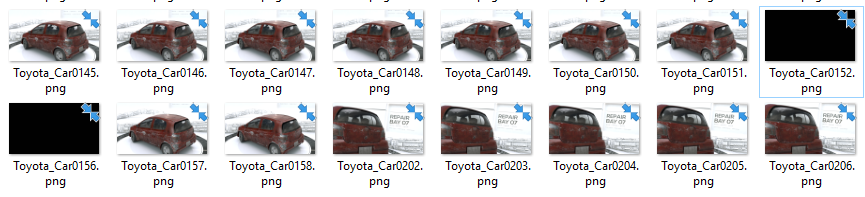
June 13, 2019 at 6:57 pm #46801Frames 152 and 156 are broken. I will update the small video test in the folder, same location.
EDIT: All fixed now. Also removing doubles. Testing all files before doing something of course.
 June 13, 2019 at 11:00 pm #46802
@dostovel Sorry for any duplicates, but I think I have everything hammered out now. Hopefully. 🤞
June 14, 2019 at 1:33 am #46803I am a bit confused: I followed the instructions and am using Insync on Linux. Is it supposed to download all the finished EXR’s to my computer? Not that I mind, but the syncing takes forever!
I have never done anything like this, so I don’t know if this is how this should work, but it seems a bit strange to me….
June 14, 2019 at 8:02 am #46804@spikeyxxx I think that is the software @theluthier said was giving him trouble on Linux, he had to buy a paid alternative which works fine. Syncing is taking forever probably because there are at least 5GB of EXR files at this point on the shared folder on Google Drive, so it’s syncing all those files first and that can take a while. After it is done syncing (we are on frame 400 at the moment) if you hit render, your computer would start rendering frame 401.
June 14, 2019 at 8:02 am #46805@spikeyxxx Yes, that’s the nature of syncing and it’s particularly good for rendering. The reason being that Blender looks in that folder for frames that are already rendered so it can skip them and start working on un-rendered frames.
You could work around this. You could tell lsync (or officialgoogle drive app on mac/windows) to not sync the frame files themselves via the selective sync preferences. NOTE you’d have to uncheck each rendered file (so 395 checks based on the count as of the time I’m typing) but leave the folder still syncing.
This means the files stay in the cloud but aren’t duplicated to your local hard drive. IF you go that route, you would need to open the .blend file and change the start frame to align with the frames already rendered to the cloud (which you can check via the google drive website). Then your renders would still go to the cloud but you would have skipped waiting for 395 existing frames to be duplicated to your local drive.
I recommend the first way, just letting everything sync and then start rendering. But the second option is doable.
June 14, 2019 at 8:22 am #46806I see other people coming in to render! @thecabbagedetective Thanks Ay-Ay Ron for contributing. And there’s also Sheila Francl, who I don’t know, but thanks so much. I hope it doesn’t feel invasive to be chekicng that stuff out 🙈
 June 14, 2019 at 8:34 am #46807
@spikeyxxx Also if you decide to move the timeline on the blend file forward to match where its currently rendering, remember not to ever hit SAVE in the .blend or that change will propagate to everyone.
June 14, 2019 at 8:53 am #46808@spikeyxxx @dostovel To clarify, “Open Drive” is the free app that didn’t sync reliably and “Insync” is the paid app (free 15 day trial) that works great so far.
Looks like the folder is at 9.5 GB. If I did my math right, the completed sequence should be around 13 GB. That’s good so we don’t have to halt rendering and transfer frames in the mid-way through.
June 14, 2019 at 9:33 am #46809@theluthier Well, that’s a relief! I will be out of the country for a few days, so I can render about 90 hours at a row. My pc is old and I can’t render on GPU, but still, everything counts…I hope I will get this to work, I haven’t seen Omar’s instructions yet…
Only 66 items left to sync now.
June 14, 2019 at 10:04 am #46810@dostovel there was a request on discord, so I tried to help for a bit, but now I need my pc again. Hope to see the end result!
June 14, 2019 at 10:14 am #46811@sheila5 Thanks for answering the call.
June 14, 2019 at 10:35 am #46812I updated the test frames video on the render output folder. Frames from 1 to 396 are a-ok 👍🏼
I hope that with editing and music it feels more lively that how it looks now.
June 14, 2019 at 12:38 pm #46813@dostovel I think it looks very lively; high energy. Looking super sharp dude 🤘
If I did my math right, the completed sequence should total about 13 GB. That’s good so we don’t have to transfer frames mid-way through.
-
AuthorPosts


- The topic ‘Omar Domenech’s Demo Reel’ is closed to new replies.