[ENDED] BC3-1806 – June 2018 Class Homepage – Vehicle Modeling with Blender

Forum Archive [ENDED] BC3-1806 – June 2018 Class Homepage – Vehicle Modeling with Blender

Viewing 15 posts - 466 through 480 (of 1,277 total)
  • Author
    Posts
  • #35521
    Kent Trammell
    Participant

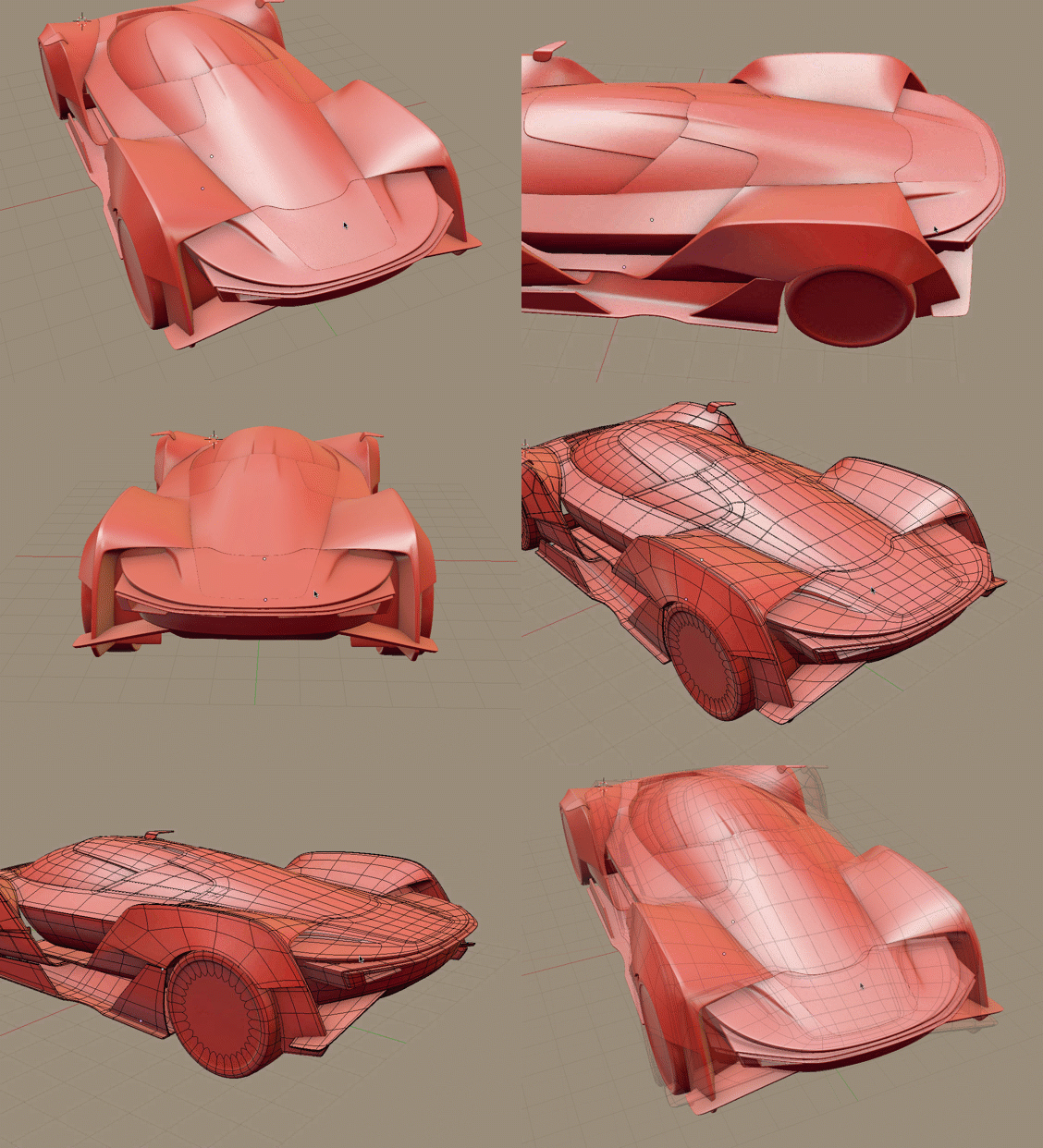
      @yoddathehunter Really solid topology, Eyad; clean and even. I too am working on the rear of Milen’s design at the moment. I interpreted it a little differently:

      From the top-rear of the cab (cockpit?) to the back fin, I interpreted the slope to be fairly flat where you have a hump. These renders from Milen have helped me.

      #35522
      Kent Trammell
      Participant

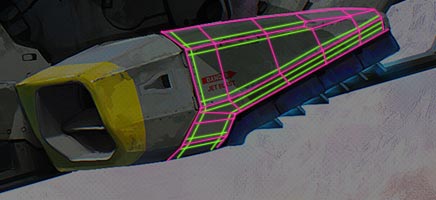
        @baukepost Here’s how I would do the topology for that corner (main topology in pink, holding edges in green):

        I interpret that shape to be more faceted than round which is ideal for a corner like that.

        #35523
        Eyad Lotfy
        Participant

          @theluthier thanks Kent, I hope by the end of the Homework submission u would upload the complete model(with wireframe) on sketchfab, that would help me alot, thanks 🙂

          #35524
          Palo Piktor
          Participant

            @theluthier Thats awesome to “hear” that. Thank you, i really appreciate it.

            Here is wip from day 2.

            #35525
            Michallis Pashidis
            Participant

              @thepainter realy like your progress!

              #35526
              Bauke Post
              Participant

                Guys, I officialy love the shrinkwrap modifier; it makes my life sooo much easier when working with sharp cutouts on a smooth mesh.

                As you can see, my default mesh had some pinching because of the geometry around the sharp corners. However, when I tweaked it a bit a projected it on a simplified mesh, it improved a ton. 

                By the way: does anyone of you know if Maya has a comparable function?

                #35527
                William Miller
                Participant

                  @baukepost Why, do you use Maya?

                  #35528
                  martin lisen
                  Participant

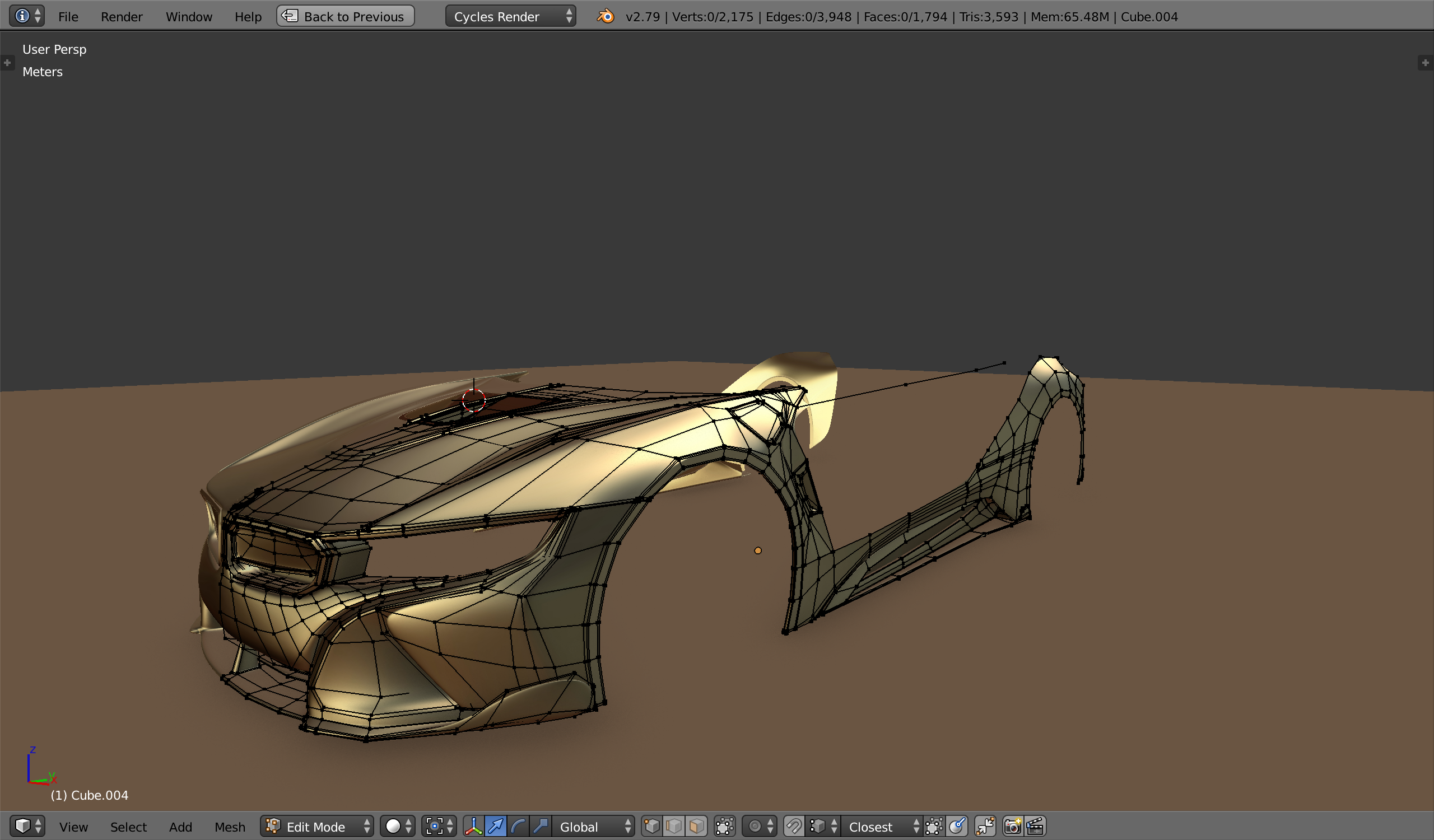
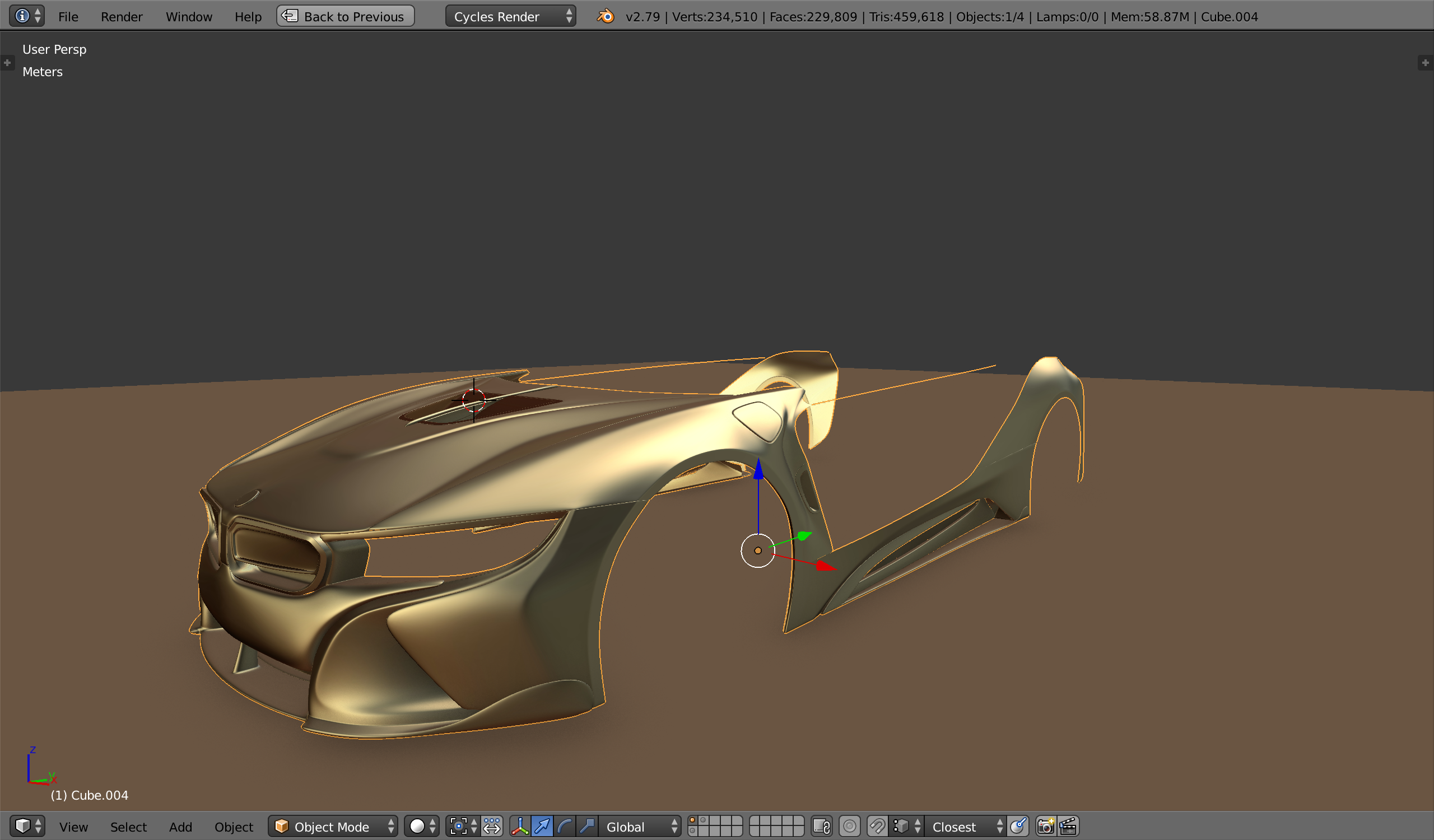
                    It’s easier than yesterday, I hope to finish before the next class.

                    100% quad check on top : 229 809 faces *2 = 459 618 Tri with subDiv.

                    #35529
                    Aaron Rudderham
                    Participant

                      Well this is what I have so far after today:

                      Naturally gonna texture it properly when done, but aside from the odd unnecessary vert I think I’ve done fairly well for my first attempt. Whilst there’s not much to go on here any feedback is welcome.

                      Recently realised I’m going to have to model (sculpt?) the hood ornament found on Rolls Royces. I think this is gonna be the hardest part by far haha.

                      #35530
                      Michallis Pashidis
                      Participant

                        wip end of day… slowly but I’m getting there

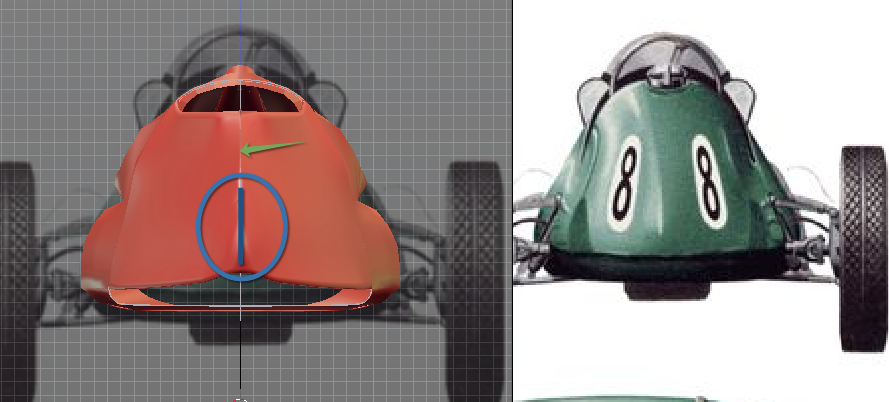
                        Does somebody have advice for mesh when I need a pinch in the back.

                        I want to have a slightly pinch on the back, but only where it’s marked blue – i’m not sure of the topology I need for that:

                        #35531
                        John Garrett
                        Participant

                          WEEK 1 HOMEWORK

                          Hi all, struggling to catch up.

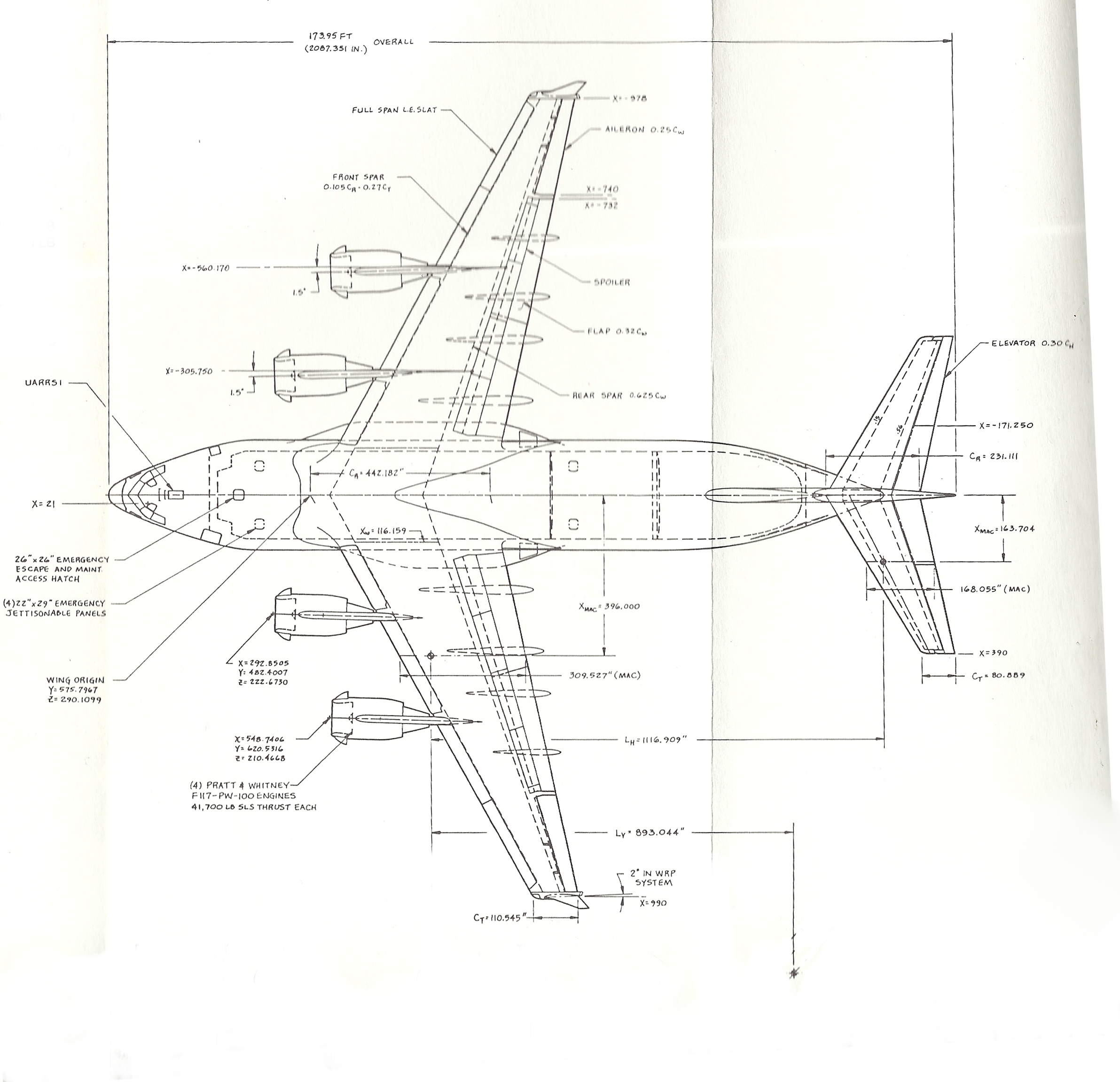
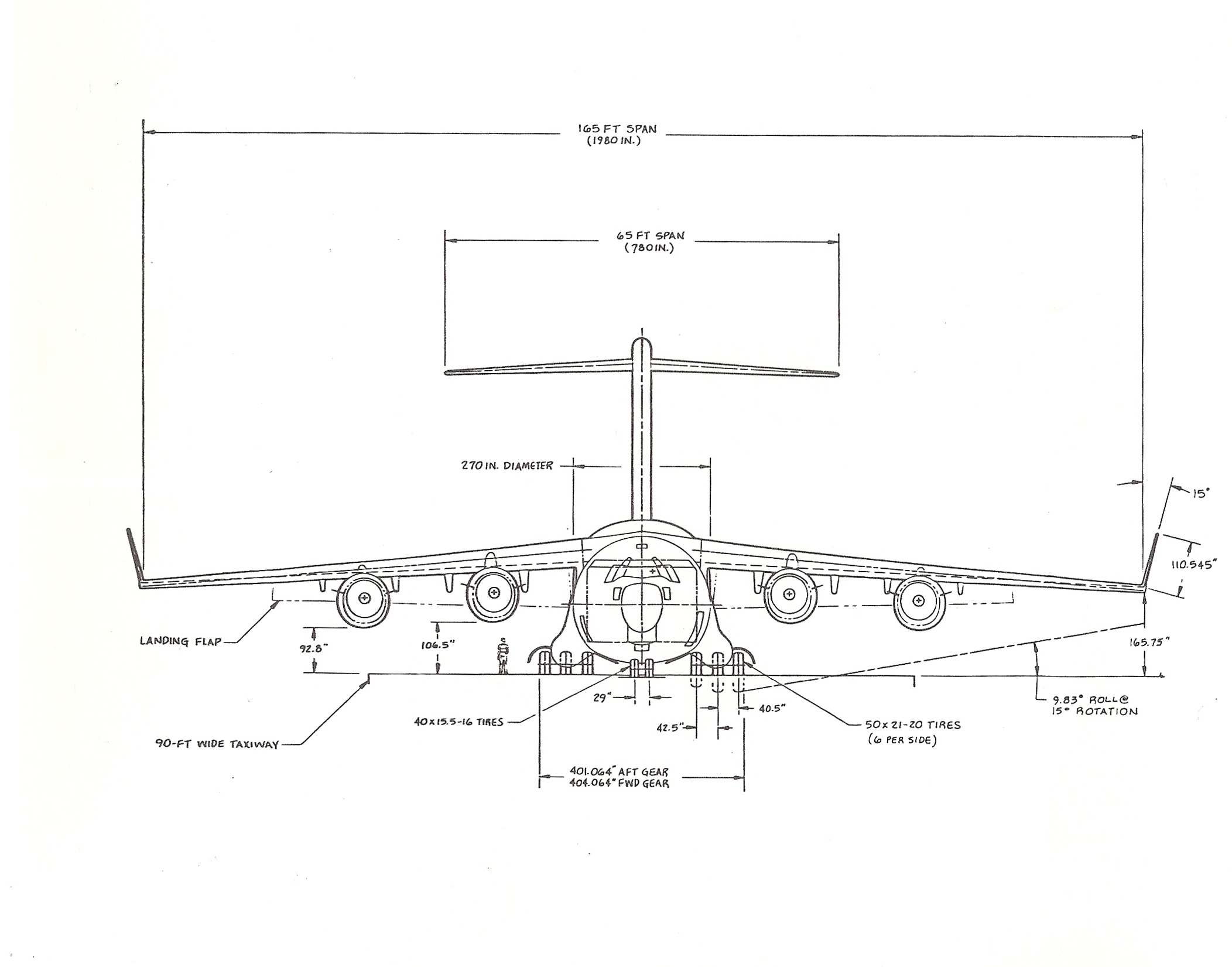
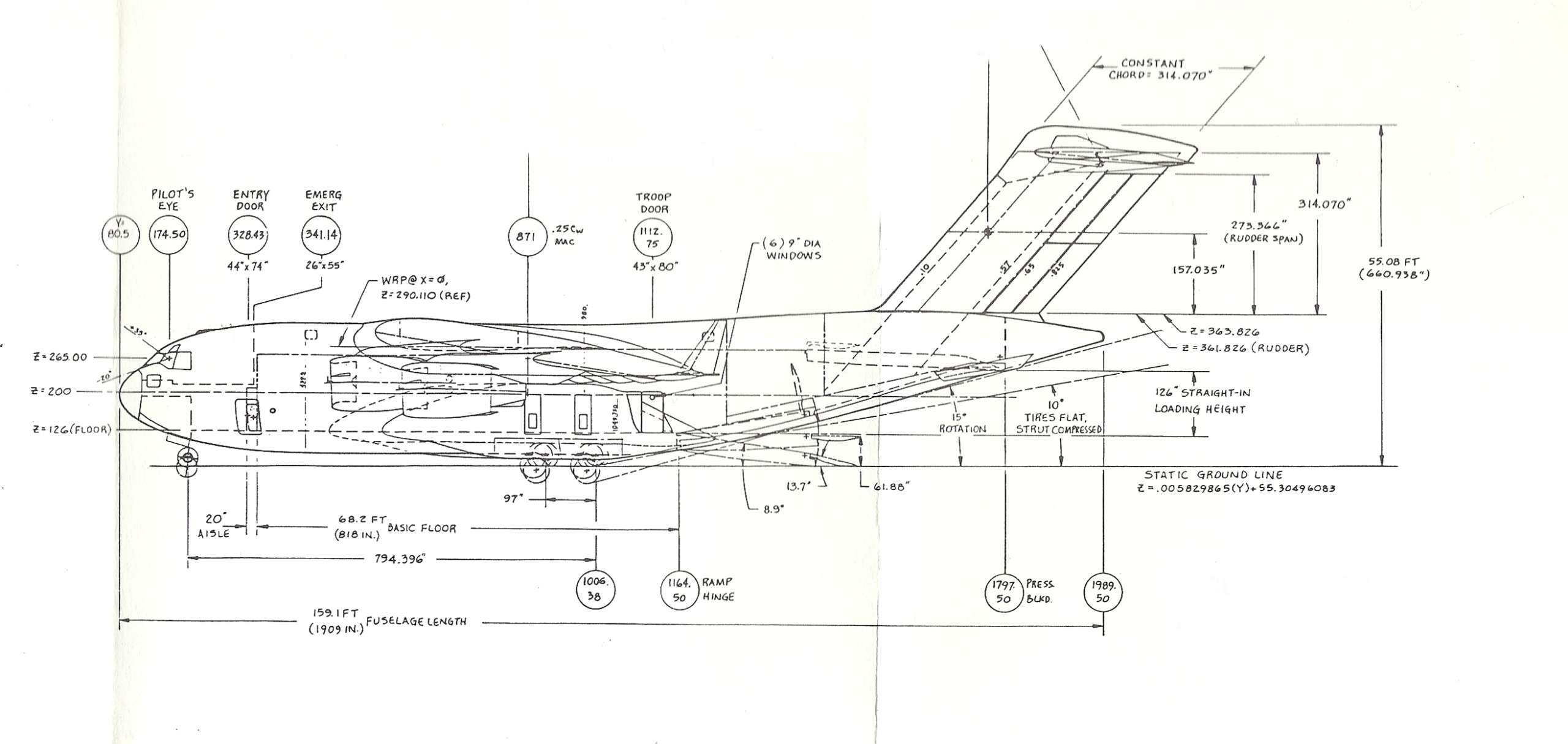
                          Here are the Blueprints for my selected vehicle: Boeing C-17 Airlifter

                          Top/Plan View
                          Front View

                          Side View

                          ~John

                          #35532
                          Logan Meeks
                          Participant

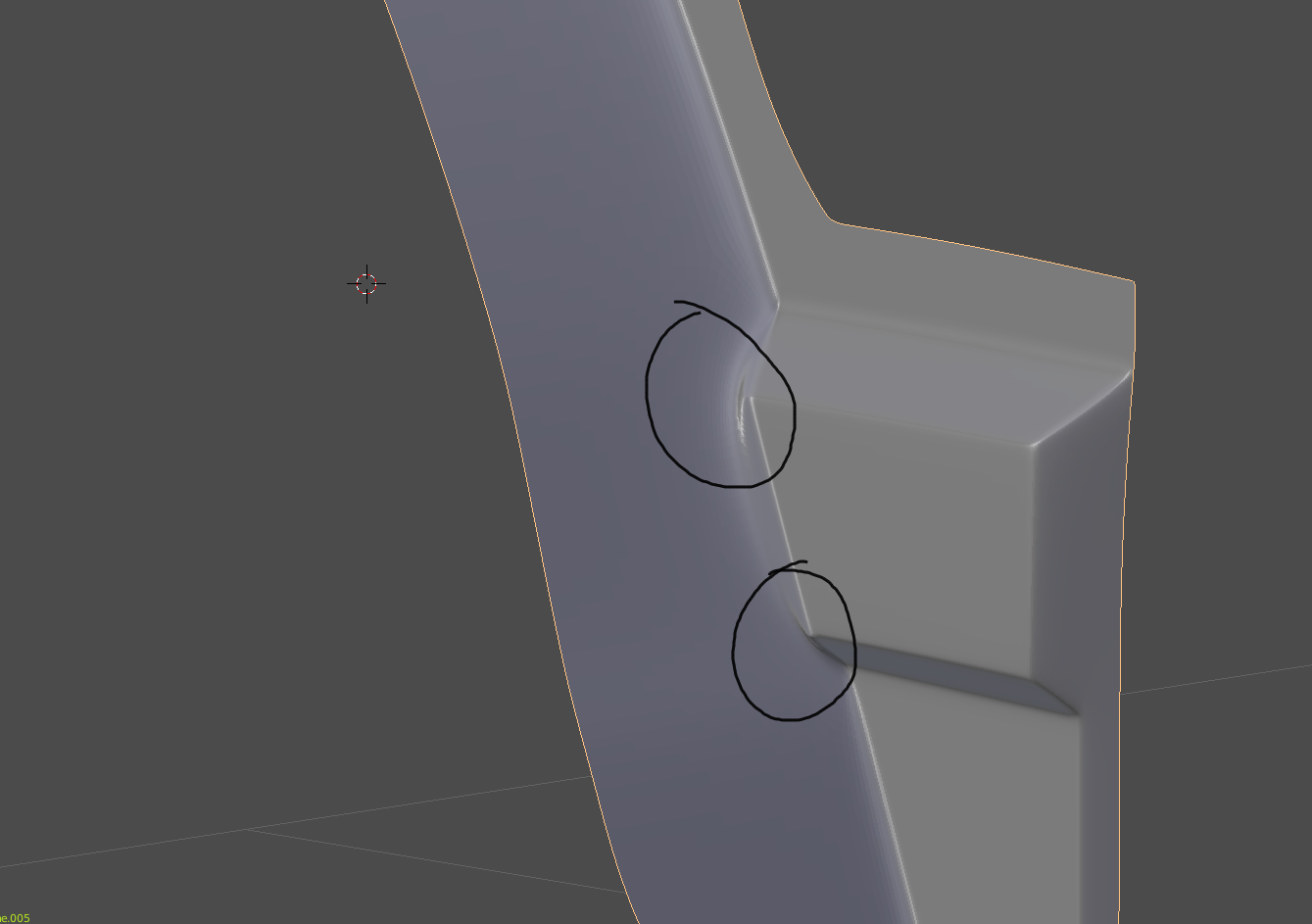
                            I could really use some help figuring out how to topologize this junction. I can’t seem to get it to look right. Right now, I have pinching and the curve of the fender is no longer smooth. This is what it should look like…

                            But this is how it looks right now…

                            #35533
                            Logan Meeks
                            Participant

                              oh, and here’s my terrible topology…

                              #35534
                              Jake Korosi
                              Participant

                                This is hard!  It should be called DIFFICULT-surface modeling, so that people have a better understanding!

                                Well that’s not really fair.  I’m not running into any problems, yet; it’s just my particular vehicle has very few flat or regular surfaces, so it seems like I’m having to individually fiddle with every single vertex, sometimes more than once.  It’s arduous work.  Getting it done, though.

                                #35535
                                William Miller
                                Participant

                                  Modeling all those mechanical parts was hard!

                                Viewing 15 posts - 466 through 480 (of 1,277 total)
                                • The topic ‘[ENDED] BC3-1806 – June 2018 Class Homepage – Vehicle Modeling with Blender’ is closed to new replies.