
[ENDED] BC3-1806 – June 2018 Class Homepage – Vehicle Modeling with Blender
Forum Archive › [ENDED] BC3-1806 – June 2018 Class Homepage – Vehicle Modeling with Blender
- This topic has 1,276 replies, 54 voices, and was last updated 7 years, 8 months ago by
Paul Haynes.
-
AuthorPosts
-
June 13, 2018 at 10:45 pm #35506
Okay, I can’t do a video but I did some screenshots maybe that helps.
Background: In this case I seperated out the trunk lid from the body of the car and I wanted a small gap between the 2.
You can see the subsurface from the body bleeding over the trunk surface at the corner.
So I turned the sub on the body off, then extruded the vertices to give it some ‘thickness’ . Then I selected edges and gave them a crease value of 1.0. It seemed to work
 June 14, 2018 at 4:02 am #35507
@williamatics That will be a better idea . I know almost nothing about shading and whenever i watch a tutorial and try to understand something i get the more confused. 😀
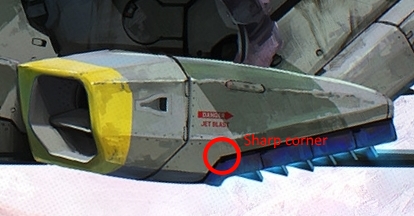
June 14, 2018 at 5:40 am #35508For the distortion you mention, the part that is encircled in yellow is quite usual when you have a sharp feature, it’s the purpose of such sharp edges: catching light. The red part is indeed a little bit unusual.
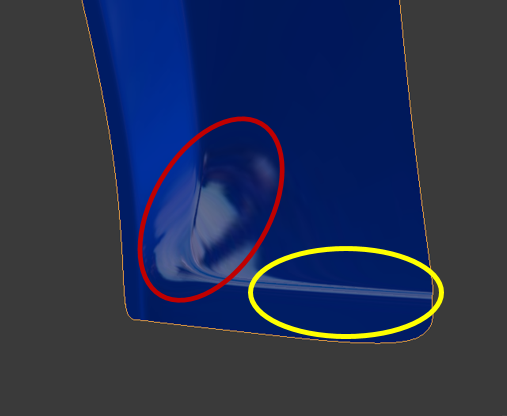 As William says, having more circular loops should help having more flow on your mesh, and could improve a bit the red area. Also, looking at your mesh, are the red 4 vertices in the same plane ?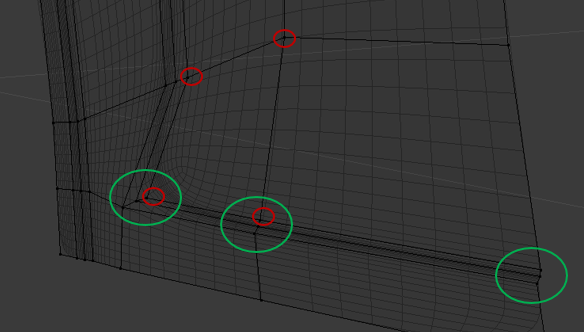
I would aslo look at the distance along the Y-axis for the sets of vertices in the green groups: you have a very dense mesh in a short distance, it can sometime lead to distortion.
Finally, try also with different shiny matcaps, some have low resolution and can be misleading. It can also be due to the orientation of your object: try to rotate it (double R can useful!) to see how the light behave on this area.
Hope that helps!
June 14, 2018 at 8:27 am #35509@martinlisen Looking good, Martin. I like that you’re keeping your mesh density low. Seems like you’re working in the sweet spot of minimal/optimal. 👍
June 14, 2018 at 8:51 am #35510@thecabbagedetective I’d say your topology is acceptable but it could be improved. Namely I think the basemesh is more dense than it needs to be in areas. For example the wheel well shape could be achieved with less edge loops:
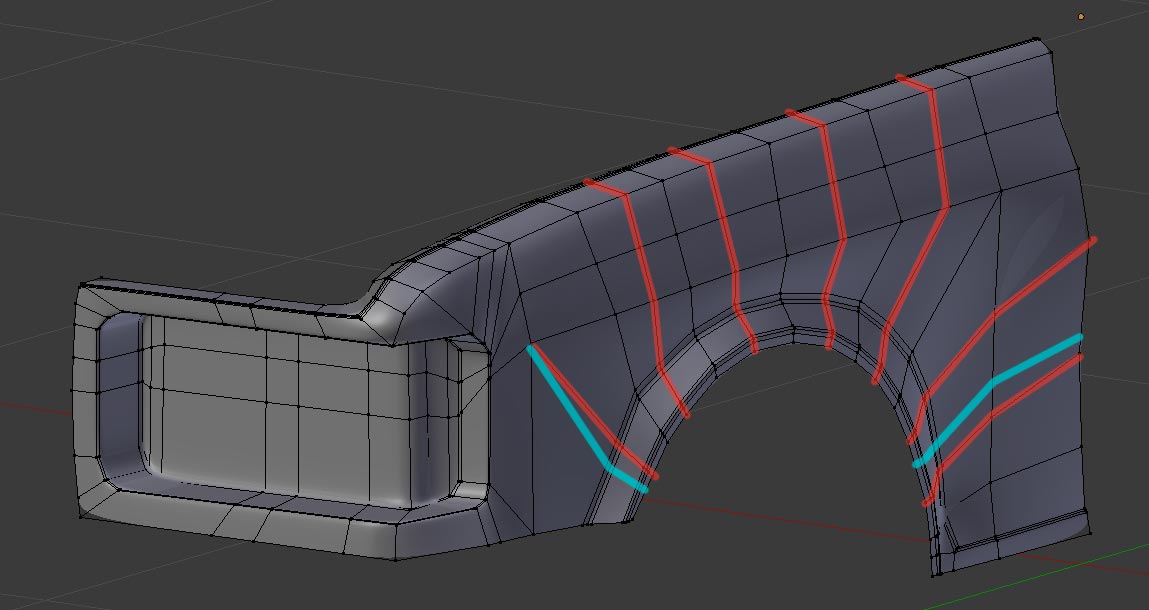
The red denotes removal and the blue denotes new edges/sliding existing edges. Also the northeast corner of the headlight is a bit wonky. Here’s my suggestion for topology of that corner:
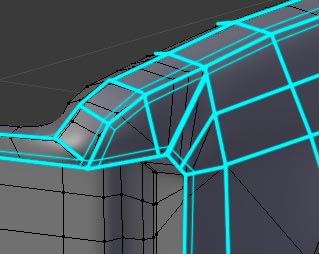
As for those las images of the wheel well corner, the topology doesn’t look bad imo. It just looks like the corner verts are out of place/alignment with the surrounding verts.
June 14, 2018 at 9:15 am #35511@doulos4iesou Ahhhh I get it! Finally haha 😅 Here’s how you solve that:
 June 14, 2018 at 9:31 am #35512
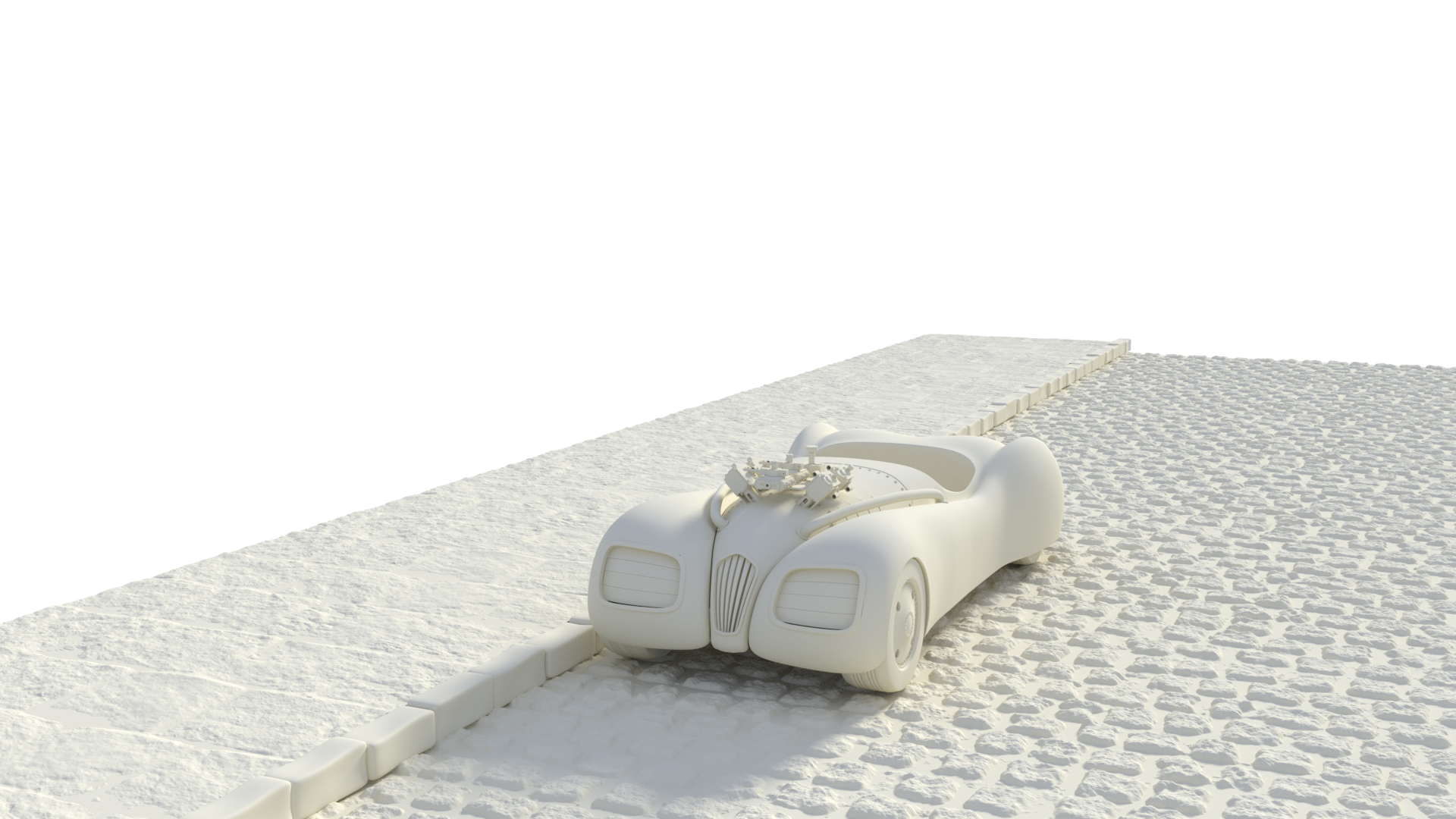
Hey, passing the last 2 days building parts of an engine based on true measures and blueprint, that was a nice work.
Here is a test on the car (there is still lots of work to do) in a clay render I really like that first look and I hope to end it before sunday 😀
 June 14, 2018 at 9:54 am #35513
@theluthier How would you do that for a curved surface like this? I found it really hard to avoid distortion and get such a nice shape.
 June 14, 2018 at 9:55 am #35514
@dieedi Looks great, but the car should probably be a few times bigger. Great work so far!
June 14, 2018 at 10:23 am #35515@theluthier Hey kent, I hope u would take a look at This it’s the back part of Milen’s car it’s still in progress but I’m not very satisfied with the mesh, what do u think could be fixed?
Note:I duplicated the mesh twice one with subdivision-modifier applied and the other without it, to give u a better inspection over my topology.
June 14, 2018 at 11:27 am #35516@theluthier @tbrbn @williamatics Thanks to you all for the assistance, I’ve managed to apply all of your advice in one way or another. Honestly this is the first time I’ve ever modeled something with a deadline so I need to get out of the endlessly tweaking mindset I’m used to.
That also ties into what you’ve been saying about the mesh being too dense, because I don’t stop to think about what the subsurf will do and just try to make it smooth from the getgo. After adding some extra details, applying your advice and adding edge loops I’m at about 17,000 verts with subsurf 3 so I don’t think I’m doing to bad for my first attempt, onto the bumper next. Thanks to you all again!
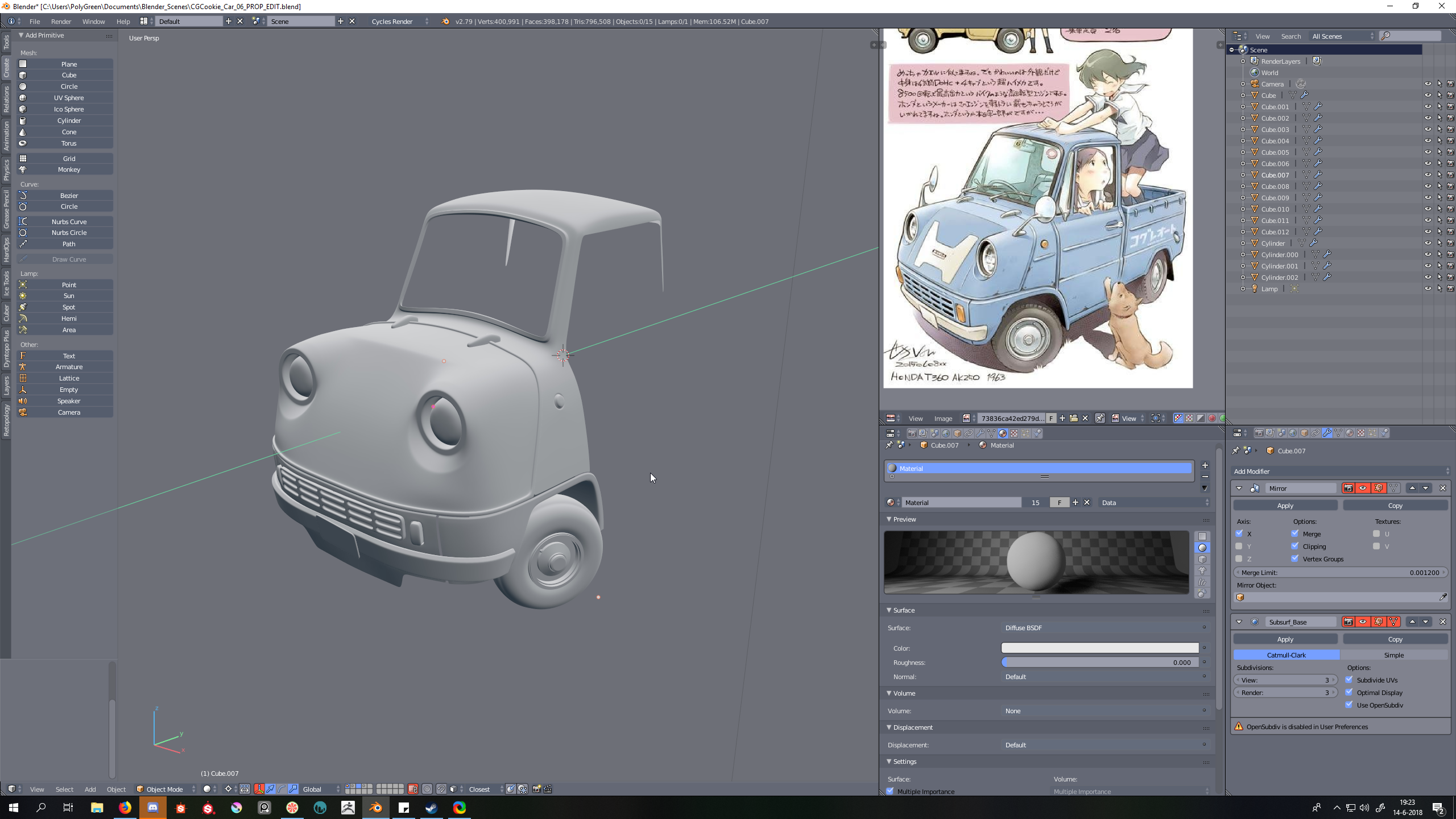
June 14, 2018 at 12:24 pm #35517worked on it for some more hours. The most trouble I have had is with finding the right proportions. This is the downside of having no shematics/reference to work with but its a great exercise since I know its a weak spot of mine. Im thinking what to do with the “bottum” side and how to connec the outer with the inner sides.. its fun to figure out !
 June 14, 2018 at 12:46 pm #35518
@mrdojo Looking good!
June 14, 2018 at 12:48 pm #35519@mrdojo Damn you guys are working real fast, good stuff!
June 14, 2018 at 1:05 pm #35520@dieedi Mmm that lighting is very appealing. And your vehicle is coming along nicely! 👏
-
AuthorPosts


- The topic ‘[ENDED] BC3-1806 – June 2018 Class Homepage – Vehicle Modeling with Blender’ is closed to new replies.