
[ENDED] BC1-1808 – August 2018 Class Homepage – Getting Started with 3D Modeling & Blender 2.8
Forum Archive › [ENDED] BC1-1808 – August 2018 Class Homepage – Getting Started with 3D Modeling & Blender 2.8
- This topic has 540 replies, 35 voices, and was last updated 8 years ago by
yukino hatake.
-
AuthorPosts
-
August 10, 2018 at 9:31 am #37925
@yukinoh1989 Just to confirm what the Boolean modifier does is essentially allow you to add or subtract geometry from one shape using another. Okay, lets assume you want to cut a hole into a cube, for this you’d probably use a cylinder (though you may want to use a sphere depending on the kind:
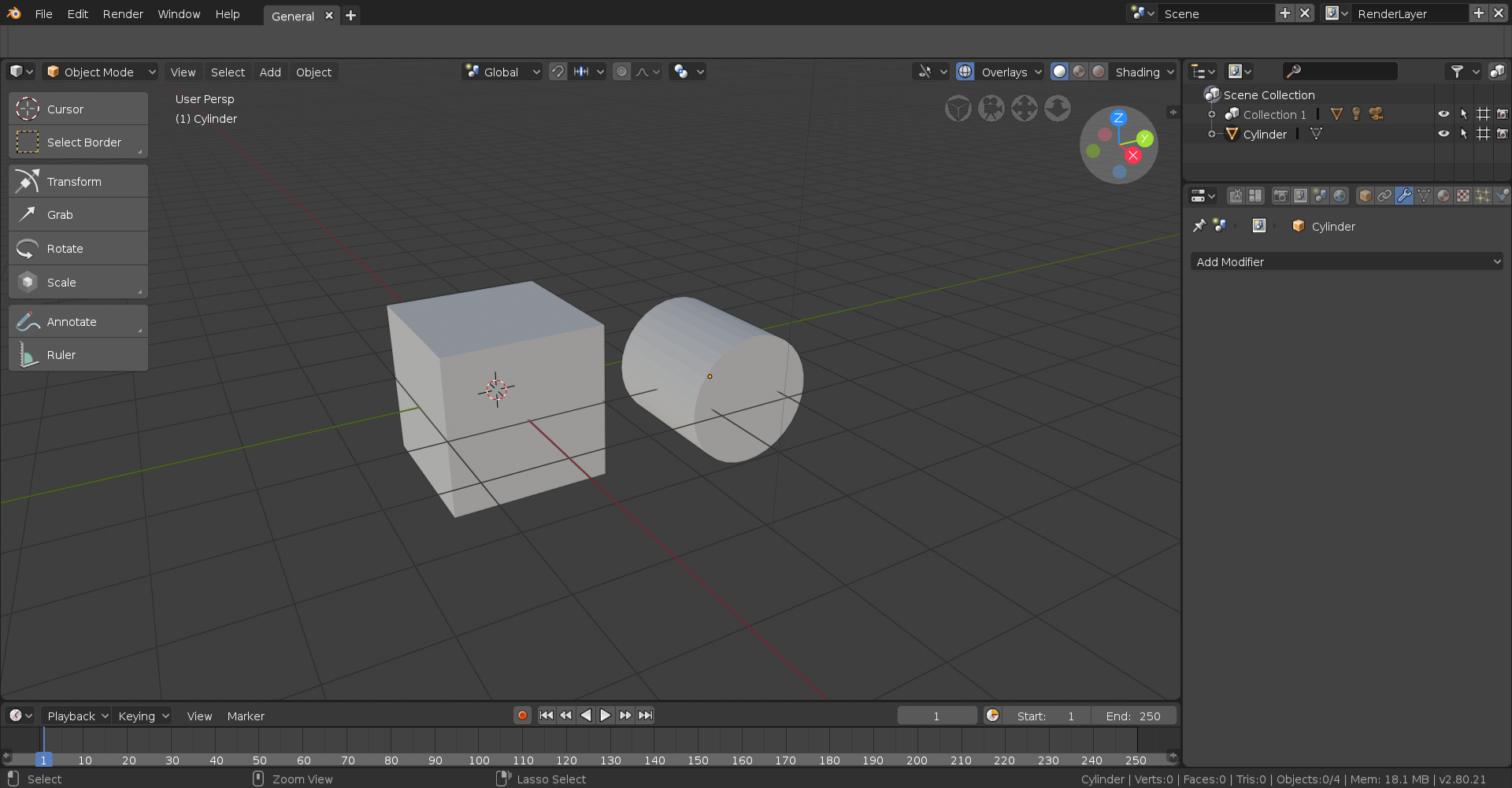
You’ll then want to go to the modifiers tab on the object you wish to alter (in this case the cube) which you see on the right, then click on the drop-down and select Boolean. Then move the object doing the altering (the cylinder) to where you want to make the edit.
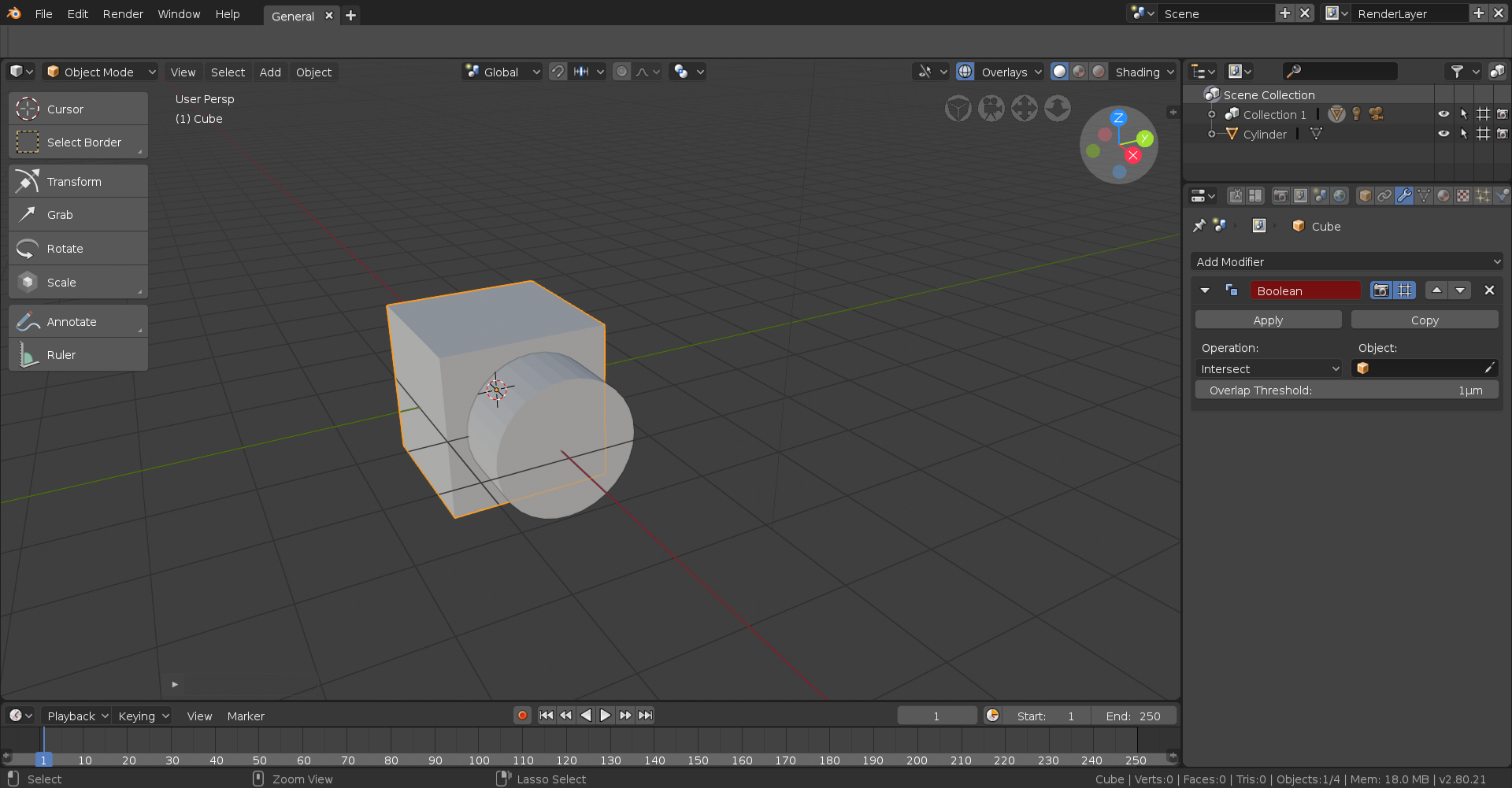
Now to make it so the Boolean actually *does* something, you must select an “object”. This determines what will be doing the editing. Seeing as we want the cylinder to do the cutting, you can either select the little eyedropper tool in the object drop-down and click on the cylinder or select it from the drop-down. Now there are three types of “Operations”, which determines what the Boolean actually does. The default and in my opinion the least used is Intersect. This means every part of the receiving mesh interacting with the altering mesh will be preserved whilst any parts not touching the altering mesh will disappear, like so:
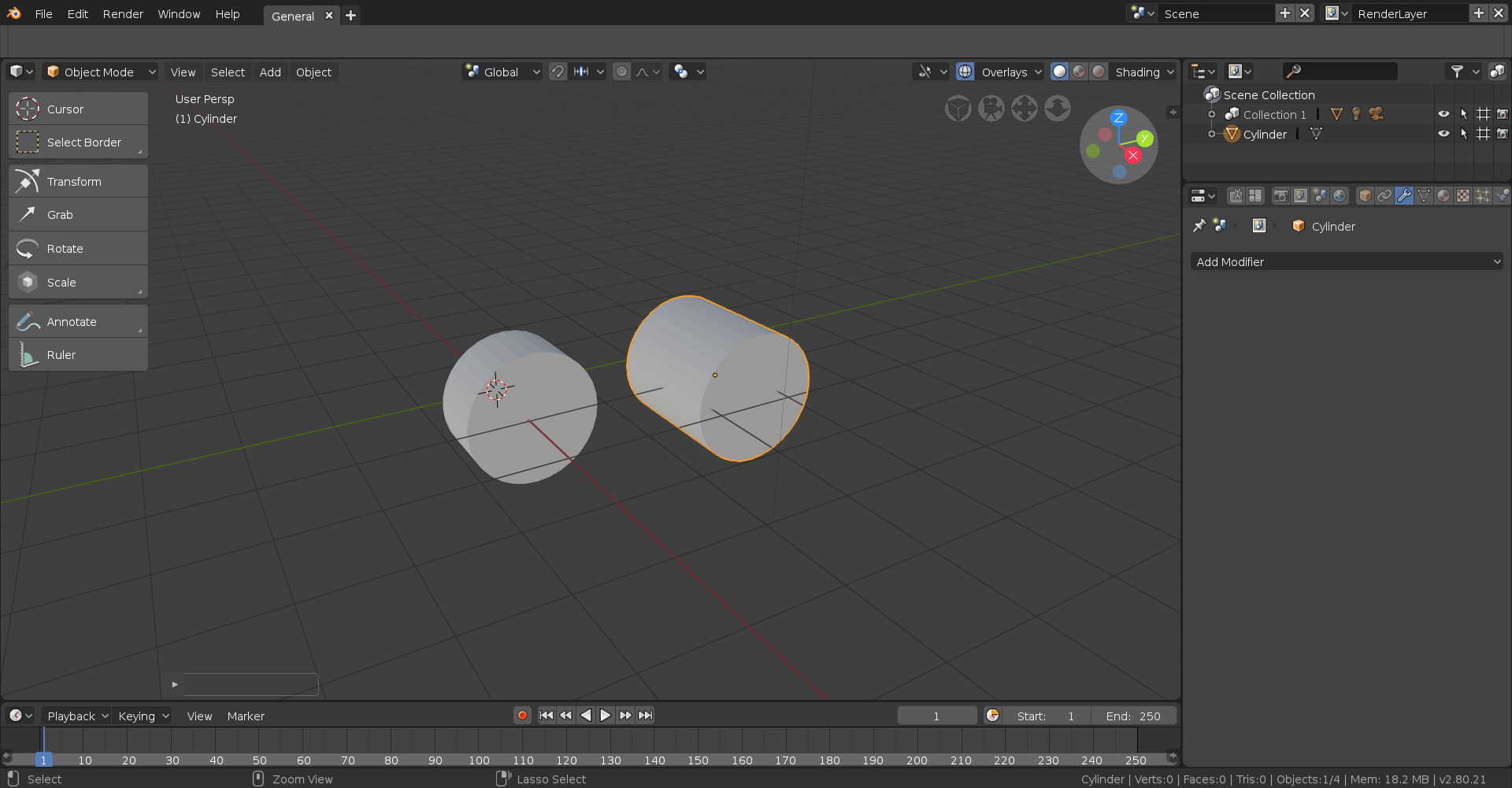
The next Operation is Union, which will essentially fuse the two meshes together in a way that makes sense. Do note this is usually a way to get bad topology (using Boolean in general is really) but at this stage that’s not a concern.
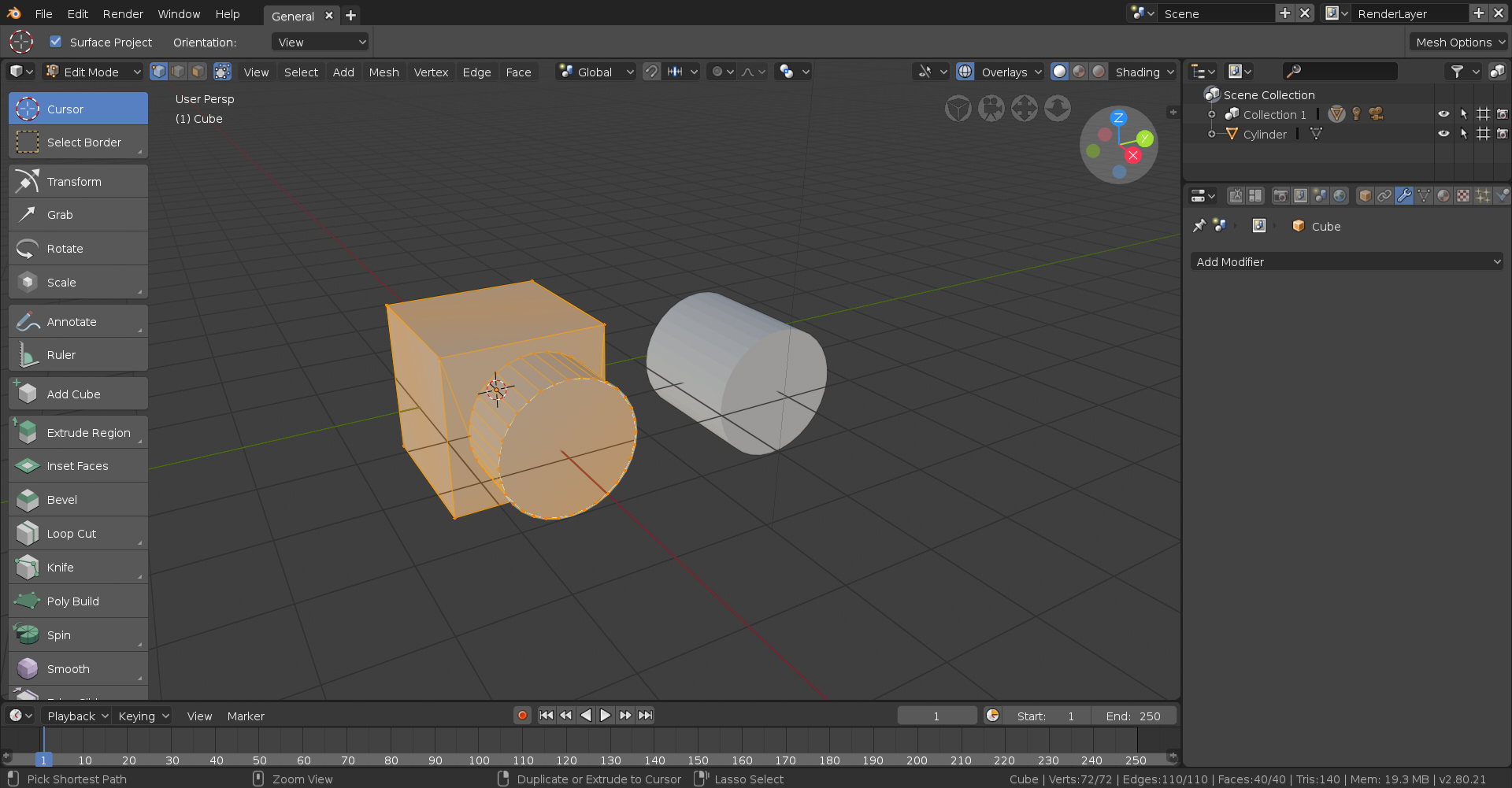
Finally, and what I consider the most useful, is Difference. This basically cuts into the receiving mesh with what parts of the altering mesh are interacting with it, like so:
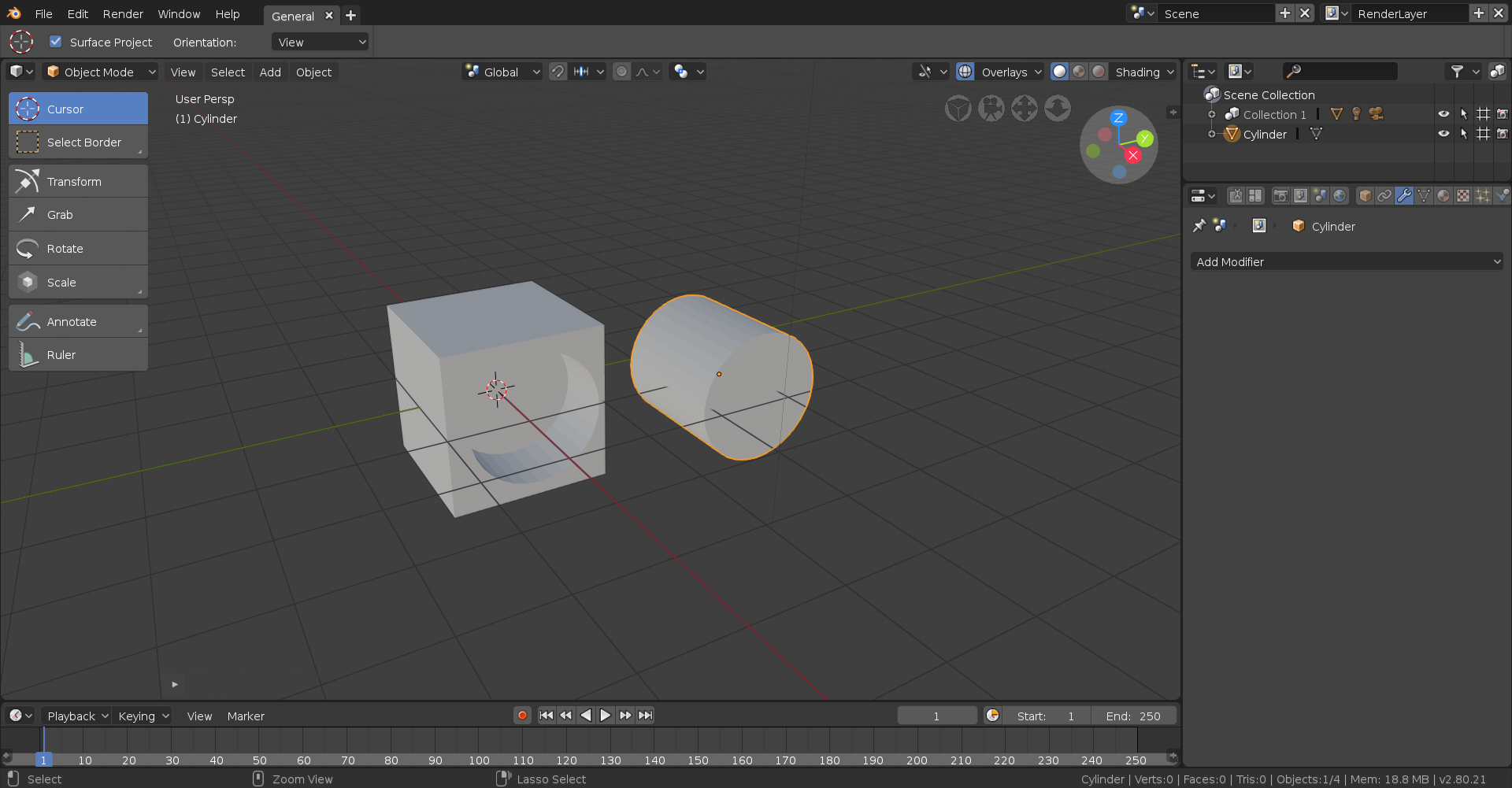
Hope this manages to clear things up, and feel free to ask me to go in depth on anything and I’ll certainly try my best!
August 10, 2018 at 10:15 am #37926Just fyi 2.8 can’t use subsurf in edit mode yet.
August 10, 2018 at 10:28 am #37927@golden-kitty This is true. In fact I don’t think any modifiers work in edit mode yet..surely that functionality will be re-implement soon 🤞
August 10, 2018 at 10:56 am #37928How the heck do I move the camera and light?
August 10, 2018 at 11:05 am #37929@silentheart00 In 2.8? Just like any other object, though I’ve noticed 2.8 seems to have some kind of phobia of lights and cameras and almost always refuses to select them in a timely fashion. If in doubt hit B for box select and select them that way.
August 10, 2018 at 11:09 am #37930@thecabbagedetective I thought I did have them selected. Well, I’ll try with the box select and see if that helps.
August 10, 2018 at 11:20 am #37931@silentheart00 selecting it in the collection panel works also pretty well, at least it did for me. But it’s pretty wonky indeed..
August 10, 2018 at 11:23 am #37932@thecabbagedetective Your explanation is very clear Aaron, I’ve been searching how to do booleans also but this is the first time I really get it! *writing it down in my notebook*
August 10, 2018 at 11:39 am #37933thank you so much for the explenation i gonna try this out tonight and let you know if i completly understanded it .
again thanx for the time you took to explain this 🙂
August 10, 2018 at 12:50 pm #37934question about the homework assignment: what was the rules again and was there anything in particular i was not not suppose to use like e.g modifiers and tools and edit mode
August 10, 2018 at 12:59 pm #37935@sickelo The objective is create something using only primitives, primitives being the basic shapes you see in the object menu. We’re not allowed to alter the geometry in edit mode and seemingly the only modifier allowed is the Boolean modifier (though I imagine something like the Array modifier would be fine). Materials are also fine but no textures. Not sure about compositing but I don’t see why not. Also everything must be realistically scaled. Fortunately 2.8 seems to default to the metric system for it’s measurements so you have a real world measurement to compare things to but if you’d rather use the imperial system then head over to the Scene tab and where it says Unit System choose Imperial.

I should also clarify that whilst we’re not allowed to adjust the mesh in edit mode you’re welcome to adjust the rotation and scale in object mode.
August 10, 2018 at 1:01 pm #37936@yukinoh1989 No worries, glad to be of help!
August 10, 2018 at 1:01 pm #37937@smurfmier1985 Why thank you, I have about two notebooks – spanning like 300 pages – full of notes and guides, so you’re probably gonna wanna get a spare after a while lol.
August 10, 2018 at 1:03 pm #37938@silentheart00 Also a side note but something I’ve learnt recently: You can’t move any object whilst a scene is rendering, I was confused as to why I couldn’t interact with anything but that seemed to be the cause.
August 10, 2018 at 1:07 pm #37939@thecabbagedetective Ah! That might just be the ticket! Thanks!
-
AuthorPosts


- The topic ‘[ENDED] BC1-1808 – August 2018 Class Homepage – Getting Started with 3D Modeling & Blender 2.8’ is closed to new replies.