COLAB2021 – WIP – lexicolopolis

Forum Archive COLAB2021 – WIP – lexicolopolis

Viewing 15 posts - 31 through 45 (of 110 total)
  • Author
    Posts
  • #66324
    Carlo
    Participant

      Looks great! 

      #66325
      Carlo
      Participant

        @lexicolopolis How are the faces looking with Multires on? Are they square or more rectangle. If rectangle it could give distortion if you sculpt in a certain direction. Hope I make sense 😉

        #66326
        Beau Kromberg
        Participant

          Well today was kind of a wash. I wanted to see if I could emulate the style sheet’s wood effect so I explored how I might do it.

          Made a mask.
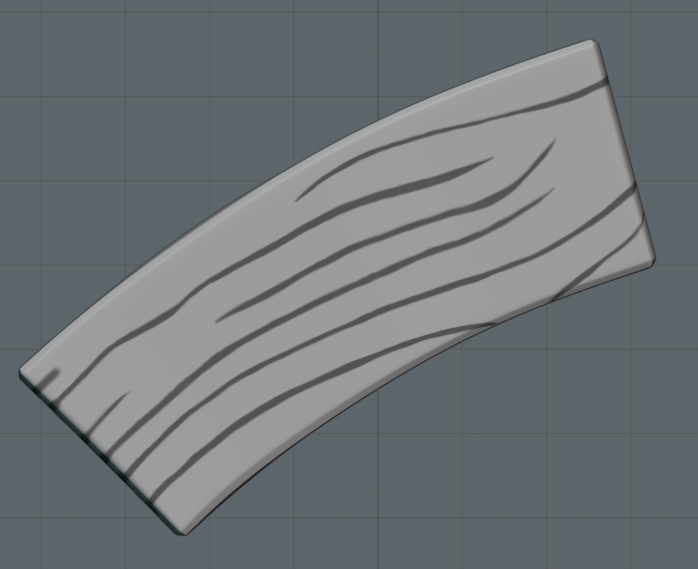
          Inset the cracks, rough beveled the edges to make them choppy, and then used clay layers to get some wood grain. The result turned out pretty cool.
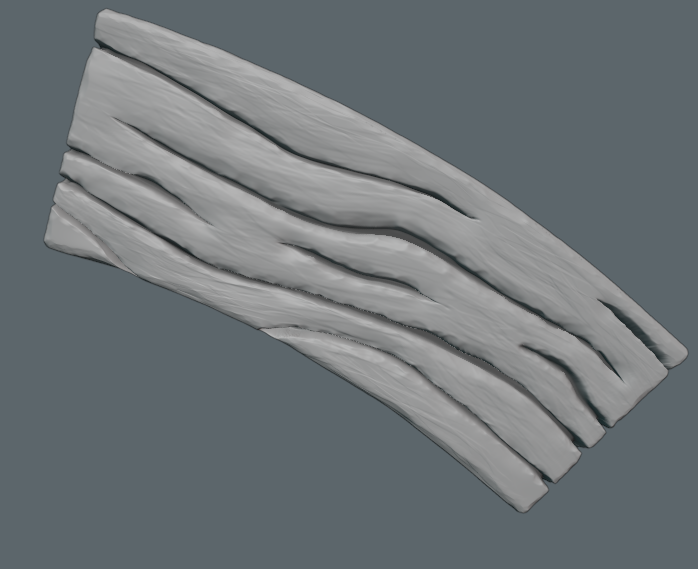
          But multires hates this mesh. Cages hate the mesh. And even if I reset all the geometry using the erase multires tool, all results end up having the same issue. So I actually don’t think its the sculpt at all. Especially cause the normal maps look… ugh… normal. lol
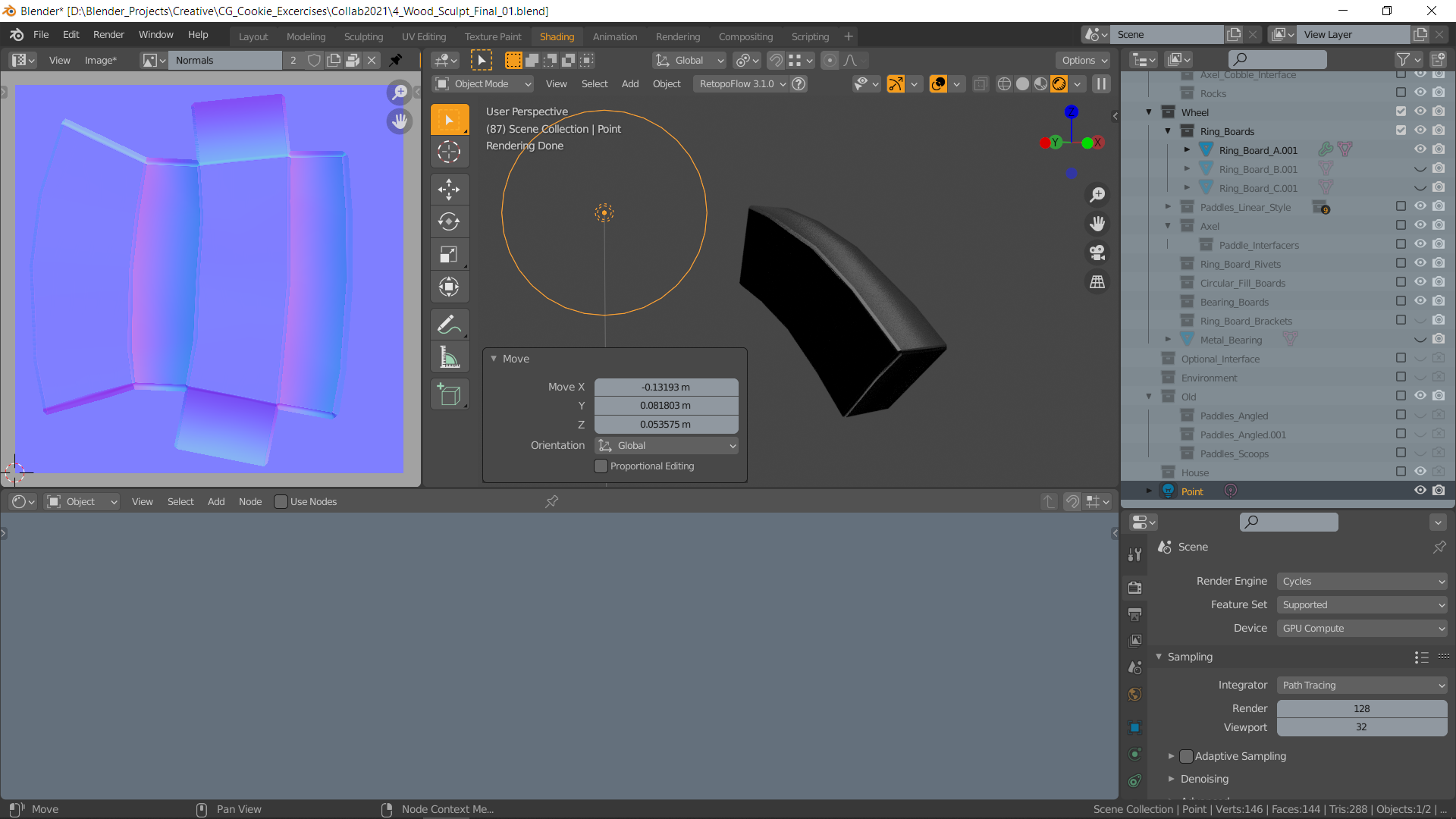
          Most of the faces are unaffected by light, and project any surface displacements in reverse direction.  

          After hours of testing, it seems to be associated with the object itself, but I can’t figure out why. The faces all show up with backface culling, so they should be oriented the right way. The UVs don’t affect it. I have no idea what I’m missing? Anyone?

          #66327
          Carlo
          Participant

            I don’t mind to have look. Can you send the file?

            #66328
            Beau Kromberg
            Participant

              @lucky Well now I’m super confused, cause I hollowed out that file, sent it, and now in that file killing the old multires and putting a new one on works just fine. 

              #66329
              Carlo
              Participant

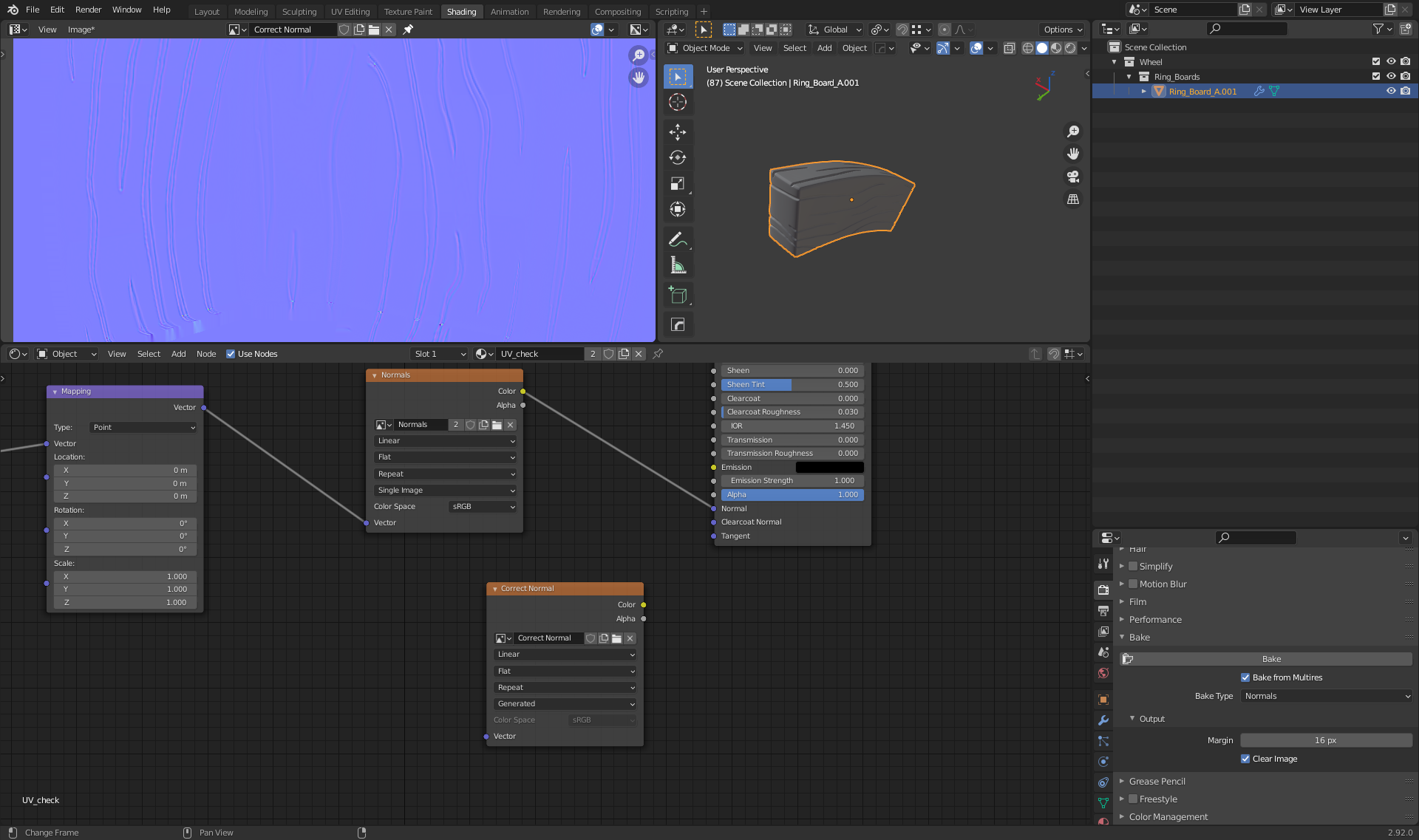
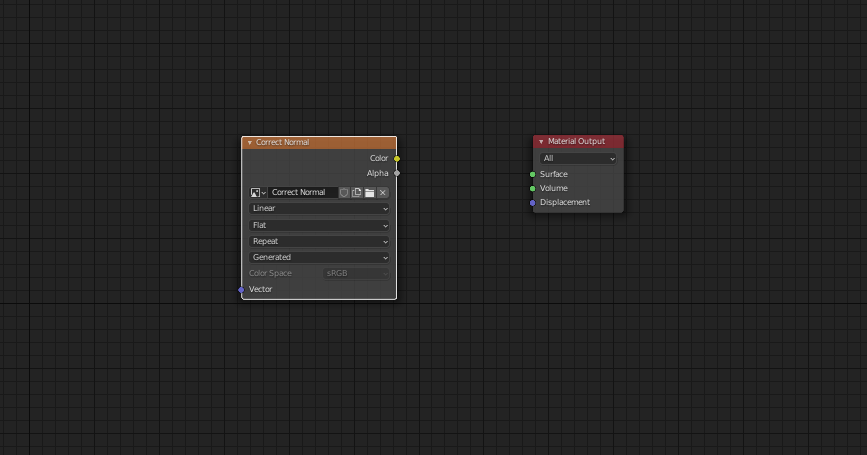
                @lexicolopolis I checked it and you should add an image node, select the image, with the node selected click bake and it works. When you want to test the Normal map on your lowpoly model you have to select non-color in the ColorSpace. Connecting the normal map to the Material Output can cause problems.

                #66330
                Carlo
                Participant

                  @lexicolopolis You don’t even need a shader to bake the normal map. 😉

                  #66331
                  Beau Kromberg
                  Participant

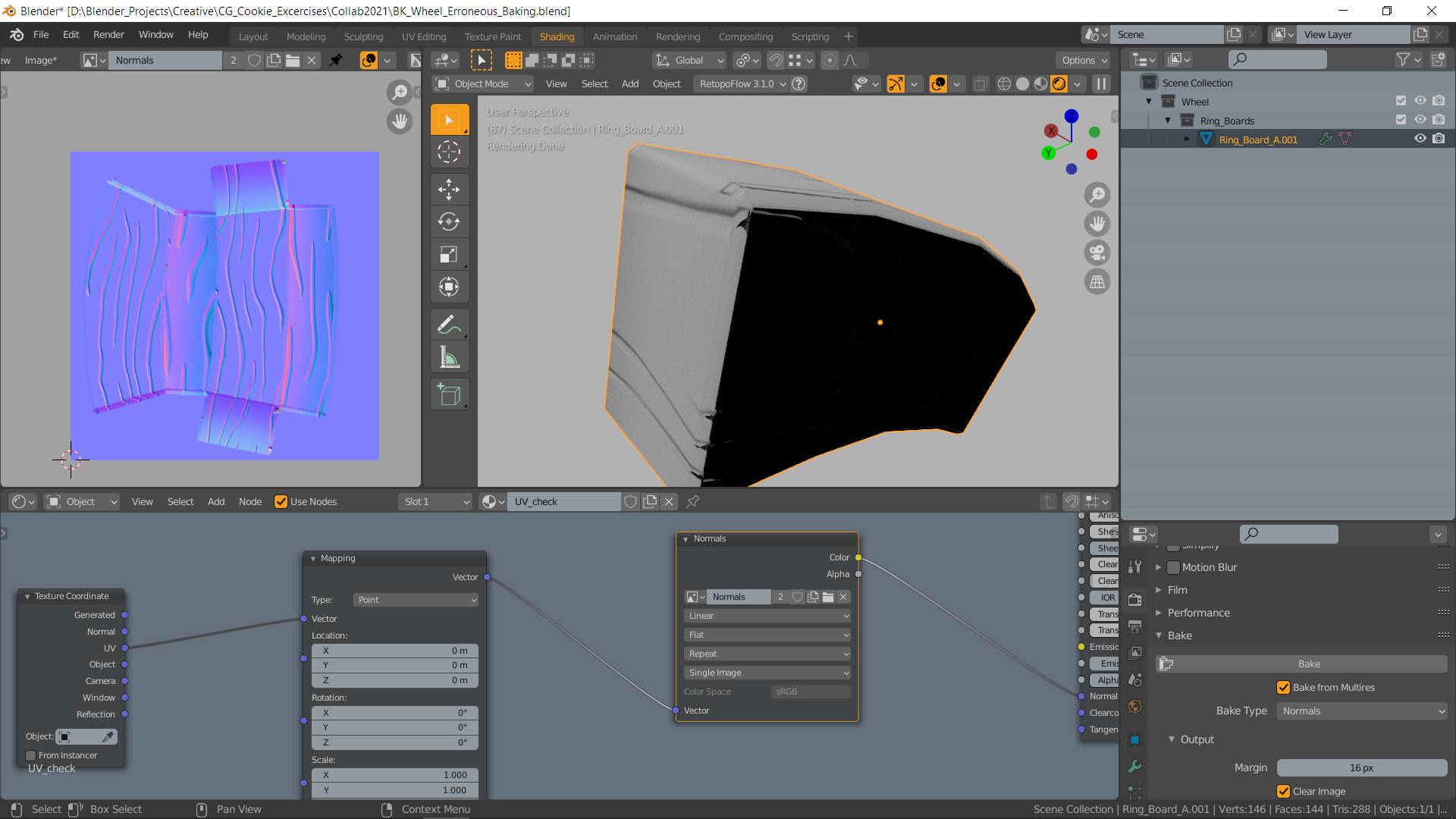
                    @lucky Ehhh what did you change? My bakes do this:

                    At first glance it looks right but then isn’t. 

                    #66332
                    Beau Kromberg
                    Participant

                      @lucky Removing the multires and making a new one works fine using the same method. I just have to repaint a mask which is irritating. But I’m just gonna do the lines, find an inset that doesn’t make multires freak out, and call it good. Too close to the deadline at this point to get too crazy with the sculpt now. 

                      #66333
                      Carlo
                      Participant

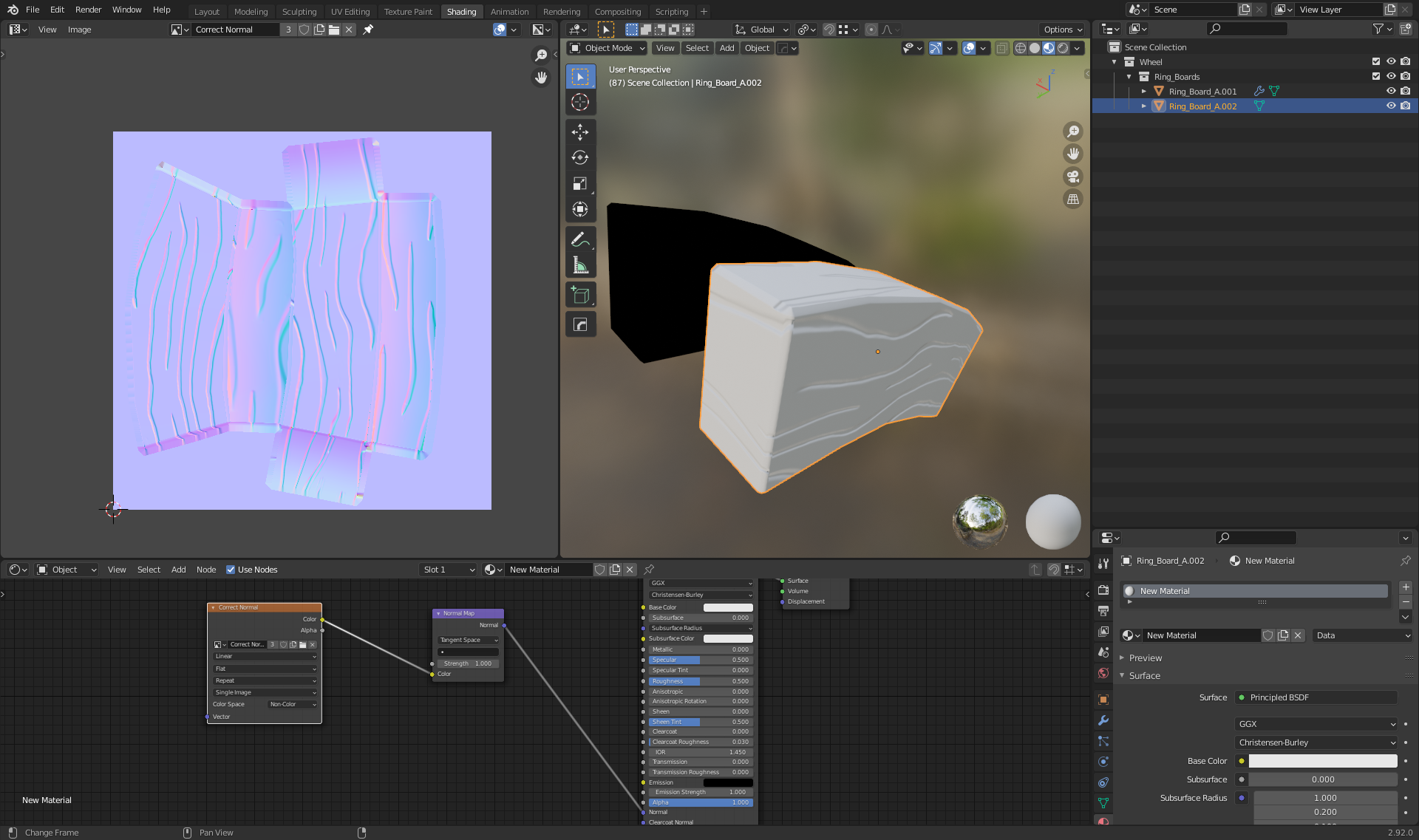
                        Here I applied the normal map to the lowpoly model. With non-color the color of the normal map is lighter. In de 3D view you now see the correct normal map on your lowpoly model.

                        #66334
                        Carlo
                        Participant

                          @lexicolopolis Save the normal map first, then change color space to non-color

                          #66335
                          Carlo
                          Participant

                            @lexicolopolis My first bake was wrong because I changed the Level Viewport to 7 in the Multires. Apparently you have to keep that on 0.😉

                            #66336
                            Beau Kromberg
                            Participant

                              @lucky Oh, all I needed to do was use the normal map node instead of directly linking the image into the normal shader slot. Thank you, I knew it would be something dumb. I haven’t used a normal map since like… 2016. Hahah

                              #66337
                              Carlo
                              Participant

                                @lexicolopolis  I didn’t even see that….. 😁, but still, use non-color instead of RGB 👍

                                #66338
                                Beau Kromberg
                                Participant

                                  @lucky Though I don’t see any option for non-color anywhere. Though it seems to be working fine. 

                                Viewing 15 posts - 31 through 45 (of 110 total)
                                • The topic ‘COLAB2021 – WIP – lexicolopolis’ is closed to new replies.