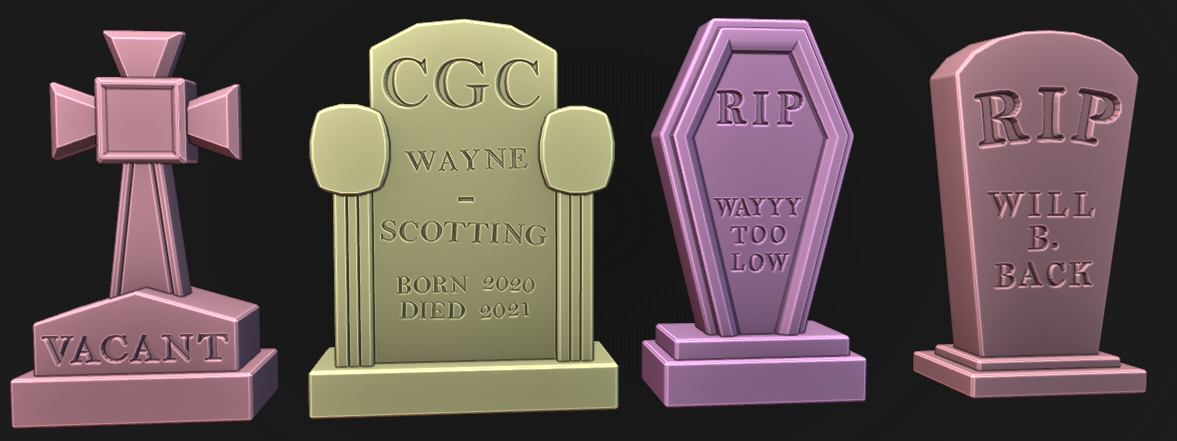
EASIER ENGRAVING 3D TEXT (TAPERED TEXT)
While working on the Horrific Habitation Challenge of Oct 2022 I was making Tombstone Engraving Text and went through a rather painful process after watching this awesome video: Sculpting a Spooky Gravestone with master sculpter Kent Trammell
I am glad I watched it and went through the pain because I discovered a much less painful and more streamlined approach that has saved me loads of time. And now I have a template for all Engraving workflows / 3D text boolean workflows.
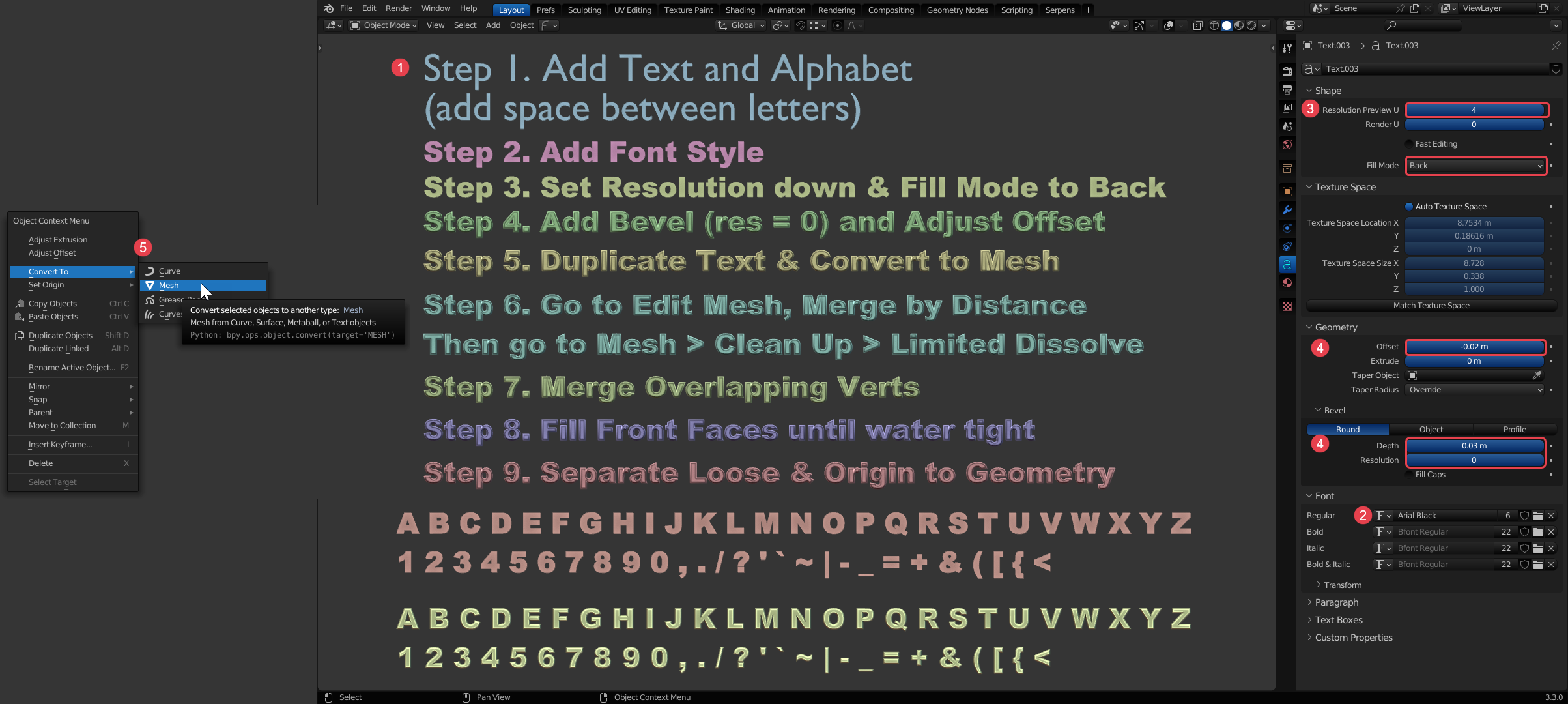
The results were far more enjoyable and I am getting to iterate quicker on the concepts. After getting the 3D tapered text water tight I just extruded the front edge straight back a little and then moved individual letters to form words.
Then I used a Boolean modifier and pushed the backside-tapered text into the tombstone until I liked the depth. I had to turn on Self Intersection on the modifier sometimes.