Blanchsb’s Blender Nuggets

Forum Archive Blanchsb’s Blender Nuggets

Viewing 15 posts - 31 through 45 (of 47 total)
  • Author
    Posts
  • #61263
    Ingmar Franz
    Participant

      I hope it doesn’t look too mean lol.

      @blanchsb Your new avatar looks determined to master all challenges ๐Ÿ˜€๐Ÿ‘!

      #61264
      Keith
      Participant

        What a great idea for a thread @blanchsb thanks for sharing these!  ๐Ÿ‘๐Ÿ‘

        #61265
        Shawn Blanch
        Participant

          You are most welcome. Feel free to contribute as you find something that truly helps your workflow @beefkeef (hint hint, share your meatball wisdom with the community!)

          #61266
          redditfag69
          Participant

            Thank You For This Helpful Tutorial

            #61267
            Shawn Blanch
            Participant

              With pleasure! Such great nuggets in this amazing program. There will be more to come I am sure of it.

              #61268
              Ingmar Franz
              Participant

                Just checking whether new nuggets have been panned from @blanchsb ‘s Klondike ๐Ÿ˜‰๐Ÿ’ฐ๐Ÿž๐Ÿค  . . .

                #61269
                Shawn Blanch
                Participant

                  Iโ€™ll post the next nugget I learned shortly. Itโ€™s an outliner nugget and has to do with modifiers

                  #61270
                  Ingmar Franz
                  Participant

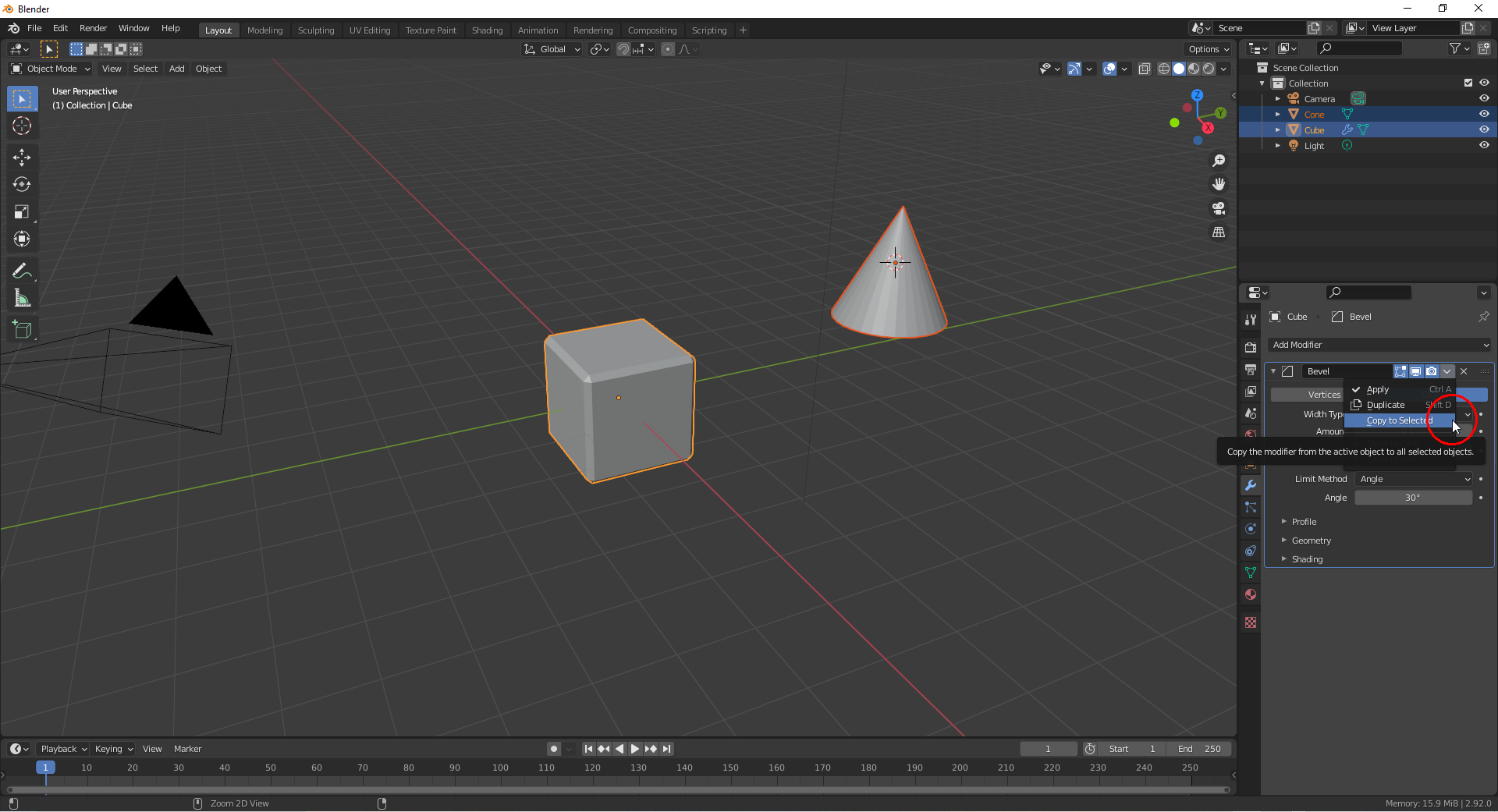
                    @blanchsb I also have one nugget with modifiers: Since Blender 2.92 (but not in the Alpha version) you can copy a single modifier from the active object to all other selected objects where it is added to the already existing modifiers:

                    #61271
                    Ingmar Franz
                    Participant

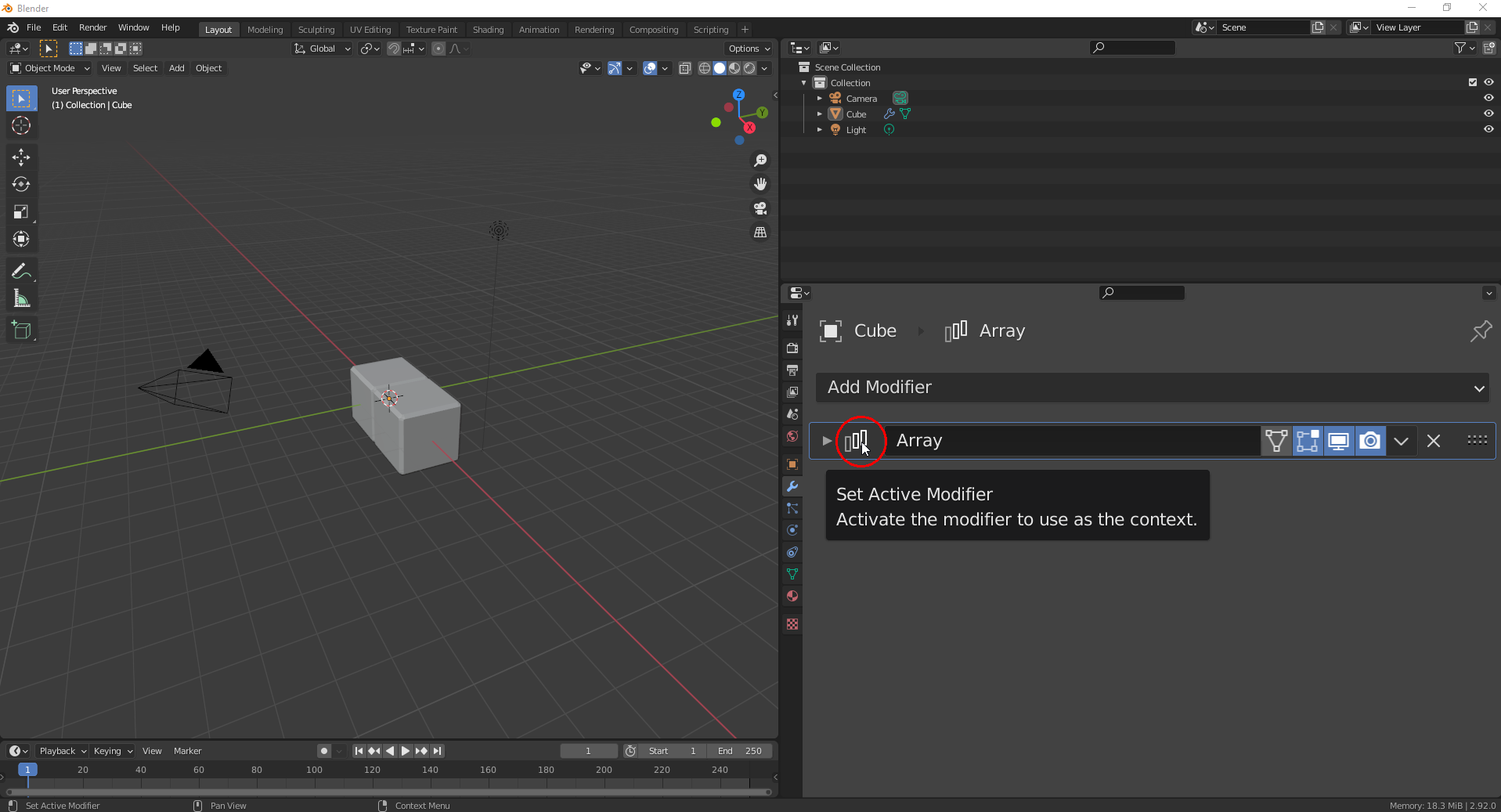
                      A useful shortcut for the application of modifiers exists in Blender since version 2.9 (but not in the Alpha version!): Click on a modifier in the stack so that it gets highlighted with a blue frame:

                      Now, you can press CTRL + A (whith your mouse pointer still in the “Properties Editor”) in order to easily apply that modifier.

                      #61272
                      Shawn Blanch
                      Participant

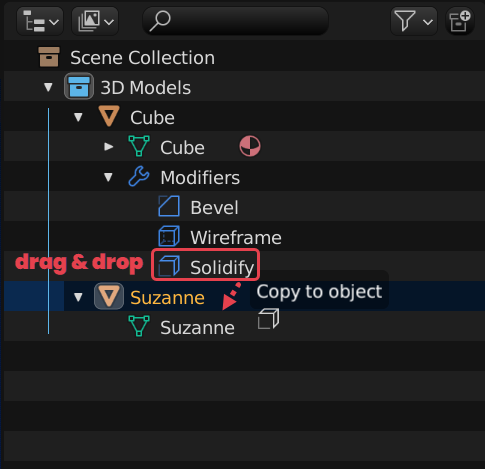
                        Gold Nugget #10: Outliner and Dragging to Link  Modifiers

                        This one comes from @phoenix4690 kindly showing me this awesome nugget.
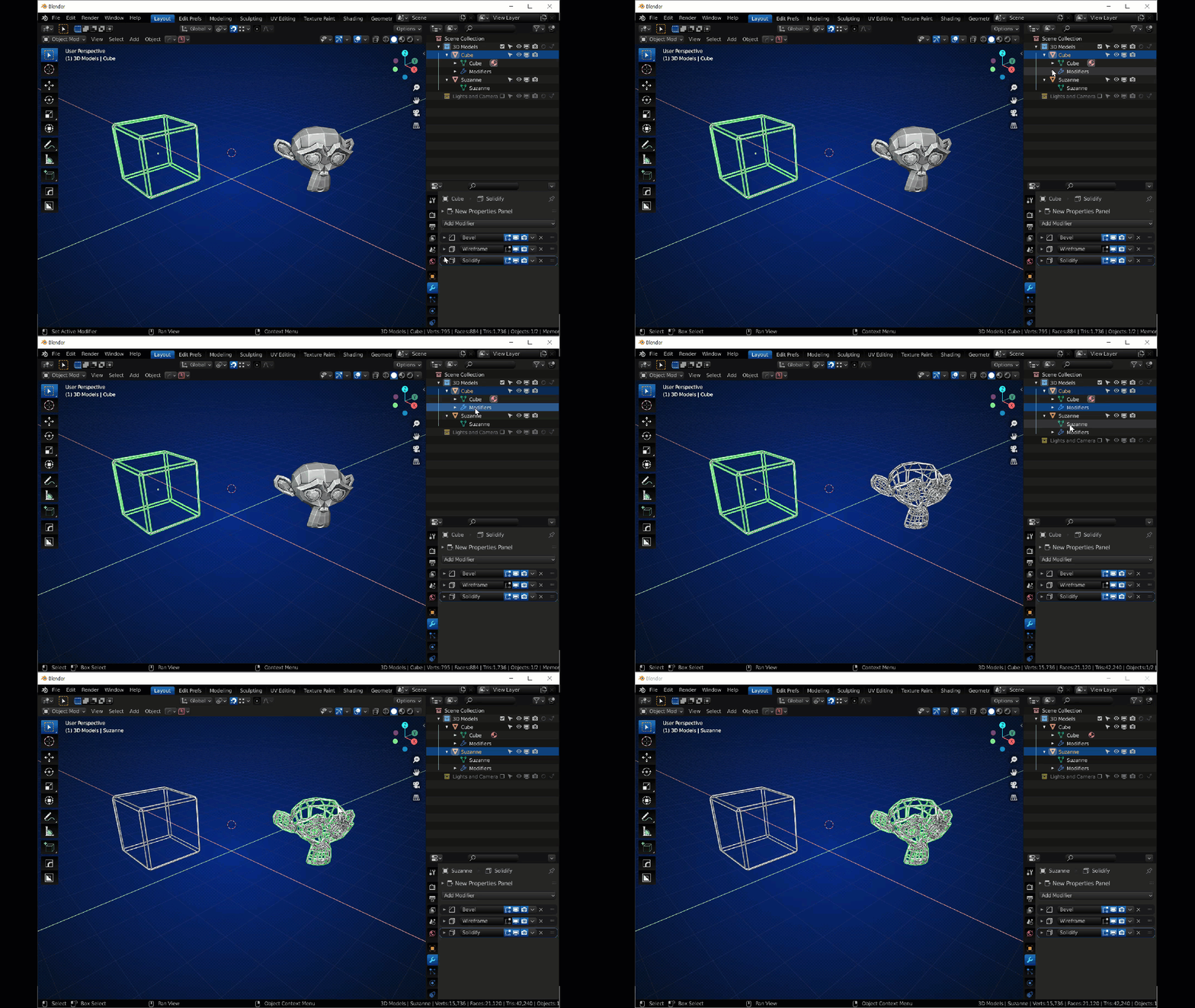
                        You can drag individual modifiers from one Object to another Object in the outliner.

                        My favorite it dragging all of them….. like below:

                        Linking was never easier!

                        #61273
                        spikeyxxx
                        Participant

                          @duerer and all that follow this great thread, from 2.93 onward, this behavior has been changed (luckily!).

                          CTRL+A now Applies the Modifier that the Mouse Pointer is hovering over.

                          Here CTRL+A will Apply the Subdivision Surface Modifier, not the active (with the blue outline) Build Modifier:

                          #61274
                          Ingmar Franz
                          Participant

                            Thank you, @blanchsb and  @phoenix4690 for this Blender Nugget! This is quite useful!

                            #61275
                            Ingmar Franz
                            Participant

                              @spikeyxxx When I first heard about this CTRL + A shortcut I think it mentioned that you apply the modifier where your mouse pointer is hovering over. But due to many crashes in Blender 2.93 Alpha, lastly when trying to bake “Indirect Lighting” in EEVEE (which wasn’t possible with 2.93 Alpha at all on my computer!), I switched to 2.92 where the shortcut only worked the way I’ve described it. This was very confusing and I thought I was remembering incorrectly. So, thank you, @spikeyxxx , for that clarification ๐Ÿ˜€! Now, I no longer need to doubt about my memory ๐Ÿ˜‰๐Ÿ˜€!

                              #61276
                              Martin Bergwerf
                              Participant

                                This has been around forever (tested it on the oldest Blender version I have on my computer, 2.66), but I just learned about it, (because it has gotten a sorting improvement): if you have several Objects behind eachother, or even when they are occupying the same space, you don’t have to go to the Outliner to select what you want, or cycle through them by keeping selecting; you can use ALT+Select and that will give you a list of all the Objectts ‘under’ your mouse pointer:
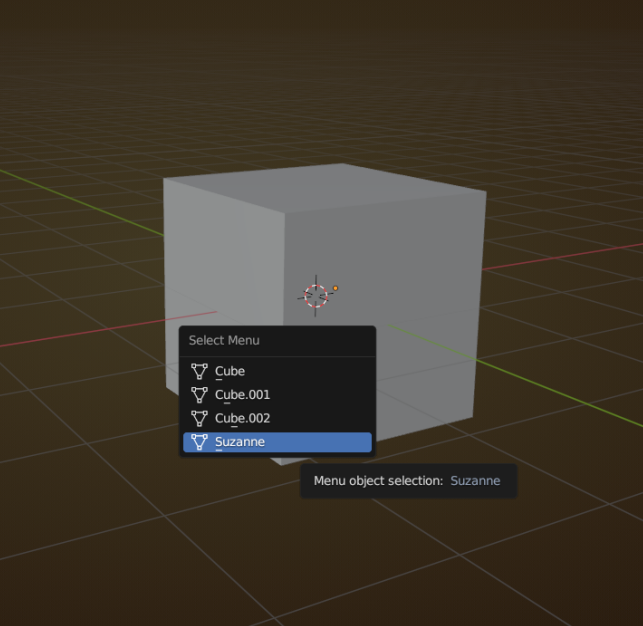
                                ALT+Select.png

                                Maybe everybody already knew this, but it’s new for me.

                                #61277
                                Shawn Blanch
                                Participant

                                  That is great @spikeyxxx. I didn’t know that either!

                                Viewing 15 posts - 31 through 45 (of 47 total)
                                • The topic ‘Blanchsb’s Blender Nuggets’ is closed to new replies.