
BC1-1808 Homework, Yukino Hatake
Forum Archive › BC1-1808 Homework, Yukino Hatake
- This topic has 347 replies, 19 voices, and was last updated 8 years ago by
galledark.
-
AuthorPosts
-
August 28, 2018 at 10:07 am #39415
@smurfmier1985
hey i have some problem (since i am not used to work in 2.79 i dont know what the problem is nor fix it)
when i try to render someting strange is happening . no mather how close or far my camera is the result stay the same .
this is the latest file of my eevee project.eevee blend file
i really hope someone can help to figure out what the problem is .August 28, 2018 at 10:10 am #39416@yukinoh1989 You can totally do it all on your own. It’s going to take some time and a lot of hard work, but you can totally do it.
August 28, 2018 at 10:15 am #39417@silentheart00 That is awesome to hear. with more people ,things will be faster and easier but i am glad to hear its possible to do it all alone too. question do you perhaps know what is wrong with my blender file ? i cannot take a render anymore. it looks really strange. the file is posted in the previous text
August 28, 2018 at 10:15 am #39418@yukinoh1989 I’ve seen the problem you’re talking about in my own fiddling, but I have no idea what causes it. Try selecting the camera, then go to View->Cameras->Set Active Object as Camera and if that works. If not, then delete the camera, add a new one, and Set Active again.
August 28, 2018 at 11:45 am #39419@silentheart00 hey thanx i didnt finded it at first but after going into spacebar and type the function of worked
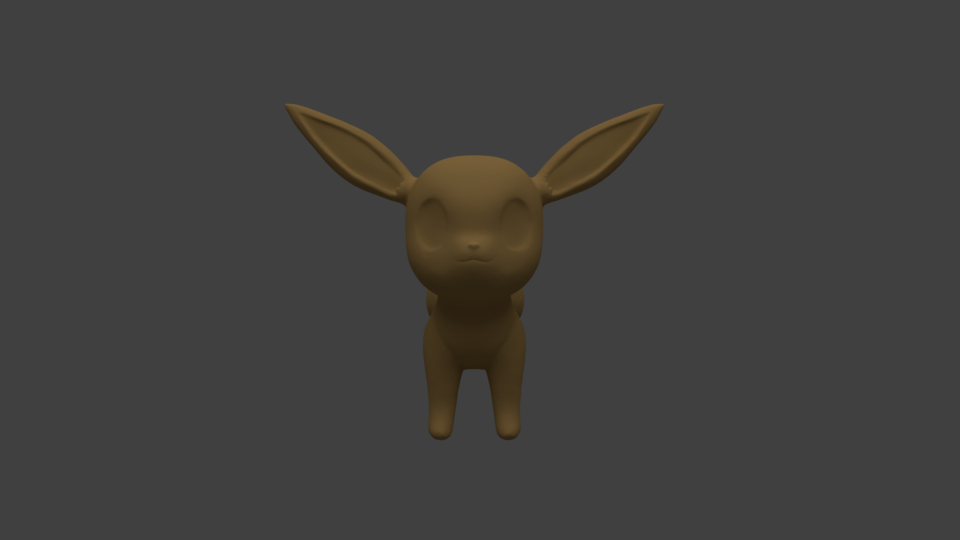
August 28, 2018 at 11:46 am #39420eevee wip
 August 28, 2018 at 12:23 pm #39421
@yukinoh1989 nice! 😃 That shape is looking goood
August 28, 2018 at 2:41 pm #39422@smurfmier1985
Thank you . got a update . still not as i want (is there a way when you made a crease to smooth it so the geometry fuse together agian ? right now each time i use smooth with inflate and then smooth again the crease is coming back 🙁 . )
but overal for working the whole day on the fur i think it came out pretty good already .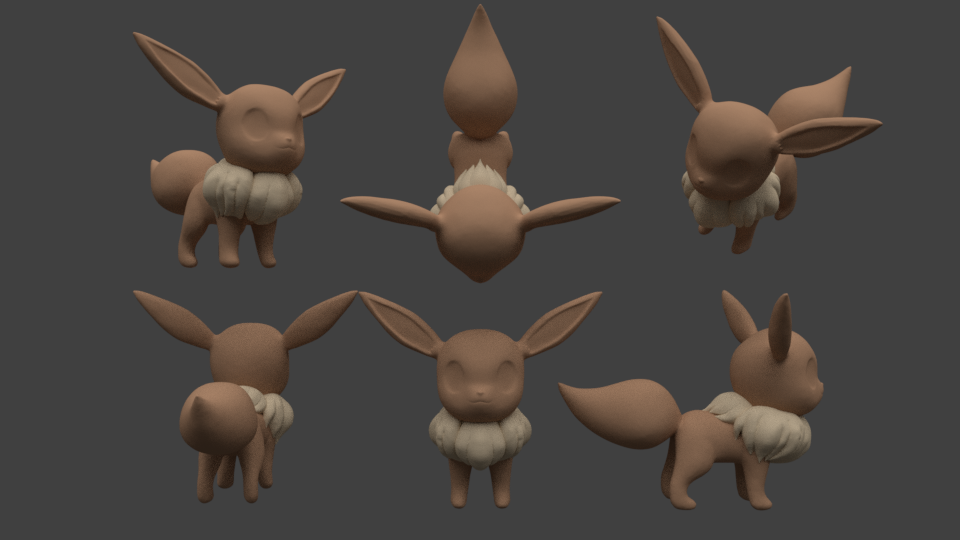 this will be frozen. (she has the lightest collor of us all (might ajust the collors later but i think i am not that far from the good collor . ) after i finish her ill start the other 2 .guess who she will turn into later :p
edit added 2 more lights to get a better collor
August 28, 2018 at 2:58 pm #39423@yukinoh1989 That’s looking nice!! 😄
Just making sure I understand it right, you want the crease to disappear completely? Make sure dyntopo is on and that it’s on ‘subdivide collapse’ (subdivide edges doesn’t regenerate geometry). You can use inflate/blob/clay strips to fill the crease. Make sure you smooth on a lower strength so it doesn’t go to hard. Normally that should work.
Frozen eh, hmm.. maybe Fire is next?
August 28, 2018 at 3:00 pm #39424@yukinoh1989 Looks good so far.
August 28, 2018 at 3:15 pm #39425@smurfmier1985 thanks so much . gonna try it out tommorow. got as bit of a headache or how is that called(hoofdpijn) are there parts that looks strange? if so be sure to point them out since i plan to use them for later animation. so they should be perfect 😀 . for the painting on the tail i still have to figuren out how to do that .
and who knows 2 more to come :D.
August 28, 2018 at 3:18 pm #39426@silentheart00 Thank you silentheart00 . i am happy to hear you like it. still have a lot to do but i will do my best to finish at least the 3 eevee’s
August 28, 2018 at 3:32 pm #39427@yukinoh1989 The shape of the fur looks really good, just a bit more attention to smoothing the creases they are a bit too much now, but as you said you did have difficulties with that so you’ll get to that tommorow. You’re ok the right track 😊👍🏻
Headache is the right word for it yes, and that sucks.. have a good nights rest hope it’s cleared up tommorow!
August 28, 2018 at 10:14 pm #39428@smurfmier1985 awesome to hear . gonna try to refine it when i get from work. and thank you sadly still have a headache but maybe i should just go take a bit more sleep. so its possible i wont stay till end.of livestream today if it isnt yet better.
August 28, 2018 at 10:25 pm #39429@yukinoh1989 That’s looking awesome so far! Keep it up!
Smooth should be getting rid of the creases, I do not know why they would be coming back – perhaps make sure that your Dyntopo method is set to “subdivide collapse” instead of “subdivide edges” when performing that action, is all I can think of.
-
AuthorPosts


- The topic ‘BC1-1808 Homework, Yukino Hatake’ is closed to new replies.