
BC1-1808 Homework, Wilco Wilbrink
Forum Archive › BC1-1808 Homework, Wilco Wilbrink
- This topic has 134 replies, 19 voices, and was last updated 8 years ago by
Wilco Wilbrink.
-
AuthorPosts
-
August 29, 2018 at 10:18 am #39831
@carrotnl Love the updated lighting in your Eevee renders, Wilco. Also two big thumbs up in the detail level of your sculpt, including the hair! And that turtle monster..you’ve done a lot of solid work this week. Really nice job. A++ from me 👏
As far as whether or not you’re using too much geometry with dyntopo, the negative side is A) can your computer handle the geo and remain workable (as you know) and B) too much geometry too quickly often results in overly-bumpy sculpts.
Your sculpts don’t look overly bumpy to me. And having to decimate isn’t necessarily a bad thing. A positive side of this amount of geo is that you’re achieving high levels of detail well. I do wonder if you’re getting too high in the polycount too quickly. I personally find that a gradual progression from less geo to more geo helps a lot along the way. Too much geo too quickly gets very messy in my experience.
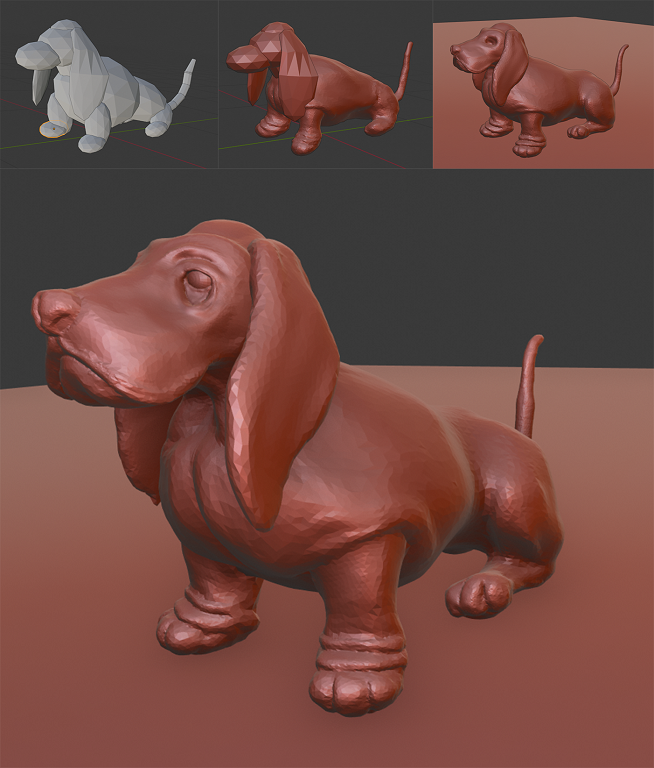
September 1, 2018 at 2:35 am #39832Here’s a WIP of my Final Project. I was very unsure of what to do until I saw this image of a dog bringing a flower. I like cute pictures, so I decided to do this one. I started of with a collection of primitives to build the shape (in 2.8). I then booled the major part together in blender 2.79b (body, 4 legs, head, tail). – I noticed you cant copy and past between 2.79 and 2.8 anymore, so I appended the objects to 2.79 and back.
 Back in 2.8 I worked on the separate shapes a while, and then finally booled everything together, accept for the ears. I reworked the back paws, and than lastly, this morning, I worked on the eyes a bit, and made the paws a bit smaller.
 Here’s a few pictures of the progress:
 September 1, 2018 at 3:43 am #39833
@carrotnl That’s adorable ^_^
September 1, 2018 at 3:53 am #39834@nekronavt Yeah, it’s cute 😃
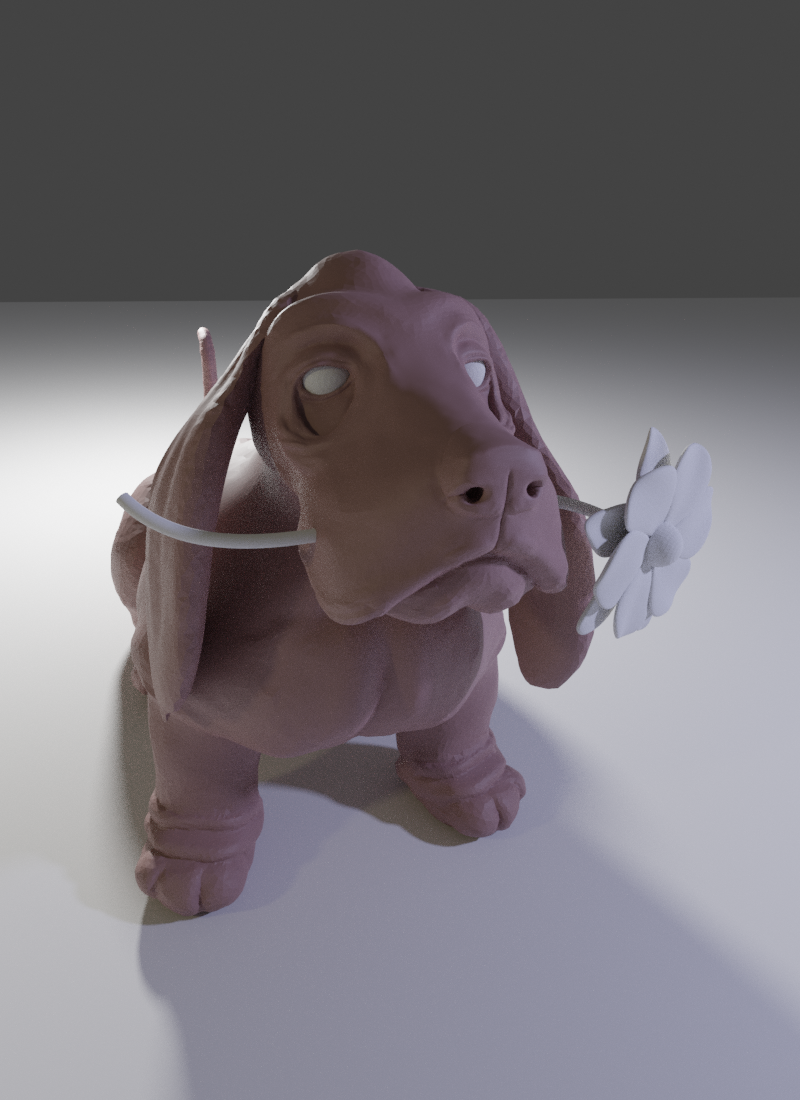
September 1, 2018 at 5:34 pm #39835This my progress so far. Gonna call it a day now. Back at it tomorrow.
 September 1, 2018 at 9:49 pm #39836
@carrotnl I 100% affirm your primitives-blockout. Love how this is turning out, Wilco 👍
September 2, 2018 at 4:13 am #39837@carrotnl really beautifull how this turned out . how did you merge the primitives while sculpting.
September 2, 2018 at 4:41 am #39838@carrotnl turning out very nice, but give this guy eye pupils as soon as possible 😀
September 2, 2018 at 8:15 am #39839@yukinoh1989 You can’t merge objects while sculpting. In the beginning I opened Blender 2.79b. In blender delete everything in the scene. Then I hit Shift-F1 to open the Append dialog window.
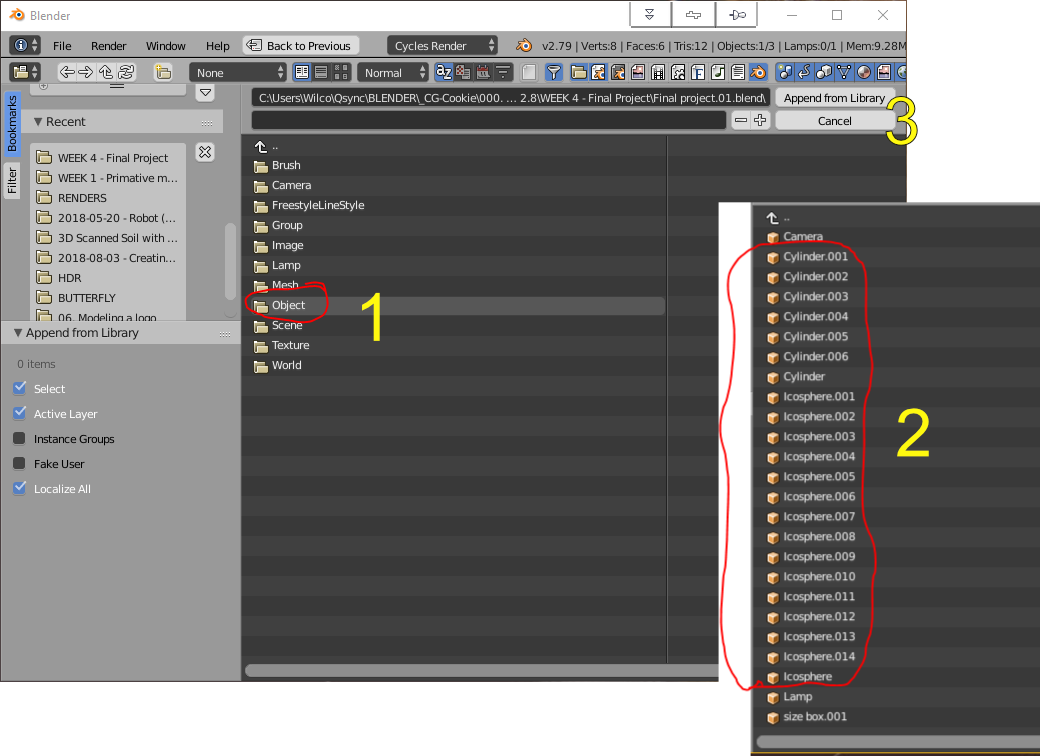
In blender 2.79b make sure you have activated the Bool Tool – addon in the User Preference Dialog,
Select 2 or more objects you want to join and click the ‘Union’-button on the Toolshelf, under ‘Bool Tools’ (probably at the bottom).
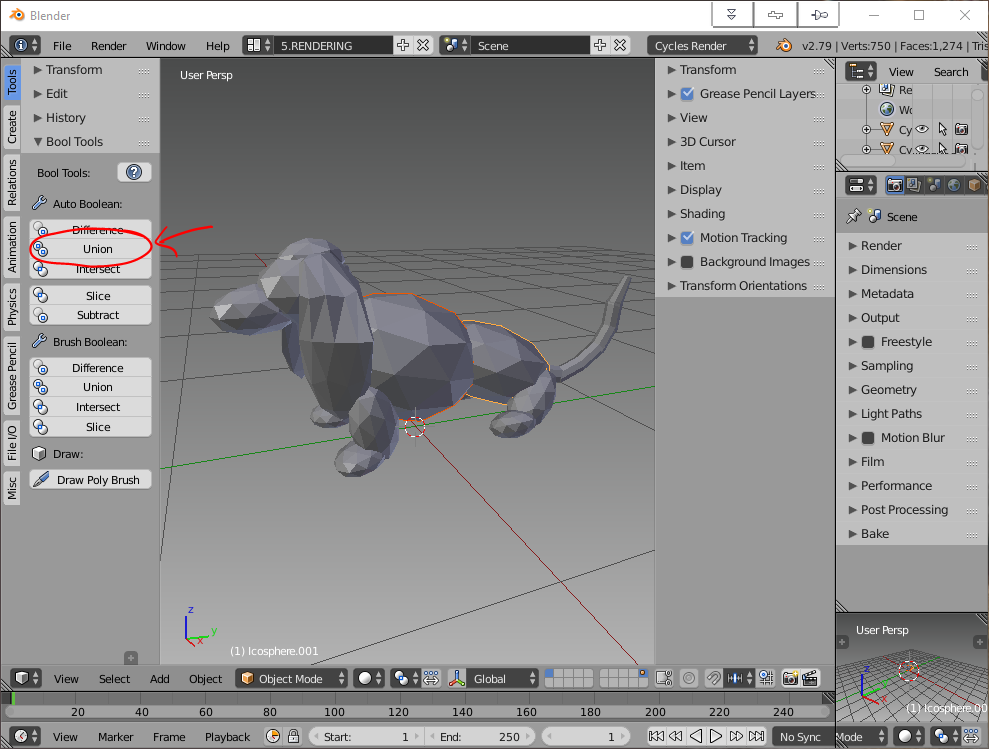
Then give the new combined object a meaningful name (makes it easier to import the objects back to blender 2.8) by double clicking on the name in the Outliner. (CTRL-leftclick on the name works too.)
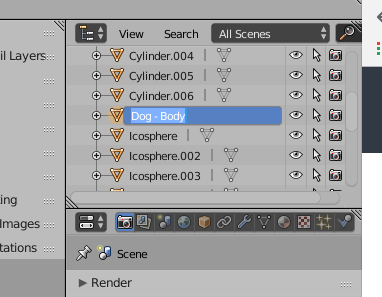
When you’re done, save the file under a new name (for example temp.blend).
In blender 2.8 hide or delete the objects you just combined in 2.79b. And then append the new object(s) from the temp.blend file you just made, the same way you did in blender 2.79b, but to get to the Append window, you press F2, and then click append.
September 2, 2018 at 8:24 am #39840@nekronavt Eyes will come. 😃 I think I will use some textures this time, instead of sculpting the eyes.
September 2, 2018 at 10:15 am #39841@carrotnl Good job! You’re really picking this up!
September 2, 2018 at 10:30 am #39842@silentheart00 Thanks 😃
September 3, 2018 at 1:43 am #39843Week 4 – Home work Submission – Next step as a modeler
– Final Project –
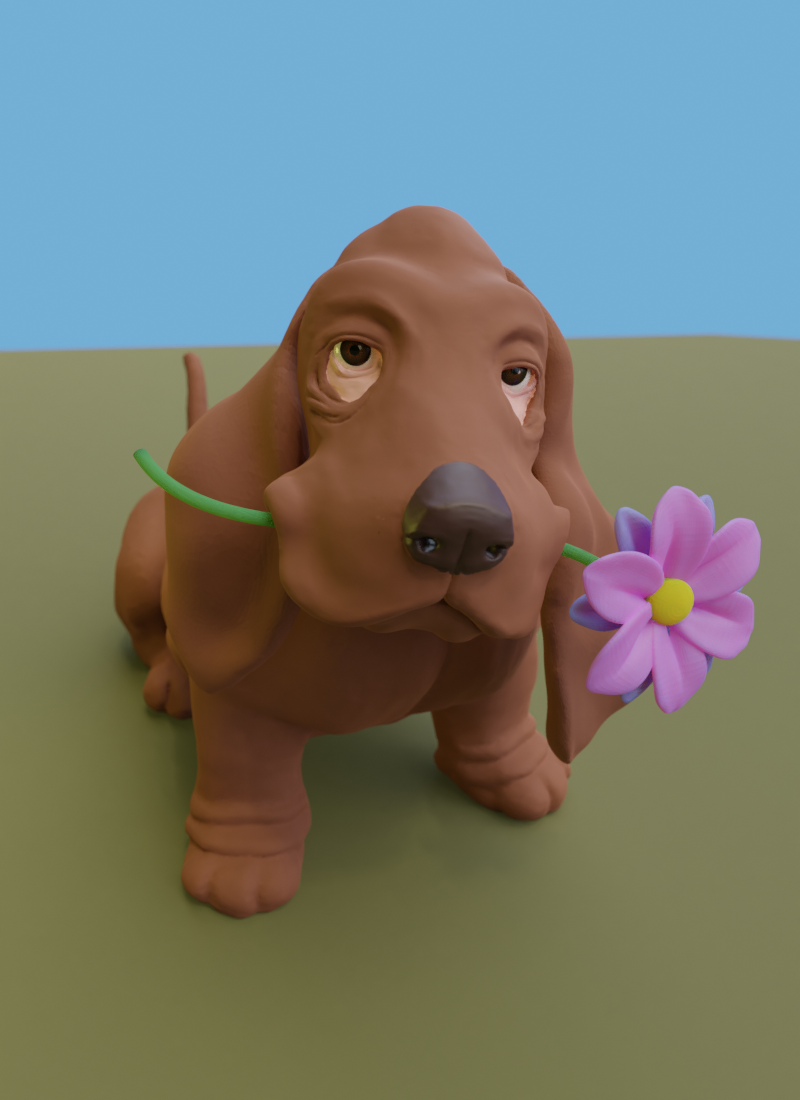
@theluthier Here’s my submission. I wanted to texture paint it a little, but that was quite impossible on my computer with this amount of vertices. I like the sculpt, but I don’t like the presentation so much. But I was out of time, so here it is 😃:
 September 3, 2018 at 1:45 am #39844
Looks a little noisy on the render, but the denoiser could easily fix that. (and this course was more about the modeling anyway 😉 ) Excellent work on the sculpt!
September 3, 2018 at 1:56 am #39845@carrotnl eyes makes all the difference 😀 I like it! Looking at your reference I can recommend to do his upper lip a bit more “smiley”, not so square, but that’s my personal preference.
-
AuthorPosts


- The topic ‘BC1-1808 Homework, Wilco Wilbrink’ is closed to new replies.