
Backhoe Contribution – duerer – Wheels / Rear Axle
Forum Archive › Backhoe Contribution – duerer – Wheels / Rear Axle
- This topic has 224 replies, 5 voices, and was last updated 5 years, 9 months ago by
Kent Trammell.
-
AuthorPosts
-
September 16, 2020 at 2:59 am #58200
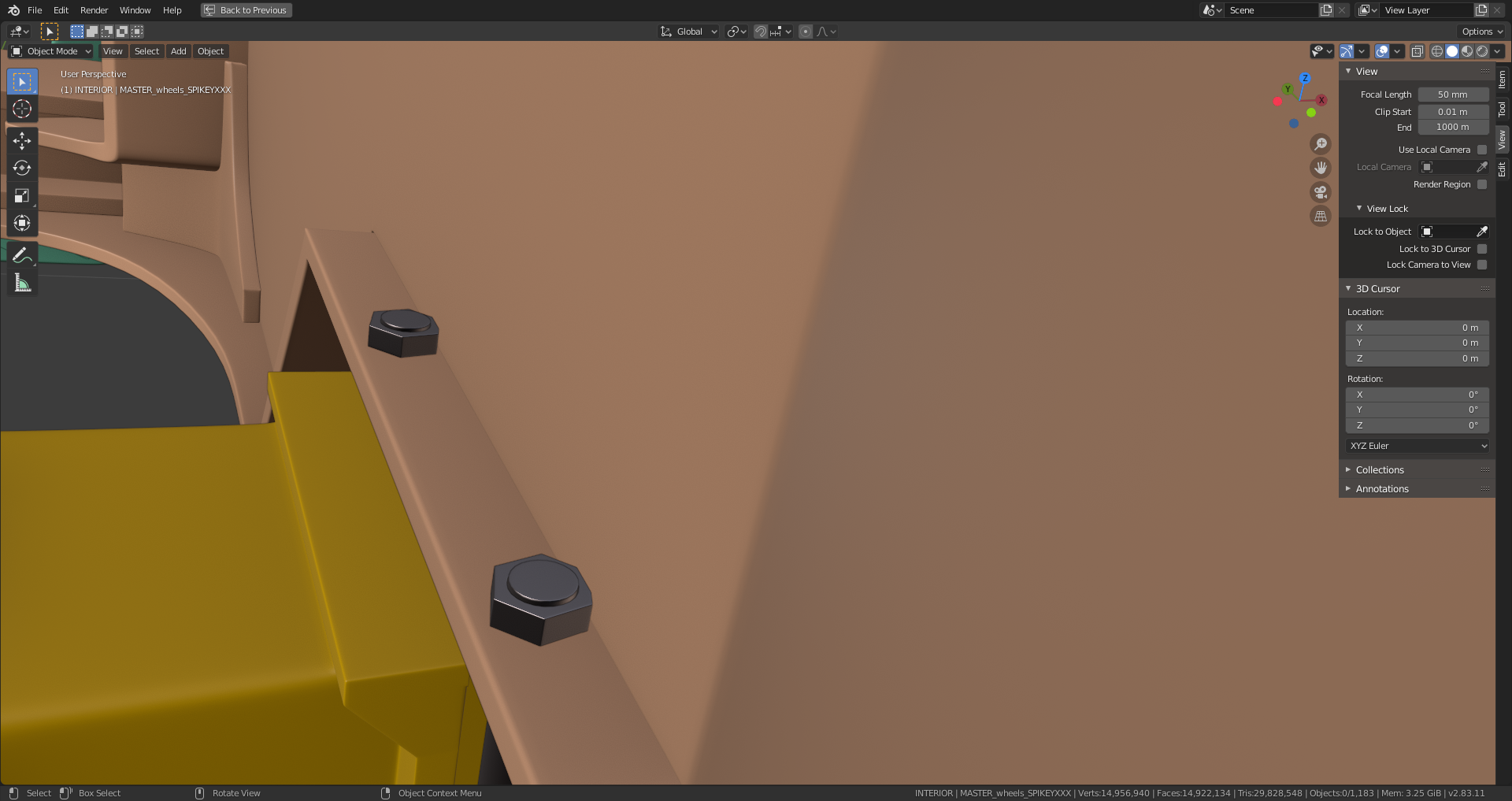
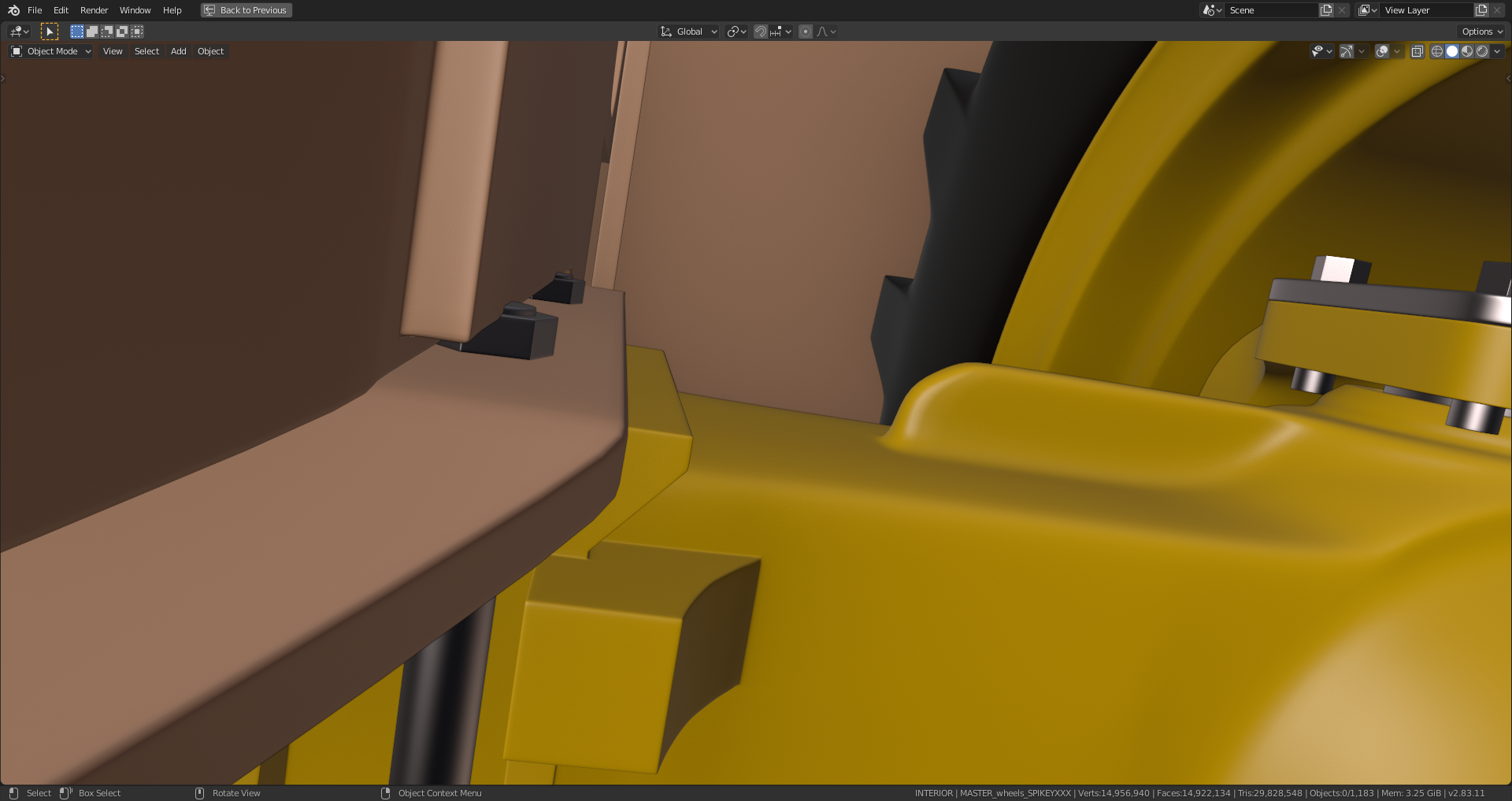
There’re still some slight intersections at the connections between the rear axle and the chassis which should be easy to fix without causing new intersections elsewhere:
 September 16, 2020 at 8:21 am #58201
Strange..I can’t imagine why streaming a video would be so RAM intensive on your end. Since we’re using Youtube (popular, well-established platform) I wouldn’t think it’s anything I can fix as the streamer..BUT it just occured to me: I wonder if it’s our website’s chat system. I’ve seen that thing slow down significantly.
I’ll rope in our webdev @nphaskins to see if he can look into the chat being a potential problem. In the meantime here’s a few things you could try:
- Try watching another youtube livestream to see if firefox eats up similarly high RAM usage.
- During the next CGC stream maybe try watching on a different browser like Chrome.
- During the next CGC live stream click the Youtube link in the stream video to watch directly on Youtube. You could close the CGC livestream page (until you wanted to post a comment). This would be a good test to determine if the chat box is the bottleneck.
Sorry for the issue. That’s a major buzzkill when a stream is going on 😕
September 16, 2020 at 8:23 am #58202Ah ok, thanks for looking into this!
September 16, 2020 at 8:40 am #58203@theluthier thanks for tips. Jonathan’s livestream on September 22nd will be the next opportunity for me to test how I can avoid this problem here on this website. It just came to my mind that my browser probably tries to store the livestream video data on my computer in order it faster just in case that I would like to rewind to an earlier position and that I can maybe switch this behaviour off. The high memory consumption points imho rather at video data than the chat with its tiny icons as the only graphical elements. But I’m just speculating.
September 16, 2020 at 8:58 am #58204If you hop over to a random live youtube channel right now that should be definitive proof of the issue being the the video data or not. Watch one of those for 10 minutes or so and see if your computer struggles with it similarly then we’ll know it’s the video data. If your computer doesn’t struggle then it must not be the video data. Since every YT streamer’s data passes through YT’s servers.
September 16, 2020 at 9:11 am #58205Kent, I’ve found a Blender “Titanic Modeling” livestream🤩 running since 75 minutes with around 20 viewers!!! That’s a project which I had in mind as a future CGCookie collaboration project😀!!! Alternatively a Space Shuttle or a Saturn V moon rocket .
September 16, 2020 at 9:36 am #58206The memory consumption is oscillating around 3GB for firefox.
This Titanic CG modeler seems to be a Bob Ross fan and he was just talking about his wish to have a time machine in order to travel back to shortly after Bitcoin had been released. With an investment of 200 Dollars he now would have made 27 million Dollars. If I only had known this earlier … How many Caterpillars 434E could I buy with this. And what would a Titanic rebuilt cost today?
September 16, 2020 at 10:00 am #58207The “Titanic modeling” livestream is at 720p and everything is running smoothly 😀 with a memory consumption at 4,2 GB and the AeroBlade 3D Fan showing a higher activity. I think, 40 to 50 minutes in the backhoe livestream was when problems began.
It’s now 45 minutes in the “Titanic modeling” livestream and the guy has just finished (10 a. m. where this guy is living) for a break of an hour in order to relax and hoping for better weather (hurricane season). Kent, maybe this guy isn’t living far away from you (at least for US scales 😉)
September 17, 2020 at 7:53 am #58208Sounds like an interesting livestream! I used to be obsessed with the titanic as a 10 year-old kid. Can you link me to the channel?
4.2 GB still seems like a lot to stream a video…I’ve got 2 chrome windows totaling 20 tabs and I’m only at 2 GB (Chrome is also a known RAM hog). Do you maintain a lot of tabs in firefox when browsing?
September 17, 2020 at 8:45 am #58209The channel is called “Titanic Animations” and can be found here. This guy has really dedicated himself to telling the story of the Titanic and her sister ship:
“Started out with very little animation and modeling knowledge, but a passion for RMS Titanic which spans back to 1995. Now I plan to tell the story of Titanic, and her sister ships, to keep them alive for future generations. “
(Source: https://www.facebook.com/pg/TitanicAnimations/about/?ref=page_internal)
September 17, 2020 at 9:46 am #58210If I type “about:memory” into the internet address field of Firefox, then I get among others a button “minimize memory usage”. But I’ve also read that Firefox is known as a “Memory Monster” 🤪. VLC player can be used for streams too but some streams crash after a few seconds. I’ve read furthermore that Windows forces Firefox too rarely to free memory. There’s last but not least a recommendation to use the 32Bit version of Firefox even on a 64Bit operating system due to a lower memory usage.
September 17, 2020 at 10:00 am #58211Sounds to me like the issue has more to do with your browser / computer than what I should do as a streamer. We always want to provide the highest quality video, whether pre-recorded or live broadcast which means high bitrate transfer of 1080p video. To reduce any of the settings is costly to our standard and could result in Blender’s UI being pixelated and hard to distinguish for viewers. I could avoid the “Ultra low latency” option on Youtube but that would mean 10-20 second delays…I think that significantly hinders the viewer experience.
For the next CGC stream you watch I recommend trying these options:
- Reduce the youtube stream’s quality with the gear icon of the embedded video (720p for example)
- Close all browser tabs except the stream page.
Hopefully that improves the experience from your end!
September 17, 2020 at 10:07 am #58212With “about:performance” typed into the internet address field of Firefox, the built in “Task Manager” shows me that for example the “Shading the Grass Field Mesh” lesson of Jonathan’s new shading and texturing course already uses around 330 MB of memory.
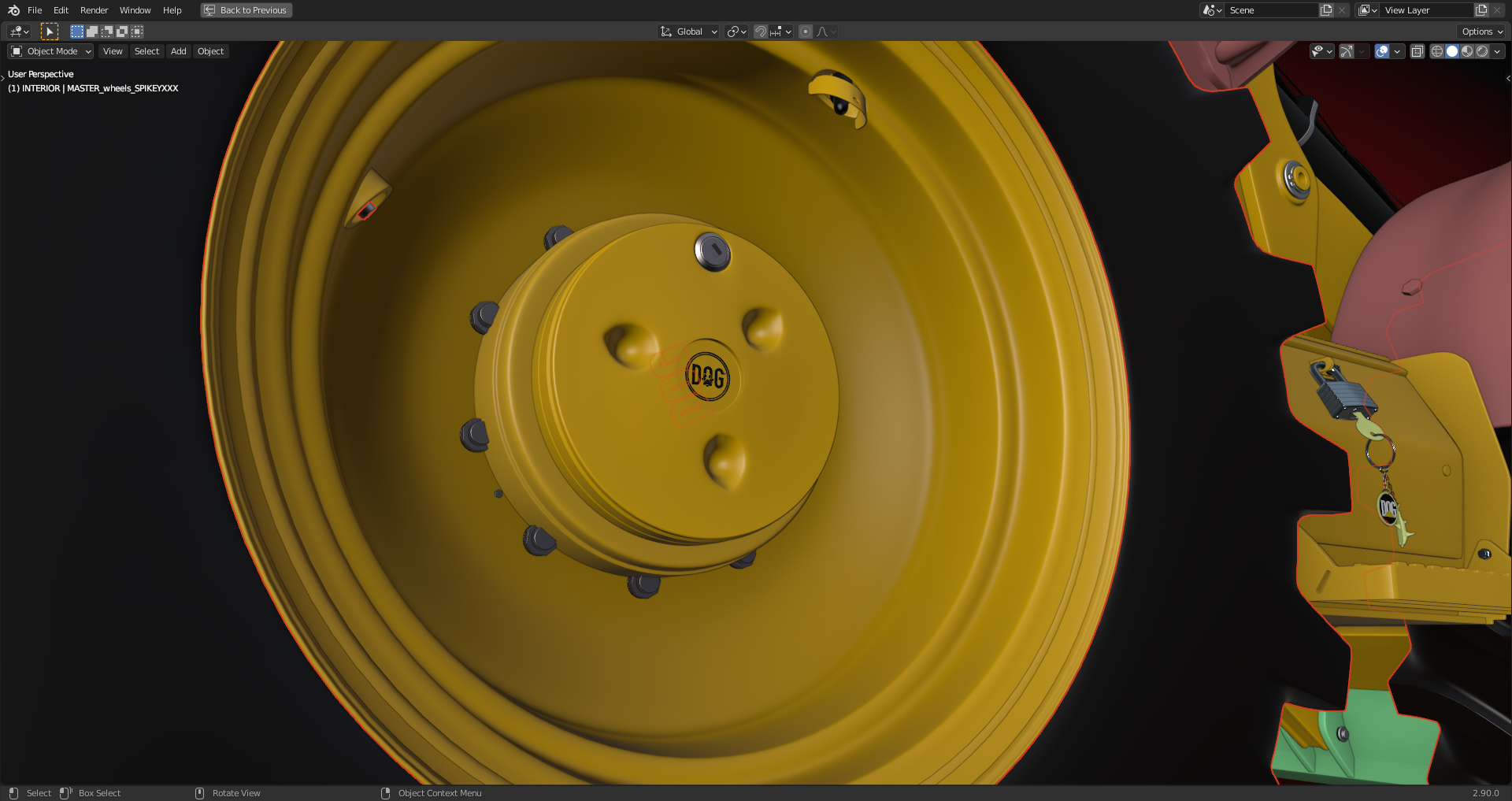
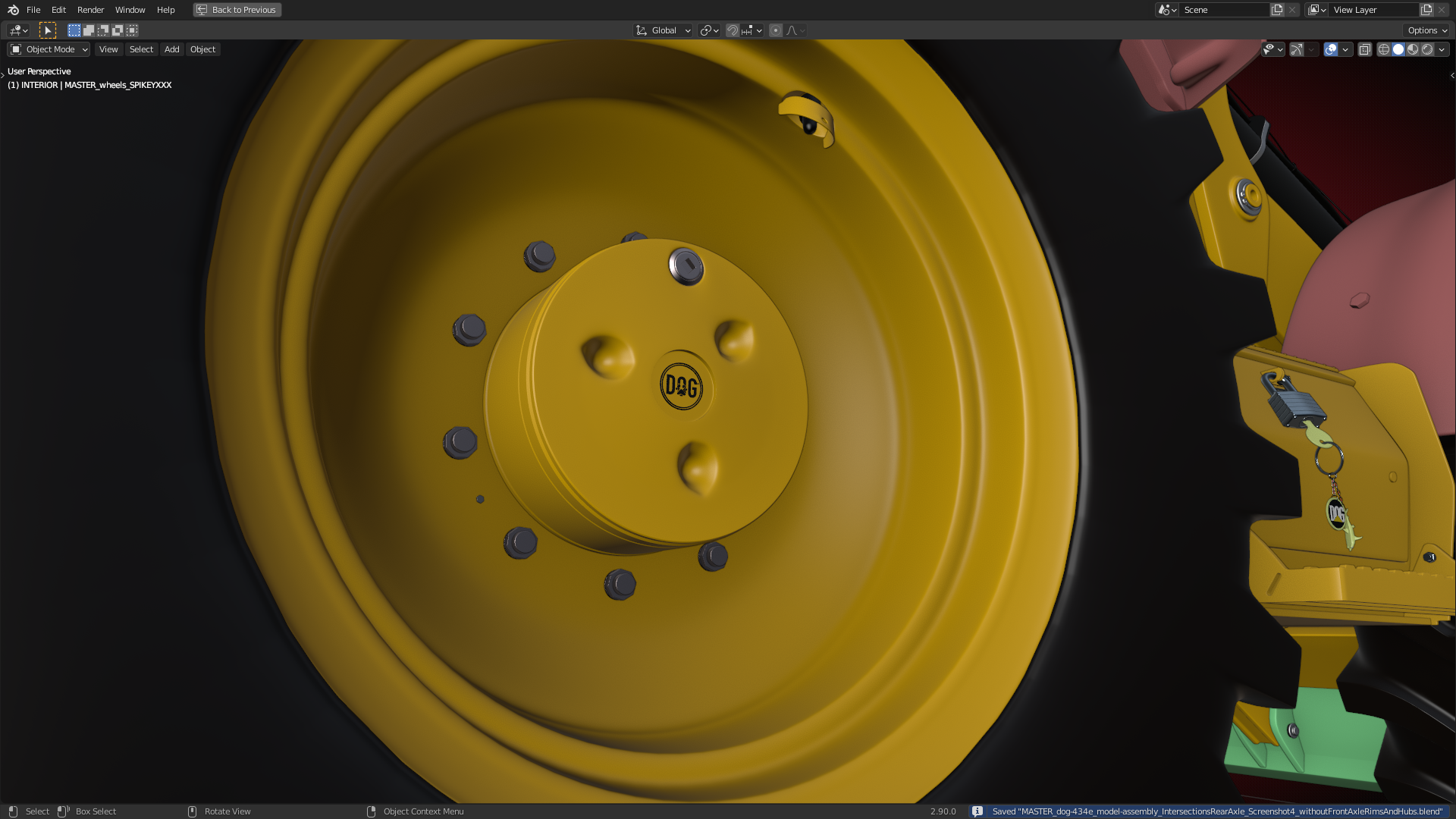
September 30, 2020 at 5:28 am #58213I’ve dowloaded today the current “Master Assembly” and “Parts” files for our “Dog” backhoe. The axle rims and hubs which are duplicates of the corresponding front axle parts need to be hidden so that my rear axle rims and hubs are fully visible:
View with front axle rim and hub duplicates:
Without front axle rim and hub duplicates:
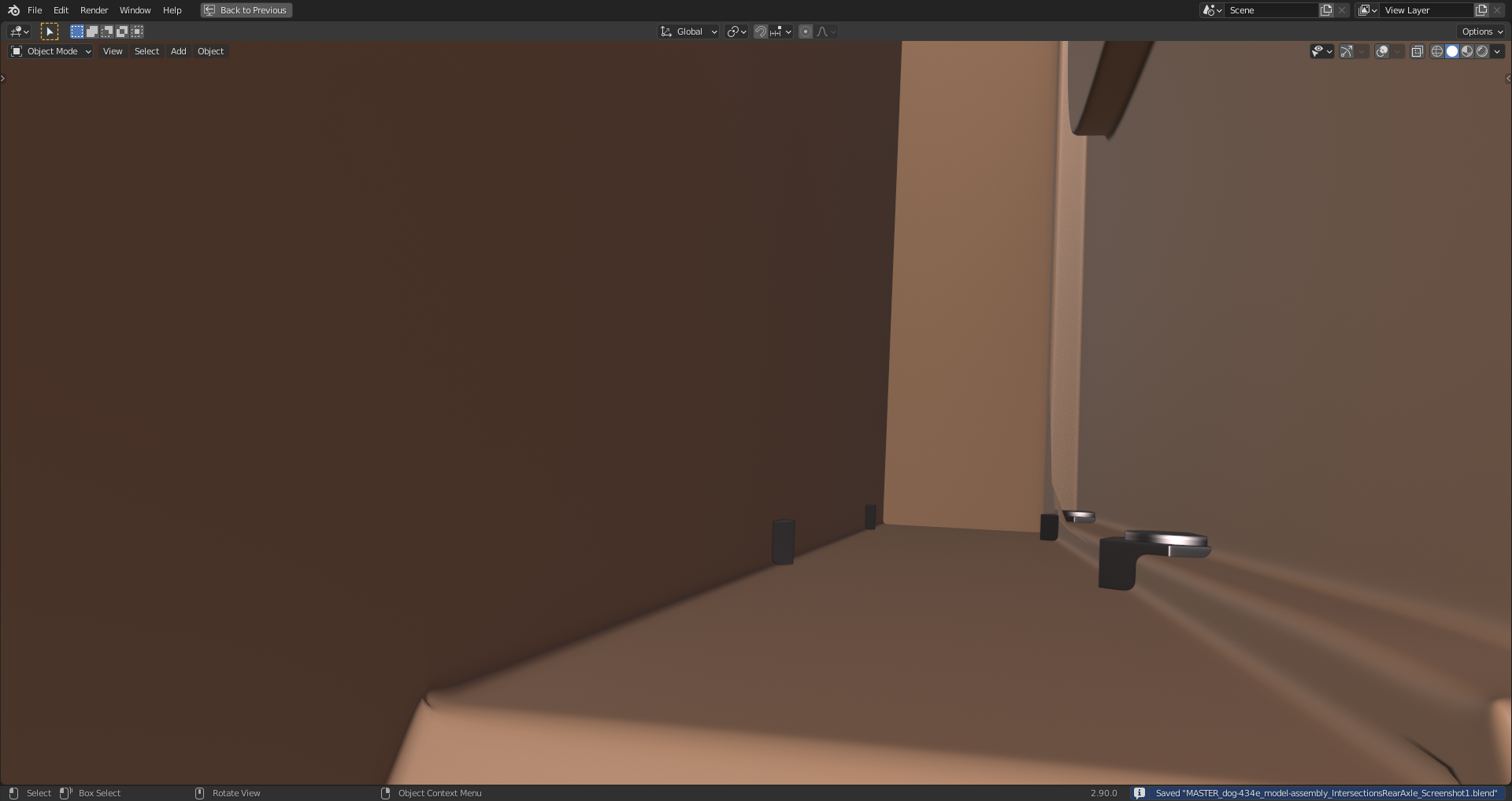
Eight bolts and nuts of the rear axle are slightly intersecting with the chassis:
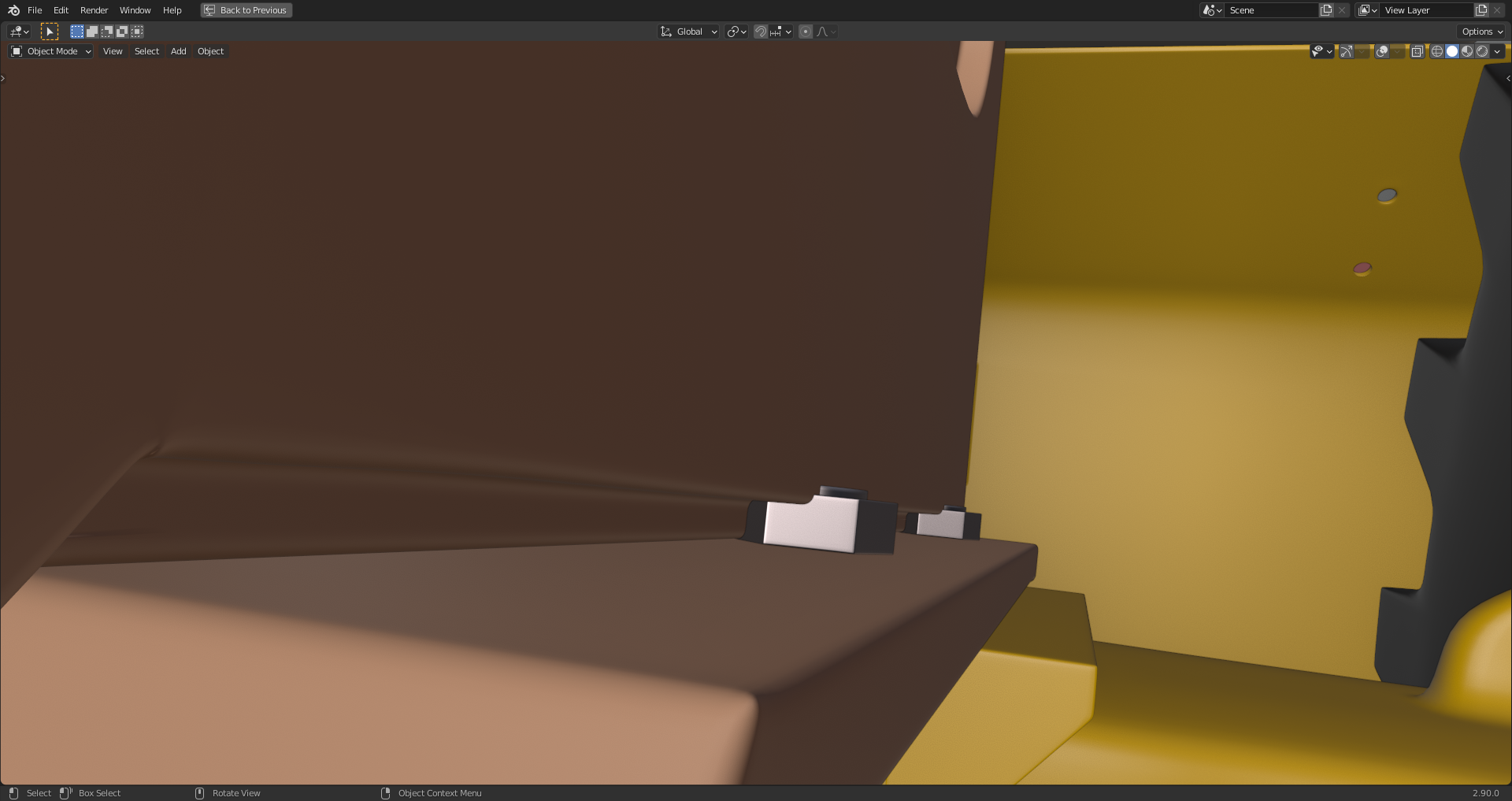
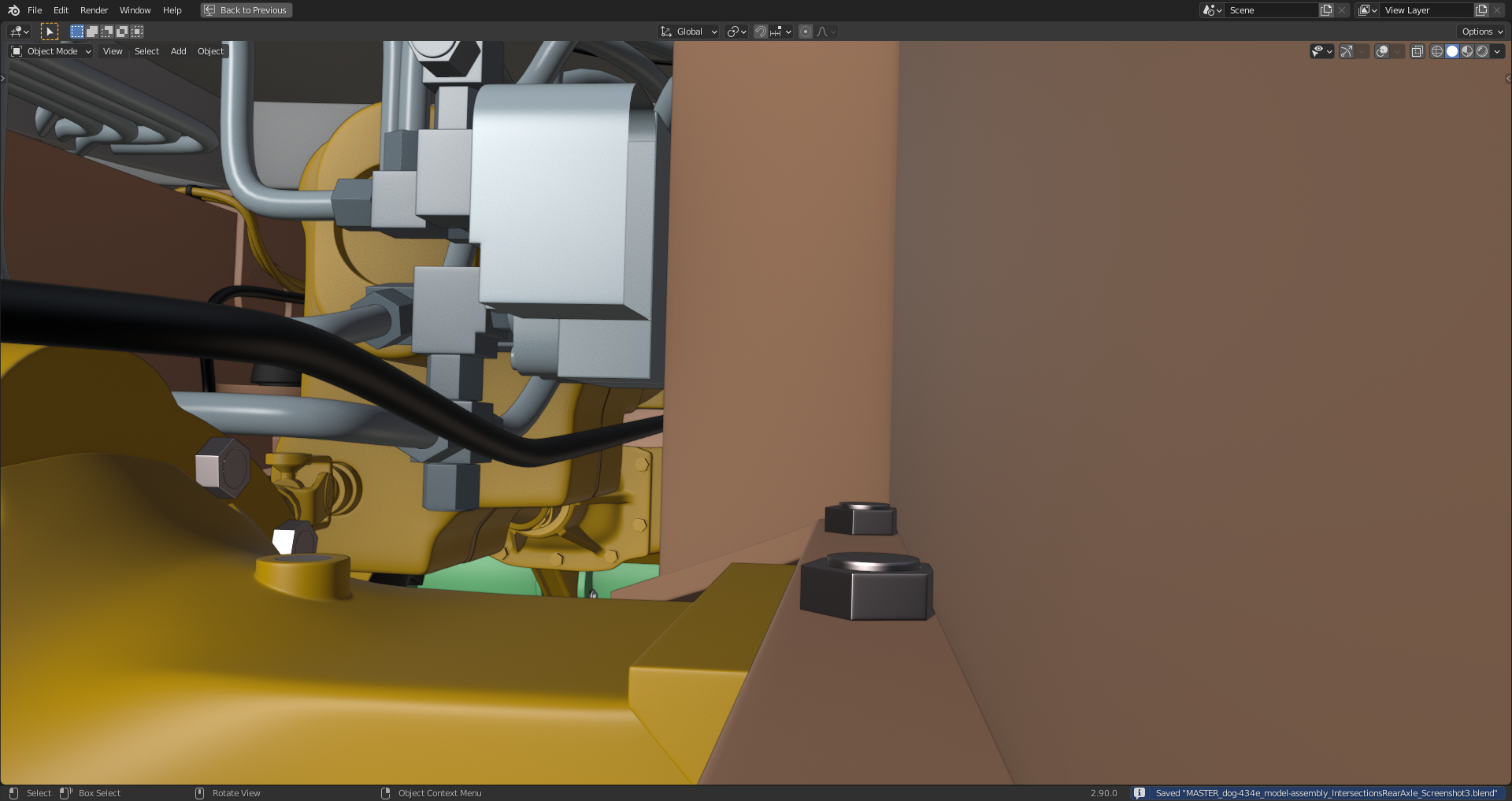
Both sides seen from inside the chassis:
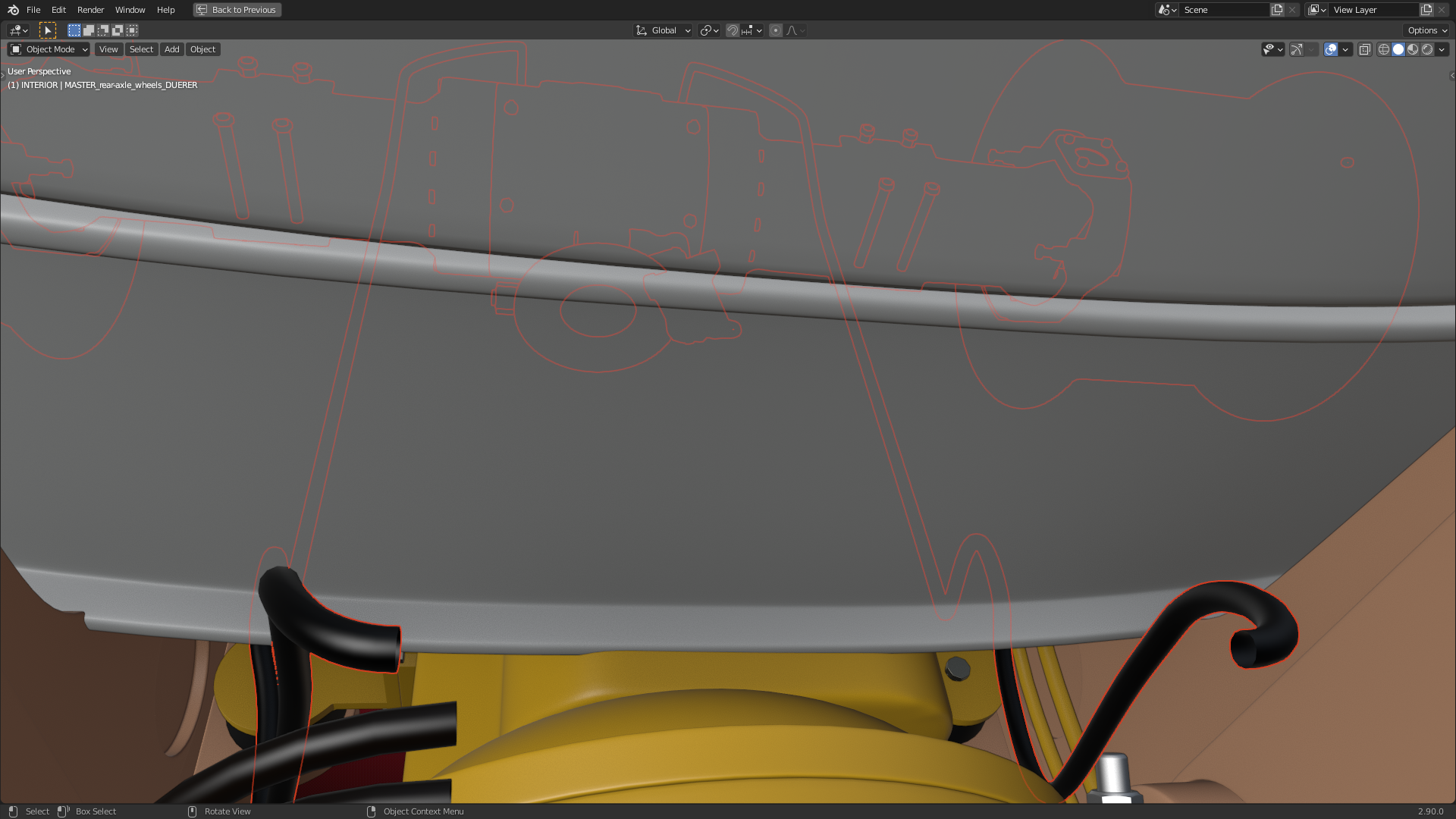
The hoses from the rear to the front are floating in the air and without connection at the front end:
 September 30, 2020 at 2:25 pm #58214
Thanks for the extensive commentary @duerer. Are those duplicates coming form @spikeyxxx ?
And @adrian2301 can you look into the chassis issues?
-
AuthorPosts


- The topic ‘Backhoe Contribution – duerer – Wheels / Rear Axle’ is closed to new replies.