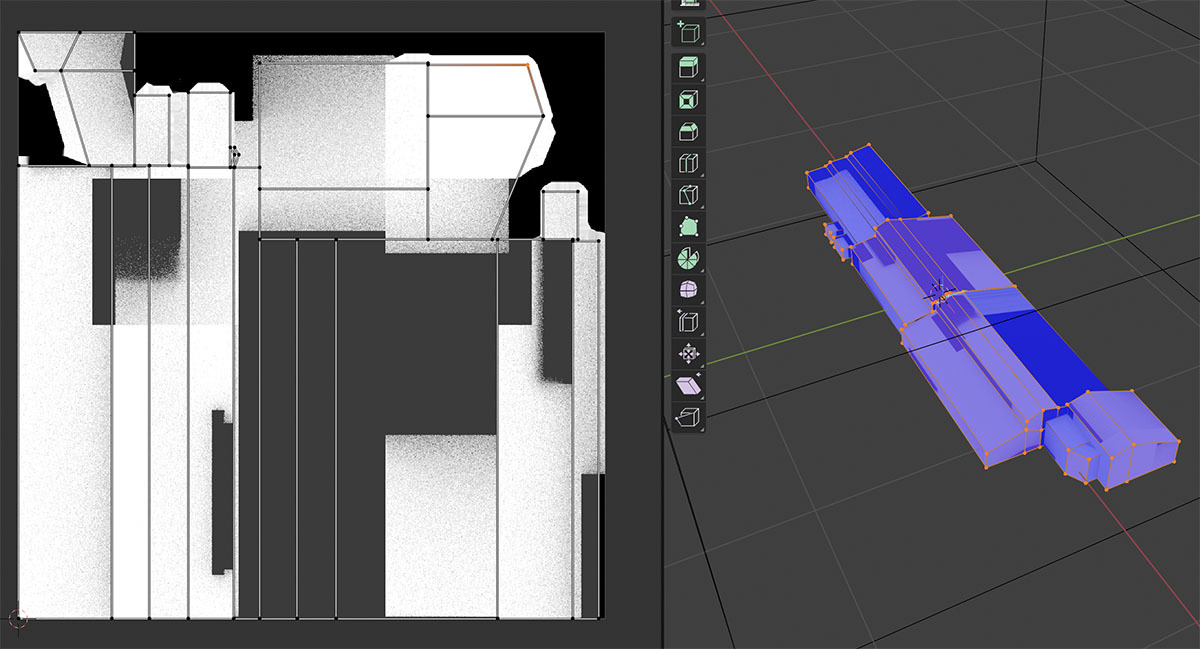
Hi Omar! The screenshots above show pitch-black spots all over the model. This is not the intended result. See the attached image where I applied the AO shader as the base color to the model above. The model below has a baked texture as the base color.
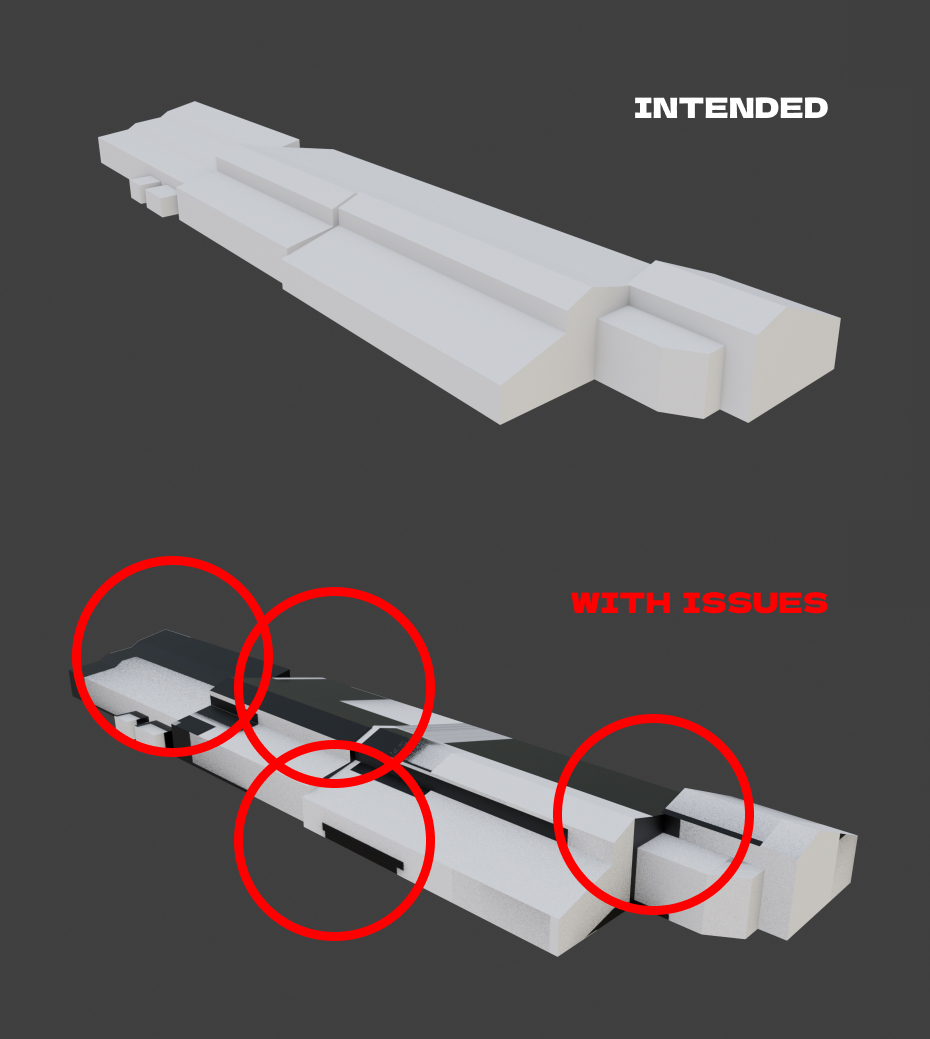
Based on my previous experience with 3d software, these black spots appear when there is a mesh blocking the light. I have encountered that behavior before in 3DS Max and Cinema 4d. The solution is easy — hide an object from the camera, and the model looks like intended. I tried to do so, even deleting everything except the model I intended to bake, but no luck.
For context, I am following this tutorial
https://youtu.be/ChxGAcKO92Y