
jayanam

Forum Replies Created
-
AuthorPosts
-
Thx a lot for the answer, now it makes sense to me. Takes some time to get used to it but I see the benefits.
Ok will do, but before I think I have to understand first what the NLA editor does, I have to fill this knowledge gap. I have animation actions for the character rig and and for the pistol rig. When I play an animation in the action editor, it is added to the NLA editor like this:
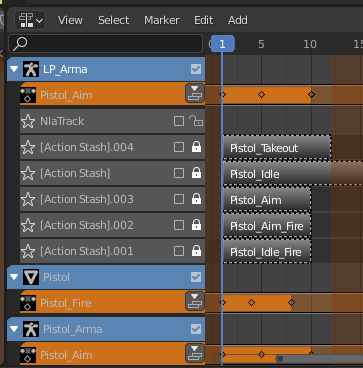
But what I dont undertand here:
Why is the Pistol_Aim, which is an action for the LP_Arms (the arms armature) added to the Pistol_Armature in the NLA edtior after I played it? And why is it added to the pistol Mesh as well. Is it because I had these objects selected while I was playing the animation.
This can be very confusing, especially if the actions that are displayed in the NLA are taken into account when exporting the models – and or me it seems that it has an effect.
I begin to understand the NLA editor, but is there a way to not use it, also that when I play actions in the editor and have the “wrong” object selected, that these are not added to the NLA editor for the selected object?
It works now, even if I export from the hand’s position. The animation is for the slide of the pistol, so it doent change the root bone’s transform, in Unity the animation is in the preview displayed with an offset:
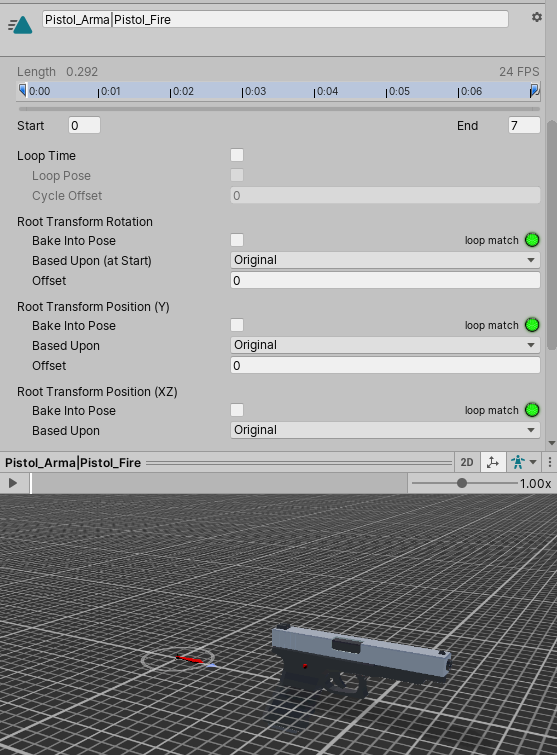
Another strange thing:
Having an animation of the character (arms) in Blender active in the NLA editor (and the pistol’s root) has a ChildOf constraint to the character’s hand, the animation is displayed weird in Unity (rotated and wrong position).
So when there is no action here:
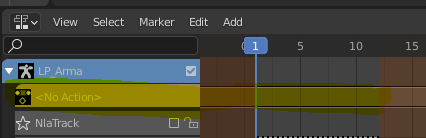
The animation is displayed correctly, but when I add an action here, the animation is rotated and has an offset.
Could it be the case that when I export with this action of the character active, the root bone of the pistol is transformed as well because it has a constrained – wow, is this complicated:-)
The position of the gun’ s root bone after the posing – the location of the armature is at 0,0,0. When I move it to the location at which I adjust it to the hand and then export, the origin of the model is at this location when I import it into unity. I searched for a way to ignore the root bones’s transform in Unity, but it doesnt work. When I export after clearing the transform (or go to a pose that I stored in a PoseLib) everything works fine. I will send an image when Im back in my office.
@jlampel Ok, but if you parent the gun to the root of the chracter and not to the hand, you can do this only if the origin of the gun is at the ground too, which will lead into problems for various situations in your game like
1. attaching the gun with same animations to different character
2. Dropping the gun on the ground
I guess it should be like that: The gun has to be attached to the characters hand like in blender and the position is just determined by the hand’s rotation. Then pivot point can be the same, you just have to make sure to attach the model with the same roation and to the same position in Unity as in Blender.
The only problem Im getting here is: When I export the gun, I have to do this in Pose position, but then the origin is not at the center anymore (where I have my rest position). Do you know a way to get around this?
Ah I see, thx a lot.
Hi Jonathan
I mean the “Make Proxy” method, I dont understand what it does. Is it just a way of importing the Armature of an object? But it seems that it is the parent of the model (like Character object and Character proxy) but in the outliner it is not displayed like this.
In my project I just have an Armature for the weapon which is the parent of the object (with weights aso…)
Thx for your answer.
-
AuthorPosts
