How to Correctly Parent the Rifle and Robot together?

Forum Archive How to Correctly Parent the Rifle and Robot together?

Viewing 9 posts - 1 through 9 (of 9 total)
  • Author
    Posts
  • #12212

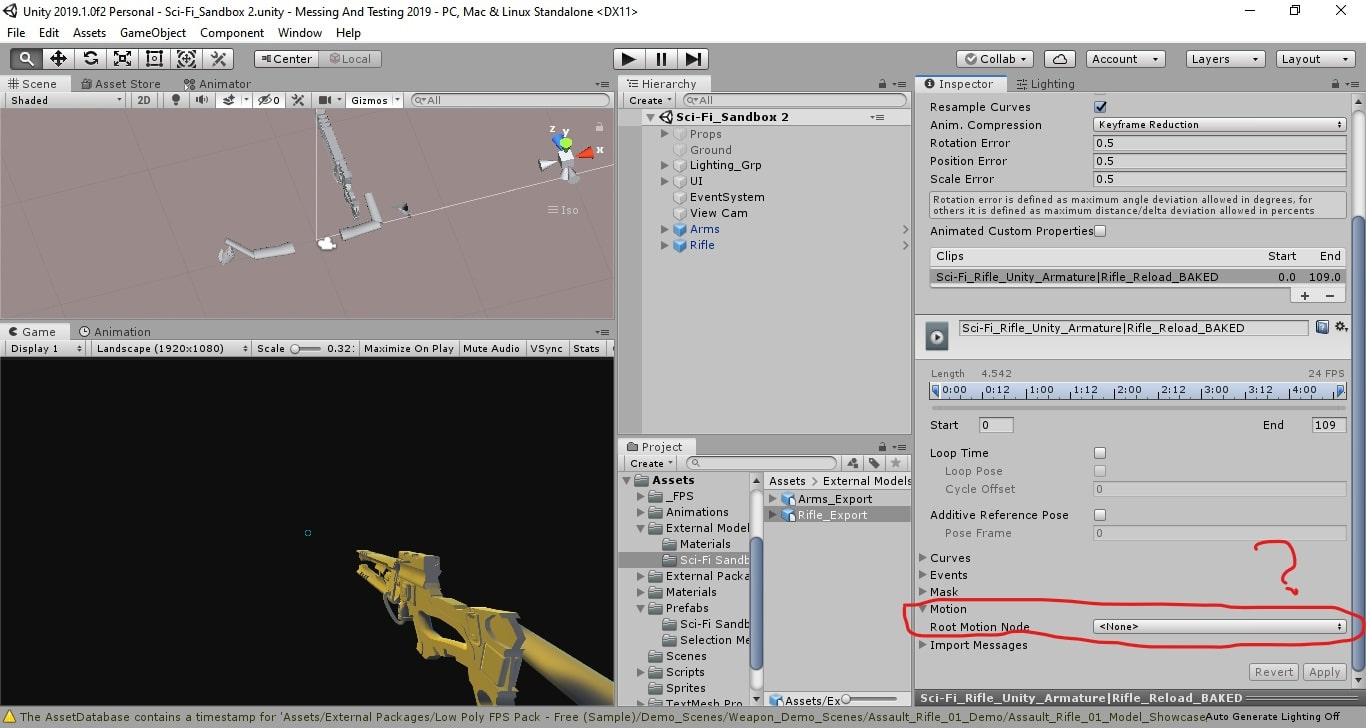
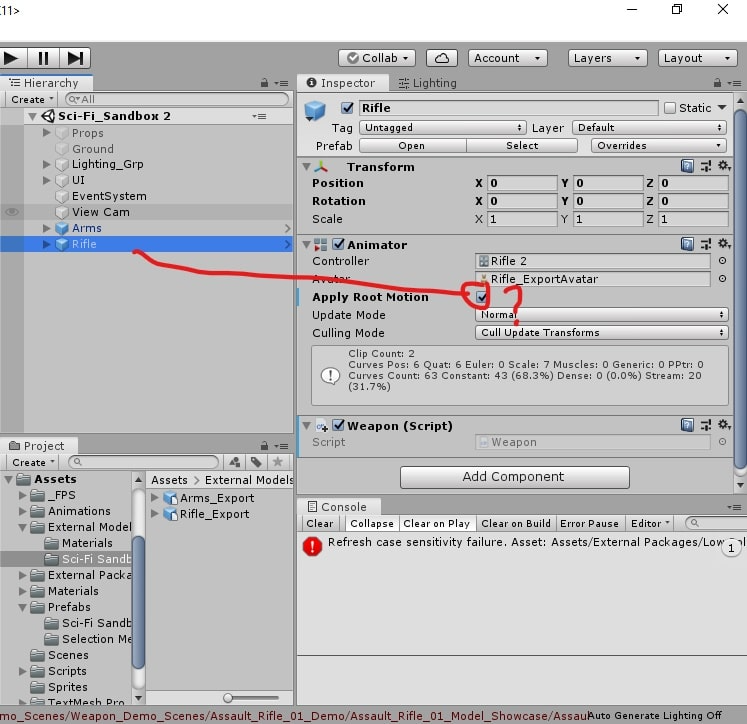
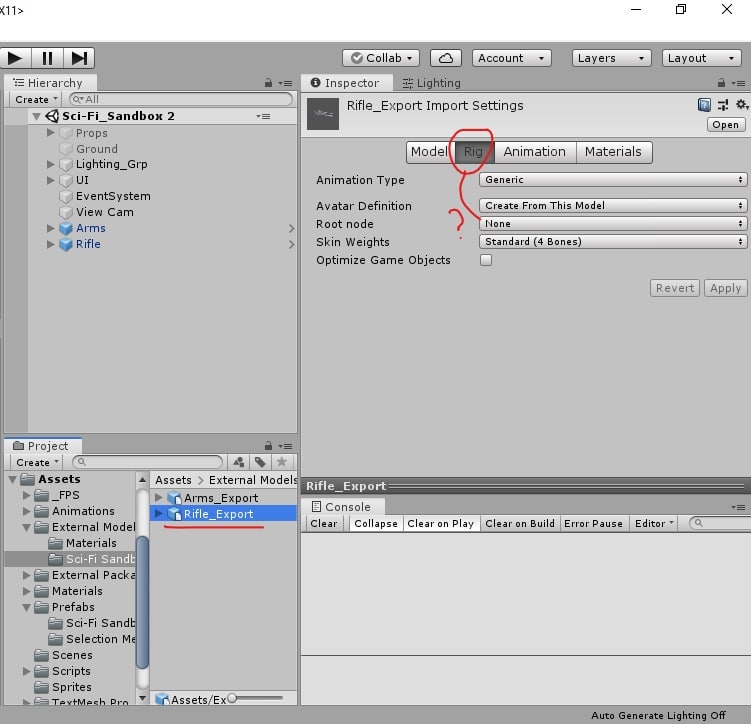
    When I import the Rifle and the Arms(Model I made) to Unity Both work well separately when adding animator controller to each. but how can parent the Rifle to to Arms so that when I press R the Reload Animation for both the Rifle and the Arms play well Simultaneously?

    Can you show what options shown in the picture or more am I Supposed to configure and how?

    thanks in advance. @jlampel 

    I checked every single animation of the FBX files and they work great.

    #58315
    Shawn Blanch
    Participant

      Ooooooo. That looks cool. Perhaps @jlampel can answer this. Try giving his name an @ mention next time.

      #58316
      Jonathan Lampel
      Participant

        Hey Mohammed, everyone seems to set things up slightly differently so I don’t think there’s one right answer, but if you baked out the animations like in the course which it looks like you did, try parenting the gun to the character’s root (which should be on the ground) instead and keeping the root motion of the gun. That way they can act independently but appear to stay perfectly in sync. Hope that helps! 

        You may also find these courses useful for later: 

        https://cgcookie.com/course/fundamentals-of-fps-ui-design

        https://cgcookie.com/course/fundamentals-of-weapon-mechanics

        #58317

        Huge thanks for you Buddy for Saving me. I followed your instructions and it really helped me. it turned out that I previously had set my Arms rig in a very wrong way thus didn’t work in the engine. now it’s fixed and ready to roll. thanks again.

        #58318
        Jonathan Lampel
        Participant

          Woohoo, glad that did the trick! Nice work 🙂 

          #58319
          jayanam
          Participant

            @jlampel Ok, but if you parent the gun to the root of the chracter and not to the hand, you can do this only if the origin of the gun is at the ground too, which will lead into problems for various situations in your game like

            1. attaching the gun with same animations to different character

            2. Dropping the gun on the ground

            I guess it should be like that: The gun has to be attached to the characters hand like in blender and the position is just determined by the hand’s rotation. Then  pivot point can be the same, you just have to make sure to attach the model with the same roation and to the same position in Unity as in Blender.

            The only problem Im getting here is: When I export the gun, I have to do this in Pose position, but then the origin is not at the center anymore (where I have my rest position). Do you know a way to get around this?

            #58320
            Jonathan Lampel
            Participant
              #58321
              cmercado
              Participant

                for exporting this to UE4 I imagine I need to reparent is the rifle amature to the right hand and rename it as a root, because in unreal all of the bones need to be parten of a main bone for the skeletal mesh to work,  becuase in my case, in unreal if I disable the root motion animation it doesnt work because it take the rifle amature as the root not the rifle root.

                #58322
                Jonathan Lampel
                Participant

                  Ah interesting @cmercado , I haven’t tried this rig in UE4 yet so I don’t know for sure if that’s the case. 

                Viewing 9 posts - 1 through 9 (of 9 total)
                • The topic ‘How to Correctly Parent the Rifle and Robot together?’ is closed to new replies.