
Grid Fill causing corner bulges even after subdivision – how to fix?
Forum Archive › Grid Fill causing corner bulges even after subdivision – how to fix?
- This topic has 40 replies, 3 voices, and was last updated 1 year ago by
Deb kanta Guin.
-
AuthorPosts
-
August 21, 2025 at 10:42 am #96616
Can you post a screenshot of the area you say looks like it’s not the same object? Everything seems to work fine for me.
August 21, 2025 at 10:53 am #96617Okay i get it what u are saying martin. But is there any way to it without manual labor? and what should i delete the subdivs? but i get it the wire part
and omar by joining i am saying something like this..”One solid obj” i tried this but bool and remash and all but it wont work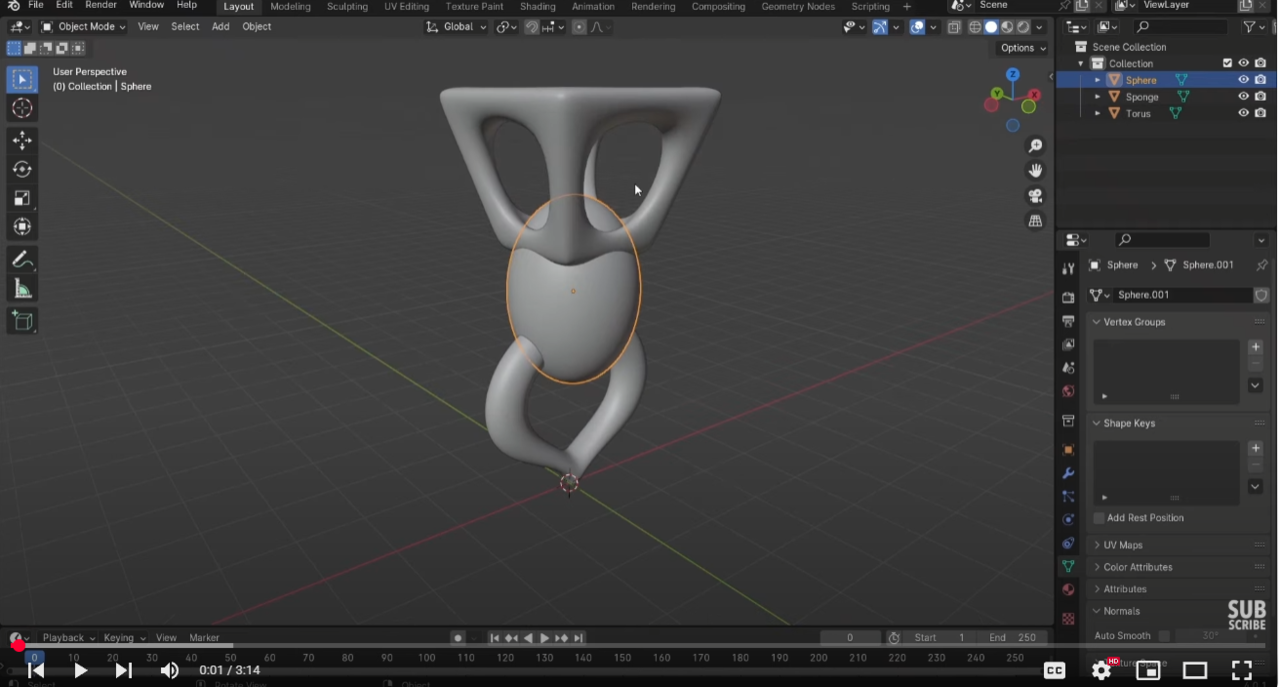
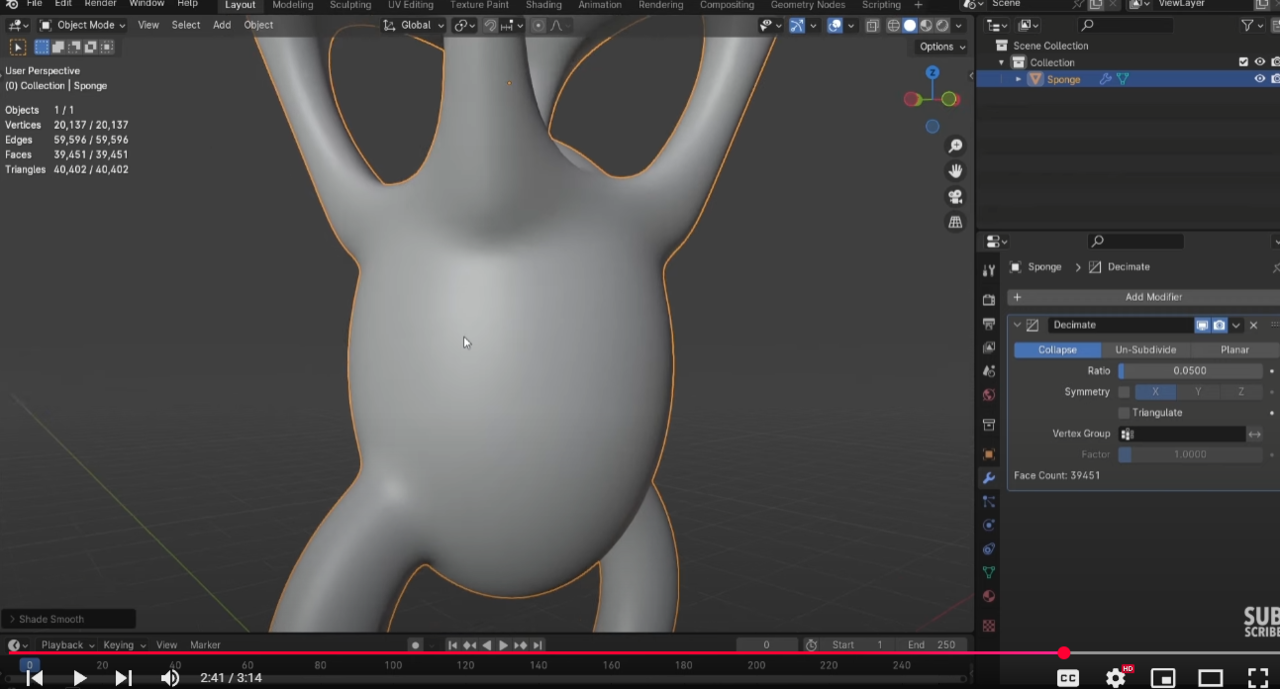
But thank u guys a lotAugust 21, 2025 at 11:37 am #96618I’d recommend to Delete the Subdivs, before they get Applied (when you Convert to Mesh), because otherwise you have too much Geomtery to wrangle when you are going to manually connect the pieces.
The manual part is so little work, that, when you try to do this automatically with Booleans or so, you’ll end up doing more manual work, cleaning up the mess.
August 21, 2025 at 12:00 pm #96619But how to connect them properly? I am struggling with that..
August 21, 2025 at 12:21 pm #96620It’s basically connecting Cylinders together (Bridge Edge Loop). This only works well, if two Cylinders have the same amount of Vertices (and start with simple Geometry):
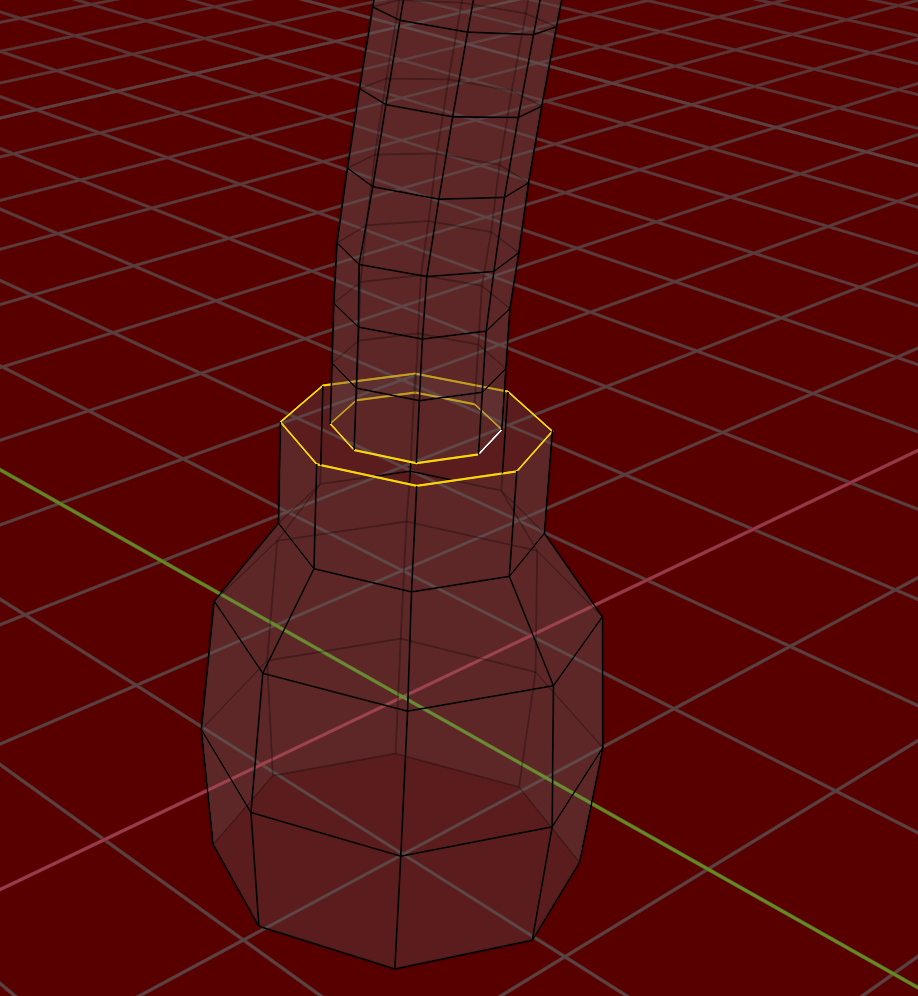
Now, with this knowledge, knowing what you’ll need, you should start from scratch (yes, really!). The second time it’ll go a lot faster!
August 21, 2025 at 12:27 pm #96621It’s normal you are struggling, you need quite a bunch of modeling knowledge to get around connecting parts into one sold mesh. That’s where all the modeling rules come to be applied. In other words, you need a lot of practice still, 3D modeling is not easy. So don’t feel like you need to know how to do it flawlessly at this point. In your case with the lamp, crashing the meshes into each other is no big deal, since they join at ends on the lamp where it’s barely noticeable.
The challenge is always to know the exact loop count you need to define al the main shapes. A lot of times you have too much or too little. That is why Martin is saying to apply the SubD, because you’ll have too much geometry and the mesh becomes uncontrollable.
So go ahead and practice, do it wrong and fail, it;s essential to fail, because your brain learns what not to do. You keep trying and make your brain start to get how to go about modeling, because it’s one of those skills that you need to re-wire your brain so it becomes natural to you.
August 21, 2025 at 1:23 pm #96622I totally get it….thaks a bunch guys…i will give it a shot tom…if I fail again I will move on as omar said…and try to be better…but let me clear one thing…
I probably have same amount of vertices in the wire and the lamp so if I convert the curve to a mesh and then disable or delete the subdiv and then join them by bridge faces…it will look like a solid obj….am i right? Although i will start from scratch again.
U guys are so good… thanks Omar and martin…
August 21, 2025 at 1:30 pm #96623That’s the tricky part, to get the shapes to merge seamlessly, even though they are different in their vertex count, now you have to make them similar and get the shape you want out of those vertices. That way make it one solid object that is optimized to get the desired shape out of just enough number f vertices. Because if it’s too many vertices then it’s so difficult to control.
August 21, 2025 at 1:36 pm #96624Thanks Omar….
Now i am feeling 3d is actually very hard thing to master…but it’s just beginning for me only 2 months….I won’t give up…
August 21, 2025 at 1:44 pm #96625Yes, 3D is hard, but there’s a bunch of people that know 3D, so hard is no reason to stop, it’s not like it’s impossible, otherwise no one would know3D. Most things in life are hard, specially the ones that are worth doing. The difference between people that feel good and accomplished is that they didn’t stop when everyone else did.
August 21, 2025 at 1:46 pm #96626Thanks 🙏 for this one..
August 21, 2025 at 2:29 pm #96627“…so if I convert the curve to a mesh and then disable or delete the subdiv…”
To be clear; you don’t need to Convert the Curve to Mesh, it was just used to guide the ‘wire’ Mesh.
Delete the Subdiv Modifiers (don’t disable them).
Converting the Meshes to Mesh, is a trick to Apply all Modifiers at once (that’s why the Subdivs had to be Deleted first).
When You Join the Objects with CTRL+J, all Objects get the same Modifiers as the last Selected one, that is why you had to Apply all Modifiers before Joining.
It’s a bit confusing when you’re just beginning, but if you persevere, ‘all the pieces will fall into place’.
Good luck on your 3D journey🍀
August 22, 2025 at 4:23 am #96628Hello Martin and Omar,
Thanks a lot, guys… even saying thank you doesn’t feel enough.I tried making it again, and here’s the result. I still wanted it to look like a single object, with all the meshes blending smoothly together. So, I connected everything in Edit Mode. I started with a 14-vertex circle and managed to connect them, then added Subdivision afterward. But the vertex/triangle count became massive because of the wire mesh.
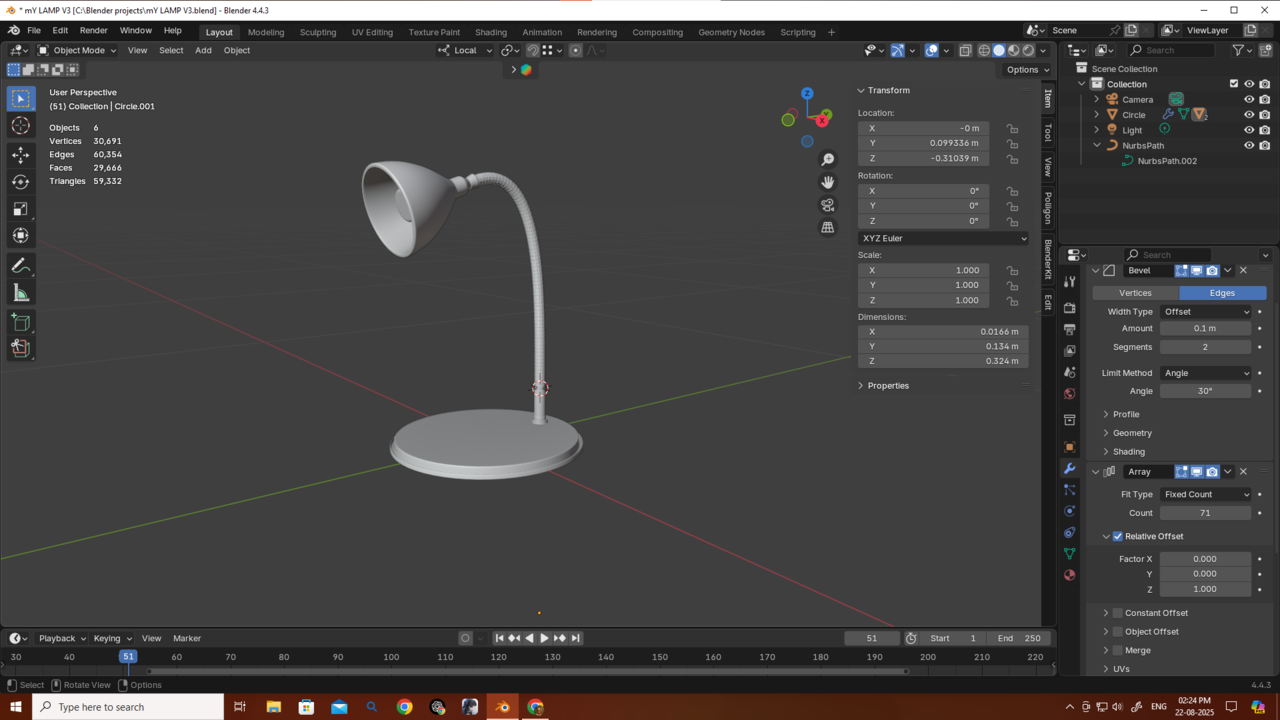
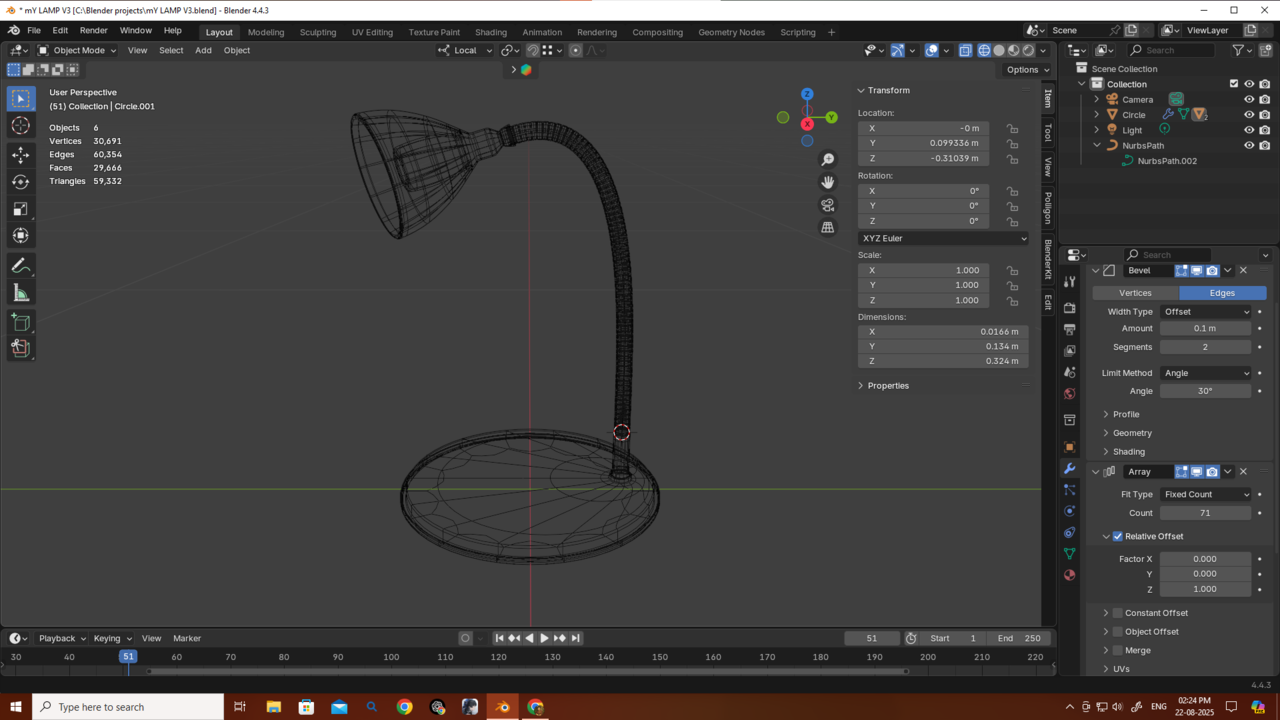
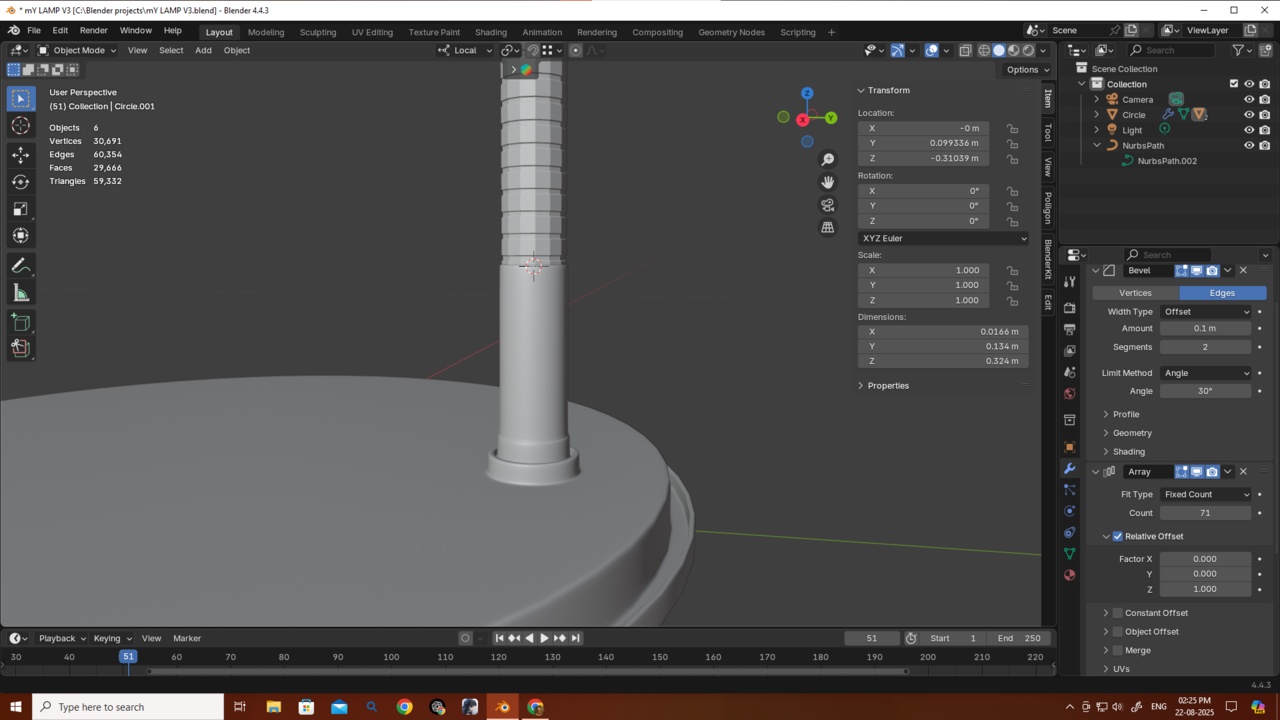
Since I still wanted it to look like one object, I made some changes and optimized the meshes a bit so they’d look like a single obj and blend together better but did not connect them . I also reduced the resolution of the curve object.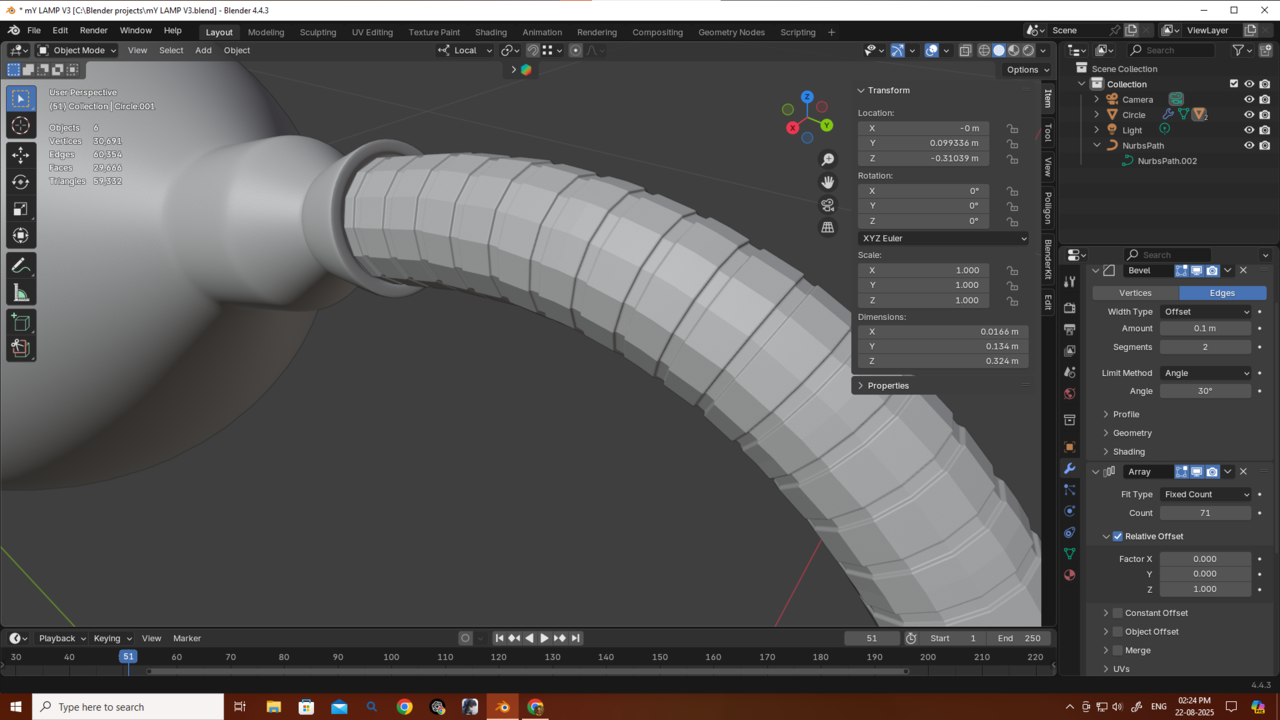
I also experimented with using just bevels (without subdivision), but since I started with only 14 vertices, it didn’t look that good (as you can see in the picture).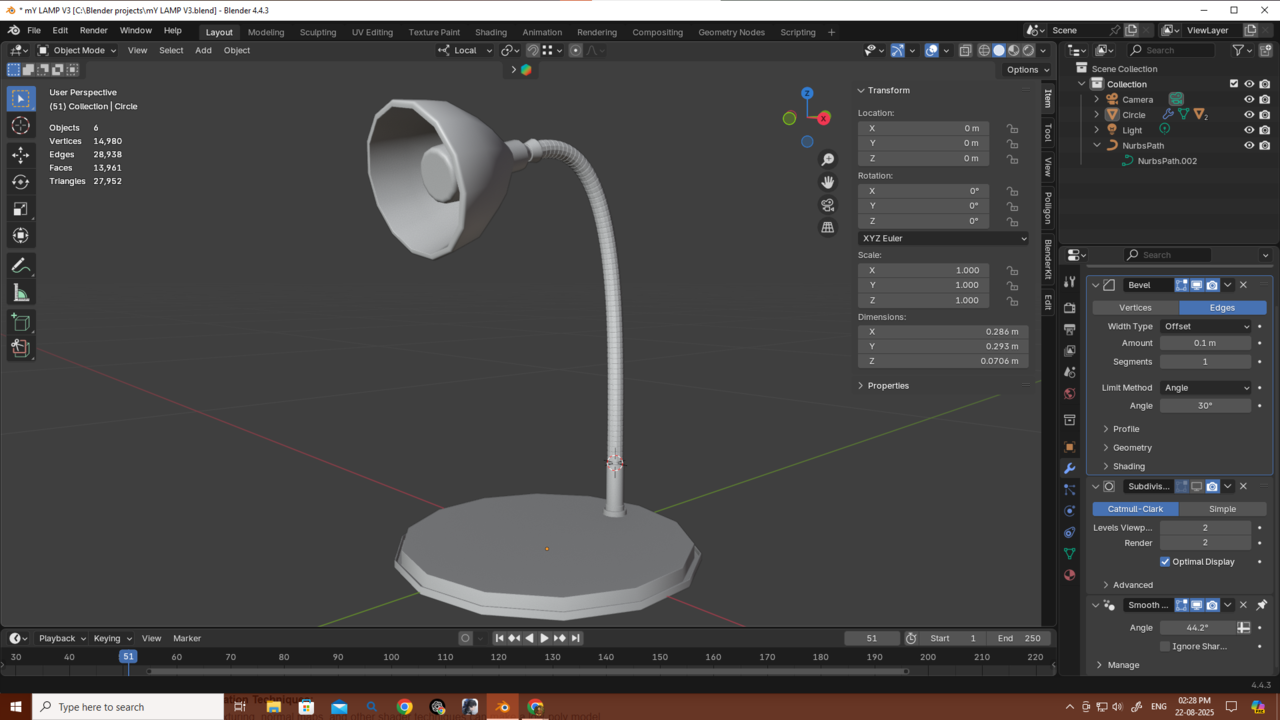 If I started with 32 or more vertices, would it look better? And in that case, would I even need to manually connect the vertices if I just used Bridge Faces?
My main focus is game environment design, and I’ve heard that low poly counts are really important for optimization. I also heard about remeshing, but I’m not sure—if my object isn’t one solid mesh, will remesh even work? I don’t know much about those topics yet, but I’m curious.
Also, you can see my poly count here—do you think it’s really bad at the moment? It’s just a lamp, and in a game it would probably just sit somewhere in the environment without being interacted with. For that kind of use, I know it could be made with fewer polygons, but right now I don’t really know how to simplify it.
So I’m asking—please reply and help reduce my curiosity! and thanks again.August 22, 2025 at 5:34 am #96629Looking good Deb!
What I would do, though, is to give the base of the lamp more Vertices that the wire and lamp. That way, you still a round profile, and when you use it in a close-up, you can use the Subdiv Modifier and when its further away you can just use the low poly version. Something like this:
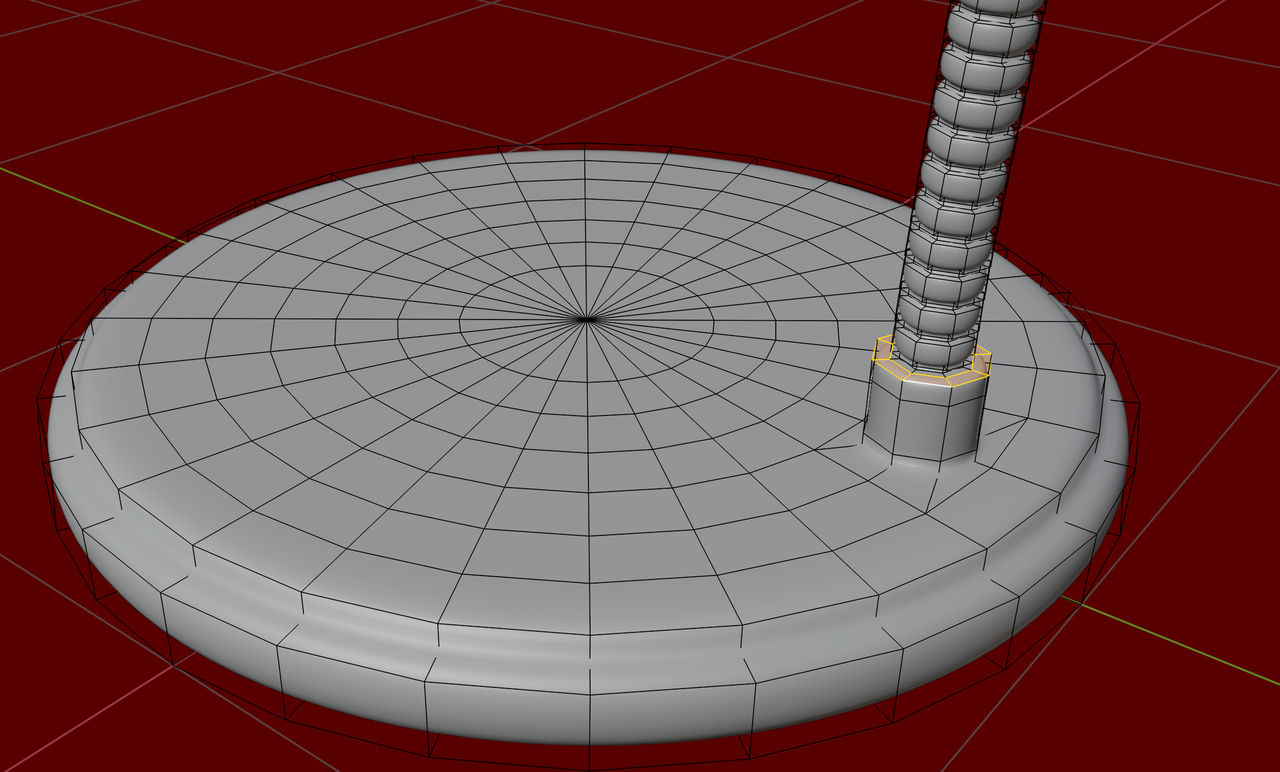
The idea is, that smaller circles need less Vertices than larger ones.
August 22, 2025 at 7:23 am #96630I agree, it looks good and low poly enough to me The circle shapes have a lot of stepping, probably can’t get more low poly than that. What would get the asset rejected are all the ridges in the neck part, that is a lot of wasted geometry. That would be baked into a small texture to save all those polygons.
-
AuthorPosts


- The topic ‘Grid Fill causing corner bulges even after subdivision – how to fix?’ is closed to new replies.