Grid Fill causing corner bulges even after subdivision – how to fix?

Forum Archive Grid Fill causing corner bulges even after subdivision – how to fix?

Viewing 15 posts - 1 through 15 (of 41 total)
  • Author
    Posts
  • #20630
    Deb kanta Guin
    Participant

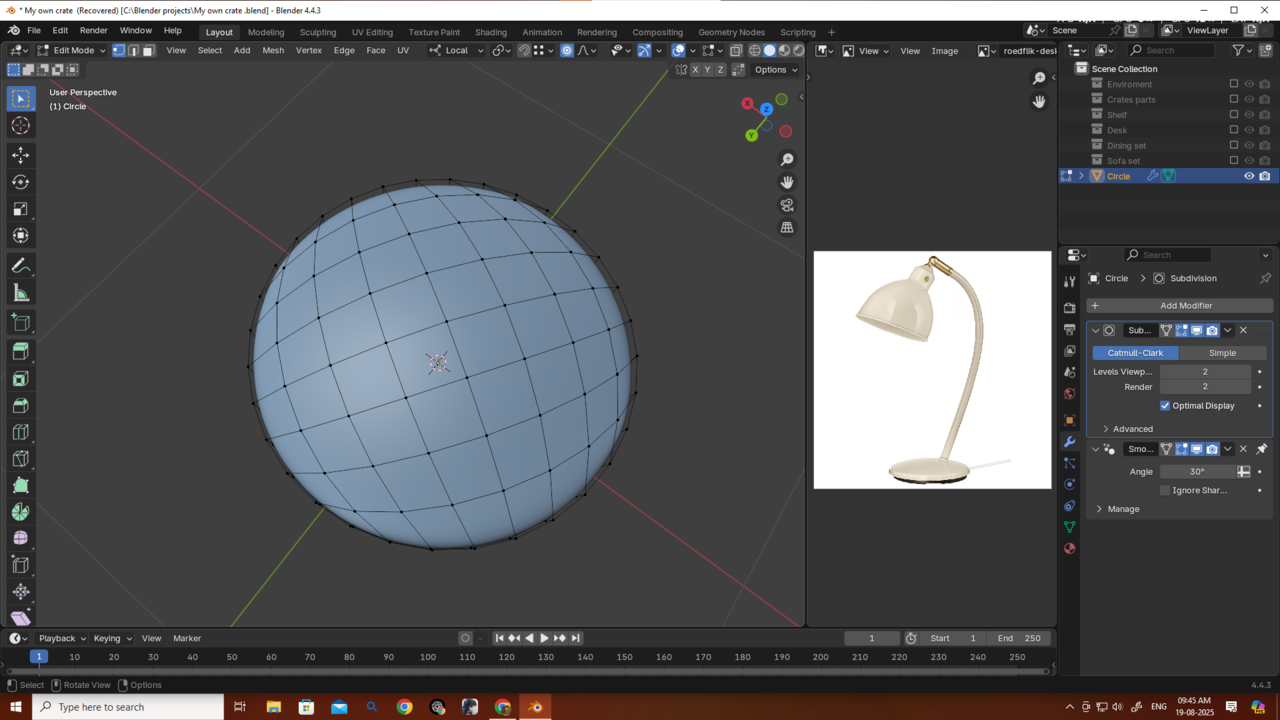
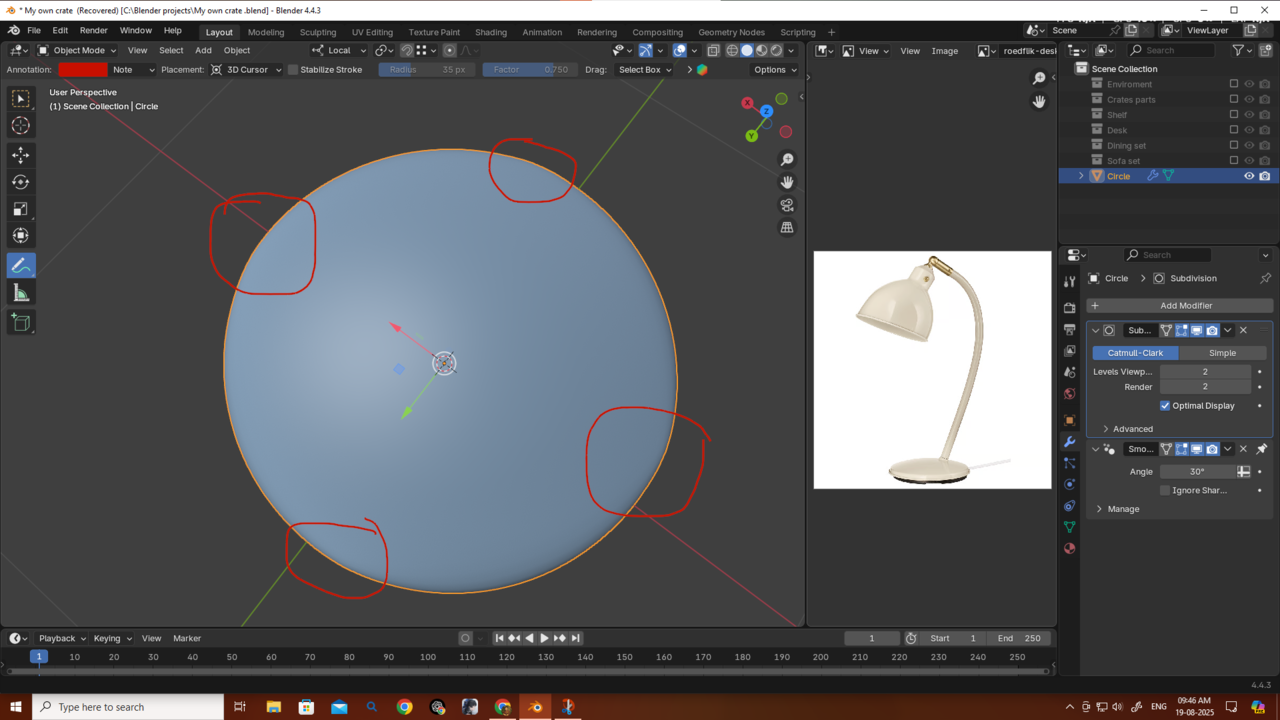
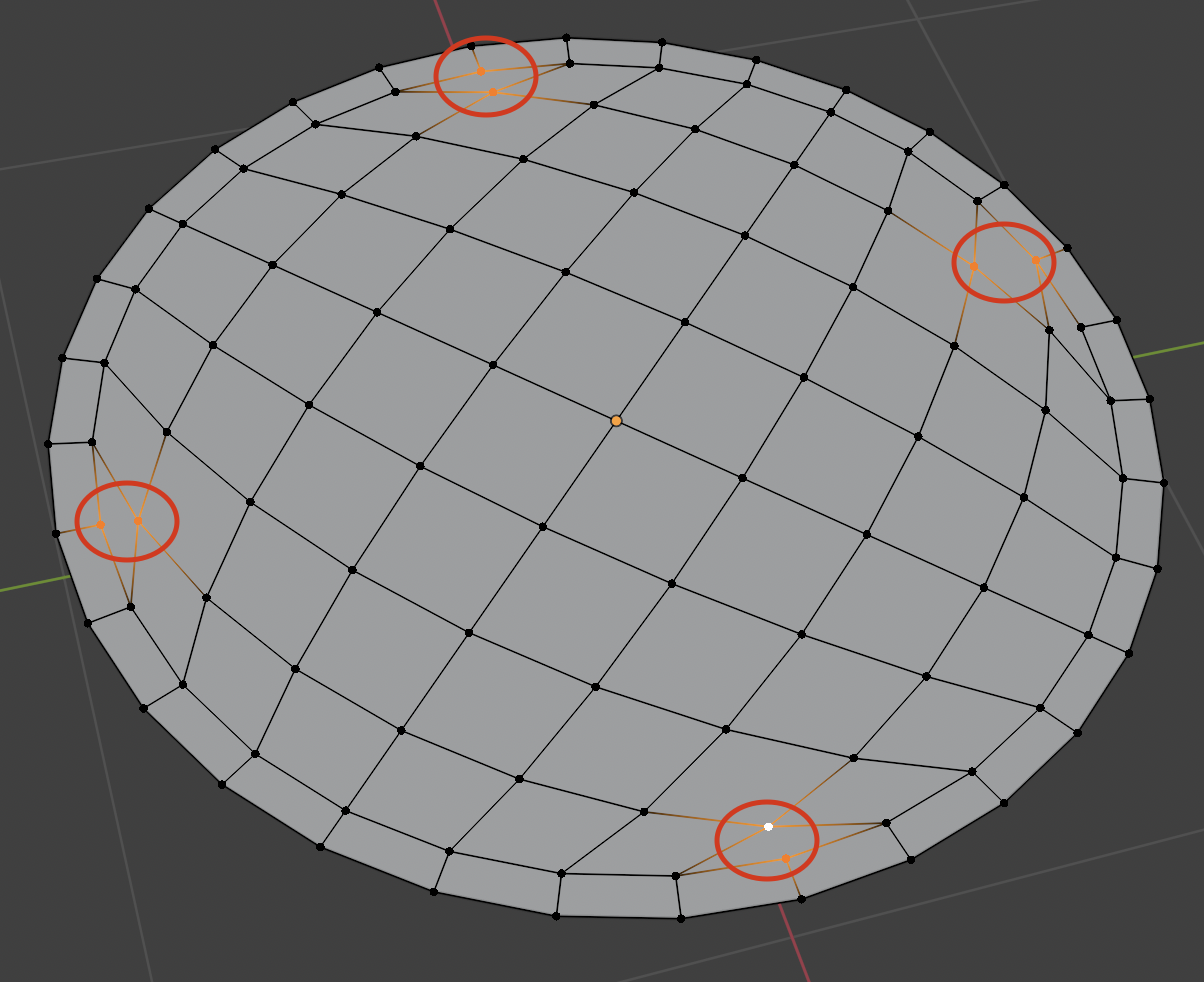
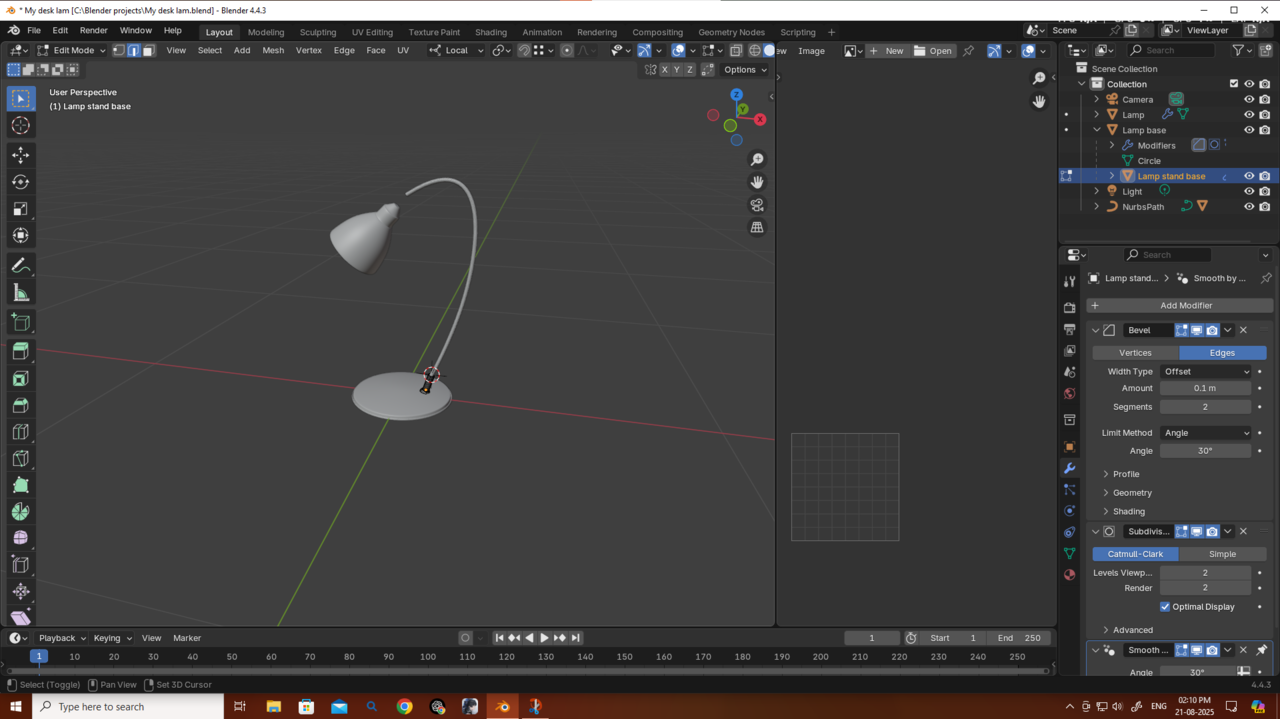
      How do I fix this issue? After using Grid Fill I’m getting this bulge at the four corners. If you look carefully, you can see it, and even after applying subdivision it’s not getting fixed.
      025-08-19 094528.png025-08-19 094614.png

      #96602
      Martin Bergwerf
      Participant

        Hi Deb,

        You can try this: in Edit Mode, SHIFT+ALT+S > To Sphere and then Move your Mouse to the right (or just press 1).

        After that, you’ll have to use Proportional Editing again, to get the ‘bell’ shape back.

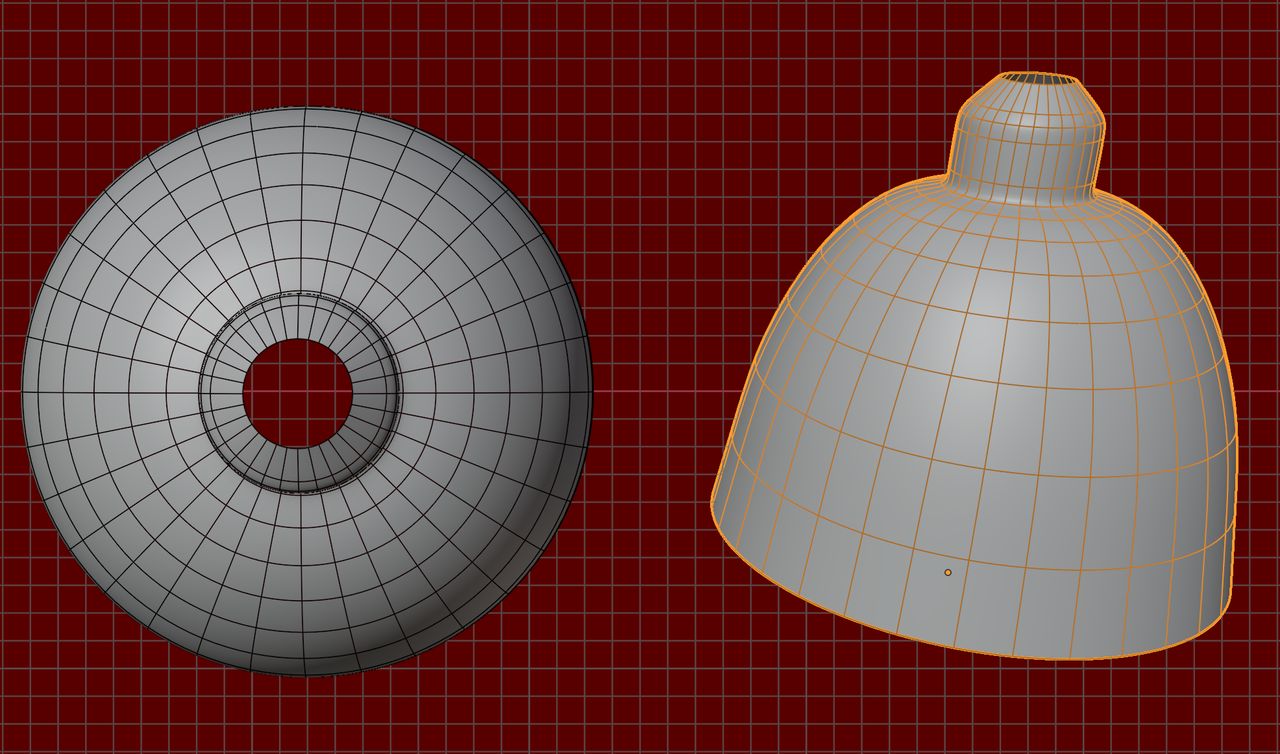
        However, it is probably better to not use Grid Fill for this; Grid Fill works best for flat patches. Concentric rings will work better, something like this:

        Lamp_00.png

        #96603
        Omar Domenech
        Participant

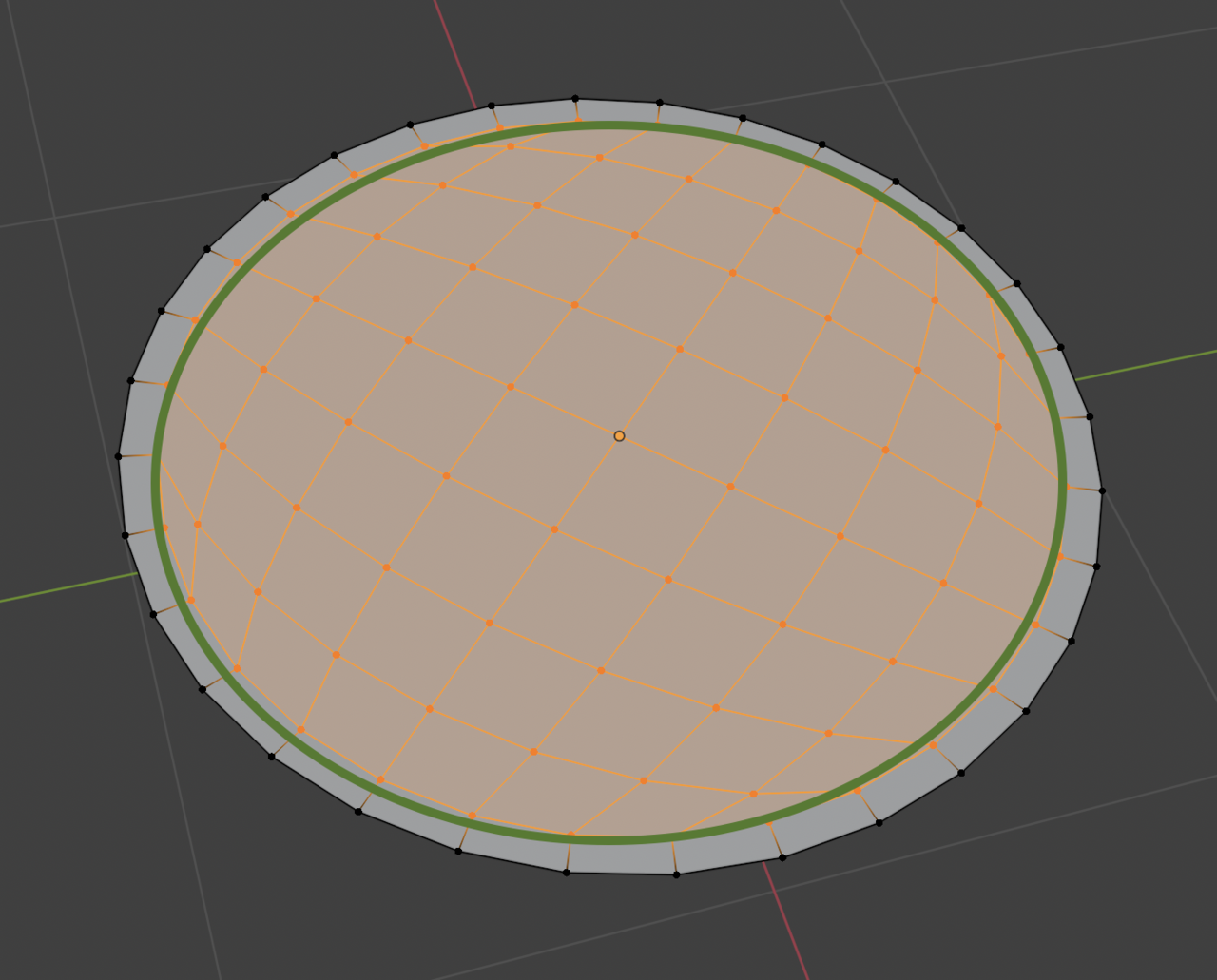
          Usually with subdivision you want a holding edge, so in your case, like Martin says, you need a circle around your perimeter with the same shape to hold things together. You want this extra loop:

          Shape-1.png

          So that these guys are not in your perimeter pinching your mesh:

          Shape-2.png

          #96604
          Deb kanta Guin
          Participant

            Ahh, I forgot about that… it was actually taught in the mesh modeling classes. Thank you, Omar, and also thank you, Martin.

            #96605
            Deb kanta Guin
            Participant

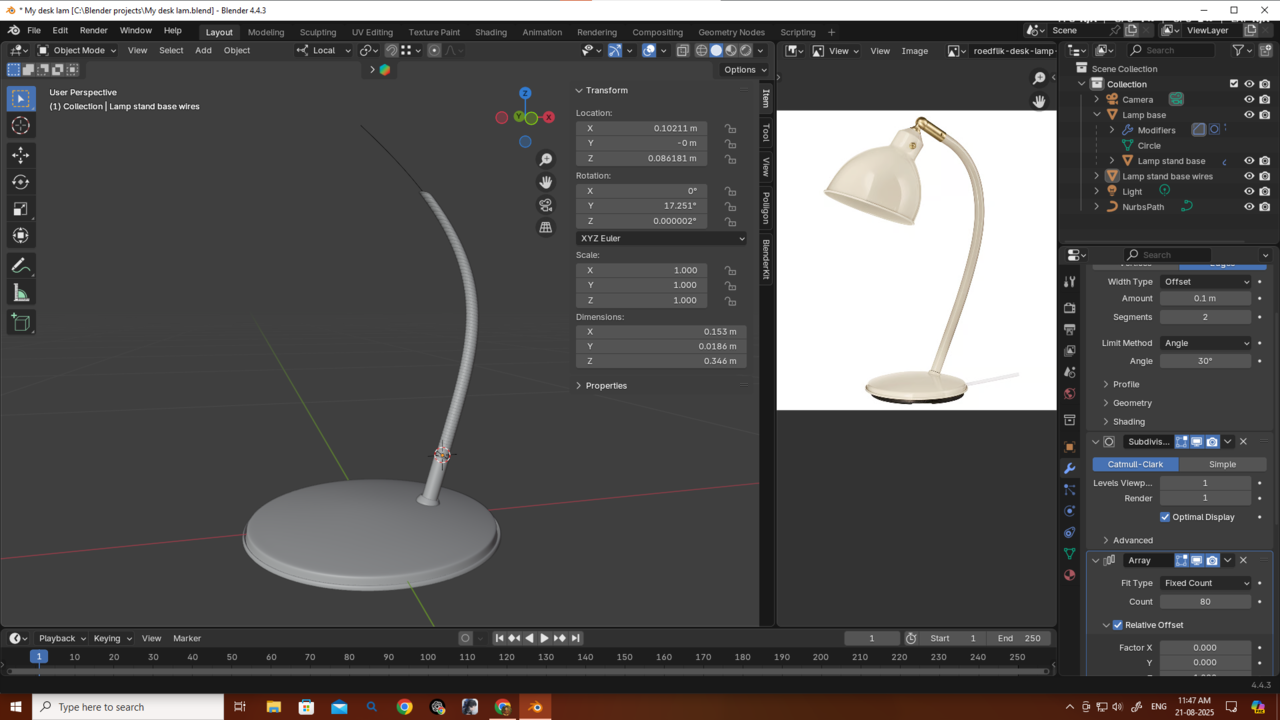
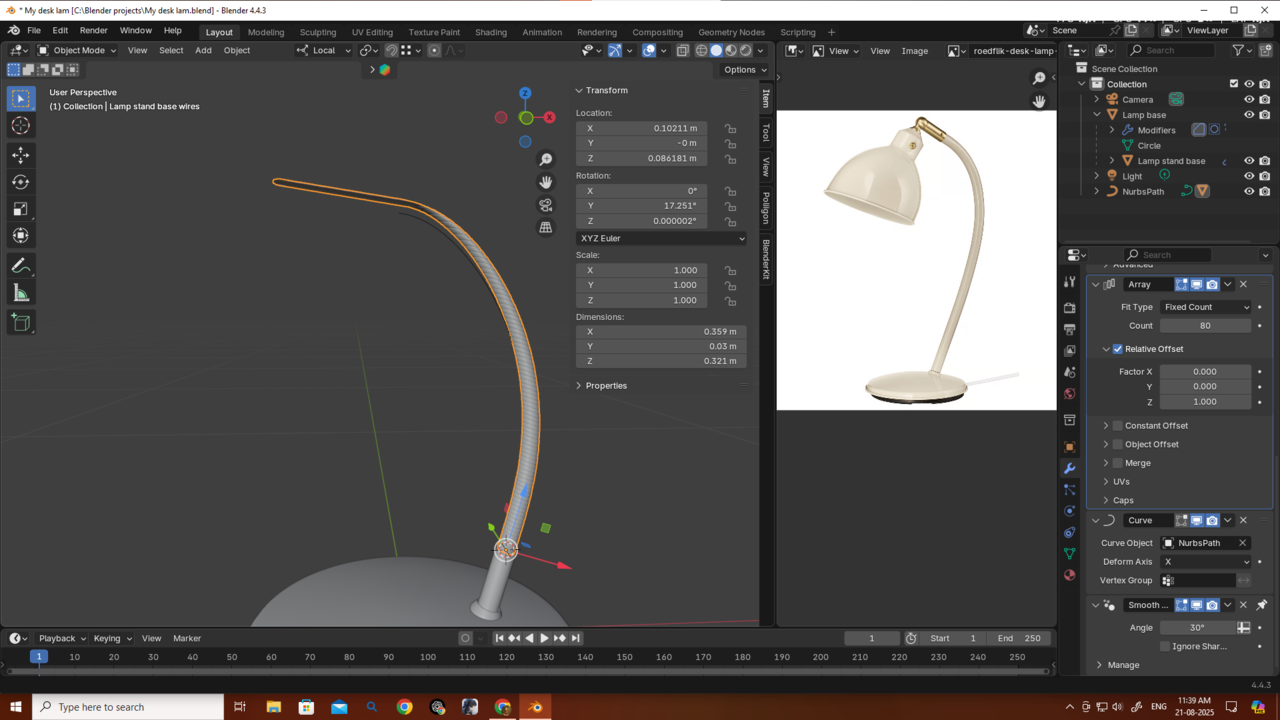
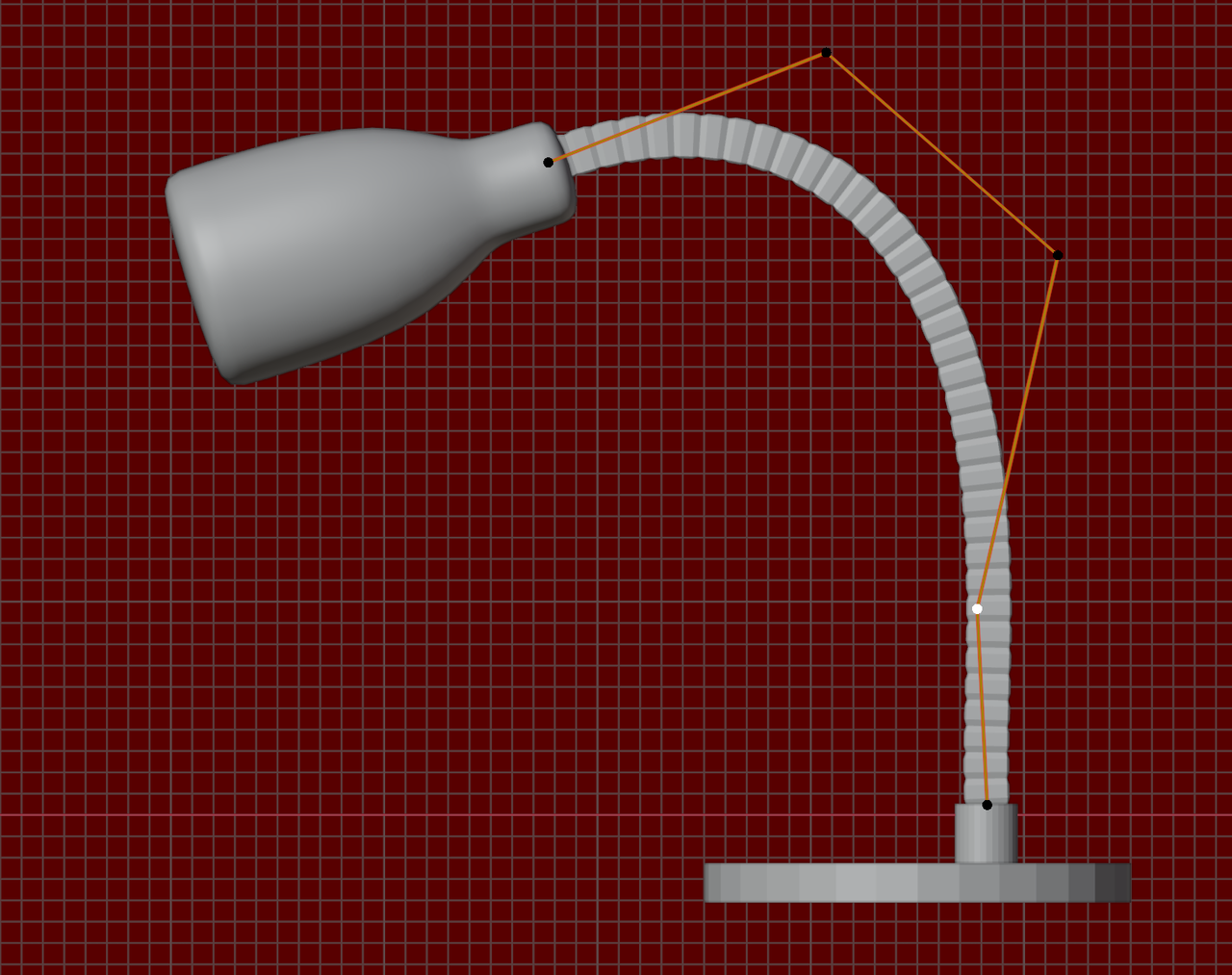
              Can you help me with this curve? I’m not very fluent with curves, and the wire shape is getting broken
              025-08-21 114802.png025-08-21 113943.png

              #96606
              Martin Bergwerf
              Participant

                Hi Deb,

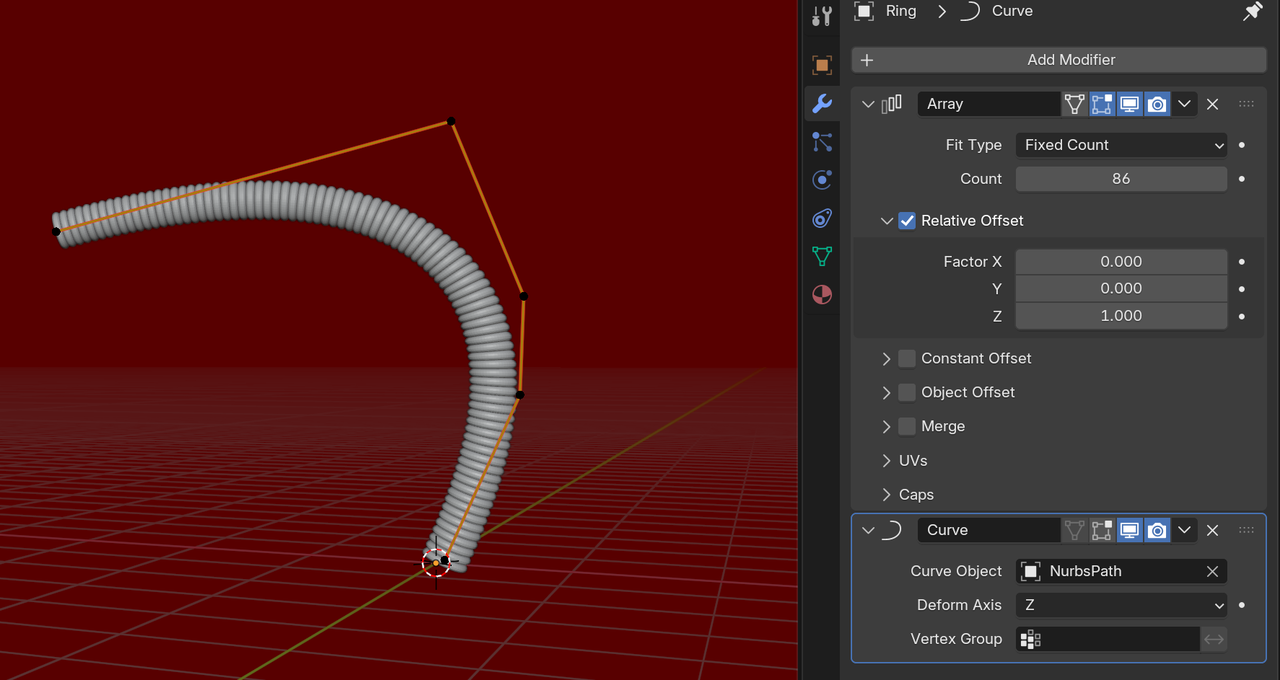
                Don’t know what you did wrong there:

                Curve.png

                Did you Scale the Curve in Object Mode, maybe?

                #96607
                Deb kanta Guin
                Participant

                  @spikeyxxx I just came back to say that I didn’t apply the scale. I actually didn’t know that it needed to be applied — I don’t think it was mentioned in the tutorial. Anyway, it’s better to discover some things on your own, because that way they stick in your mind forever. Thanks a lot for answering my question so quickly!

                  #96608
                  Deb kanta Guin
                  Participant

                    Is there any way to connect the wire and the lamp properly…because manually if i adjust the lamp and place it to connect the wire its not looking good.025-08-21 141057.png

                    #96609
                    Martin Bergwerf
                    Participant

                      A tip for the furture:

                      Do not Scale Curves in Object Mode!

                      With Meshes, you can Apply the Scale, when you’ve Scaled in Object Mode, to get the same result as if you had Scaled in Edit Mode.

                      But Applying the Scale of Curves, can really mess things up.

                      #96610
                      Martin Bergwerf
                      Participant

                        To connect them, I would Adjust the Curve, not the lamp:

                        Lamp_01.png

                        #96611
                        Deb kanta Guin
                        Participant

                          Hey @spikeyxxx, I’m sharing my project URL — could you please check it? What I’m trying to do is make the objects watertight like the wire stand part connect with the base and the lamp, so they’re joined properly. But just pressing Ctrl+J doesn’t work. If you could help me with that, it would be really helpful and I’d learn something new. Thank you!

                          And also, thanks a bunch for the tips!

                          https://drive.google.com/file/d/1GsiifScvK0fZb-1o0MGkq2yfXlBiG_LR/view?usp=sharing

                          #96612
                          Omar Domenech
                          Participant

                            ALT + J isn’t working because one is a mesh object and the other is a curve. You have to convert the curve to a mesh. You have to go to Object -> Convert -> Mesh. 

                            #96613
                            Martin Bergwerf
                            Participant

                              Yes you need to Apply all Modifiers, then you can Join them. If you try to Join them now, all Objects get the Modifers of the Active Object and thet is not what you want.

                              Easiest way, Select all the Meshes, then Object > Convert > Mesh to Apply all Modifiers. Then CTRL+J to Join them.

                              #96614
                              Deb kanta Guin
                              Participant

                                Thank you so much, both of you.

                                I totally get the point, and yes—I didn’t convert my curve to a mesh, but that’s not the problem I’m facing here. You see, I’m not just saying “join the objects,” but when I press Ctrl+J, it doesn’t actually look like it’s the same object. I want to blend them to look like it’s a same obj.

                                I tried using the Bool Tool after watching a YouTube tutorial, but it’s not working properly—it doesn’t look very good. That’s why I’m requesting: could you please check it? I shared the link—just give it 2 minutes and please tell me what the problem is.

                                I really appreciate your help, Martin and Omar.

                                #96615
                                Martin Bergwerf
                                Participant

                                  Okay, 

                                  Delete all Subdiv Modifiers.

                                  Select all Objects apart from the Curve and Convert to Mesh.

                                  CTRL+J to Join.

                                  In Edit Mode, connect everything.

                                  You will notice, that your ‘wire’ has way too much geometry to work with, so you should go back and re-make that.

                                Viewing 15 posts - 1 through 15 (of 41 total)
                                • The topic ‘Grid Fill causing corner bulges even after subdivision – how to fix?’ is closed to new replies.