[ENDED] BC3-1806 – June 2018 Class Homepage – Vehicle Modeling with Blender

Forum Archive [ENDED] BC3-1806 – June 2018 Class Homepage – Vehicle Modeling with Blender

Viewing 15 posts - 91 through 105 (of 1,277 total)
  • Author
    Posts
  • #35146
    Kent Trammell
    Participant

      @williamatics That’d be awesome!

      #35147
      Aaron Rudderham
      Participant

        @theluthier Ah fair enough, sounds great then! I’ve admittedly been concentrating on concept more recently so I’ll switch my priorities for this month, really looking forward to this.

        #35148
        Bauke Post
        Participant

          Car modeling exercise

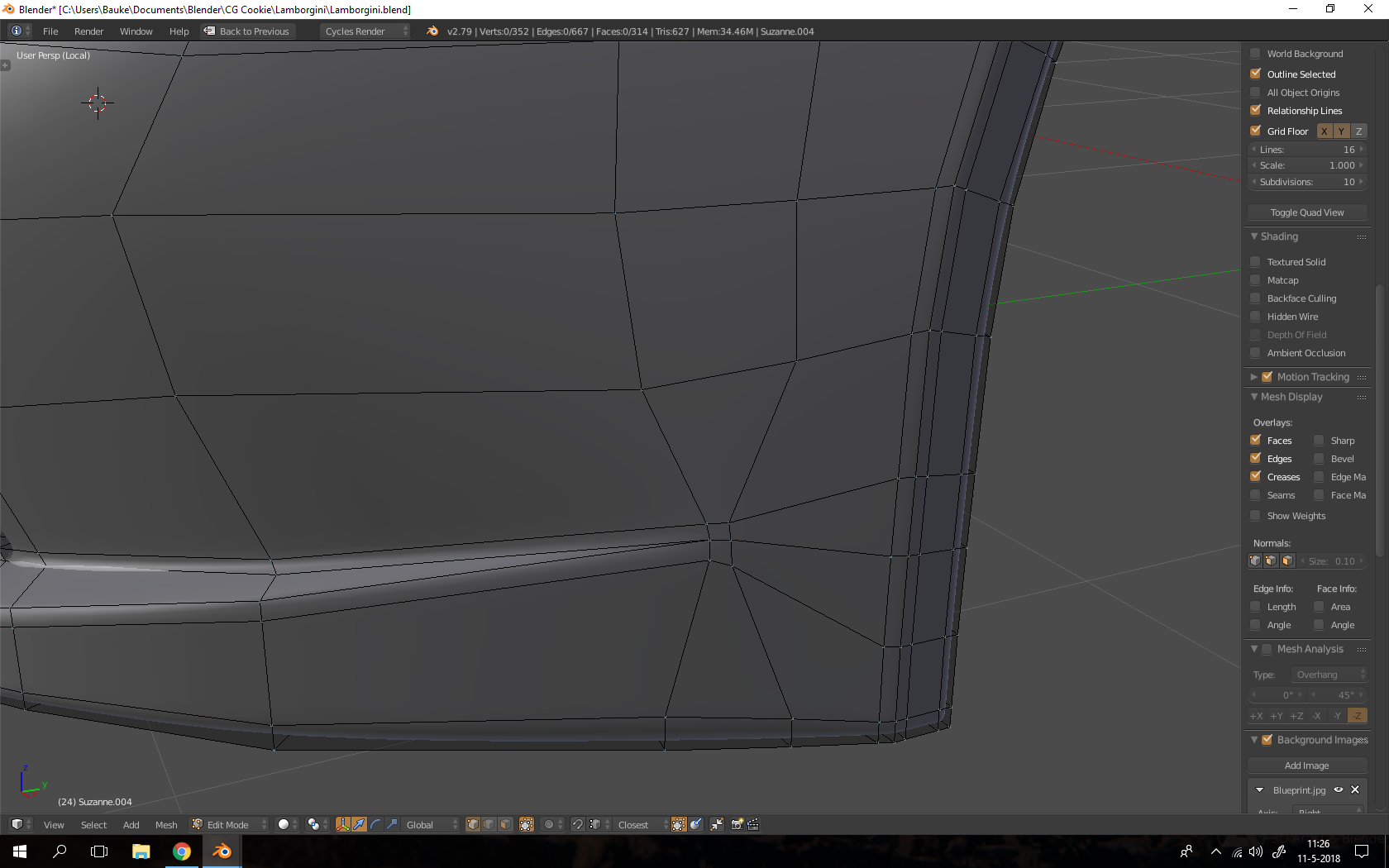
          The blockout phase of my car exercise is finished and I’ve already learned something: modeling cars is hard! Some of the edges aren’t there in my real model, but they were added by the computer because of bent quads and ngons. 

          Two questions: 

          1. How good do you keep your topology in this stage? Do you think it’s bad to have some triangles or would you just clean that up later?

          2. Should I already separate the panels and start detailing?
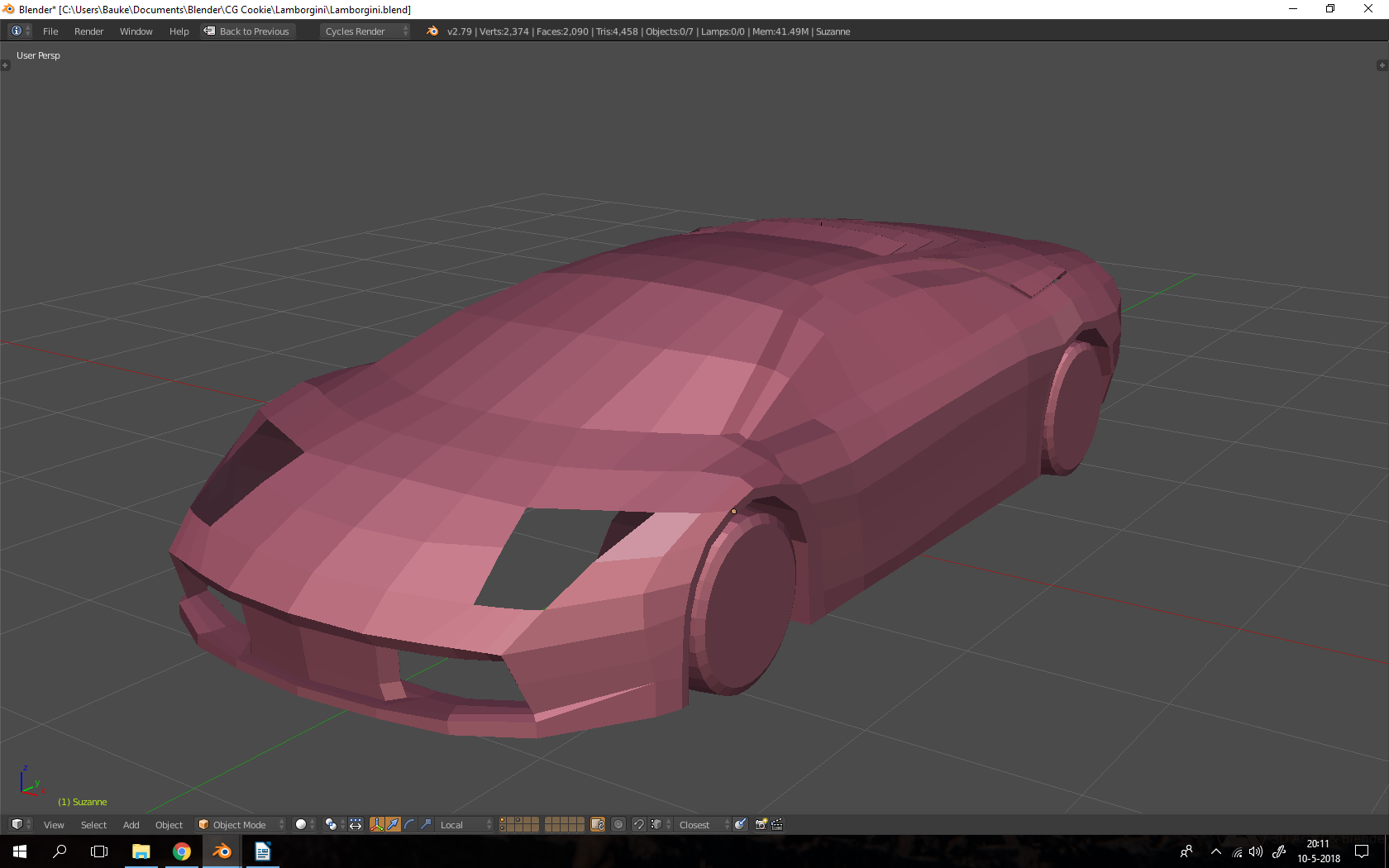
          https://sketchfab.com/models/1da9312edf3c4f6fae45aff5d9566525

          #35149
          William Miller
          Participant

            Wait, we’re starting already?

            #35150
            Bauke Post
            Participant

              @williamatics No, this is just an exercise :). I’ll edit my post to avoid confusion.

              #35151
              Kent Trammell
              Participant

                @baukepost Getting a head start! I respect that.

                1. For vehicle modeling, your topology mostly matters for smoothing purposes. As a hard-surface object we don’t have to worry about deformation as with character models. That said, I think triangles are more ok than with character models. But I still try to stick with quads as much as possible.

                  2. I’d say yes. Though I’m not convinced there’s a ‘perfect time’ to begin segmenting the model. It appears to me that you’ve blocked out the whole body pretty well and thus appears ready for segmenting.

                #35152
                Bauke Post
                Participant

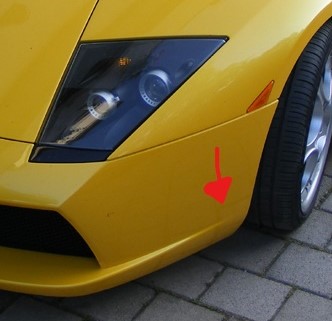
                  Sorry to ask another question, but I’m currently working in a little bit more detail on the front panels (which I have already seperated). I just can’t seem to achieve such a sharp point where the line ends when using subsurf. Do you guys have any advice?

                  #35153
                  William Miller
                  Participant

                    @baukepost I’m pretty sure Chris Kuhn has done that in his motorcycle course.

                    #35154
                    Bauke Post
                    Participant

                      @williamatics Thanks, i’ll take a look!

                      #35155
                      Bauke Post
                      Participant

                        @williamatics I couldn’t find it in the course, are you sure he covers creating a sharp point that starts on a smooth surface?

                        #35156
                        Kaj Suominen
                        Participant

                          @baukepost either have holding edge that you spread out from the point where you want to have the point be. or use triangle to get similar effect. though latter propably will be trickier since sub-d is question.

                          #35157
                          Bauke Post
                          Participant

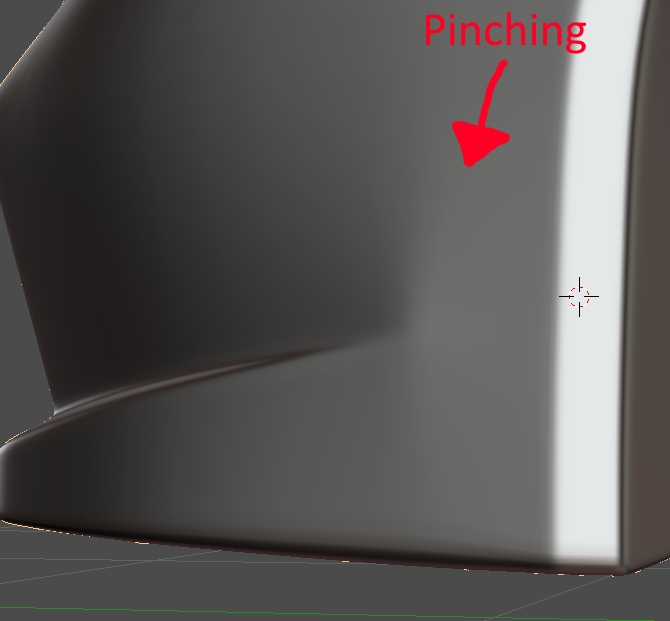
                            @louhikarme I tried adding some holding edges, but it gives me some pinching. Not a whole lot though.

                            https://sketchfab.com/models/cd8217044701437785564a5e54532888

                            #35158
                            Zach Zellman
                            Participant

                              @baukepost did you try having a face loop that wraps around the corner? Like the topology on the mouth of a character, that might help.

                              #35159
                              Omar Domenech
                              Participant

                                @baukepost 

                                Try something like this. Blue loops will have to be sacrificed. Topology gods demand it. 

                                #35160
                                Bauke Post
                                Participant

                                  Thank you for your reply’s, this is really helpful feedback! I’ll try to improve it and please the topology gods 🙂

                                Viewing 15 posts - 91 through 105 (of 1,277 total)
                                • The topic ‘[ENDED] BC3-1806 – June 2018 Class Homepage – Vehicle Modeling with Blender’ is closed to new replies.