
[ENDED] BC3-1806 – June 2018 Class Homepage – Vehicle Modeling with Blender
Forum Archive › [ENDED] BC3-1806 – June 2018 Class Homepage – Vehicle Modeling with Blender
- This topic has 1,276 replies, 54 voices, and was last updated 7 years, 8 months ago by
Paul Haynes.
-
AuthorPosts
-
June 16, 2018 at 9:35 pm #35626
@panboy That’s crazy that the blueprint was missing a major feature in the front view. Sounds like a “you had one job” situation.
Should i be trying to make it all one solid mesh? I know that’s better for video games, but not sure if its the best way to go for Blender renders.
No you shouldn’t worry about making it one solid mesh. That would be way more difficult for no reward. I suggest modeling in separate pieces. Even game models can be made of separate geometry combined into one object.
Keep up the good work! It’s coming along 👍
June 16, 2018 at 9:40 pm #35627@yoddathehunter I love that you submitted “Title + Image” and that’s it. It’s like you dropped the mic.
And for good reason! This turned out really well. I love the unique take with the lighting and pseudo ‘infinity-mirror’ wheels. Just…striking. Great job: A+
Can you post a clay image and wireframe too?
June 16, 2018 at 9:48 pm #35628@arev A technique I like to use deals with layer visibility. So let’s assume your model is on layer 1, as is the default active layer. If you select another layer in your scene – preferably an empty one – your model will disappear while the background image is still visible. At this point you can hit the tilde key (above the TAB key) which enables all layers and bring back your model.
With this setup you can simply toggle on and off the tilde key to show and view your model in shaded view over top of the background image. This way you have an alternative to wireframe view and can avoid being confused by the front of the model overlapping with the back and vice versa.
June 16, 2018 at 9:52 pm #35629@jack07 Geez, that’s next level advice for making a model more interesting. You literally modeled a slick version and shared the render as a suggestion. Next. Level! 👏
June 16, 2018 at 9:56 pm #35630@dieedi Your car is turning out great! I loved the comment about this being a victorian batmobile. It’s a little on the dark side as far as previews go. Makes it a little hard to appreciate the glorious modeling!
June 16, 2018 at 9:59 pm #35631@williamatics Sure I’d give you a + (5 extra XP) for modeling the underside of the vehicle. It’s not necessary as most of the time the underside will never be seen. I’m not doing the underside details on my vehicle..
June 16, 2018 at 10:00 pm #35632@thecabbagedetective I really like how this is turning out. Still a crisp model. I love a good crisp model.
June 16, 2018 at 11:32 pm #35633Almost there. Almost there!

Tomorrow I have to do a few remaining fine details – lamps, door handles, hood ornament, and a little more undercarriage I think, if I have time. And the materials of course. I might have to sacrifice the underneath stuff in order to finish by tomorrow night, I’ll see how quick the work goes.
June 16, 2018 at 11:35 pm #35634@williamatics It’s really coming down to the wire. This is the hardest I’ve ever worked in Blender so far.
June 17, 2018 at 12:04 am #35635@jakeblended Me too man, I’m quite concerned if I’m gonna make it in time. Still fun regardless though!
June 17, 2018 at 12:08 am #35636Day 4 done, majority of the body is now built. Whoda thunk the bits of metal separating the glass from the doors would be the biggest pain in the backside to complete?

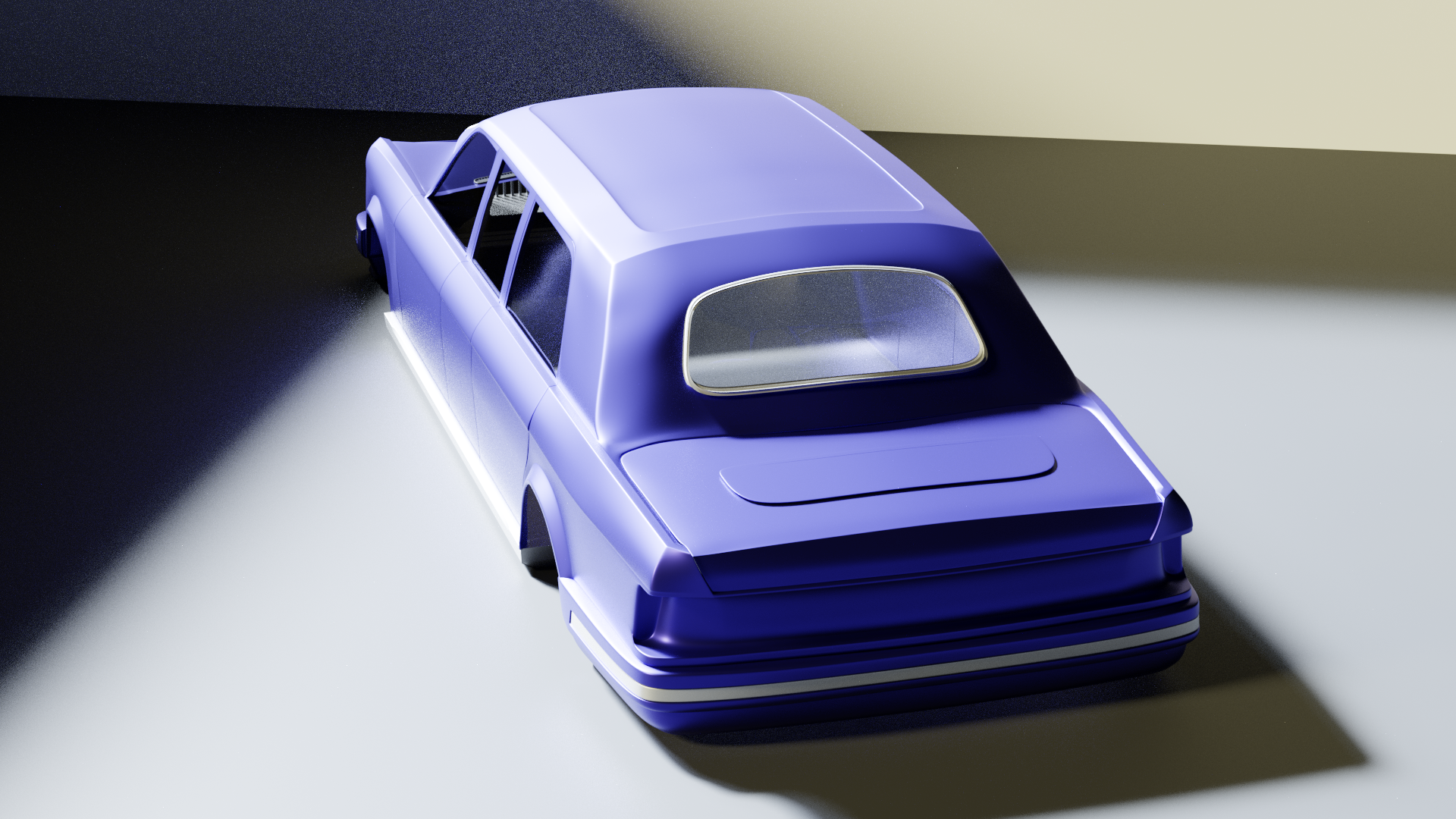
The boot (trunk for the Americans among us) looks a little wonky to me but nothing that 20 minutes of fiddling with won’t cure. As always criticisms are greatly appreciated, maybe someone could show me where to learn how to make a fantastic glass material? Now if you’ll excuse me it’s 6AM and I’m shattered so have a good day all and I wish you the best of luck!
June 17, 2018 at 12:17 am #35637Homework For Week 2:
 June 17, 2018 at 1:19 am #35638
Finally got the C-17 Refs sorted out as image planes, ready to tackle the Fuselage. Maybe. :0)
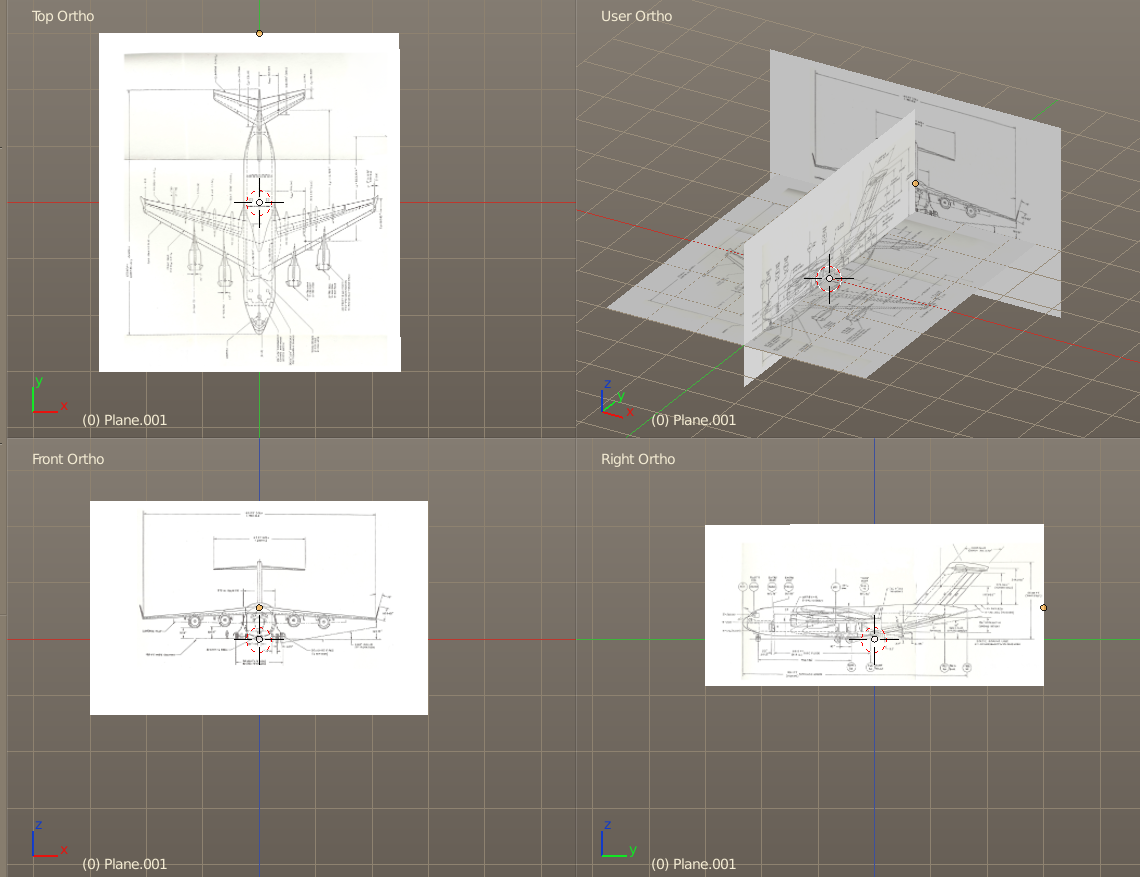
~John
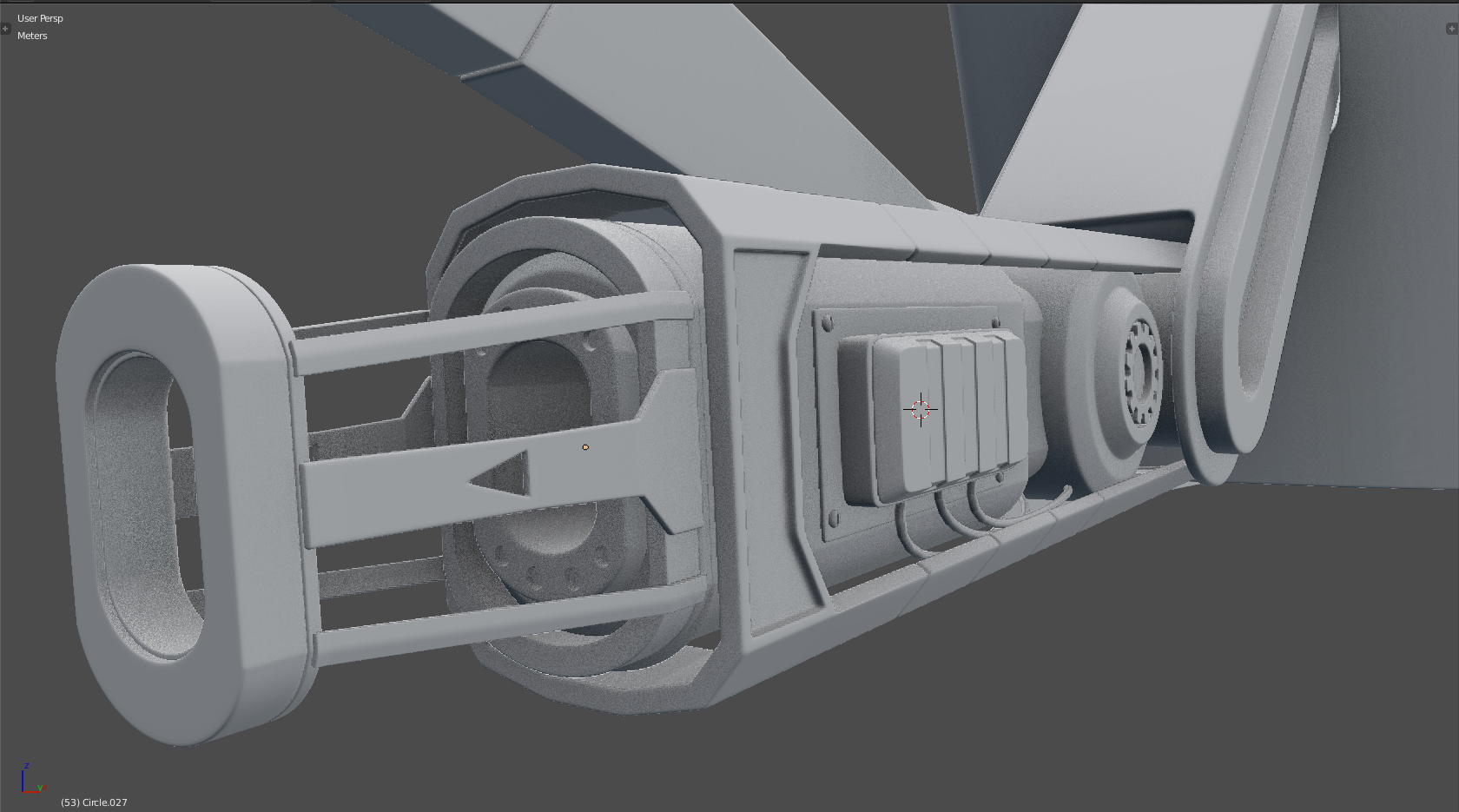
June 17, 2018 at 3:03 am #35639The gun is finished, thanks for the inspiration @jack07!
 June 17, 2018 at 3:32 am #35640
HOME WORK WEEK 2
Hello,
congratulations to everyone, there is some amount of good work here !
I’m sorry i couldn’t be more present in the thread, i’m really missing time to come here as I’m quite busy in “real life”, so i focus on my modeling when i can.
I made some good progress, but i’ve been strugling also…
Just like it was said before, it is difficult surface modeling. I had a panic moment when i saw myself having difficulties to find to good modeling, topology, etc.
Choosing to model the “carcasse” was may be not the simpliest way to go.
Well, i still find also myself slow in the process (i can only work on it after full time job, that is may be a reason).
I hope i could find a bit more time and go faster next week.
I’m not very happy with my overall result. Adding geometry and loops destroyed a bit the surfaces, and there are still a lot of details to fix. Who said “panic moment ” ? lol !
I think it is best to have the model for you to see so i uploaded a sketchfab after removing mirrored parts to stay under 50 Mo file size.Car
https://skfb.ly/6zKXo
Front Door
https://skfb.ly/6zKXs
Carcasse
https://skfb.ly/6zKXv
Back Door
https://skfb.ly/6zKXx
Rim
https://skfb.ly/6zKXyThere are some really good work i’ve seen here. The old truck is awesome !
I imagine a funny crazy race car game with all those models. -
AuthorPosts


- The topic ‘[ENDED] BC3-1806 – June 2018 Class Homepage – Vehicle Modeling with Blender’ is closed to new replies.