[ENDED] BC1-1808 – August 2018 Class Homepage – Getting Started with 3D Modeling & Blender 2.8

Forum Archive [ENDED] BC1-1808 – August 2018 Class Homepage – Getting Started with 3D Modeling & Blender 2.8

Viewing 15 posts - 316 through 330 (of 541 total)
  • Author
    Posts
  • #37970
    Morten Fjellheim
    Participant

      Is there a way to connect geometry in sculpt mode? At a certain point i have a piece that is sculpted into the other, but not connected. I have tried to smooth, creased, pinched, added more clay and all the posible ways a noob can think of, but the gap is visible no matter what i do

      #37971
      Pavel Mazanik
      Participant

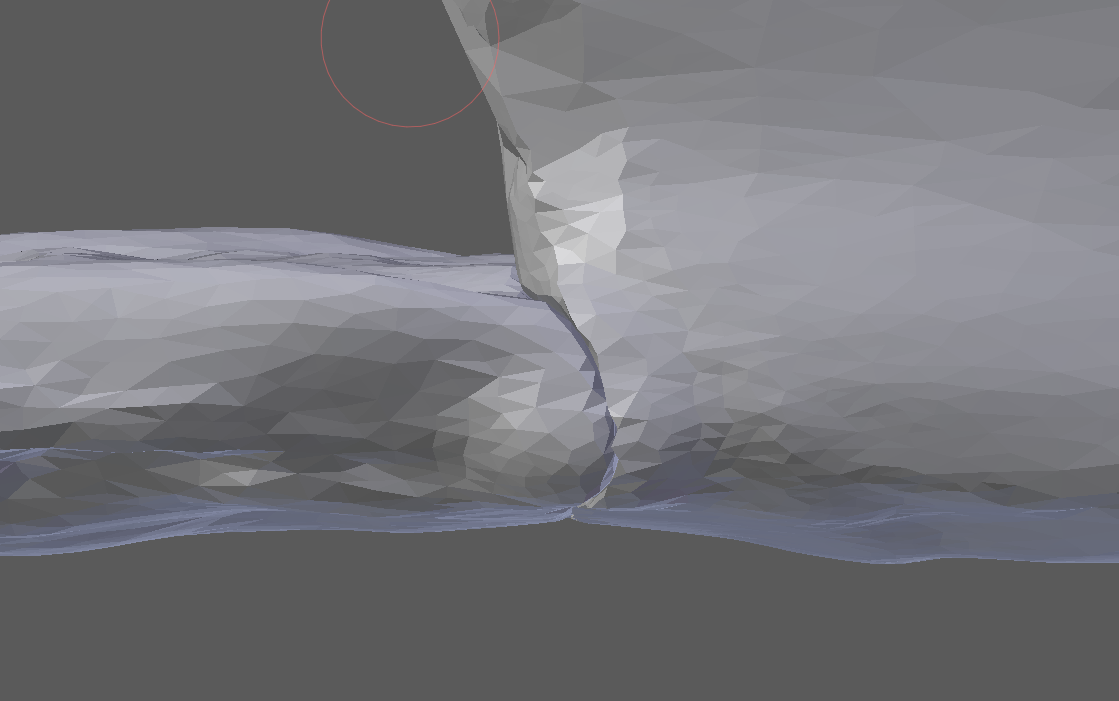
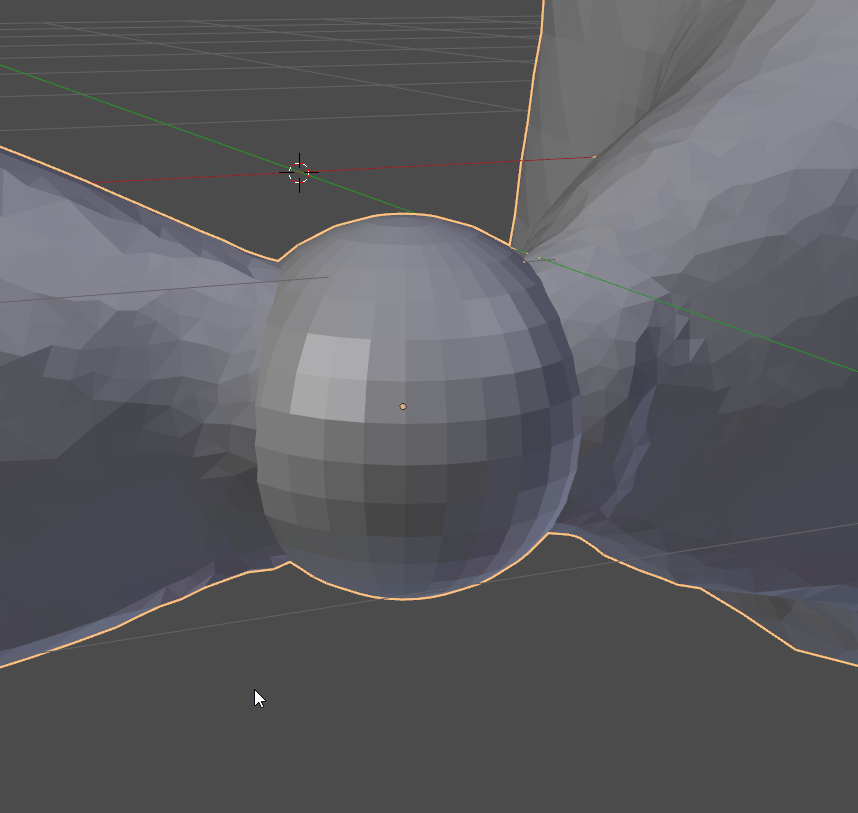
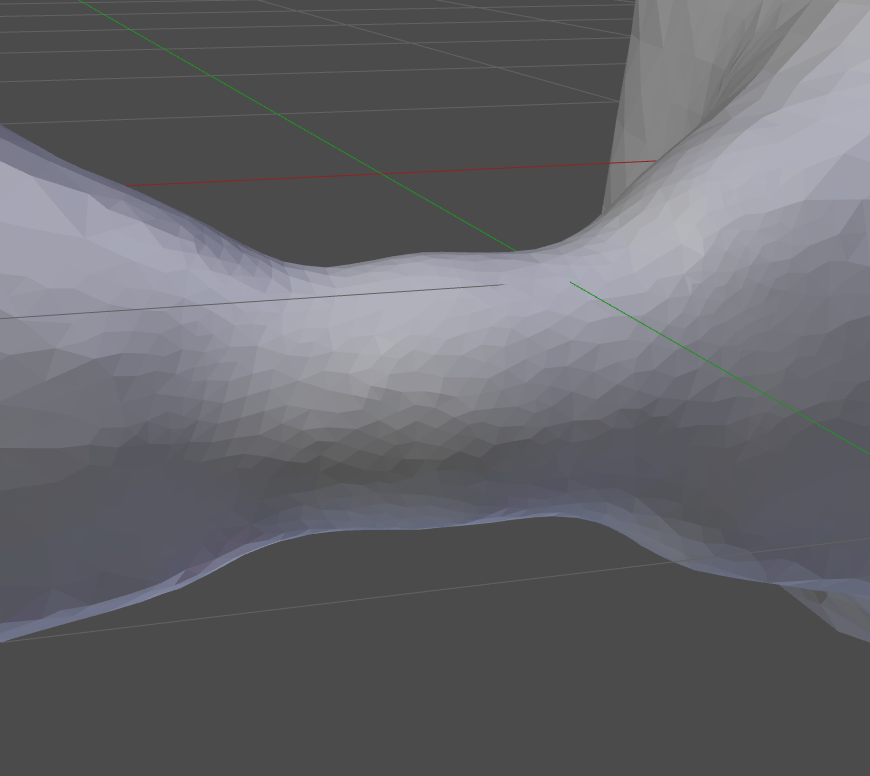
        @arev you can achieve what you want with some boolean modifier magick. Just append a sphere that covering seam and proceed with sculpt

        Seam:

        Sphere appended with boolean modifier

        Smooth the geometry with dyntopo. No seam

        #37972
        Morten Fjellheim
        Participant

          @nekronavt You mean add a sphere? And do i “union” it?

          #37973
          Pavel Mazanik
          Participant

            @arev yes. Do “union” operation to make this sphere the part of your sculpt, it will devour this seam. It’s not necessary to be the sphere, any mesh with similar density as your sculpt will do.

            #37974
            Morten Fjellheim
            Participant

              @nekronavt I tried and it worked, allthough half of my mesh has a much darker colour now. Its really confusning, not sure why it happends. I cant supply a screenshot  because an error made me go back to the older version of the mesh. 

              #37975
              Pavel Mazanik
              Participant

                @arev maybe it’s some normals direction fail. Go to edit mode, select all the mesh and do Ctrl-N (recalculate normals)

                #37976
                Morten Fjellheim
                Participant

                  @nekronavt yes of course……didnt think about it, thanks:)

                  #37977
                  smurfmier1985
                  Participant

                    @yukinoh1989 As I understood it he meant he will be showing us in week 2, but that’s it’s okay to use now. Though I didn’t use any because most of them I don’t know what they do or how it works.

                    I wouldn’t worry to much about it for now, you have already made some beautiful stuff without all the modifiers, and learning them in one day is maybe a bit to much. The deadline for homework is today already 😉

                    #37978
                    yukino hatake
                    Participant

                      @smurfmier1985
                      ya indeed that sure is true . i do use the boolean but thats if for now . gonna do my best to make some nice end scene

                      #37979
                      smurfmier1985
                      Participant

                        @yukinoh1989 Looking forward to seeing it 🙂

                        #37980
                        Aaron Rudderham
                        Participant

                          @yukinoh1989 If you have multiple cameras in your scene and want to “use” another one to take the shot for the scene, then select it and hit Ctrl+0. This will make it the primary one.

                          #37981
                          William Hines
                          Participant

                            Having trouble uploading my Primitives Exercise for week 1. Using Blender 2.8; Sketchfab gives me an error when uploading my .blend file, and the Sketchfab exporter addon is marked as “upgrade to 2.8x required” so it doesn’t work

                            #37982
                            smurfmier1985
                            Participant

                              @vortigaunt4 Hi William, for this class you don’t have to upload to Sketchfab, because of the difficulties with uploading there (2.8 is not yet supported). A render or a screenshot will do 😊👍

                              #37983
                              Aaron Rudderham
                              Participant

                                @vortigaunt4 It seems @carrotnl had a similar issue uploading his birdhouse and detailed how he managed to get it onto Sketchfab on this page, but as @smurfmier1985 said I wouldn’t worry about it until 2.8 is properly supported, just render your scene or take a screenshot as that’d be much easier.

                                #37984
                                Tim Elliott
                                Participant

                                  Here’s my submission for Homework 1 . It is a model of  Jeep or Truck made of  just primitives. I made it using Blender 2.8. I’ve rendered an image of it .

                                Viewing 15 posts - 316 through 330 (of 541 total)
                                • The topic ‘[ENDED] BC1-1808 – August 2018 Class Homepage – Getting Started with 3D Modeling & Blender 2.8’ is closed to new replies.