
Collab2021-WIP-PFBourassa
Forum Archive › Collab2021-WIP-PFBourassa
- This topic has 54 replies, 7 voices, and was last updated 5 years, 4 months ago by
Kent Trammell.
-
AuthorPosts
-
April 11, 2021 at 11:29 am #67190
I used Shader to RGB to get to this point, haha.
I mean, in Blender Internal you could set a material to “shadeless” and it would just not factor in any lighting or shadowing whatsoever. A red material would just be #FF0000 all the way across the surface.
And for the extreme background, that could work because the angle won’t really change. If we decide to change the lighting to night or whatever it wouldn’t work anymore. Just a thought since I’m “baking” the lighting anyway. And I’ll have to color-correct the PNGs to counteract the scene lighting, rather than just getting it right in the first place. If that makes sense.
And I agree Adrian, “L” might not be real.
April 12, 2021 at 7:31 am #67191@pfbourassa You might want to grow your ‘L’ Bushes into ‘M’ Trees over the next week, lots of watering required.
April 12, 2021 at 8:14 am #67192Cool! I’ll ping you next time!
April 12, 2021 at 4:06 pm #67193@pfbourassa Crap…I was going to say “great job”… 😉
You and @tijnkroon absolutely crushed this first week with minimal guidance from me. I LOVE that about this community. It’s the kind of resourcefulness I hoped – nay – knew was be there. For the quality of result and tests you get full points + some extra 👏
Will the camera stay close to the house, and low to the ground?
I don’t plan to restrict the camera in any way. But I definitely want to prioritize quality / optimization based on distance from the house. I will explain this during the stream tomorrow, but FG assets (closest to the house) will be max fidelity, MG will be optimized a bit more to require less resources, BG will be max optimization.
The expectation will be that viewers stay closest to the house. This means that the environment only needs to look good from within the FG zone. But viewers won’t be restricted to navigating into the BG area (for seeing how its made for example).
I think your card system is likely the way we’ll need to go for BG assets. Now that you’ve run a test for the real geo and it’s not looking good ha. Once I introduce lighting (week 3 I expect) we can lock it and your bakes will look natural. Only note about your current bake is I’d like to see more gradient from light to dark:
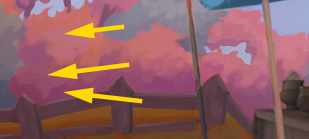
Glad to see the “shadeless” advice given. We’ll no doubt good plenty of good use out of that technique.
For week 2 I’ll tell you the same thing I told tijn: For week 2 it’d be nice to get a couple more variants and test some population techniques. You can test on a randomized ground plane or grab the terrain meshes I’m working on. Very curious to find out how optimal these can be once populated.
April 15, 2021 at 3:17 am #67194Great work @pfbourassa with bonus points from @thetoughcookie 🤣
@theluthier , we have a question about BG Bush ‘L’ or maybe the lack of.
Is Bush Cluster ‘L’ a bush or part of Tree Cluster ‘M’ ?
The image you mention above is of MG Bush Cluster ‘K’,

I’m asking because I don’t want to lose Parker, a valued team member here in the wilderness of the background to our rivals in the foreground.
April 15, 2021 at 8:11 am #67195Good question.
My current plan is to keep working on low-poly tech, and just prepare to fill in the gaps when the full 360 needs to look good.
But I’m open to other tasks if needed.April 15, 2021 at 11:52 am #67196@adrian2301 Wow that “L” is confusing isn’t it…I think I was ambiguously pointing to where BG bush clusters would be. While I don’t see them explicitly in the art, I know they will need to be there to correspond to their FG counterpart.
My current plan is to keep working on low-poly tech, and just prepare to fill in the gaps when the full 360 needs to look good.
@pfbourassa Perfect plan!
April 18, 2021 at 12:56 pm #67197Today I learned about a workaround to a (maybe) bug in Eevee with image planes.
If I use the “import images as planes” addon, the planes pop in front of each other using the object origins, rather than intersecting in the way that would be expected. If I set the Blend Mode to Alpha Clip rather than Alpha Blend this doesn’t happen anymore. So that will save me a headache.Also, I set up a gradient control in the material. I figure the PNGs can be used for the luma only, and hue-shifted for different bushes like green and blue-ish ones. And then the gradient can also be tweaked to give more variation.
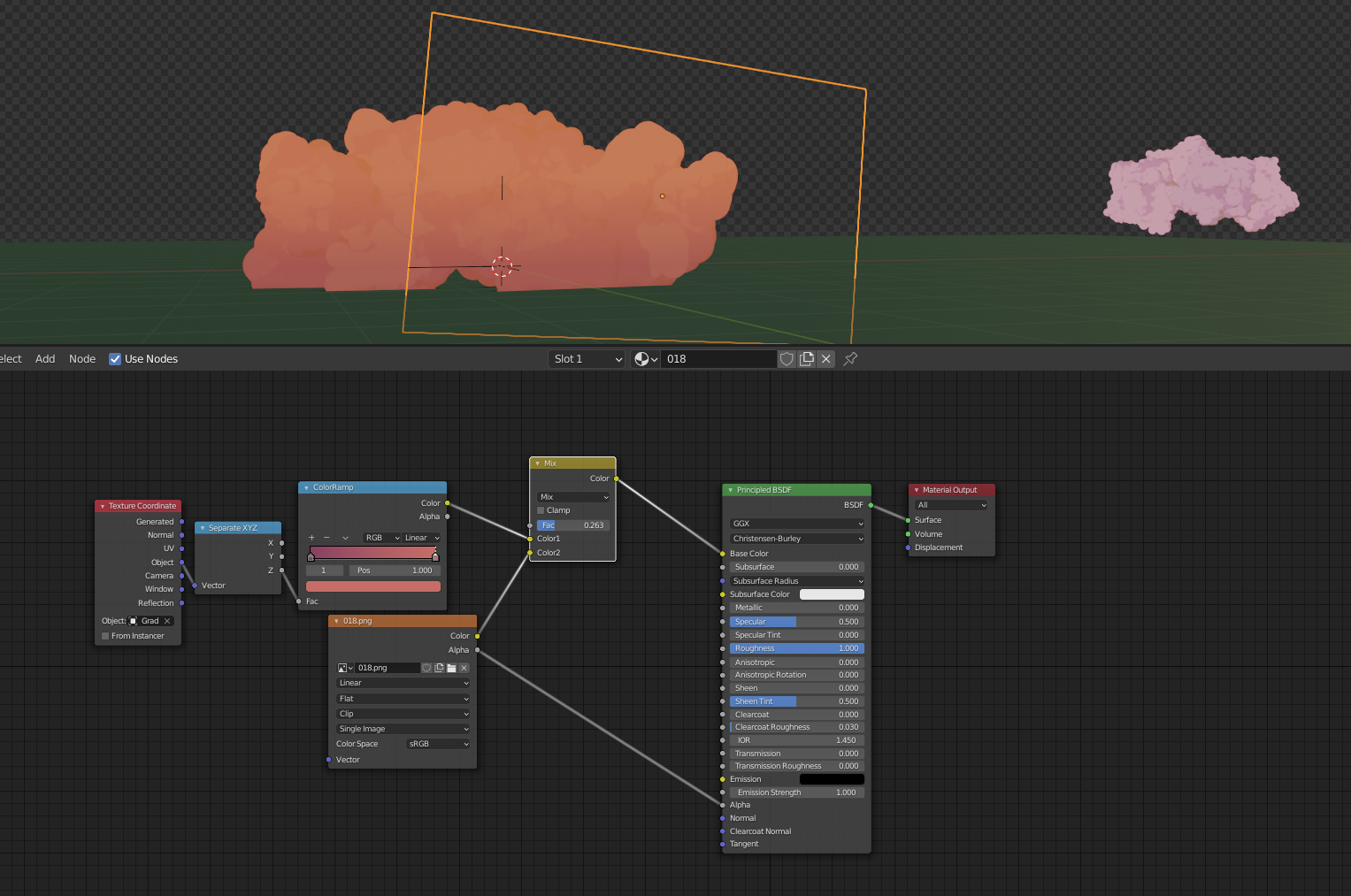
Old, hyper-pink bush shown for reference.
Setting the material to a Roughness of 1 prevents the “glossy photo” look, since the lighting is already included in the PNG.My next goal is to make a few more bushes that ready to be instanced around using (maybe) a particle system, or geometry nodes.
I feel that a hand-places approached might look better, and not take up too much time, but I’d like to try out geo nodes so I dunno.Also, I might open up photoshop and give some the “fire-like” tendrils shown in the artwork.
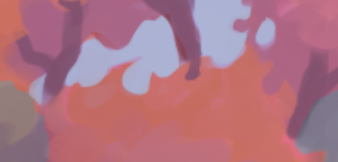
I’m not “in love” with this look, and I’m afraid it might actually look like fire if I’m not careful, but I’ll try it out.
April 18, 2021 at 1:32 pm #67198Homework Week 2 – BG Bushes
@theluthier
See the post above for images and updates.
I uploaded to /SCENES/MODELS/TEMP because these don’t fit into the “placement file” workflow (or at least I couldn’t find mine.)
The gradient was a good call for sure. I’d like to bake them into the PNG at some point, but for now it’s flexible.These still intersect with the ground in an ugly way, and I’m not sure how to render them “always in front” or anything like that. Maybe if I fake a contact shadow, they can just float above the ground so the don’t intersect? Or maybe the grass will hide the seam.
April 18, 2021 at 1:43 pm #67199Some more low-poly bush reference from Apex Legends.
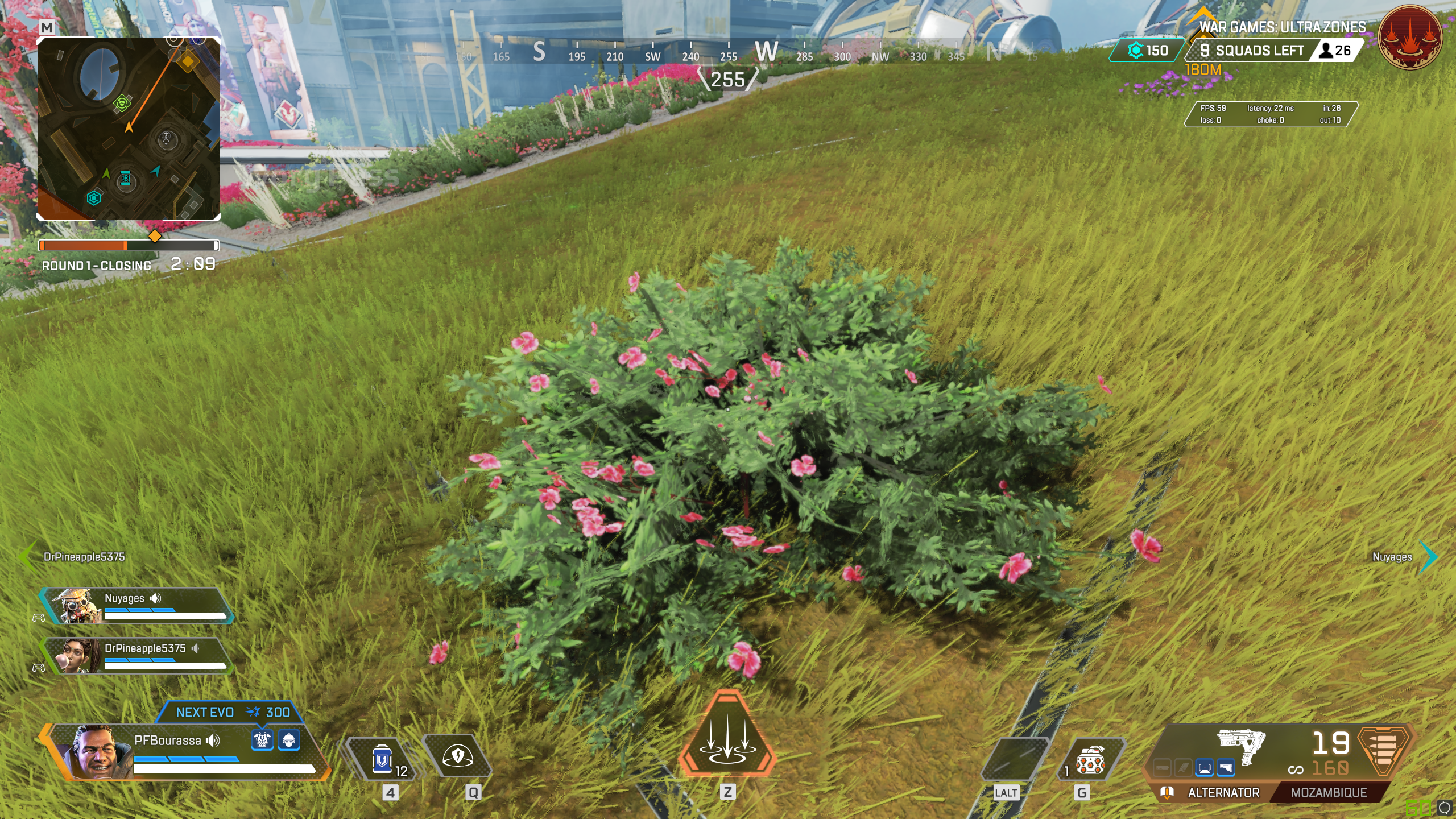
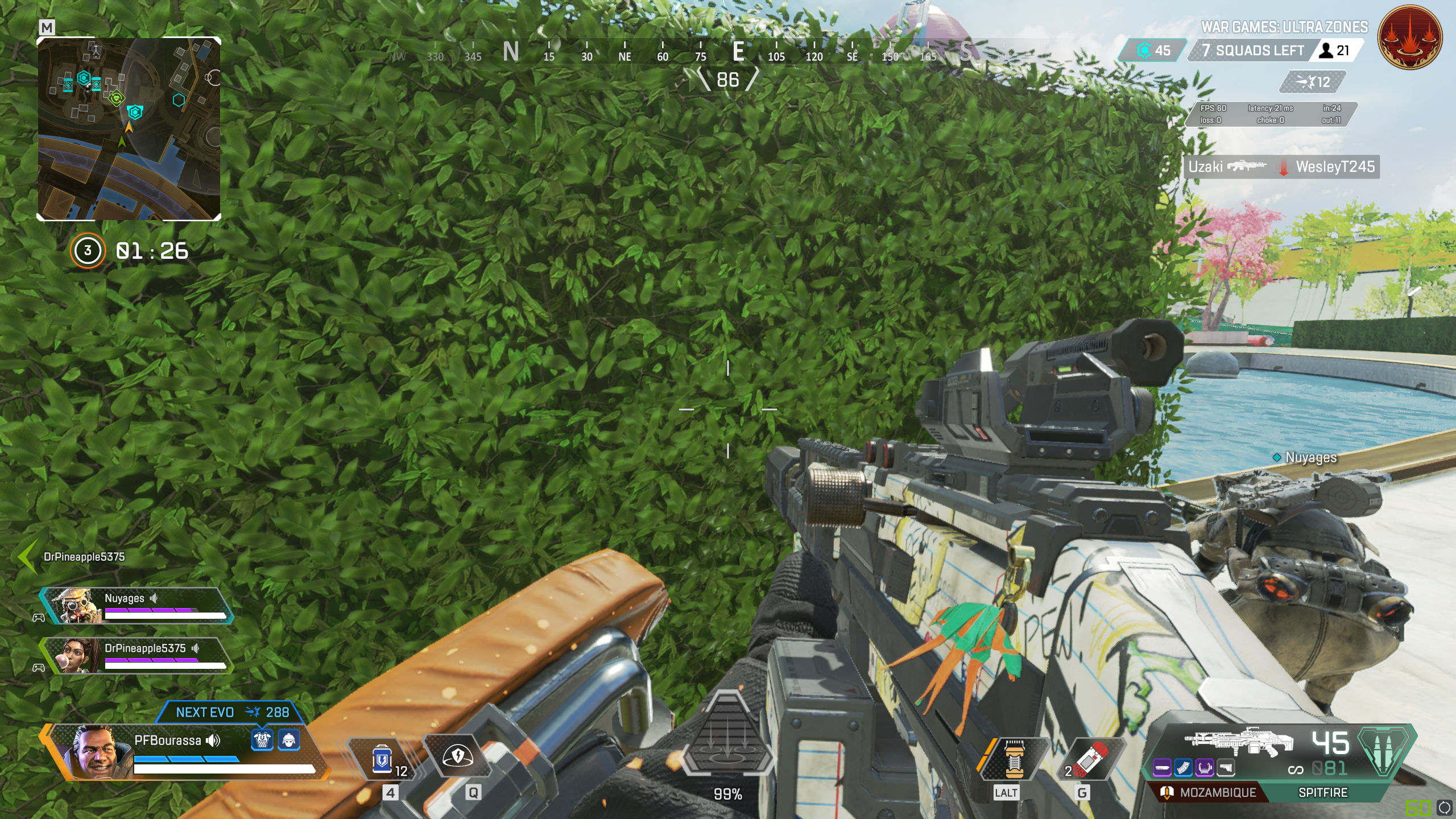
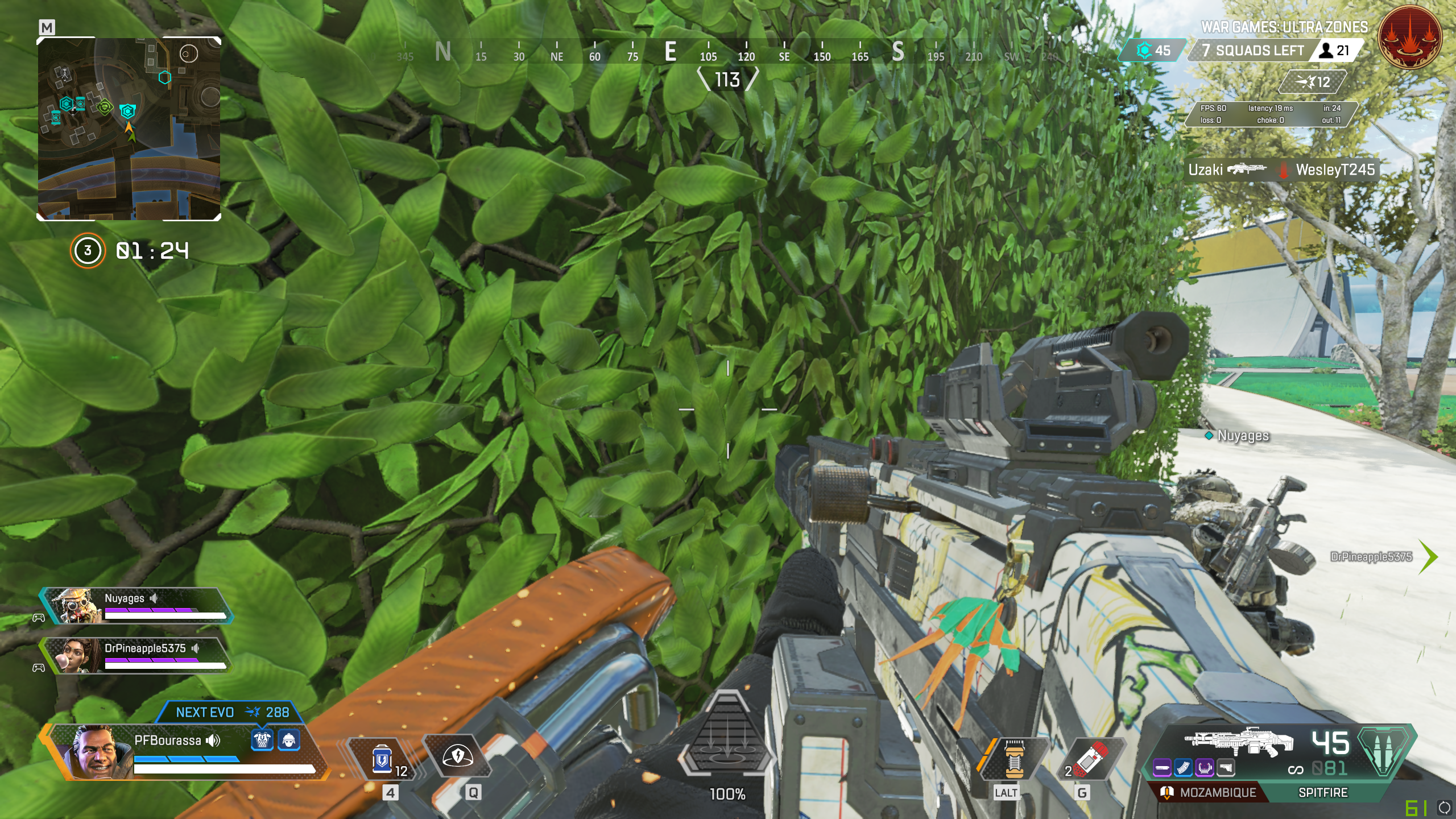 April 18, 2021 at 2:52 pm #67200
I see what you mean about the bush fire going on there.
April 22, 2021 at 2:59 pm #67201I love the amount of testing that you’ve done here! It looks like you’ve settled on the image plane method, which is shaping up to be the preferred method for all the vegetation in the scene.
Are any of your files in the drive? I’d love to see how things look in 3D.
Even though your objects are in the background, we’re still going to see things from multiple angles, so the method of placing several cards together in a clump and setting the normals to be that of a sphere (or other blobby shape) will be the best bet. If you have any questions about that just let me know.
Definitely full points for week 2 and I’m looking forward to seeing what you end up with for next week!
April 22, 2021 at 3:14 pm #67202Thanks!
My file should be in /SCENES/MODELS/TEMP if you want to take a look.I guess I’m thinking a half-sphere at most, because even if the user can take the camera anywhere… at some point they will see a void right? The illusion will be broken at some point, so I was just planning to make it look good from roughly around the house.
With a half-sphere, we could easily double it up if needed from all angles anyway, so I’ll do that for now.
April 27, 2021 at 10:00 am #67203Hey @pfbourassa , haven’t heard from you in a while.
Any progress on your bushes??
Hope you are keeping well.
April 27, 2021 at 10:10 am #67204No updates this week, I’ve been busy with paid work. But I’m not quitting on this project!
I’ll put together something usable this week.Still not sure exactly how to deliver. Maybe like 5-10 collections with different colors and shapes?
-
AuthorPosts


- The topic ‘Collab2021-WIP-PFBourassa’ is closed to new replies.