
Collab2021-WIP-PFBourassa
Forum Archive › Collab2021-WIP-PFBourassa
- This topic has 54 replies, 7 voices, and was last updated 5 years, 4 months ago by
Kent Trammell.
-
AuthorPosts
-
April 10, 2021 at 3:01 am #67175
Sounds like fun!
Where?
And the time….is that daylight saving time? Because when I look up the EST, I get the EDT…
April 10, 2021 at 8:32 am #67176On my YouTube channel so the video can be saved for later: https://www.youtube.com/channel/UC2dUqlvtSjrSLjsjFfrF-0Q
Starting 30 minutes from now!April 10, 2021 at 10:34 am #67177By rigous testing with 100 duplicates, I’ve determined that using the metaball method is too heavy, and the Ghibli method is too heavy for the final product.
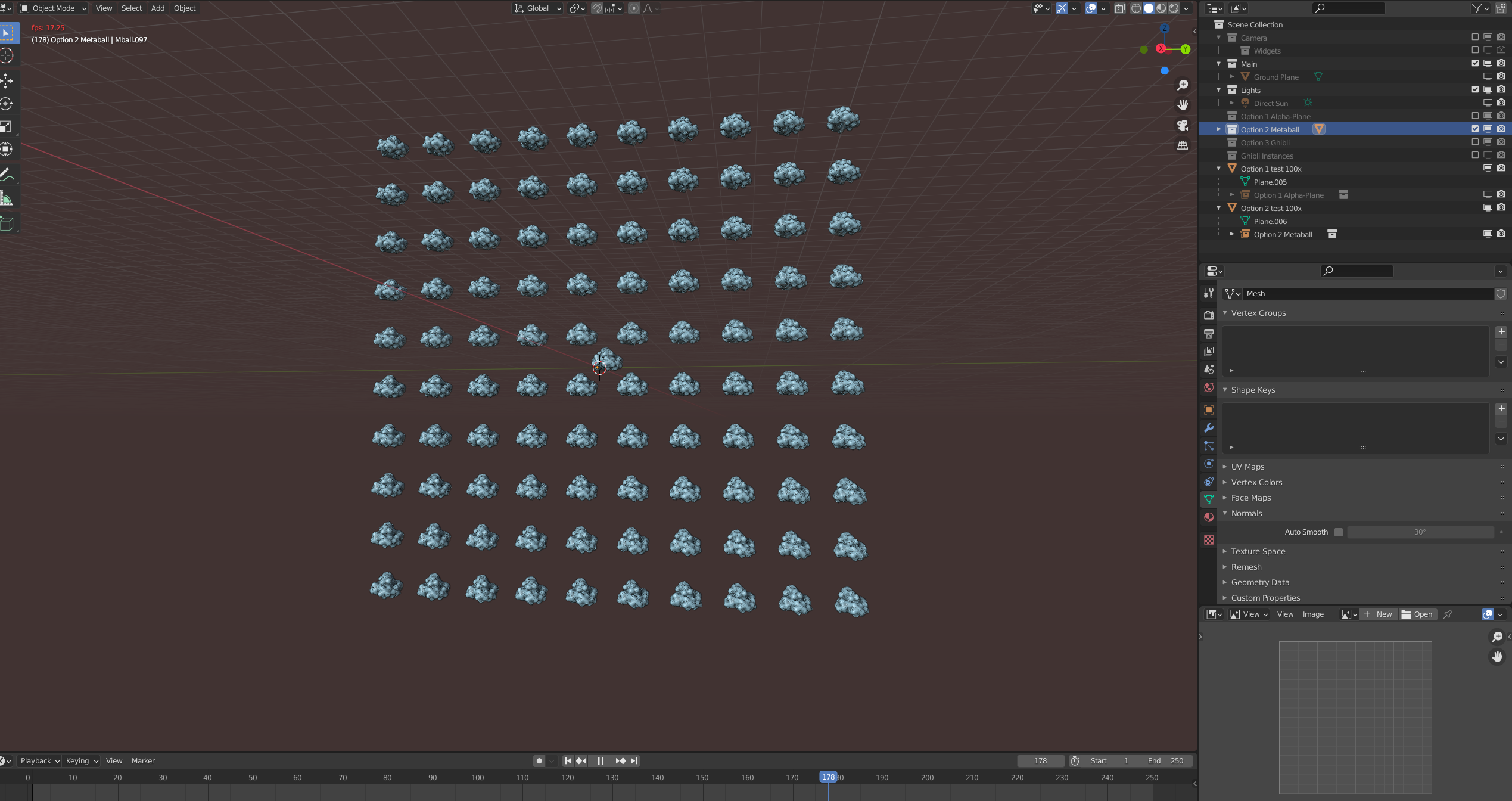
But!
I think I get the best of both worlds by using the Ghibli method to make “clusters” then rendering those to PNGs, and using a few planes to build out the bushes. This should fit in with the scene, and run super fast.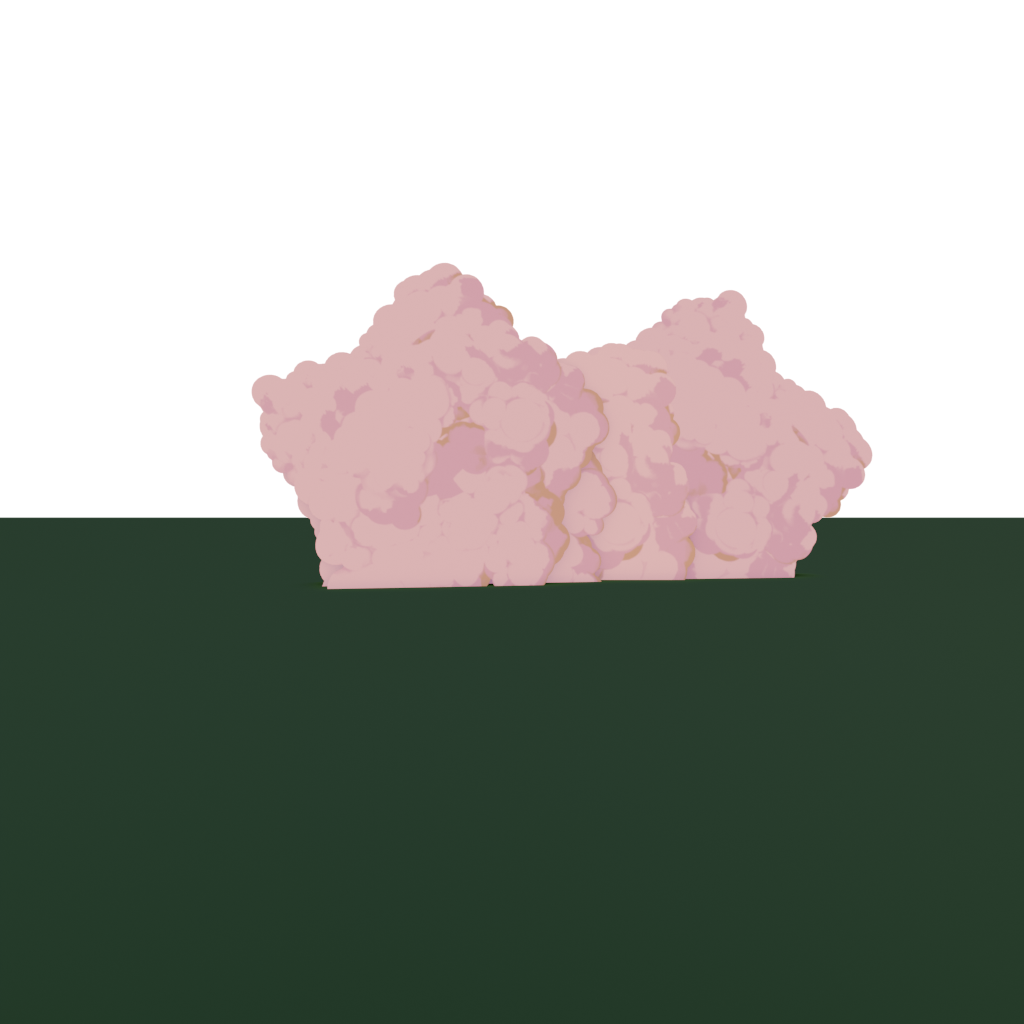 This is 20 verts
A question I still have is about how many angles these need to look good from. Will the canera always be within the fence?
No overhead angles right? This won’t look good from 90degrees to the side, but I think it will work from most angles near the house.April 10, 2021 at 11:25 am #67178well Parker i would love to see the livestream, i am not sure what timediffrence there is so if you would be so kind to post 1 hour before you stream with a notification, i would love to watch (unless i am sleeping of course :p)
April 10, 2021 at 11:28 am #67179fast question , the result of the ghibli think is amazing. now i hear a lot about baking , could this technic also be used here perhaps ? or is that not possible with this ? i dont know how the baking thing works but it seems like to be someting handy. so perhaps you could sculpt a mesh that fit the ghibli style and then merge both with that baking proces .
April 10, 2021 at 11:38 am #67180Baking the lighting could help, but I think it’s just way too many verts.
These bushes will be way far from the camera, so I think “baking” to a PNG is the way to go.April 10, 2021 at 12:07 pm #67181well i am not really sure, what if with the animation the side will be more visible , i dont know the plans yet but we need to keep in mind that if there is an animation around the house and spaces that it will also look good from diffrent angles.
April 10, 2021 at 4:52 pm #67182That is a good question.
I’m working under the assumption that the camera will stay somewhat close to the house, and low to the ground. No birds-eye view or anything telephoto. This technique would not work under those circumstances.April 10, 2021 at 5:23 pm #67183Homework Week 1 – BG Bushes
@theluthierI’m not exactly sure what to do for this first assignment, since these bushes are so far away.
And it’s hard to get much info about “L” from this picture.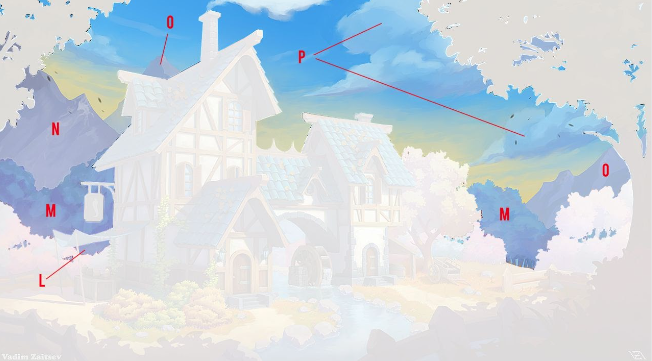
So I’ve been focusing on testing out different techniques with respect to efficiency and accuracy to the artwork.
As you can see above, I think I’ll be using the Ghibli method to make “clusters” then rendering those to PNGs, and using a few planes to build out the bushes. Here’s how it looks: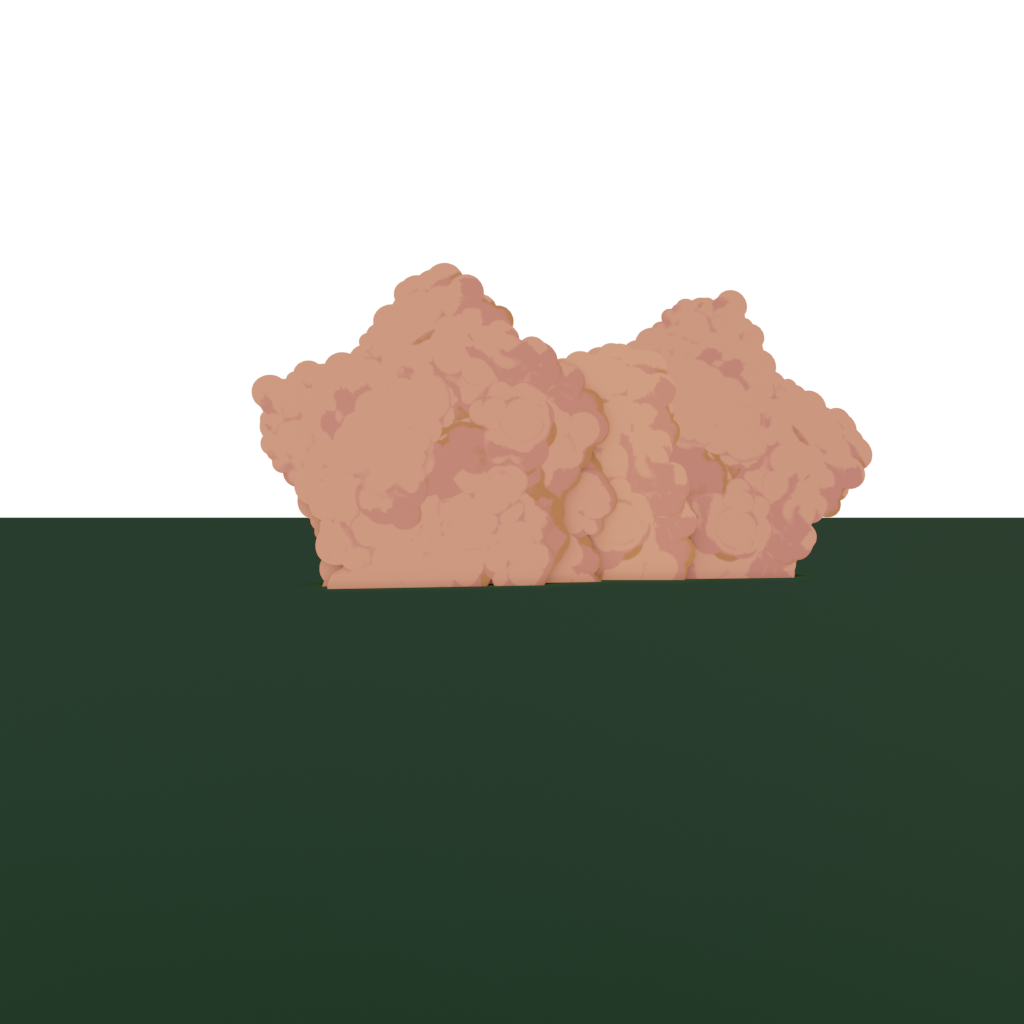
From here, I can keep refining the shader to match the various colors. And animating a little sway.
And I think we can use these cheap bushes to fill in any gaps in the background as we figure out exactly what will be surrounding the house.A few questions moving forward:
Will the camera stay close to the house, and low to the ground. These planes will look mega bad from other angles, but I think the cheat will work if the camera is somewhat constricted. Within the fence at least?Can we make a shadeless material in Eevee?
Should we?
I see emission, but I don’t want the bushes to cast light obviously.
Also, I considered making them not cast shadows, but just adding a simple ground shadow manually. So the planes won’t shadow each other and break the illusion.P.s. I wouldn’t say you are a brutal grader, but you do always give constructive criticism. It’s the only way to grow, and just hearing “great job” doesn’t really help with that.
April 11, 2021 at 9:08 am #67184I’m sure the camera is going to be mainly around the house, the distant objects are not really a concern as far as camera angles are concerned, and when the time comes a constraint can always be added so the plane always faces the camera.
April 11, 2021 at 9:13 am #67185I was thinking a constraint on the whole bush object could work to subtly shift it toward the camera.
If individual clusters were constrained using rotation, they would end up colliding.April 11, 2021 at 9:31 am #67186I would look at the image and suggest ‘L’ is actually part of ‘M’
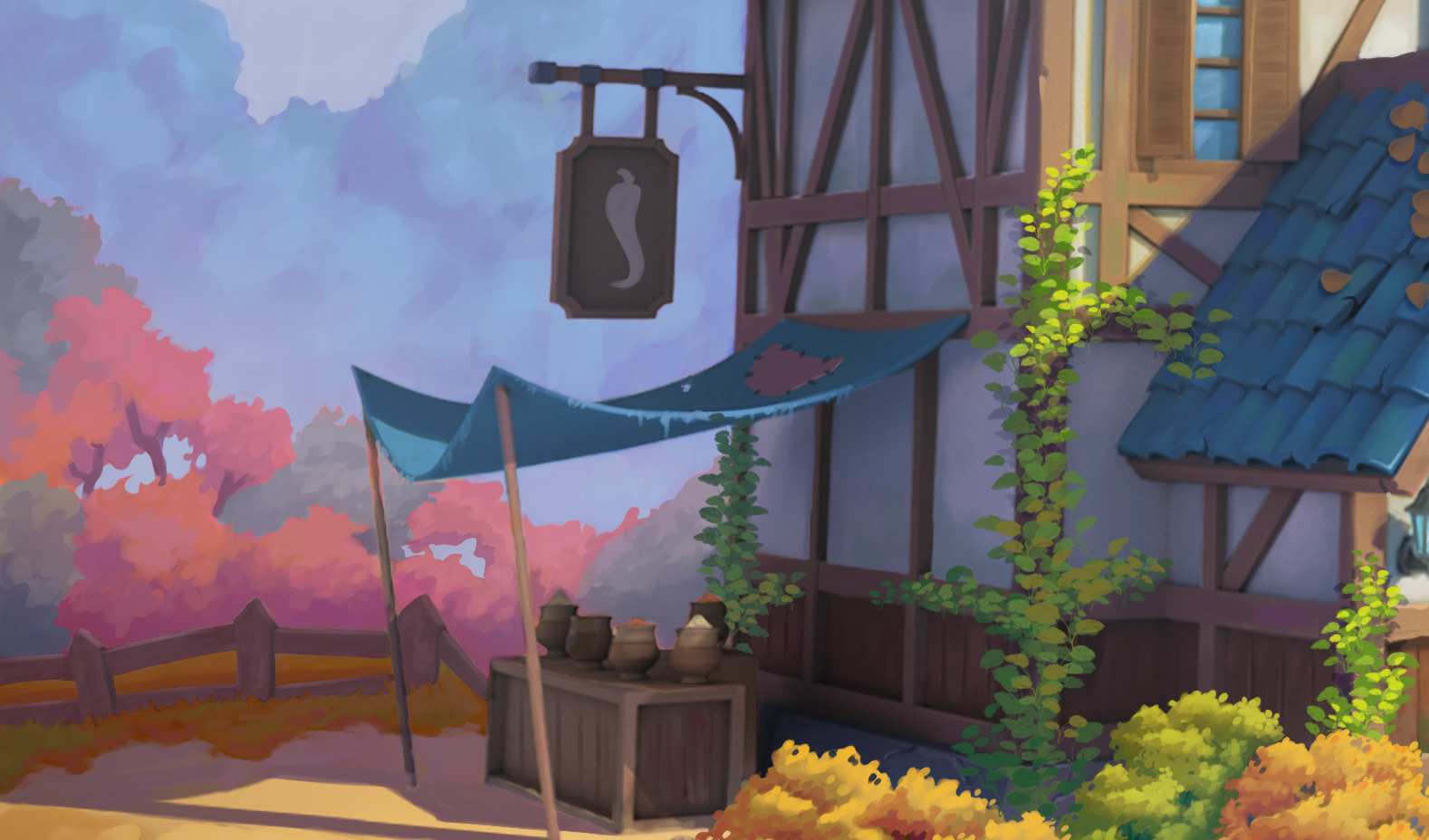
The Orange and Brown bushes are the Mid ground, and the greenie bluey color is the Background bushes or trees.
What do you think? @pfbourassa and @theluthier
April 11, 2021 at 9:34 am #67187Being so far from the camera I’m not sure they would rotate that much, and as long as one is slightly behind the other.
April 11, 2021 at 11:00 am #67188Can we make a shadeless material in Eevee?
Well, there is the Shader to RGB Node:
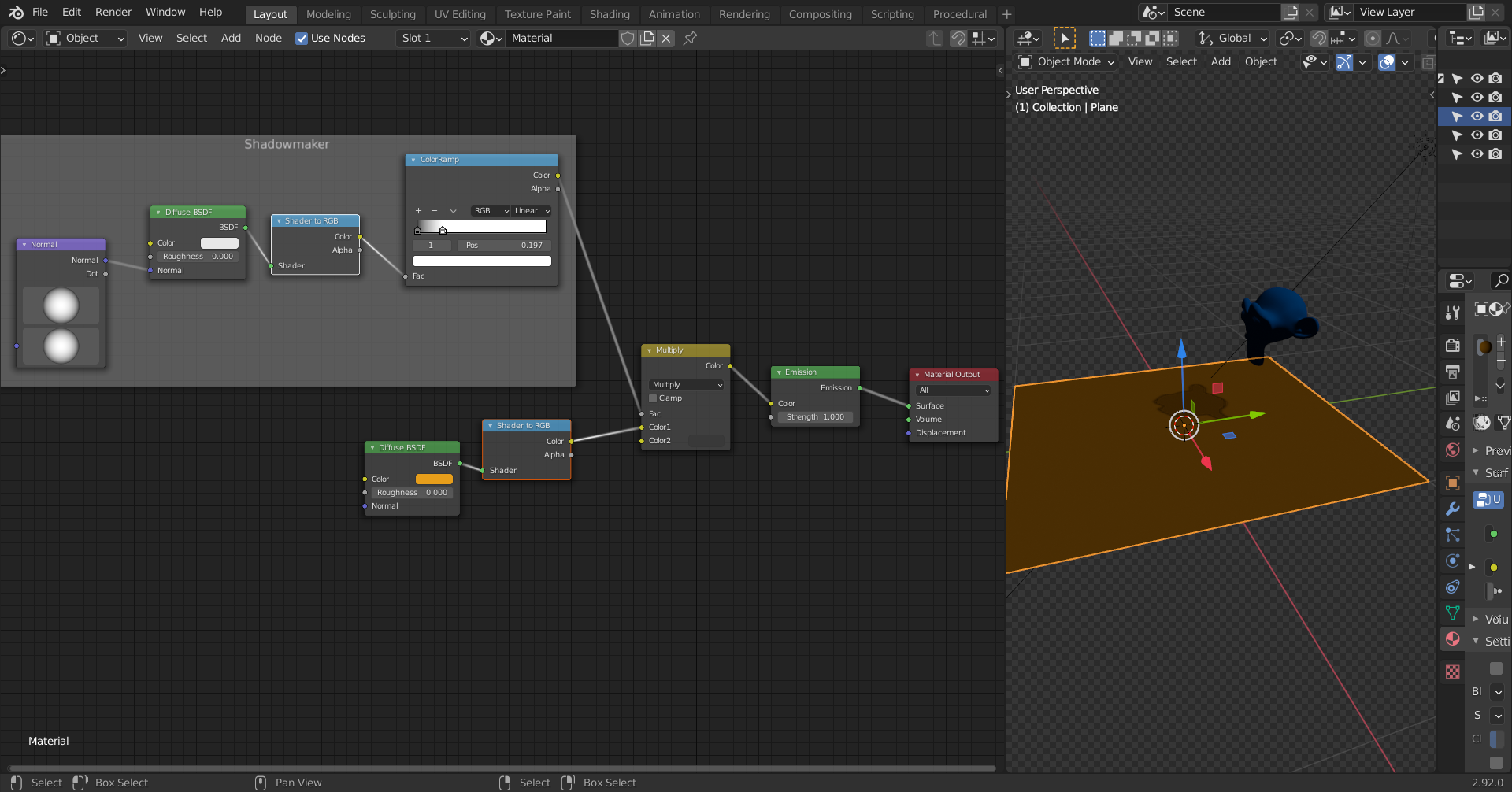
Have a play with that 😉
April 11, 2021 at 11:09 am #67189If you see the Ghibli Clouds tutorial by Lightning Boy he uses this method with a Shader to RGB node
-
AuthorPosts


- The topic ‘Collab2021-WIP-PFBourassa’ is closed to new replies.