
COLLAB2021 – HQ – Stylized Fantasy Environment
Forum Archive › COLLAB2021 – HQ – Stylized Fantasy Environment
- This topic has 510 replies, 67 voices, and was last updated 4 years, 6 months ago by
Kent Trammell.
-
AuthorPosts
-
April 15, 2021 at 11:54 am #63558
Apologies for the delay – I just posted a footbridge message in the Stan Dalones team thread!
April 15, 2021 at 12:18 pm #63559@lexicolopolis Well..that is a Question with a capital “Q”.
Short answer: I…don’t know! Since I’ve never done a project like this or worked on a shipped game, I was hoping we could figure out such questions together through the course of this project.
Longer answer: I don’t think a good answer to this question exists. It might seem like your questions could have a black and white answer because it’s mathematical and this is computer art after all. But allow me compare it to this question: “What is the best computer for me?”
I had to answer this question a couple years ago to build my current PC. I spent a week researching and watching reviews and I felt no closer to answering that question the way I expected. There’s simply too many factors surrounding my specific computer usage and too many products on the market to find an objectively true answer. By the time I nervously purchased all the parts to build my PC, I was mostly just hoping it would turn on, much less if it was objectively THE BEST computer for me. Spoiler: The computer did work and it’s accomplished what I needed! Who knows if it’s accomplishing “the best” though.
Your question is similar: What approach would be most optimal for performance as it relates to this project? Frankly we won’t know until the end and we find out if our scene runs in real time in the viewport. If it lags, we’ll know that either A) we weren’t optimal enough or B) Blender’s viewport is less capable that unreal or unity.
So rather than comparing lo poly assets vs data sharing, why not expect to implement both? If we keep our geometry as low as possible AND we use data sharing where applicable, that’s our best chance to achieve the goal. And that’s really all we can know until we have the assembly file together. At that point maybe a technical math wiz could take a deep dive into the numbers but still those numbers would only directly apply to this project. The next project would have its own factors that switch up the formula. This is why every game has different poly count limits on assets, different texture resolution protocols, etc.
I’m rambling but your question touches on a giant conversation; endless conversation really. I hope this is helpful at least a little…
April 15, 2021 at 12:36 pm #63560@theluthier That’s kind of where the conversation ended up with my husband. His short answer to me (which came after maybe an hour lecture on rendering), is that it probably has to do with the specific platform you’re rendering on, and how computer hardware is scaling at any given time. And that I should just run benchmarks. Hahah
April 16, 2021 at 4:19 am #63561I’m looking forward to it Splat because the information on the forum is rather fragmented and I’m getting information overload
April 16, 2021 at 5:12 am #63562If data linking does increase poly-related performance, does this translate to other environments? For example, can you export to Unity in a way that the data-linked geometry is functioning as multiple copies of the same base object? Or would you have to use a different method to have this translate properly?
@lexicolopolis , Simply put you would use a different method. In your image you would model your 4 stones in Blender and optimize those 4 stones with details such as with normal maps, then import 4 stones into Unity and the linking for what, 20 stones, would be done in Unity. It’s called a prefab in Unity. From your 4 stones you make 4 prefabs one for each, then you add the prefabs to the scene and duplicate, rotate and scale the prefab.
Just looking at your image you could go as low as maybe 48 verts for the wall part.
May I suggest a different approach.

This is a basic silhouette shape of the wall the rest of the detail for each stone could then be sculpted, you may wish to add a little more detail first like this.
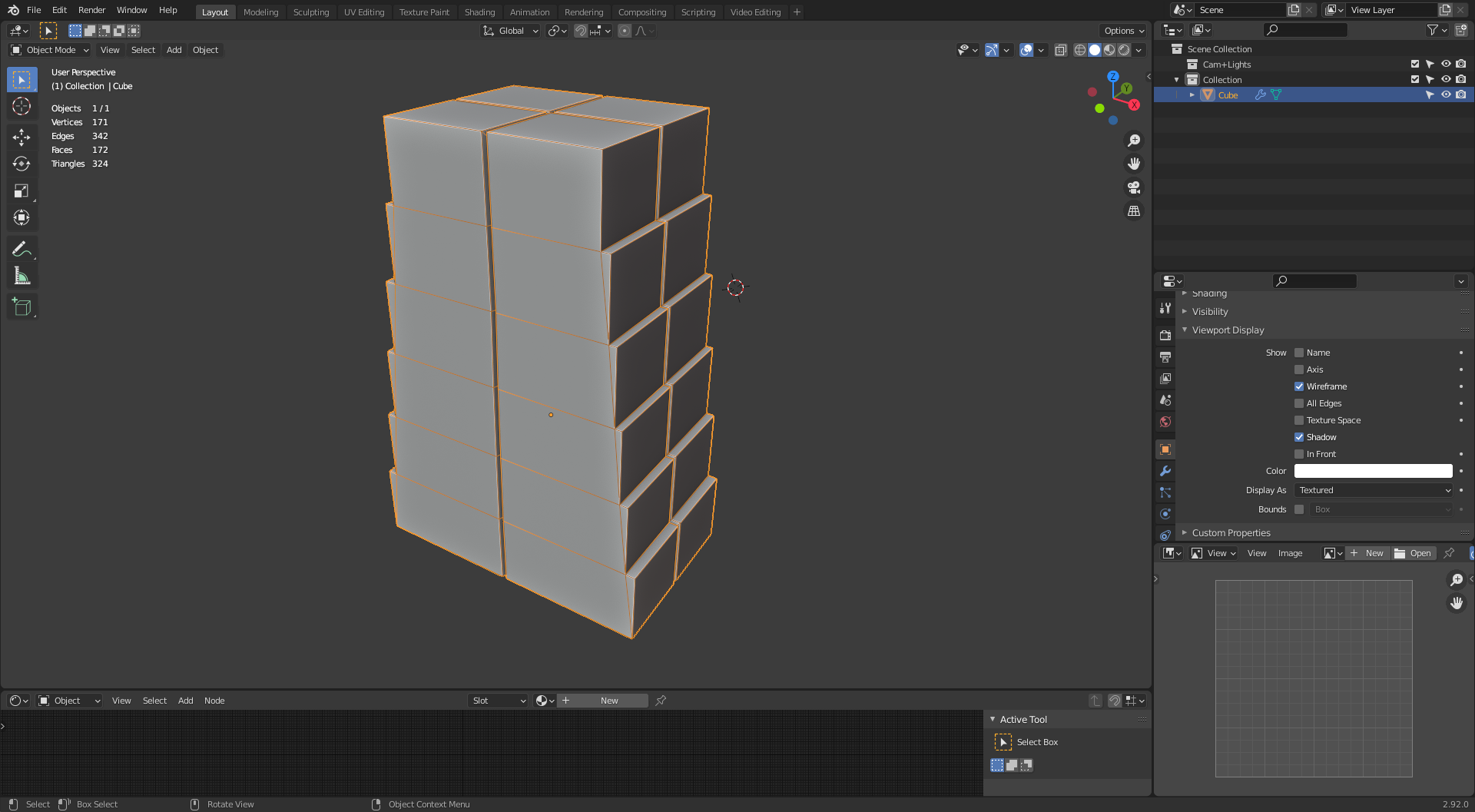
This gives 171 verts, then you would duplicate this mesh sculpt detail then bake the detail to the original, it would be much faster workflow than stacking stones then deleting all those internal faces that will never be seen. Now that would be optimized. I just noticed I haven’t left space for the metal part but you get the idea.
April 19, 2021 at 10:12 pm #63563April 21, 2021 at 9:47 am #63564📢 Announcement #3: Blog, Syncing Saga & More
Some inspiration / Food for thought
@andybegg shared a great video on Discord of an artist overviewing their modular game environment methods. The style and structure is very similar to our project. I wish the video was published when we started the Collab! But still it’s full of timely insight about this kind of work. NOTE: None of it is done with Blender but it’s the concepts we’re interested in here, all of which can be translated to Blender. I highly recommend watching for inspiration and to gain some bird’s-eye perspective:
Splat’s Blog is LIVE
Splat has launched his Blog to detail the Collab from the inside! Expect to see meaty content about what we’re learning from the project, interviews, tips, tricks, and spotlights on asset progression. Check it out regularly as he updates each week!
Google Drive Syncing (and a Revelation)
Google Drive has proven…cumbersome, right? Thankfully @blanchsb has recorded a fantastic tutorial video about getting synced to this project’s shared folder, including insight about working with the .blend’s organization. PLEASE WATCH THIS IF YOU’RE CONFUSED:
Also I finally understand how Google Drives storage works thanks to comments in the most recent stream! Each file submitted is only counted against the owner’s storage. So if everyone’s google drive storage has 10 GB available, technically this means our project has 890 GB or storage!
This is a huge revelation. This means that we can be far less restrictive with our storage. In short: If you have Google Drive storage available to save 20 WIP versions of your scene, you can do that. Whew I’m so glad I understand this now 😅
Week 3 Homework & Update to Texture Parameters
Week 3 is all about map baking and texture painting. In short the assignment is 4-fold:
- Unwrap UVs for your LO-poly model(s)
- Bake HI-poly details into two maps: Normal & Cavity
- Hand-paint a Color Texture Map
- Setup a material using these textures.
Here’s some parameters regarding Texture resolutions and file format. During the week 3 stream I said to keep texture resolutions small (1024, 512px). Ultimately I think the final version of these textures will need to be small like this, but 2 factors have changed my mind:
- Such small textures look hideous up close. This is really lame for individual beauty renders of individual assets, which I would 100% want if I were you. In fact I intend to make that a final homework assignment: rendering a beauty shot of your asset. To accomplish this we need bigger texture resolutions.
- Since we have more Google Drive storage than I originally thought, we can sync bigger textures! So long as you have available storage space.
Therefore I am raising the cap on texture resolutions. I recommend a minimum resolution of 1024 for small assets (vase, lantern, etc) and as high as 2K (2048×2048) for larger assets.
As for texture format, please save your NORMAL maps as 16 bit PNGs and your COLOR + CAVITY maps as 8bit PNGs.
Save your textures in the TEXTURES directory within the sub-folders, the same way you’ve been doing with you .blend files: SPICE-VENDORS-HOUSE/TEXTURES/
Please do your best to follow this naming convention: category_asset-name_username_TEXTURE
- EX: acc_lantern_monaloren_COLOR
- EX: acc_lantern_monaloren_NORMAL
- EX: acc_lantern_monaloren_CAVITY
- EX: nature_FG-tree-A_danitufi_LEAF-ALPHA
Most assets will only need color, normal, cavity, and leaf alpha textures. But the exceptions will be the creek, clouds, etc. For such exceptions you can save whatever you need in terms of textures, just change the suffix part of the file name.
** IF you saved textures in the TEXTURE directory before the stream yesterday, I placed those textures in the _OLD folder. Please move those into their proper folder before continuing.
Week 4 Buffer
Week 4 was always intended as extra time needed to catch up and polish your assets. So if you’re running behind on any of the home work do not worry! You’re welcome / expected to use the last week in April as time to catch up.
I’m grading based on the effort I see each week, relative to each artist. So long as you’re submitting work that you clearly attempted each week, you get points and feedback.
April 21, 2021 at 11:37 am #63565The link for the discord is expired, how can I join the group?
April 21, 2021 at 12:03 pm #63566https://discord.gg/kS5tF9td here you go @az93
April 22, 2021 at 3:27 am #63567Hey guys, sorry i dropped out of previous stream, started to get high fever and had to go to the emergency hospital, i hope that by this weekend I will be able to move my arm. For now i first need a few more days time to get rid of the pain. Hope to see you all soon.
April 22, 2021 at 8:36 am #63568Your health is clearly more important. Wishing that you get better soon.
April 22, 2021 at 3:02 pm #63569Thank you, this kinda do suck. Still hope i can finish along with you guys. Next week monday i need to go back for an update and check.
April 22, 2021 at 4:50 pm #63570All the best to you, Yuki!
Please stay healthy.
April 22, 2021 at 8:23 pm #63571Dang Yukino, I guess this proves Belgium girls and tougher than Japanese Samurai’s. Get well soon.
April 23, 2021 at 3:47 am #63572Get well soon @yukinoh1989 , We had a collection for you and got you these
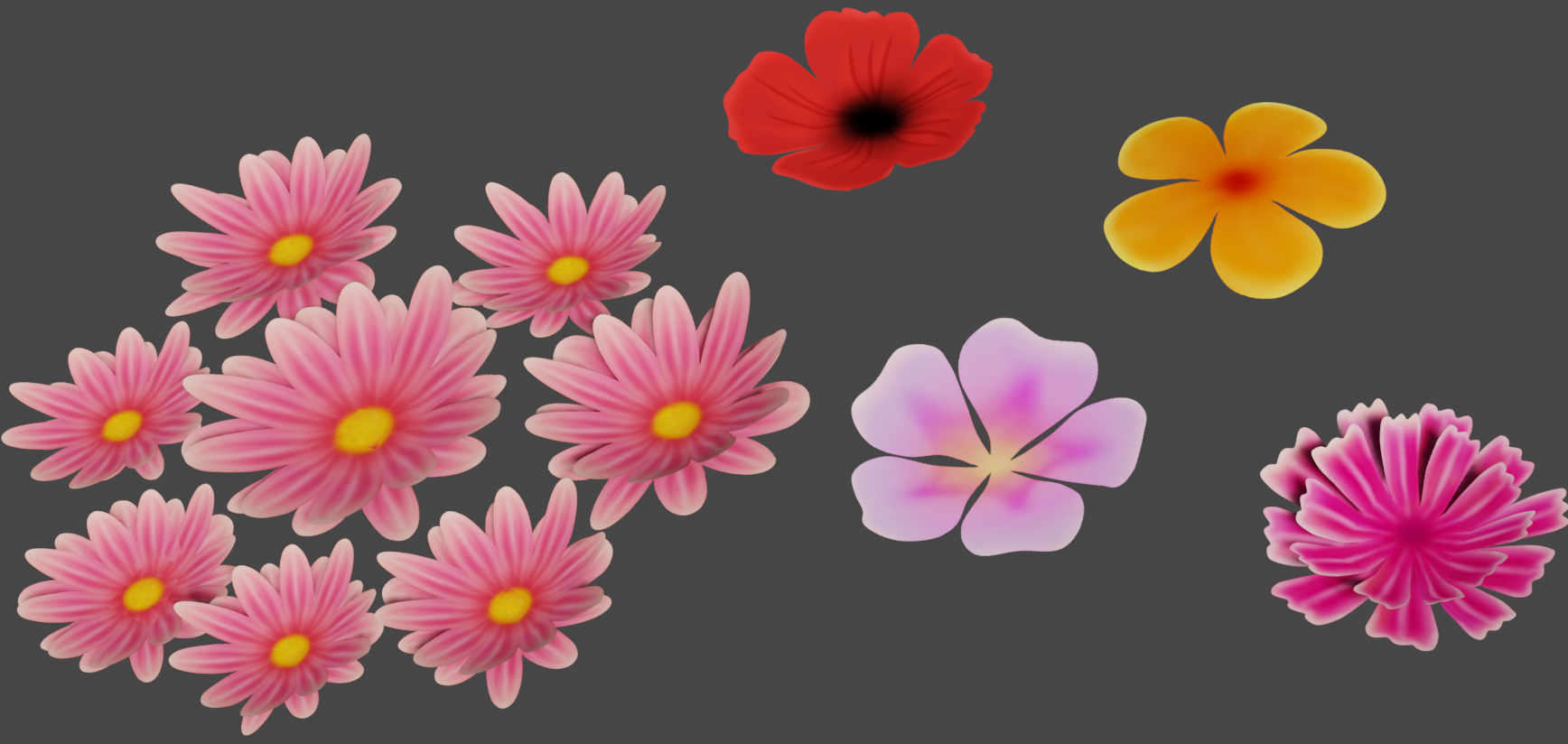
Hope they make you smile. See you soon.
-
AuthorPosts





- The topic ‘COLLAB2021 – HQ – Stylized Fantasy Environment’ is closed to new replies.