
Collab 2020: Modeling Heavy Equipment (Backhoe)
Forum Archive › Collab 2020: Modeling Heavy Equipment (Backhoe)
- This topic has 1,439 replies, 27 voices, and was last updated 4 years, 1 month ago by
Omar Domenech.
-
AuthorPosts
-
April 22, 2020 at 7:24 pm #54017
I got it 👍 Thank you, sir!
April 23, 2020 at 4:01 am #54018April 23, 2020 at 4:42 am #54019@spikeyxxx , one more question concerning the cutting-in of sharp edges into curved surfaces has come to my mind:
How do I manage to connect the cut-in egde loop smoothly with the surrounding mesh and avoid pinches?
April 23, 2020 at 5:01 am #54020I am not sure what you mean exactly.
By ‘beveling’ the cut-in edge loop it has supporting edge loops inside and outside of the cut. It does create some 3- and 5-sided poles at the corners, but that’s where the Shrinkwrap comes in and that is also a reason to have a higher subdivision level on the target mesh. Due to the fact that the original and target mesh are already at the same place the Shrinkwrap Modifier does a really good job (and the projection method is not so important I think).
As long as the original mesh has a clean topology and you create the cut from existing edges, there should not be any pinching.
I’ve used this method a lot and never had any pinching issues, but if you do, please let me have a look at it.
April 23, 2020 at 8:13 am #54021@theluthier I do have a question, about consolidating the edge loops when they’re side by side, when 3 loops are side by side, you did that during the stream on my battery box and I was like oooohhh, that is some sweet technique, you can remove lots of excess geometry, I don’t know if you remember, you merged them 3 into 1 and left a quad and removed lots of vertices. I was going to do that to optimize the mesh, but then I though, what if I have to change something later on? Am I committing too soon when stuff ain’t done yet?
So I guess my question is, should that be left to when things are more polished and on a finished state?
April 23, 2020 at 8:21 am #54022@spikeyxxx I’m thinking at the edge of the fuel tank cap in the first of your three instruction images where diagonal edges are visible in the upper left and lower right corner of the cap outline. These edges are obviously not part of the original rectangular grid cell mesh. In this case, the cut-in edge loop has a comparatively simple structure, but what if there is a more complex pattern with a lot more of direction changes and details?
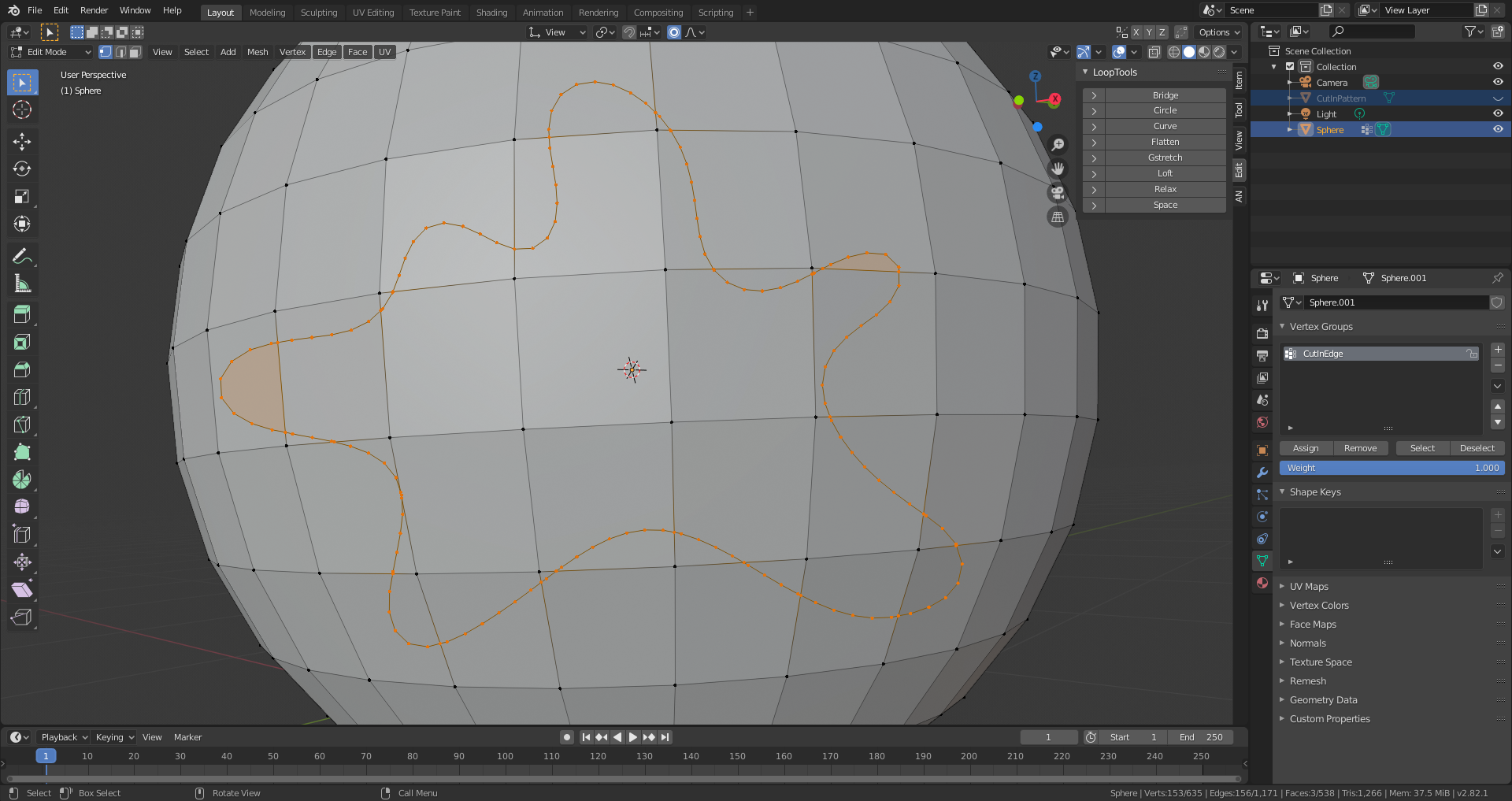
This has been cut in only with “Knife Project”. Now I use “Triangulate Faces” and then “Tris to Quads”, but this dosen’t guarantee you a good result, as the edge beveling shows:
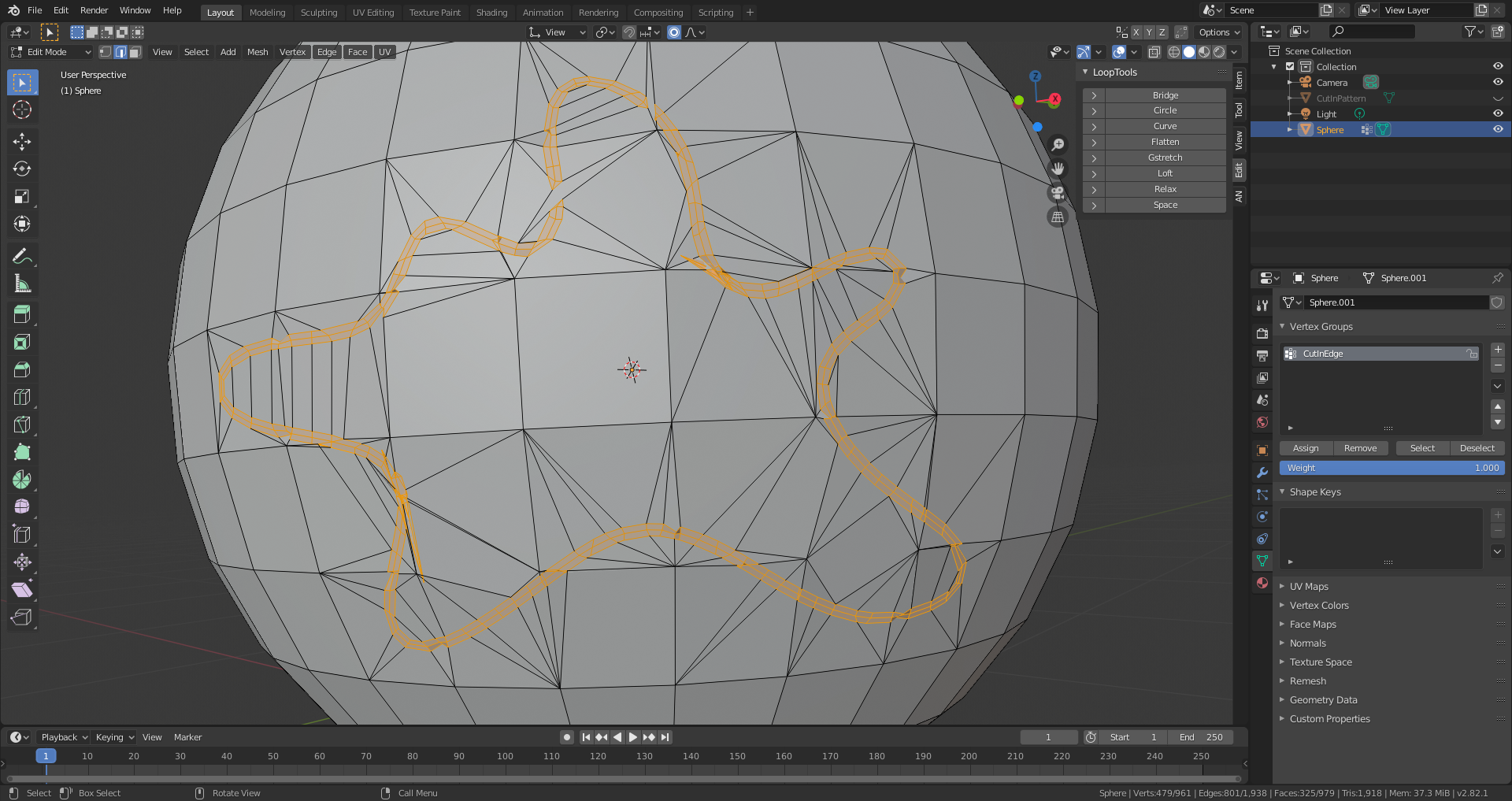
The original file with the cut-in edge can be found here.
April 23, 2020 at 8:48 am #54023diagonal edges are visible in the upper left and lower right corner of the cap outline. These edges are obviously not part of the original rectangular grid cell mesh
Actually they are! I just edge-slid those verts a bit to show that you can change the shape of the cap a bit, even after you created the target mesh.
As for the complex model: that is not how this was intended (did I forget to mention that you should start out with a clean topology?).
As this is a Subsurf method, I wouldn’t use such an already rounded shape with 153(!) verts. make it as simple as you can to still get that shape when subdivided and then maybe subdivide the Sphere one more time and the move ( Merge) the verts of the sphere to make that shape. Or just create that (simplified!) shape directly on the Sphere by sliding some verts. That ensures that you keep the all-quad topology (at least in that area).
April 23, 2020 at 8:54 am #54024@dostovel Good question! Indeed you only want to consolidate 3 edges side by side if there’s no use for them beyond a certain detail. I think this is a great talking point to cover in the next stream, but I’ll try to answer generally here:
In the case of your batter boxes (which look awesome btw!) there’s several planar sides that don’t appear to have any additional geometric detail and in some cases are visually covered by other pieces:
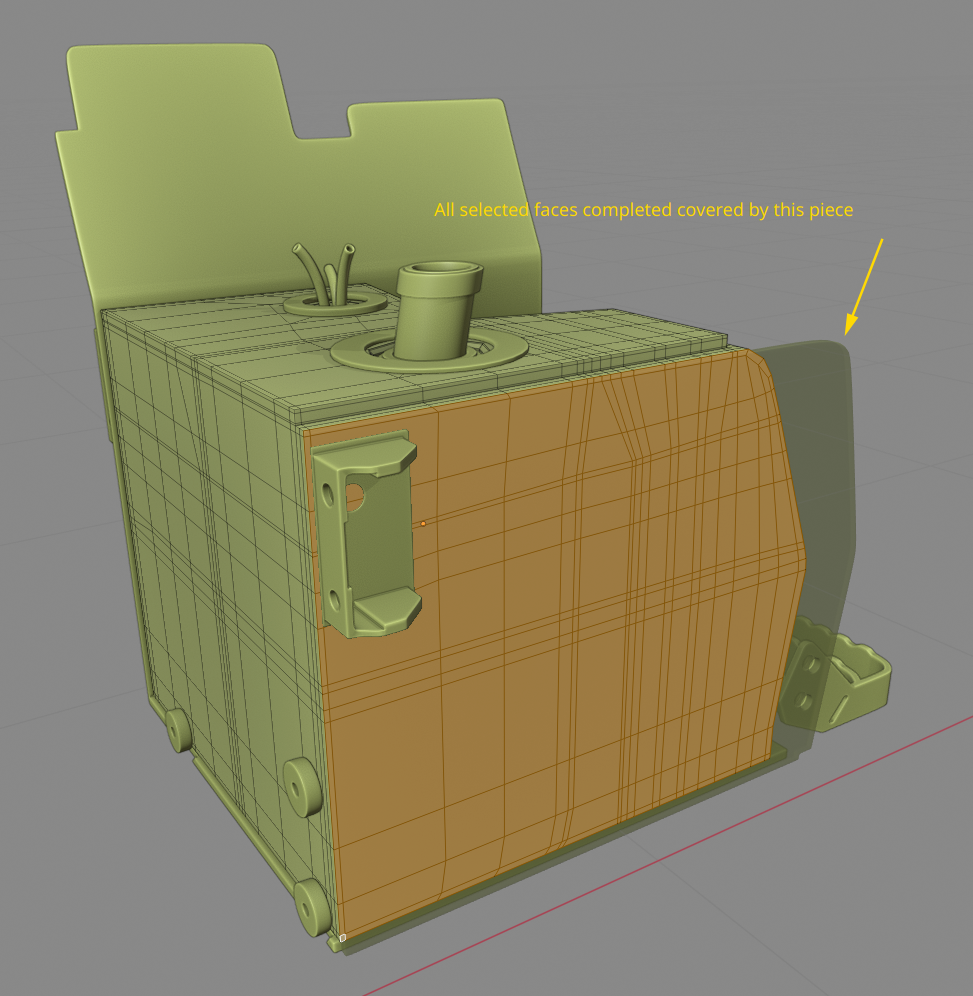
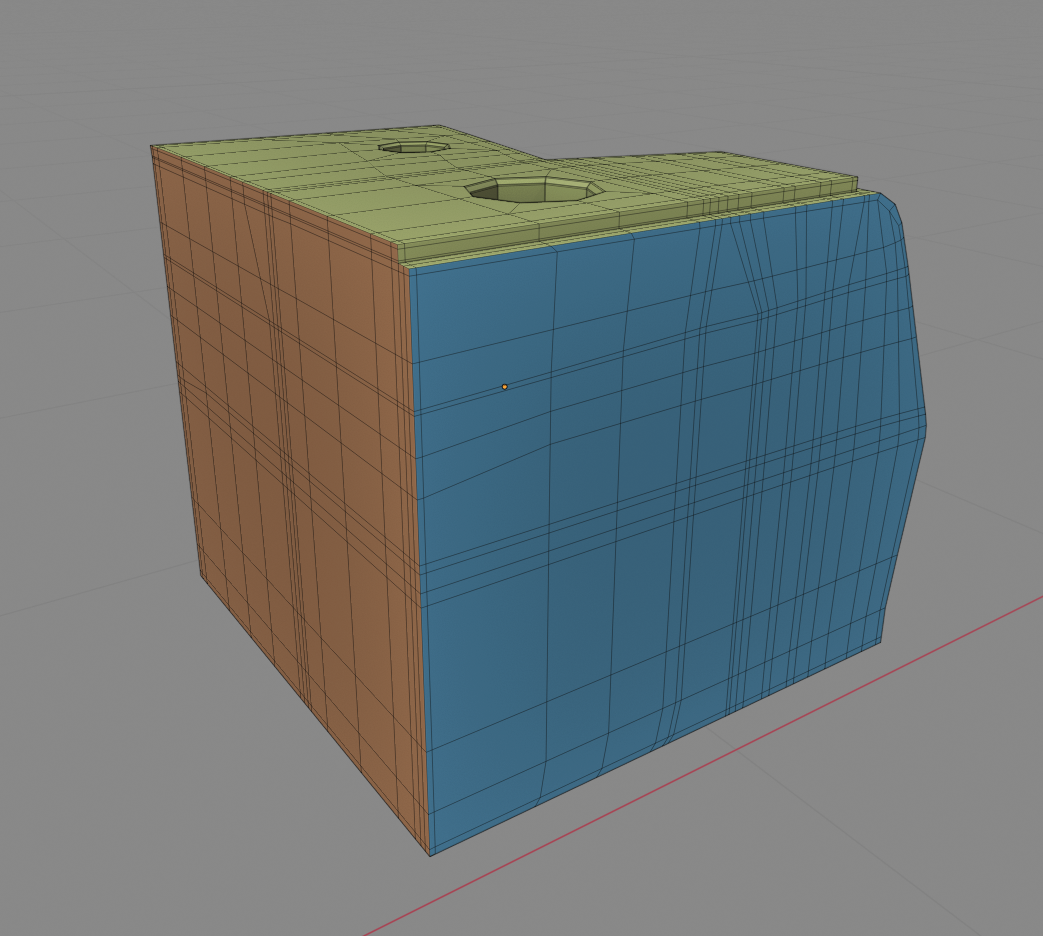
Therefore the orange and blue sides are ideal candidates for “triple-edge optimization” — Let’s call it that so we both can refer to this technique quickly.
Those are the principles that govern my decision making process about optimization. But you’re the expert on this part of the backhoe, so please apply the principles accordingly!
The last thing I’ll say is that this optimization process is not completely necessary. Best case scenario is it simplifies the object as much as possible for workability and should reduce render computation / RAM usage by a fraction at least. It’s a “best practices” kind of thing. For a quick and dirty project I would skip this process.
April 23, 2020 at 9:07 am #54025@theluthier Oh my god there they are, you have them now, technology is like super awesome, one day they are in Santo Domingo, the next day in the USA. I feel like other battery boxes are like mama! come quick, your son is on the tv.
Thanks for the great answer, I like best practices, it’s like an OCD to leave things super tidy up. Leave no dirty dishes on the kitchen kinda modeling for me.
April 23, 2020 at 10:41 am #54026@spikeyxxx You are absolutely right, I should follow more the “keep it super simple” (k.i.s.s.) principle . Only one question arises for me when you propose vertex sliding for creating the shape of the cut-in edge: How do you ensure that you don’t loose the round shape in the area of your cut-in piece? With light inciding on your sphere at a sharp angle you can even see a very subtle surface unevenness.
April 23, 2020 at 11:13 am #54027@duerer that will be taken care of by the Shrinkwrap (again, make sure that the target has a higher subdivision level!). For an even better result you can move your vertices with surface snapping on (still using Shrinkwrap as well, of course).
April 23, 2020 at 11:34 am #54028@spikeyxxx you are a fountain of knowledge. I had forgotten about the magic V hotkey as rarely used. I think @theluthier was going to cover this in the next stream which I am looking forward to, mainly to see if my attempt is as you suggested.
April 23, 2020 at 12:03 pm #54029I originally selected the faces and separated by selection, then used a shrinkwrap using vertex group to get the desired result but with subsurf could not get the smooth corners. But CTRL+B and then V and a shrink wrap, so simple, genius.
 April 23, 2020 at 12:30 pm #54030
@adrian2301 I had to make a lot of those panels/seams/… in the Vehicle Contest here on CGCookie:
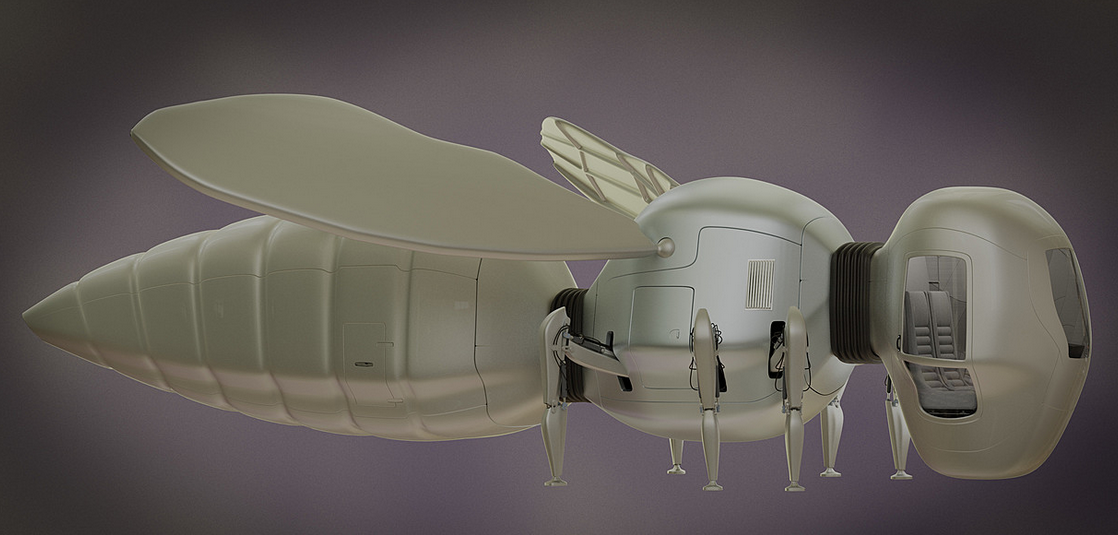
So I had to find a way to be able to comfortably do those kind of things;)
I’m sure I’m not the first or only one to come up with this technique, but I found it by myself, which makes me kinda proud…
April 23, 2020 at 1:01 pm #54031OMG…. I’m seeing all this and going….panic. I look at what I’ve done and I’m going… yikes. I ended up starting over and it still looks bad…better but not like this. I’m so out of my element up in here
-
AuthorPosts




- The topic ‘Collab 2020: Modeling Heavy Equipment (Backhoe)’ is closed to new replies.