Collab 2020: Modeling Heavy Equipment (Backhoe)

Forum Archive Collab 2020: Modeling Heavy Equipment (Backhoe)

Viewing 15 posts - 256 through 270 (of 1,440 total)

  • Author
    Posts
  • #54032
    spikeyxxx
    Participant

      @ketre

      ‘DON’T PANIC’

      (Imagine that, written in large, friendly and reassuring letters..)

      #54033
      Omar Domenech
      Participant

        @ketre Why don’t you post what you have, no matter how it looks like, and tell us where you are having trouble. 

        #54034
        Karen Trevino
        Participant

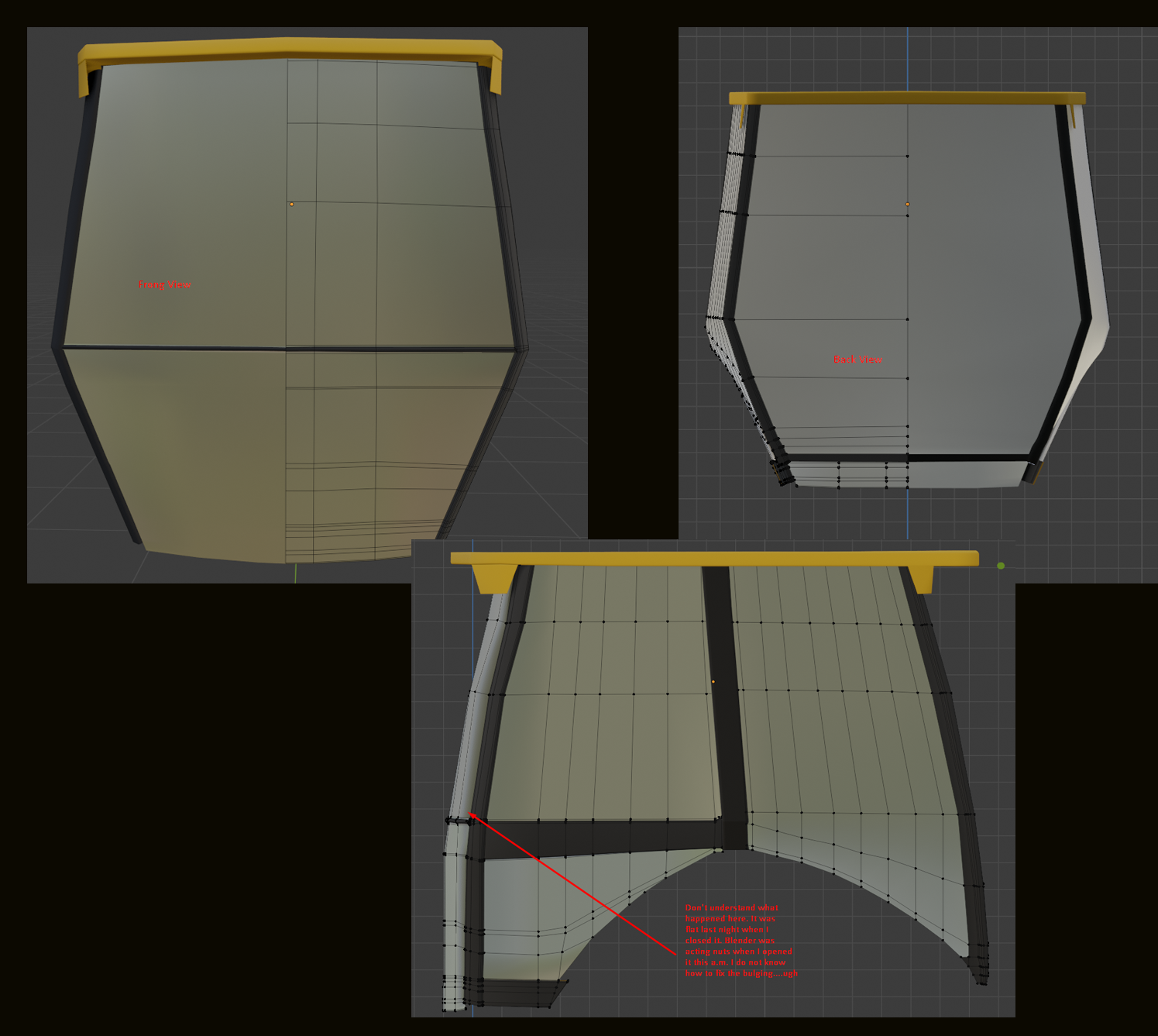
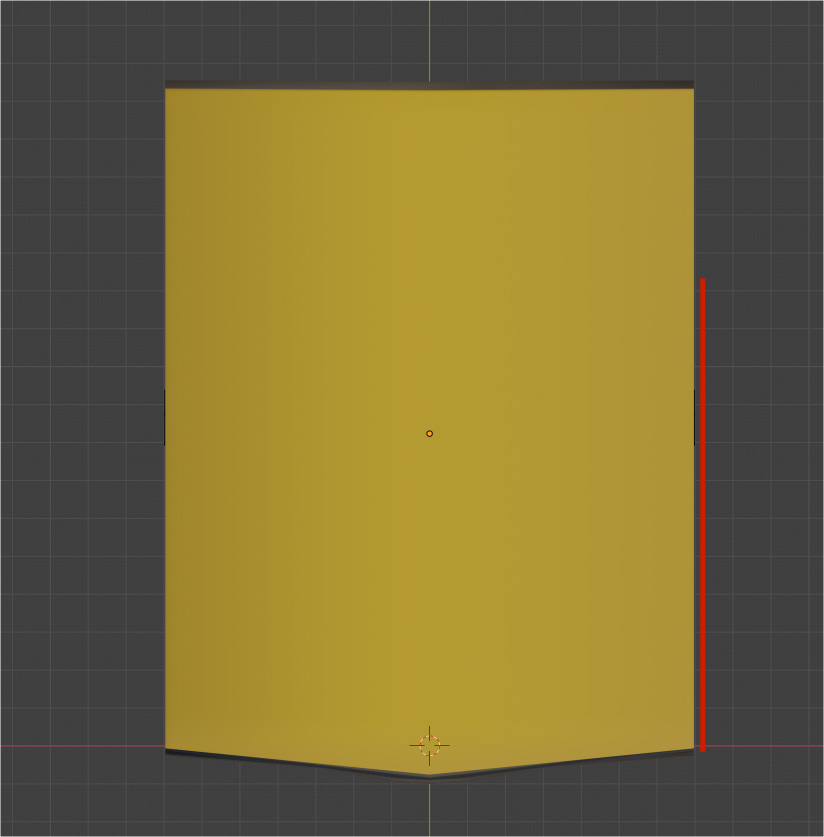
          Here you go, this took me 3 day to get this… The sides bulge out in a way from the back view that they don’t from the front, (not frong) lol ugh… if I take in to perspective view it doesn’t look like that. 

          #54035
          Adrian Bellworthy
          Participant

            You should be proud @spikeyxxx , your vehicle looks awesome, did you win the contest? Your technique defines the panels so well with clean lines. I will probably use this technique again, every time I do, I will give a little nod in your direction.

            @ketre like @dostovel says post it here, I’m sure somebody can give you some tips, as was the case with me.

            ‘You are not alone’

            (Imagine me singing that like Micheal Jackson), actually DON’T

            #54036
            Karen Trevino
            Participant

              hahahaha Imagine the uhhh dirty words flitting through my mind in my frustration. I actually turned the jams on while doing this, thinking yea imma rock this doggy….hahahah NOT

              #54037
              Adrian Bellworthy
              Participant

                @ketre as you can see from this image, the left most window does curve quite significantly from top to bottom and from front (above the high point of the wheel arch (fender)) towards the bottom left corner, which would look like a bulge from the rear view. The important thing is what it looks like in 3D / perspective view, when you enter front, back or side view you switch to orthographic view which is flat 2D. Try and asses your model by panning around in 3D to see where you can smooth out any areas, maybe add a subsurf with 1 division. Keep it up. It’s not a contest we are all here to learn and support each other. 👍

                #54038
                Omar Domenech
                Participant

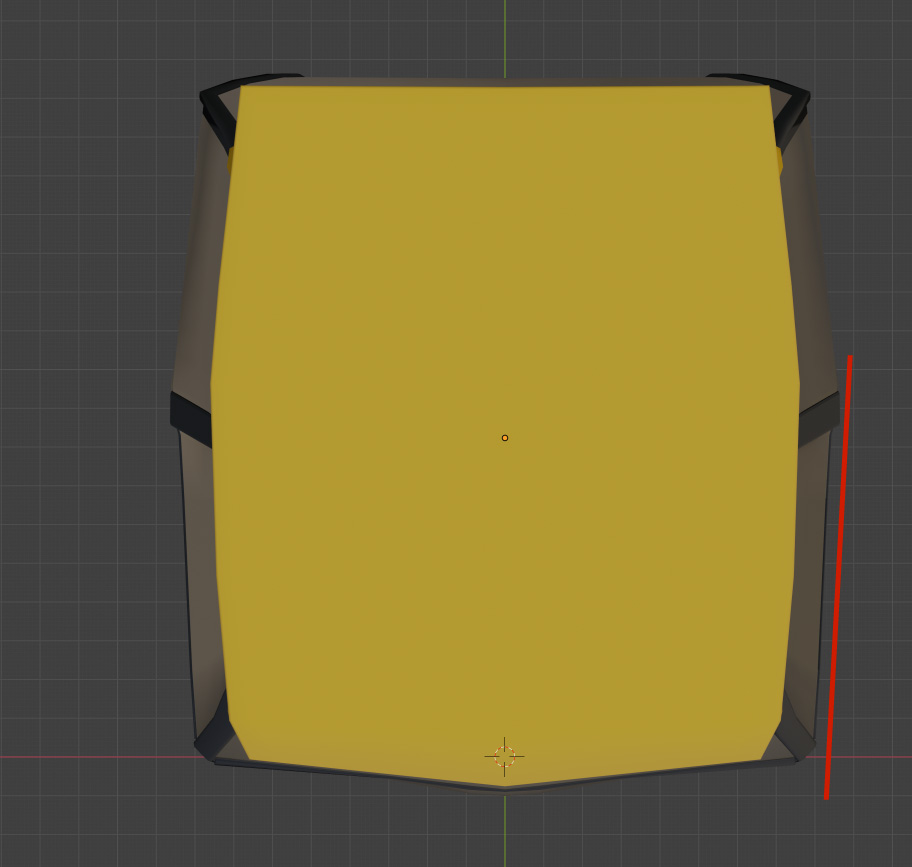
                  @ketre It must have a slight slant, I think is the word. Can you post a top view? Or better yet, can you share the .blend? 

                  #54039
                  spikeyxxx
                  Participant

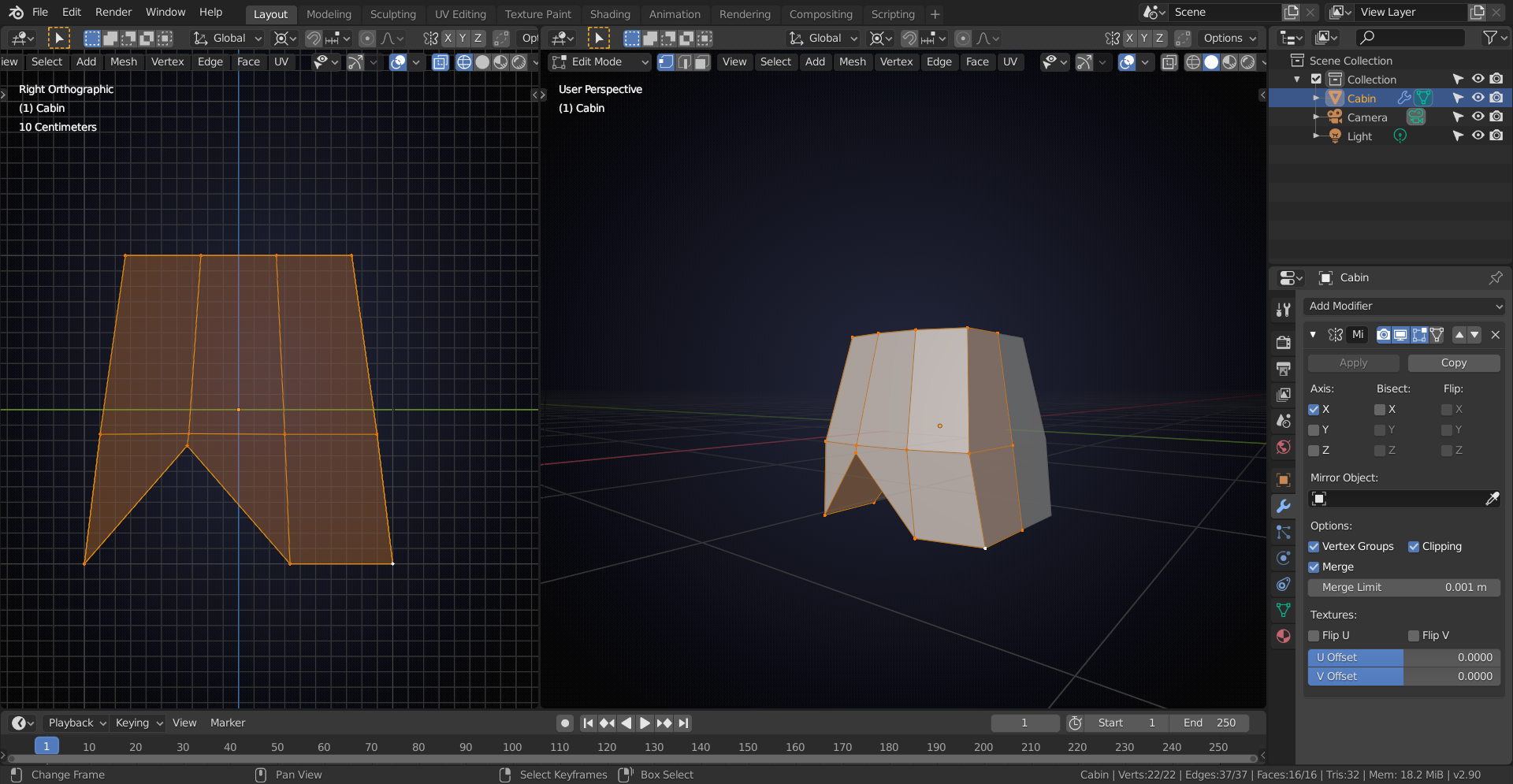
                    @ketre try to start with less geometry; we are going to use a  Subdivision Surface Modifier on this, so do not use too many edge loops where they are not necessary…

                    You will need some holding edges, but the basic shape doesn’t need that many vertices. 

                    It’s easier to add geometry than to remove it, if that makes sense;)

                    #54040
                    Karen Trevino
                    Participant

                      Here’s the file. 

                      https://drive.google.com/file/d/1pTAvujvlRl20-Ff7fhwuedbx446uQkab/view?usp=sharing

                      If I have to start over again…ugh  I just tried adding the subsurf to my existing file and omg…

                      #54041
                      Omar Domenech
                      Participant

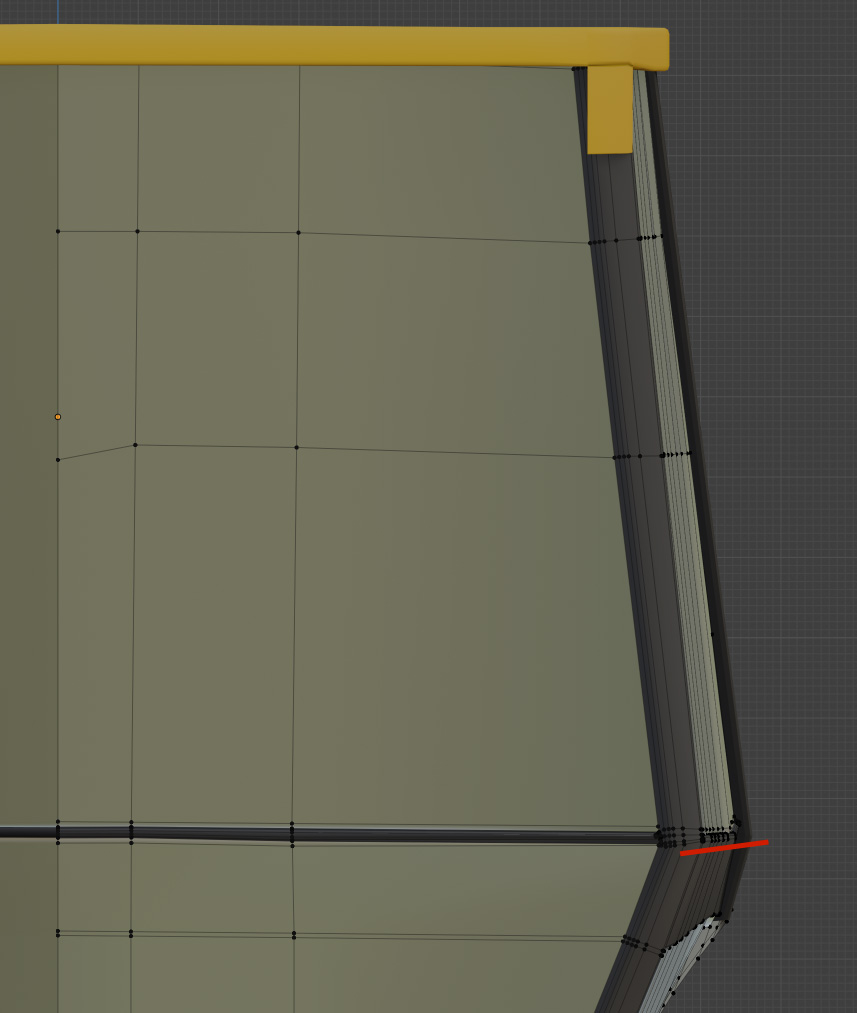
                        That bulge you see is just because of the angle, it slants so things begin to bunch up in orthographic mode and you can see the geomerty. It’s like someone peeking out the edge of a door. Everything is fine there.

                        If the side was perfectly flat, without the slant, you wouldn’t see the geometry, because it would be occluded. No one peeking out the side of the door there.

                        Let me now see the other thing. Give me a sec.

                        #54042
                        Omar Domenech
                        Participant

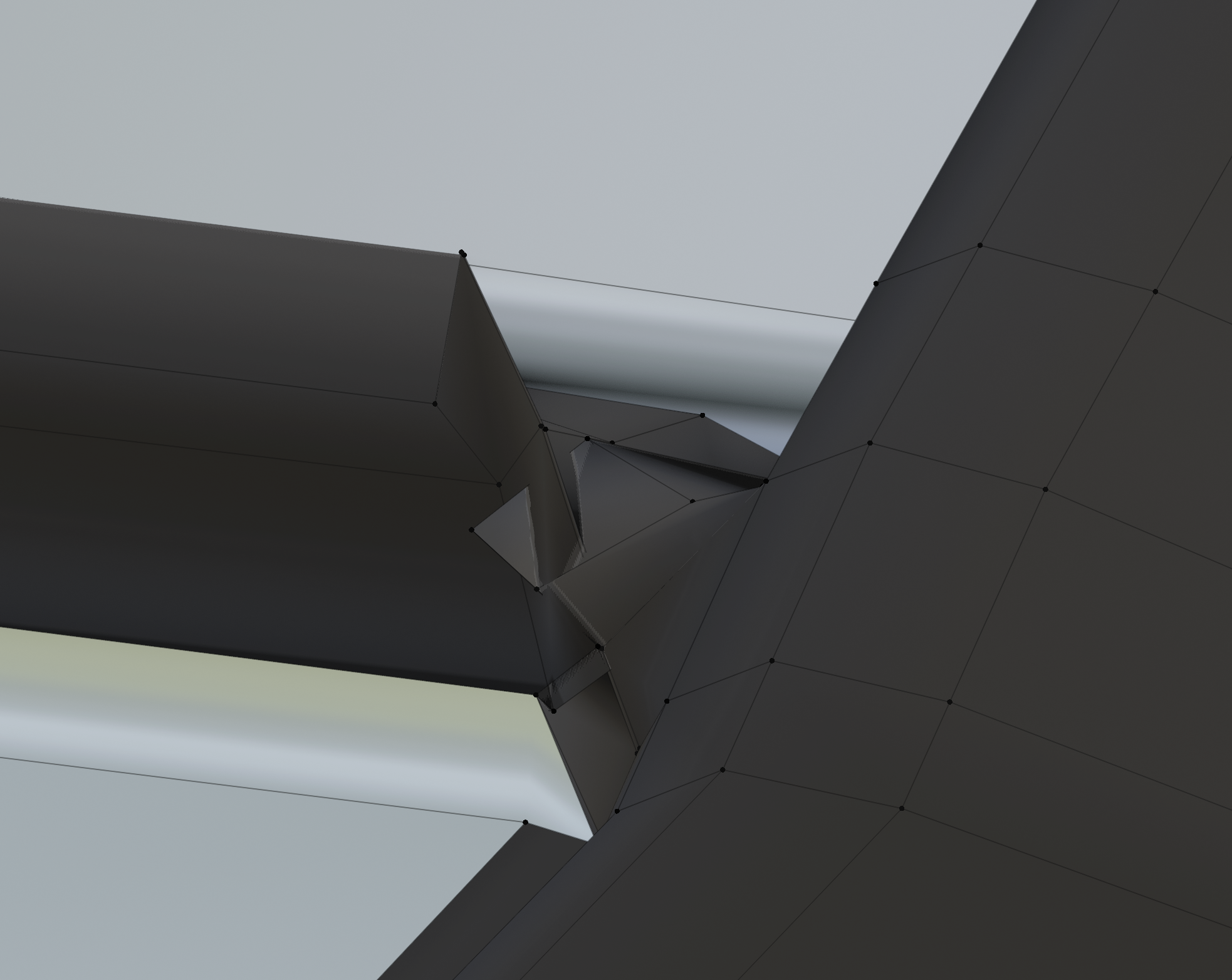
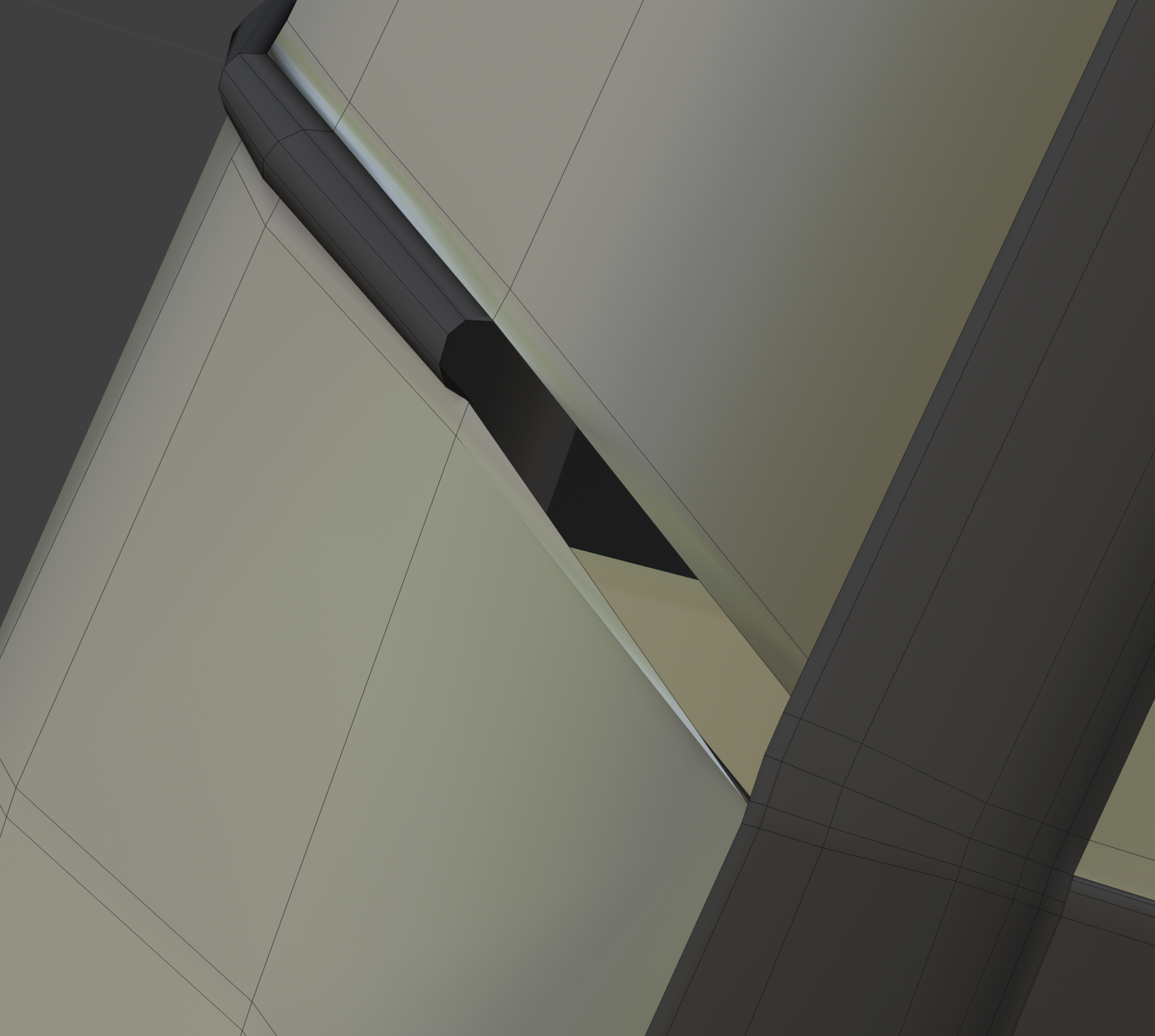
                          Yes, here we have a problem.

                          You have a case of very deadly F’ed up faces.

                          That happens by accident a lot of the time. You make a selection and without realizing it you select vertices on the back and move stuff around and without you know you’re moving stuff you don’t want to move. Then you see something like that and you’re like what the hell happened. It happens to us all. 

                          Or maybe you made an inset faces and it went pass the desired amount.

                          #54043
                          Omar Domenech
                          Participant

                            Really just delete those problematic faces, and connect them over to the good ones over there. 

                            #54044
                            Omar Domenech
                            Participant

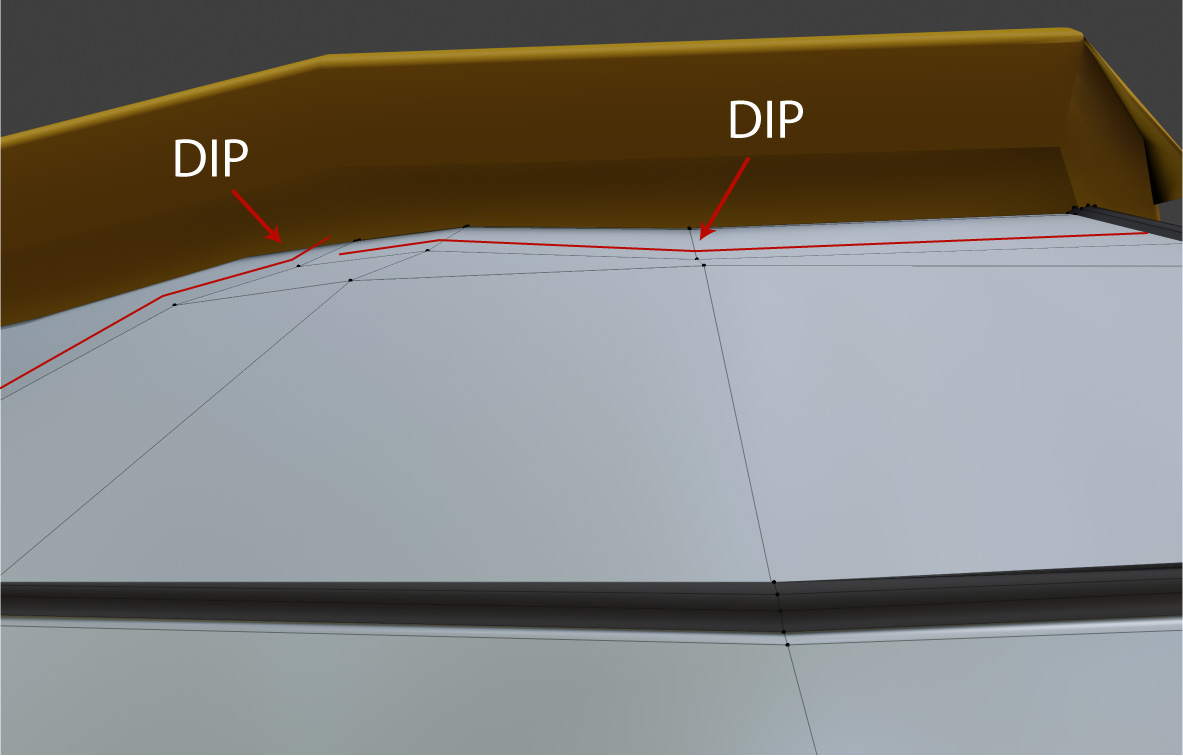
                              Another good thing to do as Kent always says, is to inspect your mesh from lots of angles, you’ll see the contour and dips of vertices misaligned.

                              #54045
                              Omar Domenech
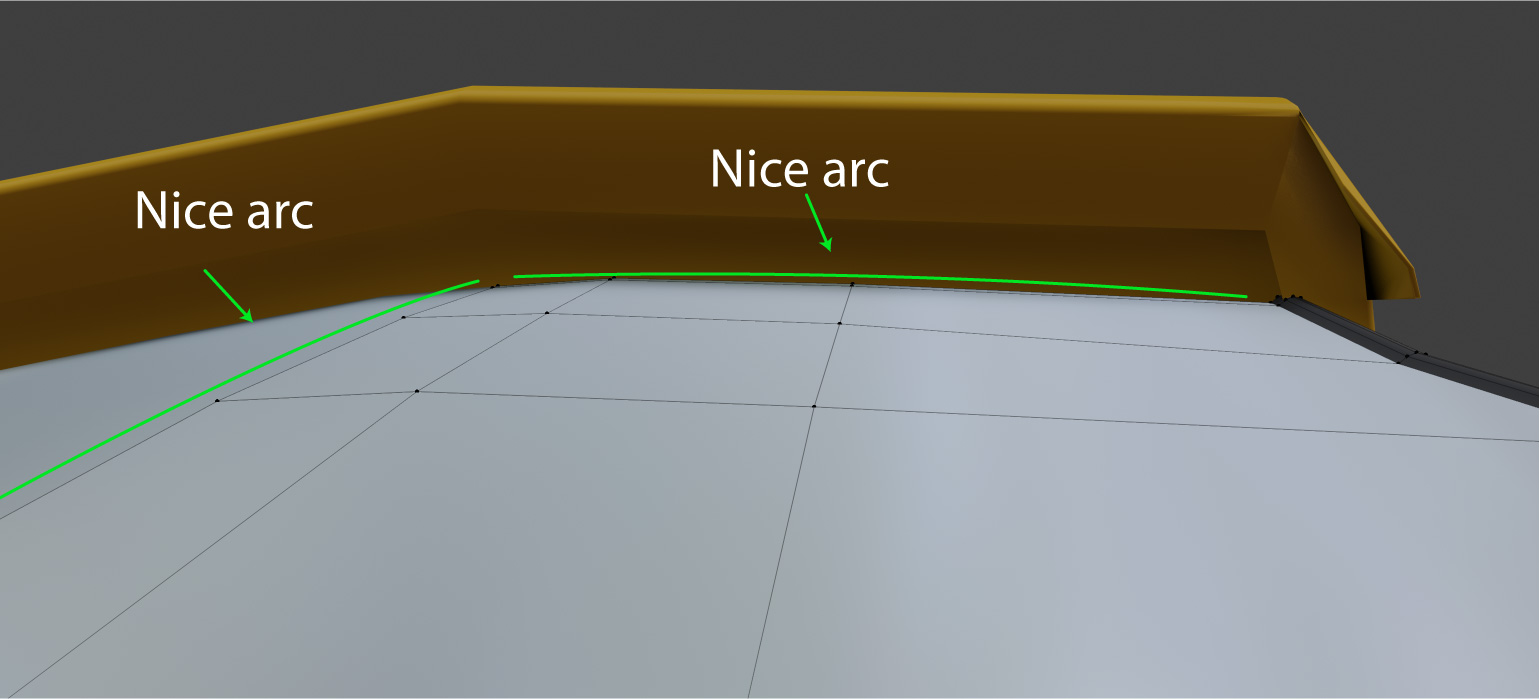
                              Participant

                                Now it follows a nice arc and when subD will smooth nicely. 

                                #54046
                                Karen Trevino
                                Participant

                                  Told you guys I am seriously out of my element here, lol  and ya I see the f*ked up faces and trying to fix it has had me frustrated. Yall make it look so easy.   I’ve not really watched anything about hard surface modeling. I guess I’m more into Organic…yep I know its just  excuses. Lately my eye sight has been blurring, after the issues I had with health I’m doing better.

                                  I’m not giving up, but I’m pretty sure yall gonna have to fix my mess before you show the world lol

                                Viewing 15 posts - 256 through 270 (of 1,440 total)
                                • The topic ‘Collab 2020: Modeling Heavy Equipment (Backhoe)’ is closed to new replies.