
BC4-1810 Homework, Wilco Wilbrink
Forum Archive › BC4-1810 Homework, Wilco Wilbrink
- This topic has 67 replies, 15 voices, and was last updated 7 years, 10 months ago by
Wilco Wilbrink.
-
AuthorPosts
-
October 14, 2018 at 1:32 am #41897
@diggndeeper @sparkes983 Thank you for your remarks. I did a re-render this morning as I still wasn’t content with it.
Here’s a comparison:
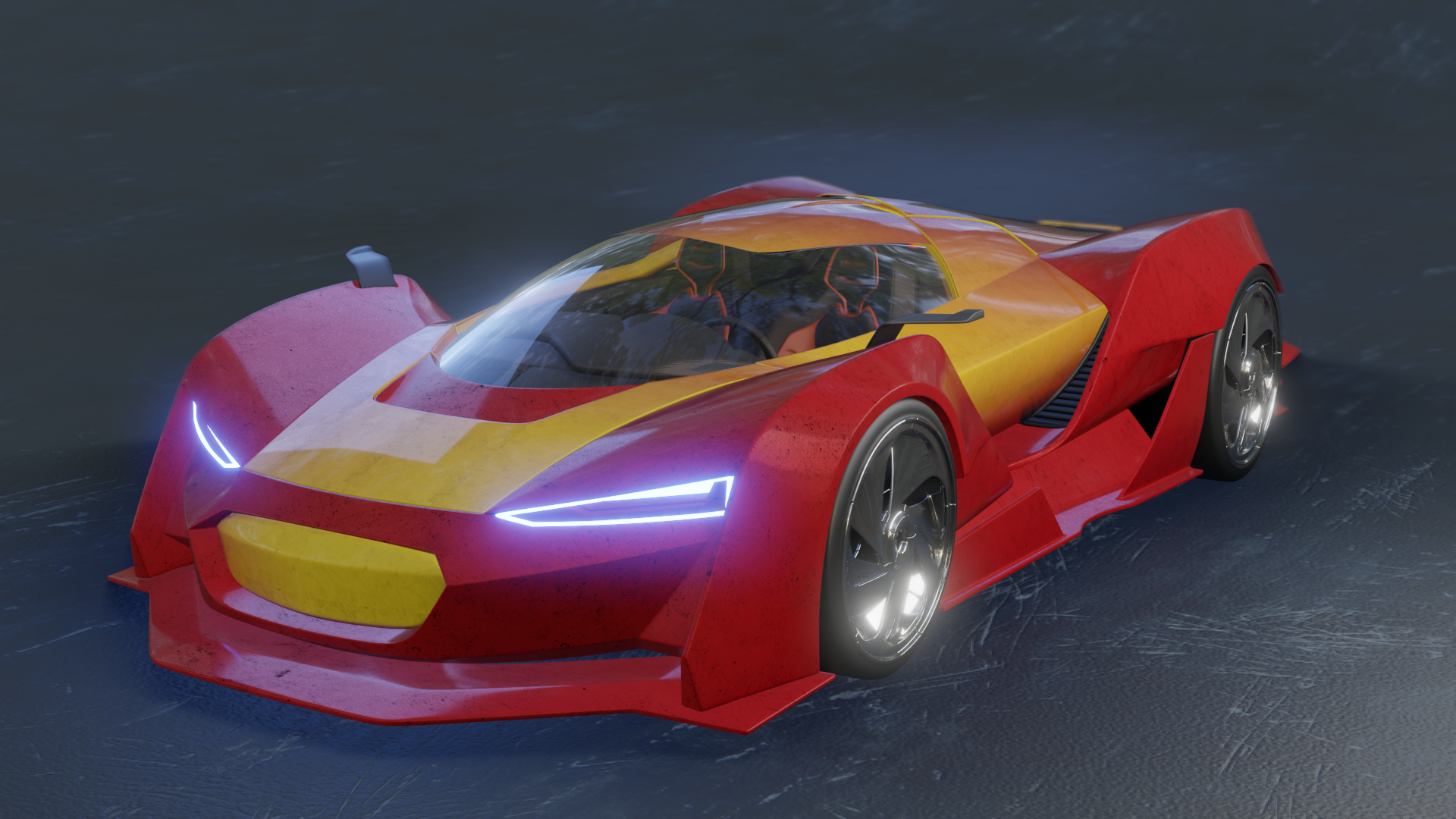 old
old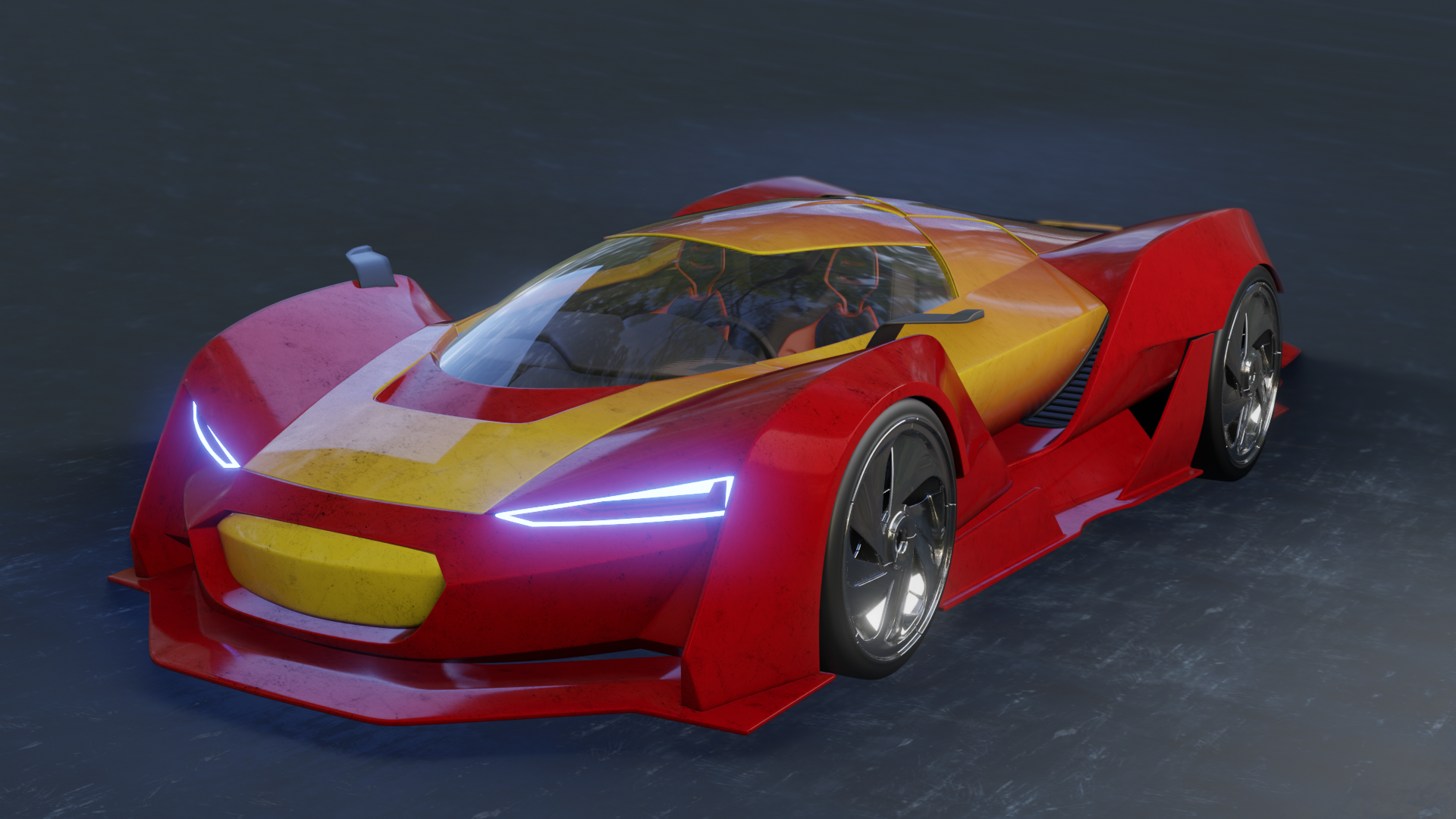 new
new old
old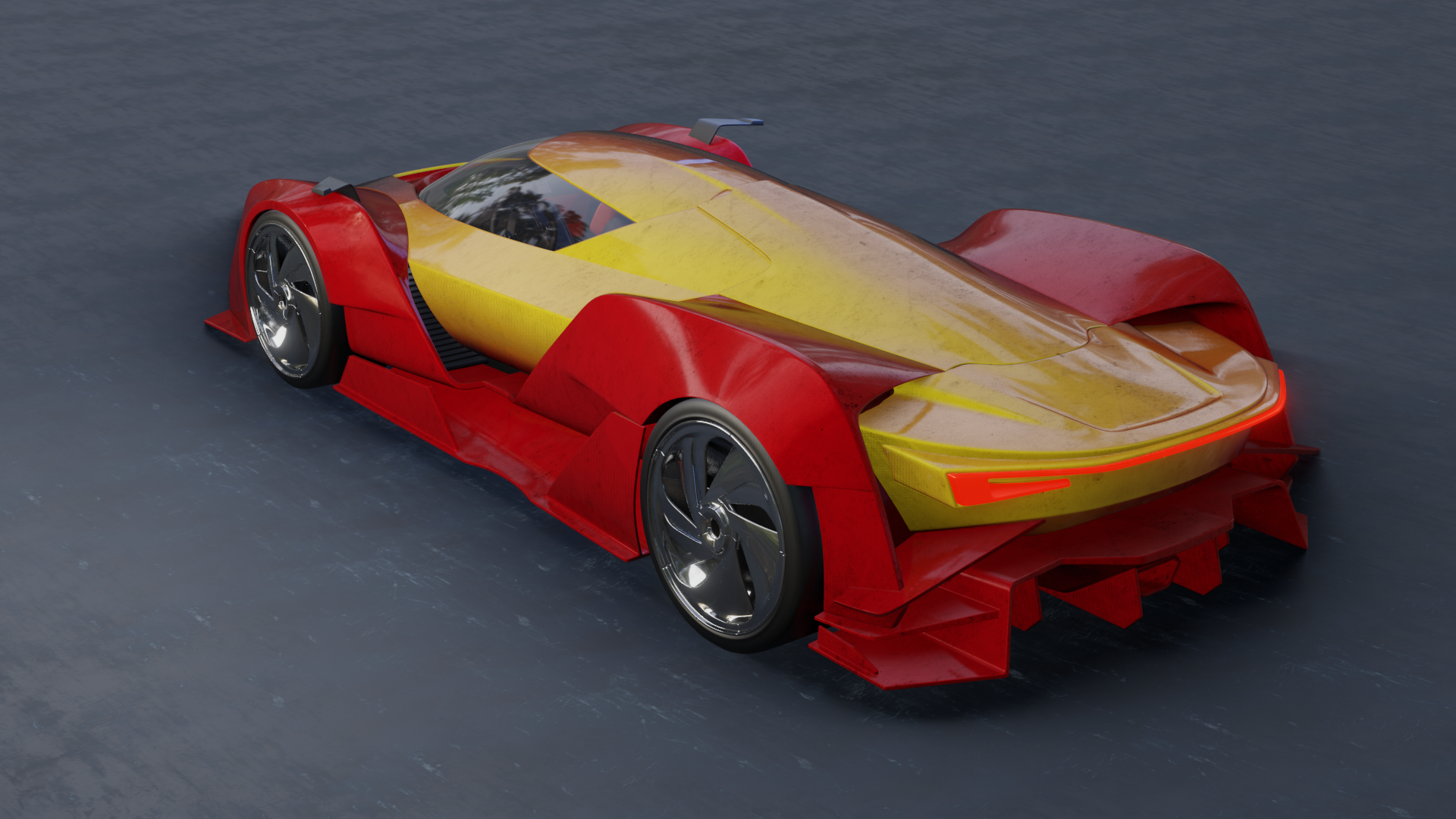 new
newThe black specles are supposed to be bits of mud. I made a little bit big, otherwise the tiling of the texture is far to obvious.
Here’s the node setup for the windshield:
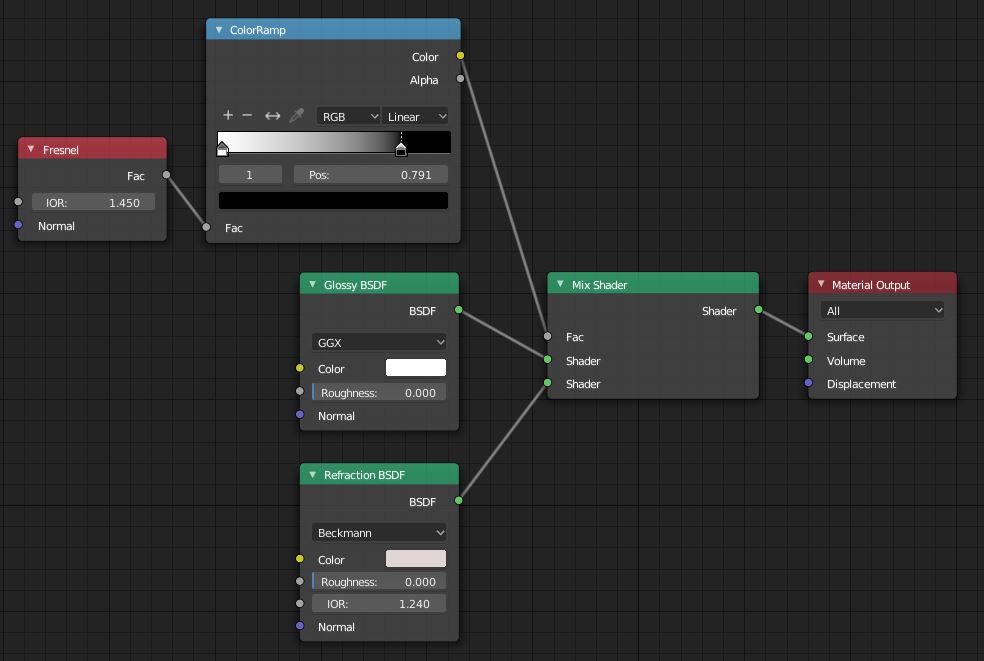 node setup for glass windshield
The glass is also dependent on the lightning, so here’s the camera and lighting setup. (I used the forrest.exr that comes with blender for the hdri setup):
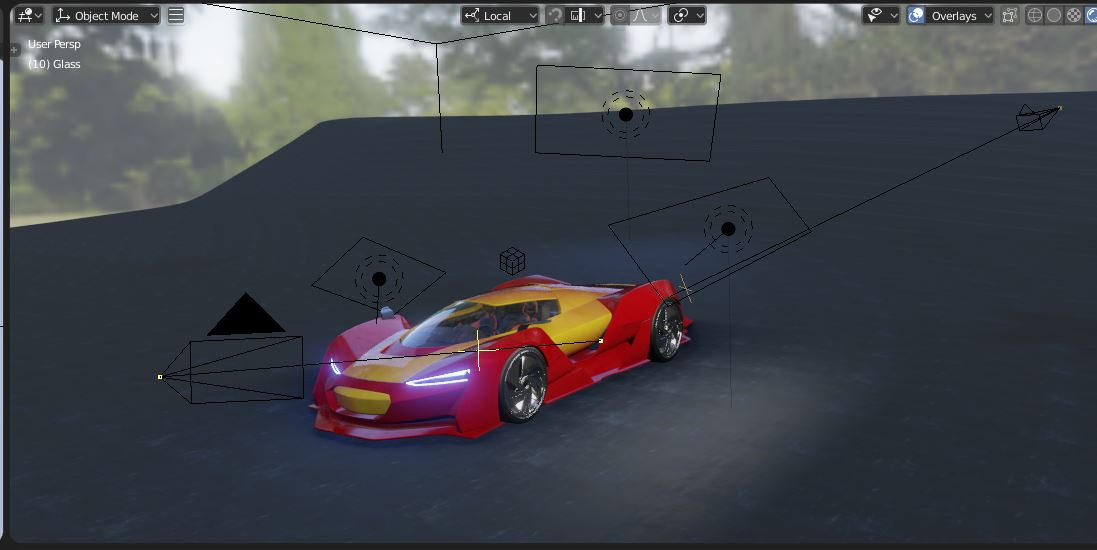 cams & lightning setupOctober 14, 2018 at 6:27 am #41898
@carrotnl That’s great! I appreciate that. Did you intend to leave the IOR values different for the Fresnel and Refraction?
I think your new render looks much improved and I like you old one in the first place. Nice work.
October 14, 2018 at 7:01 am #41899Did you intend to leave the IOR values different for the Fresnel and Refraction?
Well, you know, I completely missed that! I played with it a bit. When I set the Fresnel nodes both to 1.240 (the standard) the glass get a bit to clear for my tast in the middle, so a decided to leave the top one just the way it was, with just a bit more reflection all over the glass. 😊
October 14, 2018 at 7:12 am #41900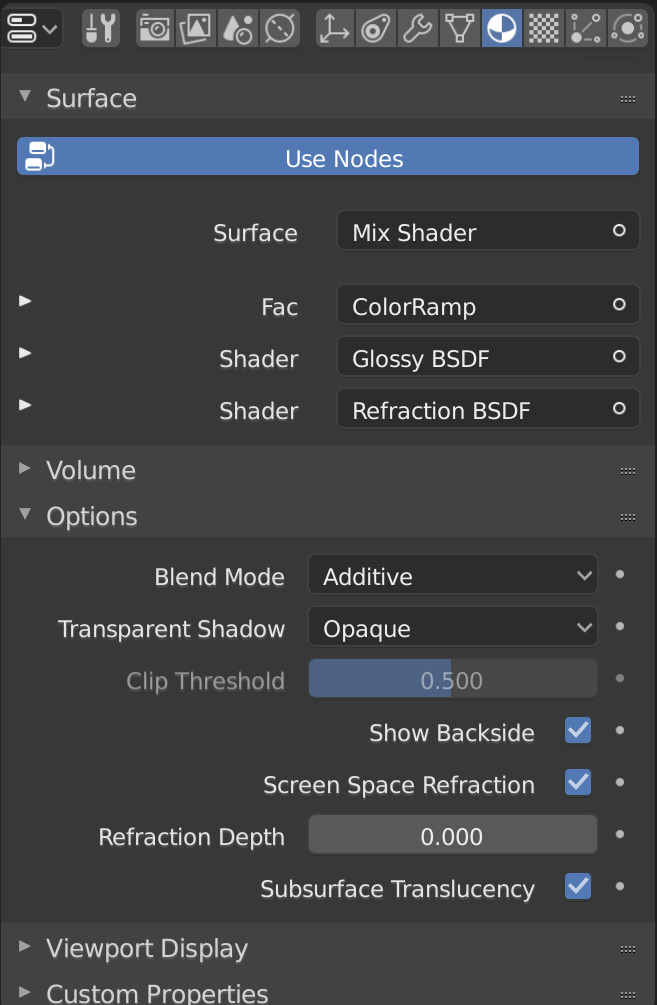
@carrotnl Hey Bud, The Grime in the new render looks super cool. Great job. Thanks for posting the windshield nodes, much appreciated.Just had to change the blend mode to additive to take effect
October 14, 2018 at 7:17 am #41901@carrotnl This new version is much better, nice work Wilco! 😄
October 14, 2018 at 7:45 am #41902@carrotnl Yup. That’s why I asked, because it looked good.
October 14, 2018 at 1:40 pm #41903Homework – Week 2 – Part 2:
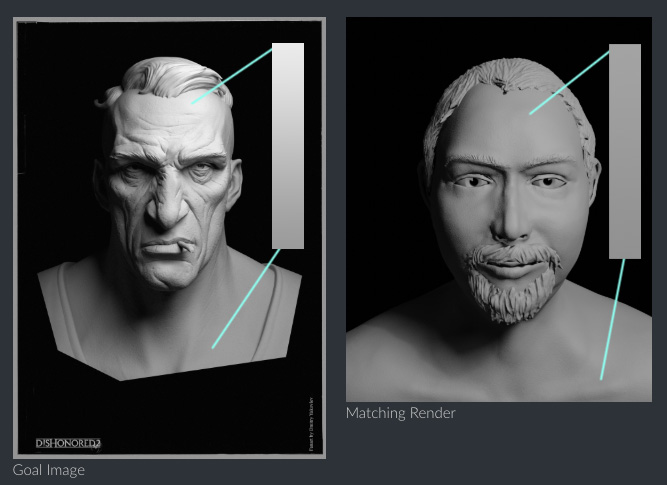
And here’s the Lightning Match exercise #1. Here’s as close as could get it. My goal image has a lot of pores and creases, and mine has not. So every time I wanted to make the image brighter, like the goal image, mine would turn out to flat, so I had to dim it down a little.
The goal image I got from ArtStation and is from Dmitry Matt Yakovlev. The model I used is the head sculpt I did for the last beginners live class.
Here it is. All remarks or critiques are welcome.
 Goal Image
 Matching RenderOctober 14, 2018 at 10:59 pm #41904
@carrotnl For some reason I get a space theme feeling out of the sports car and wouldn’t say that is a bad thing. The reflections and the colors of the lights do look nice
October 14, 2018 at 11:07 pm #41905@carrotnl The lighting match is matching but my eye doesn’t catch any blue color in the reference. There is just a hint of it on temple of your bust. At least on my screen, it can be different on yours of course.
I totally agree with the difficulties if there are more details in the reference. Makes it so much harder to figure out the lighting.
October 15, 2018 at 12:44 am #41906@carrotnl That dirt reads excellently, it makes me want to find a bucket and a sponge. 🙂
October 15, 2018 at 2:52 am #41907I re-rendered the head. Maybe this one is a little bit better:
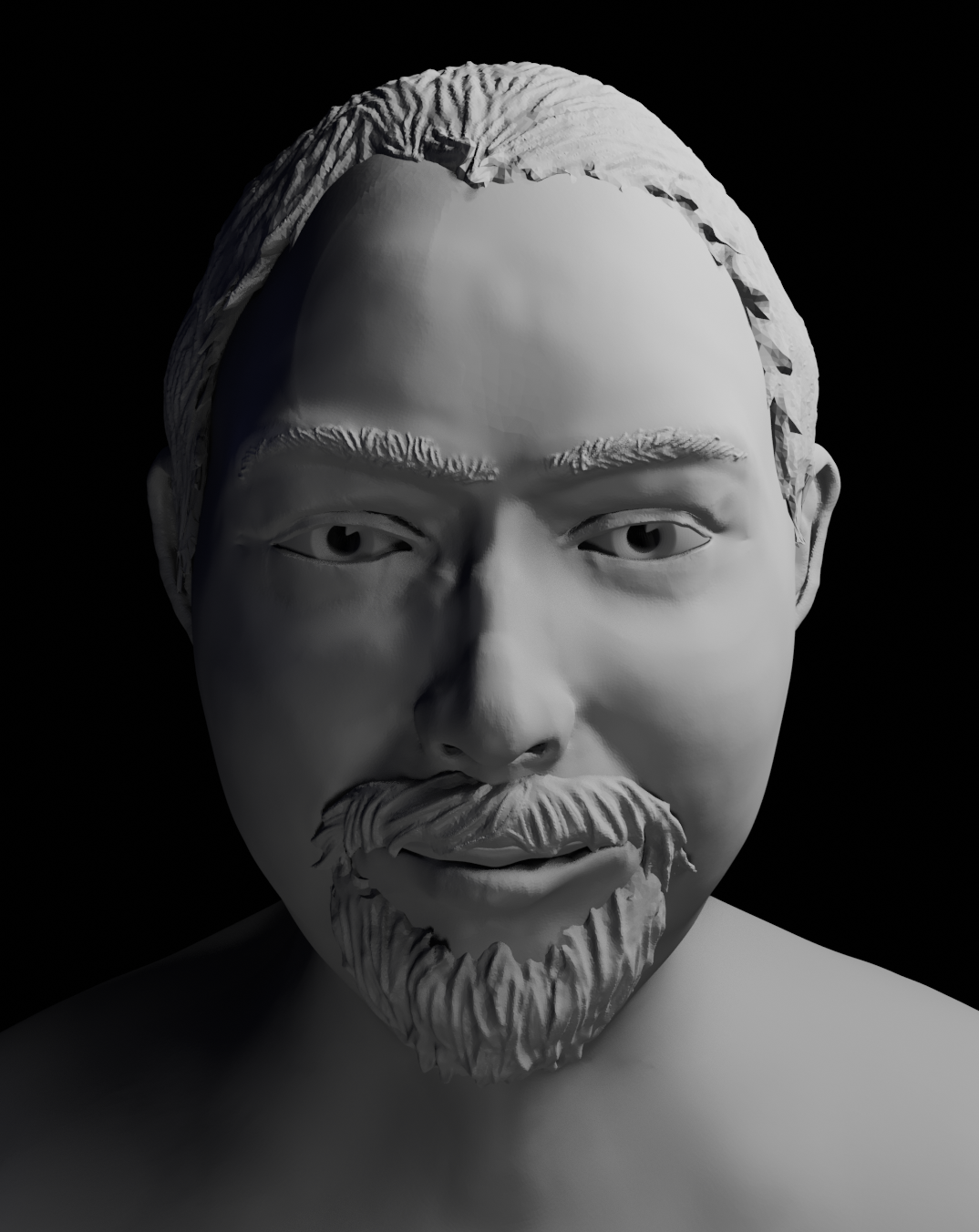 old
old newOctober 15, 2018 at 1:52 pm #41908
Really nice work this week @carrotnl. Love the mud / grime layer you added to the car shader and the headlights! I too like the iron-man-esque color scheme. Very cool to see your progression. A couple things knock the render down a bit though:
- The ground texture is too flat and too tiled. It immediately conveys a “this is CG” visual.
- Global grime coverage. While the grime does look believable in pattern, the uniform coverage over the whole vehicle makes less sense. Isolating it exactly where you want is difficult to do procedurally (without UVS), but one step in the right direction would be to isolate only the bottom portion of your vehicle (closest to the road) with a node setup like this:

- There’s some questionable hash shadow lines encircling your vehicle. They don’t make sense to me and I’m not sure how they’re being formed, but it’s disconnecting me from the render a little bit:


Overall it’s still very good work: A B+ from me.
As for the light match I only have one note. You’ve done a good job with light position and overall aesthetic of the source image. But the light intensity gradient is stronger with the source:
This one is a B+ also. Nice job this week, Wilco 👍
October 15, 2018 at 4:46 pm #41909@carrotnl Wilco och I am still at Week1 because just have seen your sticker mini tutorial now, thanks a lot for the sharing
October 15, 2018 at 6:14 pm #41910@carrotnl Nice car. I agree with the critiques.
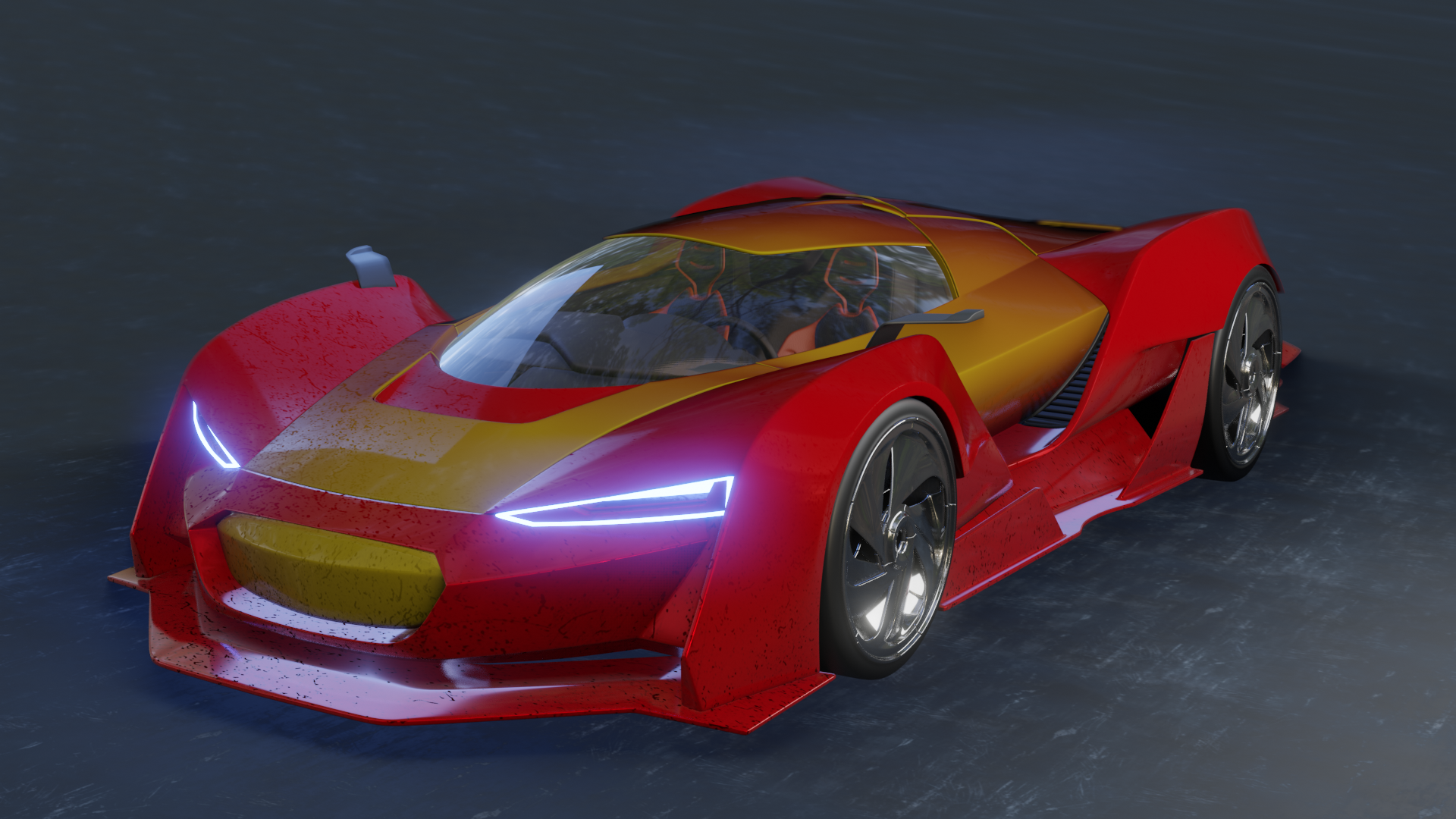
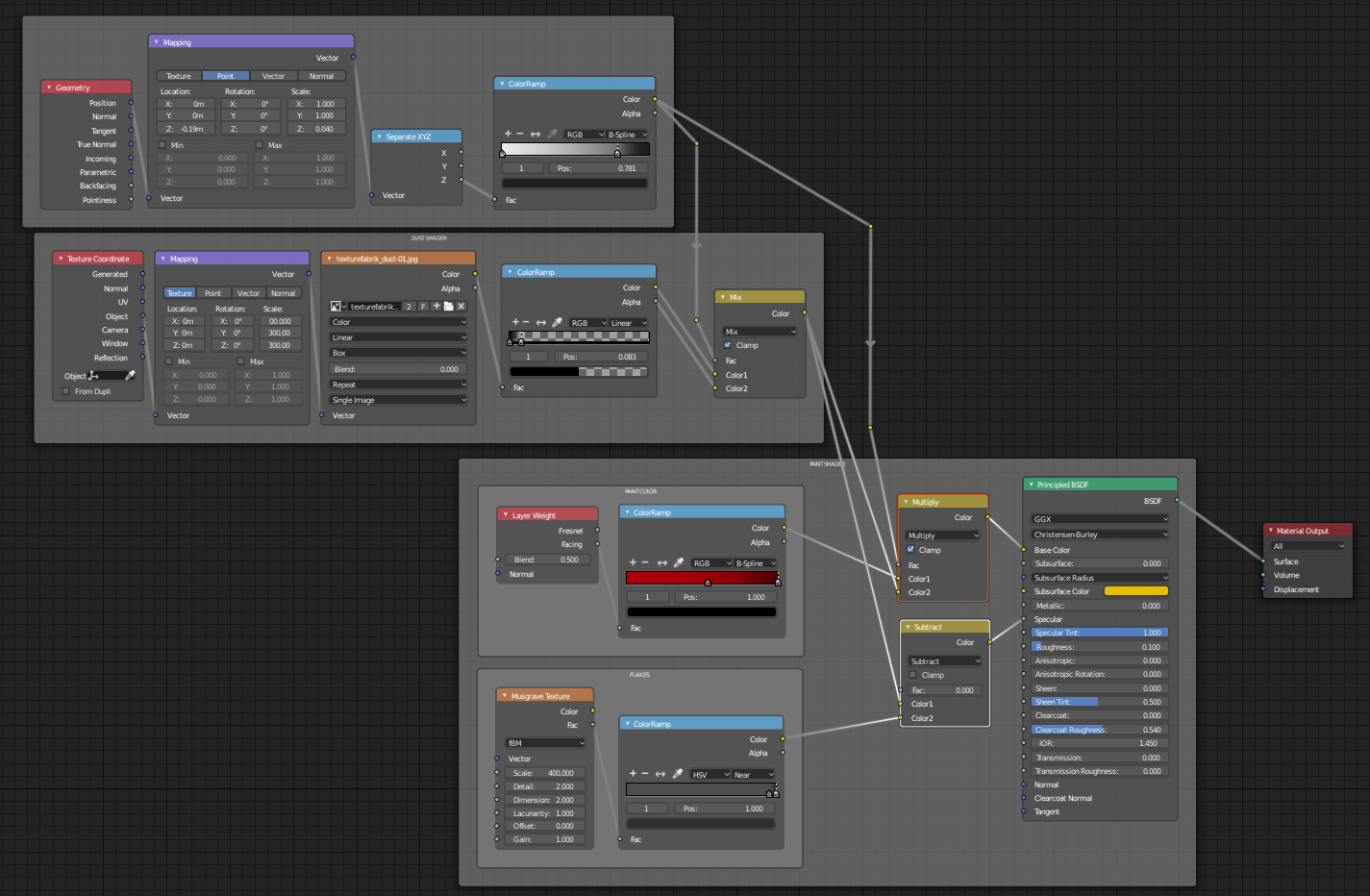
October 16, 2018 at 1:48 am #41911@theluthier Sorry for the late reply. Thanks for the remarks. I’ve been playing around with it this morning, but I didn’t have enough time to finish, but here’s what I have so far. I guess it’s to late for the grading, but I’m here to learn first of all.
I always have much trouble with overlaying textures. I can’t figure out how to layer the black and white dust layer (without transparency) over the paint layer correctly. As you see the specular pass goes much further then the actual color if the dust map. Could you have a look at my node setup? I have a feeling that I’m making it to complex.
sorry, I’m out of time. I hope you can work with this. 🙂 See you this evening.
-
AuthorPosts


- The topic ‘BC4-1810 Homework, Wilco Wilbrink’ is closed to new replies.