
BC4-1810 Homework, Pavel Mazanik
Forum Archive › BC4-1810 Homework, Pavel Mazanik
- This topic has 76 replies, 12 voices, and was last updated 7 years, 10 months ago by
Pavel Mazanik.
-
AuthorPosts
-
October 3, 2018 at 4:00 pm #41969
@smurfmier1985 Holy smokes, there are a lot of wrong guesses! Proving my point 😅
October 3, 2018 at 4:45 pm #41970@silentheart00 thank you and you are welcome. 🙂
@dragonice69 well, I have some time with EEVEE during previous class, I guess it helps 🙂
@thecabbagedetective thank you 🙂
@theluthier wow, didn’t expect that reaction © 😂 Eevee is really capable. You can see awesome works on ArtStation, like this one for example. This guy is totally a wizard or something.
October 3, 2018 at 7:40 pm #41971The effect of the energy drink is gone, so I’ll finish with this for today (3:44 am at my place).
Forced to use some hacks to prevent light to go through the wall corners, but not all places are fixed yet 😂
And had to do something with this lamps translucent material…
 October 4, 2018 at 12:07 am #41972
@nekronavt I like the shadows the light is casting on the bed! Very nice 😊
October 4, 2018 at 12:26 am #41973@nekronavt Nice work. Would you share some of your hacks for preventing the light from going through the corners? Katerina seems to be having a similar problem, too.
October 4, 2018 at 3:07 am #41974@smurfmier1985 thank you 🙂
@silentheart00 sure, it’s pretty simple, actually. I just blocked it with another piece of geometry. It’s called LightBlock and LightBlock.001 on my scene.
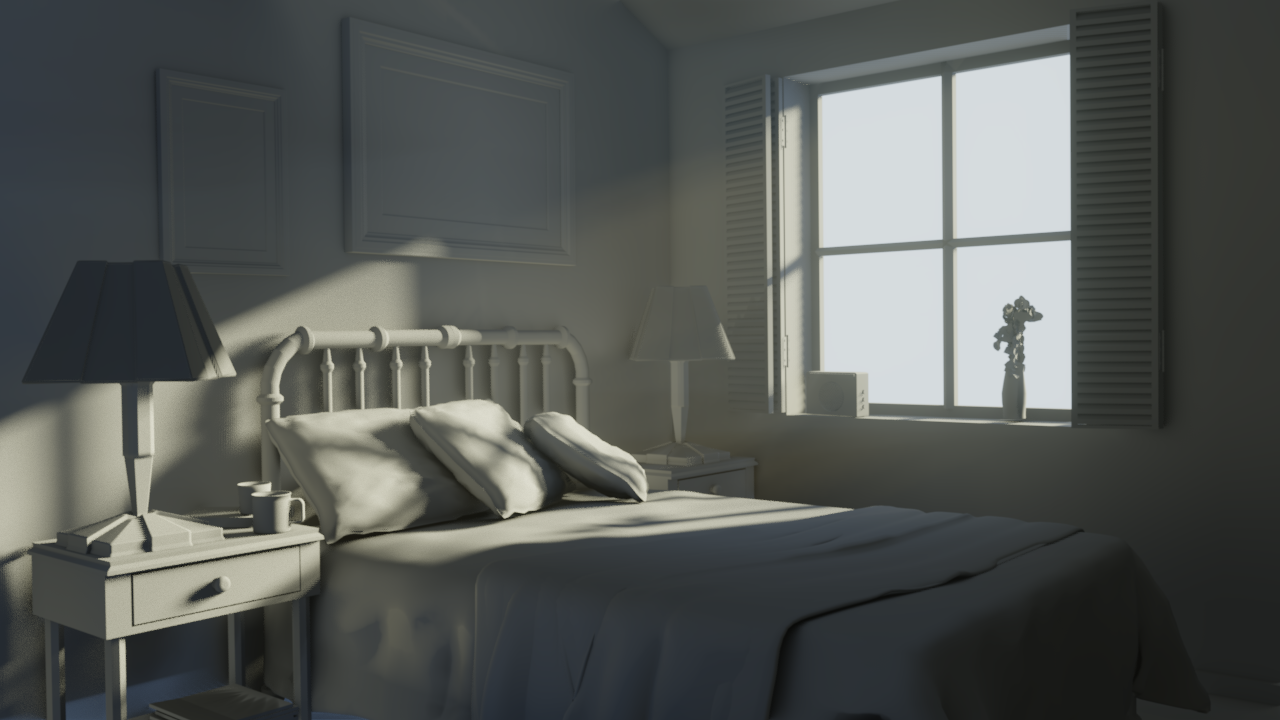
And here is current state render. Added some volumetrics to it just for fun. I’ll make a combined submission post when all will be done and will upload up to date blend files.
 October 4, 2018 at 3:21 am #41975
@nekronavt Wow, your bedroom scene looks pretty good. Some smaller issues visible, but way more realistic than attempts I have seen so far.
Guess it is a good idea for me to spend some time learning Eevee after finishing up homework for this week, since we are going to use Eevee in next weeks’ renders.
I’ll keep in mind to come here and ask many questions instead of cowering under my desk crying. 😉October 4, 2018 at 3:26 am #41976@nekronavt oh wow, the volumetric light really takes it to the next level! Beautiful 😊
How do you add volumetric light?
October 4, 2018 at 3:30 am #41977@bun-bun thank you 🙂 I’ll try to figure out, how to handle remaining issues by the deadline 🙂
@smurfmier1985 thanks. The scene has an object called “Volume”. This is just a cube with Principled Volume material. Feel free to examine it. And, of course, you should enable “Volumetric” in EEVEE settings. You can see my settings in blend file too.😉
October 4, 2018 at 3:35 am #41978@nekronavt Thanks! I will check it out 😬
October 4, 2018 at 9:40 am #41979Week #1 Homework Submission
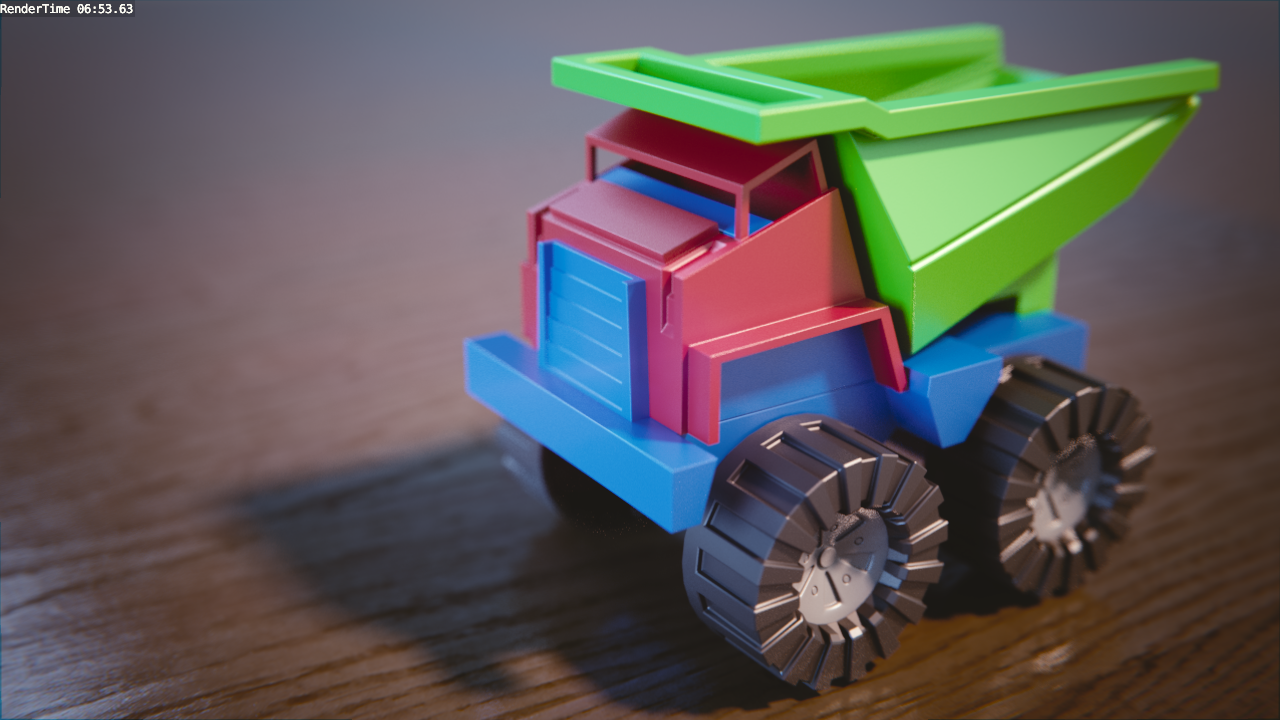
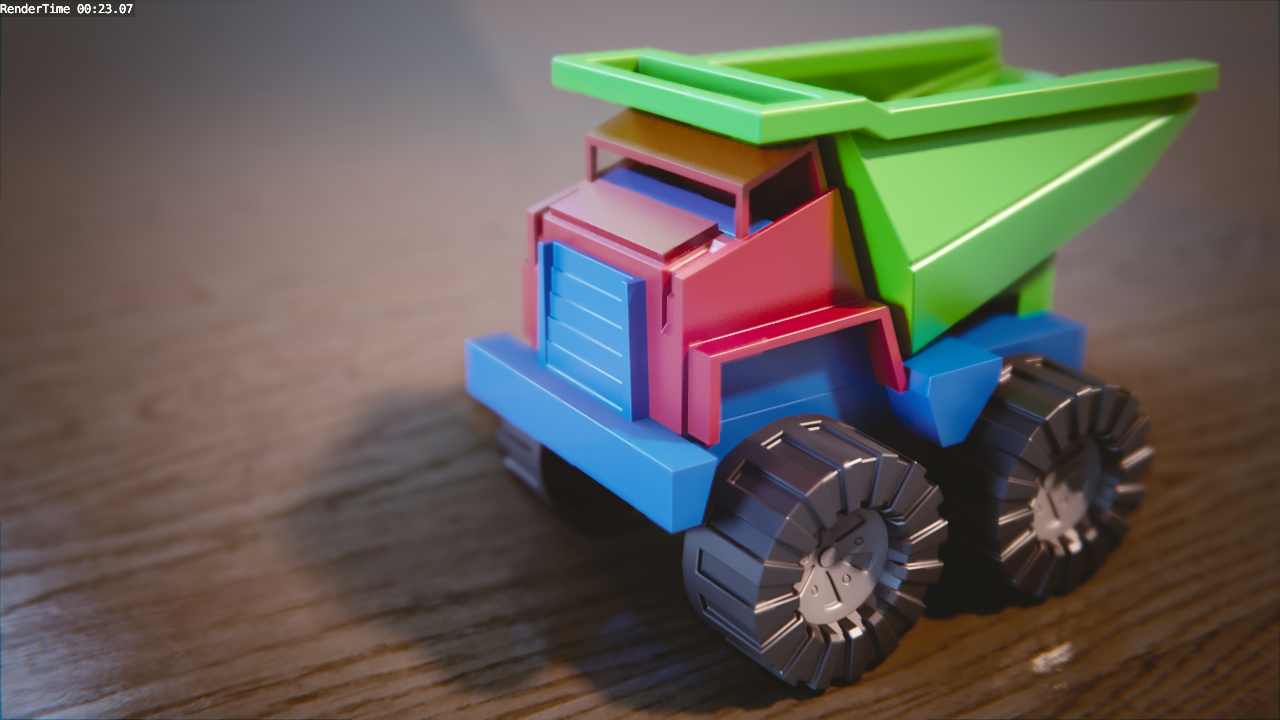
So, I rendered toy truck in Cycles again too keep color consistent and did some tweaks in Eevee. Here we go.
Cycles:
Eevee:
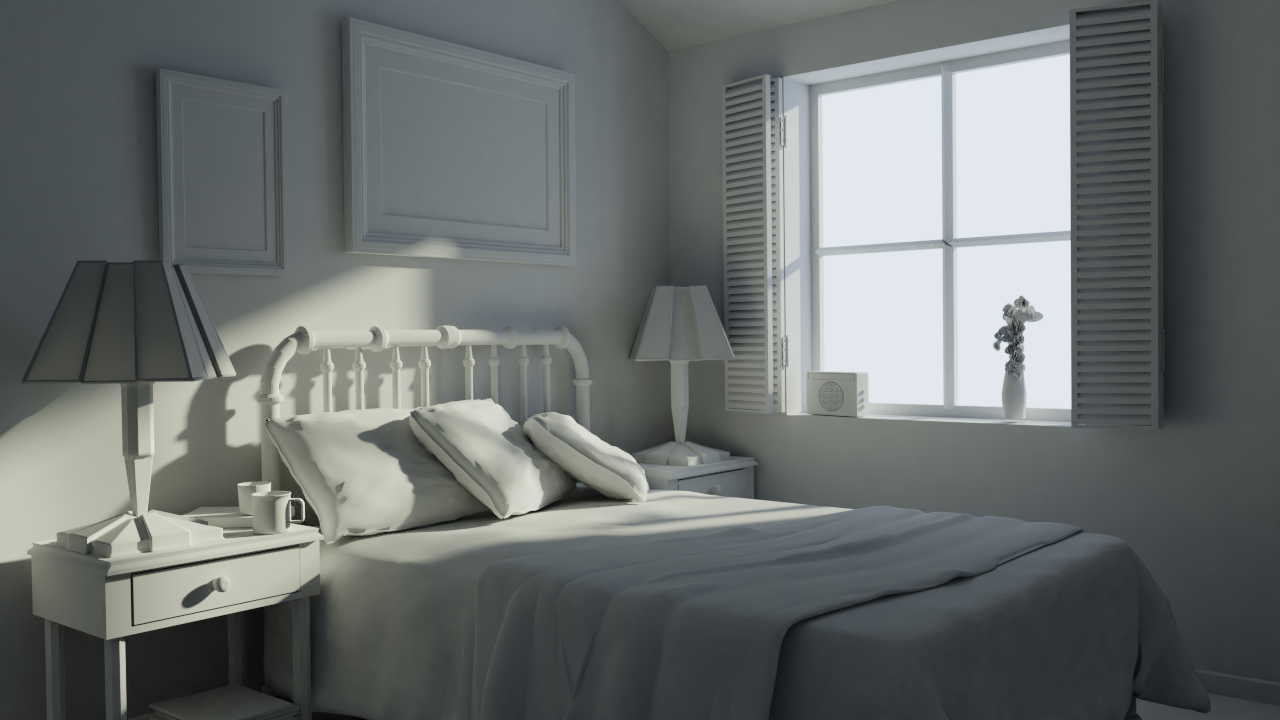
And here goes the bedroom lighting
Day, Cycles:
Day, Eevee:
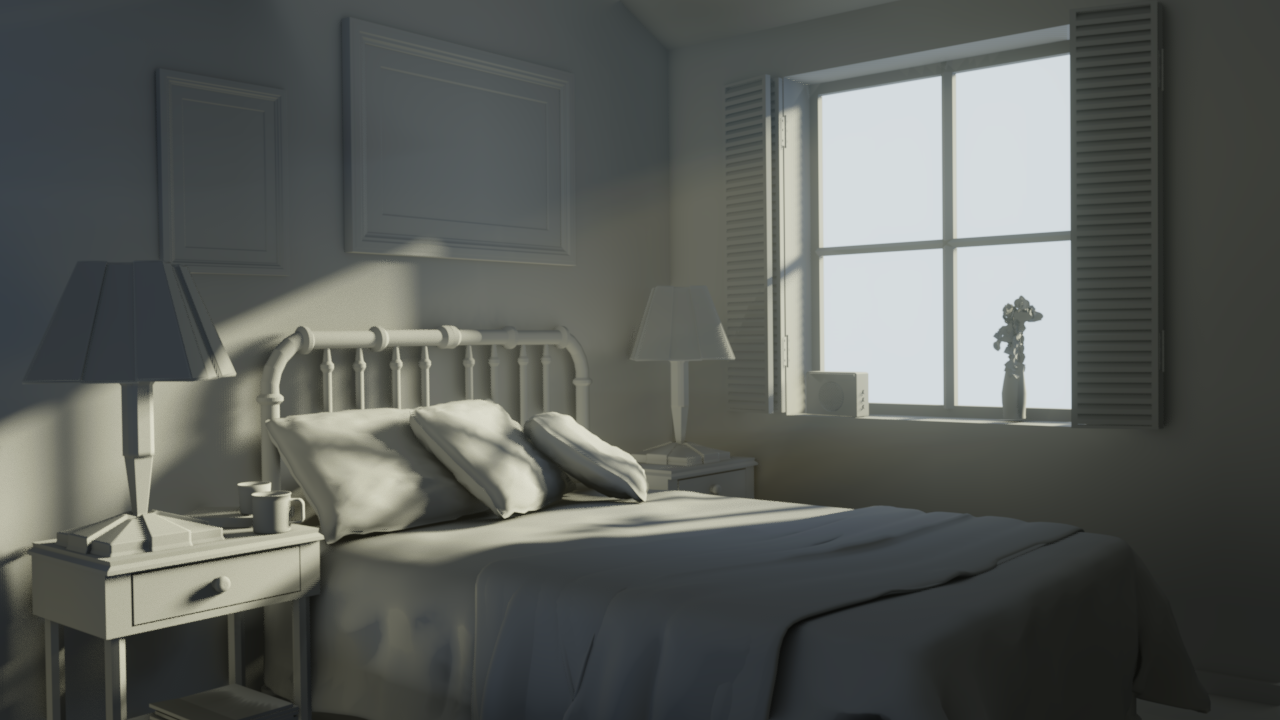
Night, Cycles:
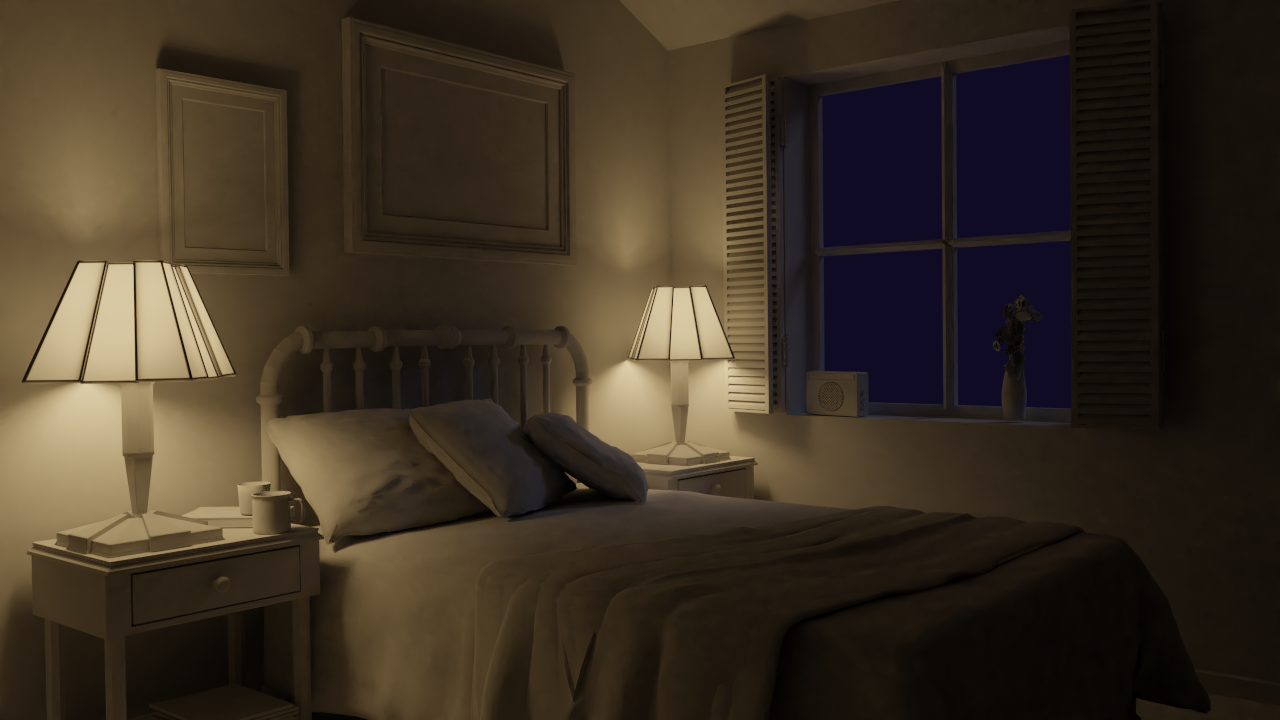
Night, Eevee:

Well, what can I say? Eevee is awesome, but it needs more dances with a tambourine to get it right with interior lighting. I don’t want to spend any more time with this exercises, because I feel like my eyes are blurred. I’ll try to nail it on week 4 👊
All my files are available to dissect 🙂
October 4, 2018 at 9:44 am #41980@nekronavt Looking nice!! The results are pretty close, indeed the room less close than the truck, but still close. Awesome job this week! 🤘🏻😬
Edit: what a big difference in render times!! Eevee rocks 😎
October 4, 2018 at 10:01 am #41981@smurfmier1985 thank you
Edit: what a big difference in render times!! Eevee rocks
Yeah! For this truck scene for sure. It’s an instrument really worth to be tamed
October 5, 2018 at 9:46 pm #41982@nekronavt You’re doing some amazing comparative work between Cycles and Eevee! I’m very impressed by your Eevee results. Way better at arch viz than I anticipated.
Are you using Eevee’s indirect lighting feature at all?
Also, your quality of lighting is quite good too. Heh funny that’s almost my afterthought after observing all the work you’ve done 😅
October 7, 2018 at 2:54 am #41983@theluthier Thank you! Yeah, I’m using irradiance volumes and baking indirect lighting in all scenes. In the truck scene, it doesn’t seem to be that important tho, but in the bedroom scene, it’s doing its stuff pretty well.
But in some aspects…

World lighting behaves weird sometimes. Like bedroom scene is super bright before I bake indirect lighting and I don’t know how it supposed to work. But maybe it’s just an alpha thing.
-
AuthorPosts


- The topic ‘BC4-1810 Homework, Pavel Mazanik’ is closed to new replies.