
Collab2021-WIP-PFBourassa
Forum Archive › Collab2021-WIP-PFBourassa
- This topic has 54 replies, 7 voices, and was last updated 5 years, 4 months ago by
Kent Trammell.
-
AuthorPosts
-
April 7, 2021 at 7:54 am #13785
Just getting the thread started for BG Bush Clusters
April 7, 2021 at 11:08 am #67161For initial R&D, I’m thinking of using a process similar to this video: https://www.youtube.com/watch?v=ZucZgjXiY5M
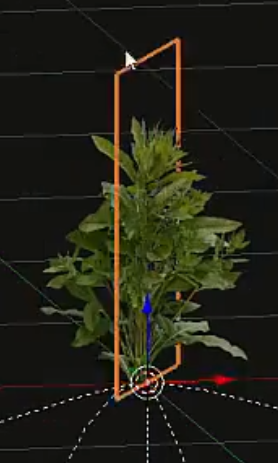
Using a few planes to display images with Alpha.
I just don’t see how we can that whole house plus a bunch of heavy background objects running in real-time.
Is this too much of a cheat?Maybe I can rig them to sway in the breeze.
Also for shading, I’m not sure how to keep the planes from shadowing each other in an ugly way.
Maybe they could be shade-less?April 7, 2021 at 11:23 am #67162I originally thought the background bush cluster would be more of a modelled large bush shape, maybe sculpted, and texture painted with shades of green and shadow affects, as it is a distant object high detail (individual leaves) is not needed and I think the rustling of the trees and bushes was meant for the foreground.
What do you think??
I’m worried an image plane wouldn’t be in keeping with the style of the overall scene.
April 7, 2021 at 11:34 am #67163You may very well be right. I was thinking each “branch” or “cluster” could be a single image, so it would need maybe 10 quads, and therefore be very light to render.
Here’s a super-quick test of that process.
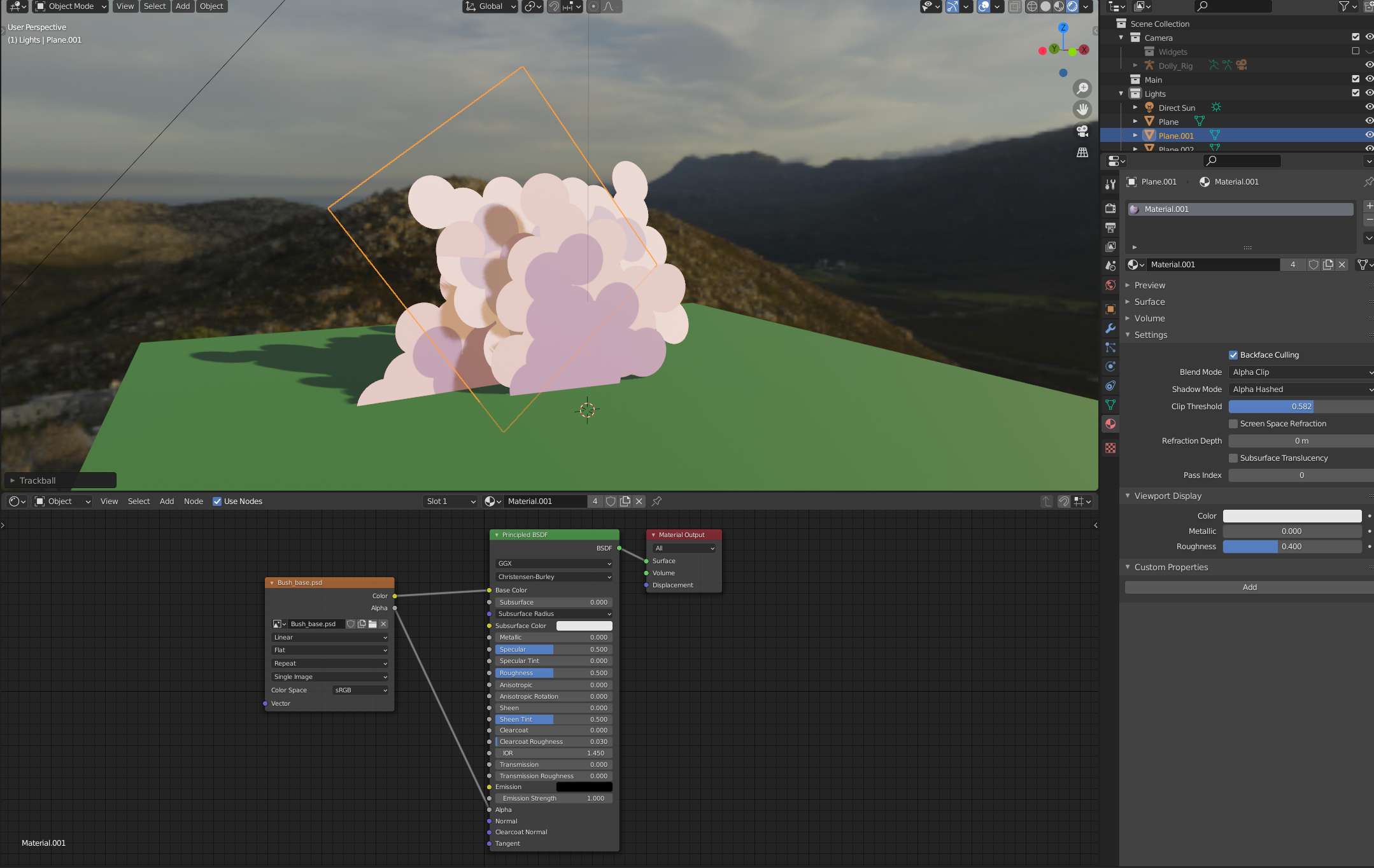
Maybe I’ll try out metaballs real quick to get a water-tight mesh that has that “painterly” style.
April 7, 2021 at 11:42 am #67164Metaballs , I didn’t think of that.
I wouldn’t worry to much on rendering at this point.
You can, and I think it maybe encouraged later to bake high poly to low poly normal maps.
April 7, 2021 at 11:59 am #67165I interpreted that workflow being used for the “hard-surface” assets.
Individual leaves definitely wont be necessary for background stuff, but I saw this example in the foreground thread: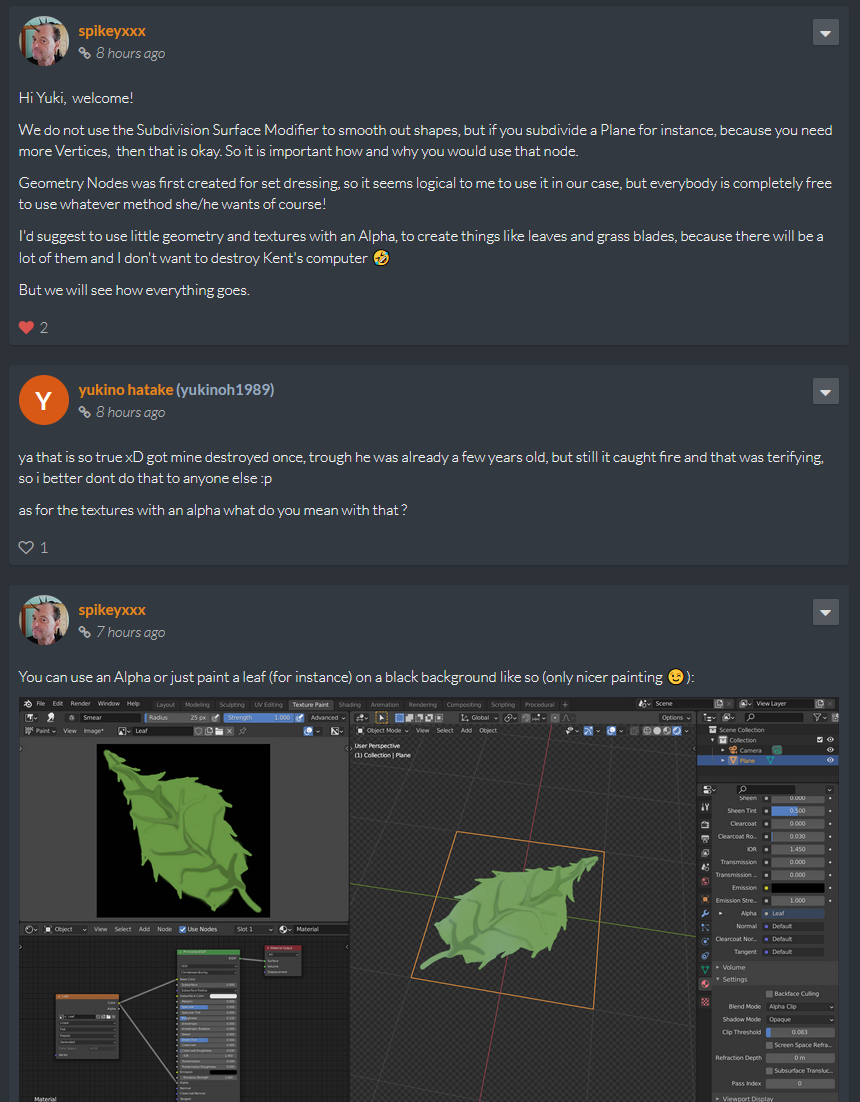 April 7, 2021 at 12:22 pm #67166
For the foreground, with high detail, planes for leaves, OK
But for a whole bush in the background, your job will be done in 5 minutes.
But as @spikeyxxx said you are free to use whatever method you choose.
Just remember @theluthier ‘s tough grading.. as Omar says.
April 7, 2021 at 12:58 pm #67167I agree, the alpha-planes approach shifts the majority of the work to Photoshop, rather than Blender, which means this week’s homework is way too easy.
I’ll make a mesh version, and do a render time test soon.April 7, 2021 at 1:29 pm #67168I don’t know where to find the vert count in 2.92, but this seems fairly light.
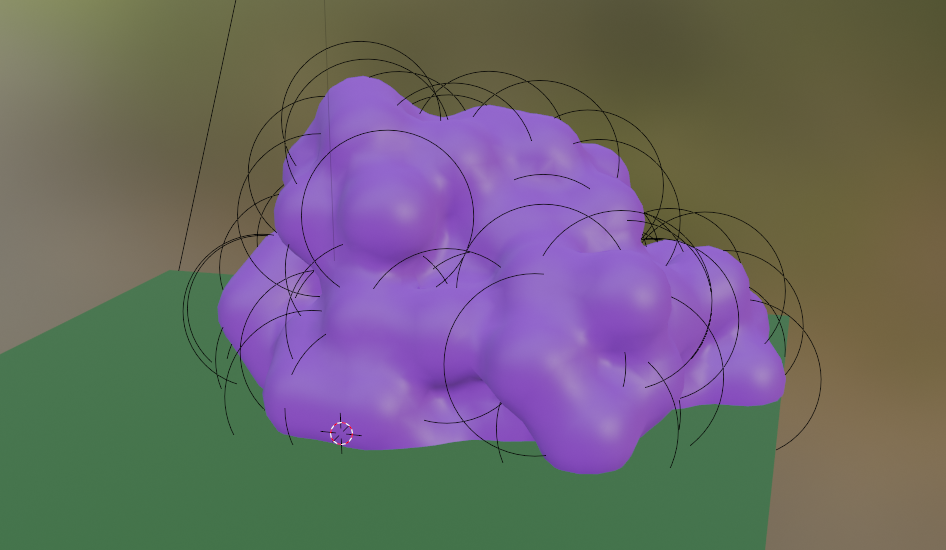 April 7, 2021 at 1:36 pm #67169
1980 faces after decimating
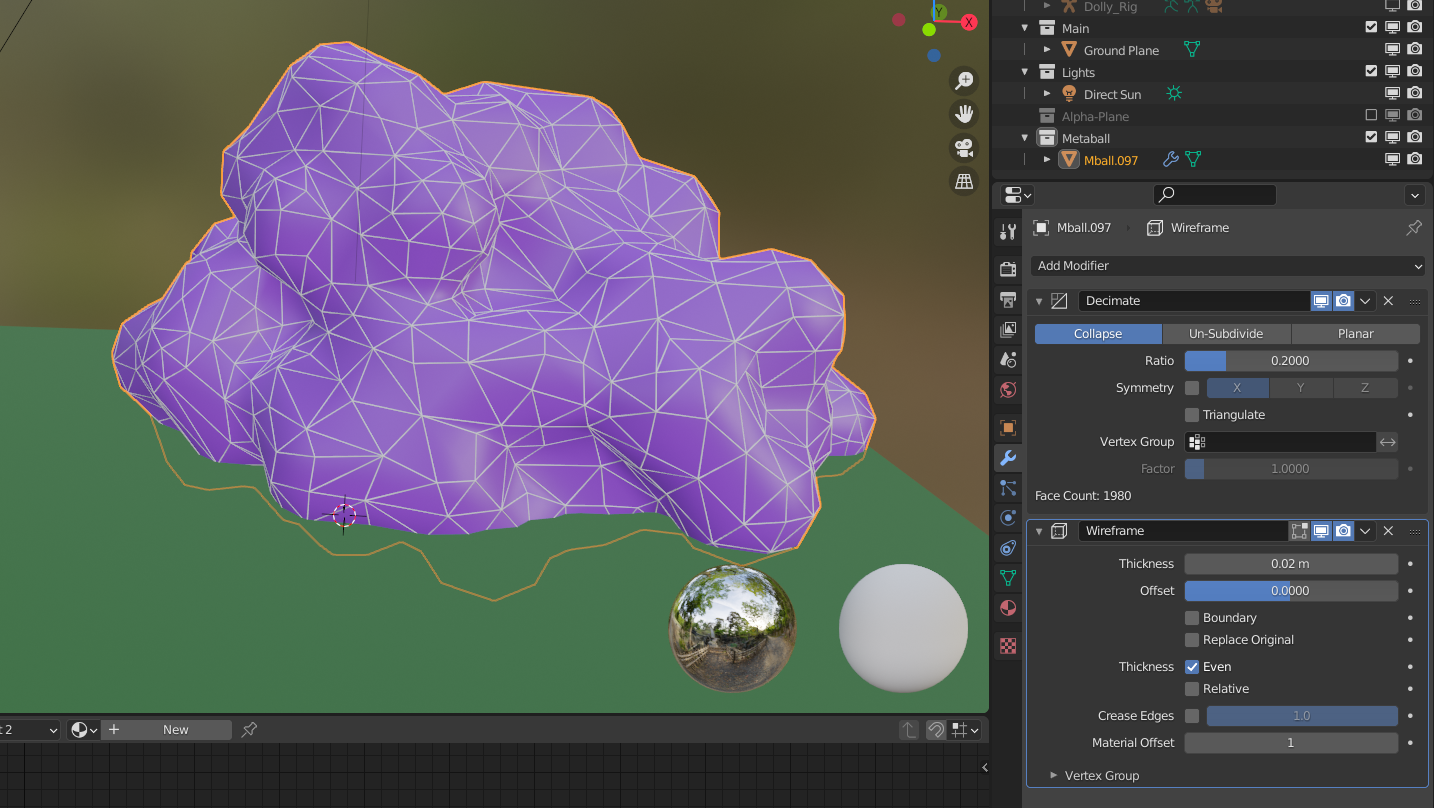 April 7, 2021 at 2:40 pm #67170
Remember that in the BG, with Smooth Shading, you can get round shapes with very few Verts…
April 7, 2021 at 2:44 pm #67171still dont have it the old way but when you go to the search option and type Statistics you can select that
normally the vert count will appear (if not go to viewport overlay and enable it there as it should appear after you selected the option before. )
if its not on the bottom then check the left or right side as you can see here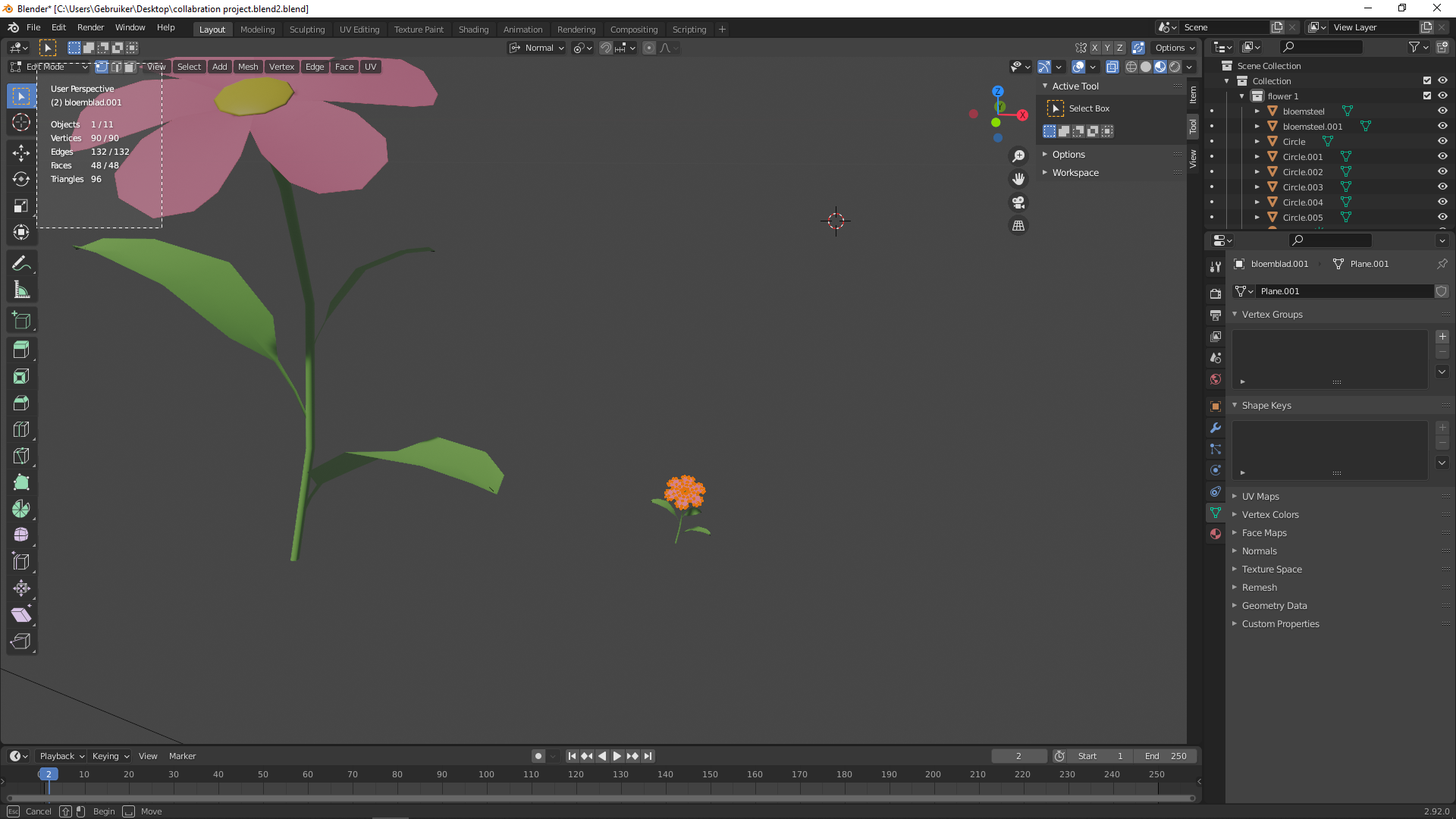 April 7, 2021 at 4:09 pm #67172
Lol I’m a brutal grader apparently!
I really like how optimal you’re thinking @pfbourassa. The planes idea is one I had for midground (MG) bushes especially, maybe even trees. The expectation being that the immediate area surround the house is max quality (FG), MG takes some illusory cheats/optimizations, and BG takes the most cheats/optimizations.
As an additional BG Bush clusters test, the ‘ghibli’ approach could be a great starting point. Modifying it to be our own would be ideal
April 9, 2021 at 5:53 pm #67173First pass at the “Ghibli” technique.
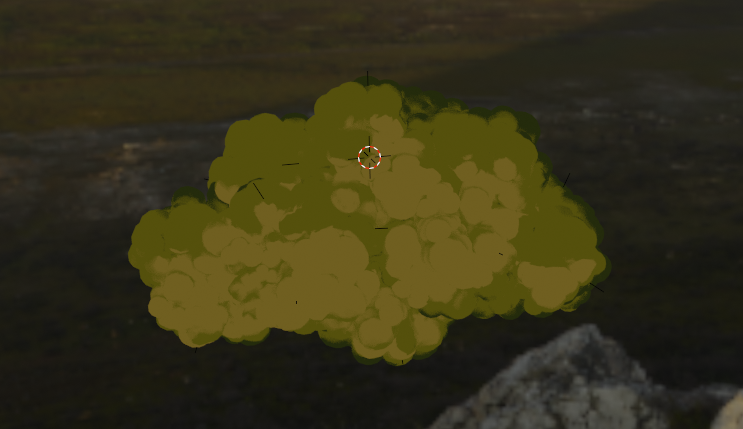
I’m thinking I’ll use this to make a few clusters, and then render them with alpha, and use the planes technique for the finished product.
Best of both worlds?April 9, 2021 at 5:54 pm #67174And I think I’ll do a chill livestream tomorrow if anyone wants to hang out.
Maybe 10am EST? -
AuthorPosts


- The topic ‘Collab2021-WIP-PFBourassa’ is closed to new replies.