
BC1-1908 Homework, Thibault Caradec
Forum Archive › BC1-1908 Homework, Thibault Caradec
- This topic has 82 replies, 16 voices, and was last updated 7 years ago by
Thibault Caradec.
-
AuthorPosts
-
July 30, 2019 at 3:31 pm #10483
Ok, let’s go then. While watching Kent’s livestream, I decided to start already my blocking.
I’ll give some background for reference :
My profile :
Hobbyist. I tried to use Blender a few times over the last years but never got into it, only completing very random youtube tutorial, not learning anything really. I decided on an Andrew Price’s advice in one of his video to subscribe to CGCookie, and I’m halfway through in the Modelling Bootcamp. I also participated in the vehicle contest after the Hard Surface Modelling part 1 tutorial.
My project :
According to Kent’s guidelines, I decided to choose the sword as a goal, but for some variation, I chose a japanese katana. The main reason is that, in my dreams of “what could I do with Blender?”, representation of japanese samurais is one of the main things.
My working planning
Each day, I take the train for 1 hour and a half to come back from work. I plan to use that time to progress in my homework. I’ll be updating this thread with my progress, problems and questions each day.
Reference images :
Scale reference
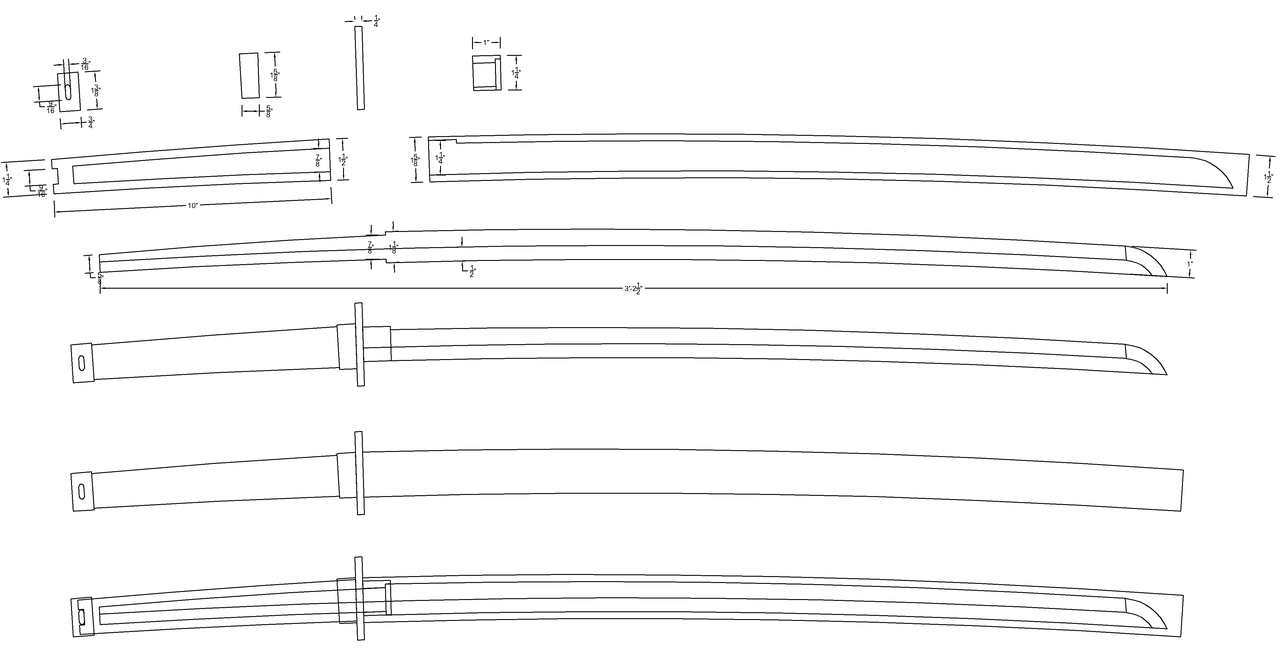
Parts
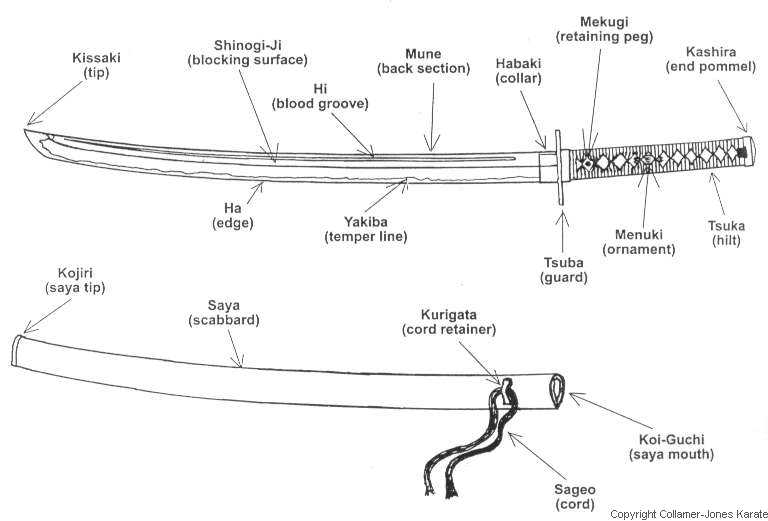
Handle
Guard

Blade
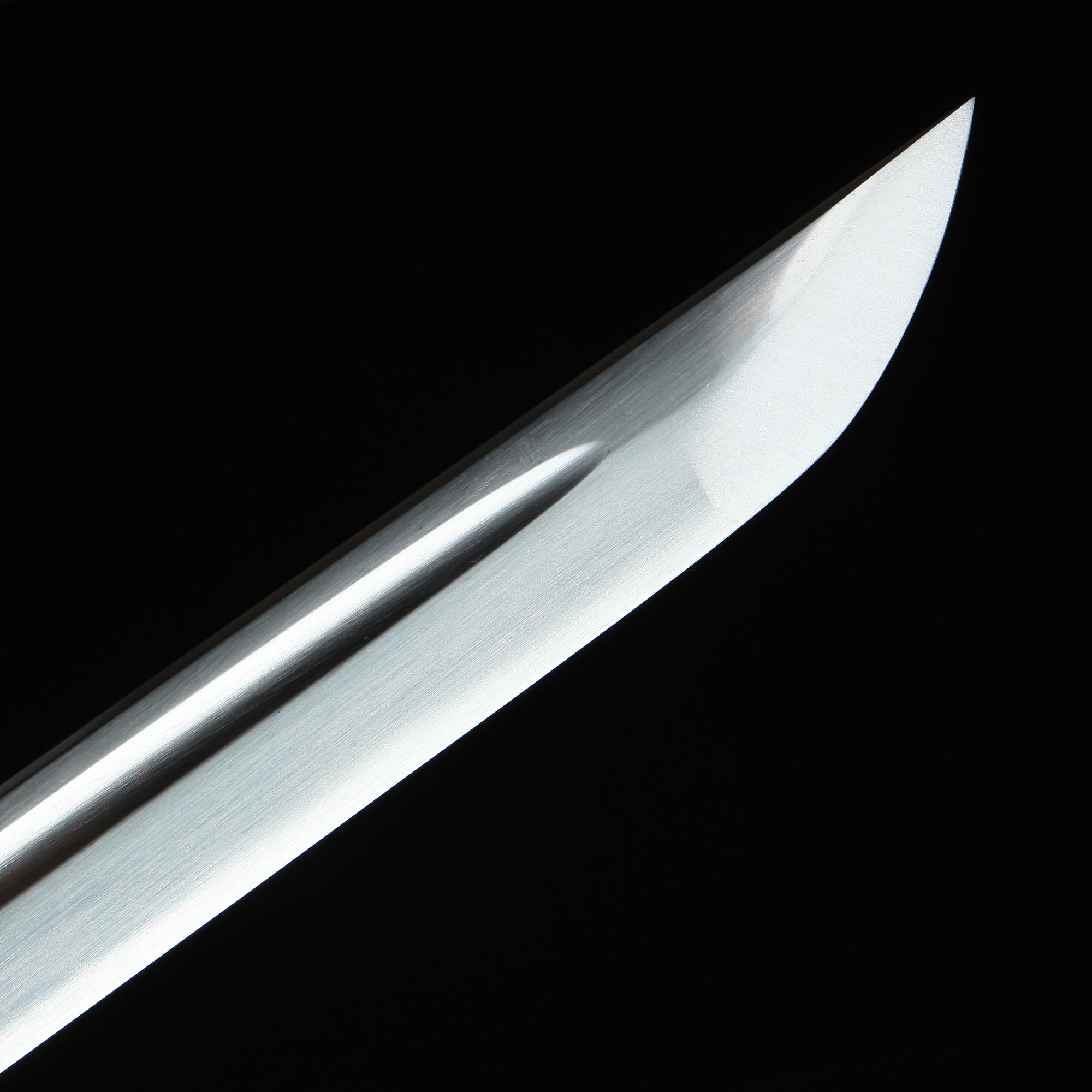
Let’s see how good (or bad I can make it)
July 30, 2019 at 3:33 pm #48459Day 0 :
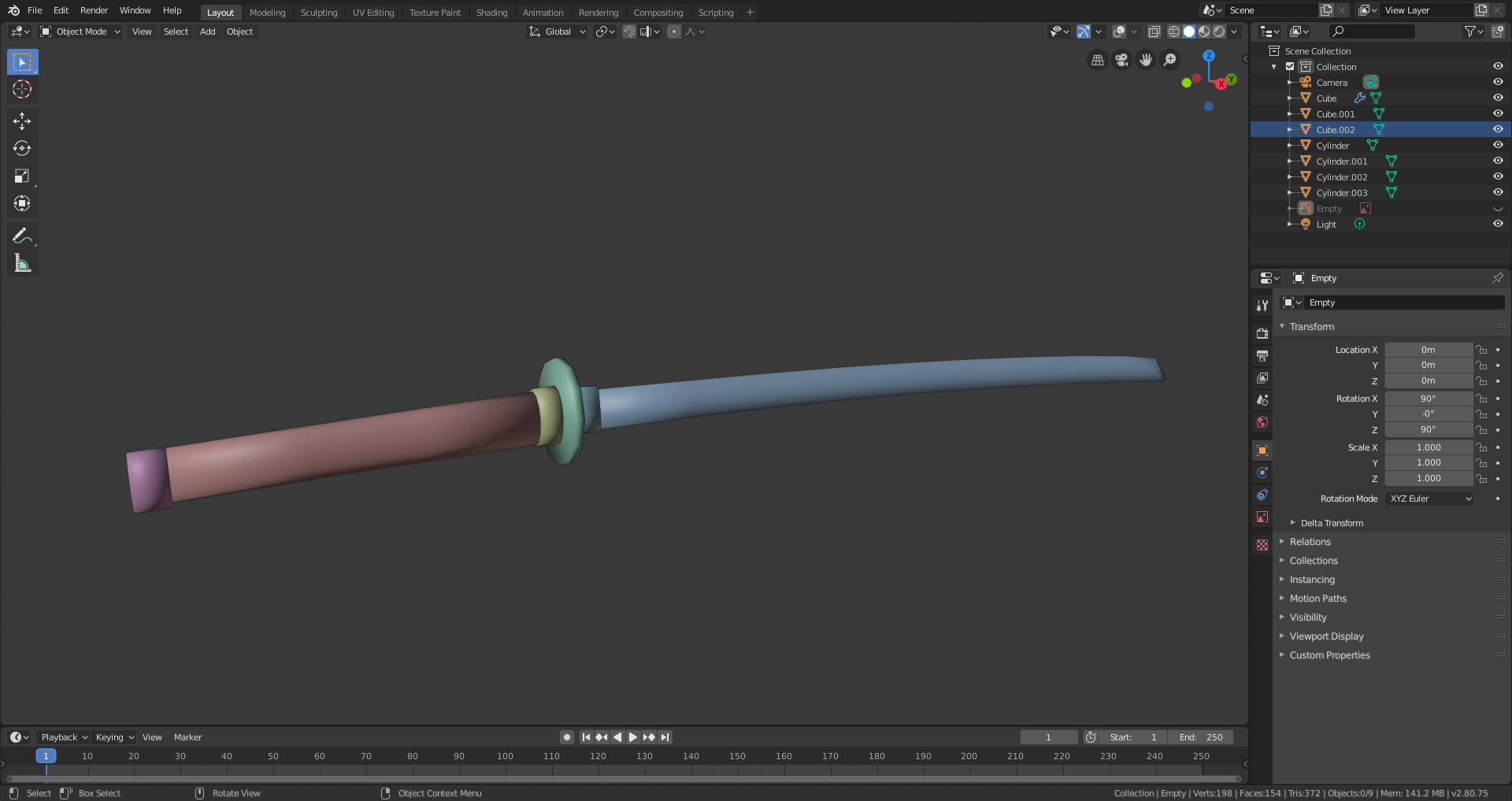
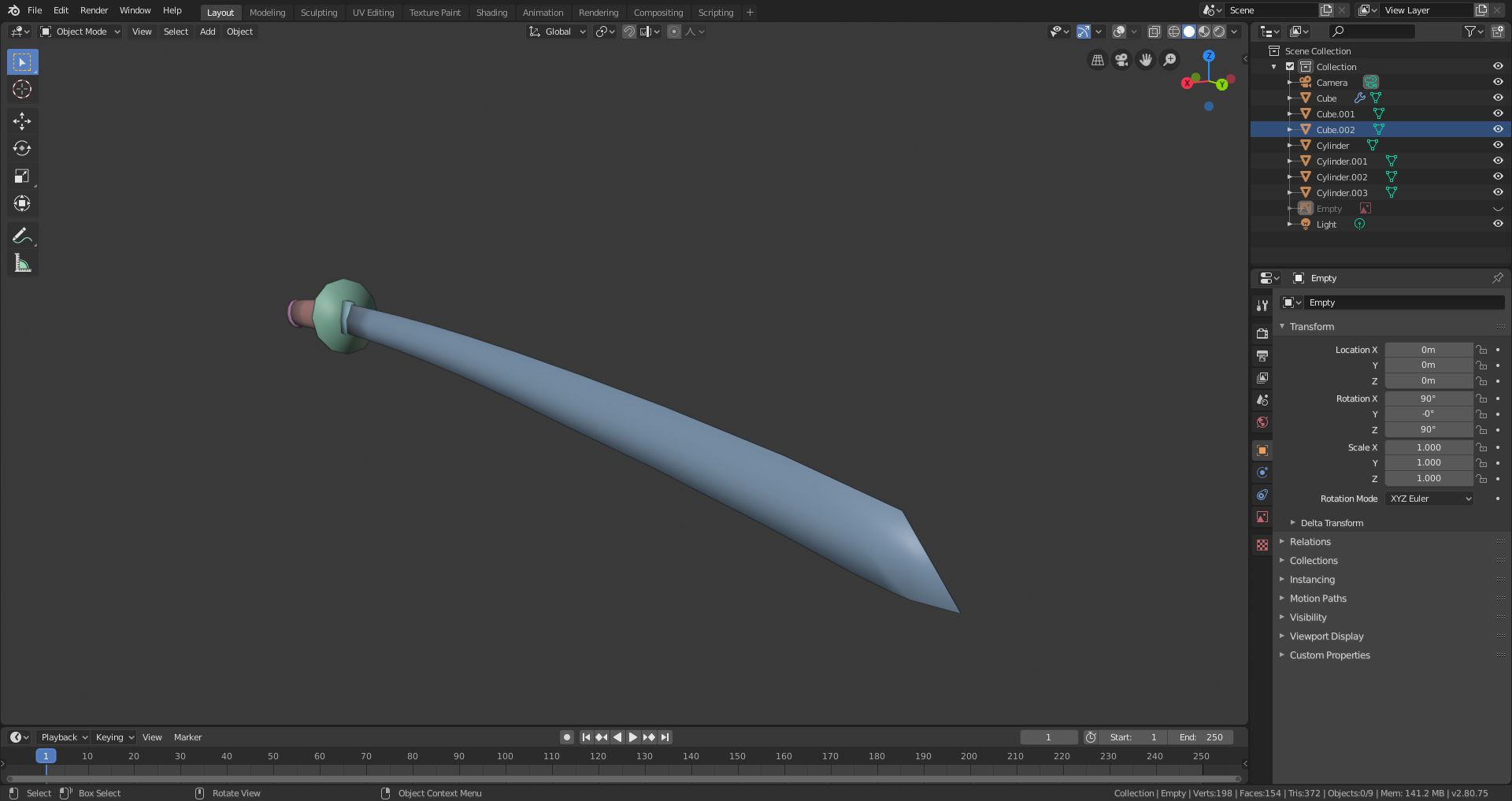
As it’s already late here in France, I just used the time during the live stream to perform the simple blocking of the katana.
 July 31, 2019 at 10:05 am #48460
THIS is how to start a homework thread! I thoroughly enjoy the background info, your goals, and why you chose the katana. The reference images are perfect and the model is well on its way too. Nice job @otowa 👊
July 31, 2019 at 11:07 am #48461Day 1 : Tsuka ito
As soon as I decided to go for a katana, I knew that the tsuka ito was going to be one of the hardest part to do.
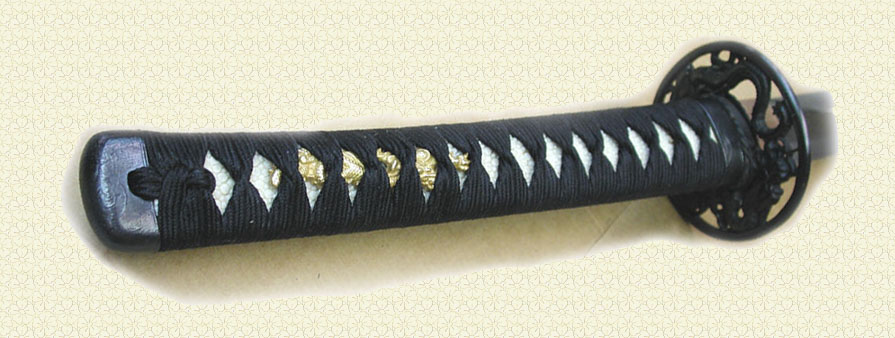
The tsuka ito is the piece of fabric (silk, or leather for example) that wraps around the handle (the tsuka).
The difficulties I foresaw and the adopted solutions were :
-Complexity of the wrapping pattern
If you look carefully, the material is wrapped around itself in a very specific pattern.
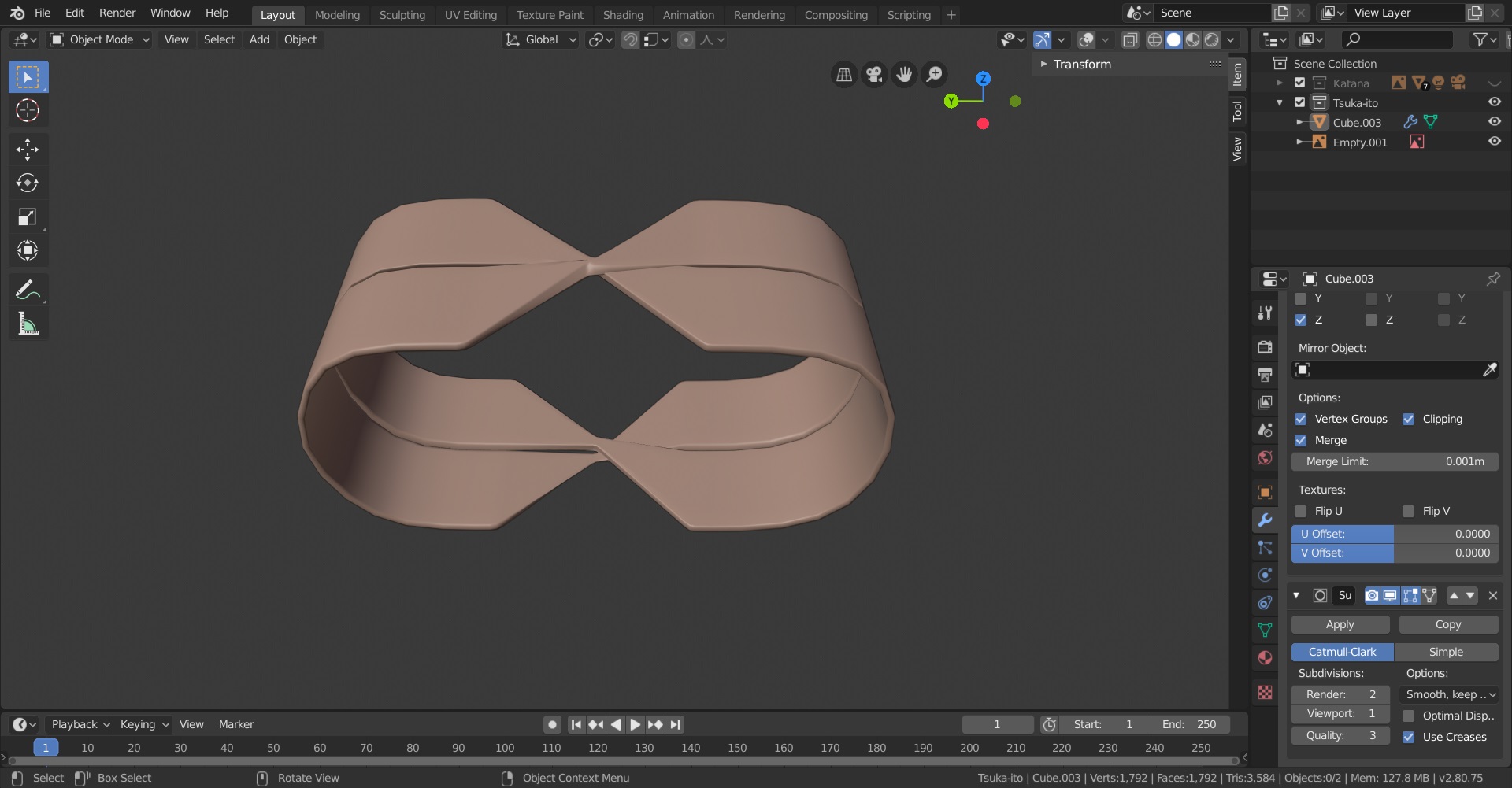
As Kent suggested to keep things pretty simple (well that’s what I understood at least), I cheated by reducing the level of complexity by modeling just two rings of material reducing in width where they cross each other, one going behind the other.
-Shape of the handle
The whole katana is bend, which can become complicated for this kind of things.
I decided to replicate my starting double-ring with an array modifier, and, then curve the pattern with a Beziers, and I think it turns out acceptable.
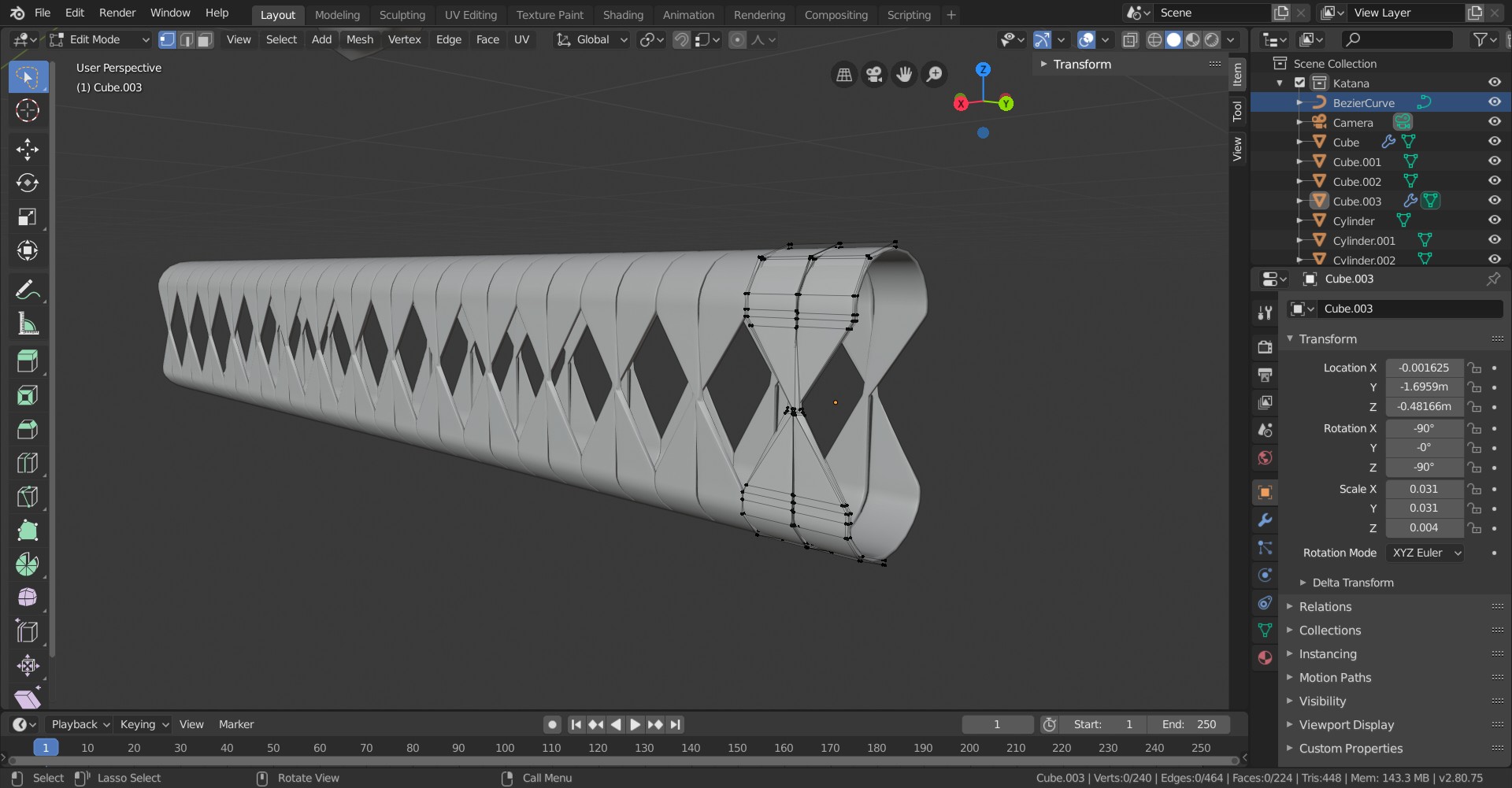
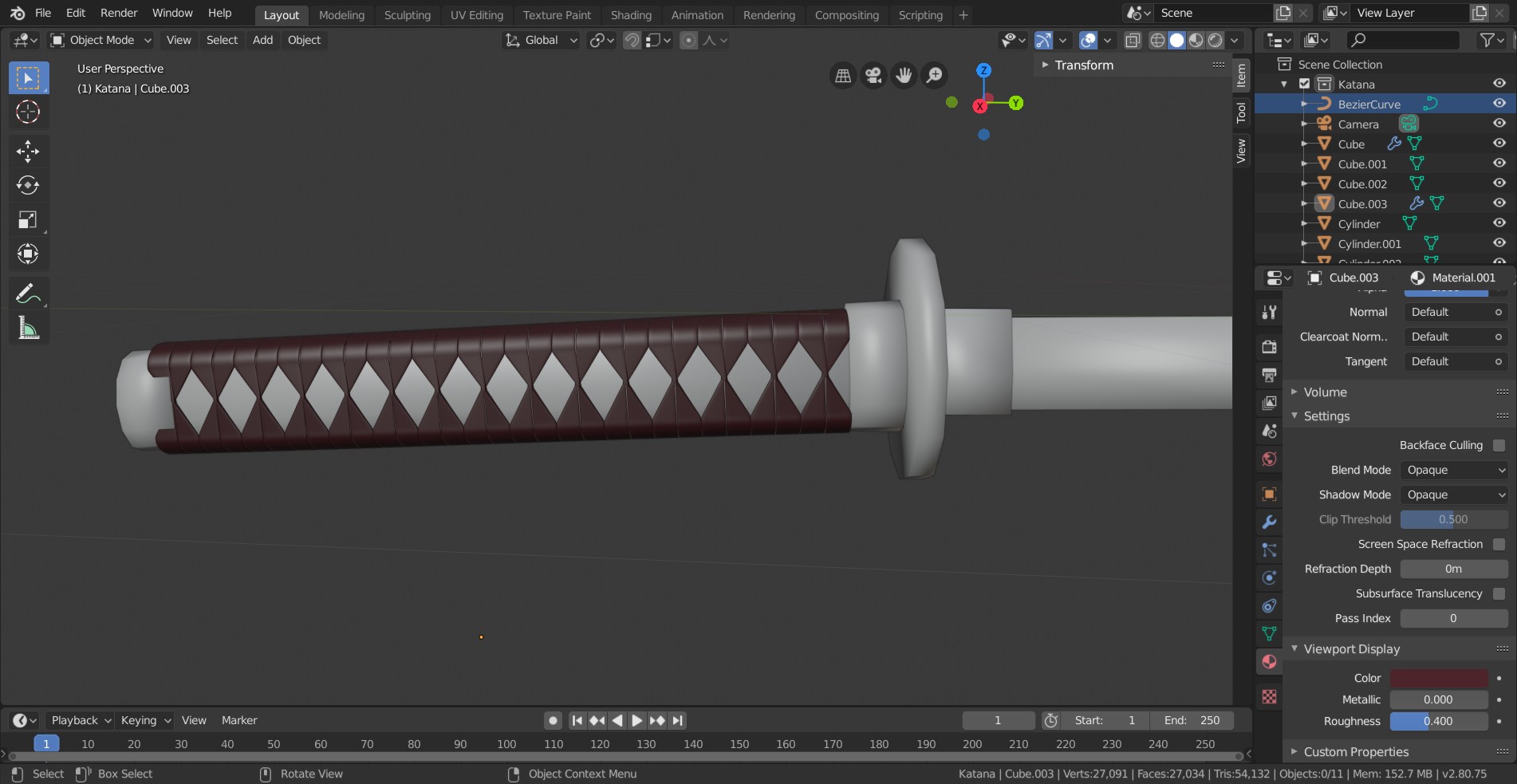
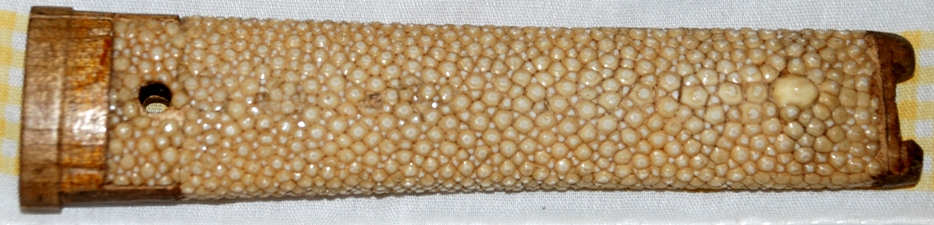
That’s it for this day 1. It went much better than I anticipated. As for the “inside” of the handles (behind the tsuka ito, and is called the “same”), I think I will use texturing in week 2 to give some detail, unless someone here can suggest an easy way to replicate this kind of “texture”
 July 31, 2019 at 11:08 am #48462
@theluthier Thank you! Keeping a nice thread pushes me to do things in a proper and constistent way.
July 31, 2019 at 11:21 am #48463@otowa Nice work so far! You’re really going for it! As for the sharkskin texture under the wrapping, I’d probably leave it for the texturing phase. It’d be easier, anyway, and since the majority will be under a wrapping, less important than the big features. I would use a voronoi texture and follow a similar process for Kent’s water shader, but instead of pushing the “bump” inwards, push it outwards. Hopefully that makes sense. Let me know if it doesn’t and I’ll do my best to simplify.
July 31, 2019 at 12:00 pm #48464@otowa May I suggest something?
For the shape of the handle, in stead of using a curve, model it straight and then use a Lattice Modifier to get the curvature.
I’m not sure if that is better, but it does have some advantages.
July 31, 2019 at 12:03 pm #48465@spikeyxxx Could you tell me what benefits I would get? I remembered the curve technique from an old youtube tutorial, but I noticed theyr use lattice in the jellyfish tutorial I started recently. But I’m not sure to know why one would be best than the other.
July 31, 2019 at 12:15 pm #48466@otowa It would bend the whole handle consistently. You could use the Lattice for the wraps and for the underlying structure.
Look at my barrel, for instance, I modelled everything straight and then added a Lattice. This way the rings and the planks get bend the same way.
I’m not sure if this makes sense to you, but if not, don’t be afraid to ask.
July 31, 2019 at 12:17 pm #48467@spikeyxxx Yes it does, I’ll give it a try, thanks!
July 31, 2019 at 1:34 pm #48468Now I know the proper name of the katana grip pattern. It inspired me to do some youtubing. Learning new things everyday!
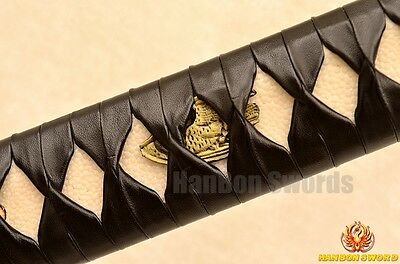
The only advice I have regarding the wrap pattern is that the criss-cross feels a bit too flat in your model. Like it’s losing volume, especially when seeing the handle as a whole. I think there’s room to make the criss-cross protrude out a bit more. This photo for example:

As for bending the arrayed pattern, a lattice is a great choice. Also a Simple Deform modifier set to “bend” would do the trick too.
And I 100% agree with @silentheart00 that a voronoi procedural texture would be great for the underlying handle.
It’s so cool to see your process for creating the shape. This thread can now serve as a worklog for others to learn from. Way to go, Thibault.
July 31, 2019 at 2:28 pm #48469@theluthier Thanks, I’ll see about that tomorrow!
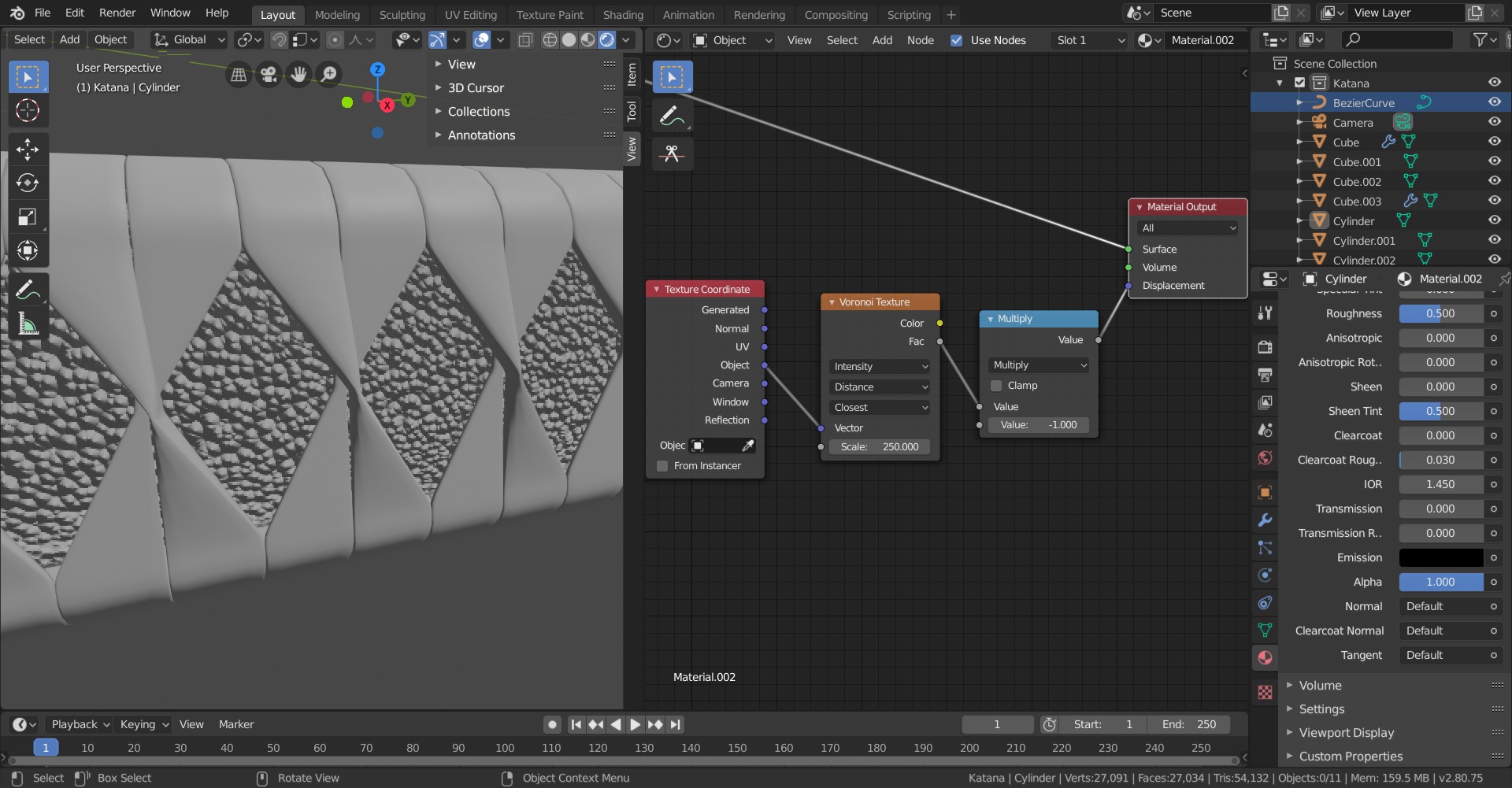
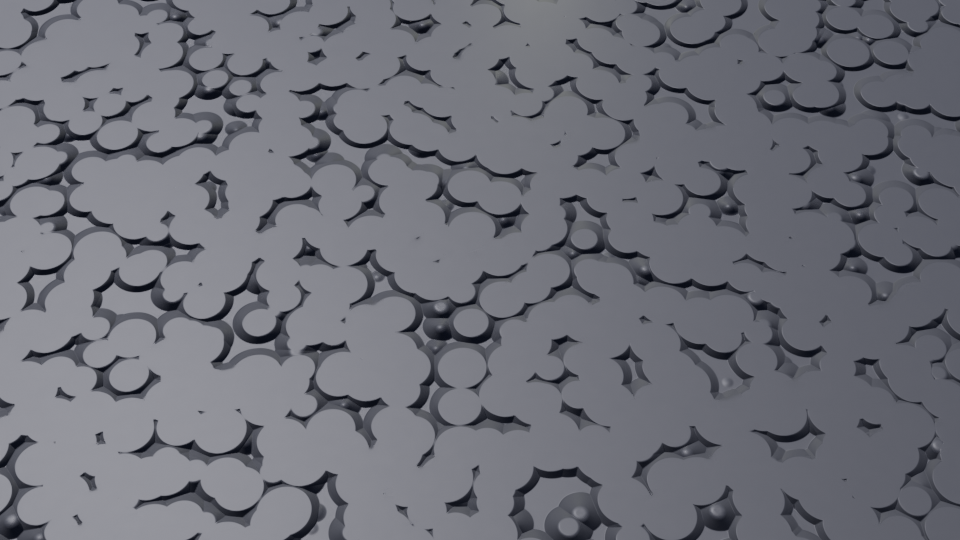
July 31, 2019 at 3:28 pm #48470@silentheart00 I tried the voronoi and it’s going somewhere, but first I’d like to have them all forming nice circles, and second I’m not even sure this is the way I should go. (I used shader node on the displacement channel).
 July 31, 2019 at 7:45 pm #48471
@otowa Maybe add a Colour Ramp to the Voronoi? The circles will be flat (usually) if that’s what you’re looking for as a base, and then you can tweak it some more. Might take a bit to get all the circle separated but it can be done.
 July 31, 2019 at 11:16 pm #48472
Wow nice! I really like that you show us detailed work in progress!
-
AuthorPosts


- The topic ‘BC1-1908 Homework, Thibault Caradec’ is closed to new replies.