
mutantbanana

Forum Replies Created
-
AuthorPosts
-
Oh! How did I miss that? Thanks so much for pointing that out, Jonathan!
Hi spikeyxxx, Aha! Thank you for this explanation. While I thought my bracket edges were already beveled from an earlier tutorial in this series, after reading your comment I looked more closely and realized that a few edges of my brackets weren’t beveled where Kent’s were. When I beveled those the problem went away. Thanks for the input – much appreciated!
October 6, 2019 at 4:21 pm in reply to: when i try and bevel it bevels the inside of the shape not the outside , how would i fix that ? #29455Thanks spikeyxxx! That worked like a charm. Much appreciated!
October 4, 2019 at 8:21 pm in reply to: when i try and bevel it bevels the inside of the shape not the outside , how would i fix that ? #29453Thank you for the merge vertex instructions, Kent!
However, I’m now having the same problem as clorf. After the merge vertex operation, the planks have also merged and only bevel around the outer edges of the chest.

I’ve tried separating the planks out again one by one, but I keep encountering weird issues when I try.
My process is:
– select vertical and horizontal face loops around an individual plank using the shift key so the whole plank is selected
– hit “y”
– hide all the other planks
– use edge select and “F” to add faces as needed.
An example of a weird issue is sometimes when I select the edges around the missing face and hit “F,” nothing happens, so I’ll then right-click and select “Fill.” This works but the new face has a diagonal edge going through it.

Or when I separate out the planks this happens during an experimental bevel.
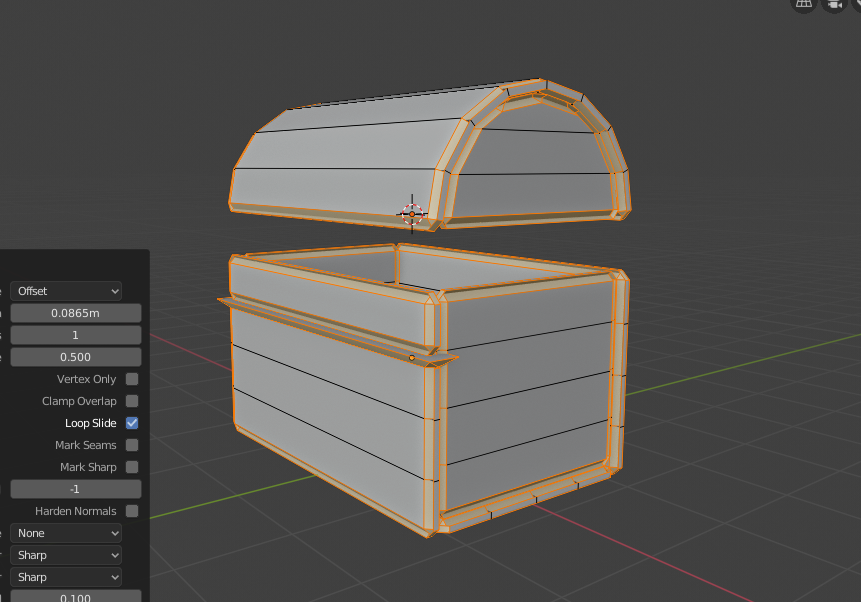
(That extrusion is not the same face as the one that had the diagonal line through it.)
My question is, what is the best way to separate the planks after the merge vertex operation?
My file is available here if needed (saved right after the merge vertex operation but before I tinkered with the planks): http://pasteall.org/blend/index.php?id=52424
Thanks very much for your help!
Ah, roger that. Thanks so much!
September 30, 2019 at 10:58 pm in reply to: I’m stuck at the rotation of the lid using the Rotation fields in the Transform panel #51106Ah, got it. Thanks very much!
September 28, 2019 at 3:54 pm in reply to: I’m stuck at the rotation of the lid using the Rotation fields in the Transform panel #51104Hi! Just checking in. Any word on this?
September 25, 2019 at 10:38 am in reply to: I’m stuck at the rotation of the lid using the Rotation fields in the Transform panel #51103Hi Kent, No problem. You should be able to download the .blend file from here: https://drive.google.com/file/d/16RCEPCYP94fLR9VjOhiQ9vZv5tK3VNCT/view?usp=sharing
Thanks so much for your help!
-
AuthorPosts
