
Kimberly T.

Forum Replies Created
-
AuthorPosts
-
November 6, 2025 at 3:56 pm in reply to: How do you deal with area plane lights reflecting off of glossy objects in Eevee? #97790
Thanks Dwayne! Yeah, I pretty much did that and just settled with the roughness being a tad more. This is more like a dummy project and not like much of a real watch/phone shoot I am aiming for but realistically there would be more than 1 layer and the outermost layer is the one with the most roughness so I just settled with bumping the roughness a bit. I learned that this project is cooked but I just settled with tweaking the metallic and roughness settings.
If I would start a new project like this one, I’d do things differently.
Thanks for the help!
November 4, 2025 at 1:51 pm in reply to: How do you deal with area plane lights reflecting off of glossy objects in Eevee? #97788Hi Omar,
Thank you. I saw the area light plane reflecting off as a square from the LED screen which I thought was distracting. However, I forgot I bumped up my LED screen as 1.000 metallic and 0.000 roughness and this was most likely the expected result.
November 4, 2025 at 1:49 pm in reply to: How do you deal with area plane lights reflecting off of glossy objects in Eevee? #97787Martin, oh it’s most likely because my LED screen has Metallic bumped up making that appear as such. I think it might be my shader settings.
EDIT: Did it with metallic. I opened up a new project and replicated similar but when I turn down specular, the light dims down too.
November 4, 2025 at 12:44 pm in reply to: How do you deal with area plane lights reflecting off of glossy objects in Eevee? #97785Hi Martin!
I was using Blender 4.1 for the whole time and did not see that setting but I went in Blender 4.5 and was able to toggle that down, unfortunately however it does kill my light.
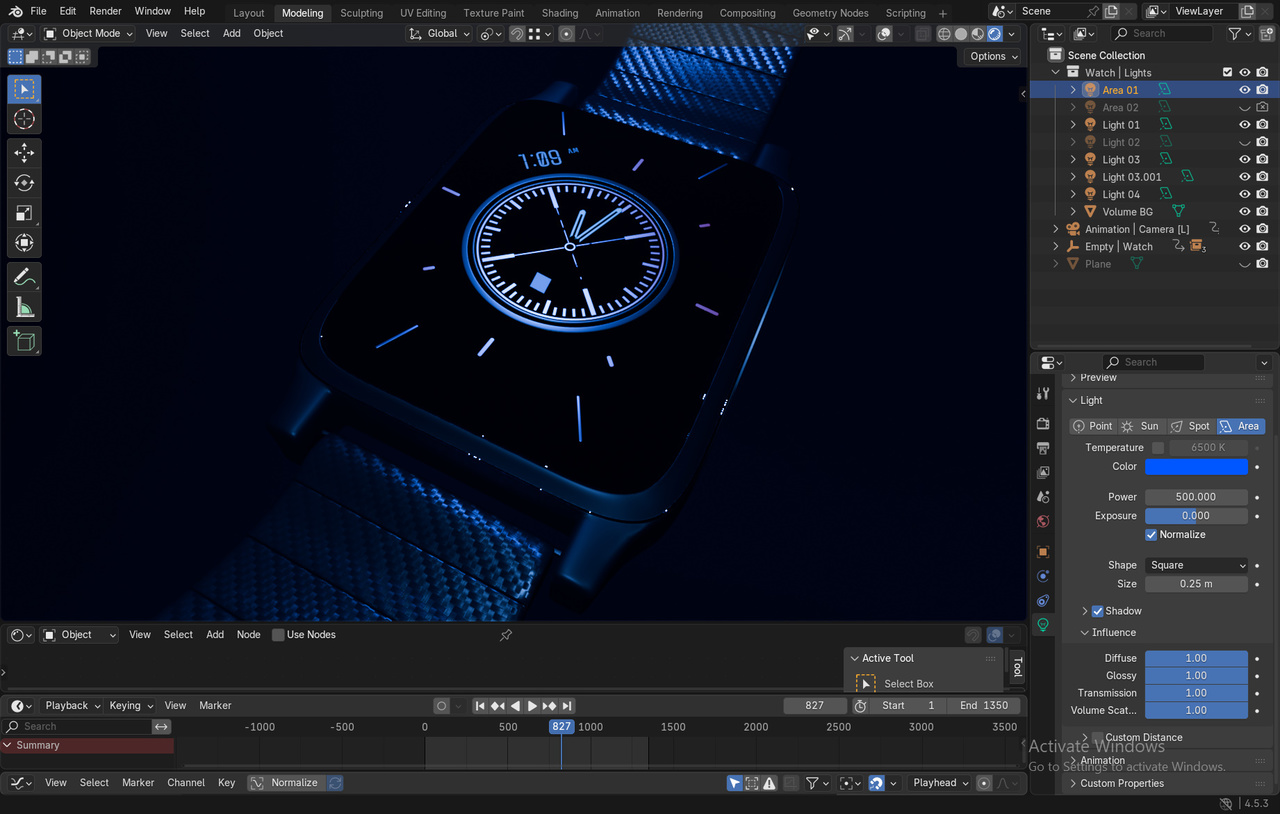
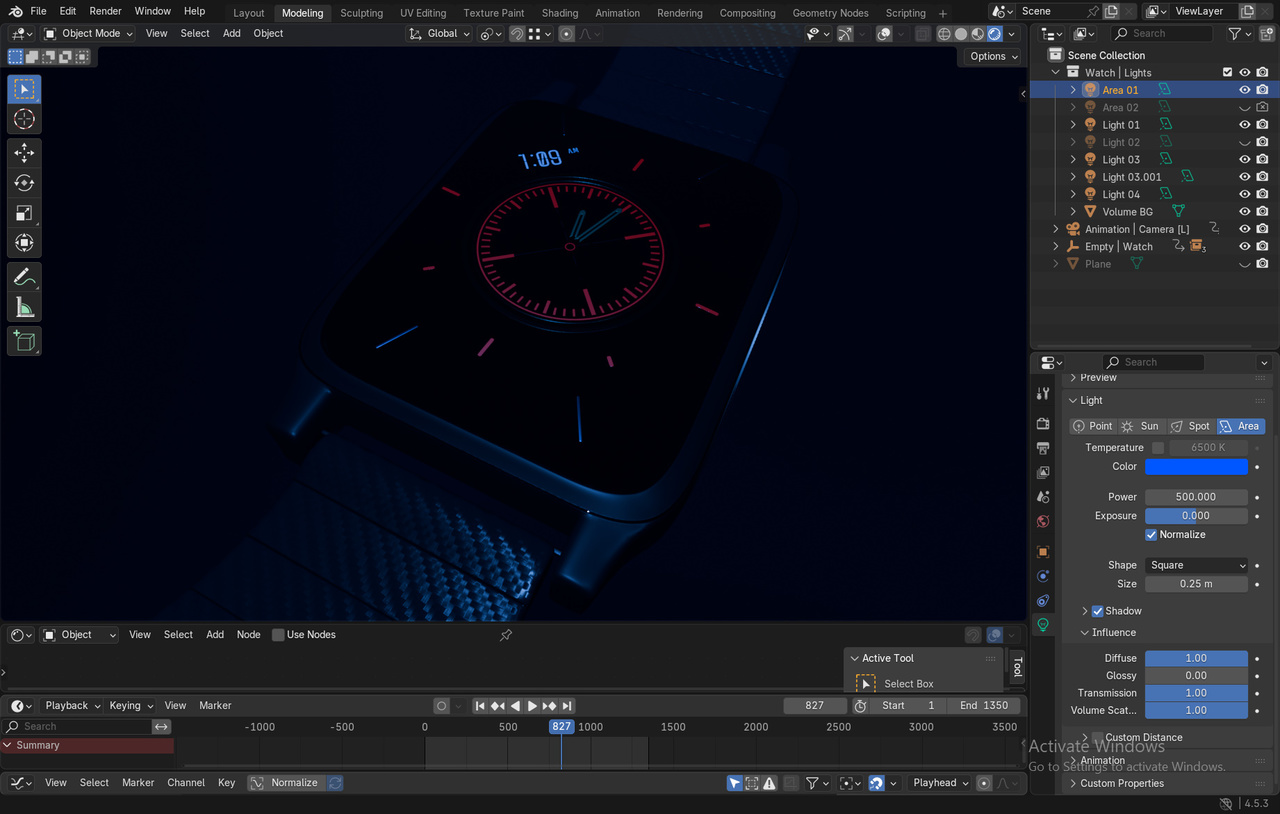
D:
thank you
That is incorrect. This simulation here deals with bezier curves, not parenting mesh to armature. Bendy bones have no affect on pinching that is done here.
You should definitely experiment after watching tutorials.
You don’t need to use bendy bones for this. What makes you believe so?
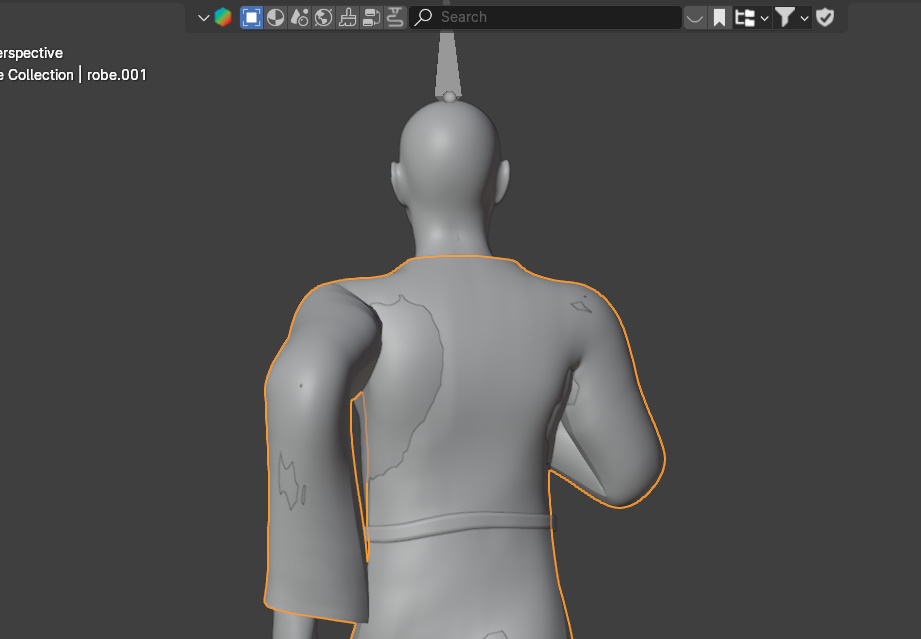
Hi. Yes. Without my cloth simulation active, there have been intersections between the human mesh and the cloth itself as I run the animation longer. In that case, do you resolve it with weight painting or sculpting or either way works? I used to weight paint and sculpt when catching issues but not sure which is more invasive to the cloth simulation.
Example of intersection on frame 85
Hi Omar, what is SSS?
July 9, 2025 at 1:10 pm in reply to: Please provide me feedback on a portion of my human sculpture #95833Thanks Omar!!
June 8, 2025 at 2:33 am in reply to: HOW TO SELECT EVERYTHING IN THE TIMELINE INCLUDING SHADERS ARMATURES JUST EVERYTHING?! #95361omg thank you so much Martin you’re a life saver
June 5, 2025 at 12:38 am in reply to: How to use GPU Compute when it says “no compatible GPUs found for Cycles” #95240I did download from the website itself and it’s still showing the same result. I went to download 4.1 through https://download.blender.org/release/Blender4.1/ with blender-4.10-linux-x64.tar.xz. Still it says “No compatible GPUs found for Cycles… Requires NVIDIA GPU with compute capability 3.0”
May 30, 2025 at 11:23 pm in reply to: What are some great laptops for high quality rendering? Thoughts on external graphics cards? #95050TY for letting me know this
May 30, 2025 at 1:09 am in reply to: What are some great laptops for high quality rendering? Thoughts on external graphics cards? #95048Hey Littlesheep,
As much as I wanted to run tests on the laptop I was purchasing, I was unable to due to admin privileges and given I don’t really have many computer-based stores around here, I did end up purchasing an MSI Stealth 16 Al Studio A1V 16” 165 Hz Gaming Laptop. VRAM capacity is 12GB with graphics card RTX 4070. I believe it is a quadcore processor with 32GB of RAM. It was the best offer I can find for only $1500 plus tax near me.
😀 Just to update.. I’m pretty excited and I’ll see how this will affect my animation workflow when using it.
May 15, 2025 at 12:27 pm in reply to: What are some great laptops for high quality rendering? Thoughts on external graphics cards? #95046Hi Littlesheep,
I will take note of that. Thank you so much for the thorough insight on this matter. Really really appreciate that! 😀
-
AuthorPosts
